 MetaTrader 5
 Experts
 지표
 라이브러리
 유틸리티
 위젯
 규칙
MetaTrader 5용 무료 Expert Advisor 및 지표 - 121
 트레이딩 로봇과 지표를 사용하여 외환 거래를 더 수익성 있게 만들 수 있습니다. 트레이딩용 로봇을 사용하면 개점 및 폐점 거래를 자동화할 수 있으며, 지표는 시장 행동을 보다 정확하게 예측할 수 있습니다.
이 페이지에는 MetaTrader 5 응용 프로그램의 카탈로그가 나와 있습니다.

Overview This Expert Advisor acts as a slave receiver designed to work seamlessly alongside the Copy Trades Master application. It reads broadcasted master signals in real time and automatically mirrors trade operations on the local slave account. https://www.mql5.com/en/market/product/189493 Key Features: Unlimited Slave Accounts: Broadcast signals from a single master to as many slave terminals as you need with no performance limit. Flexible Lot Management: Customize trade sizing using a lot m
FREE

A lightweight, non-intrusive on-chart floating dashboard for MetaTrader 4 (MT4) and MetaTrader 5 (MT5) . It provides critical market telemetry and live account status directly inside the chart window with interactive drag-and-drop and minimize functionality. Key Features Interactive Drag & Drop: Click anywhere on the dashboard panel to reposition it seamlessly across the chart window. Automatic boundary detection keeps the panel within the chart frame. Smart Minimize / Expand Toggle ( _ / + ): C
FREE

This is a simple and lightweight indicator that displays the live spread of the trading instrument on the top left corner of the screen. It is built to be lightweight, performant and react to real time price feed. The spread is the difference between the Ask and Bid price of the trading instrument. This is the cost that the user needs to pay for immediate execution. It is crucial to know and track the spread to be aware of costs involved. In the standard accounts, the spread is the only cost you
FREE
Indicador IMI (Intraday Momentum Index) Descrição O Indicador IMI (Intraday Momentum Index) é uma poderosa ferramenta de análise técnica desenvolvida para identificar a força do momentum e potenciais reversões no mercado. Este indicador quantifica a relação entre ganhos e perdas durante um período específico, ajudando traders a avaliar a dinâmica atual do mercado. Características Oscila entre 0 e 100, facilitando a interpretação das condições de mercado Identifica com precisão áreas de sobrecomp
FREE

GDS Renko MultiSymbol - Multi-Symbol Renko Overview Indicator for MetaTrader 5 GDS Renko MultiSymbol is a Renko multi-symbol overview indicator for MetaTrader 5. It helps traders monitor Renko market context across several instruments from one compact visual workspace. The purpose of this tool is to make multi-symbol Renko observation easier. It does not predict market direction, does not generate buy or sell signals and does not decide which symbol should be traded. Renko EDGE EA
Why Multi-Sym
FREE

Full Description (Professional MQL5 Version) Psychology Guard Pro is a powerful MetaTrader 5 indicator that protects traders from emotional trading decisions by monitoring equity changes and excessive trading activity. This tool is ideal for forex traders, prop firm challenge participants, scalpers, and grid traders who want better psychological control and structured risk management. Key Features Equity-Based Psychology Alerts Displays a STOP Trading alert when loss exceeds a defined pe
FREE

Dynamic ATR TP Ratio The ATR Take Profit Manager Expert Advisor (EA) automatically calculates and adjusts the take profit (TP) level for your open trades, based on market volatility. This EA uses the Average True Range (ATR) indicator, which measures market volatility, to set your TP level, ensuring it adapts to the current market conditions. What is ATR? The Average True Range (ATR) is a technical indicator that shows the volatility of an asset over a specific period. It measures how much the
FREE

Trarity Analytics is a professional trading journal and performance workspace - built by traders, for traders. Need help getting started? Check out our tutorial .
With seamless MT5 integration, your trades are imported automatically - including auto-screenshots for every execution - so you spend less time journaling and more time improving. Trading Journal Auto-import via MT5 + clean trade history sync Auto-screenshots for every execution (faster review, full context) Add notes, tags, and setu
FREE

Global Equity Manager Global Equity Manager is an account-level risk management tool designed to protect your trading capital by monitoring the entire account equity in real time and acting immediately when your predefined limits are reached. It works independently of any trading strategy and manages all open positions together as one basket . Key Advantages Full Account Protection
Monitors total account equity instead of individual trades. Works with Any Strategy
Compatible with manual
FREE

Exobeacon Telemetry는 현재 뉴스가 거래하는 시장에 어떤 영향을 미치고 있는지 실시간으로 보여주는 센티먼트 분석 오버레이입니다. 이 제품은 Exobeacon Labs 백엔드 ( api.exobeacon.com 의 자체 백엔드)를 사용하며, 49개의 뉴스 소스를 모니터링하고 LLM 기반 의미 분석으로 각 배치를 처리합니다. 결과: 자산별 통합 센티먼트 점수가 매분 업데이트되어 차트에 직접 시각화됩니다. 일반 경제 캘린더나 처리되지 않은 RSS 피드와 달리, Exobeacon Telemetry는 뉴스의 내용을 해석 하고 실행 가능한 정량적 신호로 변환합니다. 적용 범위 외환 (8개 통화, 28개 페어 형성): USD, EUR, GBP, JPY, AUD, CAD, CHF, NZD 지수 (5개): DAX 40, S&P 500, NASDAQ-100, Dow Jones 30, Russell 2000 원자재 (5개): 금, 은, WTI 원유, 천연가스, 구리 EA는 차트 심볼을 자
FREE

RSI Echo is a structured market analysis indicator designed to identify and maintain relevant supply and demand zones across different market regimes. The indicator focuses on clean structure visualization , continuously adapting to market conditions and removing outdated zones automatically. Regime-Based Market Logic RSI Echo adapts its analysis depending on the chart timeframe: M1 to M30 → unified intraday structure H1 to H4 → higher timeframe structure D1 and above → macro market structure
FREE

JVH Protection – Universal Prop Firm Risk Manager (MT5) Broker-Time Reset | Daily Max Loss | Overall Drawdown | Trailing Lock | Full Account Guard JVH Protection is a professional-grade equity protection tool for MetaTrader 5, built for prop firm traders, EA users, and anyone who wants strict automated risk control. This EA acts as a real-time risk firewall for your entire MT5 trading account. Key Features Full Account Protection Monitors all symbols Covers all magic numbers Works with m
FREE

The Swap Calculator Panel shows you what holding a position overnight really costs – before you open the trade. • Works with every symbol of your account: forex, indices, shares, commodities, metals, crypto • Enter direction, lots, opening and closing date – from a few days to several years • Counts swap nights automatically, including the triple-swap day (weekend swap) • Total in your account currency, plus swap per lot and night for long and short • Shows the full calculation with the real n
FREE

> Elevate Your Trading Strategy This free tool is just the beginning. At code4trading, we specialize in developing high-performance indicators and Expert Advisors designed for precision and professional-grade analysis. Looking for more advanced features? Discover our full suite of premium tools, including optimized signals, advanced oscillators, and institutional-grade trading utilities at our official MQL5 store. > Explore the full catalog here: https://www.mql5.com/en/users/pablogx9/seller
FREE

Full Description (Professional MQL5 Version) Range Scanner Pro is a lightweight and efficient MT5 indicator that scans price action to monitor market ranging conditions and potential breakout setups. Markets spend most of their time in consolidation. Identifying these range zones early allows traders to prepare for high-probability breakout trades. This tool is ideal for breakout traders, scalpers, intraday traders, and volatility-based strategy users. Key Features Detects market consoli
FREE

Guardian Shield EA - Risk & Profit Protection System ️ Ultimate Account Protection Guardian Shield is a specialized utility Expert Advisor designed to provide comprehensive risk management and profit protection for your trading account. It monitors all running positions in real-time and takes immediate action when predefined profit or loss thresholds are reached. Key Features Advanced Risk & Profit Guardian Real-time Monitoring : Continuously tracks total P&L across all positions Du
FREE
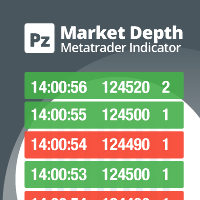
Do you like scalping? Th is indicator displays information about the latest price quotes received from the broker. [ Installation Guide | Update Guide | Troubleshooting | FAQ | All Products | Get Help ] Identify tick trends easily A blue row means the price has increased A red row means the price has decreased Customizable colors and font sizes Display your desired amount of rows The indicator is non-repainting
Parameters Rows: amount of rows with data to display in the chart Font size: font
FREE

This EA allows you to secure a position by closing a percentage of the position and changing the stop loss once the price reaches the trigger. Please leave a comment. Thank you !!! Settings : percentage : the lots percentage to close at breakeven buffer : the distance between the entry price and the new sl trigger : distance in points to activate the breakeven Lots : the volume you use to open the position. (Very important: it must be the same lot as the position)
FREE

ST Safe Guard: The Intelligent Shield Against Irregular Volatility The financial market is unforgiving. Most traders lose months of profit in just 5 minutes during high-impact news or irrational volatility spikes. ST Safe Guard is your first line of defense — a real-time monitoring system that decides, with mathematical precision, whether the market is safe or restricted for trading. Why every professional needs it: News Sentinel: Synced with the Economic Calendar, it visually flags the chart 30
FREE

AutoLotEqualizer – Smart Position Balancing Tool AutoLotEqualizer is a precision trade management utility designed to keep your total BUY and SELL volumes balanced automatically.
It detects differences between your open BUY and SELL positions and opens compensating trades — ensuring both sides stay equal in exposure.
This helps grid, hedge, and basket systems maintain symmetry and control over total position risk — all while saving you time and manual effort. ️ Key Features Automatic Lot Ba
FREE

VolPulse Telegram Bridge forwards the alerts of the free VolPulse Volume Profile indicator to Telegram: market-state changes, touches of key levels (POC, VAH, VAL, naked POC) and new entry signals with stop and target. It does not trade. It does not read your positions, balance or account number. Setup (about 2 minutes) Install the free indicator "VolPulse Volume Profile" and attach it to your charts:
https://www.mql5.com/en/market/product/200141 Tools → Options → Expert Advisors → tick "Allow W
FREE

GuardLens Lite - Prop Firm Drawdown Monitor for MT5
The free version of GuardLens: a clear panel that shows how close your account is to the prop-firm limits. It never opens, modifies, closes or blocks trades.
- Ready presets: FTMO 2-Step, FTMO 1-Step, The5ers High Stakes, personal account, or Custom. - Progress bars for the daily loss used, the maximum loss used and the profit target, from green to red. - The daily reference is the higher of balance and equity at the reset (adjustable reset
FREE

//////////////////////////////////////////////// //////////////////////////////////
An improved version of the standard Bulls Power and Bears Power indicators.
Now it's two in one.
The setup is simple - you just need to specify the period. It is also very easy to understand the readings of this indicator, a signal above zero is a buy, and below it is a sell.
//////////////////////////////////////////////// ///////////////////////////////////
I hope this indicator will be very useful to you
FREE

A script for quick reversing positions and/or orders. If you need to reverse a position with the same volume, open an opposite position of a different volume, this script will save you from routine! Allow AutoTrading before running the script. Instructions: Run the script on the chart. This script is a limited version of the market product https://www.mql5.com/en/market/product/638 and allows reversing only positions. Input parameters are not required. Parameters such as changing the type of exi
FREE

Know your lot size before you click Buy or Sell.
The Chart Mechanics Risk and Position Size is a free panel for MetaTrader 5. Set how much you want to risk and where your stop goes, and it shows the lot size to use and the money actually at risk in your account currency. It is an indicator, so it never opens, changes or closes trades.
WHAT IT SHOWS - Lot size, rounded DOWN to your broker's lot step, so you never risk more than you set - Money at risk after rounding, in your account currency -
FREE

This is the FREE DEMO version of Vector Local Copier.
It's the complete copier — real-time local copying, MT5 ↔ MT4 bridging, symbol mapping, the magic number filter, multipliers, SL/TP sync, the safety guards, the live dashboard — with one limitation: slave trades are capped to 0.01 lots. That's enough to prove it works perfectly on your exact terminals, brokers, EAs and symbols before you buy the full-size version.
GET THE FULL VERSION (no lot cap) HERE: https://www.mql5.com/en/market/prod
FREE

The Phoenix Master Engine is a high-performance Institutional Liquidity & Price Action Scanner designed for MetaTrader 5. It transforms a standard chart into a tactical "Atomic" dashboard by identifying exactly where the "Big Money" is entering and exiting the market. Unlike standard indicators that lag or flicker during high volatility, the Phoenix Engine uses Data-Verification Shield technology to ensure every zone and timer is 100% accurate before it appears on your screen. The Power of the
FREE

This is the latest offering from tr1cky.com. This is a session time indicator with customisable start and finish times. The indicator draws a vertical coloured line at the start and finish of the three institutional trading time zones. The session colours are as follows: Tokyo - Red London - Green New York - Blue Times are in Coordinated Universal Time (UTC)
FREE

Multi-period Parallel Random Oscillator 1. Main chart cycle main line and signal line 2. 15M 30M 1H fixed cycle signal line Mainly used to observe the overbought and oversold conditions of other cycles in the same chart。 Its main function is to identify moments of multi-cycle resonance, enabling you to better grasp opportunities for buying and selling points.
FREE

The Teamtrader Channel Stop indicator allows you to determine the current trend. If the Teamtrader Channel Stop indicator line has moved below the price and turned blue, then you should open deals for an increase. If the Teamtrader Channel Stop indicator line has appeared above the price and turned red, then you should open deals for a decrease: The indicator is suitable for any time frames, but it needs to be supplemented with filtering indicators, since by itself it is late and does not have
FREE

Description:
The PTB_MoneyFlow indicator is designed to help traders identify key price levels and potential price movements using Fibonacci retracement levels, alongside tracking recent highs and lows over both short and long periods.
Key Features:
Highs and Lows Tracking:
The indicator calculates and plots the highest and lowest prices over two user-defined lookback periods:
Short Lookback Period: Default is 3 bars.
Long Lookback Period: Default is 144 bars.
These levels are plotted
FREE
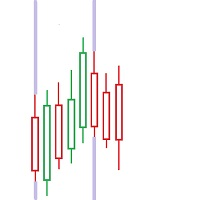
FIRST: I am NOT a coder ! I am a TRADER that was forced to code, because i needed some special tools! So i am sorry for minor graphic-bugs and so on...
this little free tool allows you to set 5 vertical lines at specific time. you can use it to mark london open / asia open / comex open and so on... it draws the lines in the future space - so you wont miss an important time / candle
you can select color..thickness of the lines you can select only 2 or 3 of the 5 max. lines - you dont have to us
FREE
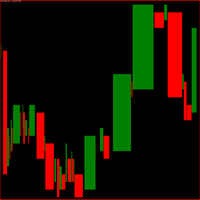
Indicador gerado a partir do tempo e da força da compra e da venda.
Quanto maior o número do parâmetro spread menos entradas será padrões pode-se ver, use para menos trades, ideal para não tomar muitos stops.
Quanto menor o número do parâmetro spread mais entradas com padrões, use para fazer scalp, operações curtas, maior probabilidade de stops. Observe o gráfico pelos menos uma semana antes de iniciar as operações. Quando começar faça somente uma operação por dia durante uma semana. vá aument
FREE
This indicator is a basic RSI but comes up with a useful feature.
You can set zones within the RSI and these zones can be displayed with different background colours. (You can see on the pictures below) You need to set the zone ranges and their colours at the input parameters. Six different zones can be set.
Should you have any questions or comments, feel free to contact me.
FREE

The indicator is based on the concept of price channels, which are formed by plotting the highest high and lowest low prices over a specified period of time. The Donchian Channel Indicator consists of three lines: an upper channel line, a lower channel line, and a middle channel line. The upper channel line represents the highest high over a specified period, while the lower channel line represents the lowest low. The middle channel line is the average of the two and can be used as a reference f
FREE

PositionRelay Master Publisher는 MetaTrader 5의 열린 포지션 스냅샷을 PositionRelay 클라우드 릴레이로 전송합니다. 마스터 계좌를 운영하며 다른 터미널이나 브로커의 슬레이브 계좌에서 진입, 청산, 스톱로스 및 테이크프로핏 업데이트를 낮은 지연으로 미러링하려는 트레이더를 위해 설계되었습니다.
연관 제품: PositionRelay Slave Subscriber(무료). 이 EA가 게시를 시작한 후 각 팔로워 계좌에 설치하세요. 두 EA 모두 동일한 PositionRelay User ID를 사용합니다.
요구 사항: - 활성 PositionRelay 클라우드 구독(positionrelay.com 가입) - positionrelay.com 대시보드의 PositionRelay User ID - 각 팔로워 터미널에 PositionRelay Slave Subscriber - 마스터 터미널의 안정적인 인터넷 연결
설정: 1. positionrelay.
FREE
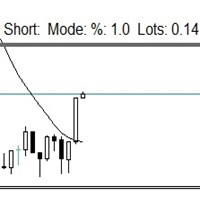
이 작은 도구는 차트에서 간단한 선을 드래그하여 위험 관리를 정의하는 데 도움이 됩니다. 계정 % 또는 라인에서 직접 고정 금액으로 계산된 실제 로트 크기를 보여줍니다.
당신이 해야 할 일은 키보드의 "t" 키를 눌러 라인을 활성화하고 라인을 손실 정지 지점으로 드래그하는 것입니다. 그게 다야.
설정에서 선과 텍스트의 색상과 너비, 선과 오른쪽 사이의 텍스트 공간을 정의할 수 있으며 계정 비율 또는 고정 금액 크기로 위험을 설정할 수 있습니다.
질문이나 희망사항이 있으시면 언제든지 문의해 주세요.
이 작은 도구는 차트에서 간단한 선을 드래그하여 위험 관리를 정의하는 데 도움이 됩니다. 계정 % 또는 라인에서 직접 고정 금액으로 계산된 실제 로트 크기를 보여줍니다.
당신이 해야 할 일은 키보드의 "t" 키를 눌러 라인을 활성화하고 라인을 손실 정지 지점으로 드래그하는 것입니다. 그게 다야.
설정에서 선과 텍스트의 색상과 너비, 선과 오른쪽 사이의 텍스트 공간을 정의할 수
FREE
Emergency Exit is an MT5 expert advisor I developed to solve a specific problem: monitoring and managing overall account risk across multiple positions. Unlike traditional EAs that focus on entry signals or complex trading algorithms, Emergency Exit has one job - to watch your total floating P/L and take action when your predefined thresholds are hit.
The main functionality revolves around two simple conditions:
Close when P/L >: Triggers when profit exceeds a value (take profit) OR when loss
FREE

Automatic transmission is for the traders who are annoyed by constantly putting manual take profit and stop loss. This will take some of the burden. All you need is a laptop/pc at home or a VPS, so that you can press buy or sell on your phone and all will be automatically done for you. Check out parameters below.
This utility is for every symbol. Watch for oddities when trading crypto.
Other products Automatic Transmission MT4 XAU Breakout MT5
Parameters
-Manage Magic Number (0 = Disabled)
FREE

FastSTAT is a comprehensive, real-time statistics indicator for MetaTrader 5. It is designed to provide traders with a clean, visual overview of their performance and market conditions without having to constantly check the Terminal window . Key Information Displayed: Profit Tracking : Monitor current profit/loss for the specific pair or the entire account in both currency and pips. Volume Data : View trade volumes for current and all symbols. Market Data : Real-time price, spread, server time
FREE

Pause Manager Indicator (for EA Pause Manager)
What It Is: This is a lightweight chart indicator that works together with the EA Pause Manager utility. It displays the current status of your EAs and sends that information to the EA Pause Manager so it can pause/resume them correctly. Required for proper functioning of EA Pause Manager .
Features: Shows real-time status (ACTIVE / PAUSED) of the EA on the chart Displays EA ID (EA1–EA4), customizable via settings Minimal resource usage No input s
FREE
MrGoldTrend is a sophisticated trend-following indicator designed exclusively for XAUUSD (Gold) traders on the MQL5 platform. With clear, easy-to-interpret visual signals, this indicator helps you quickly identify the prevailing trend and make informed trading decisions on the H1 timeframe. MrGoldTrend’s gold lines indicate an uptrend, while blue lines signify a downtrend, providing immediate visual clarity for trend direction. Key Features: Clear Trend Visualization : Gold lines for uptrends, b
FREE
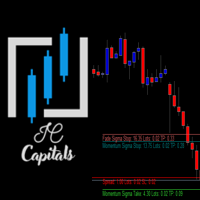
Key Features: Multi-Target Volatility: Configure multiple Take Profit and Stop Loss levels based on real-time market volatility. Fully Customizable: Set specific volatility multipliers (e.g., 4x for Stop, 10x for Take) using any look-back period (e.g., previous 20 bars on a 2-minute chart). Clear Visuals: Assign unique names to each level to be displayed directly on your symbol's chart for easy monitoring. Consistency: Every level calculated is synchronized with the volatility of your chosen per
FREE

# Noetrix Guard
Noetrix Guard is a native MetaTrader 5 account-risk dashboard. It presents daily trading P/L, configurable loss limits, EOD trailing loss, account drawdown, position risk and margin exposure in one on-chart interface.
The Expert Advisor does not generate signals and never opens a speculative position. Monitoring works with Algo Trading disabled. Optional protective actions are locked by default and require both an explicit input change and an on-chart confirmation.
## Main fu
FREE

The BandsFill Indicator is a modified Bollinger Bands with a colored cloud. It has two adjustable parameters: Period Deviation The cloud is colored as follows: If the price crosses the upper band, the cloud is blue. If the price crosses the lower band, the cloud is pink. Thanks to this, the BandsFill Indicator provides traders with an easy opportunity to detect various features and patterns in price dynamics that are invisible to the naked eye. Based on this information, traders can predict
FREE

SL Line Lot Calculator answers one question before every trade: what lot size risks exactly the amount I chose? Drag the red SL line on the chart and the panel shows the lot immediately. An optional green TP line shows the reward and the reward-to-risk ratio. How it works Attach the indicator. A SL line and a TP line appear around the current price. Drag the SL line to your stop. Below the price means a BUY setup, above the price means a SELL setup. Read the lot size, the real money at risk afte
FREE

Indicador Maestro del Trader
Características Principales: Spread del Mercado en Tiempo Real : Visualiza el diferencial entre el precio de compra y venta directamente en tu gráfico. Cuenta Regresiva del Cierre de Vela : No más sorpresas al final de la vela. El indicador muestra un cronómetro que te informa cuánto tiempo queda antes de que se cierre la vela actual. ¡Actúa con precisión en los momentos cruciales! Ganancias o Pérdidas en Tiempo Real : ¿Estás en verde o en rojo? El Indicador Maest
FREE

FTU MA Beast Bands — Retracement Indicator This indicator produces bands based on 67 moving average. Use outer bands for entry or target. Performance Rating: 6/10
Core Features Trading ranges, indicator shows if price is consolidating then price wont reach outer bands Use bands for entry or retracement, best combined with other indicators Stable indicator works on all time frames and products
Suggestions Once price reaches outer band, use another retracement indicator for entry Also give
FREE
As traders, we all know that risk management is the most important aspect of profitable trading. So, we need to determine the lot size, every time we need to open a new trade. The FX lot size calculator is a simple tool that will help you to determine your lot size easily without using any third-party service but you will be able to do that by your MetaTrader terminal. FREE
Inputs:
Maximum_Risk_Prc: To determine your preferred risk%. For example, if your risk 1% per trade, you will need to enter
FREE

Manual trading panel for MetaTrader 5. This tool enables you to open a trade in a single step. You can set the risk and levels directly on the chart and the position size will be calculated automatically. The tool does the following: You simply drag the stop-loss (SL), entry, and take-profit (TP) lines directly onto the chart. The position size is then calculated automatically, based on the specified risk as a percentage of the deposit or in the account currency. If necessary, you can specify a
FREE

Trading Panel Pro Trading Panel Pro is a professional MetaTrader 5 trading panel designed to help traders open and manage positions faster with precision and ease . Execute Buy/Sell orders , place pending orders , and manage trades directly from the chart using a clean, modern, and minimal interface — reducing unnecessary clicks and improving execution speed during fast-moving markets. Built for traders who value speed, simplicity, and efficient trade execution . Features:
Fast trade executio
FREE
This Expert Advisor requires the “STRAT Price Action Scanner” indicator to work. You must have the indicator installed and running on the chart Important
To place trades directly from the Trade Assistant panel, you must also install the STRAT Price Action Trade Manager EA (check the comment section) on the same terminal. The indicator sends the trade instructions; the EA is the component that actually places and manages the orders. Installation Instruction (please read) Guide t
FREE

If you are Looking Best indicators in Mql5 Market. Check these out!
SSS Scalping Smart Signals MT5 Indicator
Scalping Winning Signals Pro SWS
LTL Long Trend Locator
The Ultimate FXIFY Challenge Protection Dashboard for MetaTrader 5 Trade with Confidence. Stay Within the Rules. Pass Your FXIFY Challenge. Passing an FXIFY challenge requires more than profitable trading—it requires strict compliance with the firm's risk management rules. Many traders lose their funded opportunity not because o
FREE

Vtrade Challenge Dashboard shows how much room is left before your prop firm's daily loss limit and maximum loss limit, counted the way the firm counts it: floating profit and loss included, from the firm's own daily reset time. One copy on one chart covers the whole account: every symbol, every Expert Advisor and every manual trade. What it shows Status: protecting, warning, or limit reached. Today's profit or loss and the time left until the firm's daily reset (Prague midnight, UTC, server mid
FREE

The Real Flow Defense Levels indicator is a proprietary tool designed to identify and plot significant, high-conviction price zones directly onto your main trading chart. It uses a dynamic, volume-based analysis to determine where the market has previously demonstrated the strongest defense or concentration of activity . These plotted lines serve as dynamic support and resistance levels , highlighting the prices where major participants are most likely to enter or defend their positi
FREE

Description:
A simple but powerful tool to add interactive notes to your trading screen. This indicator creates a draggable text object with an optional visual status icon (/). Perfect for labeling charts during live analysis. Interactivity: Manual dragging enabled. Visuals: Custom fonts, colors, and background support. Utility: Quickly mark "Valid" or "Invalid" setups using the Tick/Cross toggle. Performance: High-speed execution with no chart lag.
FREE

【SecMode Series】SecModeCMO – High‑Resolution Tick‑Based CMO Indicator Overview SecModeCMO is part of the SecMode Series , a next‑generation suite of indicators designed to reveal the micro‑structure of price action at the tick/second level —a level of detail that traditional 1‑minute indicators cannot capture. While standard indicators refresh only once per minute, SecModeCMO uses a proprietary second‑level engine to: Update up to 60 times per minute (or at user‑defined intervals) Visuali
FREE

Wolf Countdown helps you not to waste the right amount of time, it gives you back the time remaining until the candle closes.
How to use: Download and install the Wolf Countdown Indicator on your MetaTrader 5. Apply the indicator to your favorite chart.
this works on any timeframe...
Thanks to this indicator you will never miss the right moment to enter your trades.
FREE

[FREE UTILITY] EA35 TANIN COPY UTILITY: ZERO LATENCY LOCAL COPIER
Are you looking for a lightning-fast trade copier to manage multiple funded accounts on the same VPS? Introducing EA35 Tanin Copy Utility, a commercial-grade Local Trade Copier for MetaTrader 5. Engineered for Prop Firm traders, this utility ensures zero lag and instant execution between your Master and Slave accounts.
KEY FEATURES: * Master & Slave Roles: Easily assign roles to your MT5 terminals. One Master can broadcas
FREE
Enhanced MACD MT4 – Advanced Momentum and Trend Oscillator The Enhanced MACD MT4 is a versatile technical analysis tool that builds upon the classic Moving Average Convergence Divergence framework. It provides a refined 4-color histogram system and a comprehensive notification engine, designed to visualize momentum shifts and trend reversals with high precision. Functional Overview This implementation focuses on providing a clear visual representation of market dynamics through three primary com
FREE

Balance History Indicator The Balance History indicator visually tracks the entire trading history of your account for the selected timeframe. It plots three key performance metrics: Profit – Displayed in Green Loss – Displayed in Red Zero Profit/Break-even – Displayed in Gray Balance Curve – Displayed as a SkyBlue line This indicator helps you instantly see the distribution of profitable and losing periods over time, along with your running account balance. It's ideal for evaluating historic
FREE

Trend Alignment Scanner Lite The Essential Volatility Direction Tool for MetaTrader 5 Looking for a reliable way to gauge market direction without cluttering your charts? Trend Alignment Scanner Lite delivers our core, powerful mathematical engine to your terminal for free. This version is designed for retail day-traders who want to experience the accuracy of our Volatility Direction Score (VDS) on major pairs before scaling up to institutional-grade multi-asset scanning. Pro vs. Lite Compari
FREE

The Retracement indicator shows the current and historical high, low and mid values. Optionally, it can also display major retracement levels. All these levels together form the significant levels of support and resistance. Therefore, it is essential to know them for every kind of trader.
Levels High Low Midpoint 76,4 % 61,8 % 38,2 % 23,6 %
Main features The indicator shows the actual levels of High, Low, Mid and selected retracements. Four optional retracement levels. Alert notifications
FREE
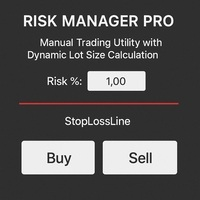
Risk Manager PRO – Manual Trading Utility with Dynamic Lot Size Calculation
Risk Manager PRO is a powerful yet simple utility for manual traders. It allows you to enter trades with calculated lot sizes based on your specified risk percentage and a visual stop-loss line. Just drag the red stop line to your desired level, input the risk %, and click Buy or Sell. Ideal for traders who want precise risk control without complex calculations.
Features:
Dynamic lot size calculation
Visual stop-lo
FREE

QuickClose EA: Manage Trades Quickly and Efficiently QuickClose EA is a tool designed to help traders manage orders on the current chart easily and quickly. It provides full control over your trading status with clear feedback. Key Features of QuickClose EA: User-Friendly Control Panel: Clearly displays essential information such as the current symbol name, total profit/loss for Buy and Sell positions, and open lot sizes, giving you an immediate overview of your trading status. Precise Lot Size
FREE

Umagads Lot Calculation and Auto SL TP Assistant: MT5 전문가용 리스크 관리 도구 Umagads 트레이드 어시스턴트 는 실행 속도와 엄격한 리스크 관리를 중시하는 MetaTrader 5 트레이더를 위해 설계되었습니다. 이 도구를 사용하면 더 이상 수동으로 롯(Lot) 크기를 계산하거나 진입 후 서둘러 손절선을 설정할 필요가 없습니다. 모든 계산은 즉각적으로 이루어지며 자동으로 적용되어, 트레이더가 시장의 움직임에만 집중할 수 있는 환경을 제공합니다. 주요 기능 v2.40: 정밀 롯 계산기: 계좌 잔고의 고정 리스크 비율(%)에 따라 최적의 롯 크기를 실시간으로 계산합니다. 즉각적인 자동 보호: 매수 또는 매수 클릭 시, 미리 설정된 값에 따라 스탑로스(SL)와 익절(TP)이 즉시 설정됩니다. 계좌 안전 가드: USD, USC(Cent), CNT 계좌에서만 작동하도록 설계되어 비표준 통화 계좌에서 발생할 수 있는 치명적인 계산 오류를 방지합니다
FREE

️ Multi-Symbol ATR Drawdown Mitigation EA (Smart Risk Manager) Advanced Drawdown Control Using ATR-Based Dynamic Profit Balancing “Professional Risk Management Engine”
This Expert Advisor is designed to help traders actively reduce drawdown by intelligently closing losing trades using profits from winning positions — based on market volatility (ATR) . Core Concept Instead of letting losing trades grow uncontrollably, this EA: ️ Identifies the worst losing position
️ Selects profi
FREE

OVERVIEW
The Fibonacci Moving Averages are a toolkit which allows the user to configure different types of Moving Averages based on key Fibonacci numbers.
Moving Averages are used to visualise short-term and long-term support and resistance which can be used as a signal where price might continue or retrace. Moving Averages serve as a simple yet powerful tool that can help traders in their decision-making and help foster a sense of where the price might be moving next.
The aim of this scrip
FREE

Orders Manager is a simple and indispensable assistant for managing all your orders. Inputs: Magic = 999; // Magic TakeProfit = 1000; // Take Profit. If = 0 the level is not setts. StopLoss = 0; // Stop Loss. If = 0 the level is not setts. Slippage = 10; // Slippage GeneralProfit = false; // Closing all orders based on total profit. If false the function is disabled and works according to TakePr
FREE

Trading Cockpit is a free, complete trading control panel for MetaTrader 5: watchlists, price & trend alerts, and automatic liquidity levels, all in one compact side panel without leaving your chart. Try everything at no cost.
WATCHLISTS & SYMBOL BASKETS - Unlimited symbols across several lists in one dropdown selector: a live mirror of your Market Watch, a Favorites list, and your own custom lists. - Predefined baskets by correlation cluster - US, Europe, Forex, Metals, Energy, Crypto - that w
FREE
MetaTrader 마켓은 개발자들이 거래 애플리케이션을 판매할 수 있는 간단하고 편리한 사이트이다.
제품을 게시하고 마켓용 제품 설명을 어떻게 준비하는가를 설명하는 데 도움이 됩니다. 마켓의 모든 애플리케이션은 암호화로 보호되며 구매자의 컴퓨터에서만 실행할 수 있습니다. 불법 복제는 불가능합니다.
