 MetaTrader 5
 Experts
 지표
 라이브러리
 유틸리티
 위젯
 규칙
MetaTrader 4용 트레이딩 유틸리티 - 43
 다음은 MetaTrader 4에서 외환 거래를 단순화하는 거래 프로그램입니다. 아래 목록의 유틸리티 위로 마우스를 가져가면 해당 설명과 용도를 읽을 수 있습니다.

To achieve mutual support between MT4 and MT5, and to purchase the MT5 version, please click here>>
Main follow-up function: 1. Reverse order capability 2. Cross platform follow-up, ignoring different names 3. Proportional order, magnification and reduction order 4. Compared to a specified currency pair, not compared to a specified currency pair 5. Can be ordered one to many, many to one, any order 6. Other unclear messages
6. Other unclear messages.

功能介绍
本软件利用键盘快捷键来辅助短线操盘、快速刷单和组合下单,是短线操盘手的利器。 本软件支持快捷下单,批量平仓,批量挂单及平仓与开仓的组合交易,实现一键操作多个交易指令执行。 面对行情剧烈行情波动时,操盘手可从容应对,并快速准确的下单和平仓,让交易变的更简单。 适合人群 热爱交易并希望成为一名操盘手的人。 长时间盯盘,操盘风格为短平快的操盘手。 愿意提高短线操盘胜率并训练强大执行力的操盘手。 希望更加高效把握市场机会,并能快速且准确的执行交易指令的操盘手 安装和配置 先软件需要安装在Experts文件夹中。 在导航中刷新可显示本软件,然后双击在到图表。 输入参数中选择语言及界面主题。 主界面分两个标签栏目: 基本交易和组合交易。基本交易执行的是简单命令,组合交易执行多个命令捆绑。 设置要对应的交易参数之后,要选择启动,那么就按下对应的快捷键执行交易了。 修改快捷键和交易参数必须在非启用状态下,双击对应的表格单元填入参数,或者弹出下拉框选择。 快捷键列表
本软件支持的预设快捷键清单,包括买入、卖出、撤单等常见交易操作的快捷键。 双击快捷键弹出下拉框可以选择自定义快捷键,同时用

Description: The forex risk management script is designed to assist traders in effectively managing the risk associated with their trades and maximizing profit potential. This script can be used on a trading platform to automate and simplify the risk management process. Features: Risk Configuration: Allows the user to set the percentage of capital they are willing to risk on a trade. Position Size Calculation: Automatically calculates the position size based on the specified risk percentage and
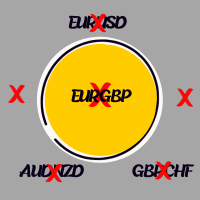
Like you when I first started trading, It was overwhelming...learning about indicators, about lotsize, leverage and many more things. Its been almost 3 years. I am more knowledgeable in trading. My trading continues to improve as I work on my strategy, technical analysis, trading psychology and trade management. One thing I am not worried about though is being able to close my trades quicky if a trade goes against me or if the trade has reached my take profit level with the help of my Close Tra
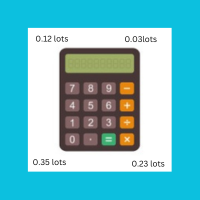
I started of as a complete novice in trading not understanding what a pip was, not understanding leverage or how to factor in risk to manage my trades. Its been almost 3 years. I am more knowledgeable in trading. My trading continues to improve as I work on my strategy, technical analysis, trading psychology and risk management. One thing I am not worried about though is getting the right volume to match the risk for each trade. Not too long after I began trading, I learned how to code to make m

NEW VERSION! NB: IF YOU ARE USING A VERY HIGH RESOLUTION MACHINE AND THE EA DISPLAY LOOKS TOO SMALL, CONTACT ME SO I CAN HELP YOU. Open Multiple Trades on MT4 in 1 click at one price. Enter the Lot size Specify the number of trades you want to open Choose whether you want TP SL or Trailing Stop Once you are done, click Buy or Sell Open Multiple Pending Orders on MT4 in 1 click at one price. Enter the Lot size Specify the gap from the current price, where you want to place the pending order Spe

With the Bollinger Band Squeeze Scanner in your toolkit, you'll be the first to know when the market's gearing up for a breakout – whether it's a sky-high surge or a dive into the deep end. This bad boy does all the heavy lifting for you, sniffing out those times when volatility takes a snooze. You know, when those Bollinger Bands start hugging the price action real tight? That's when you know something big might be brewing. Y ou've got up to fifteen symbols at your fingertips, and you can twea

Welcome! We are delighted to introduce our latest expert, which is a semi-automatic trading system that includes all the features you need for position management. Simply draw a line on a significant trend or supply-demand level, and the expert will take care of the rest for you. It comes with a wide range of risk management and position management tools, such as trailing stop, partial closure, break even, determination of stop loss and take profit levels using ATR, as well as automatic lot sizi

하락 보호 장치는 원하는 최대 일일 하락폭을 관리하는 데 사용됩니다. 이는 거래자, 특히 소품 회사 거래자에게 매우 귀중한 도구이므로 하락 한도에 주의해야 합니다. 이는 자산 손실 관리 목적으로 사용하기 쉬운 효과적인 EA입니다. 이는 새로운 거래를 차단하고 기존 거래를 종료하는 방식으로 작동하며, 유동 자산(잔액 아님)이 귀하가 설정한 일일 손실 한도를 초과하는 경우. 또한 단일 거래에 대해 최대 손실 한도를 설정할 수 있습니다. 이 한도를 초과하면 다음 날까지 거래가 차단됩니다.
사용자는 3개의 매개변수 값을 삽입합니다. $ 단위의 일일 손실 한도: 명목 통화 단위의 최대 손실률(예제 목적으로 "$"를 사용함) 계정 잔액 에 대해 명목 가치로 허용되는 최대 감소액입니다 . 초과하는 경우 EA는 다음 날까지 거래를 차단합니다. $로 표시된 거래당 손실 한도: 명목 통화로 표시된 최대 손실(단지 예시 목적으로 "$"를 사용했습니다). 이는 단일 거래
Download your broker's detailed spread data into a simple CSV file When choosing a broker, it is important to choose one that offers the right spreads for you. Ideally, we choose a broker with the lowest spreads. However, a broker will only advertise either the lowest spread they offer, or the average spread. The reality of spread is that it can vary massively and depends on the currency pair, the time of day or the volatility of the market at a given point in time. Some EAs are more sensitive

The SHE_Assistant Advisor is an advisor to help with manual trading.
For those who do not trust automatic Expert Advisors and prefer to trade manually. When trading manually, there are two big inconveniences, this is a long chain of actions to open a deal and set stop loss and take profit levels, and the problem with calculating the lot size after a loss. That's what this robot solves.
The main functions.
When the Expert Advisor is turned on, it displays a panel with three buttons, an inform

구매 전 중요 정보 전체 데모 버전 제공 – 실제 시장에서 테스트 가능
Trade Board MT4는 기능 제한 없이 데모 계정을 사용하여 실제 시장 환경에서 직접 테스트할 수 있는 완전한 기능의 데모 버전을 제공합니다. Strategy Tester 내부에서 트레이딩 보조 도구를 테스트하는 것은 현실적인 체결 동작을 제공하지 않으므로, 실제 성능을 경험하기 위해 데모 버전을 다운로드하여 실제 시장 환경에서 테스트할 것을 강력히 권장합니다. 실시간 테스트용 데모 버전을 받으시려면 저에게 문의하세요 MQL5 커뮤니티의 Koala Trading Solution 채널 에 참여하여 모든 제품의 최신 소식을 확인하세요. 이 제품의 MT5 버전도 제공됩니다 : 다운로드
Trade Board MT4는 더 빠른 주문 실행, 더 스마트한 리스크 관리 및 차트 가시성을 방해하지 않는 효율적인 거래 관리를 필요로 하는 MetaTrader 4 트레이더를 위해 특별히 설계된 고급 트레이딩 보조

It's very easy, you only need to enter the amount of profit you want to get, then when your account has grown this EA will close the order, even though you are not monitoring the chart. Now you don't need to worry if the profit you have achieved turns into a loss because you don't use this EA, because this EA will help you whenever, wherever you are. Good luck trying it, hopefully you will become a very profitable trader

"Coding and setting up automated processes can be complex and time-consuming. However, with our tool, you can streamline this process effortlessly. Once set up, it seamlessly integrates with MetaTrader 4, enabling automatic transmission of all your positions to your designated Telegram channel. This means you can focus on your trading strategies without the hassle of manually updating your positions on Telegram. Whether you're managing multiple positions or executing trades frequently, our tool

BEP (Break Even Point) for MT4 script - closes absolutely all orders, whether pending or market ones.
Orders are closed at the current profit/loss indicators at the time of closing.
The script is suitable for moments when you need to quickly close all orders at the current indicators.
The script is very easy to use, just drag the script onto the chart and it will do its job.
Add me as a friend, I have many other useful products.

Modify Takeprofit and Stoploss for MT4 script - closes absolutely all orders, whether pending or market ones.
Orders are closed at the current profit/loss indicators at the time of closing.
The script is suitable for moments when you need to quickly close all orders at the current indicators.
The script is very easy to use, just drag the script onto the chart and it will do its job.
Add me as a friend, I have many other useful products.

$299 per year — just $24.90 per month for an unlimited number of signals. Choose a provider at https://www.emilon.ru/monitoring and enter their account numbers — all trades will be automatically copied to your account. Real-time support chat. A built-in AI assistant replies instantly — around the clock, with no waiting. Then every message is reviewed by a human: if the AI can't help, an operator takes the case through to a solution. Open chat EmilonCopy Receiver is an Expert Advisor (
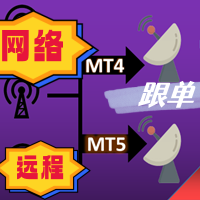
The most friendly interactive interface for ordering, the most abundant easy-to-use functions, and the best ordering plan. \
Remote copying version!!!!! You need to ask the author for the server ID
EASY : Easy to use, just load and select the signal source or receiver to use. FAST: Fast copy of orders, algorithm-optimized order-following mechanism, priority calculation of new signals, priority queue processing for special signals received Multiple: 1. Support multiple signals to be sen
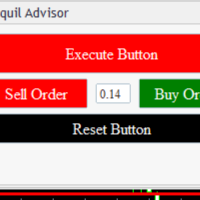
Tranquil Advice is very useful to scalpers as it calculates the volume/lot size you should use per trade, and it does that on real time prices. Meaning, if the bid price changes, the lot size that you should use per trade is recalculated so that you may not risk more than you are willing to lose. The volume/lot size that should be used per trade is calculated from the stoploss and take profit that you predefined prior to Executing a trade. This Expert Advisors comes in handy on fast-paced market

Smart Trade Manager for Layering & BE This trading tool automates trade management by handling entry positions, Break-Even (BE), and Take Profit (TP) dynamically. It allows traders to layer trades and protect their profits without manual intervention. Key Features: Secure profits automatically by setting BE once a trade reaches profit. Distribute trade volume across multiple entries to average the price. Set multiple TP targets to scale out of positions efficiently. Use tick-based calculations

안녕하세요 여러분. 나는 금융 외환 시장에서 거래를위한이 패널에 대해 조금 말씀 드리고자합니다. 이 패널은 프로그래밍 언어로 작성되었으며 특정 포지션에 대한 공개 시장 주문을 돕기 위해 설계되었습니다. 일반 주문과 보류 중인 주문 모두에서 작동합니다. 즉,구매,판매,구매 제한,판매 제한,구매 중지,판매 중지 등의 판매 및 구매 주문을 엽니다. 또한 그리드 주문을 포함하여 보류중인 주문의 네트워크를 엽니 다.즉,보류중인 주문을 제한하고 보류중인 주문을 한 번에 중지합니다. 이 패널은 또한 보류중인 주문을 닫습니다. 향후 주문에 대한 설정은 패널 상단에 있습니다:
1. 수량은 주문 수(이 매개 변수는 시장 주문에 영향을 미치지 않으며 즉시 열리지 않으며 한 가격에 100 개의 주문을 가정 해 봅시다)이며 버튼 클릭 한 번으로 얼마나 많은 보류중인 주문이 열리는지 나타냅니다. 2. 제비는 당신의 순서가 열릴 가격입니다 3. 테이크프로핏은 귀하의 주문이 수익으로 마감되는 시장 가격입니

MT4 trading tool. Intuitive Dashboard that allows effortless automated trading, saving 99 Strategies , Advanced Money Management , Automatic group orders : Global Take Profit / Stop Loss, Smart TP (Multi-Level, Position Recovery) and Smart SL (Breakeven, trailing Stop, Multi-Level), Exit Manager , Signals, Strength Indicator , ATR Graph, Price Alert, News Warning… # If you have any other requirements or are interested in collaboration, please contact (info@styxia.com)
Get more information

Macd_Sell_EURUSD 소개: 거래 다각화를 위한 당신의 동반자
Macd_Sell_EURUSD는 외환 시장의 다양한 자산에서 효율적으로 거래할 수 있도록 설계된 고급 거래 로봇 (판매 전용)으로, 거래 전략에 전례 없는 다양성을 제공합니다. 이 봇은 다양한 시장 조건에 적응하는 능력 뿐만 아니라 EURUSD 페어에 최적화된 설정을 포함하여 우수한 성과를 보여줍니다.
주요 특징:
• 자산 다양성: 다양한 자산에서 거래할 수 있도록 설계되어 거래 기회를 넓게 다양화합니다. • 이중 운영: 상승 및 하락 트렌드에서 거래를 실행하여 거래 기회를 극대화합니다. • MACD 지표: MACD를 사용하여 최적의 진입 및 청산 지점을 결정하고 효율성을 극대화하기 위해 사용자 정의 조정이 가능합니다. • 고급 리스크 관리: 사용자의 요구에 맞게 스탑 로스 및 테이크 프로핏을 설정하고 이익을 보호하기 위한 동적 트레일링 스탑을 추가합니다. • 거래 시간 선택: 하루에 두 개의 시간대를 정

TendencSell_EURUSD 소개: 하락 트렌드 마스터 및 시간적 정확성 TendencSell_EURUSD는 외환 시장의 하락 트렌드에서 최대 이익을 창출하기 위해 특화된 트레이딩 로봇으로 등장합니다. 이 정교한 봇은 중요한 하락 전환 전에 특히 최적의 시점에서 매매 거래를 식별하고 실행하여 높은 수익을 창출합니다. Macd_Sell_EURUSD의 전략을 계승하고 개선하여, TendencSell_EURUSD는 M15 시간대에 대한 최적화를 통해 특히 정확한 시간 기반의 매수 및 매도를 보장합니다. 주요 특징: 매도에 중점: 하락 트렌드에서 이익을 얻는 전략에 중점을 둔 매도 거래 전용으로 설계되었습니다. 하락 트렌드 최적화: 하락을 이용하여 최고점에 진입하여 이익을 극대화합니다. M15 시간대: 15분 간격에 대해 완벽하게 최적화되어, 빠르고 정확한 거래 기회를 식별할 수 있습니다. 조절 가능한 거래 시간: 하루에 두 개의 거래 창을 구성하여 최적의 거래 시간대에 거래를 조정합

TendencBuy_EURUSD 소개: 하락 트렌드와 시간적 정밀성에서의 전문성 TendencBuy_EURUSD 는 외환 시장의 하락 트렌드에서 최대 이익을 얻기 위해 특화된 거래 로봇의 정상입니다. 이 고급스러운 봇은 특히 하락 전에 높은 지점에서 주문을 식별하고 실행함으로써 최적의 시기에 주문을 실행하여 눈에 띄는 특징을 가지고 있습니다. 전신자 Macd_Buy_EURUSD 의 전략을 상속하고 개선하여 TendencBuy_EURUSD 는 M15 시간대를 최적화하여 입출력을 예외적으로 정확하게 보장합니다. 주요 특징: 매수에 중점: 하락 트렌드에서 이익을 얻는 전략의 본질을 포착하기 위해 전용으로 설계되었습니다. 하락 트렌드 최적화: 하락을 활용하여 최고점에 주문을 실행하여 잠재 수익을 극대화합니다. M15 시간대 최적화: 15분 시간대에 완벽하게 최적화되어 빠르고 정확한 거래 기회를 제공합니다. 조정 가능한 거래 시간: 하루 거래를 위한 두 시간대를 구성하여 거래를 최적화합니다.

MACD SELL EURUSD Ver 4.0 소개: 거래 다변화를 위한 당신의 파트너 MACD SELL EURUSD Ver 4.0은 외환 시장에서 판매 거래에 특화된 고급 거래 로봇입니다. 이 로봇은 다양한 자산에 대한 적응력을 바탕으로 당신의 거래 전략에 전례없는 다양성을 제공합니다. 이 봇은 EURUSD 통화 쌍을 위한 최적화된 설정을 제공하여 이 시장에서 탁월한 성과를 보여줍니다. 주요 특징: 자산 다양성: 다양한 자산에서 운영 가능하여 거래 포트폴리오를 최적화합니다. 이중 전략: 상승 및 하락 트렌드에서 모두 작업할 수 있으며 거래 기회를 극대화합니다. MACD 지표: MACD를 사용하여 최적의 진입 및 탈출 지점을 식별하며 효율성을 최적화하는 사용자 정의가 가능합니다. 고급 리스크 관리: 사용자의 선호에 따라 손절과 이익 실현을 설정할 수 있으며, 수익을 보호하기 위한 동적 트레일링 스탑을 제공합니다. 유연한 롯 크기 조정: 자본 성장에 따라 롯 크기를 조정하여 당신의 요구

The tool is suitable for traders who trade with prop firms, it tracks your daily decline so you don't lose your account and also specifies the money management set by you... The tool works as an Expert Advisior and therefore must be used in combination with a VPS in order to monitor the current status of your positions.. Prop account settings:
Challenge 50k,100k,200k -Daily Drawdown - From 0:00 or From max.Equity - depending on the type of conditions of your company -Daily Drawdown (8000usd)

Prop Firm Equity Protector safe guard your hard earned prop firm account from balance or equity downdraw. It can be used for live/personal account too. It will close all positions if drawdown hit the preset level or percentage. It can be set to close other EA in the same MT4 terminal too. This utility is not need to use conjuction with HFT Prop Firm EA (Green Man), HFT Prop Firm EA has it build-in equity protector and also it has ultra low drawdown.
Setting: Prop Firm Account Size Drawdown

Prop Firm Toolbox contains the important tools for maximising your funded account prop firm accounts.
It contains function:
- Lot Size Consistency Advisor (This is the number one reason of prop firm not paying if you soft bleach this rule)
- Biggest Profit Size Warning (This is the number two reason of prop firm not paying if you soft bleach this rule)
- Spread Meter
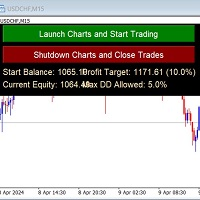
Auto-Close Profits And Protect Your Equity.
Close All Trades At Profit Target By Magic Number And Cut Losses At Max Drawdown Level Set By You.
And/or Run several EA's on several pairs and several timeframes - and monitor them all in one place!
Automatically Opens Your Charts Containing Your Templates (with EAs on if you wish) And Starts Trading Each Day At A Time Set By You.
You Set The Overall Profit Traget And Maximum Allowed Drawdown. This includes Swap Fees and Commissons.
Then This EA

OneClick Online Account Manager is a powerful utility that helps you to manage all your accounts from a centralized panel. It is suitable for all single account traders and specially for multiple accounts traders.
The utility help you to : Monitor status of all accounts on a private web page. Some information such as account connection status, account profit, DD, Balance, Equity, Margin Level, Number of positions and orders, Daily and Weekly profit/loss and also overall summation of all these p

피보나치 그리드를 기반으로 한 반자동 추세 조언자입니다.
피보나치 그리드를 그린 후, 가격이 추세를 따라 더 이동함에 따라 어드바이저는 자동으로 그리드를 확장하고 설정에서 선택한 수준에서 가격 롤백을 위한 주문을 엽니다. 손절매는 자동으로 Fibo 그리드의 100%로 설정되고, 이익 실현은 Fibo 그리드의 10%로 설정됩니다. Fibo 그리드의 다음 단계에서 주문을 청산하는 옵션을 활성화할 수도 있습니다.
설정에서 다음 Fibo 그리드 레벨을 선택하여 주문을 열 수 있습니다: 38%, 50%, 61%, 78%.
주문 크기는 선택한 설정에 따라 설정됩니다.
1. 고정로트
보증금의 2.%
3. 손실 금액은 $로 고정됩니다.
Advisor는 MN에서 H1까지의 시간 프레임에서 안정적인 효율성을 보여줍니다. 피보나치 그리드를 그리는 범위를 결정할 때 파동 움직임이 파동의 시작과 끝 부분에 있는 두 개의 역추세 캔들과 그 사이에 있는 최소 두 개의 추세 캔들로 구성된다는 점을

Telegram alert by Veles is a tool that allows you to send specific signals of any Meta Trader 4 indicator to your Telegram channel in the form of screenshots, turning your Meta Trader 4 account into a signal provider. Main functions Ability to select buffers of the required indicator to receive BUY and SELL signals. Ability to edit the time of sending screenshots. Ability to customize screenshot resolution. Note:
* When submitting screenshots, any objects on your charts such as main indicato

This Utilities Expert Advisor will help traders set News Traps instantly. Usually, news-trapping traders open both SELL and BUY limit orders 10-5 minutes before high-impact news is released. You can wait until it hits Take Profit (TP), or you can also use the close button to close all or several orders in one click.
Please note that even though this is an Expert Advisor (EA), it doesn't open orders automatically. Traders need to click the "OPEN TRAP!" button, and the script will execute limit

Tester binary indicators by Veles is a tool that checks the signals of any Meta Trader 4 indicator. Main functions:
Ability to select buffers of the required indicator to receive BUY and SELL signals. Ability to select the required expiration time based on indicator signals. Possibility to select the operating time range of the required indicator. Possibility to choose the trading verification scheme that is optimal for you (without martingale, martingale by candles, martingale by signal). Abil
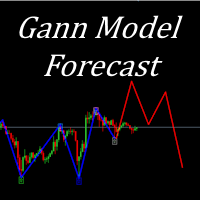
I present to your attention a powerful utility for predicting the future movement of an asset based on W.D. Ganna’s law of vibration. This utility analyzes the selected market model and provides codes for future possible market movement patterns. If you enter the selected code into the appropriate box, you will receive a forecast of the potential market movement. The utility has the ability to display several potential forecast models. The forecast is not yet tied to time and price and gives th
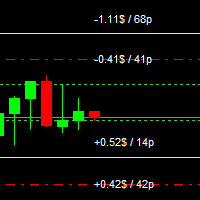
For MT5: TP SL Calculator This tool helps you to automatically calculate profit at Take - Profit price and loss at Stop - Loss price. Feature:
- Calculate profit at TP price. Apply to all operators (BUY / BUY LIMIT / BUY STOP / SELL / SELL LIMIT / SELL STOP), with TP price is greater than 0. Profit is expressed in money and points.
- Calculate loss at SL price. Apply to all operators (BUY / BUY LIMIT / BUY STOP / SELL / SELL LIMIT / SELL STOP), with SL price is greater than 0. Loss is express
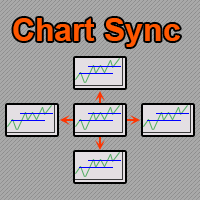
차트 동기화 표시기 - 터미널 창의 그래픽 개체를 동기화하도록 설계되었습니다. TradePanel 에 추가로 사용할 수 있습니다. 구매하기 전에 데모 계정에서 데모 버전을 테스트할 수 있습니다. 데모는 여기 에서 확인하세요. 객체를 다른 차트로 복사하려는 차트에 표시기를 설치하세요. 이 차트에 생성된 그래픽 개체는 표시기에 의해 동일한 기호가 있는 모든 차트에 자동으로 복사됩니다. 표시기는 그래픽 개체의 변경 사항도 복사합니다. 입력 매개변수: Exception - 복사할 필요가 없는 그래픽 객체의 이름입니다. 여러 이름을 지정하려면 세미콜론(;)으로 구분하여 입력할 수 있습니다. 이름이 동일한 부분을 가지는 경우, '*' 기호를 사용할 수 있습니다. 예를 들어, Btn_1453, Btn_7565, Btn_1453은 공통 부분 Btn_를 가지고 있으므로, 필드에 Btn_*를 입력할 수 있습니다. Custom symbols - 그래픽 개체를 복사(동기화)할 추가 기호입니다. 세미콜론(

MT4 to Telegram Copier MT4은(는) MetaTrader 4에서 거래 경험을 향상시키기 위해 설계된 전문 유틸리티로, 거래 알림 및 보고서를 Telegram 채널로 직접 전송합니다. 이 도구는 신호 제공자, 트레이너 및 구독자에게 실시간으로 정보를 제공하고자 하는 트레이더에게 완벽합니다. MT4 to Telegram Copier MT4을(를) 사용하면 즉각적인 거래 알림, 사용자 정의 설정 및 포괄적인 성과 추적의 편리함을 누릴 수 있습니다. 팔로워와 거래 활동을 손쉽게 공유하여 수동 업데이트의 번거로움 없이 적시에 알림을 받을 수 있도록 상상해 보세요. MQL 제품 설치 가이드 | MT4/MT5에서 구매한 MQL 제품 업데이트 | 일반 문제 해결 가이드 | 지표 설정 / 가이드 주요 기능 차트 대시보드: 즉각적인 상태 개요를 위해 차트에 실시간 정보 패널을 표시합니다. 거래 알림: 새로운 거래, 종료 및 주요 거래 업데이트에 대한 즉각적인 알림을 Telegram
MetaTrader 4용 UR_TradeManager MetaTrader 4 플랫폼 전용으로 설계된 최고의 트레이딩 강화 도구인 UR_TradeManager로 거래 잠재력을 극대화하세요. 정밀함과 기능성을 염두에 두고 제작된 이 포괄적인 도구는 시장 분석, 실행, 관리 기술을 향상시키고자 하는 트레이더에게 필수적입니다. 주요 기능: 비주얼 트레이딩 대시보드 : MetaTrader 4 작업 공간에 통합된 세련된 대시보드에서 직접 거래를 관리하세요. 전례 없는 용이성과 정확성으로 거래를 실행, 수정 및 종료할 수 있습니다. 실시간 뉴스 통합 : 실시간 업데이트로 항상 앞서 나가세요. 우리의 도구는 중요한 금융 뉴스를 직접 거래 환경에 통합하여 최신 시장 데이터에 기반한 정보에 입각한 결정을 내릴 수 있도록 도와줍니다. 고급 알림 시스템 : 가격 수준, 시장 이벤트 또는 지표 결과에 대한 맞춤 알림을 구성하여 거래 기회나 잠재적 위험을 결코 놓치지 않도록 하여 24/7 정보를 제공합니다.
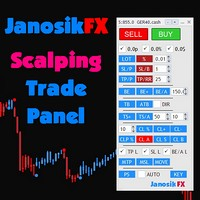
The Best One Scalping Trade Panel functional manual trade panel with risk reward, auto SL by candle ( original solution), lot size calculation, one-click trading, scale in and out of trades (partial close),
Works with all symbols not just currency pairs, perfect works on DAX, NASDAQ, GOLD, ...... I earn every day during live stream on ZakopiecFX - join Me
Risk by lot Risk by percent SL by points SL by Candle, Renko, RangeBar ( original solution)
TP by point TP by Risk/Reward Auto Trailing by P

Are you tired of missing out on profitable opportunities due to cumbersome and slow trade management in MT4? Do complexities in adjusting trades quickly and accurately analyzing market conditions make you hesitant and cost you financially? Understanding and reacting to market dynamics can be challenging, especially without the right tools. Our innovative Trading Panel is specifically engineered to tackle these issues. It provides a streamlined and efficient way to manage your trades and analyze

TFM MULTI CROSS expert MT4
TFM MULTI CROSS expert can receive different signals and send them to the user using 3 moving average indicators . This expert can help the trader to recognize different crosses in any time frame. This expert is a new version of forex signal finder experts, which has high speed, high efficiency and accuracy. By purchasing Expert Multi cross, you can easily find the crosses created in your watch list in the stock market and forex.
General features of TFM MULTI CROSS

Ichimoku signal finder expert Expert Ichimoku Analyzer is a very suitable tool for analyzing and checking standard Ichimoku indicator signals. This expert with the name TFI ICHIMOKU is one of the fast series experts that has the ability to send signals to email and mobile phones and due to its special technical features, it can quickly check the symbols in the watch list and check the signals. by buying Ichimoku Expert, you can find Ichimoku signals in the shortest time. TFI ICHIMOKU TFI ICHIMOK

Expert or Super Trend signal finder robot for MT4 The super trend indicator is a trend indicator that is very widely used in technical analysis, this indicator has two main tasks, the first task is to identify and recognize the market trend and the task of identifying buy and sell positions, but in order for us to be able to To check all the shares or currency pairs with which we do our transactions, we must compare each currency pair or share with this indicator one by one, so that we can find

Expert candle finder for forex in MetaTrader 4 Expert candle finder is one of the practical trader assistant experts that is used in the forex financial market, this expert accurately identifies the candlestick patterns on the price chart as a signal, all the found candles. informs you. This expert is run on your Meta trader platform and in a very precise way, it examines all the currency pairs that are in your watch list and every currency pair that had a professional and good candlestick patt
FxProTrader is a multifunctional half-automatic trading system that allows you to trade both manually and automatically .
The algorithm includes 3 automatic trading strategies (1 trend and 2 flat).
The trader independently analyzes the trading situation and makes a decision on which trading strategy to include. Attention! Not all buttons work correctly in the strategy tester. Presented in the form of 4 graphic panels: 1 Panel - the main trading panel responsible for manual trading.
Allows yo

RF Trailing MT4 trading assistant robot
The Risk Free Trailing Stop expert is one of the experts designed by the active intelligence programming team, which is designed using the experience and skill of many years in financial markets programming of this expert. This expert is designed for the Metatrader 4 platform and has many attractive features that have a very positive effect on your trading process. Profit and loss limit management is one of the most effective factors in the success of a t

Capital management trade assistant expert The function of the capital management expert is for positions, this expert helps the user to take Sell and Buy positions without calculating the amount of the lot, it also automatically observes the SL and TP points for the positions and on the price chart It registers, calculates the trading volume according to the balance, automatically considers the reverse position or hedge for the opened positions, of course, optionally, the selection of the SL an

Expert Slider for MetaTrader 4 Expert Slider is one of the most widely used experts in the Forex financial market and Metatrader 4. Using this expert, you can easily design several slides for yourself and save several currency pairs with different templates, and according to the timer used for Each slide you set, view different currency pairs with the desired template and continue your analysis and reviews. In the technical specifications section of this expert, there are many options that can b
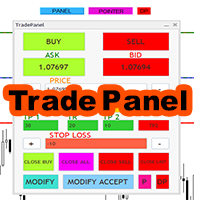
Expert trade panel MT4 The Expert Trade Panel consists of two sections, the panel and indicators, which you can see immediately after running the Expert on Metatrader, the Trade Panel is a tool that makes the trading process easy for the trader so that the trader can quickly and do your transactions easily. One of the features of this panel is that it has two parts. According to his needs, the trader can use both the indicator part of this panel and the panel part. Using this panel, the trader c
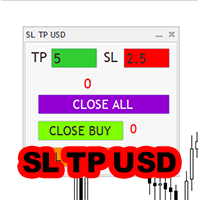
Expert SL TP USD panel MT4 SL TP USD Panel expert is one of the practical experts in the field of Forex financial market, which is designed for the Metatrader 4 platform, this expert helps the trader to determine the dollar profit and loss limit for himself.
The function of the expert is that the trader decides to close the position after, for example, $10 profit, or close the position after, for example, $5 loss. You can use Inexpert easily and control your trading performance.

Candle finder robot MT4
Candle finder robot is one of the trading assistant tools that helps the trader, this tool helps the trader to examine all the currency pairs that are in the Metatrader watch list in detail within a few seconds. Find the desired signals. According to the strategy that is defined for this robot, in your watch list, it carefully looks for trend change candles, there are many trend change candles that traders use in their trading decisions. This robot can simply check all t

The Trend Diamond Analyzer, also known as Trend Advisor Diamond, is a market theory cycle used to analyze both the "buy side" and "sell side" and can identify various market phases. This tool was created by eaforexcenter based on the theory developed by Chuck Dukas. It combines technical indicators and market behavior, making it an excellent tool for analyzing market trends and phases.
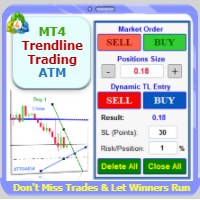
Trade with Confidence Using the Trendline Trading ATM (Advanced Trade Management)! Master entries, exits, and risk management with the powerful tools of the MetaTrader Trendline Trading ATM. This expert advisor equips you with a comprehensive suite of tools to trade consistently smarter, not harder. Take control of your trading risk and drawdown, capture profitable entries, and let your winners run. This innovative Trade Entry/Exit and Risk Management utility empowers you to: Precision Entry

hint: my basic indicators are used like that KingLevel combind with KingSequence will provides basic insights of the price action of the markets and KingSequenceSgn is just for the convienent for watching. And plus with Forex Trading mentor subsccription I will assist you to win the market at first later if it's great will be upgraded to King Forex trading mentor.
Forex trading Guide by a 10-year Forex Trading Expert - Junior:forex[usdjpy,eruusd etc], crypto[btc,eth], gold
[*You can check the

EA를 실제 틱 데이터로 백테스트하고 싶으신가요? 그렇다면 Real Tick Data Creator를 사용해보세요. 전략 테스터의 틱 데이터는 실제 데이터가 아니며, 가격이 실제로 어떻게 움직였는지를 반영하지 않고, 단순히 시뮬레이션일 뿐입니다. 그러나 이 소프트웨어를 사용하면 실제 틱 데이터로 전략을 백테스트할 수 있습니다. "Real Tick Data Creator"는 Metatrader 4 플랫폼을 사용하는 트레이더들에게 정확하고 신뢰할 수 있는 틱 데이터를 제공하기 위해 설계된 혁신적인 소프트웨어입니다. 이 강력한 도구를 사용하면 라이브 시장 조건에서 기록된 실제 틱 데이터를 생성하여 트레이딩 전략의 포괄적인 테스트를 최대한 정밀하게 수행할 수 있습니다. Real Tick Data Creator는 트레이더들이 철저한 백테스트와 분석을 수행할 수 있도록 필요한 도구를 제공하여 더 나은 거래 결정을 내리고 금융 시장에서 더 큰 성공을 이루도록 돕습니다. 정확성, 사용자 정의 가

The Double Trailing Stop is a multi-symbol multi-timeframe Expert Advisor that allows the Stop Loss and Take Profit trailing of positions. General Description
The Double Trailing Stop’s purpose is to secure profit and minimize losses of the opened positions. The Expert Advisor places stop orders (Stop Loss or Take Profit) at the Trailing Stop distance from the market price when the symbol's quote reaches/overcomes the Trailing Start distance from the position’s opening price (a single-time

기능 목록: 인터페이스 유형:일반 모드와 솔로 모드; 거래량은 세 가지 모식을 확정한다:절대 숫자, 위험 금액과 위험 비율; 숫자 판넬 빠른 입력 숫자 또는 위험 금액; 고정손익비률-손익분기점, 선택 주문 일괄 풀 또는 선택 주문 일괄 수정 스톱하고 흑자; 단일 위험 검증 및 총 위험 통제; 포지션 손실의 변동, 이윤 확보, 포지션 감소 등 출장관리; 경보가격목록; 가격관측지역; 조합 간편한 긋는 선 지표 3.65 및 그 이상의 버전에서 조합 매칭 긋는 선 개평을 실현한다. 중국어와 영문 인터페이스 언어를 지원한다. 다른 차트를 쉽게 사용할 수 있습니다.
출장관리모듈의 주의사항: 이익 포인트 (effection point)-세 단계 중 하나 또는 두 개만 사용할 수 있지만, 그 순서는 엄격하게 점진적으로 증가해야 합니다. 보상 (보상)과 보상 (보상)-둘다 보상 (보상)을 설정할 경우 둘 중 하나만 설정할 수 있다. 예를 들어-105는 m1의 5배 atr-205는 m5의 5배

The MT4 DumpTicksCSV EA is a powerful tool designed for traders who need to capture and analyse market tick data. This EA continuously records all incoming tick data and saves it in a CSV file, making it easy to import the data into Excel or any database for detailed analysis. Each tick entry includes the server and candle timestamps, bid price, ask price, and spread, volume, Open, Close, High and Low; ensuring comprehensive data collection. Ideal for quantitative analysts, developers, and trade

The Multiple Position Opening is a multi-symbol multi-timeframe script used to open simultaneously various positions. Risk Management
The volume used to open a position is chosen between a fixed and a variable lot size, available through the Volume and Free Margin % input parameters, respectively. If there isn't enough money in the account for the chosen volume, this is reduced to the highest possible value (corresponding to free margin). If this reduction leads to a correct volume (if the

The Pending Order Grid is a multi-symbol multi-timeframe script that enables multi-strategy implementation based on pending order grids. General Description
The Pending Order Grid allows the performing of a user-defined strategy through the creation of pending order grids. The script places pending orders of a given type (Buy Limit, Sell Limit, Buy Stop, or Sell Stop) at equidistant price levels to form each grid. The beginning and finish of every grid are defined by the Start Price and Sto

Trade Advisor: 차트 마스터링
전문 트레이더를 위한 궁극의 전문가 자문(EA) 어시스턴트
버전 MT4 버전 | MT5 버전 | 블로그
v.3.0 - Telegram Bot 통합
참고: MT4 버전은 MT5 버전보다 가볍습니다.
Trade Advisor: 차트 마스터링
Trade Advisor는 주요 시장 분석 도구와 트레이더를 위한 원활한 기능을 통합하여 트레이딩 전략을 강화하도록 설계된 고급 트레이딩 어시스턴트입니다. Trade Advisor가 트레이더에게 강력한 자산인 이유에 대한 개요는 다음과 같습니다.
주요 기능 및 장점
1. 공급 및 수요 구역: Trade Advisor는 사용자가 중요한 공급 및 수요 구역을 식별하여 시장에서 보다 전략적인 진입 및 종료 지점을 확보하도록 돕습니다.
2. Smart Money Concept: 이 기능을 통해 트레이더는 시장 동향과 구조를 더 잘 이해하고 강세, 약세 및 통합 단계를 명확하게 식별할 수 있습니다.

Many traders in the world trade with moving averages, like me. So I decided to upload the expert that I designed for my own use for those of you who use the same strategy as mine. Now I want to tell you about the features of this expert.
First, you can see the moving average in 7 time frames simultaneously in one time frame. (whatever time frame you are)
Second, you can receive an alert on your mobile at the moment the price hits any of the moving averages.
Third, you can trade on the moving av

The Pending Order Grid is a multi-symbol multi-timeframe Expert Advisor that enables multi-strategy implementation based on pending order grids. General Description
The Pending Order Grid allows the performing of a user-defined strategy through the creation of pending order grids. The Expert Advisor places pending orders of a given type (Buy Limit, Sell Limit, Buy Stop, or Sell Stop) at equidistant price levels to form each grid. The user might set up different grids to exist simultaneously

10개 남음 @ 49.55 다음 가격 $55.77 The Big Market Trader는 시장에서 앞서 나가는 데 도움이 되는 궁극의 AI 거래 지원 도구입니다. 최고의 기술로 설계되었으며 적시에 거래할 수 있는 높은 주파수 응답률을 제공합니다.
이미 살펴보게 될 동적 AI 자동화가 장착되어 있습니다. 저희는 고급 위험 관리 시스템을 갖추고 있습니다. 주식 정지 옵션, 트레일링 정지 시스템, 시간 정지 및 전 세계 거래자가 사용하는 스프레드 기술입니다. Prop Firm 거래자, 기존 거래자, 고액 및 저액 자본 거래 등에 적합합니다.
모든 종류의 거래 주문을 합니다. 즉,
매수 주문, 매도 주문, 매수 정지 주문, 매도 정지 주문, 매수 제한 주문 및 매도 제한 주문입니다. 이 AI 머신에는 고유한 기능이 매우 많습니다. 또한 언급하자면 스캘퍼 거래자, 데이 거래자 및 스윙 거래자 등 모든 유형의 거래자에게 적합하도록 설계되었습니다.
Meta Trader 5 Versio

The Expert does not open transactions, he only controls the profit and loss of the account, closing all open transactions when a profit percentage is greater than the profit value and losses in percentages exceeding the loss value.
To control the entire account, it is enough to open an expert Advisor on one of the charts.
profit - the amount of profit as a percentage, upon reaching which all transactions will begin to close.
loss - the percentage of losses at which all transactions will beg

Using the MetaTrader 4 platform, you can send trading information to Telegram to record each trader's detailed information. This information includes the regular trading account details, balance, equity, etc. It also includes the total number of orders, total trading volume, and maximum profit and loss. Additionally, daily trading information is recorded, including the number of trading orders for the day, trading profit, and maximum profit and loss. Each order record will include both local tim

Nombre del Indicador: Alertas de Entrada Óptima MT4/MT5 SUPER SIGNALSS MR BEAST para MetaTrader 4/5 ha sido diseñado para proporcionar a los operadores señales precisas de las posibles mejores entradas en el mercado. Utilizando avanzados algoritmos de análisis técnico y patrones de comportamiento del precio, este indicador identifica oportunidades de trading con alta probabilidad de éxito y genera alertas en tiempo real. Características principales: Alertas en tiempo real: Recibe notificaciones

MR BEAST ENTRY POINTS SIGNAL INDICADOR El indicador Alertas de Entrada Óptima para MetaTrader 4/5 ha sido diseñado para proporcionar a los operadores señales precisas de las posibles mejores entradas en el mercado. Utilizando avanzados algoritmos de análisis técnico y patrones de comportamiento del precio, este indicador identifica oportunidades de trading con alta probabilidad de éxito y genera alertas en tiempo real. Características principales: Alertas en tiempo real: Recibe notificaciones i
MetaTrader 마켓은 MetaTrader 플랫폼용 애플리케이션을 구입할 수 있는 편리하고 안전한 환경을 제공합니다. Strategy Tester의 테스트를 위해 터미널에서 Expert Advisor 및 인디케이터의 무료 데모 버전을 다운로드하십시오.
MQL5.community 결제 시스템을 이용해 성능을 모니터링하고 원하는 제품에 대해 결제할 수 있도록 다양한 모드로 애플리케이션을 테스트할 수 있습니다.
