AMD Swing Trend
- インディケータ
- バージョン: 1.0
- アクティベーション: 5

AMD SWINGTREND reads price structure the way a discretionary trader does, and draws it on your chart automatically.
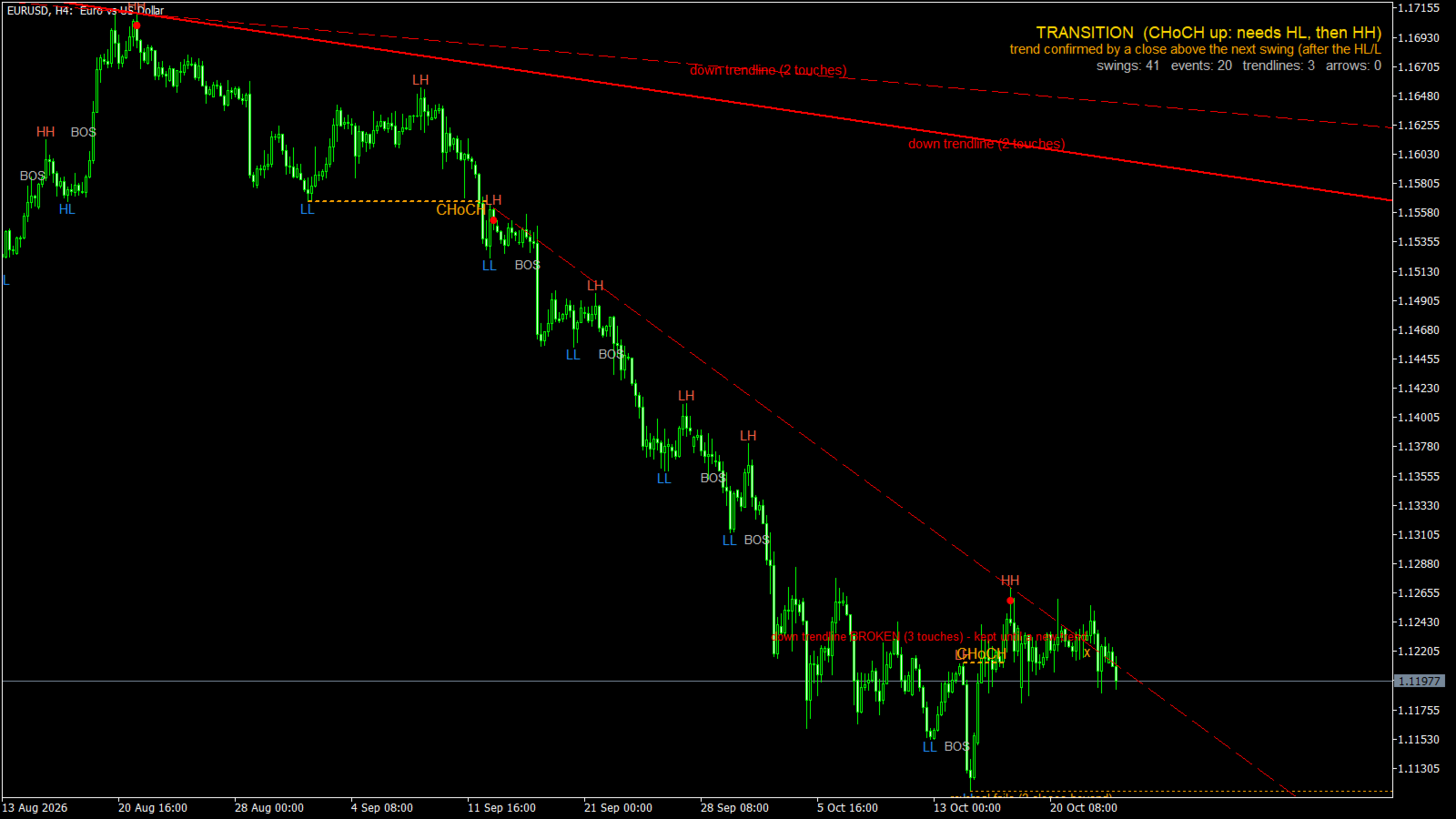
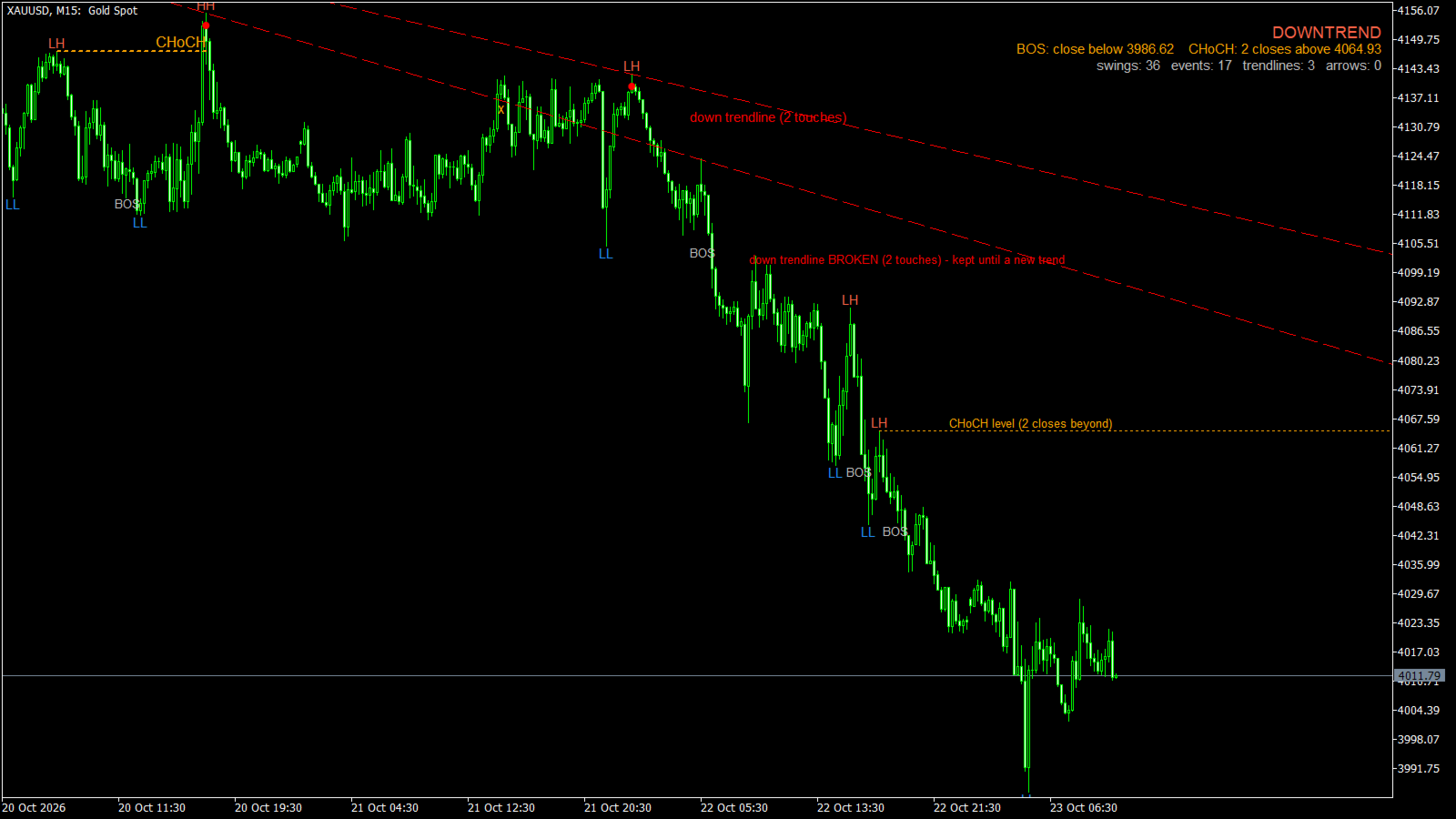
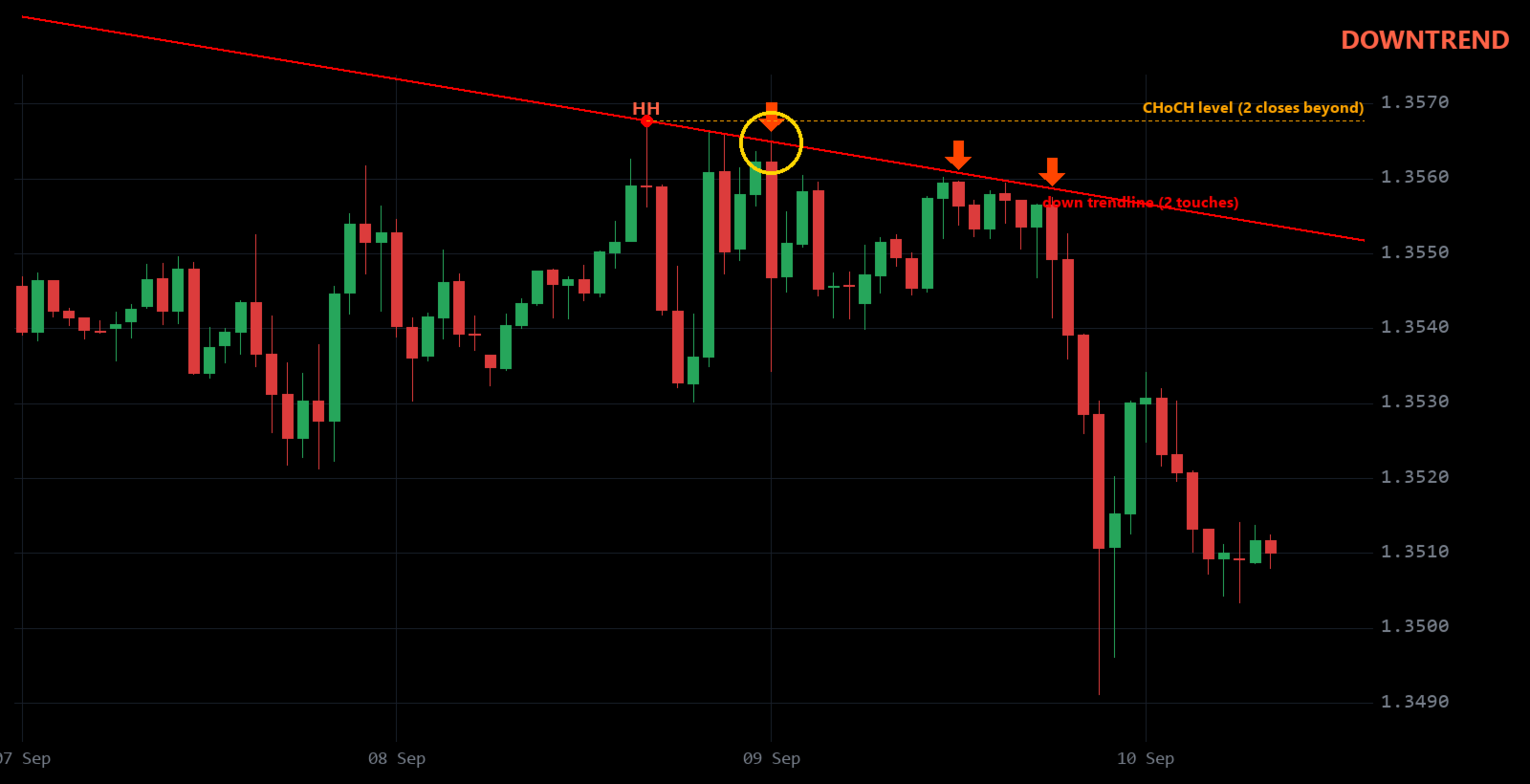
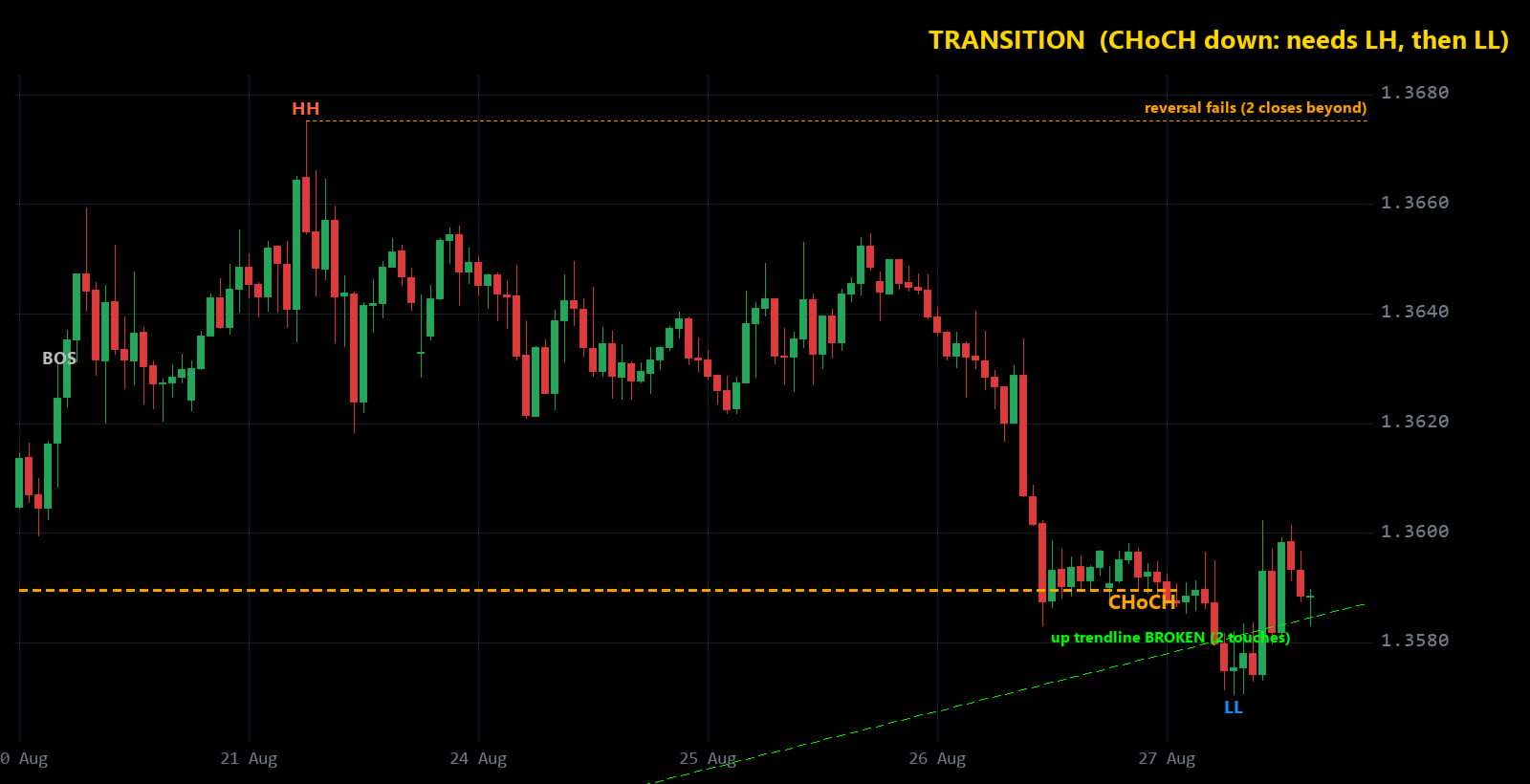
It marks every important swing as HH, HL, LH or LL, shows when the structure breaks (BOS) or changes character (CHoCH),
tells you whether the market is in an UPTREND, a DOWNTREND or a TRANSITION, draws the trendline that matters,
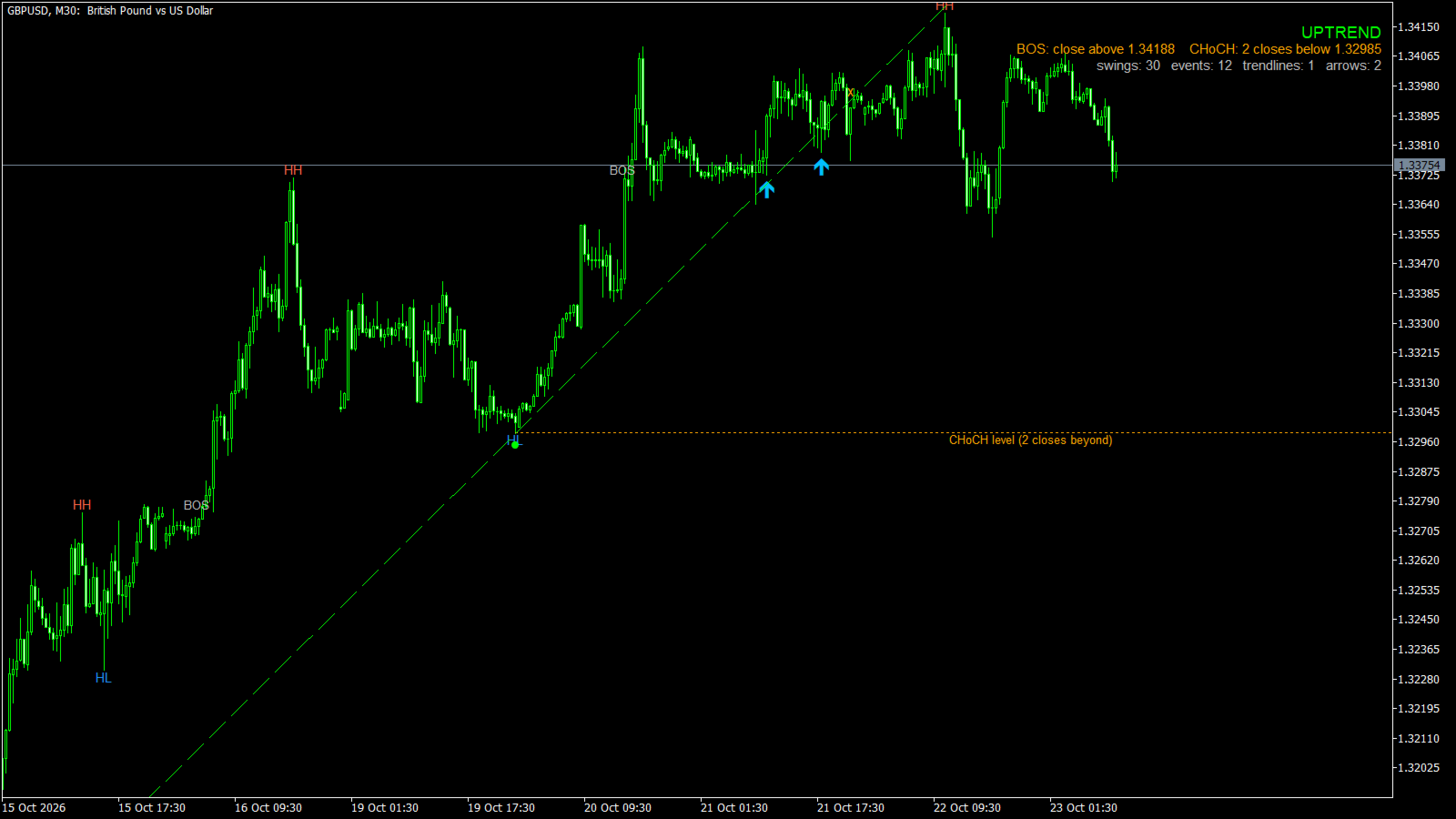
and marks every bounce off that trendline with a BUY or SELL arrow (with popup / push / email alerts).
WHAT YOU SEE ON THE CHART
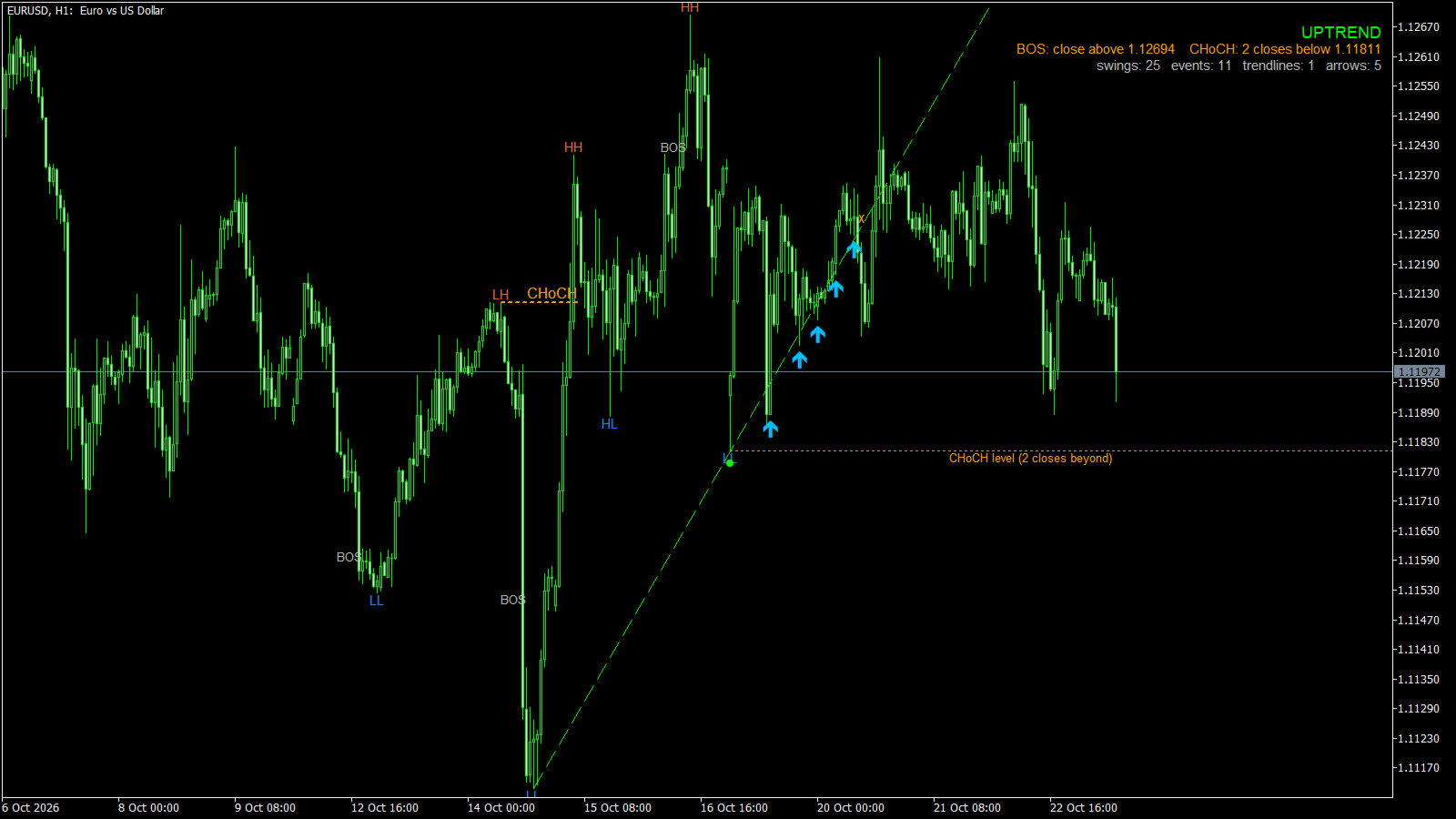
- HH / LH labels on swing highs, HL / LL labels on swing lows
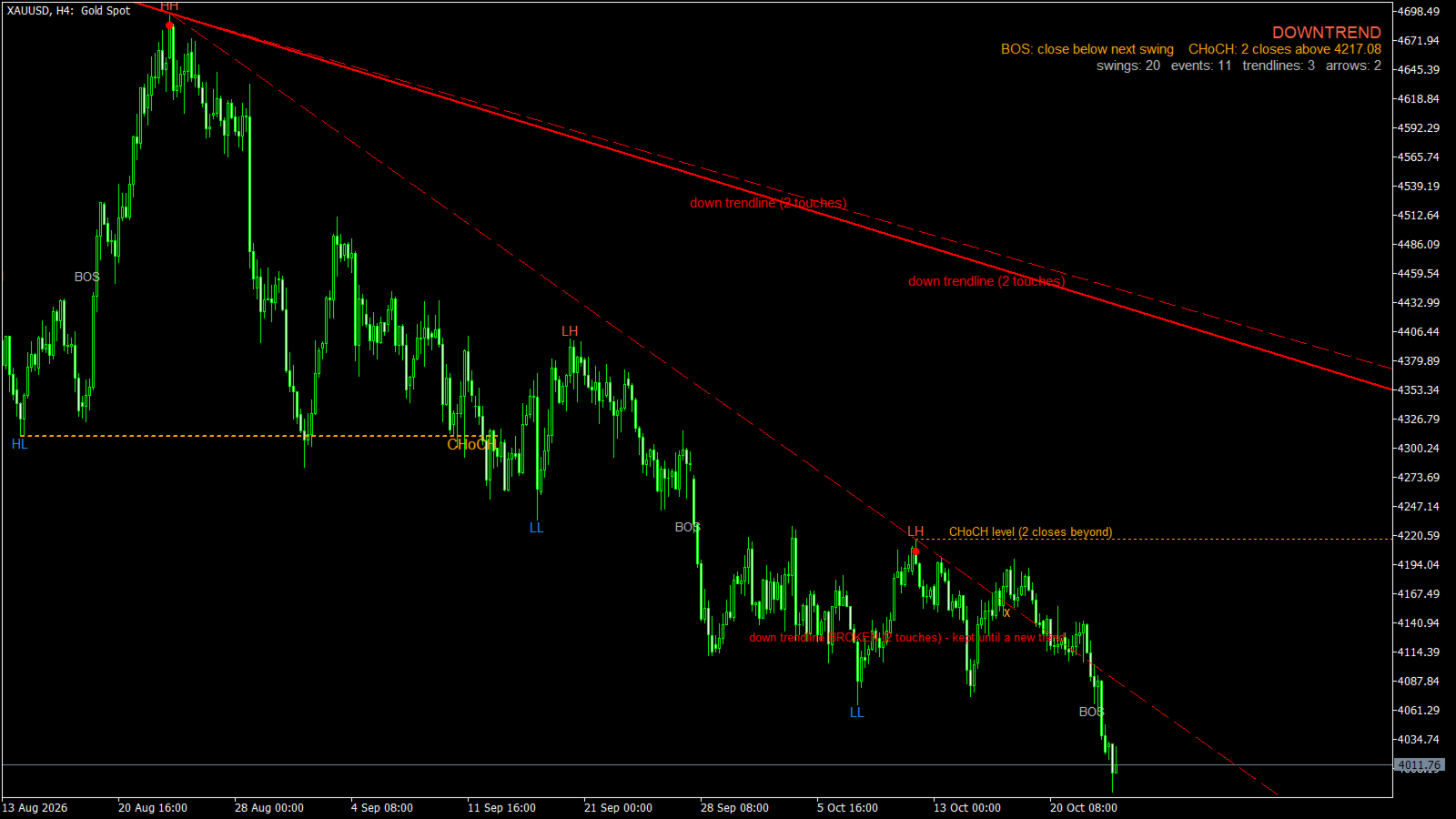
- BOS: price closed beyond the last swing in the trend direction - the trend continues
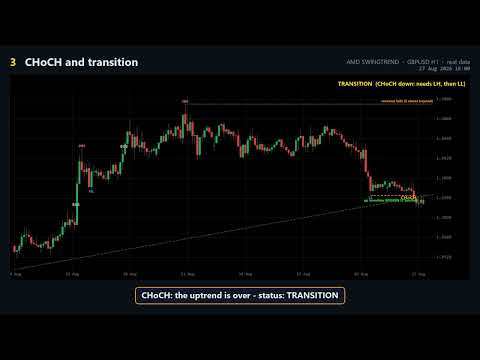
- CHoCH (orange, with a dashed line): price closed beyond the protected swing against the trend - the old trend is over
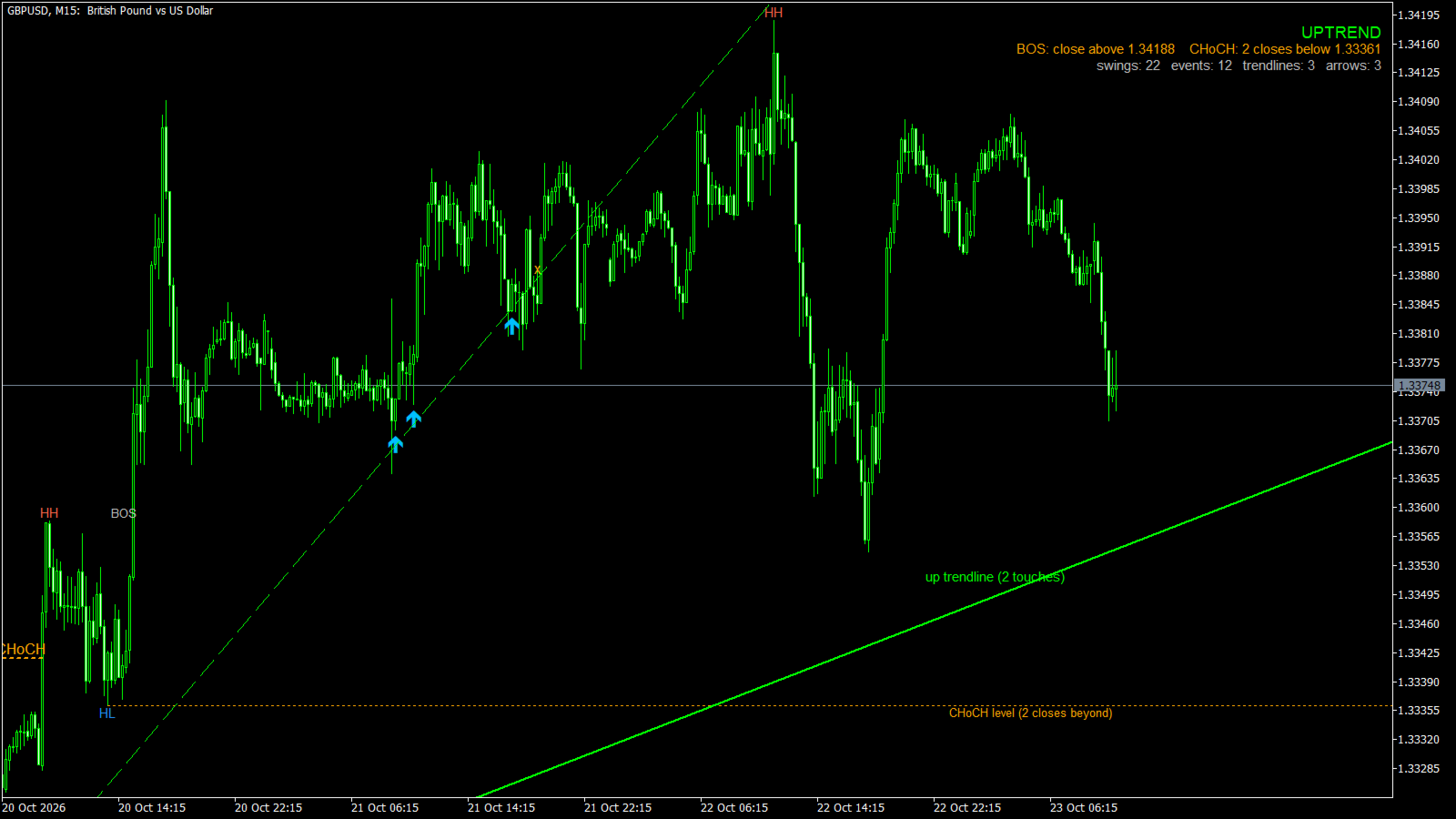
- Status in the top-right corner: UPTREND, DOWNTREND or TRANSITION (with what is still needed to confirm the new trend)
- The BOS price and the CHoCH price to watch, printed under the status
- The key level as an orange dotted line on the right ("CHoCH level" or "reversal fails")
- The best valid trendline of the current trend with its touch count; a broken line turns dashed and stays until a new trend
- A BUY / SELL arrow when price touches that trendline and closes back on the trend side
HOW IT WORKS
1. Swings. A swing high must be the highest of the 8 bars on its left and the 6 bars on its right, and price must have
moved away from it by at least 1.5 x ATR on both sides. Small wiggles never count. Only external structure is used:
a pullback that stays inside the range of the last big swing is ignored until price breaks out.
2. Trend. Higher highs + higher lows = uptrend, lower highs + lower lows = downtrend. A BOS needs 2 closes beyond the swing,
each by at least 0.15 x ATR. A wick or one close that falls back never counts.
3. Change of trend in two steps. A CHoCH ends the old trend and sets the status to TRANSITION. A new downtrend is confirmed
only after a lower high and then a close below the latest low (mirror for an uptrend). If price instead closes back
beyond the level the CHoCH came from, the reversal failed and the old trend continues.
4. Trendlines. Every pair of recent swing lows (up) or highs (down) is tested. A line is valid when no candle has closed
through it and it has at least 2 touches. The best one is drawn and kept until 2 closes break it.
5. Bounce arrows. In a confirmed uptrend, a candle whose low comes within 0.5 x ATR of the up trendline (or pierces it) and that
closes back above the line as a bullish candle gets a BUY arrow. SELL is the mirror image in a downtrend. Two arrows of the
same side are at least 5 bars apart. No arrows during a TRANSITION.
FEATURES
- Works on every symbol and timeframe: all distances are measured in ATR
- External swings only (can be switched off for more detail)
- Two-step trend change: CHoCH -> TRANSITION -> confirmation (no flip-flopping on a single close)
- Stable trendlines: a chosen line is kept until it is really broken
- Trendline bounce arrows that never repaint: closed candles only, history replayed bar by bar with the line known at that bar
- Popup, push notification and email alerts for new arrows
- Arrow buffers for EAs: 0 = BUY, 1 = SELL
- Clean chart: swing level lines are optional, all colours can be changed
- Grouped inputs: Swings, Breakout & confirmation, Trendlines, Display, Colors, Bounce arrows, Alerts
- No DLL, no web requests, no file access
ABOUT REPAINTING (please read)
A swing is drawn only after 6 more bars have closed, so it never appears on the live bar. After that, the most recent
swing can still move to a more extreme bar of the same leg if price makes a new extreme before the opposite swing forms.
In our test on 1,100 bars of GBPUSD H1, 12 of 13 BOS / CHoCH events and 24 of 32 swings stayed exactly where they were
first drawn. Structure further back is stable. The BUY / SELL arrows do not repaint.
NOTES
- AMD SWINGTREND is an analysis tool. It does not place trades, and an arrow is not a guaranteed signal.
- Arrows are rare by design: they come only from the main trendline (about 4 per 1,100 bars on GBPUSD H1 with the defaults).
- A full PDF user guide with real chart examples is available - send me a private message after purchase.
- Trading carries a high level of risk. Test on a demo account first.
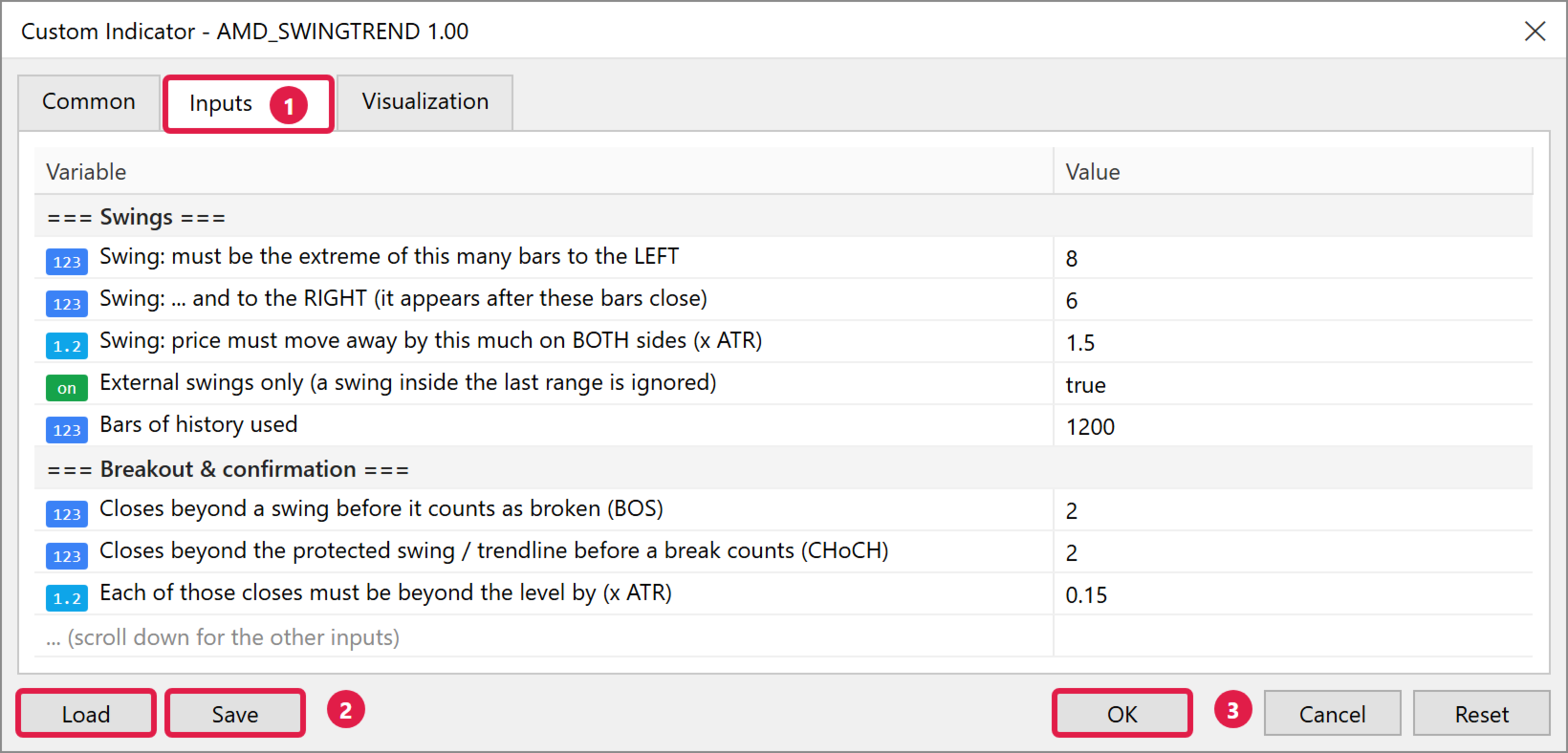
INPUT PARAMETERS
================
=== Swings ===
Bars to the LEFT .............. A swing must be the extreme of this many bars before it (default 8)
Bars to the RIGHT ............. ... and after it; the swing appears after these bars close (default 6)
Move away on BOTH sides ....... Minimum move away from the swing, in ATR (default 1.5)
External swings only .......... Ignore swings inside the range of the last big swing (default true)
Bars of history used .......... Default 1200
=== Breakout & confirmation ===
Closes beyond a swing (BOS) ... Default 2
Closes for a CHoCH / line break Default 2
Buffer ........................ Each close must be beyond the level by this many ATR (default 0.15)
=== Trendlines ===
Show trendlines ............... Default true
Min bars between swings ....... Default 20
Min rise / fall (ATR) ......... Default 1.0
Max slope (ATR per bar) ....... Default 0.25
=== Display ===
Show HH / HL / LH / LL labels . Default true
Show BOS / CHoCH labels ....... Default true
Show swing level lines ........ Default false
=== Colors ===
BOS, CHoCH, swing high, swing low, up trendline, down trendline
=== Trendline bounce arrows ===
Show BUY / SELL arrows ........ Default true
Touch zone (ATR) .............. The candle comes this close to the line (default 0.5)
Min bars between arrows ....... Same side (default 5)
Bars of history checked ....... Replayed bar by bar (default 500)
BUY / SELL arrow colour ....... DeepSkyBlue / OrangeRed
=== Alerts ===
Popup alert / Push notification / Email ... Default false