Opening Range Breakout RMT Session Range Box
- インディケータ
- バージョン: 1.0

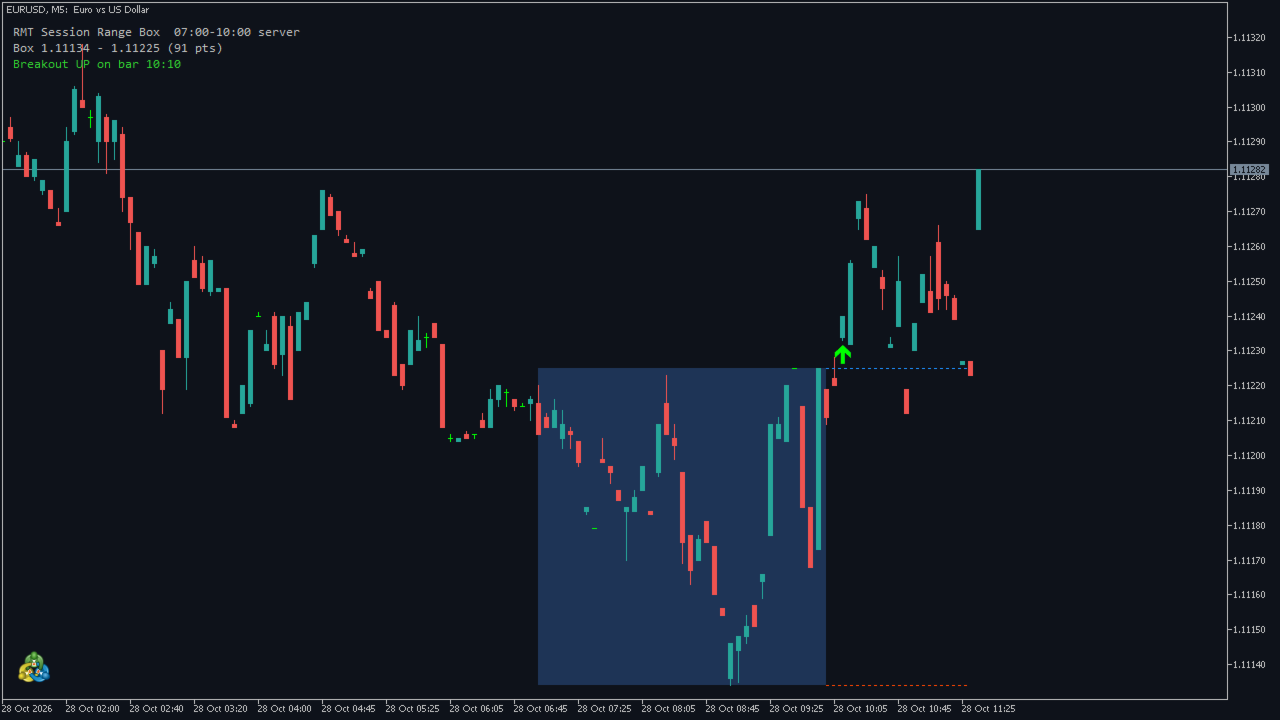
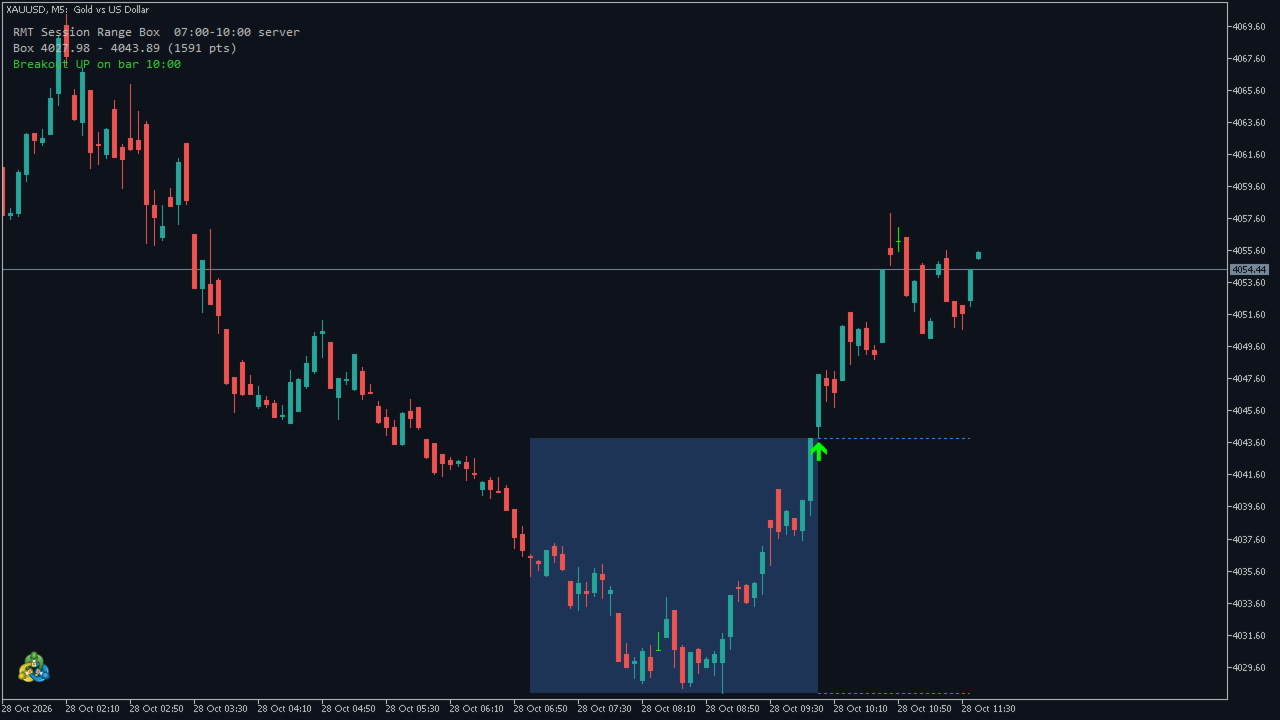
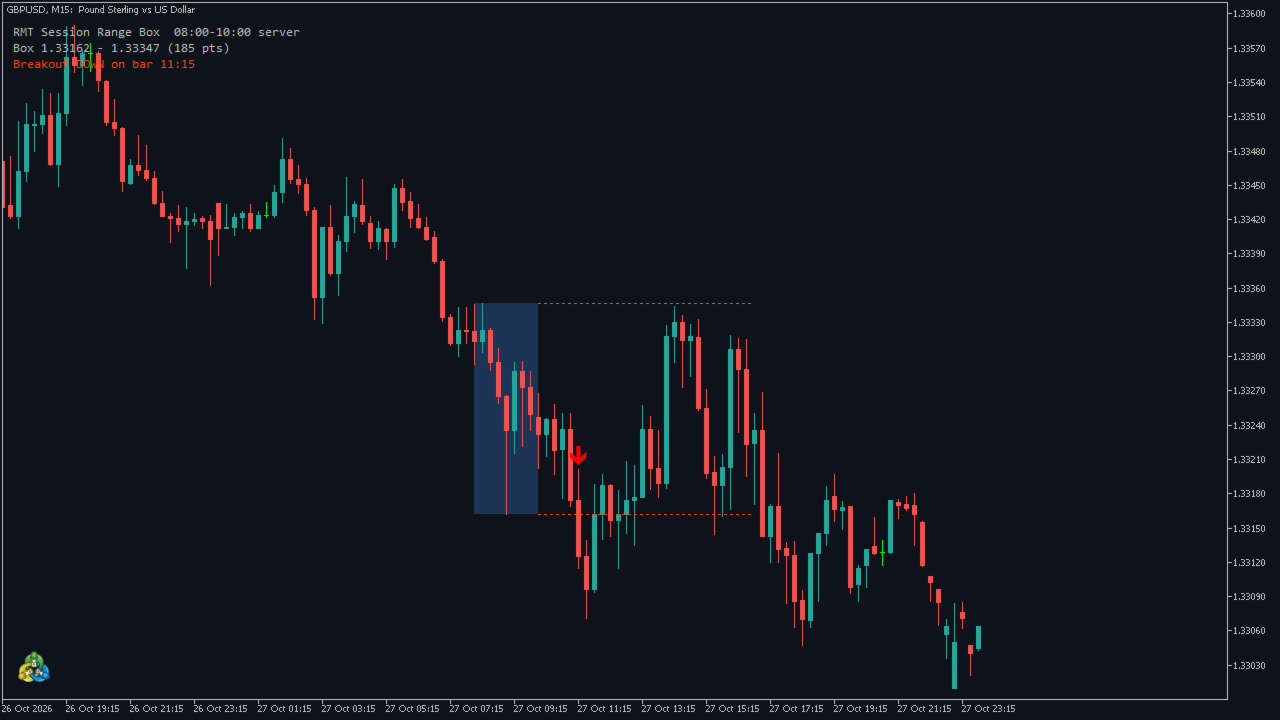
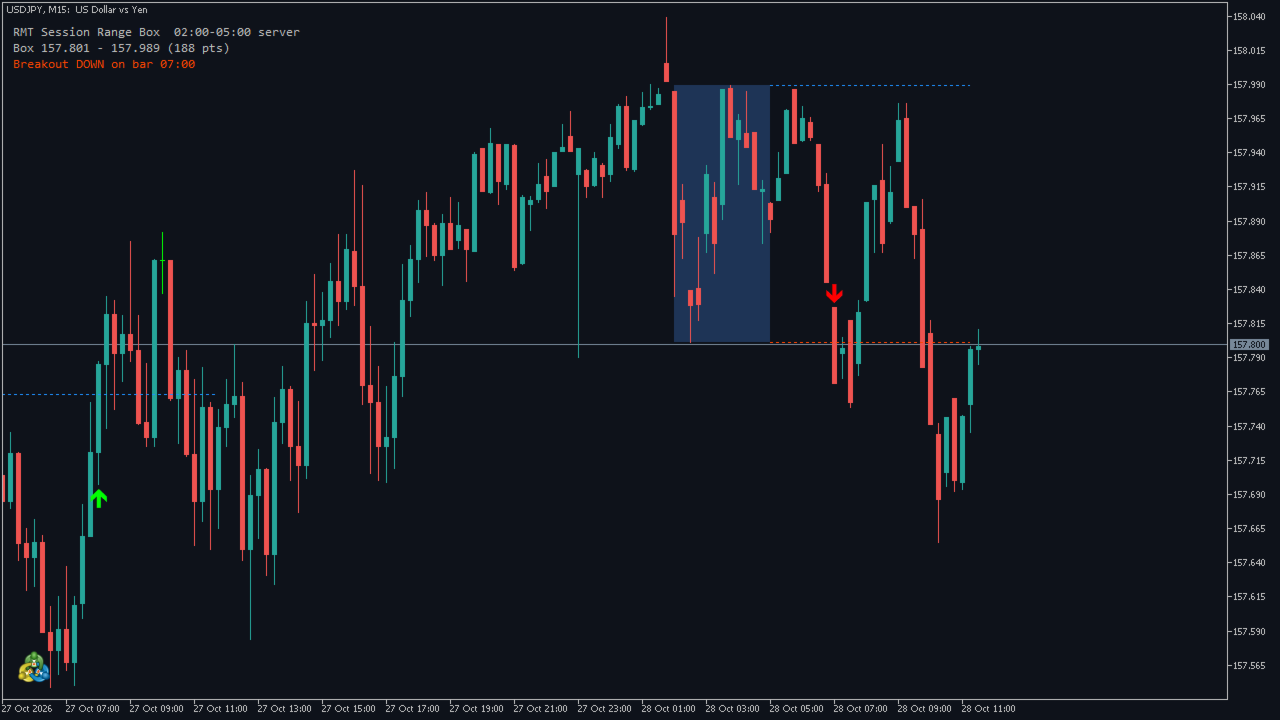
Free session and opening range breakout indicator for MetaTrader 5: it draws the box of the time window you choose and marks the first closed bar outside it with an arrow that never moves or disappears.
What it draws
- The box of the day. The high and the low of the closed bars whose open time is inside your window (server time), for example 07:00–10:00. Drawn as a rectangle, with dotted box-high and box-low lines until your last breakout time.
- The breakout arrow. After the window, the first closed bar whose close is above the box (or below it), plus an optional buffer in points, gets an arrow. One breakout per day, until the time you set.
- A status panel. Today's box and its size in points, or "range forming until 10:00", and whether a breakout happened and on which bar.
No repainting
Nothing is ever drawn on the bar that is still forming. An arrow appears when its bar has closed and stays exactly where it is. This was checked in the Strategy Tester: after each run the whole history was read again and every arrow seen live was still there, with no new one added.
Same rule as RMT Session Breakout
The inputs and the rule are the ones of the RMT Session Breakout Expert Advisor. In the Strategy Tester the indicator was run next to the EA's own engine on EURUSD, GBPUSD, USDJPY and XAUUSD (M5, M15, M30, H1, with and without buffer and size filters): 573 breakouts, every one on the same bar and in the same direction as the EA's entry signal, and the same box high and low. If you want the rule traded automatically, with risk sizing and a stop on every order, that is what the EA does: https://www.mql5.com/en/market/product/202399
Alerts
Pop-up, push notification to your phone and sound, each on or off. A breakout alert fires once, when its bar has closed. An optional alert tells you when today's box is complete.
For EA developers (iCustom)
Buffer 0 box high, buffer 1 box low, buffer 2 breakout up, buffer 3 breakout down. EMPTY_VALUE means nothing on that bar. Read shift 1 (the last closed bar). Inputs, in order: InpRangeStart, InpRangeEnd, InpLastEntry, InpEntryBufferPts, InpMinRangePts, InpMaxRangePts, then the display and alert inputs.
Inputs
- InpRangeStart / InpRangeEnd — the window, server time, HH:MM.
- InpLastEntry — no breakout is marked after this time.
- InpEntryBufferPts — the bar must close this many points outside the box (0 = any close outside).
- InpMinRangePts / InpMaxRangePts — skip days whose box is smaller or larger (0 = off).
- InpDaysDrawn — how many days keep their rectangle on the chart (the buffers cover all history).
- InpBoxColor, InpBoxFill — outline only by default, so it works on dark and white charts.
- InpShowPanel and the alert switches.
Good to know
- Times are the broker's server time. Daylight-saving changes are yours to adjust.
- Use a chart of H1 or lower. On a higher timeframe, or with a time that is not HH:MM, it draws nothing and says why on the panel.
- It reads prices only and sends no orders. It is a drawing and alert tool, not a trading recommendation, and it does not predict whether a breakout will continue.
- Tested on the MetaQuotes demo server with EURUSD, GBPUSD, USDJPY and XAUUSD. Indices, stocks and crypto were not tested.
Trading involves risk of loss.