Session Range Desk
- エキスパート
- バージョン: 4.2

Session Range Desk
Session Range Desk is a free MetaTrader 5 Expert Advisor for testing a configurable range-breakout approach. Set the broker-time start, choose how many completed bars define the range, and use touch or bar-close confirmation. Average True Range filtering, stop-distance position sizing and optional break-even and partial close are built in.
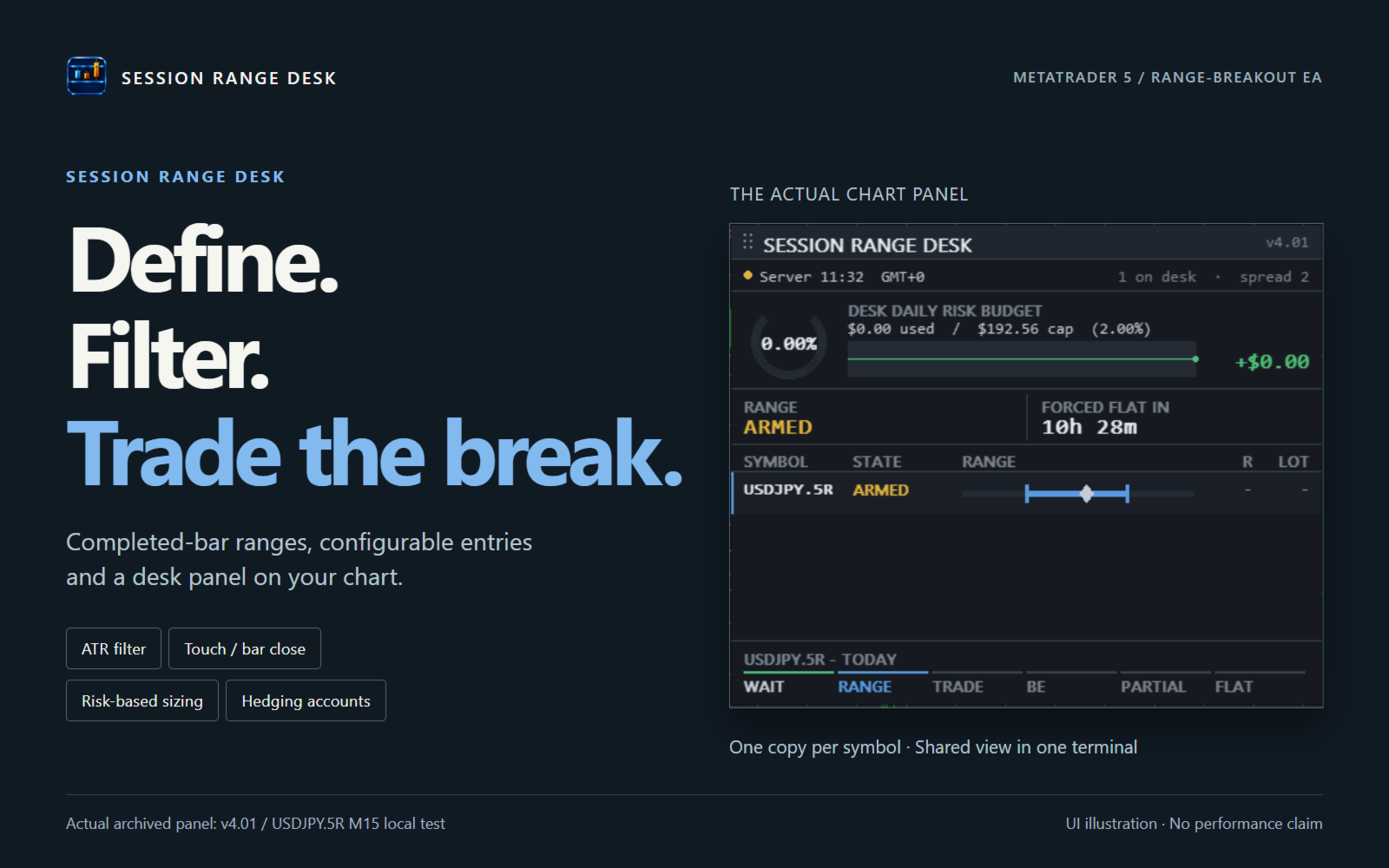
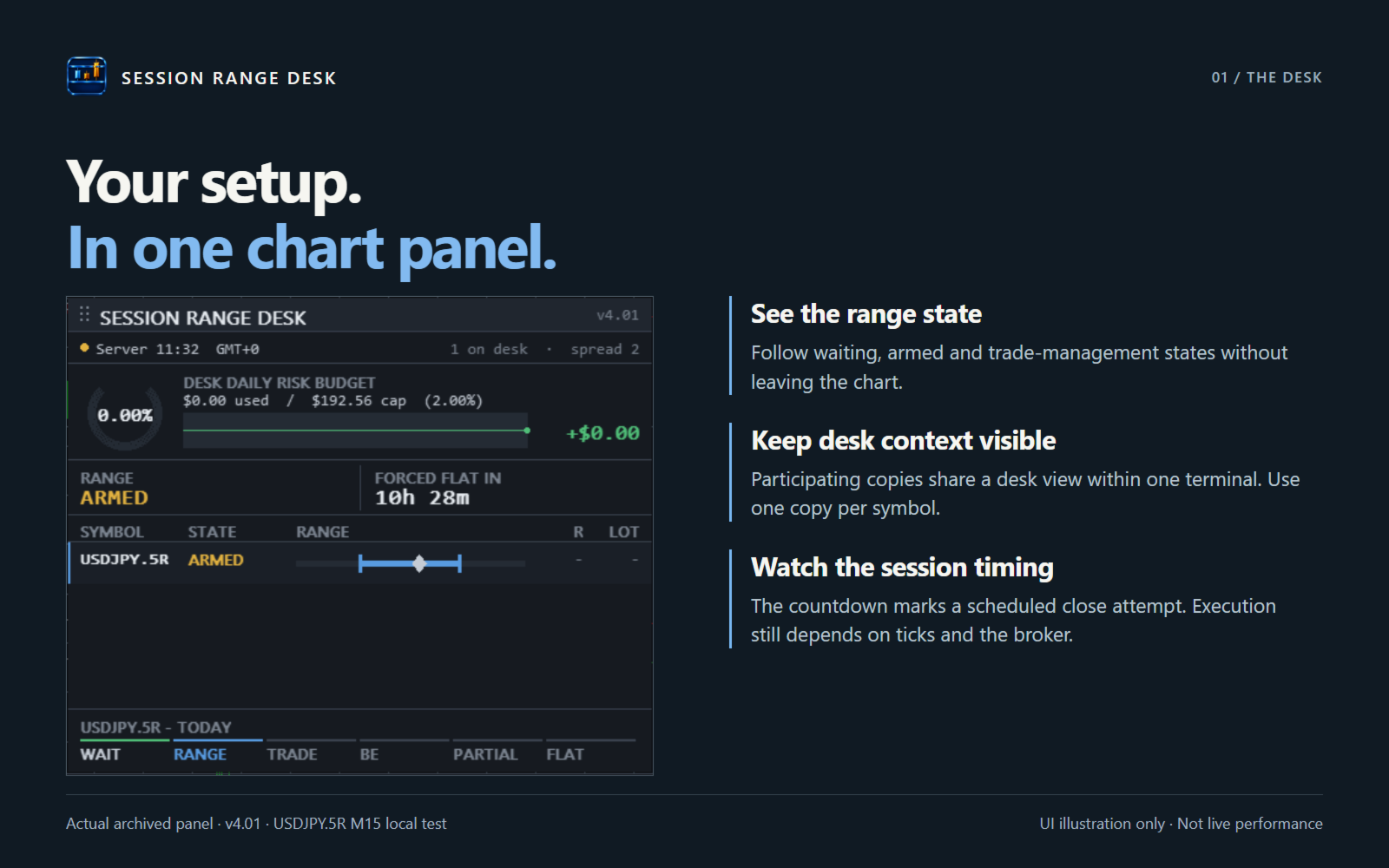
Use it on hedging accounts, with one copy per symbol. The chart panel brings participating copies into a shared desk view within the same terminal. It does not enforce prop-firm rules or guarantee a daily loss ceiling. No grid, martingale or averaging is used.
First test
- Download through MetaTrader 5 Market. Select Session Range Desk in the Strategy Tester and begin with a visual test.
- Choose the symbol, chart timeframe and broker-server start/end times. Use a start earlier than the end. Set the lookback, Average True Range band and target risk for your test; no optimized preset is supplied.
- Check the marked range against the previous completed bars, inspect entry and stop placement, and review the Journal for rejected requests. Then test on a hedging demo account with your broker's costs and volume rules.
How entries work
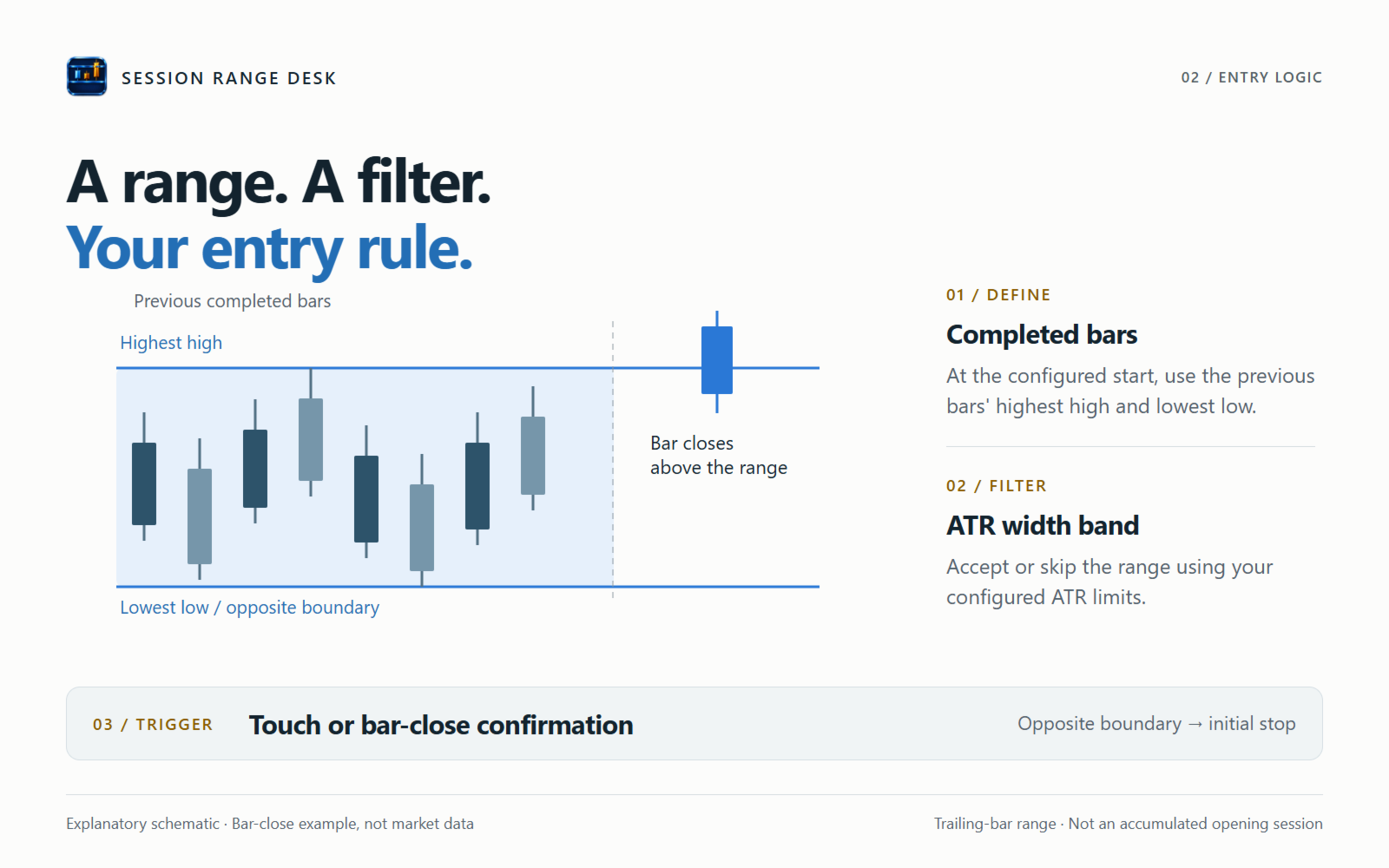
At the first eligible tick after the configured start time, the Expert Advisor records the highest high and lowest low of the previous completed chart bars. This is a trailing-bar range, not a range accumulated throughout an opening session. The Average True Range filter accepts or skips that day's range. A touch of a boundary, or a completed bar closing beyond it, can then trigger a market order. The opposite boundary is submitted as the stop loss.
During uninterrupted operation, the Expert Advisor targets one successful entry per symbol per server day. After a restart, this daily lock depends on available trading history; incomplete or unreadable history can allow another entry. Optional management includes a fixed target, break-even and partial closing. The entry-to-stop distance is the reference for target and management settings.
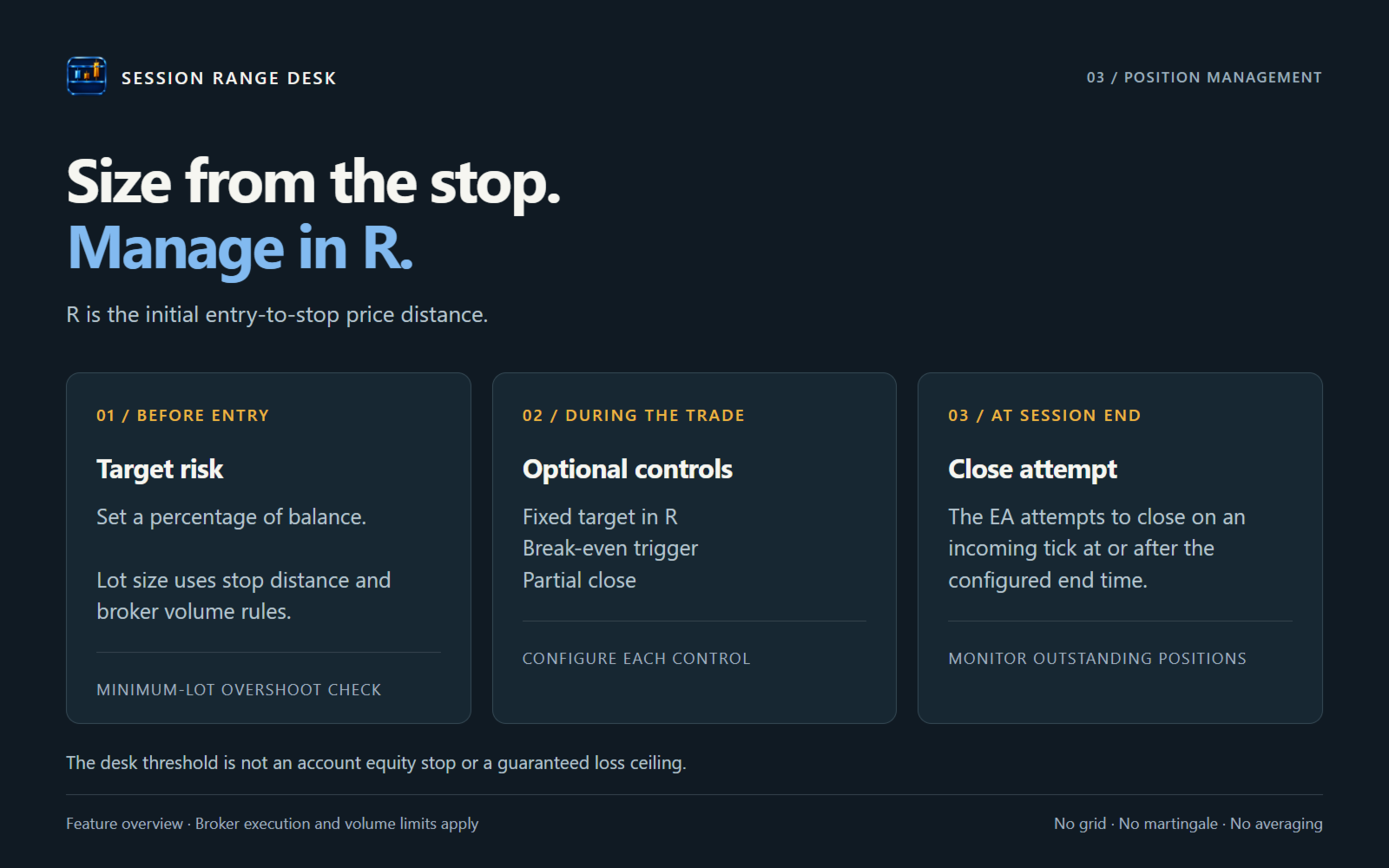
The end time is a scheduled close attempt, not a guaranteed exit. Closing is attempted only when a tick arrives at or after that time. If no tick arrives, the market is closed or the broker rejects the request, the position can remain open past the end time and overnight. A rejected close remains eligible for another attempt. Monitor outstanding positions.
Setup and inputs
Download the Expert Advisor through MetaTrader 5 Market, then start in the Strategy Tester and on a hedging demo account. Choose the symbol, chart timeframe and server-time session yourself. No optimized parameter sets are included. The screenshot illustrates the panel in a local custom-symbol test; it is not a recommended setup or a profit claim.
- StartHour, StartMinute, EndHour, EndMinute: broker server times for range creation and scheduled close attempts. Use a start earlier than the end. Overnight sessions are not implemented.
- LookbackCandles, BreakoutMode: completed bars used for the range, and touch or bar-close entry confirmation.
- ATR_TF, ATR_Period, Min_ATR_Mult, Max_ATR_Mult: Average True Range settings and the permitted range-width band relative to the last completed Average True Range value.
- RiskPercent: target stop-distance risk as a percentage of balance. MaxDailyRiskPct: the shared desk commitment threshold checked before entry. This is not an account equity stop or a guaranteed daily loss limit.
- SkipOnMinLot, MinLotTolerance: skip entries when minimum broker volume exceeds target risk beyond the permitted percentage overshoot.
- UseTP, TP_R: fixed target as a multiple of the entry-to-stop distance. UseBreakEven, BE_Trigger_R, BE_Target_R: break-even trigger and new stop measured from entry in multiples of the entry-to-stop distance. A stop at entry does not cover commissions or guarantee a zero-loss exit.
- UsePartialTP, PTP_Trigger_R, PTP_Percent: partial-close trigger and volume percentage. Volume that cannot be split within broker limits is skipped. Set the partial trigger below the fixed target if it should occur first.
- MagicNumber, DeskName: matching identifiers for participating charts in one terminal. Use one copy per symbol, consistent desk settings and a dedicated magic number.
- ShowPanel, PanelCorner, PanelX, PanelY, ShowChartLevels: panel visibility and placement, and independent chart drawings. Drawing is disabled during optimization and nonvisual tests.
Limits to understand before use
The desk display is not a certified account-protection system. Its shared commitment check is not an atomic cross-chart reservation. Simultaneous signals, stale heartbeats, rounding, gaps and execution costs can make exposure exceed the threshold. Coordination does not extend across terminals, and a single-symbol backtest does not test multi-chart coordination. Prop-firm rules are not enforced.
Restart recovery uses available trading history and the position's current stop. It cannot always recover the original risk distance or whether a partial close already occurred. If the stop is missing or already beyond entry, break-even and partial management may be disabled while scheduled close attempts remain active. Monitor restarted positions. Netting partial-close operation is not supported.
Before unattended use, check actual spread, commission, swap, slippage, margin, volume steps and stop restrictions for your broker. Local code tests are not live performance validation. No return or maximum-loss guarantee is offered. Artificial intelligence tools assisted code revision and preparation of this description.
Support
Use the product comments or MQL5 messages for support. Include the product version, symbol, timeframe, relevant input values and the Journal error text. State what you expected and what happened. Remove account numbers and other personal details from shared logs or screenshots.