Gorilla EA 2 Orderflow
- エキスパート
-
Muhammed Kerem Alkan
 私はアルゴリズム取引の開発者で、MetaTrader
 - バージョン: 1.0
- アクティベーション: 5
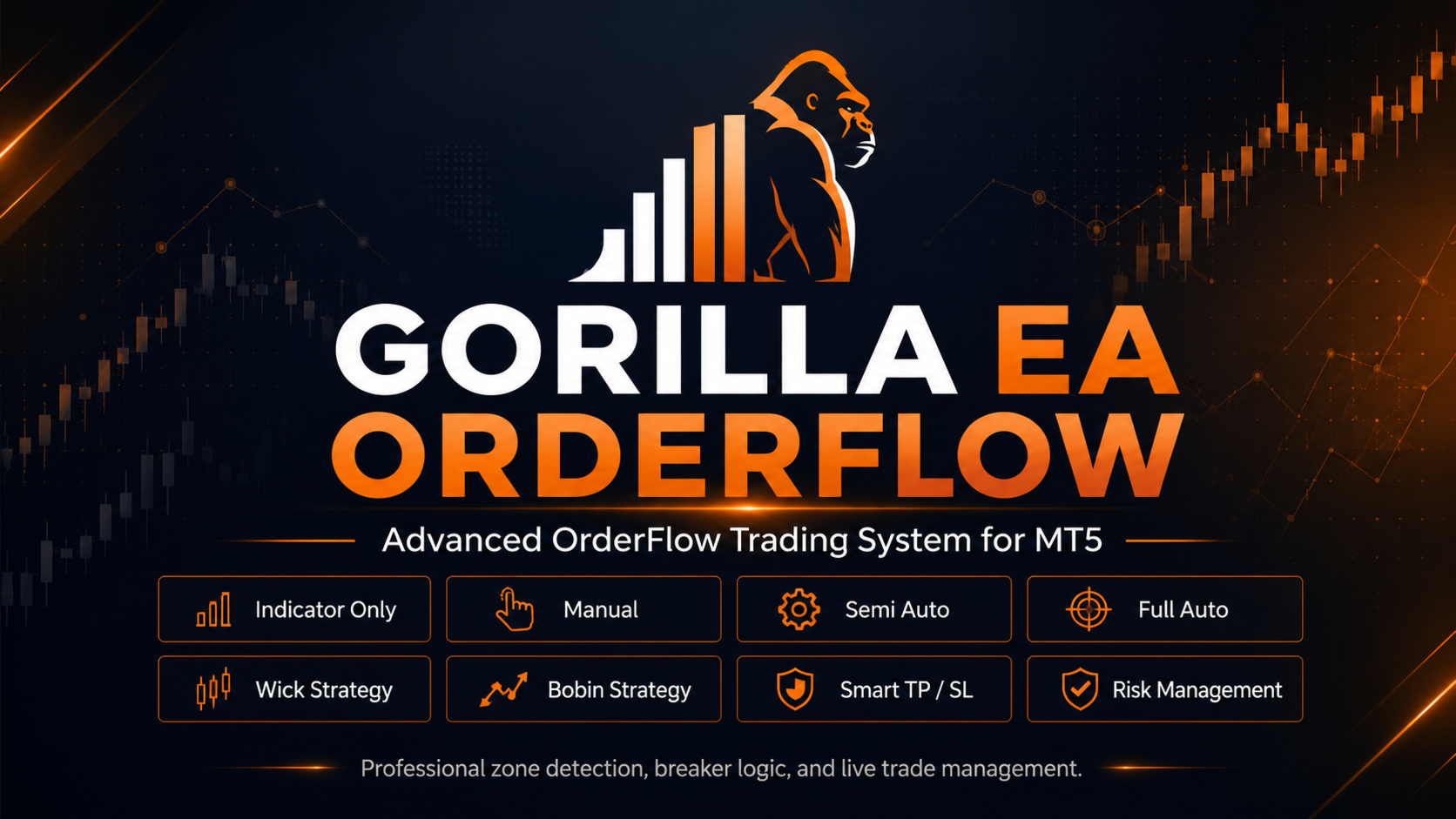
Gorilla EA OrderFlow is a multi-strategy Expert Advisor developed for MetaTrader 5. It combines custom Price Action and OrderFlow concepts with structured entry confirmation, liquidity-based targets and automated position management.
The system does not rely on a simple indicator crossover. It analyzes price reactions, wick structures, body compression, displacement strength, liquidity formation and the return of price to previously detected zones.
The current architecture contains more than 4,700 lines of strategy, execution, risk-management and broker-compatibility logic.
Strategy Modules
Gorilla EA OrderFlow includes two independently controlled strategy modules.
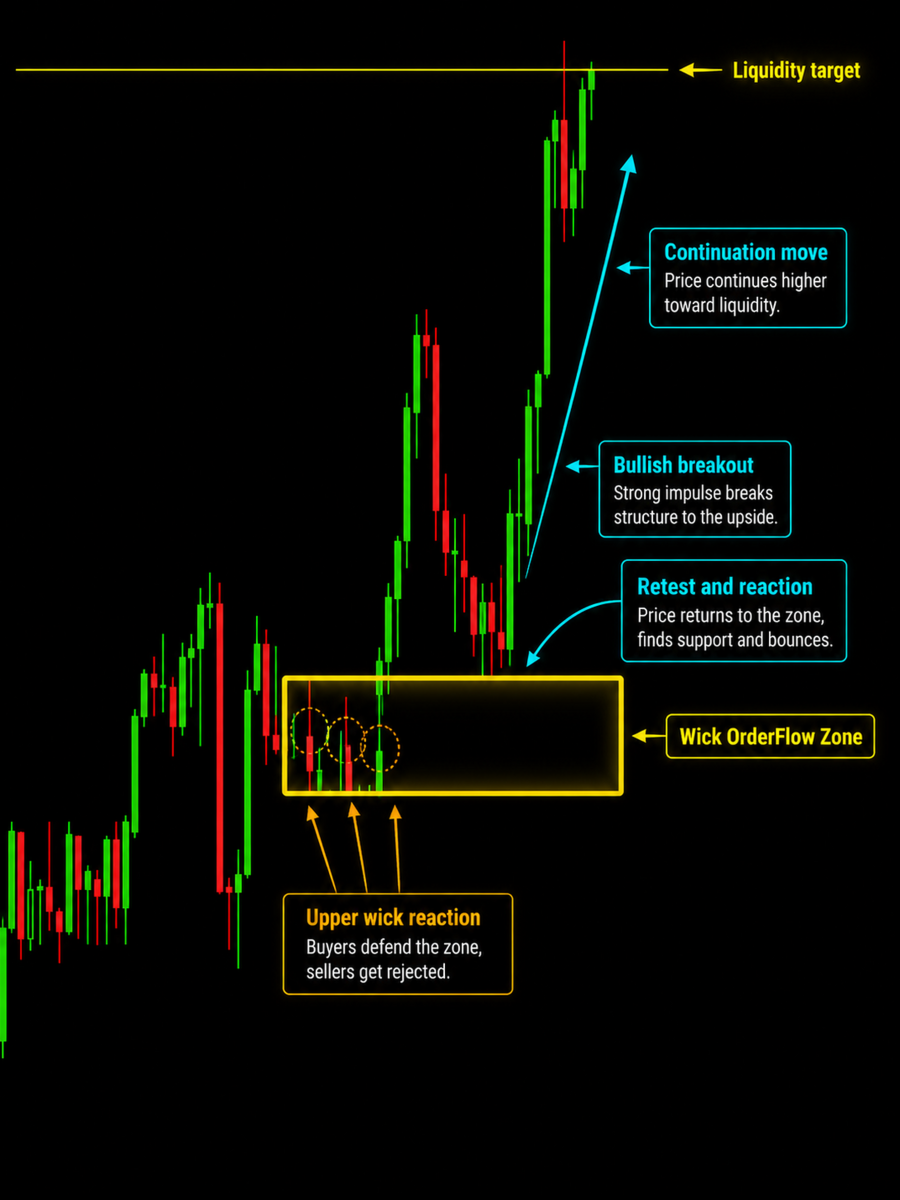
Normal Wick OrderFlow
This module detects zones created by repeated wick reactions around a similar price level.
A valid structure may include:
- Multiple wick reactions
- A clearly defined reaction zone
- Strong displacement away from the zone
- Price movement away from the structure
- Liquidity formation
- A controlled return to the zone
- First-retest entry logic
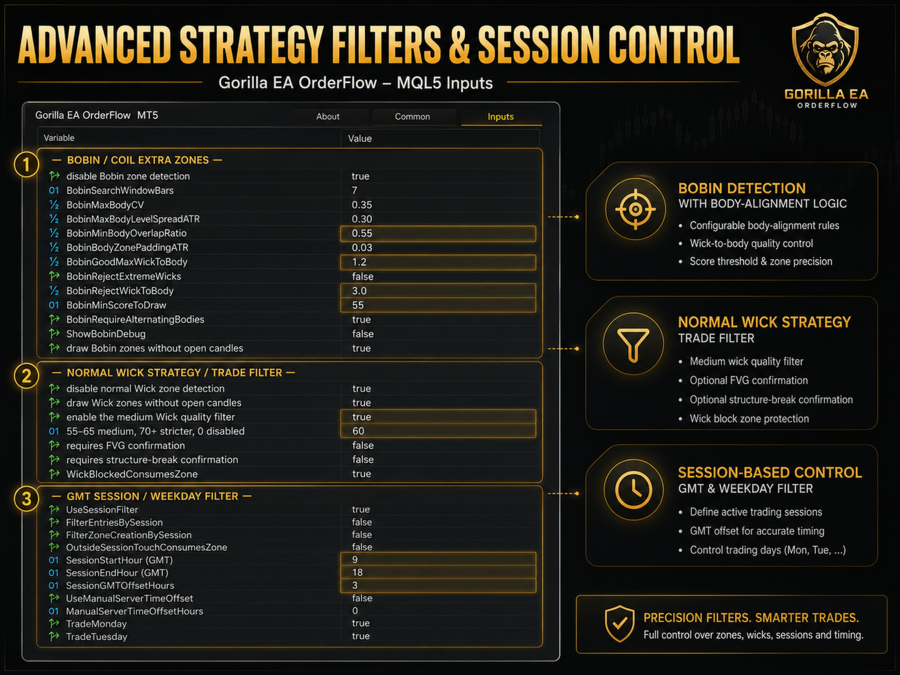
The Wick strategy includes an optional quality filter. Users can adjust the minimum zone score and require additional structure or imbalance confirmation.
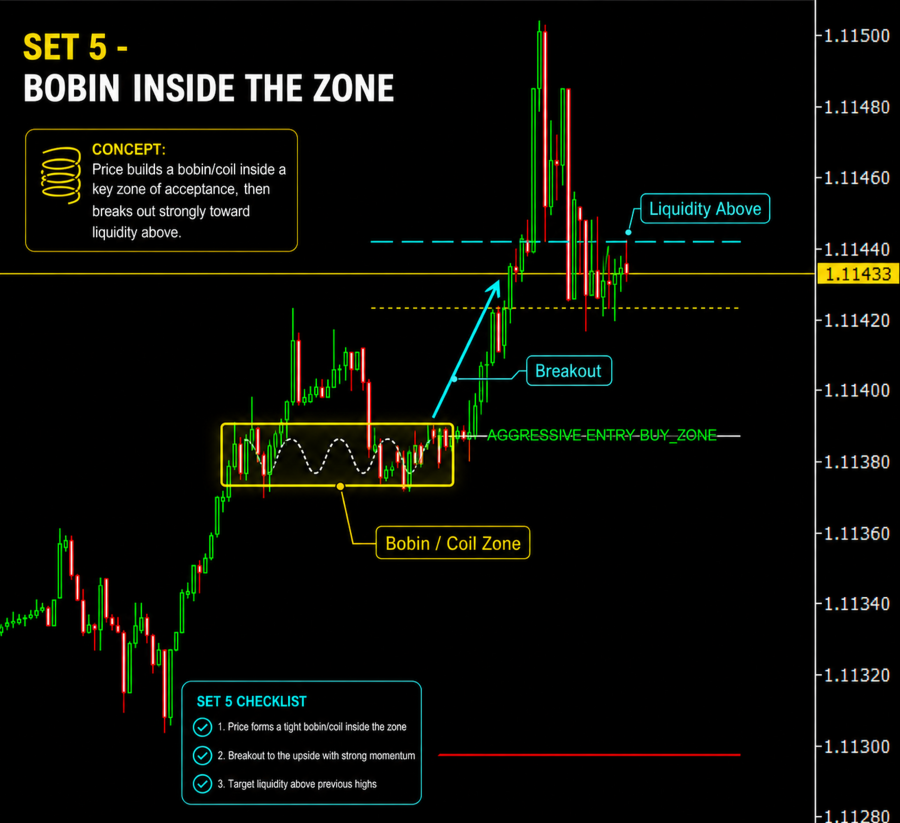
Bobin / Coil OrderFlow
The Bobin module detects short candle-body compression structures formed before a directional expansion.
The model analyzes:
- A minimum three-candle compression structure
- Similar and aligned candle bodies
- Alternating bullish and bearish candles
- Body overlap and compression quality
- Strong directional displacement
- Weak-breakout rejection
- Return and retest behavior
Bobin zones can be used for trading, displayed for analysis only or disabled completely.
Selectable Strategy Operation
Users can control each strategy separately:
- Use only the Wick strategy
- Use only the Bobin strategy
- Use both strategies together
- Display Wick zones without allowing Wick trades
- Display Bobin zones without allowing Bobin trades
- Disable either strategy completely
This allows the Expert Advisor to be adapted to different trading styles and market conditions.
Armed Triangle Entry Model
The Expert Advisor does not automatically enter immediately after a zone is created.
The entry process follows a structured sequence:
- A valid OrderFlow zone is detected.
- Price moves away from the zone.
- A swing high or swing low is formed.
- Price begins returning toward the zone.
- The zone becomes armed.
- The first valid live-price retest can trigger an entry.
This model is designed to avoid entering before the market has shown clear displacement and liquidity formation.
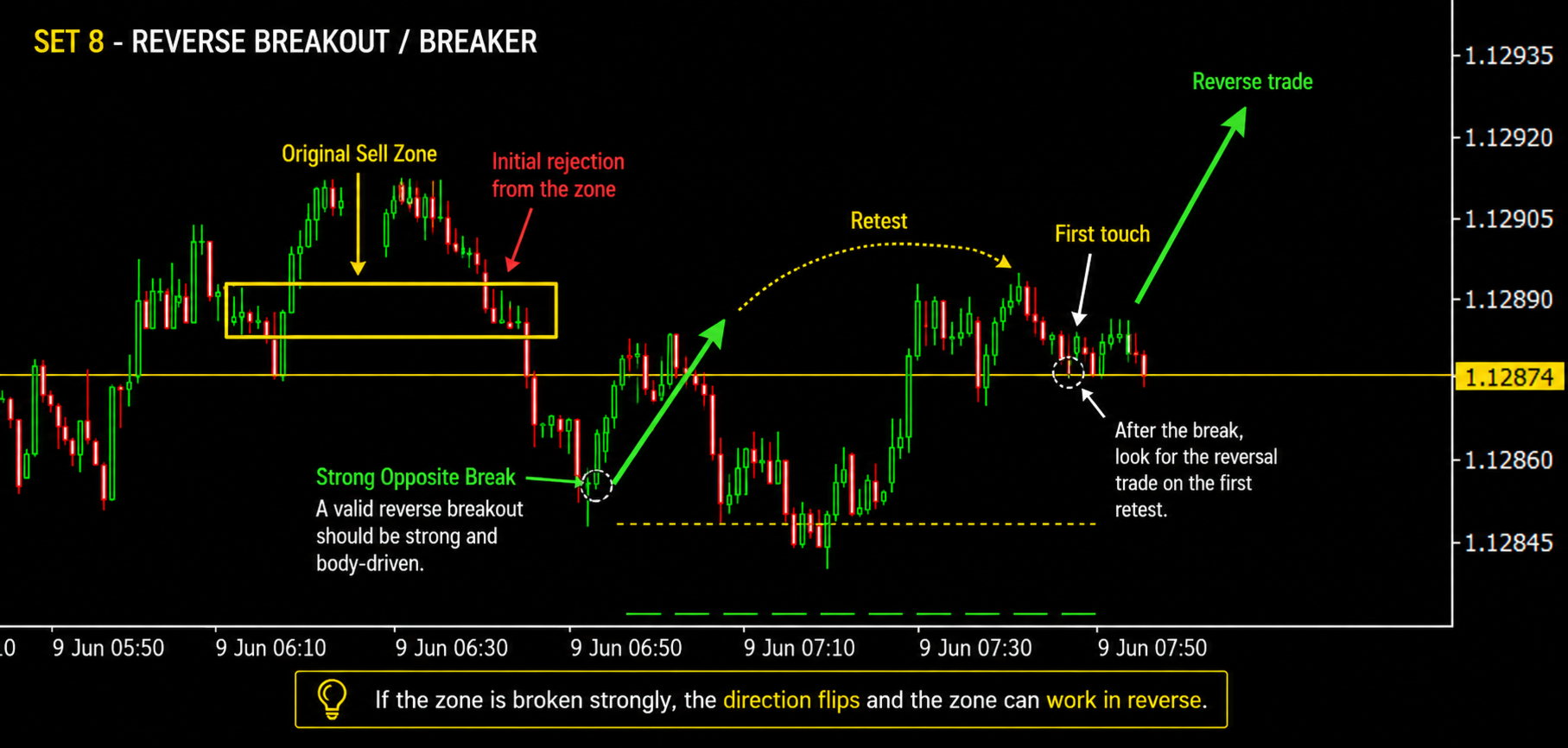
Breaker and Reverse-Retest Logic
A zone is not considered broken because of a simple wick penetration.
The Breaker model requires:
- A strong body-based break through the zone
- Clear directional displacement
- Price movement away from the broken zone
- A return to the structure
- A confirmed reverse retest
The Expert Advisor does not immediately open a reverse position when price first crosses a zone.
Stop-Loss Placement
Stop loss is based on the source structure that created the trading zone.
For BUY positions, the system searches for the relevant source or sweep low.
For SELL positions, the system searches for the relevant source or sweep high.
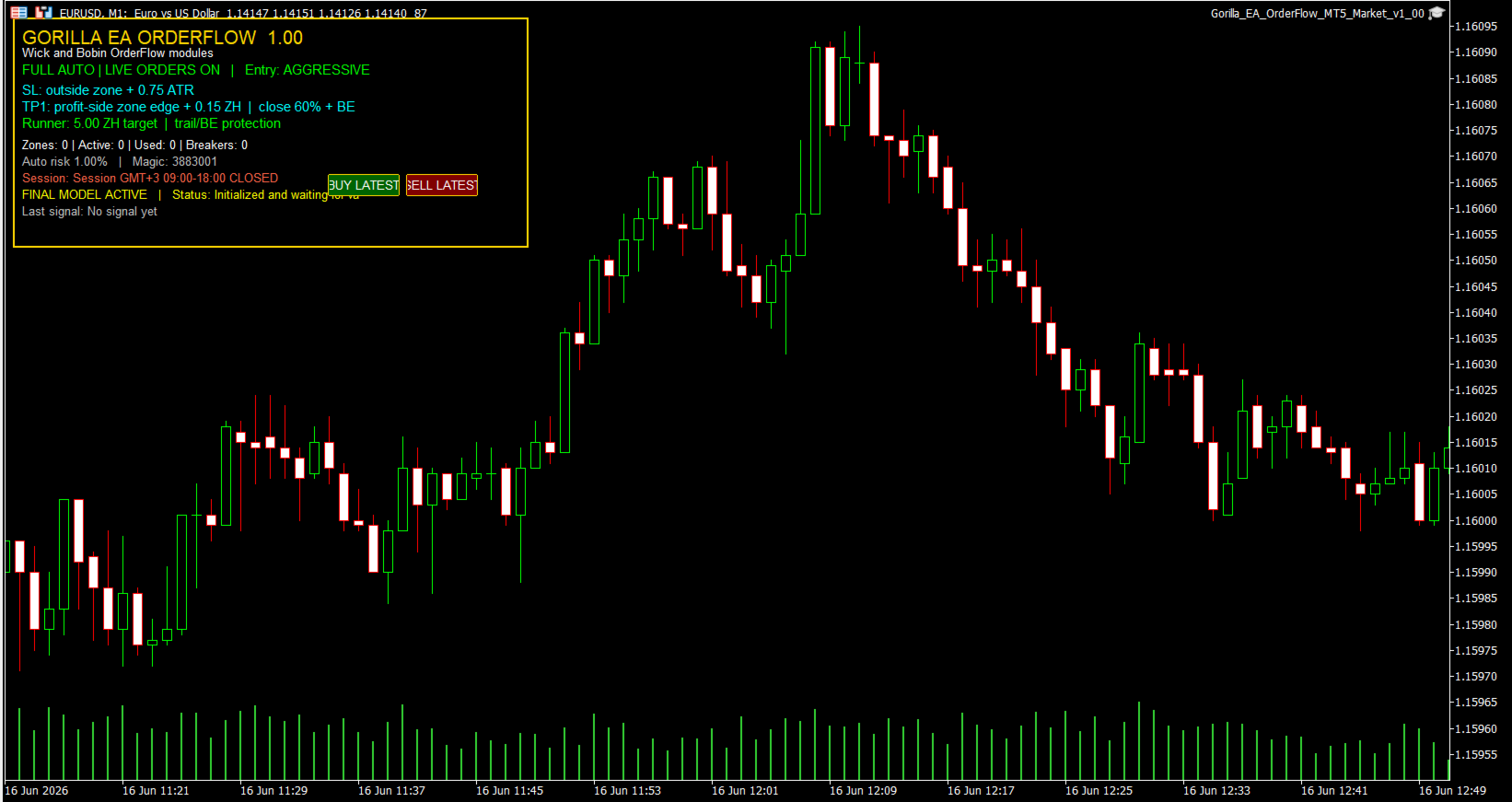
An ATR-based buffer is added behind the structural level. The EA also checks the broker’s minimum stop and freeze-level requirements before sending or modifying an order.
Take-Profit and Position Management
The first profit target is based on the liquidity point created during the triangle movement.
When TP1 is reached, the system can:
- Close part of the position
- Move the stop loss to breakeven
- Keep the remaining volume as a runner
- Activate broker-side and virtual trailing management
The remaining position is managed using:
- TrailStopPoints
- TrailStepPoints
The trailing stop only moves in the profitable direction and does not move back beyond the protected breakeven level.
Risk Management
Gorilla EA OrderFlow supports:
- Automatic lot calculation based on stop-loss distance
- Percentage-based risk
- Fixed-lot operation
- Maximum volume protection
- Maximum open-position control
- Minimum reward-to-risk filtering
- Margin availability checks
- Broker volume-step validation
- Stop-level and freeze-level validation
Operation Modes
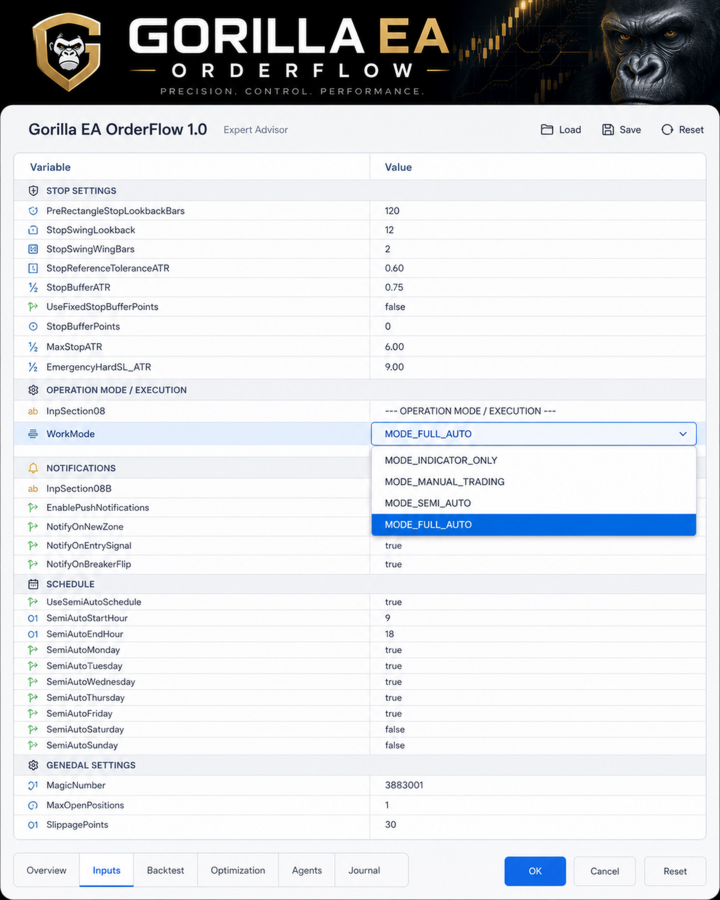
The Expert Advisor includes several operating modes:
- Indicator Only
- Manual
- Semi-Automatic
- Full Automatic
Users can also select different entry styles:
- Aggressive
- Normal
- Safe
Additional Features
- Wick and Bobin zone visualization
- Strong-breakout validation
- Weak-displacement filtering
- First-retest logic
- Breaker-zone handling
- Session and weekday controls
- Partial close management
- Breakeven protection
- Broker-side trailing stop
- Virtual stop management
- Automatic risk calculation
- Dark chart interface
- Real-time status panel
- Optional push notifications
- Hedging and netting account support
Recommended Use
Before using the Expert Advisor on a live account:
- Run a backtest using real tick data.
- Test the EA on a demo account.
- Confirm symbol specifications and trading costs with your broker.
- Select a risk level appropriate for your account.
- Avoid using settings that have not been tested on the selected symbol and timeframe.
Recommended symbols and timeframes should be chosen according to the backtest and forward-test results supplied with the product.
Important Information
Market conditions, spread, commission, slippage, liquidity and broker execution can affect results.
Historical performance does not guarantee future results. Every trading strategy involves risk, and users are responsible for selecting suitable settings and risk levels.