 MetaTrader 5
 エキスパート
 インディケータ
 ライブラリ
 ユーティリティ
 ウィジェット
 ルール
YouTubeにあるマーケットチュートリアルビデオをご覧ください
ロボットや指標を購入する
仮想ホスティングで
EAを実行
EAを実行
ロボットや指標を購入前にテストする
マーケットで収入を得る
販売のためにプロダクトをプレゼンテーションする方法
MetaTrader 5版新取引ユーティリティ - 85
 以下はMetaTrader5での取引を簡素化する取引プログラムです。ユーティリティにカーソルを合わせると、その説明と目的が表示されます。

お得な情報printscreenは、さらなる分析のための口座取引と画像の保存を自動化するために設計されたスクリプトです。 パネルを使用すると、履歴内のトランザクションの検索に関連する技術的な作業の時間を大幅に短縮し、すべての操作パラメータの表示と描画を
このスクリプトはどのようなタスクを解決しますか?:
期間を選択するだけで、スクリプトは指定した期間のすべての取引取引を検索し、価格レベルの表示と取引パラメータを含むパネルを持つ各画像を保 1つの取引のみの情報を保存する場合は、入力パラメータで適切なオプションを選択し、必要な取引のチケット(ID)を入力します。 スクリプトは、/"ターミナルディレクトリ"/MQL5/Files/"ブローカー名"/"アカウント番号"/"ポジションチケット"/"選択したファイルの数はここにあります"の原則に従って、各ファ スクリプトは、あなたのためのトランザクションに必要な情報を収集し、印刷画面上の別のパネルに記録します
スクリプトの操作の順序
スクリプトの実行
端末が取引口座に接続されていることを確認してください。 アカウントに取引履歴があ

The Teaching T-INN utility was created to train architecture neural networks (T-INN) Target-IntelNeuroNet adapted to the currency market. The utility file must be placed in the scripts folder and run on the chart and timeframe on which you want to train the neural network. The result of the training will be recorded in a file, and the entire training process is displayed in the console on the chart and an additional log file. Before starting the script, it is necessary to download all the stori
FREE
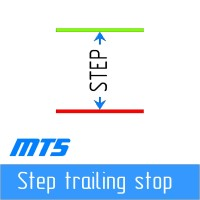
ステップバイステップ「トレーリングストップ」
このユーティリティを使用すると、「トレーリング ストップ」ツールを使用する際に、価格に従って「ストップ ロス」を移動するステップを設定できます。 「MetaTrader」ターミナルで利用可能な「通常の」「トレーリング ストップ」とは異なり、「ストップ ロス」の動きを 1 ピップ単位で設定できますが、この「トレーリング ストップ」は任意の増分で設定されます。 この設定により、価格が一方向に長時間移動した後、小さな修正のために反転し、その後再び同じ方向に移動し続ける場合に、偽のトレンド反転中にポジションを閉じることを回避できます。 可変の「ストップロス」移動ステップで「トレーリング ストップ」ツールの作業を管理しやすくするために、ツールの操作を実装するスクリプトは、開発者の Dmitry Fedoseev によって既存の取引パネル「eInTradePane」に適合されています。 トレーディング パネルのソース コードは、 https://www.mql5.com/en/code/220 で自由に入手できます。 「トレーリングストップ」が追加さ
FREE

T Manager, the ultimate trade management solution designed by traders for traders. If you are searching for a simple and efficient trade panel, trade manager, or trade assistant, you are at the right place. The market contains a diverse number of those tools , but this one is designed by traders for traders . I designed this tool, and I am using it daily.
Take my advice and stop buying tools blended with un-useful features that you will never use, T Manager provides you with the essential y
The product will copy all Discord signal to MT5 ( which you are member ) , also it can work as remote copier. Easy to set up. Work with almost signal formats, support to translate other language to English Work with multi channel, multi MT5. Work with Image signal. Copy order instant, auto detect symbol. Work as remote copier: with signal have ticket number, it will copy exactly via ticket number.
How to setup and guide: Let read all details about setup and download Discord To MetaTrader

TRAILINATOR is a unique Solution to use different Trailing-Stop Variants and change your settings via Remotecontrol. You configure your Trailing-Stop for a specified Symbol only once. This setting will be used for all your Positions of the same Symbol. Currently we support these different Trailing-Stops: Standard : works like you use in Metatrader Terminal, starts trailing if your profit is greater than trailing stop Start after points : trailing stop will start after your defined points in p
FREE

TRAILINATOR is a unique Solution to use different Trailing-Stop Variants and change your Tradesetup via Remotecontrol. You configure your Tradesetup for a specified Symbol only once. This setting will be used for all your Positions of the same Symbol. Currently we support these Features: different Trailing-Stops: Standard: works like you use in Metatrader Terminal, starts trailing if your profit is greater than trailing stop Start after points: trailing stop will start after your defined poin

Whosa TradePad for MetaTrader 5 Do you trade in MetaTrader 5? Calculating Pips yourself and calculating your risk yourself is a thing of the past with our Tradepad. With this Tradepad you can place your trade in MetaTrader in no time. This Tradepad is fully equipped. Automatically calculates your risk which you can enter in percentages and amount of dollars. Check the video to see all the features! (The video is in Dutch, but you can see the features) This TradePad only works with a new password

Yahoo Finance のデータに自動的にアクセスし、MetaTrader 5 でカスタムシンボルを作成します。インジケーターやエキスパートアドバイザーとは異なり、このサービスはチャート上で実行する必要はなく、バックグラウンドで動作し、ブローカーから提供されない市場データを常に更新します。 主な特徴: 独占市場データ :VIX、DOLLARINDEX、T-Bond、SP500、NASDAQ100 などの主要なインストゥルメントにアクセスでき、Vanguard Total Stock Market (VTI)、SPDR S&P 500 (SPY)、iShares MSCI Emerging Markets (EEM)、Invesco QQQ Trust (QQQ) など、多様なETFにアクセス可能です。 完全な自動化 :手動ダウンロードやインポートの手間を省き、時間を節約できます。 ETFおよび長期戦略に最適 :高品質データを使用して累積プランを最適化し、取引シグナルを生成し、ポートフォリオをシミュレーションします。 使用方法: 簡単な設定 :MetaTrader のオプションに次
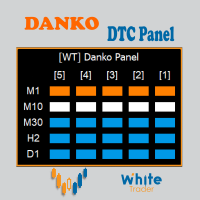
Do not buy before seeing the Danko Trend Color product, as this panel is a way to view a summary of this indicator on various timeframes.
The Danko DTC Panel utility allows you to look at the trend in up to 5 timeframes. When clicking on the timeframe texts, a new window will open with the indicator plotted on the screen so you can see the complete chart. The width of the panel, with the amount of candles you want to see, is customizable, see the images below.
Ao clicar nos textos dos timeframe

Strangely enough, everyone seems to have their own idea of how you should measure support and resistance. Not every support and resistance zone is strong. The strongest support or resistance levels will more often than not be with trend . What this means is, if we are in a bull trend, pullback levels to support will more often than not be ‘stronger‘ than resistance levels above. These expert advisors use several mathematical models and statistical models to determine the strongest support and r
FREE
With this script you can open or close multiple charts with just one click. Please follow the instructions below; Set your desired symbols in the market watch window. Open one chart. Attach the script to the chart In the input values just select the time frame of your chart. Set open chart value to true. Click ok. To close the charts follow step 3 and 7. In input values set open chart value to false and close chart value to true
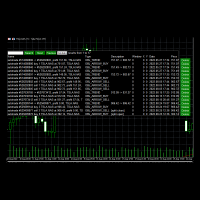
Use this software to browse through all objects within the chart and look at them comfortably. Also, you can look at the list of global variables and search and delete them . The same you can do with charts and indicators. You can search in objects names and object descriptions to find the object you are interested in. This is definitely an improvement to what is available in Mt5. You type what you are interested in , then press Search button. You can move to next and previous search results. N
FREE
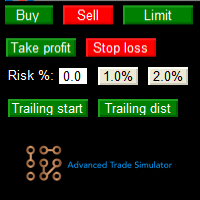
Advanced Trade Simulator for MT5
It is an indicator you can attach to any chart and then buy and sell the given symbol virtually. No actual trading takes place. You can attach it to multiple charts. Then you can buy multiple symbols.
A more detailed description here: https://www.mql5.com/en/blogs/post/750336 Features:
- buy and sell immediately on the given time frame - market , limit and stop orders - generalized OCO, more than 2 orders can cancel each other. - OSO, one sends another.. - bu

Telegram Utility EA は、任意のプライベート/パブリック ボットにリンクし、次のことを支援します。 コマンドですべての注文を即座にクローズします。 コマンドはカスタム パスワードでエンコードされ、あなただけが知っています。 電報ボットは、すべての注文が閉じられたときに通知し、MT5 ターミナルで実行中の他のすべての EA を一時停止します。 ワンクリックで、ターミナルで実行中の他の EA を一時停止/再開できます! ピップフォームまたはマネーフォームで取引レポートをエクスポートします。 売買シグナルをボットまたはコミュニティに送信します (テレグラム チャット グループ、テレグラム チャネル)。 送信する取引の種類を手動で選択できます。 スクリーン ショットで信号を送信します。 チャートのスクリーンショットも手動で選択できます。 コマンド時に選択したチャートのスクリーンショットを送信します。 すべてのパラメーターは理解しやすく、変更しやすい

ある MT5 または MT4 アカウントから別の MT5 アカウントに取引量をコピーするためのシンプルなユーティリティ。 ネッティング口座とヘッジ口座の間で任意の組み合わせでポジションをコピーできます。デフォルトでは、同じボリュームを持つすべての一致するシンボルによって開かれたポジションがコピーされます。シンボル名が異なる場合、またはコピーされたポジションのボリュームが異なる場合、またはすべてのポジションをコピーする必要がない場合は、この 投稿 で説明されている設定で目的の動作を指定できます。この製品は、将来のリリースで機能を拡張します。 バージョン 2.0 までは、この製品は無料です。 インストール順序:
送信者アカウントの端末で、Expert Advisor を送信者モードで起動します。 受信者アカウントのターミナルで、Expert Advisor を受信者モードで起動し 、以前に起動した送信者の 1 つを選択して、そこからポジション ボリュームをコピーします。
FREE

This utility tool shows the ticker symbol, timeframe, and description information as a watermark on the chart. Text resizes automatically according to chart size. It is useful to identify the correct chart when multiple charts are shown on the screen. Premium version supports changing font name and color independently for symbol name and description, and defining screen location for symbol placement. See the demonstration video below!
Symbol Name Inputs: Font Name: Specifies font used. Needs

Close All and Change Take Profit and Stop Loss All Orders. Main Features
Ability to Close All Orders the Symbol you put this EA. Ability to Change Take Profit to All Order. Ability to Change Stop Loss to All Order. Show Order count. Show Average price with info and Horizontal Line. Show lot open.
Show Price diff from average to price now Show broken price with info and Horizontal Line. Easy to use . How to use
Close All (Symbol) PC : you can click on CloseAl

Drawdown Limit EA Prop Firm trading MT5
If you found this EA, it's probably because you want to get a funded account with a prop firm, but you see a rule that most of traders fear : Maximum Daily Drawdown. I've been through this problem myself as I'm a prop firm trader and I've made a bot to solve this rule, and you can get it to solve this problem too.
How does it work ?
When you first setup this EA, you need to input the initial deposit which corresponds to the size of your funded account.
Hello friends. I wrote this utility specifically for use in my profile with a large number of Expert Advisors and sets ("Joint_profiles_from_grid_sets" https://www.mql5.com/en/blogs/post/747929 ). Now, in order to limit losses on the account, there is no need to change the "Close_positions_at_percentage_of_loss" parameter on each chart. Just open one additional chart, attach this utility and set the desired percentage for closing all trades on the account. The utility has the following fu
Demo version of the Virtual SL TP Trailing product for testing all functions https://www.mql5.com/ru/market/product/75210
ВНИМАНИЕ: ТОЛЬКО ДЛЯ ДЕМО-СЧЕТОВ !!!
Make Trailing Stop, Take Profit, Breakeven, Stop Loss levels invisible to the broker!
HIDDEN MODE (STEALTH MODE) Virtual Trailing Stop (Virtual Trailing Stop) Virtual Take Profit (Virtual Take Profit) Virtual Breakeven (Virtual Breakeven) Virtual Stop Loss (Virtual Stop Loss) Виртуальный 2-уровневый Трейлинг-стоп Virtual Tr
FREE
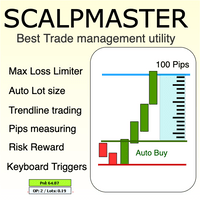
The Scalp Master tool not only provides proper trade management but also helps a trader to build a proper psychology and discipline to gain consistent results in his trading. It offers Max loss Limiter ( Risk per position ) and RPT limiter (Risk per trade), Auto calculates Lot size, CLOSE multiple trades with single click. Buy, Sell, Close with default Trend line and Horizontal line , Pips measuring tool, risk reward measuring tool and many other features. This tool offers to place quick

Description :
A utility to create and save screenshots automatically and send to a chat/group/channel on telegram.
The saved/sent image file will include all objects that exist on the chart and also all indicators are displayed on the chart.
Features: Save screenshot of chart including all objects, indicators, ... Send screenshots to a telegram chat/group/channel
Wide range options to select when create screenshots
Logo and text adding feature
Inputs and How to setup the EA :
Various option

現在の主要市場セッションと次の主要市場セッションを開始するまでの残り時間を表示します。
市場
ニューヨーク ロンドン フランクフルト トキオ シドニー カスタム名、開始時間と終了時間を含むセッションが 1 つ
時計時間
GMT / UTC ローカル (コンピュータから) ブローカー (サーバー時間) 設定のデフォルト時間は GMT です。 ローカル時間またはブローカー時間に変更した後は、選択した時間タイプに基づいて各セッションの開始時間と終了時間を手動で調整する必要があります。 各市場の開場時間と閉場時間は調整可能
グラフィック設定 各セッションは個別に表示または非表示にすることができます。 これには以下が含まれます: セッション名、オープンバーに表示 始値ライン、セッションが終了するまで描画されます 背景色 セッションの背景色には 2 つのモードがあります
最初のバー、区切り文字として役立ちます 開始時間から終了時間までセッション期間を完了する
※セッションカラーが重なる場合は、セッションカラーが混合されます。 これにより、チャート上に新しい特定の色が作成されます。履歴データ
FREE
This utility tool shows the ticker symbol, timeframe, and description information as a watermark on the chart. Text resizes automatically according to chart size. It is useful to identify the correct chart when multiple charts are shown on the screen. Want more control over text apperance? Check out our Chart Watermark MT5 Premium utility. See the demonstration video below!
Inputs: Font Size: Initial font size for the ticker symbol and timeframe text (Default; 50). Description text font size
FREE
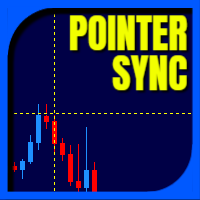
Pointer Sync is a pointer synchronizer between open charts. It makes the MT5 cross (activated by the middle mouse button) to be replicated on all open charts. In addition, it is possible to create horizontal lines (letter H) and vertical lines (letter V), very useful for studying. The appearance of the lines is customizable. Note: Synchronization is through the X and Y scale in pixels , not price and/or date. It is a simple and free utility. Enjoy!
This is a free indicator, but it took hours to
FREE

TDO is a free utility for optimizing the Trading Direction indicator. In addition to signals for trading, the indicator also has an information vector that fully provides all the statistical information on the operation of the indicator; this effect can be used to ensure that the indicator is automatically optimized. You just need to select the instrument and timeframe and specify the hourly interval in the utility settings and drop it on the chart chart. That's all, now we are waiting for the
FREE

AW MT5 To Telegram は、MetaTrader 5 口座のイベントを Telegram に送信するユーティリティです。送信対象はポジションのオープンと決済、部分決済、Stop Loss と Take Profit の変更、待機注文、口座アラート、レポートです。ユーティリティ自体は取引を行いません。口座の約定履歴を読み取り、あらゆる変化をプライベートチャット、トピック付きグループ、またはチャンネル向けのメッセージに変換します。 VIP チャンネルには即時に、Free チャンネルには遅延をつけて配信するシグナル販売者や、ドローダウン、証拠金、接続に関するアラートをスマートフォンで受け取りたいトレーダー向けに作られています。 マニュアルと説明 -> こちら / MT4 -> こちら 特長: 最大5つのチャットに対応し、スタイル、イベント、フィルター、遅延、ボタンをチャットごとに個別に設定可能 チャート上の AW Message Designer: 12種類の既成テンプレートとライブプレビュー メッセージはディスク上のキューで待機し、ネットワーク障害の後に再送されます 決済

ユーザーマニュアル:MICROLOTS DERIV(ボリューム管理パネル) MICROLOTS DERIV システムは、特定のブローカー、特に合成指数やデリバティブ市場によって課されるボリューム制限を克服するために設計された高度な実行ツールです。その主な目的は、ブローカーが小さなボリュームステップを認めている限り、資産契約で許可されている最小値よりも低いボリュームでトレーダーがポジションを建てることを可能にすることです。
1. はじめにと目的 多くの市場では、ブローカーが最小ロット(例:0.20)を設定しています。トレーダーが 0.05 で取引したい場合、標準のプラットフォームでは制限されます。このパネルは即時部分決済ロジックを使用します。システムは許可された最小値で取引を開始し、数ミリ秒以内に超過分を決済することで、結果として得られるポジションがユーザーの希望する正確な「マイクロロット」になるようにします。
2. パラメータガイド(入力メニュー) 実行ファイルをロードすると、「入力」タブに次のオプションが表示されます。
MagicNumber:このパネルで開かれた取引の一意の識

ユーザーマニュアル:エキスパートアドバイザー「ユニバーサルインジケーターコネクタ」 このシステムは、再プログラミングなしであらゆるカスタムインジケーター(.ex5)からのシグナルを実行できる高性能な自動化ブリッジです。このエキスパートはインテリジェントな注文管理ツールとして機能し、元々は視覚的な情報のみに基づいていた戦略にも、決済ルール、資金リスク管理、時間管理を適用できます。
1. インジケーターリンク設定 エキスパートを機能させるには、外部インジケーターを正しく「マッピング」する必要があります。
インジケーター名:インジケーターフォルダ内のファイルの正確な名前。
シグナルタイプ:
イントラバー:シグナル発生と同時に注文を実行します。
フィニッシュバー:シグナルを確定し、「リペイント」を回避するために、ローソク足が閉じるのを待ちます。
NBuffer 買/売:インジケーターが矢印を生成するデータチャネル(0、1など)を指定します。
操作タイプ:買いのみ、売りのみ、または両方を許可するフィルター。
AddtoChart: 有効にすると、インジケーターがチャート上に自動

Reward Multiplier is a semi-automatic trade manager based on pyramid trading that opens additional orders with the running profit of your trades to maximize return exponentially without increasing the risk. Unlike other similar EAs, this tool shows potential profit/loss and reward to risk ratio before even entering the first trade! Download Demo here (starting lot is fixed at 0.01) Contact me to get a 7 days trial version of the product with full functionality.
Guide + tips here MT4 version

This Service, export the account Orders/History Orders/Deals/Position on each new change. It save at a common folder with path = <DATE>\\<Server Name>.<Login>.<DATE>.<filetype>.csv Each file type have an header You can use it to receive OMS changes and source SQL Servers outside metatrader with bash scripts or others tools, each time the file change you can read it and get new updates, it works using SharedRead option when opening/flock the file.
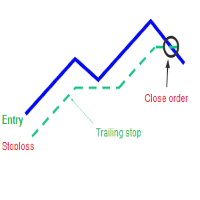
A trailing stop loss is a type of day-trading order that lets you set a maximum value or percentage of loss you can incur on a trade . If the security price rises or falls in your favor, the stop price moves with it. If the security price rises or falls against you, the stop stays in place. With this version, you can run trailing stoploss with currencies (ex start when profit more 1$, trailing stop with 2$...)
FREE

Данный советник - это аналог TakeProfit и StopLoss, только невидимый брокеру и остальным участникам рынка. Удобная вещь для скальпирующих стратегий, использующих одинаковый StopLoss и TakeProfit - один раз установил размер предполагаемых убытка и прибыли и далее остается только при соответствующем сигнале открыть позицию, а советник закроет ее сам при достижении установленных уровней.
This EA trails your stops based on percentage of current TP, for both manually and auto-opened trades. You can edit the percentage value in the inputs. Trailing stop is a more flexible variation of a normal exit order. T railing stop is the practice of moving the stop-loss level closer to the current price when the price moves in your favor. Trailing the stop-loss allows traders to limit their losses and safeguard their positive trades. It is a very popular practice. This EA will manage you

Bionic Forex - Humans and Robots for profit.
Patience is the key.
The strategies are based on:
- Tendency
- Momentum + High Volatility
- Dawn Scalper + Support Resistence.
Again, patience is the key.
No bot is flawless, sometimes it will work seamlessly, sometimes it simply won't. it's up to you manage its risk and make it a great friend to trade automatically with fantastic strategies.
Best regards,
Good luck.,
Pablo Maruk.

Special offer for the next 10 copies
Are you tired of manually navigating through menus and inputting data every time you want to execute a trade or open an order on Meta Trader? Our hotkey tool is here to make your life easier and boost your trading efficiency. Our tool is natively coded for lightning-fast performance and comes loaded with all the features you could possibly want. From pending orders and OCO orders to trailing and multiple buckets, it has everything a scalper could need. And

The AlgoKing Squawk Trendlines script will auto draw trendlines on your chart to use with trendline break and retest strategies. Simply drag the script onto your chart.
Recommendation: Be sure all candle bars that you want to include in the trendline calculation are visible. Draw trend lines using multiple timeframes. Delete all lines that you do not want to use in your strategy. Benefits: Join the AlgoKing Lightning Bolt Expert Advisor support group: https://www.mql5.com/en/messages/02E3BDCF

KrakenCryptoExchange先物履歴更新パネル
特徴 :
1.シンボルのKrakenAPIから利用可能な設定および更新履歴に基づいてシンボルを完全に作成します。 このパネルは、Open High LowCloseデータを使用してKrakenFuturesシンボルの履歴を更新します。また、履歴の更新が完了するとメッセージを出力します。 これはライブデータではないことに注意してください。
3.[ツール]>[オプション]>[URL]タブからのWebリクエストを許可するで説明したようにKrakenAPIURLを追加し、[Webリクエストを許可する]チェックボックスをオンにする必要があります
-API URL:futures.kraken.com
4.より少ないメモリとCPUを消費します
5.ターミナルの再起動時に欠落データを自動更新します! ターミナルを開くたびに、最新のデータが準備できます!
6.DLL呼び出しは行われません

Level Assistant is an expert assistant for manually setting support and resistance levels.
Traders often form their own levels. If there are many charts of different periods, the level will be multiplied by all charts.
When placing a horizontal line on a chart, the Assistant suggests converting this line into a level. At the same time, he himself will determine the color and thickness of the line, depending on the period of the instrument and where it is relative to the price. Mark the level
FREE
Risk Controller Expert Advisorは、アカウントのトレーディングアドバイザーの総リスクを管理できるようにするプログラムです。 このプログラムを使用すると、すべてのアドバイザーのアカウントで許可される最大のリスクを制御できます。 たとえば、最大ドローダウンの30%のリスクを設定します。つまり、株式取引ロボットが30%のリスクを超えると、リスクコントローラーはアドバイザーのすべてのポジションを閉じ、開いているすべてのチャートを閉じることもできます。顧問はさらに働くことから。 平均化ロボットをマーチンゲールと交換し、不可抗力やその他の予期しない状況が発生した場合にロボットからの最大損失を制限したい場合は、「安らかな睡眠」のためにエキスパートアドバイザーが必要になります。市場の逆転。 Советник Risk Controller, очень важная и по моему мнению необходимая программа для каждого трейдера который торгует роботами. 制御は、アカウントの最大損失に相当す
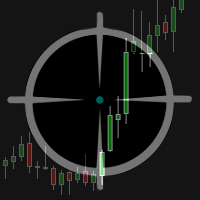
The Multicharts Crosshair draws a cross hair in any linked chart. The indicator can be used for comparison of symbol price levels in different time frame or to compare candles of different instruments in the same time frame
How it works: It can works from every linked charts where the indicator is installed towards the others or from the chart where is istalled towards the following linked charts . It can be shown just pressing a the key of keyboard. After installing the indicators in the char
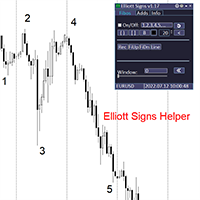
Elliott Signs Helper - A panel for marking Elliott signs and technical analysis. This is not an EA, This is an indicator that You can use to draw signals on the chart.
Wave Analysis:
Allows you to build a wave analysis in a few clicks with the definition of the type and order of waves. - Choice of color, style and font of waves is available. - Marking of impulses, triangles, zigzags, flats, simple and complex combinations is available.
For more information and how to use the indicator, ple

Definition :
Risk Monitor is an expert for Analyzing, monitoring, controlling account risks.
Strategy :
Analyze Each Currency Volume and Direction on Account and Sort Them Find and Suggest Best Three Symbols in Opposite Direction (Hedging Positions) for Controlling Risk. Analyze User-Defined Position and preview effect before placing /Closing
Features of EA :
Graphical Interface Show Risk Graph for each currency Smart Analyze and suggest best hedging positions

Hello, trading with EAs or manual?
We are coming with unique solution of how to protect your hard EARNED profits. Despite the fact you are beginner or experienced user, we all have experienced that trading can turn badly, especially before week / month end. In order to PROTECT your earnings , we are offering Trading Manager that closely overlooks the gains (or protecting the account from extreme losses) and locks the balance if certain profits is reached. HOW TO USE:
1. Please understand that T

We are happy to present you the "Info Trader" information indicator. As we are traders ourselves, we create software that we primarily use in our own trading practices. During intraday multicurrency trading we were constantly in need of a "ready to use" info panel. You have probably noticed that it is necessary to make a decision on taking profit on the account with consideration of profit on multiple instruments. To do this, you need to see the whole picture of each trade in detail. “Info Trade

You can see Binance Spot data instantly in Metatrader 5 and it allows you to use all the features that Metatrader has provided to you. You can access the data of all symbols listed on Binance Futures. Don't forget to set the timezone. Binance it's 00:00 UTC. You need to fix it according to your own country You need to install the free Binance Spot Symbol List plugin. https://www.mql5.com/tr/market/product/83507 After loading, it automatically downloads the data of the cryptos in the market obser

Get Economic Calendar History Script is an economic calendar data downloader. The time of the Economic Calendar is based on your broker's time, so if you are going to use the same calendar history file on different brokers, make sure their times are the same. The economic calendar history is organized as follows:
Time: Date and time of the news.
Importance: Degree of Possible impact of the news on the market.
Currency: Currency.
Country: Country.
Description: Description of the news.
Peri
FREE

It adds the symbols listed on Binance Spot to the Metatrader5 market clock. With this free file you can list the entire list in seconds. You can easily upload it to your demo account. It is the first file uploaded for Binance Spot Tick and is available for free. Tools menu / Options / Expert Advisors / You need to select Use WebRequest for listed URL You can watch videos to add Metatrader.
FREE
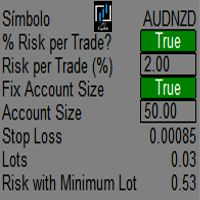
It mesures the lot size based on the points measured by clicking with the MIDDLE MOUSE BUTTON then CLICK and DRAG , previous that configure the indicator based on the risk you accept; The risk can be % based on fixed account, actual account size, and fix capital risk; If the INDICATOR DOESN'T WORK propperly try after configuring it CHANGE the TIMEFRAME and GET BACK to the PREVIOUS timeframe, SOMETIMES this FIX IT

It is a script that allows you to open all market watch symbols at one go having the current time frame of the opened chart. I have been looking for a script like this for a very long time when I first started trading. Finally figured out how to do it, so no more problem for those who are suffering like me. This is a blessing for me now hopefully for you too. Buy the script, if it does not work as shown full refund. DM me for any problems, this script is only for MT5 . instruction Are : 1 - Keep
This is a break even(BE)/break even-plus(BE+) EA. It moves your stop loss to BE or BE+ based on pre-set percentage of current TP. You can edit the percentage in the input section. This EA sets breakeven for both manually and auto-opened trades. Moving stop-loss to a breakeven or BE+ is popular among traders who wish to safeguard their trades and to let the trades run without incurring a risk of loss. With this EA , you can have your stop-loss orders moved to a breakeven point automati
Link to download it from my website, it's cheaper($20) there. And you get both pips based breakeven and percentage based breakeven as a bundle for one price- ( www.ashantipearls.com/l/breakeven ) This is a break even/break even plus EA. It moves your stop loss to break even(BE) or BE+ based on pre-set number of pips in profit. You can edit this in the input section. This EA sets breakeven for both manually and auto-opened trades. Moving stop-loss to a breakeven is popular among traders who

The tool is intended to help traders who cannot look at the chart all the time, or who use several charts, the trader can mark regions of interest as supports and resistances and as soon as the price approaches these regions an audible warning and on the screen will be presented for the trader to take some action, in addition the tool can automatically mark the highs and lows of the day and time.
FREE
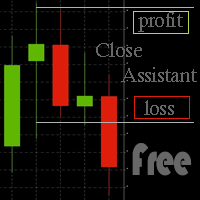
Simple program to automatically close positions by profit or loss.
User can select "Total Profit" to close all positions at the same time, once the total profit or loss is reached.
User can select "Single Profit" to close one by one positions, once single profit or loss is reached. Notes: 1. The assistant will not open any position.
2. The assistant only provide market orders, so due maket volatility positions can suffer slippage.
FREE

you don't have to monitor your trades all the time. save yourself screen time and leave management of your trades to Dynamic Trades Manager. Dynamic Trades Manager is a trading assistant tool. it has automated capabilities to break even, take partial profits, trails stops and to set your risk to reward ratio . it does not take trades on its own but only performs the aforementioned functions when the user has already conducted their analysis and opened a trade. this would save you the time of ha
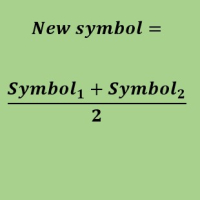
Create a new custom symbol based on average of Multiple arbitrary symbols (for MT5)
An Expert Advisor (EA) used to create custom symbol by averaging multiple input symbols (e.g. EURUSD and GBPUSD) and provide real-time updates. This is an MT4 "offline" chart equivalent which is very simple to use.
You can attach any MT5 compatible indicator or template to this new symbol and perform your technical analysis. You can back-test any EA on this new custom symbol in strategy tester. for example y

Description: Protect your live or evaluation accounts by not letting it hit the maximum daily draw down! This utility is best for prop firms such as FTMO and MFF(MyForexFunds) and etc. Guide: Apply to EURUSD 1m Chart.
Default Settings: Maximum Draw Down Balance: 4% Account Balance. Maximum Draw Down Equity: 4% Account Balance Target Profit Balance: 1% Account Balance. Target Profit Equity: 1% Account Balance. Time To Reset: 16:57 to 16:58 GMT
Behavior: Setting starting_balance to 0 will auto
FREE

Adds the symbols listed in Binance Future to Metatrader5
With this free file, you can list the entire list right away. You can easily install it on your demo account It is the first file to be uploaded for Binance Future Tick and is offered for free.
Tools menu / Options / Expert Advisors / You need to select Use WebRequest for listed
You can watch videos to add metatrader
FREE

You can see Binance Futures data instantly in Metatrader 5 and it allows you to use all the features that Metatrader has provided to you.
You can access the data of all symbols listed on Binance Futures. Don't forget to set the timezone. Binance it's 00:00 UTC. You need to fix it according to your own country You need to pre-install the free Binance Future Symbol List plugin. https://www.mql5.com/tr/market/product/82891 After loading, it automatically downloads the data of the cryptos in the m

What is this indicator?
このインジケーターはホットキーが押されることにより、 チャート上のオブジェクトの表示・非表示を切り替えることが可能 です。 スイッチがオンになれば、チャート上のオブジェクトが非表示になります。 スイッチがオフになれば、チャート上のオブジェクトが再表示されます。 オブジェクトタイプを指定して、 非表示にするオブジェクトを限定することも可能 です。
List of supported object types - Vertical Line - Horizontal Line - Trendline - Trendl By Angle - Cycle Lines - Arrowed Line - Equidistant Channel - Standard Deviation Channel - Linear Regression Channel - Andrews’ Pitchfork - Gann Line - Gann Fan - Gann Grid - Fibonacci Retracement - Fibonacci Time

What is this indicator? このMT5のインジケーターはメモとして カスタマイズしたテキストオブジェクトをチャート上のクリックした位置に作成可能 です。 メモを作成するには、ホットキーを押した後にチャート上の任意の位置をクリックして、テキストオブジェクトのテキストを変更します。 定型文のテンプレートを設定して、 ワンクリックでよく使用する単語や文章を作成することも可能 です。
How to stick a note 1. ホットキーの"N"を押してスティッキーモードを起動します。 2. メモがマウスに追従するので、適当な位置までマウスを移動します。 3. クリックしてメモの位置を固定します。 4. メモとしてのテキストオブジェクトのテキストを変更します。
How to stick a template note 1. ホットキーの"Shift+N"を押してスティッキーモードを起動します。 2. メモがマウスに追従するので、適当な位置までマウスを移動します。 3. クリックしてメモの位置を固定します。
About sticky mode
チャート上をクリックす

What is this indicator? このMT5のインジケーターは 作成する番号と同じキー(0–9)を押した後にチャート上をクリックするだけで任意の番号を作成可能 です。 各番号のスタイル等はインプットタブのパラメーターで設定します。 対応するホットキーを押せば、 エリオット波動などの一連の番号をチャートを連続でクリックしていくだけで作成可能 です。
How to stamp any number
1. 作成する番号と同じキー(0–9)を押してスタンプモードを起動します。 2. 番号がマウスに追従するので、適当な位置までマウスを移動します。 3. クリックして番号の作成を完了します。
How to stamp a double top/bottom pattern 1. ホットキーの"Shift+2"を押してドローイングモードを起動します。 2. 番号がマウスに追従するので、適当な位置までマウスを移動します。 3. クリックして番号の作成を完了します。 4. 2.と3.の操作を繰り返します。(バックスペースキーで1つ前に戻れます) 5. 2番を作成した時点でスタンプモー
This Pro version of the LotSizePanel let's you set the stoploss with a line. Instantly the ea will calculate the lotsize based on where you drag the line on the chart. Press the "Show Line" button again, and the line dissappears and the ea reverts back to calculating the lot size from an ATR based stoploss again.
I can't see how I would ever trade manually without this panel again.
Remember that autotrading needs to be turned on to place orders with the buttons.

What is this indicator? このMT5のインジケーターは ホットキーを押した後にチャートをクリックするだけで垂直線・水平線・トレンドラインを作成可能 です。 各ラインのスタイル等はインプットタブのパラメーターで設定します。 各ラインの 作成・変更・削除はこのインジケーターがインストールされた他のチャートと同期可能 です。(時間軸を指定して同期しないことも可能です)
How to draw a vertical or horizontal line 1. ホットキーの"V"あるいは"H"を押してドローイングモードを起動します。 2. ラインがマウスに追従するので、適当な位置までマウスを移動します。 3.クリックして垂直線の作成を完了します。
How to draw a trendline 1. ホットキーの"T"を押してドローイングモードを起動します。 2. 起点を決定するために、適当な位置をクリックします。 3. 終点がマウスに追従するので、適当な位置までマウスを移動します。 4. 必要に応じて、起点の位置を矢印キーで調整します。 5. クリックしてトレンドラ

What is this indicator? このMT5のインジケーターは ホットキーを押した後にチャートをクリックするだけでフィボナッチリトレースメント・エクスパンションを作成可能 です。 フィボナッチリトレースメント・エクスパンションの スタイルはテンプレートとして各3タイプずつ設定可能 です。 フィボナッチリトレースメント・エクスパンションの 各アンカーポイントはチャート上で最も近い高値か安値にマグネット します。
How to draw a Fibonacci retracement
1. ホットキーの"R"を押してドローイングモードを起動します。 2. 起点にしたいバーの高値か安値のあたりをクリックします。 3. 必要に応じて、2点のアンカーポイントをドラッグアンドドロップで調整します。
How to draw a Fibonacci expansion
1. ホットキーの"E"を押してドローイングモードを起動します。 2. 起点にしたいバーの高値か安値のあたりをクリックします。 3. 必要に応じて、3点のアンカーポイントをドラッグアンドドロップで調整します。
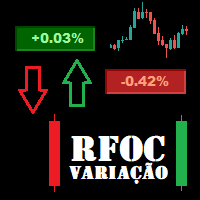
O Produto RFOC Variação Diária apresenta a função de indicar no gráfico a variação, em porcentagem, do preço em relação ao preço de fechamento do dia anterior.
O indicador permite configurar 100% da coloração para variações de alta, baixa e neutra (0.00%).
O painel com a apresentação da variação diária do preço fica fixada na parte superior do gráfico, e se ajusta automaticamente no centro da janela.
FREE
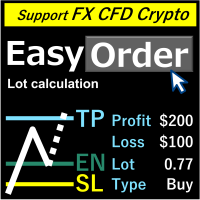
概要
ラインを移動するだけで、ロスカット量を記入することでロットが自動計算されます。 21通貨で損失計算ができます。 ( USD, EUR, GBP, JPY, AUD, NZD, CHF, NZD, RUB, TRY, CNK, THB, SEK, SGD, SEK, DKK, HUF, HKD, CZK, MXN, PLN, KRW) 損失金額は、「固定金額」または「口座残高比率」が選択できます。 成行注文、指値注文、ストップ注文は自動的に適用されます。 FX、CFD、 仮想 通貨のロット計算に対応。 注意
「無料のデモ」は機能しません。説明ページでデモバージョンをダウンロードできます。
https://www.mql5.com/en/blogs/post/750010 詳細なツールの説明は上記リンクをご参照ください。

ユーティリティは、マウスホイールをスクロールすることによって、任意のイ このユーティリティをインストールし、標準の端末配信から任意のインジケータのインターフェイスを変更することができます。 カスタム指標や"市場"で購入した指標には、ユニバーサルスクローラーユーティリティがあります。 Universal Scroller
操作の原則 ユーティリティは、マウスホイールをスクロールして変更することにより、選択したパラメータのいずれかを制御します。 スクロールモードの有効化は、ボタンの上にカーソルを置くか、ボタンをクリックすることで有効になります。 ボタンは自動的にチャート上に設定されます。 少なくとも一つの整数パラメータを持つすべての指標は、このユーティリティに適しています。
インストール チャート上にインジケーターをロードし、制御するパラメータの値を覚えておいてください。 整数である必要があります。 "標準スクローラ"をチャートにロードします。 設定ウィンドウで、両方のインジケータを同期します-これを行うには、パラメータフィールドにインジケータの値を入力します。 たとえば、選択したパ
FREE

ユーティリティは、マウスホイールをスクロールすることによって、任意のイ インジケーターを購入またはレンタルした場合は、このユーティリティを使用してインターフェイスを変更できます。 少なくとも一つの整数パラメータを持つ任意の指標がこれに適しています。
あなたが最初にそれがどのように動作するかを試してみたい場合は、標準的な端末配信からインジケータを制御するために無料の Standart スクローラーインジ
操作の原則 ユーティリティは、マウスホイールをスクロールして変更することにより、選択したパラメータのいずれかを制御します。 スクロールモードの有効化は、ボタンの上にカーソルを置くか、ボタンをクリックすることで有効になります。 ボタンは自動的にチャート上に設定されます。 長いローディングの表示器のために、ボタンを押してスクロールモードを使用して下さい。 このモードでは、インジケータは、ボタンがオフになった後にのみロードされます。
インストール チャート上にインジケーターをロードし、制御するパラメータの値を覚えておいてください。 整数である必要があります。 ユニバーサルスクローラ
MetaTraderプラットフォームのためのアプリのストアであるMetaTraderアプリストアで自動売買ロボットを購入する方法をご覧ください。
MQL5.community支払いシステムでは、PayPalや銀行カードおよび人気の支払いシステムを通してトランザクションをすることができます。ご満足いただけるように購入前に自動売買ロボットをテストすることを強くお勧めします。

取引の機会を逃しています。
- 無料取引アプリ
- 8千を超えるシグナルをコピー
- 金融ニュースで金融マーケットを探索