George Ciprian Mandache
  • Informazioni
5+ anni
esperienza
5
prodotti
7
versioni demo
0
lavori
0
segnali
0
iscritti
Mostly writing code that does stuff...

User guides are on my blog. For questions or bugs, write in the product's Comments tab or send me a message.
George Ciprian Mandache
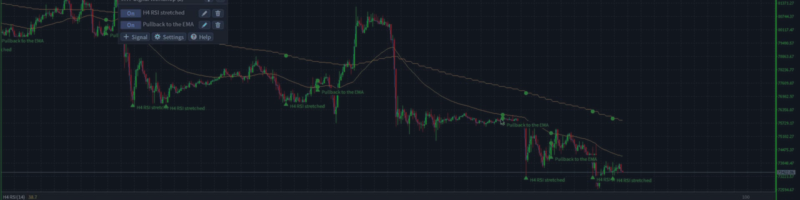
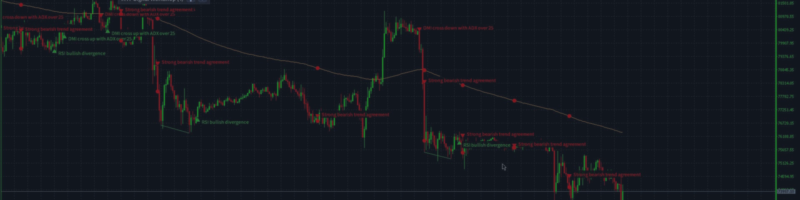
Video of the rule language: https://youtu.be/i5lHA5d0JRE Multi Timeframe Signal Workshop marks every bar where a signal you build fires. Every signal is a rule written in a small text language: the condition cards write it for you as you click, and a signal file takes it as you type it...
George Ciprian Mandache
Multi Timeframe Signal Workshop watches signals you build from indicators on any timeframe and marks every bar where one fires...
George Ciprian Mandache Prodotto pubblicato

Multi Timeframe Signal Workshop è un indicatore per MetaTrader 4 che controlla i segnali che costruisci con indicatori di qualsiasi timeframe e segna ogni barra in cui uno di essi scatta. Un segnale come "RSI H4 in ipervenduto mentre il prezzo è sopra la EMA 200 giornaliera" si costruisce con pochi clic, senza codice, e ogni attivazione viene disegnata sul grafico con le zone, le linee e i valori degli indicatori che ha letto. Include 36 segnali pronti e ti avvisa con un alert quando compare una

George Ciprian Mandache Prodotto pubblicato

Multi Timeframe Signal Workshop è un indicatore per MetaTrader 5 che controlla i segnali che costruisci con indicatori di qualsiasi timeframe e segna ogni barra in cui uno di essi scatta. Un segnale come "RSI H4 in ipervenduto mentre il prezzo è sopra la EMA 200 giornaliera" si costruisce con pochi clic, senza codice, e ogni attivazione viene disegnata sul grafico con le zone, le linee e i valori degli indicatori che ha letto. Include 36 segnali pronti e ti avvisa con un alert quando compare una

George Ciprian Mandache
Multi Timeframe Indicator Suite 1.9 for MT5 and MT4:
- Fixed: on a chart with docks of different timeframes or different Draw last settings, a dock could stay blank and leave empty space at the bottom of the chart, or draw its line off its candles. Every dock now draws under its own candles.

MT5: https://www.mql5.com/en/market/product/203076
MT4: https://www.mql5.com/en/market/product/203387
User guide: https://www.mql5.com/en/blogs/post/779070
George Ciprian Mandache
Multi Timeframe Indicator Suite 1.8 for MT5 and MT4:
- On every new bar, an entry updates only the bars it draws (its Draw last setting) instead of every bar on the chart. Charts with a long history, such as M1 charts, and the Strategy Tester use much less CPU.

MT5: https://www.mql5.com/en/market/product/203076
MT4: https://www.mql5.com/en/market/product/203387
User guide: https://www.mql5.com/en/blogs/post/779070
George Ciprian Mandache
Multi Timeframe Indicator Suite 1.7 for MT5 and MT4:
- Trend settings: each method shows its On/Off button first and its own numbers right under it, two per line, while it is On. A VWAP's band widths sit under Bands the same way.
- Hovering over a Trend method shows what it checks, with your numbers.
- A settings window of several pages no longer splits a method from its numbers or ends a page on a heading.

MT5: https://www.mql5.com/en/market/product/203076
MT4: https://www.mql5.com/en/market/product/203387
User guide: https://www.mql5.com/en/blogs/post/779070
George Ciprian Mandache
Multi Timeframe Indicator Suite 1.6 for MT5 and MT4:
- Supertrend flips on the bar where the close crosses the current band, one bar earlier than before; new entries use ATR period 10.
- Parabolic SAR never moves inside the range of the two bars before it.
- Bollinger Bands use the population standard deviation, so at 20 bars they are about 2.6% narrower.
- Keltner Channels are the 20 EMA plus and minus 2 times the ATR, with a new ATR period setting.
- S/R zones break only on a close from the other side; supply and demand zones need opposite moves into and out of the base; a fair value gap needs a middle candle that closes past the first candle and fills only when price trades past its edge.
- The Trend entry's settings window shows each method's own numbers.
- Fixed: a click into a number box of the settings window no longer loses what you type next.

MT5: https://www.mql5.com/en/market/product/203076
MT4: https://www.mql5.com/en/market/product/203387
User guide: https://www.mql5.com/en/blogs/post/779070
George Ciprian Mandache
Multi Timeframe Indicator Suite 1.5 for MT5 and MT4:
- Fixed: closing MetaTrader with the indicator on a chart could leave errors about deleting its panel and drawings ("Wrong chart ID") in the Experts log.

MT5: https://www.mql5.com/en/market/product/203076
MT4: https://www.mql5.com/en/market/product/203387
User guide: https://www.mql5.com/en/blogs/post/779070
George Ciprian Mandache
All my MQL code lives in one repository: a library of shared headers and the experts, indicators and scripts built on it. Every program ships for MetaTrader 5 and MetaTrader 4 from the same source...
George Ciprian Mandache
Multi Timeframe Indicator Suite 1.4 for MT5 and MT4:
- MT4: the weekly VWAP of the Default and MA Ribbon + VWAP + Quad Stoch presets stayed empty when the terminal held only a few days of M1 history. It now draws on coarser bars from the start of the week, with a note such as "(on M15 bars until M1 history loads)", and moves to M1 once that history is there.
- MT5: a VWAP does the same while its M1 history loads, instead of staying empty.

MT5: https://www.mql5.com/en/market/product/203076
MT4: https://www.mql5.com/en/market/product/203387
User guide: https://www.mql5.com/en/blogs/post/779070
George Ciprian Mandache
Multi Timeframe Indicator Suite 1.3 for MT5 and MT4:
- Fixed: in the settings window, an On/Off button could keep showing its old state after a click when the window had just changed to another indicator, such as Trend picked after adding Supply/Demand. The setting itself changed and was saved; the button now shows it too.
- Calculations are unchanged: every indicator shows the same values as in 1.2.

MT5: https://www.mql5.com/en/market/product/203076
MT4: https://www.mql5.com/en/market/product/203387
User guide: https://www.mql5.com/en/blogs/post/779070
George Ciprian Mandache
Multi Timeframe Indicator Suite 1.2 is out for MT5 and MT4, free as before.

What changed:
- Eight price structure indicators: Swings, Market structure with BOS and CHoCH, Fib, FVG, Order blocks, S/R, Supply/Demand, and Trend, a dock strip that shows where the trend methods you switch on agree. Their labels, lines and boxes do not count toward the 32 lines.
- The Indicator list groups the indicators under headers, and typing filters it by an indicator's name or its group's.
- Number fields have - and + buttons, On/Off settings are toggle buttons, and the panel's buttons carry icons.
- A space in a dropdown's filter no longer opens the terminal's quick navigation bar.
- MT4: switching the chart's timeframe no longer takes about two seconds.
- Calculations of the indicators from 1.1 are unchanged: they show the same values.

MT5: https://www.mql5.com/en/market/product/203076
MT4: https://www.mql5.com/en/market/product/203387
User guide: https://www.mql5.com/en/blogs/post/779070
George Ciprian Mandache
Multi Timeframe Indicator Suite 1.1 is out for MT5 and MT4, free as before.

What changed:
- ATR and Volume can draw the average of their line in the same dock. Set its length with Average; it is off by default.
- On a timeframe where the broker keeps only a short history, an indicator now draws the bars there are and says so, instead of showing (loading) forever.
- Every dropdown has a filter on top, and a refused Save shows its reason in red.
- MT5: switching the timeframe with the indicator editor open no longer freezes the chart.
- MT4: the indicator no longer drops off the chart after a timeframe switch.
- Calculations are unchanged: every indicator shows the same values as in 1.0.

MT5: https://www.mql5.com/en/market/product/203076
MT4: https://www.mql5.com/en/market/product/203387
User guide: https://www.mql5.com/en/blogs/post/779070
George Ciprian Mandache
Multi Timeframe Indicator Suite draws indicators from any timeframe on one chart. You pick an indicator, a timeframe and how many bars to draw...
George Ciprian Mandache Prodotto pubblicato

Multi Timeframe Indicator Suite porta medie mobili, bande, Ichimoku, VWAP, oscillatori e struttura dei prezzi dei timeframe superiori sul grafico MetaTrader 4 su cui fai trading. Una nuvola Ichimoku H4, zone di supporto e resistenza giornaliere e uno stocastico quadruplo (quad stochastic) possono stare sullo stesso grafico M15, ognuno calcolato sul proprio timeframe, così vedi il quadro generale senza dover cambiare grafico. Gli oscillatori vanno in riquadri (dock) in fondo al grafico

George Ciprian Mandache Prodotto pubblicato

Multi Timeframe Indicator Suite porta medie mobili, bande, Ichimoku, VWAP, oscillatori e struttura dei prezzi dei timeframe superiori sul grafico MetaTrader 5 su cui fai trading. Una nuvola Ichimoku H4, zone di supporto e resistenza giornaliere e uno stocastico quadruplo (quad stochastic) possono stare sullo stesso grafico M15, ognuno calcolato sul proprio timeframe, così vedi il quadro generale senza dover cambiare grafico. Gli oscillatori vanno in riquadri (dock) in fondo al grafico

George Ciprian Mandache Prodotto pubblicato

Average Trader è un Expert Advisor per MetaTrader 4 che apre trade brevi con target piccoli, a mano, in automatico o in entrambi i modi. Quando un trade va nella direzione sbagliata, aggiunge trade per avvicinare il prezzo medio di ingresso al mercato: media al ribasso per gli acquisti e al rialzo per le vendite. Cosa fa Manuale, automatico o ibrido. Apri i trade tu, lascia che li apra il segnale Sven, oppure fai entrambe le cose sullo stesso grafico. Acquisti e vendite si possono disattivare

George Ciprian Mandache
Registrato sulla MQL5.community