Multi Timeframe Indicator Suite MT5
- Indicators
- Version: 1.0

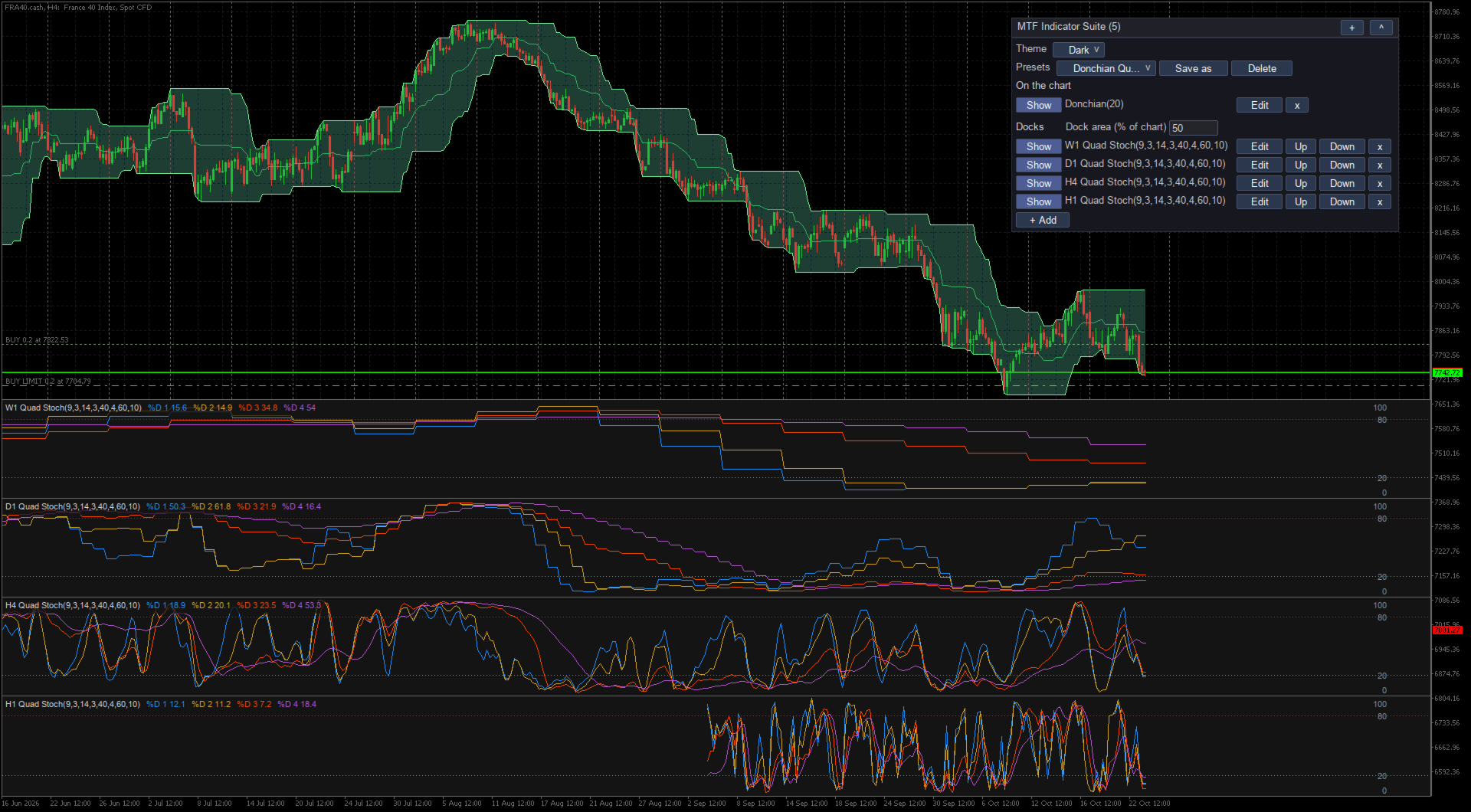
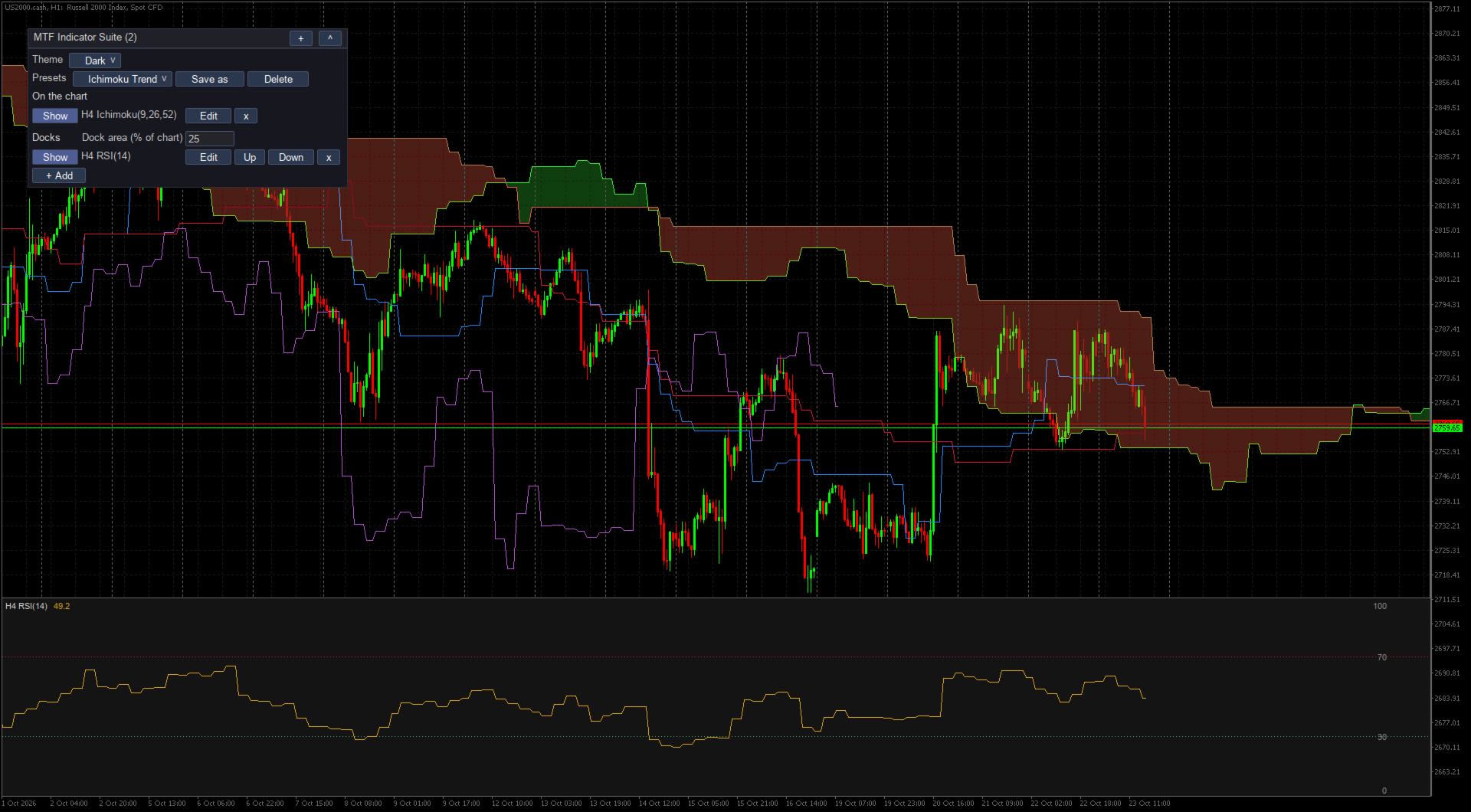
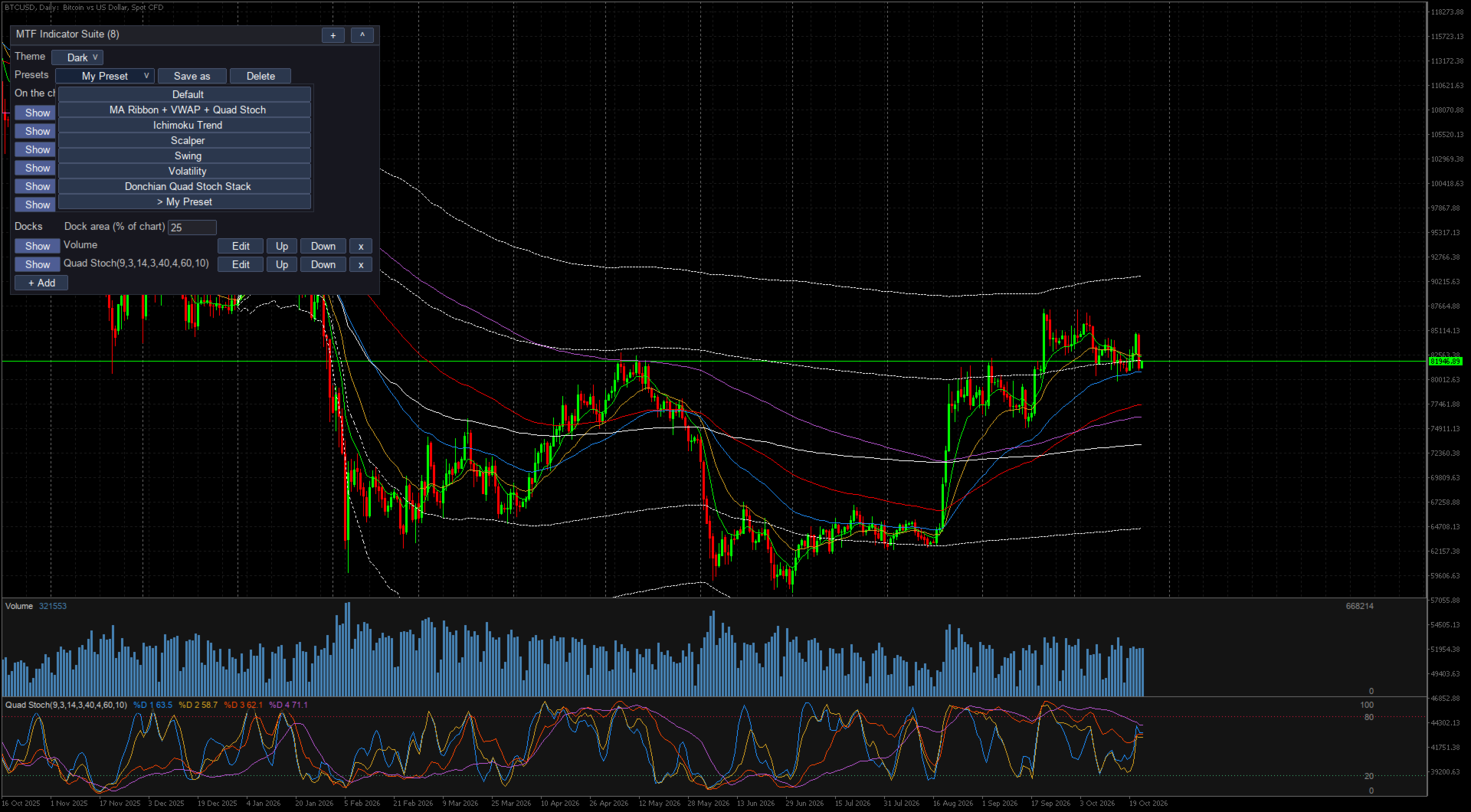
Multi Timeframe Indicator Suite puts moving averages, bands, Ichimoku, VWAP and oscillators from higher timeframes on the MetaTrader 5 chart you trade. An H4 Ichimoku cloud, a daily moving average and a quad stochastic can sit on one M15 chart, each calculated on its own timeframe, so you see the bigger picture without switching charts. Oscillators go in docks at the bottom of the main chart, not in subwindows.
What it does
- Any timeframe per entry. Each indicator has its own timeframe, parameters and colors, and the same indicator can be added more than once.
- Docks inside the chart. Oscillators stack at the bottom of the main window in an area you size, and the candles stay above them.
- Ichimoku in full. Tenkan, Kijun, both spans, the cloud projected ahead of price and the lagging span.
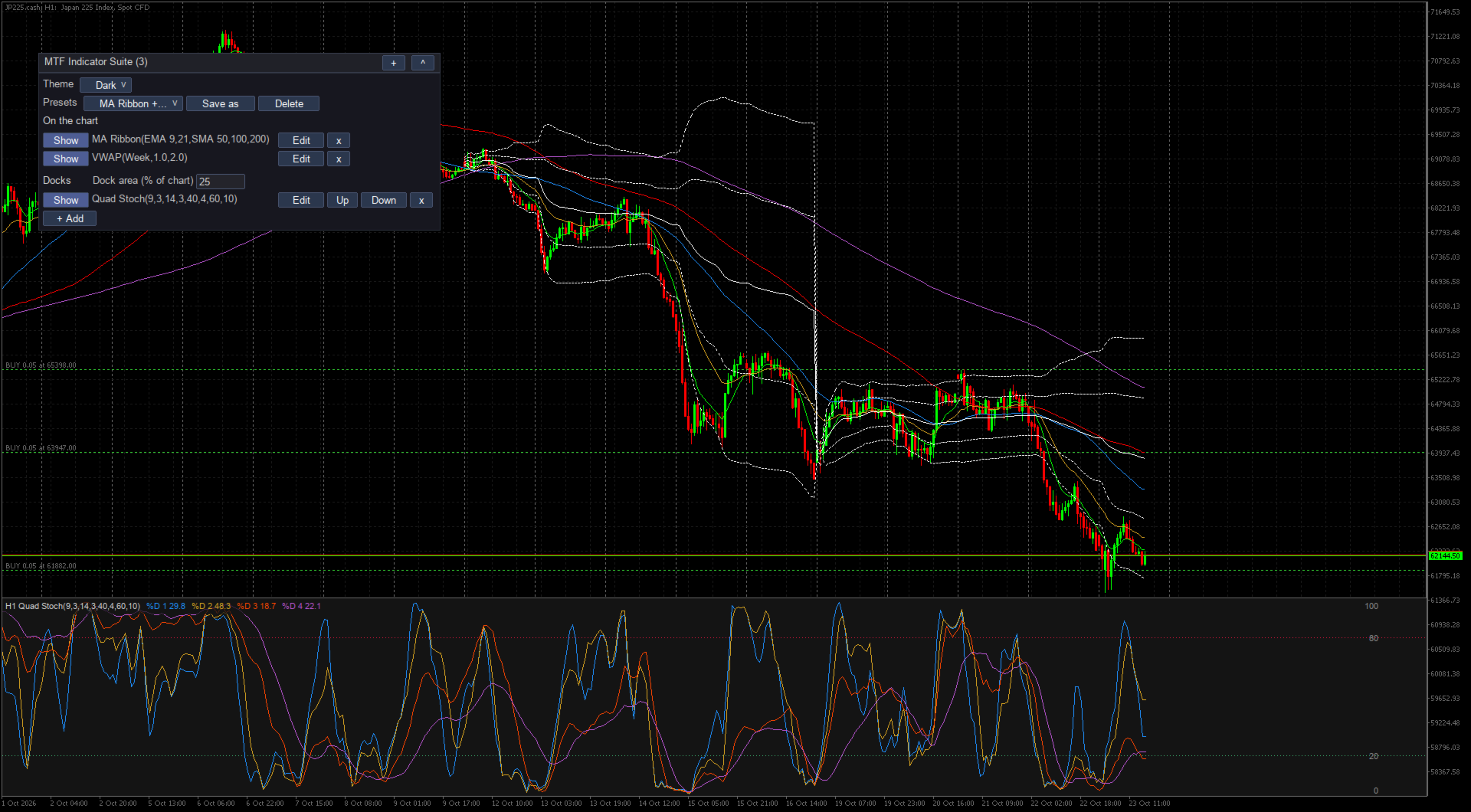
- Anchored VWAP. Day, week, month, quarter, year, or a date and time you type, with optional bands at one and two standard deviations. Clicks and timeframe switches never move the anchor.
- Presets. Built-in layouts such as Ichimoku Trend, Scalper, Swing and Donchian Quad Stoch Stack, plus your own, shared by every chart.
- Dark and light themes. For the panel, its editor and the docks.
- Layout kept per symbol. Entries, dock area and theme survive a restart; a chart template with the indicator opens cleanly on another symbol.
Indicators included
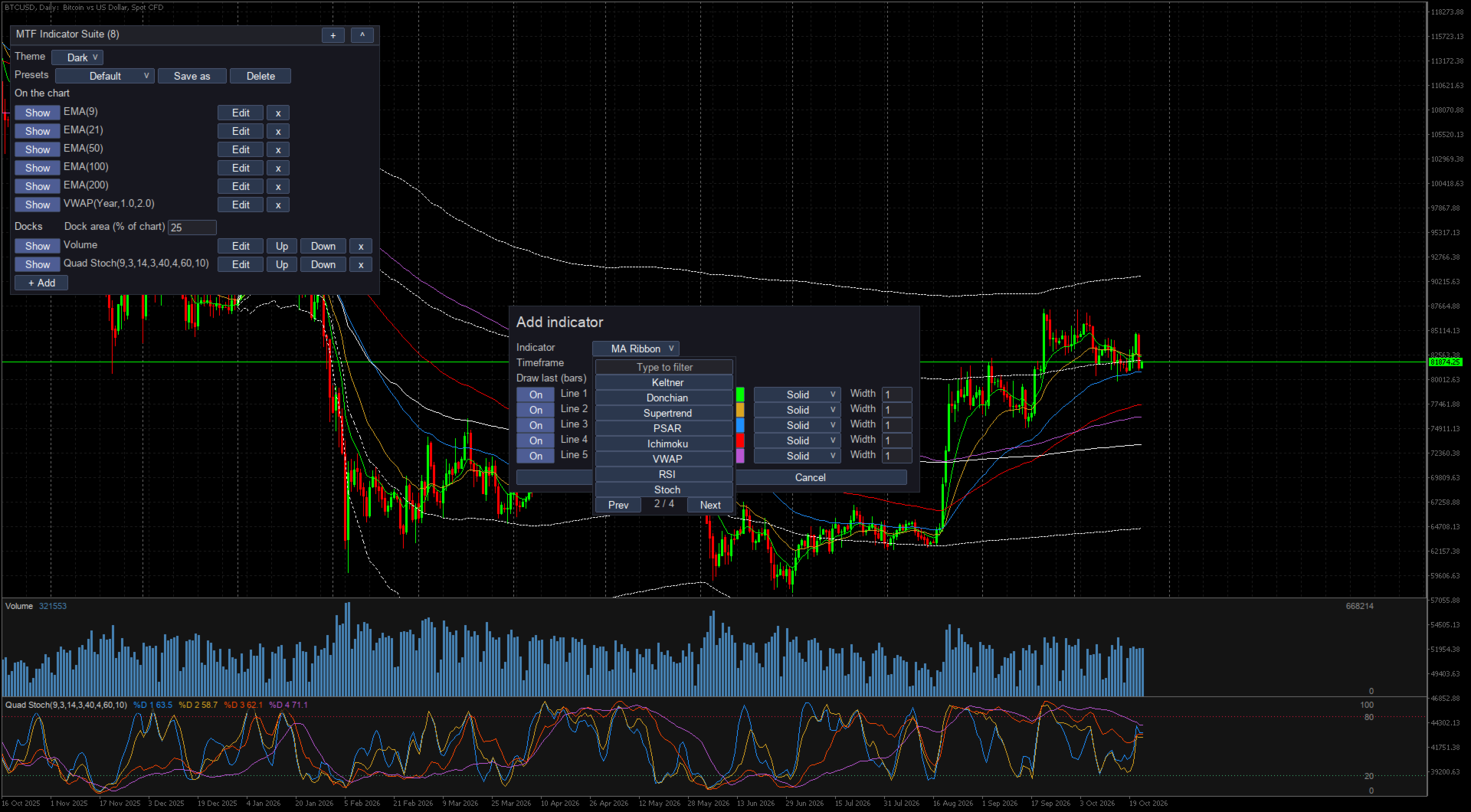
Over the candles: SMA, EMA, WMA, HMA, DEMA and TEMA, an MA Ribbon of five averages (EMA 9 and 21 with SMA 50, 100 and 200 by default, each line with its own type and period), Bollinger Bands, Keltner Channels, Donchian Channels, Supertrend, Parabolic SAR, Ichimoku and anchored VWAP.
In docks: RSI, Stochastic, quad stochastic (four stochastics in one dock), Stochastic RSI, MACD, CCI, Williams %R, MFI, ADX with +DI and -DI, ATR, OBV and tick volume.
Getting started
- Attach the indicator to a chart. In the terminal it is named MTF Indicator Suite. A new chart starts with the Default layout.
- Pick another layout from the Presets row, or click + Add, choose an indicator and a timeframe, and click Save.
- On each row, Show or Hide toggles the entry, Edit changes it and x removes it. Save as keeps the layout as your own preset.
How values are calculated
Every value comes from closed bars of the entry's own timeframe. On an M15 chart, an H4 line shows the last H4 bar that had closed by each M15 bar, so it draws as steps. The current H4 bar is not drawn until it closes.
I check each formula bar by bar against pandas-ta, a Python technical analysis library. Smoothed indicators such as EMA, RSI and ATR load extra history first, so the first values drawn are already settled.
A timeframe used for the first time can take a moment to load. The entry shows (loading) until the data arrives, even with the market closed.
Settings
The only inputs are the log level and how many days of log files to keep. Everything else is set in the panel. Each entry draws the last 500 bars of its timeframe by default; Draw last takes another number or All.
Notes and limits
- Up to 32 entries and 32 lines over the candles per chart; docks do not count toward the lines. The Ichimoku cloud and the inside of Bollinger, Keltner and Donchian bands are filled, up to 16 areas.
- A line over the candles on a timeframe below the chart's is skipped: an M5 average is not calculated or drawn on a D1 chart. Docks draw on every chart.
- With docks shown, the candles fill the space above the docks at most. Drag the price scale to zoom out and your zoom stays. MetaTrader's own volume display does not work while docks are shown.
- Nothing is locked in this version. It does not open or manage trades and sends no alerts.
- Removing the indicator deletes its lines, docks and panel.
Support
For questions or problems, write in the Comments tab of this page or send me a private message on MQL5.