Brent Setup Scanner
- Indicatori
- Versione: 1.0
- Attivazioni: 5

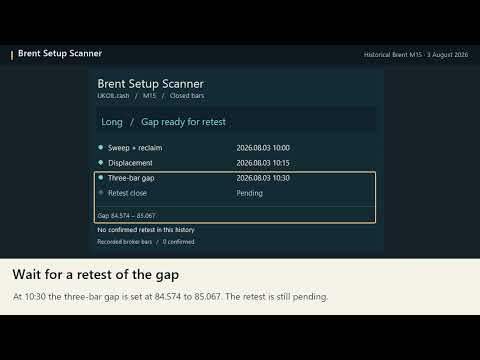
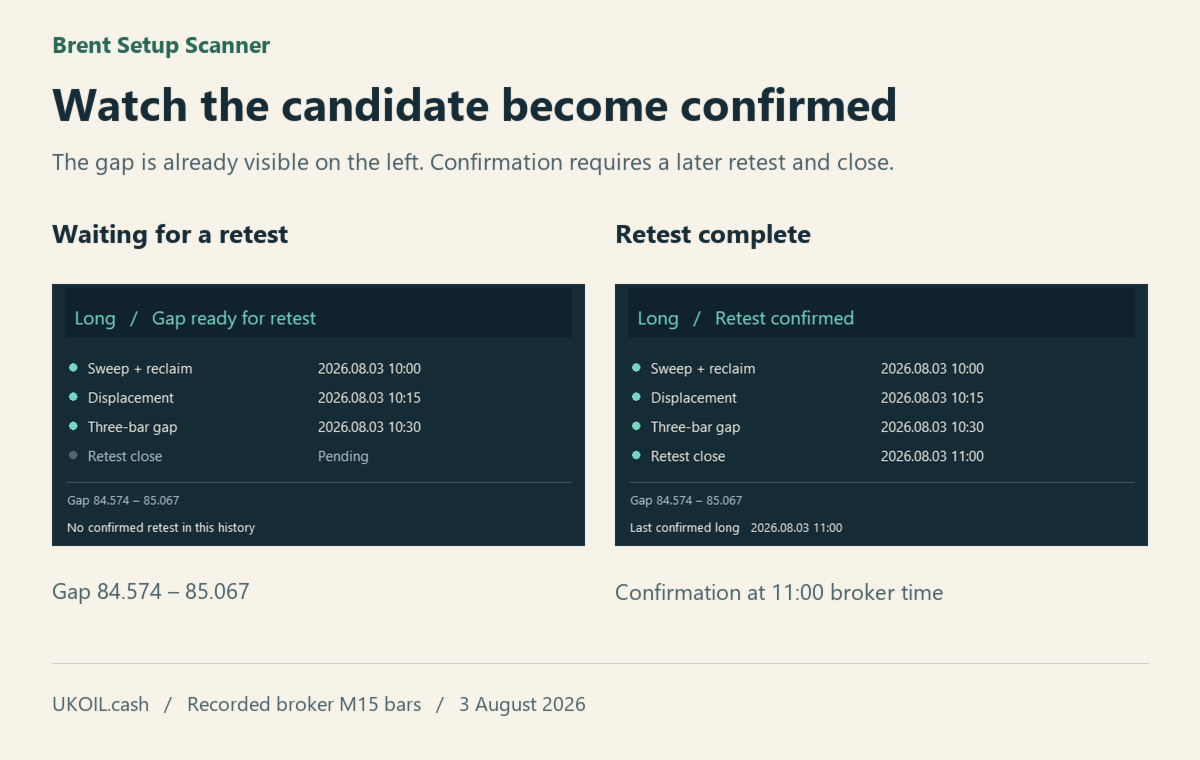
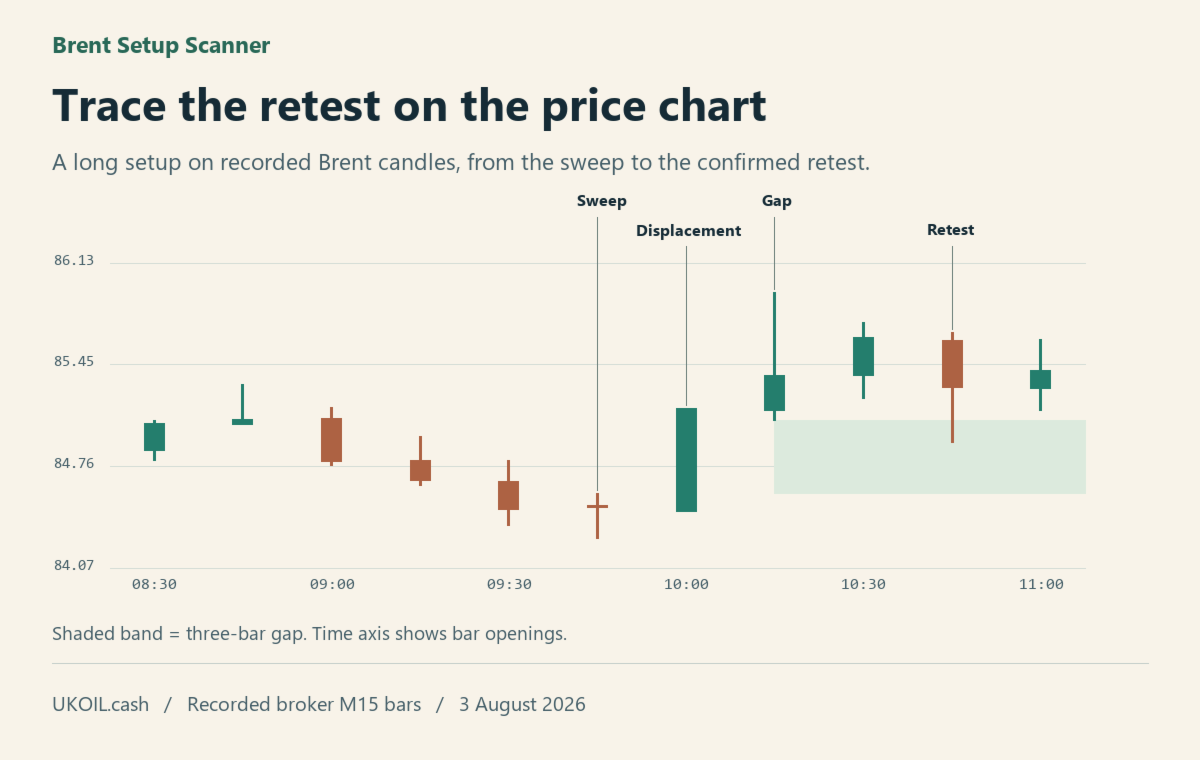
Brent Setup Scanner follows a four-stage price sequence on closed bars. It shows when a sweep has been reclaimed, when a directional candle has displaced price, when a three-bar fair value gap has formed, and when a later retest closes back outside that gap. An arrow marks the confirming bar.
Read the sequence
For a long candidate, price dips below the lowest low of the preceding range and closes back above that level. A later bullish candle must close above the sweep candle’s high and meet the minimum body-to-range fraction. The scanner then looks for a gap between the high of the first candle and the low of the third. A subsequent bar must trade into that gap and close above its upper edge. The short sequence mirrors these conditions.
The panel shows each completed stage and its scheduled bar-close time in broker time, the gap prices, and the latest confirmed retest. A monthly bar uses the first day of the next calendar month. A fresh sweep replaces an older candidate. A two-sided sweep clears it. A close beyond the sweep extreme or a setup that exceeds the allowed number of bars also clears the candidate.
Use on a chart
Attach the indicator to your broker’s Brent chart. The gallery uses UKOIL.cash on M15. The scanner uses the chart’s symbol and timeframe. Defaults use a 12-bar prior range, up to 10 bars after a sweep, a 50% displacement body fraction and a minimum gap of one symbol point. The most recent 500 closed bars are shown by default.
Desktop popup and mobile push alerts are optional. With push enabled, configure Notifications in desktop MT5. Alerts are evaluated when a newly closed bar becomes available. Loading chart history draws past arrows without sending historical alerts.
The three-bar gap follows the geometry used in Brent Precision Pro. The scanner accepts a gap exactly equal to the selected point threshold, including prices affected by floating-point rounding. It uses its own sweep, displacement and retest rules. Its arrows identify observed setups and do not reproduce the robot’s trade list or place orders.