Research Protocol Studio
- Utilità
- Versione: 1.0
- Attivazioni: 5

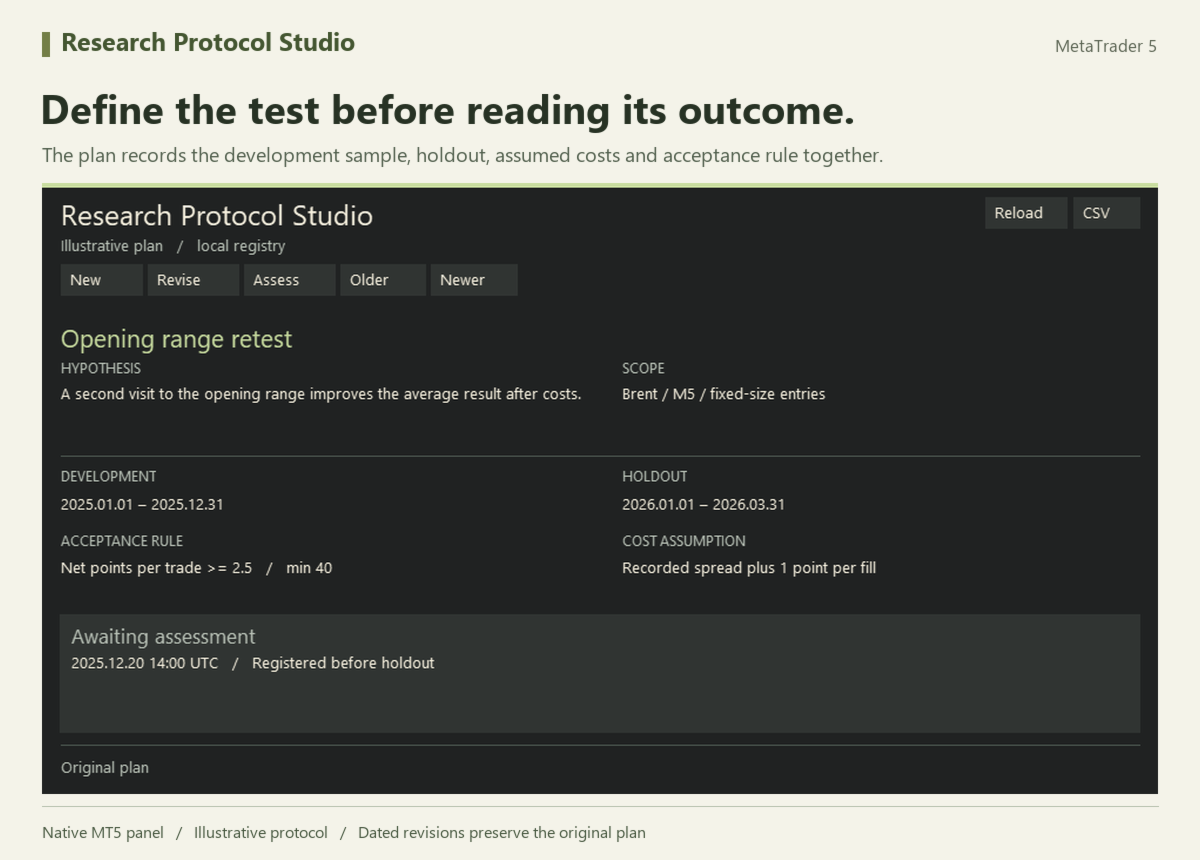
Write down the test before you see the outcome. Research Protocol Studio keeps a local MT5 record of your hypothesis, development and holdout periods, execution costs, metric, acceptance threshold and minimum sample size. A later assessment compares the observed result with that specific version of the plan.
Register a plan
Attach the utility to a desktop MT5 chart and open its Inputs. Enter the hypothesis, market and timeframe, two non-overlapping date ranges, a cost assumption and one numerical acceptance rule. Choose whether higher or lower values are better. Select New on the panel, review the preview and click Save. The registry assigns a unique ID and records the UTC registration time.
If your assumptions change, adjust the inputs, select the saved record and choose Revise. The new revision links to its parent and preserves the original plan and assessment. The panel distinguishes registration before the holdout from registration after it has started.
Assess the holdout
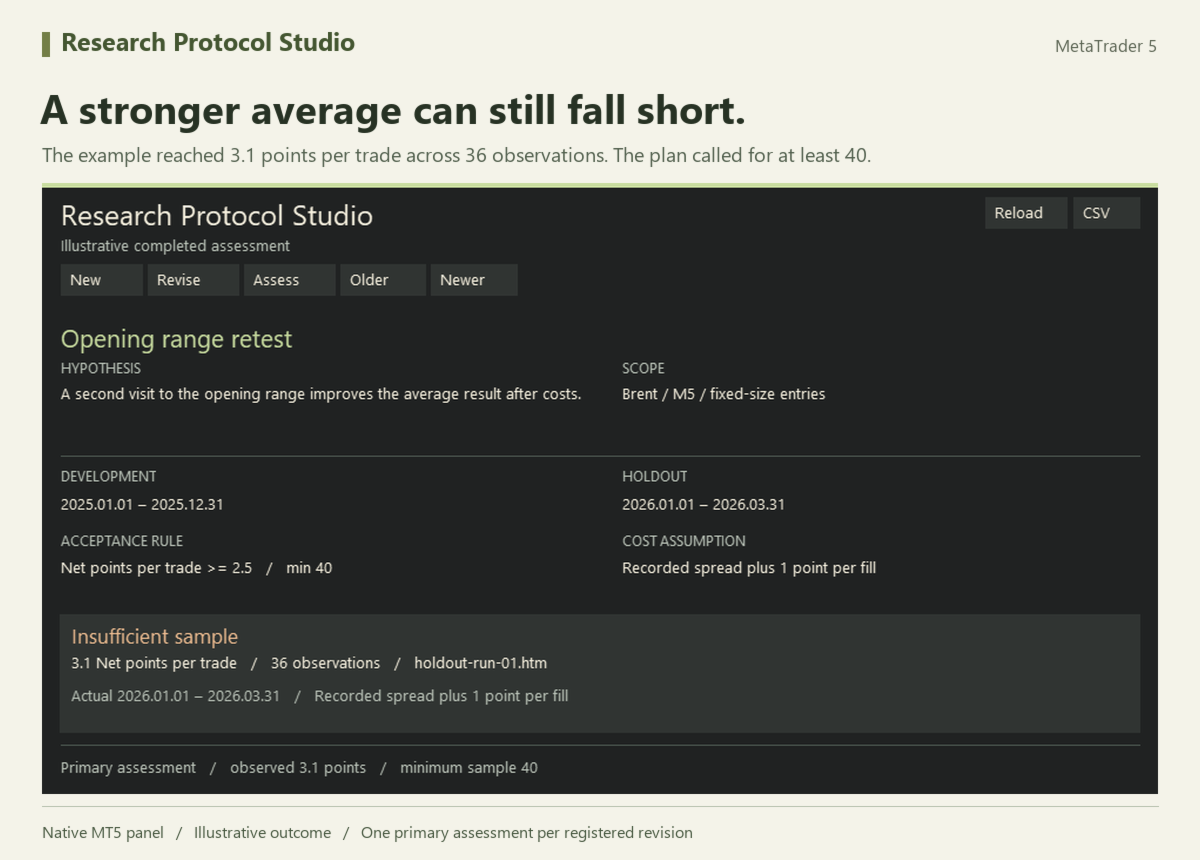
Enter the actual test dates and costs, observed metric, sample size and an evidence reference such as a local tester report filename. Choose Assess to preview the outcome. Save records one primary assessment for that revision. A changed date range or cost assumption is marked as a protocol deviation. A sample below the required size is marked as insufficient.
For example, a plan might require at least 2.5 net points per trade across 40 trades. An observed 3.1 points across 36 trades is marked Insufficient sample, even though the numerical threshold was met.
Older, Newer and Reload navigate the local registry. CSV exports the selected plan and its assessment, including the dates, assumptions and evidence reference. Plans and assessments are saved in the terminal’s MQL5/Files folder. Local record checksums help detect damaged files. You supply the observations and keep the supporting report. The utility works with Algo Trading switched off.