Order Preflight
- Utilità
- Versione: 1.0
- Attivazioni: 5

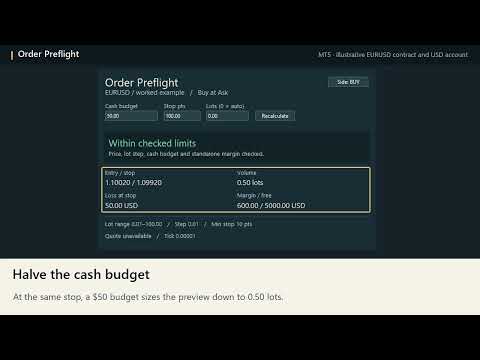
Order Preflight previews a market buy or sell on the symbol of your MT5 chart. Enter a cash budget and a stop distance to see how many lots fit the plan, how much a fill at that stop would cost, and how much standalone margin MT5 estimates for the entry.
Build a preview
Attach the utility to a separate desktop chart. Choose Buy or Sell with the side button. Enter your budget in account currency and your stop distance in symbol points. Leave lots at zero for automatic sizing, or enter a fixed volume to check it against the same budget. Click Recalculate to apply your edits. The preview refreshes with market quotes.
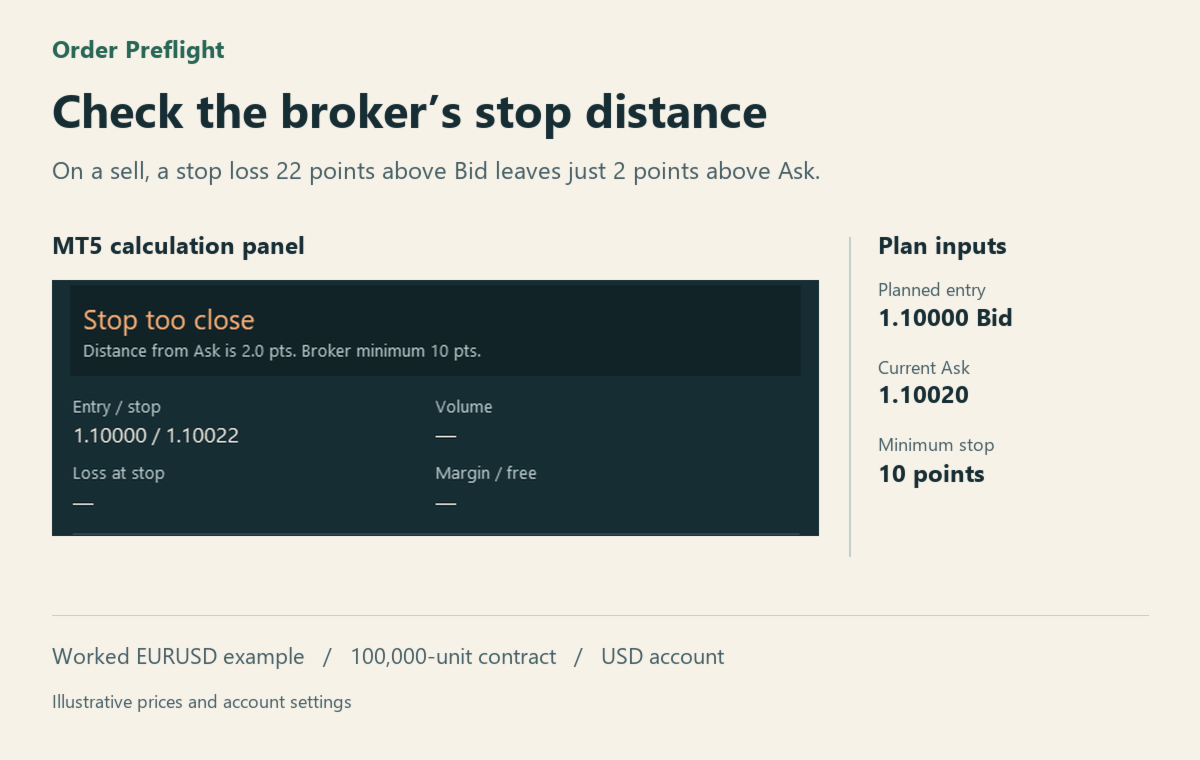
For a buy, the planned entry is Ask and the stop distance is checked from Bid. For a sell, entry is Bid and the stop is checked from Ask. The stop price rounds outward to the symbol’s tradable tick. The panel shows this price and checks the broker’s minimum distance before estimating size.
Automatic sizing rounds down to the volume step and respects the symbol’s lot range. If the minimum lot would exceed your budget, the panel flags the issue. With fixed lots, it flags an off-step volume or an estimated loss above budget.
Read the result
The panel shows planned entry, stop, volume, loss at the stop, estimated margin and available free margin. MT5’s profit and margin calculations use the symbol’s contract settings and the conversion rates available to the terminal. The quote timestamp helps you see when the last market price arrived. Missing prices or conversion data produce an explanatory message.
The utility previews hypothetical orders and works with Algo Trading switched off. Loss assumes fills at the displayed entry and stop. Commission, swaps, gaps and slippage can change the realised result. Standalone margin excludes the effect of existing positions and pending orders. The broker applies its full execution and account checks when an actual order is submitted.