Hull Keelson EA
- Experts
-
AL MOOSAWI ABDULLAH JAFFER BAQER
 To trade successfully we need to go through the proven path that others had gone and reached!
Here are 17 quotes from such successful investors:
1- Limit your size in any position so that fear does not become the prevailing instinct guiding your judgment.
Joe Vidich - Versione: 3.44
- Attivazioni: 5
Built for grid traders. One job. Core grid on Hull moving average signals.
Hull Keelson EA is a grid expert advisor that uses Hull moving averages to generate buy and sell signals. It runs independent BUY and SELL grids, spacing levels based on ATR, and closes baskets at predefined targets. The EA offers unique features like optional margin safety and a fragmenting closer, ensuring orders are managed with precision.
Start by running the free Strategy Tester invite in visual mode on your own broker. Use default inputs to see how the Hull Keelson EA manages its grid and closes baskets.
How it works
A cycle begins with a new grid starting when the fast HMA 21 slope turns while price is on the correct side of the slow HMA 55. Levels are spaced ATR-based, adjusting as the market moves. Once a target is reached, the basket closes in pieces if the whole lot is out of reach. The closer part can be configured to fragment and close orders at a lower volume. Optional margin safety can be enabled to control the number of margin levels and adjust the working timeframe.
The panel
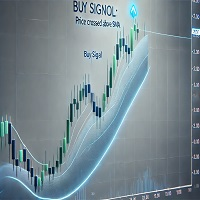
The on-chart panel shows both grids, the active signal timeframe, and the margin safety state. Signal arrows can be drawn on the candles for visual clarity.
Safety you control
- The EA includes several safety mechanisms such as a 30-bar delay between accepted signals, slope strength, candle body, cool down, and an optional trend EMA filter. Every order is checked against free margin and broker volume limits. The netting position is capped at 5 percent of equity margin by default. Optional margin timeframe safety can be enabled to control the number of margin levels and adjust the working timeframe.
How to start
- To start, open the Hull Keelson EA in the MQL5 Market, set the inputs as desired, and then click 'Apply' to load the EA into MetaTrader 5. Once loaded, the EA will automatically start running based on the inputs provided.
Every setting explained
GRID HOW LEVELS ARE OPENED
- Trade Mode - Trade mode (default TRADE_DUAL_GRID)
- Grid Space Points - Grid space between levels, points (default 25)
- Grid Space Multiplier - Spacing multiplier per level (1.0 = equal) (default 1.0)
- Max Grid Levels - Maximum levels PER GRID (default 1000)
- Up Direction Is Buy - An up move arms the BUY side (default true)
- EAMagic Number - Magic number for the grid orders (default 98000020)
- Grid Order Comment - Comment written on the grid orders (default HLKS)
- One Order Per Bar - At most one new level per bar (default true)
LOT LADDER
- Initial Lot Size - Starting lot (default 0.01)
- Lot Sizing Mode - Lot sizing mode (default LOT_ADDITIVE)
- Lot Multiplier - Multiply mode: lot x this each level (default 1.25)
- Lot Add Step - Additive mode: step added per level (0 = the starting lot) (default 0.01)
- Max Order Volume - Maximum lot for any single order (default 1.0)
- Use Auto Lot - Scale the lot with the account balance (default false)
- Auto Lot Base Balance - Reference balance for the starting lot (default 1000.0)
- Auto Lot Allow Decrease - Allow scaling DOWN below the starting lot (default false)
ATR SPACING
- Grid Spacing Mode - Spacing mode (default SPACING_ATR)
- ATRTimeframe - ATR timeframe (default PERIOD_CURRENT)
- ATRPeriod - ATR period (default 14)
- ATRSpacing Factor - Spacing = ATR x this (default 1.0)
- ATRBar Shift - ATR bar shift (1 = last closed bar) (default 1)
- ATRMin Spacing Pts - ATR spacing floor, points (0 = none) (default 50)
- ATRMax Spacing Pts - ATR spacing ceiling, points (0 = none) (default 5000)
- ATRFreeze On Start - Freeze the ATR spacing for the whole cycle (default false)
PROFIT TARGET
- Desired Profit Per Closure - Desired profit per closure (default 2.0)
- Profit Multiplier - Final profit multiplier 1.00-2.00 (default 1.00)
- Profit Target Mode - Profit target mode (default PROFIT_SCALED)
- Profit Volume Power - Scaled: volume exponent (0 = off, 1 = proportional) (default 1.0)
- Profit Depth Bonus - Scaled: extra target per extra open level (default 0.10)
- Profit Max Multiple - Scaled: ceiling as a multiple of the base (0 = none) (default 50.0)
- Profit Max Reach Fraction - Scaled: SAFETY cap as a fraction of one grid step (default 0.50)
FRAGMENT SCANNER
- Use Multi Leg Scan - Scan multi-order combinations before the plain pair (default true)
- Max Oldest Legs - Max FIRST (oldest) orders in one closure (default 3)
- Max Newest Legs - Max LATEST (newest) orders in one closure (default 6)
- Scan Priority - How to rank qualifying combinations (default SCAN_MOST_ORDERS)
- Never Bank Less Than Pair - A combo must also clear the plain pair target (default true)
- Require Close Volume Exceeds Target - LATEST volume must exceed FIRST volume (default true)
- Min Close Volume Ratio - Minimum closing/target volume ratio (default 1.5)
TARGET SLICING PARTIAL CLOSES
- Enable Target Slicing - Buy a SLICE of the oldest order when the whole lot is out of reach (default true)
- Frag Profit Weight Power - Profit weight per closing lot (1 = proportional) (default 1.5)
- Frag Min Slice Percent - Smallest slice as a percent of the target (default 20.0)
- Frag Allow Multi Closer - Let several LATEST orders club together to buy one slice (default true)
- Frag Prefer Full Closure - Always take a full closure over a slice when both qualify (default true)
REOPEN GUARD
- Reopen Guard - Stop a closure that would immediately reopen a level (default REOPEN_STEP)
- Reopen Guard Cushion - Safe distance as a fraction of one grid step (default 0.90)
ACCOUNT PROTECTION
- Min Margin Level Percent - Block NEW levels under this margin level percent (0 = off) (default 0.0)
- Max Account Risk Percent - Block NEW levels over this floating loss percent of balance (0 = off) (default 0.0)
- Net Max Margin Percent - Netting: max margin of the net position, percent of equity (0 = off) (default 5.0)
- Max Total Orders - Absolute cap on grid orders per side (default 1000)
EXECUTION AND VERIFICATION
- Run Mode - Run mode - start on Scan only, then Arm (default RUN_ARMED)
- Close Sequence - Leg send order (default SEQ_OLDEST_FIRST)
- Max Slippage Points - Maximum slippage, points (default 30)
- Max Spread Points - Block trading above this spread, points (default 7500)
- Min Seconds Between Closures - Minimum seconds between two closures per side (default 5)
- Close Attempts Per Leg - Send attempts per leg before the retry queue (default 3)
- Verify Timeout Seconds - Keep verifying a stuck leg for N seconds (default 90)
- Defer When Market Closed - Market closed / no quotes = wait for the session, never halt (default true)
- Market Closed Retry Seconds - While the book refuses orders, retry a leg only every N sec (default 30)
- Auto Resume After Seconds - Clear a halt automatically after N sec (0 = wait for the panel) (default 300)
- No Partial Retry Minutes - Retry partial closes N min after a broker refusal (0 = never) (default 15)
- Abort If Book Changed - Abort the plan if a leg changed between scan and send (default true)
- Use Full Commission - Count commission for both sides of the trade (default true)
- Commission Per Lot - Commission per lot fallback (0 = read from history) (default 0.0)
- Close Order Comment - Comment written on the closing deals (default Frag)
HEDGE CYCLE THE IB VOLUME ENGINE
- Enable Hedge Cycle - Enable the hedge cycle (default false)
- Hedge Symbols - Symbols to hedge on, comma separated - repeat one to give it more turns (default XAGUSD)
- Hedge Symbol Rotation - How to pick the next cycle symbol (default HROT_PER_CYCLE)
- Hedge Max Symbols In Tester - Strategy Tester ONLY: cap the rotation to N symbols (0 = no cap) (default 2)
- Hedge Cycle Lots - Lots on EACH side of the perfect hedge (default 0.01)
- Hedge Slice Lots - Lots retired from EACH side per slice (default 0.01)
- Hedge Fragment Bonus - Trader bonus on top of the slice cost - percent by default (default 100.0)
- Hedge Bonus Is Percent - Bonus is a PERCENT of the slice cost (false = flat money) (default true)
- Hedge Max Surcharge - Hard cap in money on what ONE closure may be surcharged (0 = no cap) (default 0.0)
- Hedge Max Surcharge Percent - SAFETY: max percent the hedge may raise any closure target by (0 = off) (default 50.0)
- Hedge Magic Number - Magic for the hedge legs - MUST differ from the grid (default 98000021)
- Hedge Reopen On Finish - Open a fresh cycle when one finishes (default true)
- Hedge Start Requires Trade - Wait for the grid to open something before the first cycle (default true)
- Hedge Integrity Seconds - Re-verify both legs are equal every N seconds (default 5)
- Hedge Auto Repair - Repair a naked leg automatically (default true)
- Hedge Naked Action - What to do about a naked leg (default HNAKED_REHEDGE)
- Hedge Max Spread Points - Block hedge orders above this spread, points (0 = off) (default 0)
- Hedge Slippage Points - Maximum slippage on hedge orders, points (default 30)
- Hedge Attempts Per Leg - Send attempts per hedge leg (default 3)
- Hedge Verify Timeout - Keep verifying a stuck hedge leg for N seconds (default 90)
- Hedge Commission Per Lot - Commission per lot fallback for the hedge (0 = from history) (default 0.0)
- Hedge Order Comment - Comment written on the hedge deals (default HedgeCycle)
WEEKLY CASH DAY
- Weekly Cash Day - Open no new cycle and fire no slice over the withdrawal window (default false)
- Cash Day Of Week - Banking day 0=Sun 1=Mon 2=Tue ... (default 1)
- Cash Cutoff Hour - Server hour after which no new slice is fired (default 21)
PANEL AND CHART
- Show Panel - Show the panel (default true)
- Panel X - Panel X offset from the chart edges (default 12)
- Panel Y - Panel Y offset from the chart edges (default 15)
- Panel Font Size - Base font size (default 9)
- Show Arabic - Show the Arabic line under the English (default true)
- Show Chart Marks - Draw the plan and the levels on the chart (default true)
- Max Table Rows - Max order rows shown per grid (default 13)
- Panel Corner - Panel corner (default CORNER_DEFAULT)
ENTRY TRIGGER THE STRATEGY
- Entry Trigger Mode - What arms the first level (default TRIGGER_STRATEGY)
- Signal Bar Shift - Signal bar (1 = last CLOSED bar) (default 1)
- Signal Bars Delay - Bars between accepted signals (0 = every) (default 30)
- Signal Valid Bars - A signal stays valid for N bars (0 = its own bar only) (default 3)
- Signal Allow Buy - Let the strategy arm BUY cycles (default true)
- Signal Allow Sell - Let the strategy arm SELL cycles (default true)
- Signal Reverse - Invert the strategy direction (default false)
HULL MOVING AVERAGE THE SIGNAL
- HLFast - Signal HMA period: the fast Hull average whose slope turn is the event (default 21)
- HLSlow - Filter HMA period: the slow Hull average the fast one must sit beyond (default 55)
- HLMin Slope - KAIZEN Slope Strength Guard: least fast HMA move on the signal bar, in points (0 = off) (default 0.0)
- HLMode - Signal: 0 = fast HMA slope turns on the filter side, 1 = fast HMA crosses filter HMA (default 0)
- HLBody Pct - Body Guard: signal candle body at least N % of its range (0 = off) (default 0.0)
- HLPrev Bars - Side Hold: signal line must have sat on the other side N bars before a cross (0 = off) (default 0)
- HLCool Bars - Cool Down: refuse an event if another event came within N bars before it (0 = off) (default 0)
- HLSlope Bars - Slope Confirm: the slope line must move in the signal direction over N bars (0 = off) (default 0)
- HLMax Gap - Stretch Guard: max signal-to-reference line gap on the signal bar, in points (0 = off) (default 0.0)
- HLRange Min ATR - Range Guard: minimum width of the window in ATR, skips tight boxes (0 = off) (default 5)
- HLRange Bars - Range Guard: bars in the window (default 20)
- HLATRPeriod - Range Guard ATR period (default 14)
- HLTrend Filter - Trend filter: 0 off, 1 trade with EMA side, 2 trade against EMA (fade) (default 1)
- HLTrend MAPeriod - Trend filter EMA period (default 200)
- Show Signal Arrows - Draw arrows on candles where a signal arms (default true)
- Show HLOn Chart - Mark past signal events on the live chart: small arrow = passed, grey dot = refused (default true)
DEBUG
- Debug Mode - Verbose logging (default false)
MARGIN TIMEFRAME SAFETY (4 slots)
- Use Margin TFSafety - Master switch: step the working TF up when margin level drops (default false)
- Slot1Enabled - Slot 1 on/off (default true)
- Slot1Margin Pct - Slot 1: margin level % at or below (default 6000.0)
- Slot1TF - Slot 1 working timeframe (default PERIOD_M15)
- Slot2Enabled - Slot 2 on/off (default true)
- Slot2Margin Pct - Slot 2: margin level % at or below (default 5000.0)
- Slot2TF - Slot 2 working timeframe (default PERIOD_H1)
- Slot3Enabled - Slot 3 on/off (default true)
- Slot3Margin Pct - Slot 3: margin level % at or below (default 3000.0)
- Slot3TF - Slot 3 working timeframe (default PERIOD_H4)
- Slot4Enabled - Slot 4 on/off (default true)
- Slot4Margin Pct - Slot 4: margin level % at or below (default 1500.0)
- Slot4TF - Slot 4 working timeframe (default PERIOD_D1)
- Margin TFHysteresis Pct - Recover this far above a slot level before stepping back (default 500.0)
Honest expectations
This Hull Keelson EA is designed to help you manage your grid trading with precision and control. While it offers unique features like margin safety and a fragmenting closer, it is important to understand that no strategy can guarantee profits. Please test thoroughly and leave an honest review to share your experience.