Chakana Trade Command MT4

One panel to enter, manage, protect and measure every trade of your account.

Chakana Trade Command replaces the four or five tools most traders keep on their charts: a lot calculator, a trade panel, a trade manager, a drawdown guard and a journal. It works on any symbol, manages trades opened from the phone or by other EAs, and keeps its state after a terminal restart.

How to use it in 3 steps

  1. Attach it to one chart. It sees every symbol of the account.
  2. TRADE tab: choose the risk (% of balance, % of equity or a fixed amount), drag the SL and TP lines and press BUY or SELL. The lot is calculated so that the stop costs exactly that risk, commission included.
  3. Turn on what you want the EA to do for you: partial take profits, break-even, trailing, hidden stops, a basket target or the daily loss lock.

TRADE: precise entries

  • Lot by risk: % of balance, % of equity or fixed amount, with the commission counted inside the risk. Or a fixed lot.
  • Draggable entry, SL and TP lines with the money and the R multiple written on each line, recalculated while you drag.
  • Market and pending orders: the EA picks Buy/Sell Limit or Stop from where you drop the line.
  • OCO breakout pair: Buy Stop above and Sell Stop below; when one is filled the other is deleted.
  • Scheduled orders at a server time (market, pending or OCO), kept after a restart.
  • Optional hotkeys (off by default).

MANAGE: every position of the account

  • One table with all positions and pending orders of every symbol, with per-row actions: close, close 50 %, break-even, reverse, delete.
  • Mass actions: close all, winners, losers, buys, sells, one symbol, delete pendings, break-even on all.
  • Automatic management for any position (also from the phone or other EAs): TP1 / TP2 / TP3 partial closes measured in R, break-even with a cushion for commission and spread, trailing stop by R, ATR, candles or points.
  • Hidden (virtual) SL / TP: the broker does not see your levels; the EA closes the position when the price touches them. Optional real emergency stop further away. The hidden levels are drawn as dotted lines you can drag. Convert existing stops to hidden ones and back with one click.

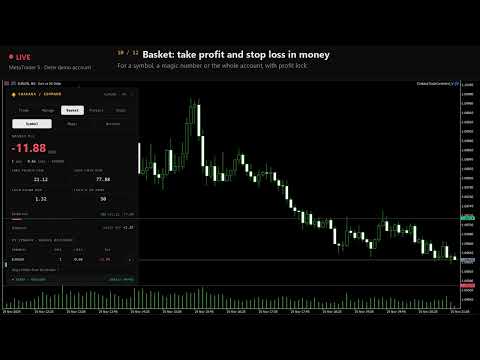
BASKET: close groups of trades by result

  • Basket of the chart symbol, of one magic number or of the whole account.
  • Close the basket at a profit target or a loss limit, in money or % of balance.
  • Profit lock: once the basket reaches a level, the EA keeps a share of the peak profit and closes if it gives it back.
  • Result per symbol with one-click close.

PROTECT: account rules that do not forget

  • Max daily loss measured from the day-start balance, the higher of balance/equity, or the intraday equity high.
  • Max total drawdown, static or dynamic (from the highest equity).
  • When a limit is hit everything is closed and new entries are blocked; the lock survives a terminal restart.
  • Trading hours, Friday cutoff and news windows that you set in server time (for example 13:25-13:45, a weekday or a date). MetaTrader 4 has no economic calendar.
  • Risk rules per trade: positions without stop loss, max risk per position and max total open risk.

STATS: know your numbers

  • Today, this week, this month: net result, win rate, profit factor, expectancy in money and in R, drawdown of the closed curve, best and worst trade, and the result curve.

Alerts

Popup, push notifications, email and Telegram, chosen by event type: trades, automatic actions and protection.

Built for real conditions

Every request is checked before it is sent: volume limits and step, stops and freeze levels, free margin, trade mode and the server answer, with limited retries. Works on every MetaTrader 4 account. Panel in English or Spanish that you can drag and fold.

Strategy Tester

In the tester the EA runs a short demo with the minimum lot (market order, OCO pair, partials, break-even, trailing, basket). The news windows also work in the tester. MetaTrader 4 only shows the history loaded in the Account History tab: choose All History so the statistics see the whole week or month.

Important

This is a trade management tool. It does not predict the market and does not promise profits. Hidden stops and automatic actions work while the terminal is running (use a VPS or the optional emergency stop). Trading involves a risk of loss.

User guide: every setting explained, with starting values: https://www.mql5.com/en/blogs/post/781503
Prodotti consigliati
Expert Advisor for MT4 Useful utility MUST have for all traders.  With 1 click button, you're able to close all your open positions. Its come with a warning pop up notification when you click to close all your trades, to avoid an accident press the button. Just press 'Yes' to confirm or 'No' to cancel it. The expert will close all your open positions no matter what pairs you currently open or directions. Just attach the expert on 1 of your chart, and you're good to go.
HungrySpiderMulti
Aleksandr Hudilainen
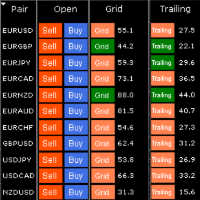
HungrySpiderMulti - is an easy-to-use multi-currency trading panel allowing you to trade 28 trading pairs in one window . The panel also allows you to use grid, and trailing stop. Using this panel trader will receive a push-notification about new events. Opening an order: Opening an order occurs in one click. Near the required currency pair, in the Open section, click on the Sell or Buy button. Grid: Near required pair, there is a Grid button. The button has two states, green - on, orange - off
Chakana Prop Firm Guard MT4
Jerson Ernesto Chura Pacci
Black Friday: 40% off until November 30, 2026 (35.40 USD instead of 59 USD). Daily loss measured the way funded-account programs measure it, deposits excluded, and a lock that closes every new trade in under 2 seconds. Chakana Prop Firm Guard watches your account every second and enforces the rules you set. When a limit is reached it closes all positions, deletes pending orders and closes any new trade opened while the lock is active. The lock survives a terminal restart. How to use it in 3 step

Equity Master Stop v2
Frank William Jr Colbert
Trading tool combining a sophisticated equity stop-loss, dynamic take-profit management (Breakeven & Trailing), and symbol-group-based closing logic. It is a complete risk management and trade supervision tool. Features: All features of `Equity Master Stop v1` (floating profit/loss limits, exit protection, skip hours). Take-Profit Override: Can force a TP on any order to lock in a `MAX_FLOATING_PROFIT`. Step Breakeven: Locks in increasing amounts of profit as a trade moves favorably (e.g., aft
Risk and Lot Size Calculator per MetaTrader 4 calcola la dimensione del lotto per l'importo che sei disposto a perdere. Trascina tre linee sul grafico (ingresso, stop loss, take profit) e il pannello mostra la dimensione del lotto, il denaro a rischio, il profitto al take profit, il rapporto rischio:rendimento e il margine richiesto, con una vista opzionale del margine di perdita rimanente su un conto prop (finanziato). È pensato per i trader manuali che vogliono dimensionare ogni posizione in
Chakana Trade Journal MT4
Jerson Ernesto Chura Pacci
Read-only: it never opens, modifies or closes trades. It turns your account history into the statistics that show how you really trade. Chakana Trade Journal reads your account history and shows the numbers on a panel on the chart, with an HTML report and a CSV export. How to use it in 3 steps Attach it to any chart (it does not trade). Choose the period: today, this week, this month, all history or custom dates. Filter by magic number to measure one EA, and export the HTML report or the CSV. Ke
Easy Trade Executor è uno strumento per il calcolo rapido del lotto, l'esecuzione degli ordini e la gestione dei trade in MT4. Posiziona direttamente sul grafico i livelli di Entrata, Stop Loss e Take Profit, ottieni il calcolo automatico del lotto e apri trade con rischio controllato in pochi clic. Perché scegliere Easy Trade Executor? Easy Trade Executor è stato progettato per i trader che cercano molto più di un semplice calcolatore del rischio. Vogliono gestire i propri trade in modo rapido
BreakEven Grid Utility for MT4 BreakEven Grid is a powerful utility for manual trade management on the MetaTrader 4 platform. It provides a convenient on-screen panel with buttons to help you manage your open positions with a single click.  Features: Set BE+Profit: Automatically sets Take Profit to breakeven + desired profit in pips or money. Close BUY/SELL: Instantly close all Buy or Sell orders for the current symbol. Close +$/-$/Old/New: Close only profitable, losing, oldest or newest tra
Trade Assistant Pro 36 in 1
Makarii Gubaydullin
4.76 (21)
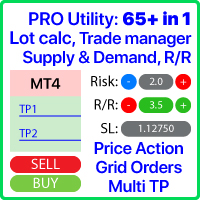
Strumento Multifunzionale: Calcolatore di Lotti, Ordini Grid, Rapporto R/R, Gestore Trade, Zone di Domanda e Offerta, Price Action e molto altro Versione Demo   |   Manuale utente L'Assistente di Trading non funziona nel tester di strategie: puoi scaricare la Versione Demo QUI per testare l' utilità . Contattami per qualsiasi domanda / idee di miglioramento / in caso di bug trovato Se hai bisogno di una versione MT5, è disponibile qui Semplifica, accelera e automatizza il tuo processo di tradin
Risk Commander
Adisorn Soodkanueng
Product Name: Risk Commander: Trade Assistant & Strategy Simulator Risk Commander is more than just a trade panel—it is a complete Manual Trading Ecosystem . It serves two powerful purposes: Live Assistant: Helps you execute trades with speed, precision, and perfect risk management in real-time markets. Training Simulator: Fully compatible with the Strategy Tester (Visual Mode) , allowing you to practice manual trading on historical data without risking a cent. NEW! Built-in Simulator Mode Stop
All In One Trade Manager is a trade manager and one-click trading panel for manual traders on MetaTrader 4. It works as a trading assistant, risk manager and position size calculator in one dashboard. It brings together everything below in one panel: order entry with risk sizing automatic trade management advanced order types account protection statistics Its entry checks run in the background and tell you, before you click BUY or SELL, when something speaks against the trade. Also available
Ultimate Trade Closer
Ebenezer Sochima Charles
Ultimate Trade Closer for MT4 – Efficient Multi-Symbol Trade Management Overview: The Ultimate Trade Closer for MT4 is a powerful and user-friendlytrade management system designed to help traders quickly close multiple trades with just one click. Whether you need to close all trades on a specific symbol or across all traded symbols, this script ensures seamless execution, saving you time and effort. Key Features: Close Trades Instantly – Shut down all open positions on a single symbo
Trade Desk for MT4
Mostafa Saad Saeed Shawara
Trade Desk è un pannello di trading e un gestore operazioni per MetaTrader. Preparate l'ingresso sul grafico, calcolate la size con un calcolatore di lotti e gestite le posizioni aperte dallo stesso pannello: stop loss , più obiettivi, pareggio e trailing stop. Istruzioni aggiuntive: Versione di prova per conti demo — Trade Desk per MetaTrader 5 La maggior parte degli strumenti sul grafico aiuta solo ad aprire l'operazione. Dopo l'esecuzione serve ancora un gestore di posizioni. Trade Desk tiene
This tool will perform Trailing stop loss and Break even management for orders. Helps you limit or reduce the time spend watching orders on the screen, especially when you need to go to sleep. Just add this EA to 1 chart, you can manage all pairs. You can filter orders by comment, magic number, symbol, and order ticket number. When Breakeven it can add shift/offset pips (to cover the commission...). You can try in strategy tester before purchase. The EA will add Buy and Sell alternately, so yo
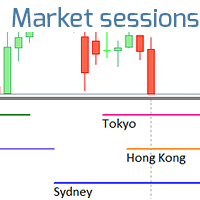
L'indicateur montre les heures d'ouverture des bourses mondiales. Vous aide à voir quels marchés sont actuellement les plus actifs Découvrez mon  #1 Pro  Utility : 66+ fonctionnalités, incluant cet outil  |   Contactez-moi  si vous avez des questions Aide à sélectionner les instruments les plus volatils en ce moment; Particulièrement utile pour les traders intraday; 1) Lors de l'utilisation sur des délais 1H et inférieurs: les lignes correspondront à la position réelle des barres sur le graphiq
Time-Based Auto-Close Order Management Tool (MT4) — Technical Description Overview This is an automated order management EA based on time-algorithm logic. Its core function is to automatically execute preset closing operations when user-defined holding periods expire, aiming to help traders enforce predetermined rules mechanically and reduce emotional interference. Core Closing Modes Closing Mode Functional Definition Close All Closes all eligible positions when the set time is reached. Close
Risk manager Risk manager - it will simplify the tracking of drawdown and will notify you (alert) when the specified risk is reached, and close/lock orders when the critical DD risk level is reached. If the specified drawdown is exceeded, you can choose two options for actions: All orders will be closed that mean loss will be fixed on depo. The terminal also closes. Instead of fixing the loss on depo, the opposite order will be opened - orders locking will occure. Not a single order will be c
AXIOM Prop Guard MT4
Miguel Angel Leon Yanez
AXIOM Prop Guard Strumento di sicurezza essenziale per i trader di prop firm e conti finanziati. Panoramica AXIOM Prop Guard monitora il tuo drawdown giornaliero e il drawdown massimo in tempo reale. Chiude automaticamente tutte le posizioni aperte e gli ordini pendenti quando il tuo conto si avvicina ai limiti di rischio della firm. Protegge il tuo conto finanziato prima che una singola regola possa essere infranta. Che tu stia negoziando XAUUSD, coppie Forex, indici o cripto, AXIOM Prop Guard
Grid Trading
Waseem Raza
5 (3)
Grid Trading EA is a semi-automated one-click trading EA for both Normal Trading and Grid/Martingale Trading . Normal Trading Simply click Buy or Sell directly from the chart. The EA will automatically manage trades by: Setting Stop Loss and Take Profit Managing Trailing Stop Grid / Martingale Trading When Grid Trading mode is enabled, the EA will automatically open additional grid orders at specified distances while increasing the lot size based on your settings. Inputs & Settings Lots — Initia
This script is designed to automatically open charts for all available forex pairs on the MetaTrader 4 platform, as well as the gold (XAUUSD) chart. The script iterates through all symbols available on the platform, determines which of them are forex pairs, and opens their charts on the M1 (one minute) timeframe. Key Features: Gold Chart Opening: The script automatically opens the XAUUSD (gold/dollar) chart if this symbol is available from your broker. If the gold symbol is not found, an error m
RisklyPro MT4
Gabriele Liberto
Riskly Pro is a risk and trade management utility for manual traders. It combines account protection, position management and scale-in entries in one Expert Advisor. Trading panel - On-chart BUY and SELL buttons. The lot is calculated from the risk you set (percent of the account) and the stop loss distance. - Automatic stop loss and take profit on every position, including positions you open manually. Account protection - Maximum daily loss, maximum number of trades per day and maximum conse
Salva System Free
Pavel Komarovsky
4 (3)
Salva EA Free is an advanced and fully automated system, which passes backtesting since 2005. The basis of this strategy is the price chart itself, trading is performed based on the price movement range. Dynamic algorithms and filters are used for taking profit or closing trades. Built-in reworked system for filtering market entries and exits: Checking the trading direction using integrated trend indicators. Checking the channel range for the minimum and maximum values. Checking for the price ex
FREE
Trade Manager G2 MT4
Ida Bagus Putu Mahardika
TRADE MANAGER G2 – PRODUCT DESCRIPTION By Ida Bagus Putu Mahardika Trade Manager G2 – All-in-One Trading Panel for Professional Execution & Risk Management Trade Manager G2 is a next-generation trading panel designed to give you full control over order execution, position management, and profit optimization in real time on MetaTrader 5. With a modern card-based user interface and individual TP actions per level, this panel elevates your trading experience to the next level. KEY ADVANTAGES OF
Margin Call Shield – Defend Your Margin on Your Terms Margin Call Shield   is a tool for MetaTrader 4 traders who want to decide for themselves which open positions are closed during margin call situations before the platform does so automatically based on its internal rules. By default, the broker or platform decides which positions to close, often using undisclosed algorithms. Margin Call Shield lets you set this order according to your own strategy. Why Was Margin Call Shield Created? In a  
The purpose   of this utility is to manage one or more subwindow in the same chart by opening and closing them through a button or the keyboard keys How it works: If you want to handle more than one subwindow you need to reinstall the indicator . In this case some setups has to be customized onlu in the last subwindow installed and others setups in the installed subwindow during the first time installation. They are denoted in the input rispectively as ' LW ' and ' IW '. First of all install
Close_All_Trades_with_TP_SL is a reliable and efficient MQL4 Expert Advisor designed to simplify and automate trade management for all open positions on your MT4 account. This EA is especially useful for traders who open multiple trades quickly or use high-frequency strategies where manual TP/SL placement becomes difficult and time-consuming. The primary purpose of the EA is to ensure that every open trade—whether Buy or Sell—always has a predefined Take Profit (TP) and Stop Loss (SL) applied. M
FREE
Spread Costs refers to the amount of the loss caused by the spread, and Swap Benefits refers to the amount of the income gained by overnight positions. Spread Costs is an important indicator for short-term traders, especially for scalping traders, and Swap Benefits is an important indicator for long-term traders. Since the spreads and swaps on the MetaTrader 4 platform are all expressed in points, we need to convert it into the amount expressed in the account currency. This tool can display the
TP SL Bot
Ruslan Brezovskiy
TP SL Bot - un'utilità che imposta automaticamente Stop Loss e Take Profit per gli ordini appena aperti in vari modi secondo le tue indicazioni. È inoltre disponibile una funzione per calcolare il volume con cui aprire un trade per ottenere l'importo desiderato con la dimensione specificata di Stop Loss/Take Profit. Ci sono diversi modi per calcolare la dimensione e impostare i parametri: 1. Impostazione basata sull'importo specificato dall'utente come percentuale del saldo corrente del conto. 2
SL InfoPanel
Sergei Lopukhov
SL InfoPanel is an information panel that displays operational trading information on the current instrument. The panel contains the following information: The first column: The fixed profit for the specified period of time and the percentage of this profit to the current deposit (the time period is configured in the "Account History"). The value is colored blue if there is a profit and red if there is a loss. Open Long orders (number of lots/number of orders). Open Short orders (number of l
Prop Manager
Stefano Cocconi
Prop Manager allows you to automatically close trades once the max daily loss or profit target is reached so it's designed for the control and management of PROP FIRM ACCOUNT , but also live accounts. Prop Manager will allow you to manage prop accounts with maximum security, whether you want to do manual trading or algorithmic trading. It was created for people who want to be sure that their trading does not run into daily drawdown or total drawdown problems. The user is left with complete fr
Gli utenti di questo prodotto hanno anche acquistato
The FFx Hidden Manager panel will help you to manage easily your orders directly on the chart. Below all features described: TP, SL and TrailingStop are hidden Each order has its own lines on chart Drag & Drop any line to change the TP/SL as per your need Option to move automatically the SL line at breakeven when TP #1 is reached Option to choose the TP/SL type (by pips or price) Option to choose the TrailingStop type (by pips, MA, Fractals, PSAR or ATR) Define which order(s) you want to manage
FFx Risk Calculator
Eric Venturi-Bloxs
FFx Risk Calculator panel will help you to calculate very easily your trades size, SL or the risk directly on the chart. All features are described below: Option to select which parameter to calculate: Risk, Stop Loss or Lot Size The panel will show if the lot size is allowed according to the current account free margin Button to maximize/minimize the panel Drag and Drop the panel anywhere on the chart How to use it? Select the parameter you want to be calculated. It will be based on the 2 other
FFx Watcher PRO
Eric Venturi-Bloxs
The FFx Watcher PRO is a dashboard displaying on a single chart the current direction of up to 15 standard indicators and up to 9 timeframes. It has 2 different modes: 1. Watcher mode: Multi Indicators User is able to select up to 15 indicators to be displayed User is able to select up to 9 timeframes to be displayed 2. Watcher mode: Multi Pairs User is able to select any number of pairs/symbols User is able to select up to 9 timeframes to be displayed This mode uses one of the standard indicat
If you wish to draw Support and Resistance lines, view: daily market opening, classical pivot levels, Fibonacci pivot levels, trend lines, Fibonacci levels, the remaining time to candle closing, and current spread. If you seek to place your orders with the exact lot that meets your desired stop loss risk. If you wish to do all this and more with just one click, then this is the perfect tool to use. This tool will allow you to feel more relaxed when deciding to open orders, as well as predicting
Pairs Trade
Oleg Pechenezhskiy
The Pairs Trade indicator is a utility for semi-automatic pair trading. It allows combining the charts of two arbitrary instruments, even if the schedules of their trading sessions are different. It displays a spread chart in the form of a histogram with an overlaying moving average. It calculates the swap that will be charged for the synthetic position (in the deposit currency). It is possible to set a level for automatic opening of a synthetic position on the spread chart (analogous to the 'se
This Stacker EA will: Automatically set Stop loss on a new order Automatically set Take profit on a new order Stack (or open up to 4 additional orders at the same time) when a new order is placed, the SL/TP can be preset individually for each order. Provides a transparent replacement for the standard 1-click trading buttons in MetaTrader 4 (1 click still works and SL/TP will automatically be set as well as Stacking). Automatically calculate lot order size according to preset risk management perc
FXFledgling Exit Tool is a complete risk management tool that analyzes both the open trades and the direction of the pair of open trades. As long as the suggested entry and lotsizing management presented here is followed strictly, you will have a high chance (but no guarantee) of surviving the trade. What It Does It is used as an exit tool. It helps the trader to manage any manual trade that he transacted. It does the following: Trail Stop Dynamic Stop Loss - a calculated stop-loss that changes
Crypto Market Pro
Daniil Kurmyshev
5 (1)
New opportunities for analyzing cryptocurrency in the usual MetaTrader 4. For example : We select the symbol of the cryptocurrency and attach any indicators, Expert Advisors or scripts. Startup Mode View cryptocurrency; Data collection. Capabilities Work as with a standard currency chart; Automatic update of open charts; Selection of individual cryptocurrency for updating; Selection of individual timeframes for updating; Work on the desired timeframes; Open charts do not affect the work of Cry
Fibonacci Expansion and Retracement Analysis Fibonacci retracing and extended line tools for the MT4 platform, ideal for traders who use the DiNapoli point trading method and the Golden Section trading The main function: 1. You can draw multiple sets of Fibonacci retracements directly, and the relationship between important return points is clear at a glance. 2. Can draw Fibonacci extensions 3. The Fibonacci foldback and extension of the line can be moved left and right for easy observation
Risk manager x2
Andrii Malakhov
Советник риск-менеджер с огромным арсеналом возможностей защиты вашего депозита. Для инвесторов, которые решили передать капитал в доверительное управление. Когда у трейдера нет доступа к настройкам - нивелирует торговые риски. А также для трейдеров, которые осознали необходимость стороннего контроля за их торговлей для улучшения торговых результатов.  Для максимальных результатов - должен стоять на отдельном VPS сервере и у трейдера не должно быть возможности менять настройки в торговый период.
Grid Hero War Pad
Chock Hwee Ng
3.4 (5)
Grid Hero War Pad is a  GRAPHICAL MANUAL TRADER version of the original Grid Hero EA, designed and created for ADVANCED TRADERS who are experienced in plotting their own market entries. It is coded using ADVANCED GRAPHICAL INTERFACE programming, that combines the power of discretionary trading with Grid Hero algorithm in the form of a graphical console with button-click easy execution. It allows you to execute trades manually using Market Orders and Pending Orders, and then automatically uses th
The advantage of using this EA This EA directly updates takeprofit and stop losses that are still empty in a manual order Parameters Multiplier: Multiplier value of the previous transaction Distance: Distance hedging from the previous order Takeprofit: take profit taken from the last price + the value of this column We recommend that you do not add more than one manual transaction in the same pair martingale hedging | manual hedging | hedging manual | hedging lot | best robot | best ea
MirrorEA
Eugenio Bravetti
The new version of  MirrorSoftware 2021  has been completely rewriten and optimized.  This version requires to be loaded only on a single chart because  it can detect all actions on every symbol and not only the actions of symbol where it is loaded. Even the  graphics and the configuration mode  have been completely redesigned. The MirrorSoftware is composed of two components (all components are required to work):  MirrorController  (free indicator): This component must be loaded into the MASTER
Open charts
Maksim Slovakov
Скрипт открывает графики по всем инструментам находящимся в окне "Обзор рынка" и по желанию может задать для всех графиков один шаблон. Так-же можно удалить все графике открытые в терминале Мт4. В скрипте имеются следующие настройки: "Таймфрейм" по умолчанию M30;             (Можно поставить свой: M1, M5, M15, M30, H1, H4, D1, W1, MN.) "Задержка" по умолчанию "0";                  (Задержка перед открытием следующего графика в миллисекундах.) "Шаблон" по умолчанию "True";                (True=пр
Quantized Trend
Oleg Pechenezhskiy
This utility automatically draws the trend channel on the price chart. For the time interval from the specified date to the current bar, the drawn channel is almost optimal. Placing the beginning of the channel at a more distant historical price extremum, you get a visualization of a longer-term trend. Channel slope is not a continuous value, but takes one of discrete values (in AxB format, where A is the number of price points (points), and B is the number of timeframes). This program works ONL
Forex copier
Alexandr Bryzgalov
4.5 (2)
We offer simple and reliable software that can  copy trades  between any MT4 accounts. Easy to use MetaTrader copier which saves valuable time Reliable, so you are protected from technical issues Powerful, with a lot of features available Who can use this MT4 copier? Forex Copier is a solution for individual traders or account managers who need to execute trade signals from external sources or who need to  manage several MetaTrader 4 accounts  at the same time. We do not offer you “yet another
Forex Market View Dashboard and CSM
Opengates Success International
5 (1)
FFXMV Dashboard + CSM is a custom indicator combined with Currency Strength Meter . It is created to give the Traders a full view of what is going on in the market. It uses a real time data to access the market and display every bit of information needed to make a successful trading. Before attaching this Indicator to your window chart, go to your MT4's Market Watch panel and HIDE all the Currency pairs you don't need or trade and leave the rest there. The reason is that FFMV Dashboard will DISP
NewsReady
Joel Protusada
NewsReady is a semi-automated Expert Advisor that uses a smart straddle methods It needs to be set in charts 2 to 10 minutes before Economic Data release with a red-flag impact on currencies related to the news. Then it run pending orders in specified number of minutes indicated in the time-period parameter. After the specified time, it will stop trading and will remove all pending orders. Important You can not backtest this tool because it is semi-automated and can only be set and run a few min
Advanced Smart Renko and Heiken Ashi Candle Trader is ONE STOP SOLUTION based semi/fully - automated multi-currency EA carefully engineered for traders to enter the trade based on their Analysis or in fully automated mode for scalping, trend trading, candle breakout trades and also automated news trading with inbuilt trade management solution.    Advantages    No grid / Martingale Works on Classic Renko, Renko Heiken Ashi charts and classic Heiken Ashi charts    Features Multi-Currency Ma
Binary expert
Dmitriy Konogorov
Expert for a binary options on mt4, he have  two built-in a indicators and many different settings. The expert has one a level of martingale, but it is recommended to use it on  the instruments with a yield of 85 percent. it can be used simultaneously on a variety of currency instruments. All settings have already been made, but you can also configure them yourself . Currency for do trading is a Russian ruble. Good trading to everyone.
This program is created by algorithm which economy based logic in the trading market. 1. The program able to work with all of currency and trading items  2. Take profit and loss are basically handled by EA program Recommendation: EUR_USD is the most preferred. Please use this program only for MT4. LOT should be managed depends on own deposit. Otherwise, high risk will be driven(e.g 0.1~0.2 lot is recommended when the deposit is 10,000 dollar)
1. Record the price data for each Tick transaction. Data file contents: "Tick time", "ASK price", "BID price", "SPREAD SPREAD", "Tick quoted quantity". 2. Meanwhile, generate a quotation data file with a 1-minute period. Content of 1min data file: "ASK time", "ASK OPEN price", "ASK HIGH price", "ASK LOW price", "ASK CLOSE price", "BID time", "BID OPEN price", "BID HIGH price", "BID LOW price", "BID CLOSE price", "Tick quoted quantity". 3. Save all quotation data in one file every day, which is c
Trade Control
Andrii Malakhov
Утилита-риск-менеджер для защиты вашего депозита от полной потери денег. Если вы инвестор и решили передать деньги в доверительное управление, вам нужен Trade Control. Так трейдер не нарушит свои же правила риск-менеджмента и не сольет все ваши деньги. Для этого Trade Control должен находится на вашем VPS. И у управляющего трейдера не должно быть доступа к настройкам данной улититы. В момент слабости, трейдер не сможет увеличить заложенные в торговлю риски. И не потеряет ваш депозит за один неуд
L   H E D G E R   S C A L P E R    A fully automated Expert Advisor that uses counter-trend scalping, managed semi-martingale strategy and lock hedging to execute a complete trading scheme from entry analysis to risk-calculated money management to exit analysis plan execution.         V E R Y  I M P O R T A N T    You can use only ECN type of account. Otherwise, it's a disaster. You can use only the GBPJPY currency pair. Open and attach with 1 chart only. Use a minimum of $5
PyramidExpert
Joel Protusada
P Y R A M I D   E X P E R T    This Forex utility is a complex exit strategy and order management tool that executes four trading methods; scalping, pyramid style, hedging, and scaling method to close trades with a profit.           V E R Y  I M P O R T A N T     This is not a stand alone expert advisor. Use it with your own volatility-based strategy. Once you found the currency pair to trade, you can just attach this tool to the chart of the chosen pair and it will do the
Tool sends trades when open and close with chart to telegram channel.  Tool can send multiple charts and magic numbers and pairs from a single chart. Send information of all type of orders: Opened (including Pending Orders), closed tiggered, and modified orders. Telegram Setup instruction Open your Telegram APP and search for "BotFather". Type  /start  and click/type  /newbot  to create a new bot. Give your bot a nickname and username (e.g., nickname: Bestnavisignal and username: Bestnavisignal
The EA Protection Filter ( MT5 version here ) provides a news filter as well as a stock market crash filter, which can be used in combination with other EAs. Therefore, it serves as an additional protective layer for other EAs that do provide such filters.  During backtest analysis of my own night scalpers, which already use a stock market crash filter, I noticed that the historic drawdown,  especially during stock market crash phases like 2007-2008, was reduced significantly by using such a fil
FiboPlusWaves
Sergey Malysh
5 (1)
FiboPlusWave Series products Ready-made trading system based on Elliott waves and Fibonacci retracement levels . It is simple and affordable. Display of the marking of Elliott waves (main or alternative option) on the chart. Construction of horizontal levels, support and resistance lines, a channel. Superposition of Fibonacci levels on waves 1, 3, 5, A Alert system (on-screen, E-Mail, Push notifications).    Features: without delving into the Elliott wave theory, you can immediately open one of
Engulfing Dashboard is a forex system that can help you generate forex profits easily without having to work hard to learn forex knowledge because this Dashboard is complete with all the facilities and functions that are sophisticated and effective. This system is made based on Supply and Demand techniques to measure Market Direction (trend) more accurately than using indicators such as Moving Average, MACD, trendline and so on. It is made using a certain formula so that the accuracy of the mar
AntiMartingale-Execution is a pyramidal Money Management system capable of increasing positions as equity increases using the positive margin of the transaction. It is possible to set the capital for each operation, the operating and maximum margins and the target level to be reached. Once the general trade settings have been made, it is possible to preview the grid of operations that will be activated by pressing the BUY / SELL button. If necessary, it is also possible to close all operations
Altri dall’autore
Chakana Spike Stats MT5
Jerson Ernesto Chura Pacci
It measures spikes; it does not predict them. Honest spike statistics for Boom, Crash and any symbol. We studied about 98,000 one-minute candles per Boom and Crash index and found that spikes behave like a memoryless process: the chance of a spike does not grow with the time since the last one. So this indicator gives you what can be measured. How to use it in 3 steps Attach it to Boom, Crash or any other symbol and timeframe. Set what counts as a spike: body larger than X times the median body.
FREE
Chakana Spike Stats MT4
Jerson Ernesto Chura Pacci
It measures spikes; it does not predict them. Honest spike statistics for Boom, Crash and any symbol. We studied about 98,000 one-minute candles per Boom and Crash index and found that spikes behave like a memoryless process: the chance of a spike does not grow with the time since the last one. So this indicator gives you what can be measured. How to use it in 3 steps Attach it to Boom, Crash or any other symbol and timeframe. Set what counts as a spike: body larger than X times the median body.
FREE
Chakana Trading Sessions MT4
Jerson Ernesto Chura Pacci
Sydney, Tokyo, London and New York sessions (plus one of your own) as boxes with their range, plus London and New York killzones and alerts, converted to your broker's time automatically, with daylight-saving adjustment. Chakana Sessions draws the main trading sessions and the killzones on your chart and tells you which one is active and how much time is left to the next event, plus the previous day's high and low and today's open. How to use it in 3 steps Attach it to any chart (it draws up to
FREE
Chakana Trading Sessions MT5
Jerson Ernesto Chura Pacci
Sydney, Tokyo, London and New York sessions (plus one of your own) as boxes with their range, plus London and New York killzones and alerts, converted to your broker's time automatically, with daylight-saving adjustment. Chakana Sessions draws the main trading sessions and the killzones on your chart and tells you which one is active and how much time is left to the next event, plus the previous day's high and low and today's open. How to use it in 3 steps Attach it to any chart (it draws up to
FREE
Chakana Lot Size Calculator MT5
Jerson Ernesto Chura Pacci
Free lot calculator that never risks more than you choose. Chakana Lot Size Calculator does one thing well: it calculates the exact lot for the risk you decide and opens the trade with the stop loss and take profit already in place. Free, no limits by symbol, account or time. How to use it in 3 steps Drag the red stop-loss line to where your stop belongs. Pick the risk: 0.5 %, 1 %, 2 % or 3 %. Click BUY or SELL: the trade opens with SL and TP attached. Key features Exact position size: lot from
FREE
Chakana Lot Size Calculator MT4
Jerson Ernesto Chura Pacci
Free lot calculator that never risks more than you choose. Chakana Lot Size Calculator does one thing well: it calculates the exact lot for the risk you decide and opens the trade with the stop loss and take profit already in place. Free, no limits by symbol, account or time. How to use it in 3 steps Drag the red stop-loss line to where your stop belongs. Pick the risk: 0.5 %, 1 %, 2 % or 3 %. Click BUY or SELL: the trade opens with SL and TP attached. Key features Exact position size: lot from
FREE
Chakana Prop Firm Guard MT4
Jerson Ernesto Chura Pacci
Black Friday: 40% off until November 30, 2026 (35.40 USD instead of 59 USD). Daily loss measured the way funded-account programs measure it, deposits excluded, and a lock that closes every new trade in under 2 seconds. Chakana Prop Firm Guard watches your account every second and enforces the rules you set. When a limit is reached it closes all positions, deletes pending orders and closes any new trade opened while the lock is active. The lock survives a terminal restart. How to use it in 3 step
Chakana Trade Copier MT4
Jerson Ernesto Chura Pacci
Black Friday: 39% off until November 30, 2026 (30 USD instead of 49 USD). One EA, two modes: no separate master product, no DLL and no internet connection needed. Chakana Trade Copier copies trades between MetaTrader terminals running on the same computer or VPS. Attach it as Master on the account you trade and as Slave on every account that should follow. How to use it in 3 steps Attach it as Master on the account you trade. Attach it as Slave on each follower account, with the same channel nam
Chakana Trade Journal MT4
Jerson Ernesto Chura Pacci
Read-only: it never opens, modifies or closes trades. It turns your account history into the statistics that show how you really trade. Chakana Trade Journal reads your account history and shows the numbers on a panel on the chart, with an HTML report and a CSV export. How to use it in 3 steps Attach it to any chart (it does not trade). Choose the period: today, this week, this month, all history or custom dates. Filter by magic number to measure one EA, and export the HTML report or the CSV. Ke
Chakana Market Scanner MT4
Jerson Ernesto Chura Pacci
Black Friday: 23% off until November 30, 2026 (30 USD instead of 39 USD). One sortable table instead of 100 charts: see at a glance which markets are moving and in which direction. Chakana Market Scanner turns many charts into one watchlist table with price, spread, cost against volatility, trend on three timeframes, RSI, daily change and how much of its normal daily range each market has already moved. How to use it in 3 steps Attach it to one chart. Leave the list empty to use your Market Watc
Chakana Trade Panel MT4
Jerson Ernesto Chura Pacci
Black Friday: 39% off until November 30, 2026 (30 USD instead of 49 USD). Everyday order management on the chart: lot by risk or fixed lot, one-click orders, pendings at a draggable line and close-by-type, without menus or dialogs. Chakana Trade Panel puts market and pending orders, partial closes and position management on the chart, with a live list of your positions. How to use it in 3 steps Choose the lot mode on the panel: fixed lot, risk % of balance or a fixed risk amount. Type the SL and
Chakana Risk Manager MT4
Jerson Ernesto Chura Pacci
Black Friday: 23% off until November 30, 2026 (30 USD instead of 39 USD). Drag the stop line, get the exact lot, trade at market or with a pending order in one click, and let a daily loss shield lock the account for the day when your limit is reached. Chakana Risk Manager turns position sizing into a single drag. The panel calculates the lot for the risk you choose (% of balance, % of equity or a fixed amount) and opens market or pending orders with the stop loss and take profit already in place
Chakana Prop Firm Command MT4
Jerson Ernesto Chura Pacci
Chakana Prop Firm Command is for traders who run several challenges or funded accounts at the same time. Each account gets an agent that enforces its own rules. One center shows every account in a single table and alerts you before a limit is reached. How to use it in 3 steps Attach the EA in Agent mode on one chart of each account, then pick the program template (or Custom) and give the account an alias. Attach the EA in Center mode on any terminal of the same PC or VPS. Each account appears as
Chakana Risk Manager MT5
Jerson Ernesto Chura Pacci
Black Friday: 23% off until November 30, 2026 (30 USD instead of 39 USD). Drag the stop line, get the exact lot, trade at market or with a pending order in one click, and let a daily loss shield lock the account for the day when your limit is reached. Chakana Risk Manager turns position sizing into a single drag. The panel calculates the lot for the risk you choose (% of balance, % of equity or a fixed amount) and opens market or pending orders with the stop loss and take profit already in place
Chakana Prop Firm Guard MT5
Jerson Ernesto Chura Pacci
Black Friday: 40% off until November 30, 2026 (35.40 USD instead of 59 USD). Daily loss measured the way funded-account programs measure it, deposits excluded, and a lock that closes every new trade in under 2 seconds. Chakana Prop Firm Guard watches your account every second and enforces the rules you set. When a limit is reached it closes all positions, deletes pending orders and closes any new trade opened while the lock is active. The lock survives a terminal restart. How to use it in 3 step
Chakana Trade Copier MT5
Jerson Ernesto Chura Pacci
Black Friday: 39% off until November 30, 2026 (30 USD instead of 49 USD). One EA, two modes: no separate master product, no DLL and no internet connection needed. Chakana Trade Copier copies trades between MetaTrader terminals running on the same computer or VPS. Attach it as Master on the account you trade and as Slave on every account that should follow. How to use it in 3 steps Attach it as Master on the account you trade. Attach it as Slave on each follower account, with the same channel nam
Chakana Trade Journal MT5
Jerson Ernesto Chura Pacci
Read-only: it never opens, modifies or closes trades. It turns your account history into the statistics that show how you really trade. Chakana Trade Journal reads your account history and shows the numbers on a panel on the chart, with an HTML report and a CSV export. How to use it in 3 steps Attach it to any chart (it does not trade). Choose the period: today, this week, this month, all history or custom dates. Filter by magic number to measure one EA, and export the HTML report or the CSV. Ke
Chakana Market Scanner MT5
Jerson Ernesto Chura Pacci
Black Friday: 23% off until November 30, 2026 (30 USD instead of 39 USD). One sortable table instead of 100 charts: see at a glance which markets are moving and in which direction. Chakana Market Scanner turns many charts into one watchlist table with price, spread, cost against volatility, trend on three timeframes, RSI, daily change and how much of its normal daily range each market has already moved. How to use it in 3 steps Attach it to one chart. Leave the list empty to use your Market Watc
Chakana Trade Panel MT5
Jerson Ernesto Chura Pacci
Black Friday: 39% off until November 30, 2026 (30 USD instead of 49 USD). Everyday order management on the chart: lot by risk or fixed lot, one-click orders, pendings at a draggable line and close-by-type, without menus or dialogs. Chakana Trade Panel puts market and pending orders, partial closes and position management on the chart, with a live list of your positions. How to use it in 3 steps Choose the lot mode on the panel: fixed lot, risk % of balance or a fixed risk amount. Type the SL and
Chakana Trade Command MT5
Jerson Ernesto Chura Pacci
One panel to enter, manage, protect and measure every trade of your account. Chakana Trade Command replaces the four or five tools most traders keep on their charts: a lot calculator, a trade panel, a trade manager, a drawdown guard and a journal. It works on any symbol, manages trades opened from the phone or by other EAs, and keeps its state after a terminal restart. How to use it in 3 steps Attach it to one chart. It sees every symbol of the account. TRADE tab: choose the risk (% of balance,
Chakana Prop Firm Command MT5
Jerson Ernesto Chura Pacci
Chakana Prop Firm Command is for traders who run several challenges or funded accounts at the same time. Each account gets an agent that enforces its own rules. One center shows every account in a single table and alerts you before a limit is reached. How to use it in 3 steps Attach the EA in Agent mode on one chart of each account, then pick the program template (or Custom) and give the account an alias. Attach the EA in Center mode on any terminal of the same PC or VPS. Each account appears as
Filtro:
Nessuna recensione
Rispondi alla recensione