Index Session Opening Range
- Indicatori
- Versione: 1.0
- Attivazioni: 10

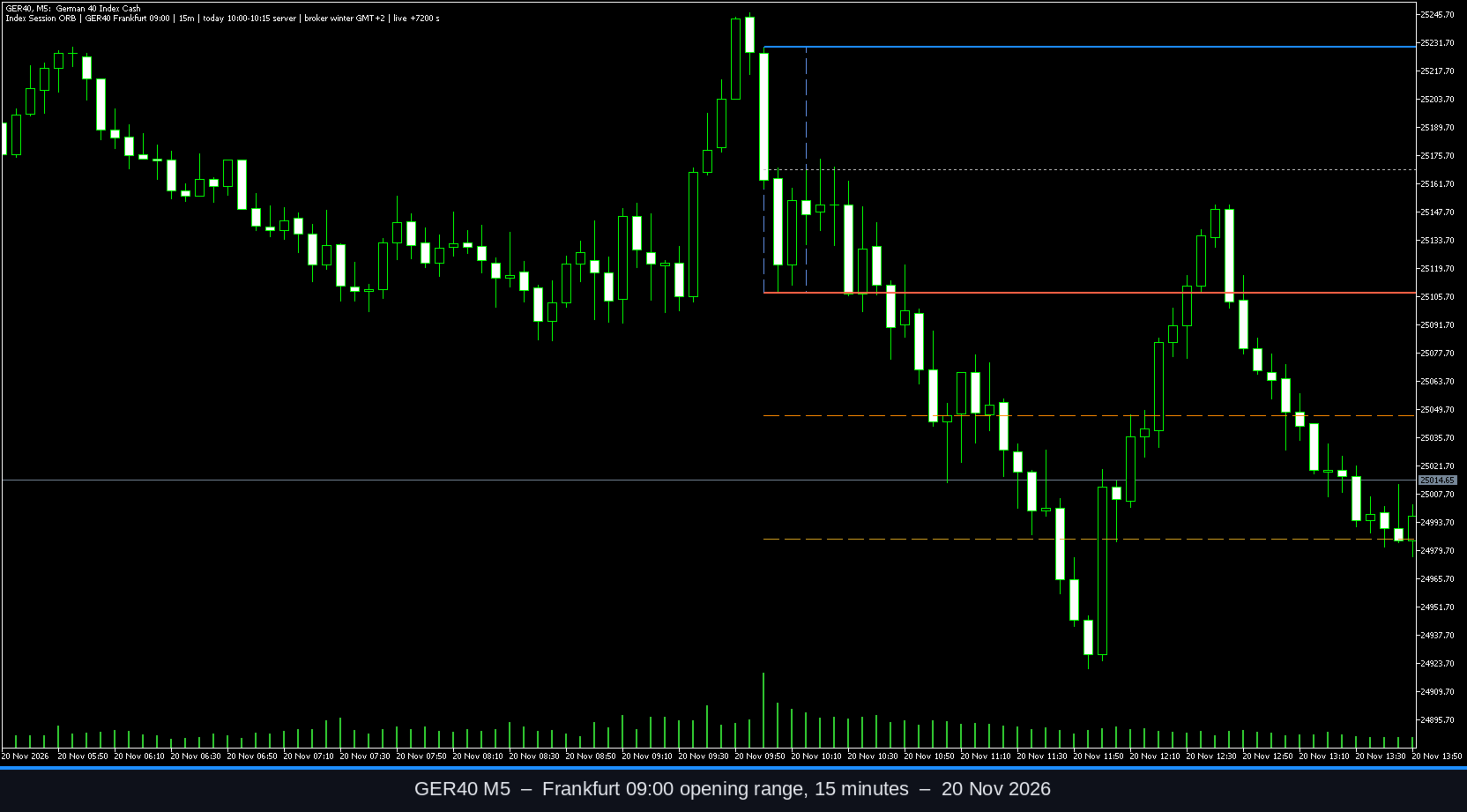
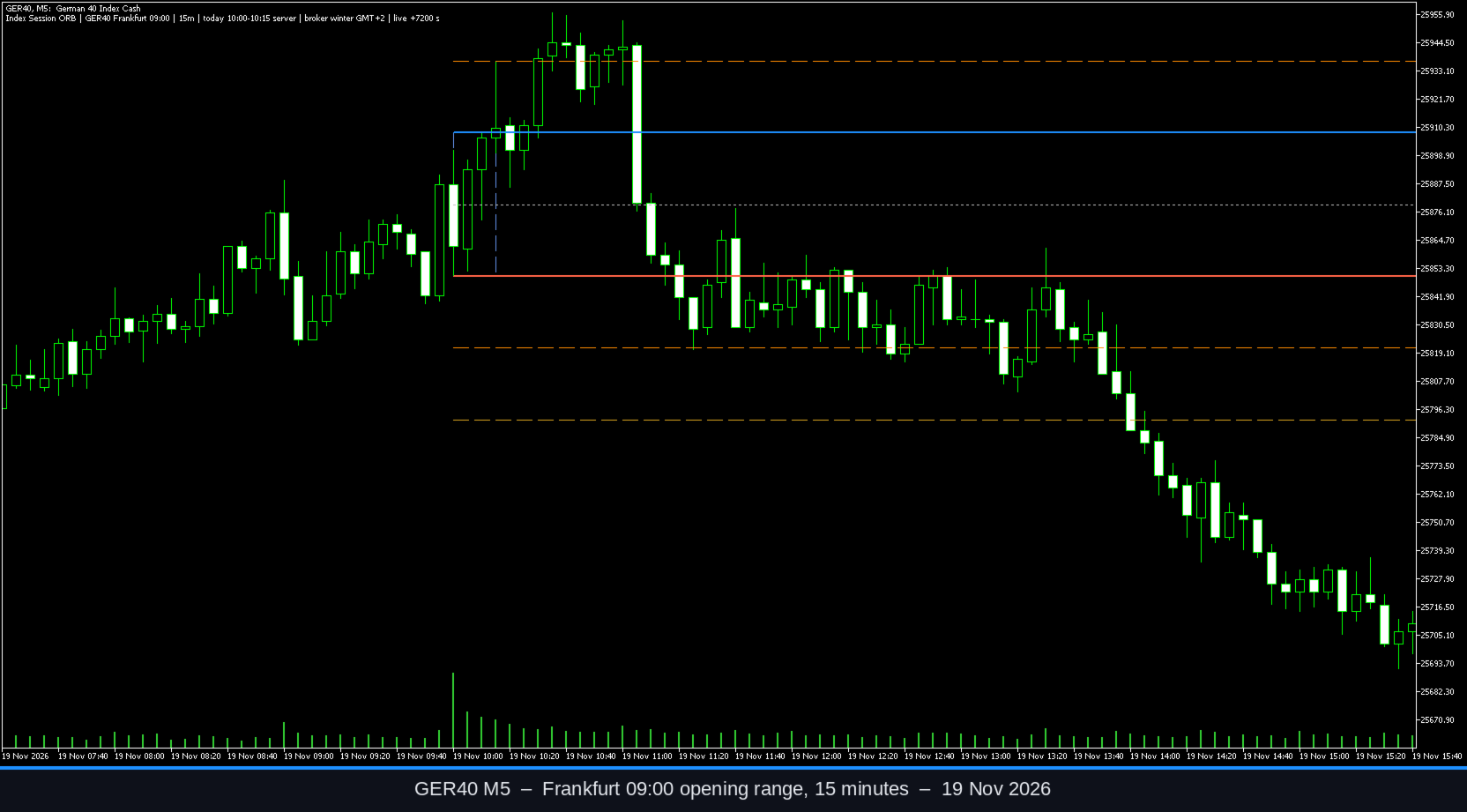
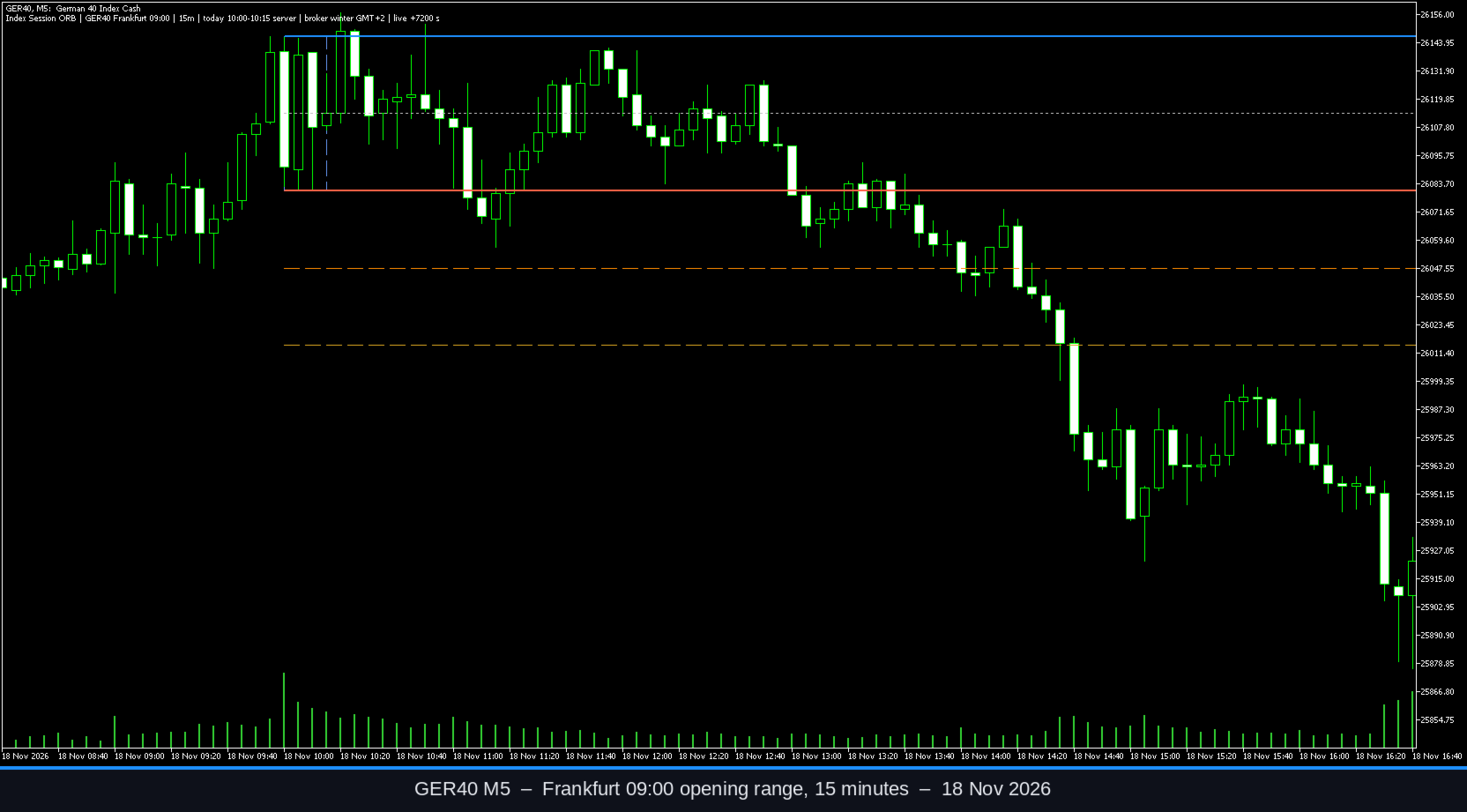
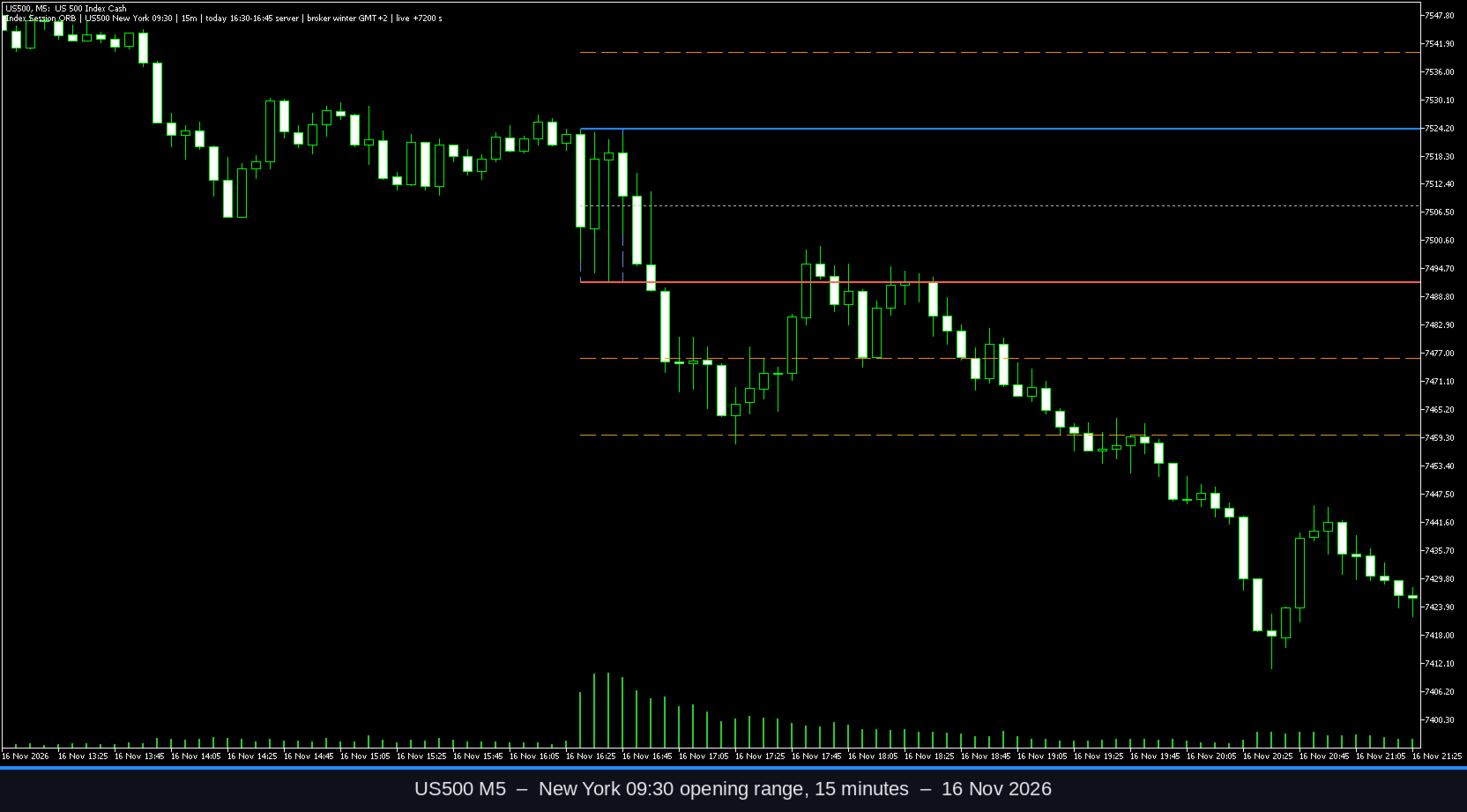
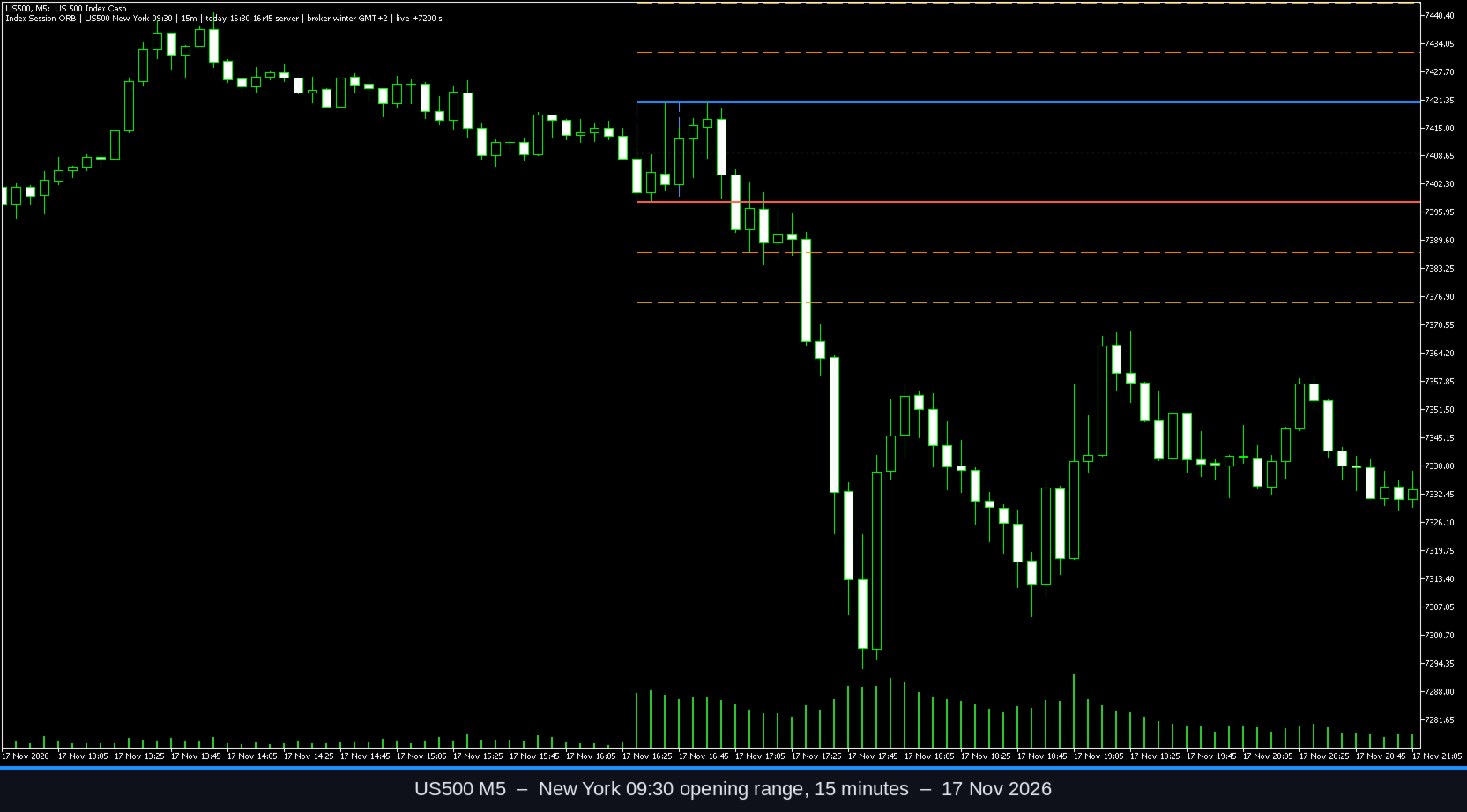
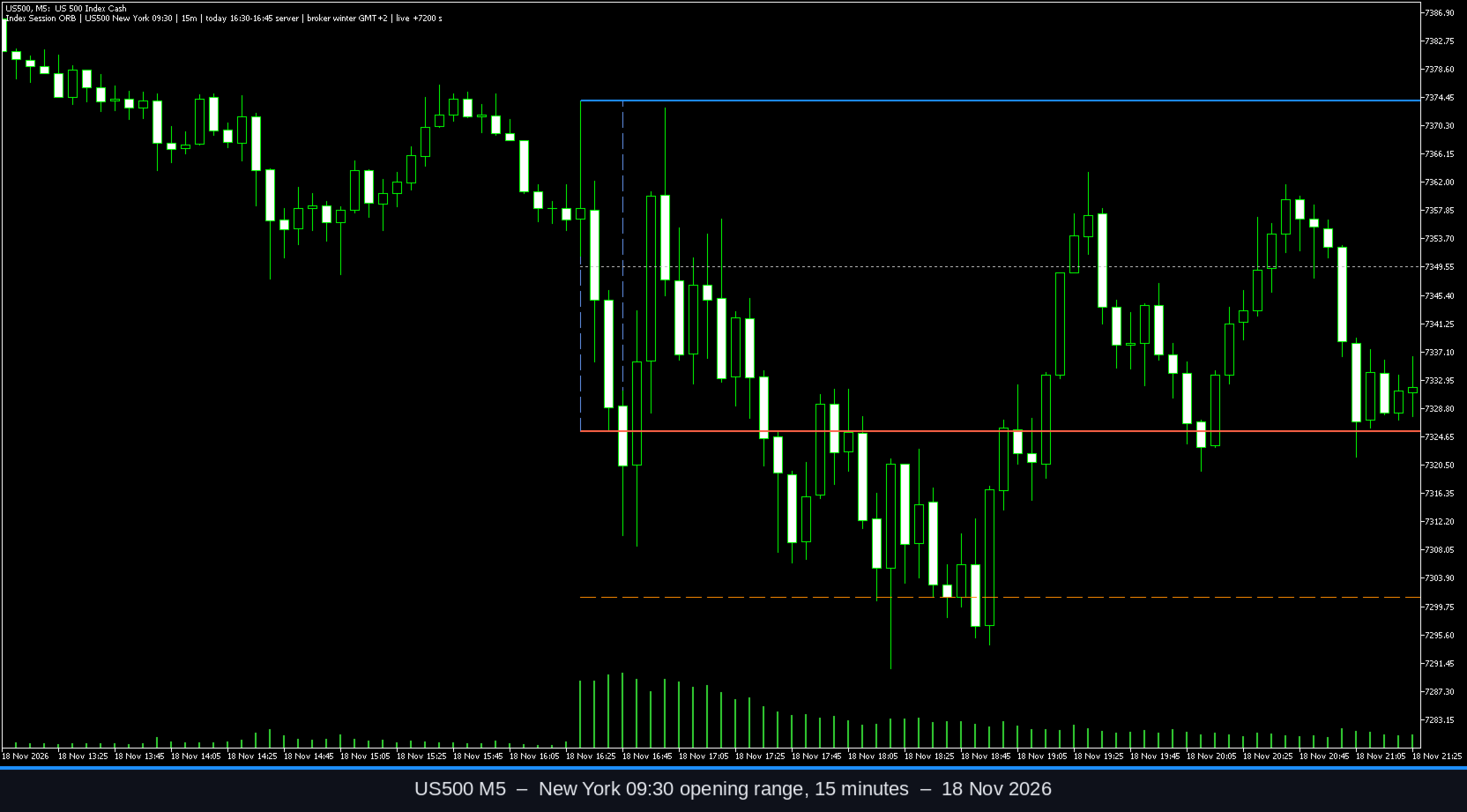
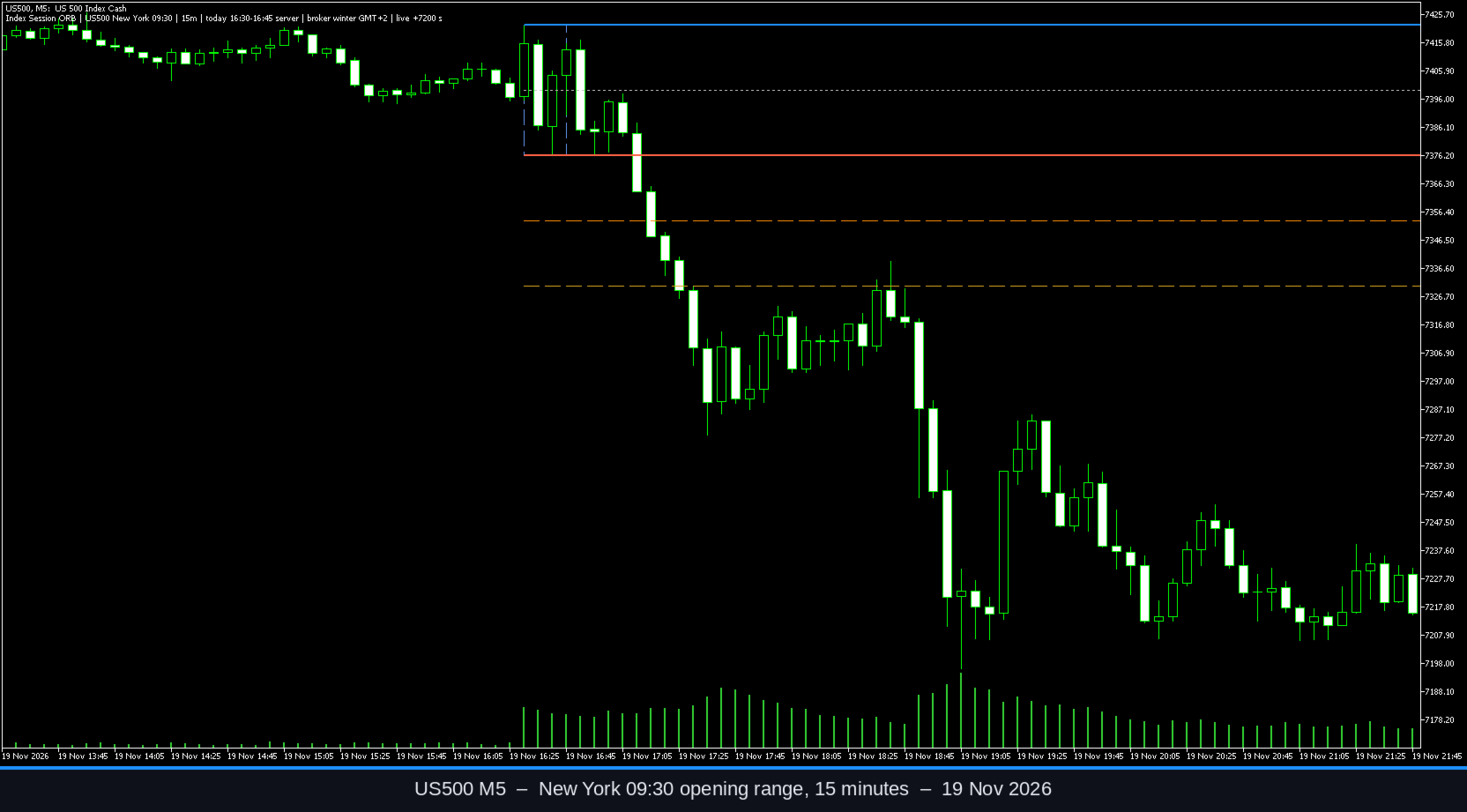
Index Session Opening Range is a MetaTrader 5 indicator that draws the opening range of a cash-market session on index symbols such as GER40/DE40, UK100, US30, US100 and US500. It can also be used on other symbols with a custom session time.
The opening range is the high and low formed during the first minutes after the cash session opens. The length of that window is selectable: 5, 15, 30 or 60 minutes. The indicator marks the range high, the range low and the midline, and it can optionally add extension levels at chosen multiples of the range (0.5 and 1.0 by default). Previous sessions can be kept on the chart.
While the opening-range window is still open, the high and low are updated as new bars form. After the window has closed, those levels are taken from the bars inside the window and are not changed by later price. If the broker later revises historical quotes, the range is recalculated from the available bars.
Session times are entered in the exchange local time, not in broker server time:
- GER40/DE40: Frankfurt 09:00 or Xetra 08:00 (Europe/Berlin)
- UK100: 08:00 (Europe/London)
- US30, US100, US500: 09:30 (America/New_York)
- Custom: your own local hour, minute, time zone and cash-close time
The indicator converts that local time to the broker server clock. In Auto mode the current GMT offset is taken from TimeTradeServer() minus TimeGMT(). Historical days use the selected broker DST policy so that the weeks when US and EU clocks differ are handled correctly. The default policy follows US daylight-saving rules, which is the usual arrangement on index CFD servers that switch with the New York close (for example GMT+2 in winter and GMT+3 in summer). If your broker uses a different clock, set the winter GMT offset manually and choose US, EU or a fixed offset.
Alerts can be enabled for a breakout of the finished range and for a later retest of the broken boundary. Notifications may be sent as a terminal pop-up, a push message, an email, or a sound. By default, signals are evaluated on the close of a bar. Alerts are not replayed for historical bars when the indicator is attached. A gap-open filter can ignore bars that already open outside the range.
The range is calculated from M1 or M5 data where needed, so the indicator can be attached to more than one chart period. It does not require a specific symbol name. If history for a day is missing, that session is skipped. Graphic objects are removed when the indicator is taken off the chart.
Seven data buffers are provided for use from an Expert Advisor or a script: ORB High, ORB Low, ORB Mid, ORB Ext Up 1, ORB Ext Dn 1, ORB Ext Up 2 and ORB Ext Dn 2.
This product is a charting and notification tool. It does not place or manage trades. Past shapes of an opening range do not indicate future results. Losses are possible.
How to use
- Attach the indicator to the chart of the index you trade. M5 or M15 is a practical starting point.
- Choose the matching session preset, or Custom if the symbol or open time is different.
- Leave Broker time in Auto unless the mapped session open on the chart is clearly wrong. In that case enter the broker winter GMT offset (for a GMT+2/+3 server this value is 2) and set the DST policy.
- Select the range length and how many past sessions to display.
- Enable breakout or retest alerts only if you want them. Push and email require a working MetaQuotes ID and mailbox in the terminal.
- After installation, check the first session on your broker and confirm that the box starts at the cash open you intend to use.
Input parameters
Session
- Session preset. Default: GER40/DE40 Frankfurt 09:00. Options: GER40/DE40 Frankfurt 09:00, GER40/DE40 Xetra 08:00, UK100 London 08:00, US30 New York 09:30, US100 New York 09:30, US500 New York 09:30, Custom.
- Opening range length. Default: 15 minutes. Options: 5, 15, 30 or 60 minutes.
- Custom session hour (local). Default: 9.
- Custom session minute (local). Default: 0.
- Custom exchange time zone. Default: Europe/Berlin. Options: Europe/Berlin, Europe/London, America/New_York, UTC.
- Custom cash close hour (local). Default: 17.
- Custom cash close minute (local). Default: 30.
Broker time
- GMT offset mode. Default: Auto (TimeTradeServer - TimeGMT). Options: Auto, or Manual winter GMT offset.
- Manual winter GMT offset (hours). Default: 2.
- Broker DST policy. Default: US DST (typical index CFD broker, GMT+2/+3). Options: US DST, EU DST, or a fixed offset with no broker DST.
Display
- Sessions to display. Default: 10.
- Draw range box. Default: true.
- Draw midline. Default: true.
- Draw extension levels. Default: true.
- Extension 1 (range multiples, 0=off). Default: 0.5.
- Extension 2 (range multiples, 0=off). Default: 1.0.
- Draw level labels. Default: true.
- Status comment. Default: true.
- High color. Default: DodgerBlue.
- Low color. Default: Tomato.
- Mid color. Default: Silver.
- Box color. Default: CornflowerBlue.
- Extension 1 color. Default: DarkOrange.
- Extension 2 color. Default: Goldenrod.
- Main line width. Default: 2.
- Instance id (object prefix). Default: 1. Change this if you attach more than one copy to the same chart.
Alerts
- Breakout alerts. Default: true.
- Retest alerts. Default: true.
- Alert on bar close only. Default: true.
- Ignore gap opens already outside the range. Default: true.
- Terminal pop-up. Default: true.
- Push notification. Default: false.
- Email. Default: false.
- Sound. Default: false.
Data
- Range calculation timeframe. Default: Auto. Options: Auto, Chart period, M1, M5, M15.
Notes
On a server that follows US DST with a winter offset of GMT+2, a Frankfurt 09:00 open is usually 10:00 server time. During the short periods when the US clock has already changed and the European clock has not (or the other way around), the same Frankfurt 09:00 maps to 11:00 server time. The indicator is written to apply that shift automatically when Auto mode and the US DST policy are used.
Disclaimer
This indicator is a visual and alert tool only. It does not open, close or manage orders. It does not guarantee, promise or imply any trading result. Trading involves risk, and you can lose money. Check the session mapping on your own broker before you rely on the levels.