Ordeflow Footprint Indicator
- Indicatori
- Versione: 1.0
- Attivazioni: 5

ORDERFLOW FOOTPRINT INDICATOR
Welcome to the order flow footprint indicator,
Purpose: This indicator, modelled based on tick volume, was purposely created in response to users who may not have access to the partitioning of buy/sell pressures based on real volumes data as a consequence of restrictions by brokerage, unavailability of such data or the high cost of data acquisition. Nonetheless, if such real volumes data is available to users, then this indicator provides a partitioning that approximates the real volumes pressure.
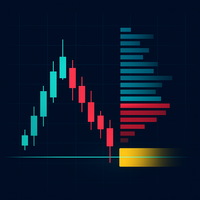
How to use: Immediately the indicator is placed on the chart the user is to specify the timeframe of analysis. The user will also notice that on placing the indicator on the chat there are no bars shown yet. This is attributed to the generation of buy/sell pressure deltas in real time. A VPS is recommended when this indicator is in use. The buy pressure is given by the blue bars above the “0” line whilst the sell pressure bars colored red are below the “0” line. Delta value will scale with the minimum and maximum levels within the sub window. Additionally on the chart it displays the actual buy orders as green and red for the tick buy pressures for each candle stick.
The developer has maintained the buy sell orders of a particular timeframe stored on the chart even after the offloading the indicator. The reason is that no previous deltas are stored and all information is accessed in real time. It is imperative that you choose the timeframe of analysis before confirming the upload of the indicator values. In that case switching from the timeframe of analysis can cause an overlap in the object buy/sell pressure drawn on the chart. For a clear view the user must delete the current chart window, place a new one fill in the desired timeframe of analysis.
NOTICE!!!
Regarding the use of this indicator the developer would like to get reviews and recommendations to improve the product. In case of any difficulty in using the indicator contact the developer of the indicator.