TradeMinal Indicators MT5
- Indicatori
- Versione: 3.64
- Attivazioni: 5

TradeMinal Indicators MT5
Smart Market Baskets. An Institutional Perspective. Inside MT5.
Created by Eng.muntaser almuntaser, an AI and open-source data consultant and developer of systems for investment funds, TradeMinal Indicators MT5 brings smart market baskets, cross-market momentum and interactive analysis into one trading workspace.
His vision for TradeMinal is to make complex relationships between markets easier to see and use: gold alongside silver, oil, gold futures and ETFs; oil alongside the Canadian dollar, energy contracts, gold, Bitcoin and the US dollar. The result is a structured view of the forces surrounding your chart, with positive, negative and neutral basket support presented alongside your signal.
Cross-asset research is part of the professional market-analysis landscape represented by institutions such as J.P. Morgan and platforms such as Bloomberg. TradeMinal brings its own independent basket-analysis implementation to MT5; it is not affiliated with or endorsed by either organization, and does not claim to reproduce their proprietary models or data services.
Read the relationship. Follow the momentum. Understand the wider market. Combine BUY and SELL signals, configurable targets, technical readings and related-market comparisons without leaving your chart.
Discover the market behind the move
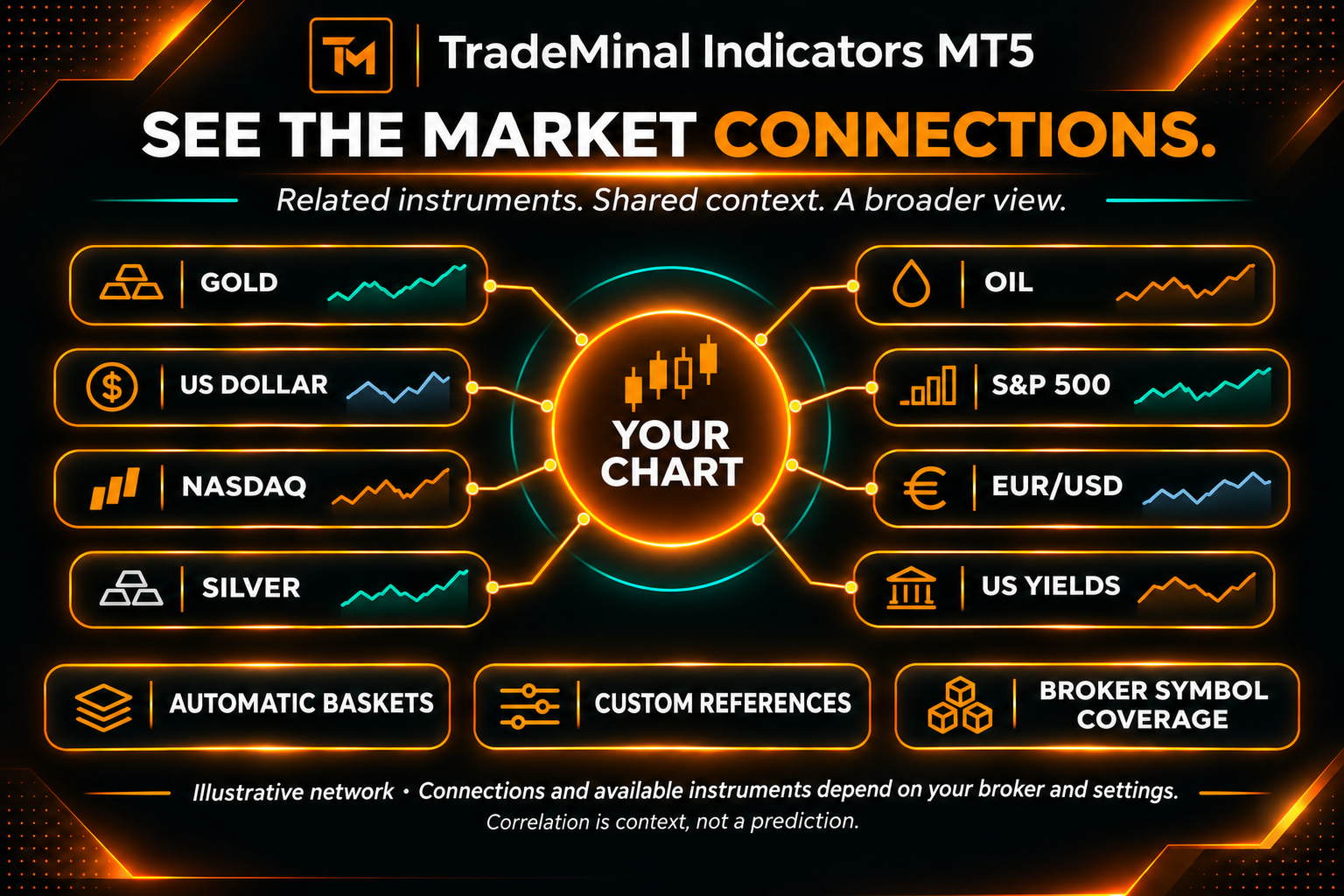
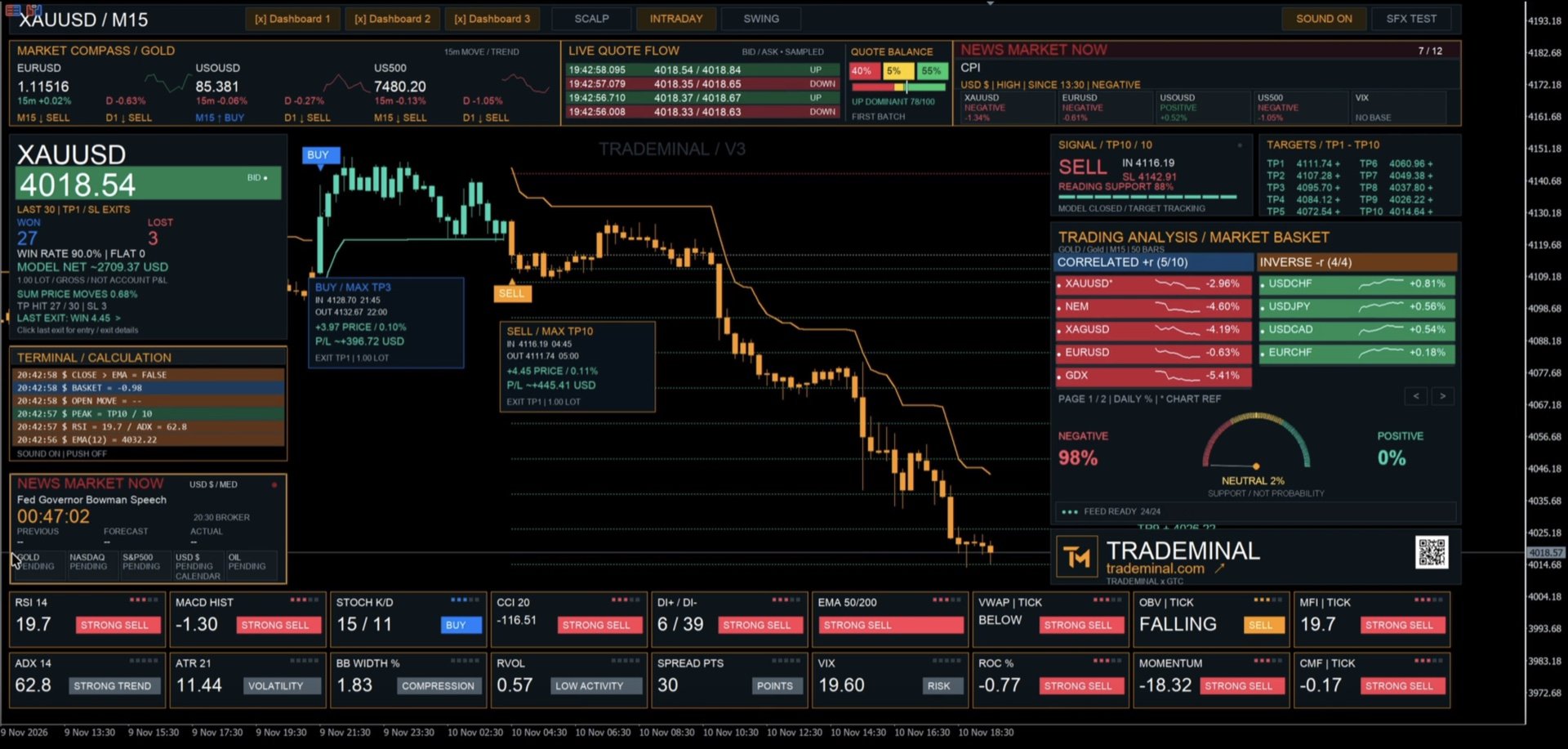
TradeMinal brings an advanced, multi-market analysis workspace to MetaTrader 5. Its related-market basket system compares your chart with selected instruments, helping you read price action alongside correlation, momentum and volatility. See where markets move together, where they move in opposite directions and where the wider picture becomes mixed.
The basket adapts to the selected market through automatic profiles, with custom references available when you want greater control. Positive and inverse relationships are evaluated from available price history; they are not assumed to remain constant.
- Gold in context: compare gold with references such as silver, oil, gold futures, gold ETFs including GLD and IAU, the US dollar, Treasury yields and VIX.
- Oil in context: explore references such as WTI and Brent futures, USD/CAD, gold, Bitcoin, the US dollar, energy instruments and VIX.
- A wider market universe: explore profiles for currencies, indices, stocks, ETFs, metals and digital assets, subject to the instruments your broker provides.
Correlation-weighted basket readings combine the direction of related-market moves with volatility-adjusted pressure. The dashboard summarizes positive, negative and neutral support, helping you compare the chart signal with its surrounding market context. These percentages describe analytical support, not a probability of profit.
When your chart and its related markets disagree, the comparison can draw attention to a divergence worth investigating. It does not identify or prove market manipulation.
Read the setup in four steps
- Select your market: load the chart and let the automatic basket identify related references, or choose your own.
- Compare the relationships: review positively correlated and inverse references alongside their price movement.
- Check the pressure: combine basket support with momentum, trend and volatility readings.
- Plan and review: follow the signal, configured targets and reference stop, then inspect the recorded model outcome.
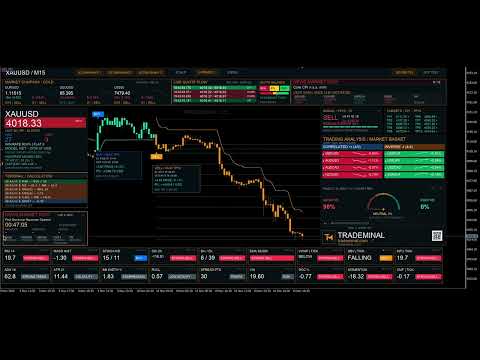
A live, interactive trading workspace
Follow color-coded readings, compact market charts, a calculation terminal and configurable dashboards directly on your chart. The quote-flow panel displays sampled bid/ask movement; where the broker supplies recent trade ticks, it can display a Time & Sales view with price, size and trade-side flags when available. This is not a full exchange order book, and refresh speed depends on the data feed and terminal.
A workspace built around your approach
- Choose your pace: switch between Scalp, Intraday and Swing modes to adjust signal-frequency settings.
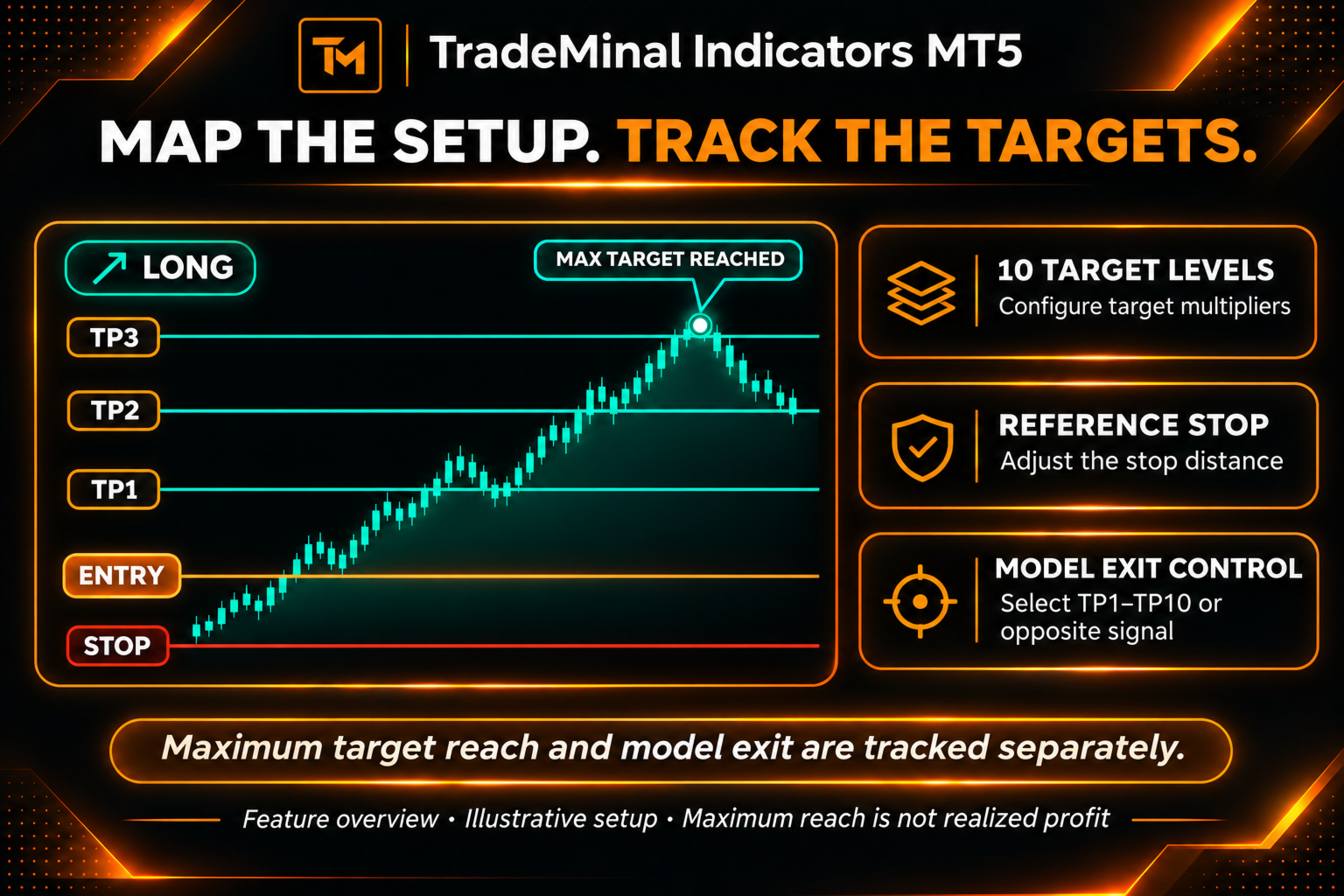
- Map the setup: view trend lines, confirmed BUY and SELL signals, ten configurable targets and a reference stop.
- Read the context: bring RSI, MACD, Stochastic, CCI, directional movement, volatility and volume-related readings into your analysis.
- Explore connected markets: use automatically selected baskets or custom references to compare related instruments available from your broker.
- Make it yours: show or hide panels, adjust their position and dimensions, and customize colors, markers, targets and history cards.
- Stay informed: configure popup, sound and mobile notifications using the terminal notification settings.
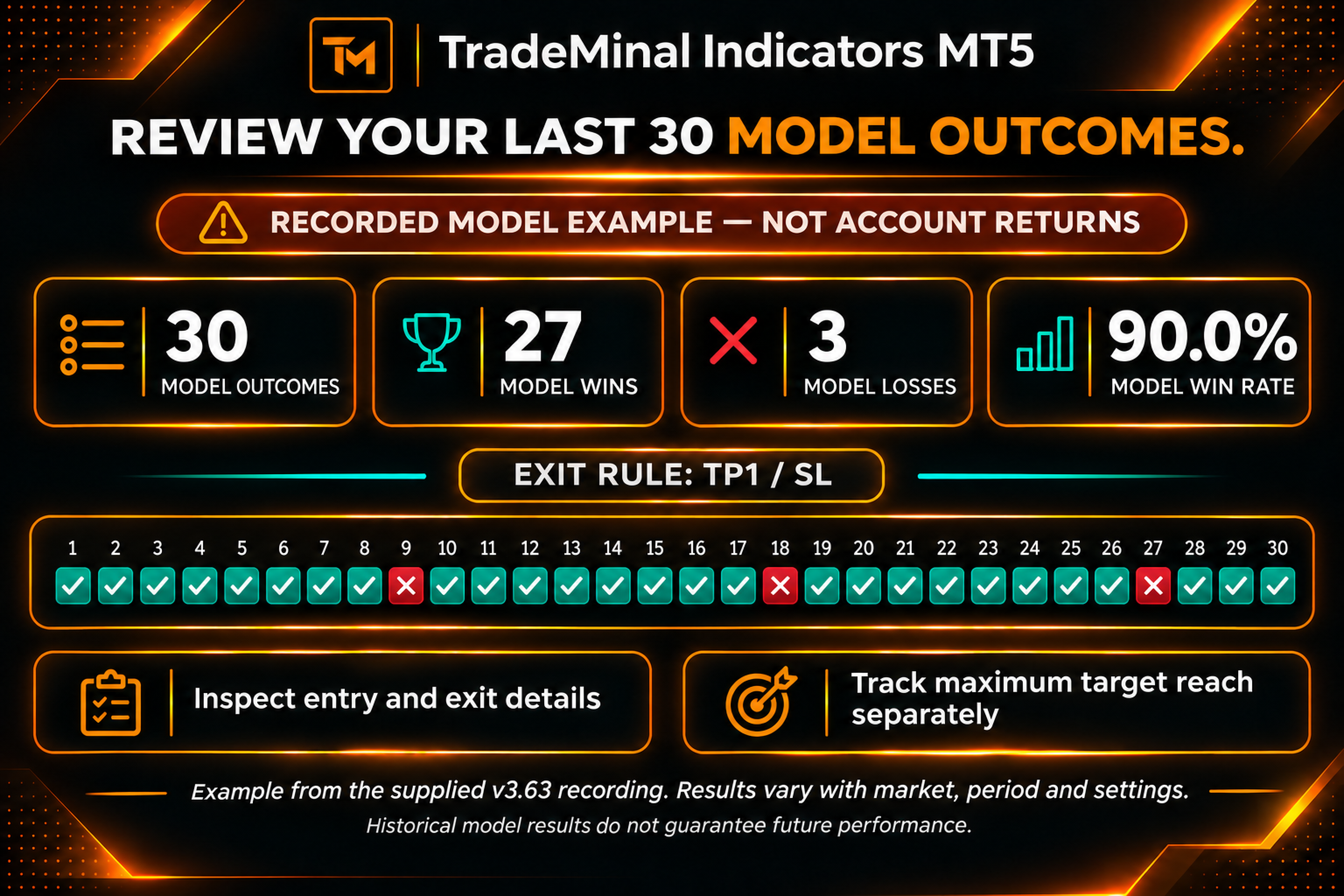
From the next setup to the last 30 outcomes
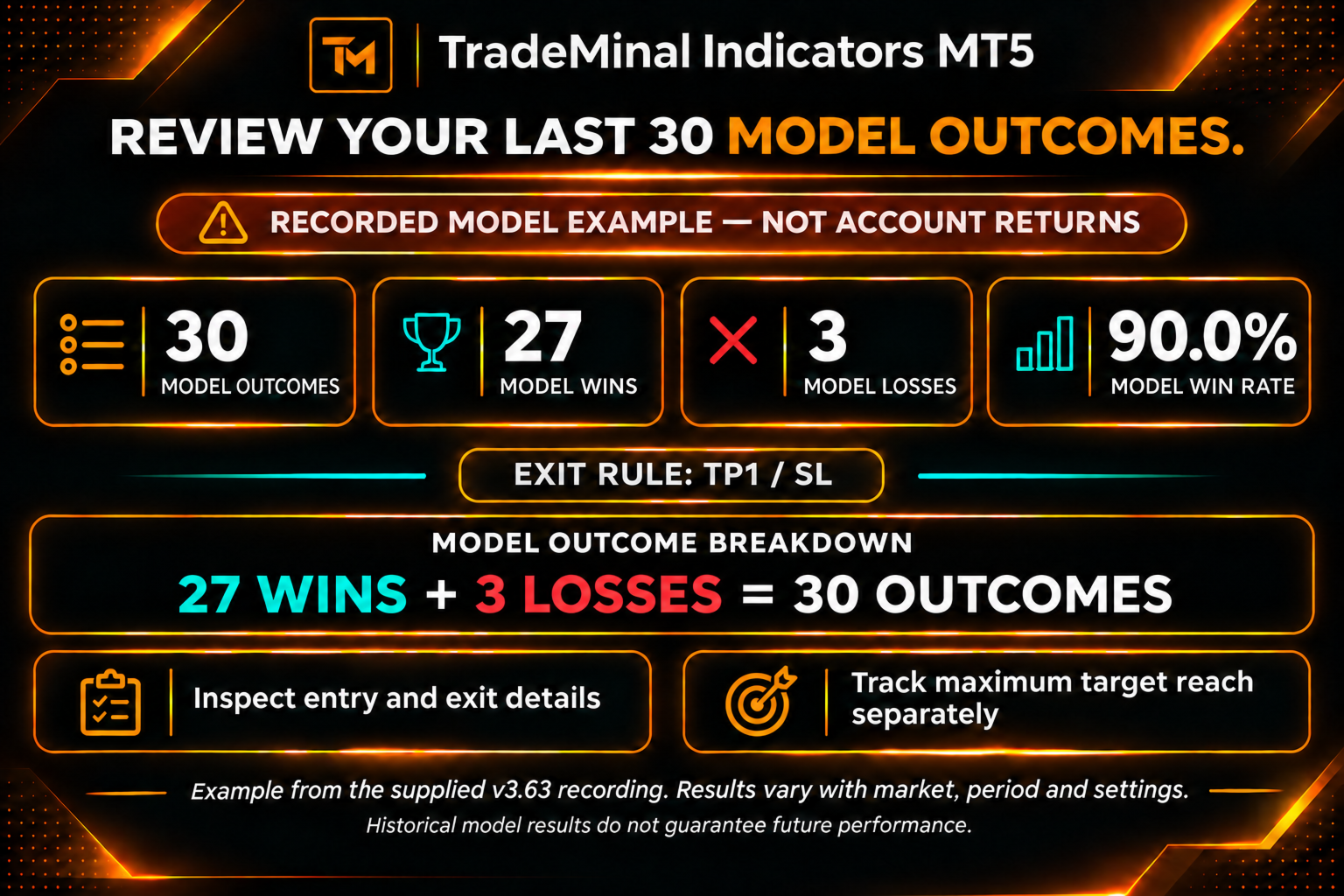
Review up to 30 model outcomes and follow the maximum target reached by a signal. Separate target-excursion and model-exit readings help you understand both the movement a setup offered and the outcome of your selected exit settings.
Start with your market
For initial evaluation, try M5 or M15 on gold and M30 or H1 on stocks offered by your broker. Choose your chart period in MetaTrader 5, select a mode and fine-tune the inputs for your approach. These timeframes are starting points for testing, rather than proven optimal settings.
Key settings at your fingertips
Customize signal sensitivity and baseline length, target multipliers and reference-stop distance, dashboard visibility and layout. Use automatic market baskets or select custom references to suit the available symbols.
ExitTarget: selects the model exit target; TP1 is the default, while 0 uses an opposite-signal model closure.
Reference volume: controls monetary model calculations and does not place a live trade.
Get started: install through MetaTrader 5 Market, attach the indicator to a chart and allow the required history to load. Explore the settings in a demo environment before using the readings in your trading decisions.
Designed and developed by Eng.muntaser almuntaser
Eng.muntaser almuntaser is an AI and open-source data consultant and systems developer. His professional background includes projects for more than 13 ministries and major companies in the Gulf region, as well as AI systems for multi-million-dollar investment funds. He developed TradeMinal to make multi-market relationships and data-driven analysis accessible through an interactive MT5 workspace. Support is available through MQL5 product comments and messages.
About the readings: this is an analytical indicator and does not execute trades. Maximum target movement is not realized profit. Model statistics are not verified account returns and do not guarantee future results. Instrument coverage, available history and data updates depend on your broker and terminal connection.