Trend Compass MTF
- Indicatori
- Versione: 1.0
- Attivazioni: 10

# Trend Compass MTF — Closed-Bar Trend & Signal Indicator
## Short Description
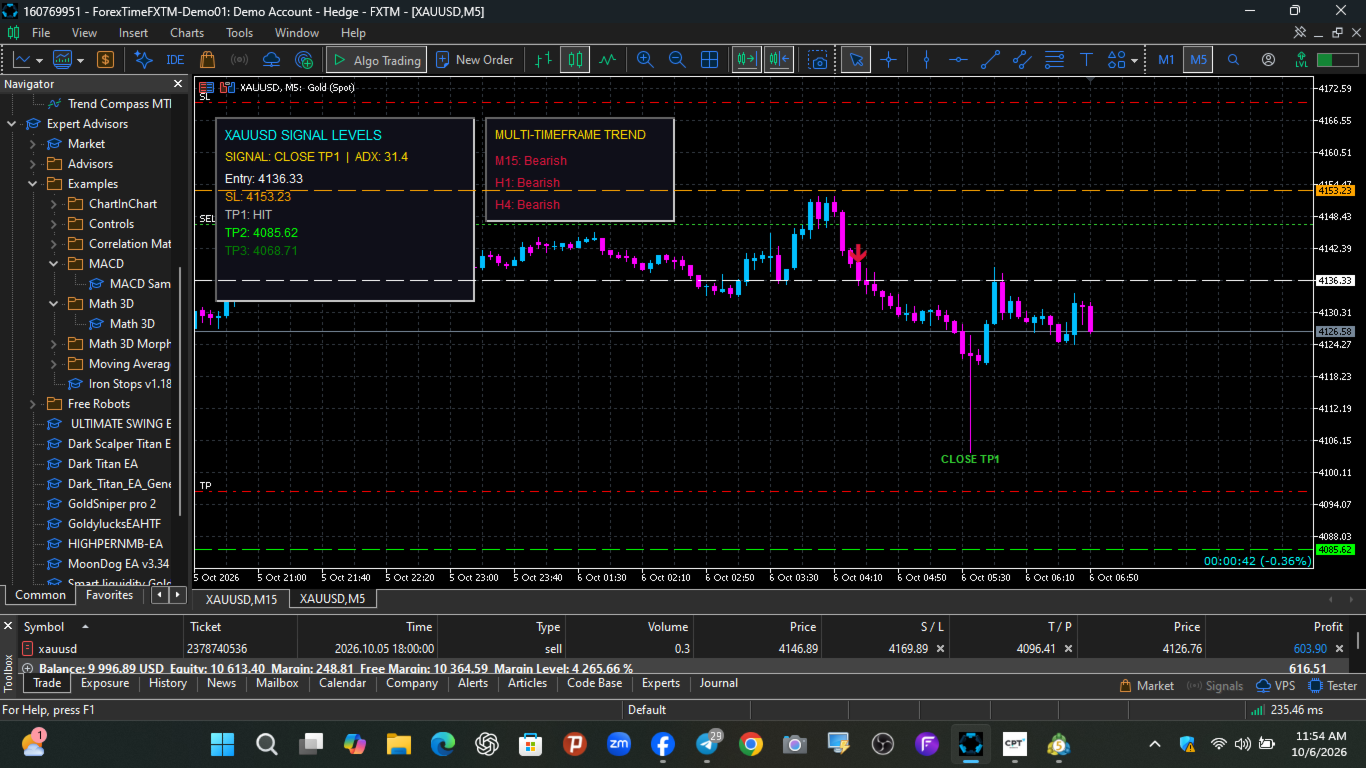
Get higher-timeframe trend context while viewing your entry chart. Trend Compass MTF displays M15, H1, and H4 EMA trends alongside closed-bar BUY and SELL signals, swing-based stop-loss levels, configurable R-multiple targets, and visual target or reversal markers.
## Full Description
Trend Compass MTF is a chart indicator designed to help you view signal conditions and broader trend direction in one place.
Attach it to your preferred chart timeframe—including M1—and use the M15, H1, and H4 trend panel for additional market context. The trend panel compares each timeframe’s last closed candle with its EMA. Signal arrows are evaluated on closed chart candles.
### Key Features
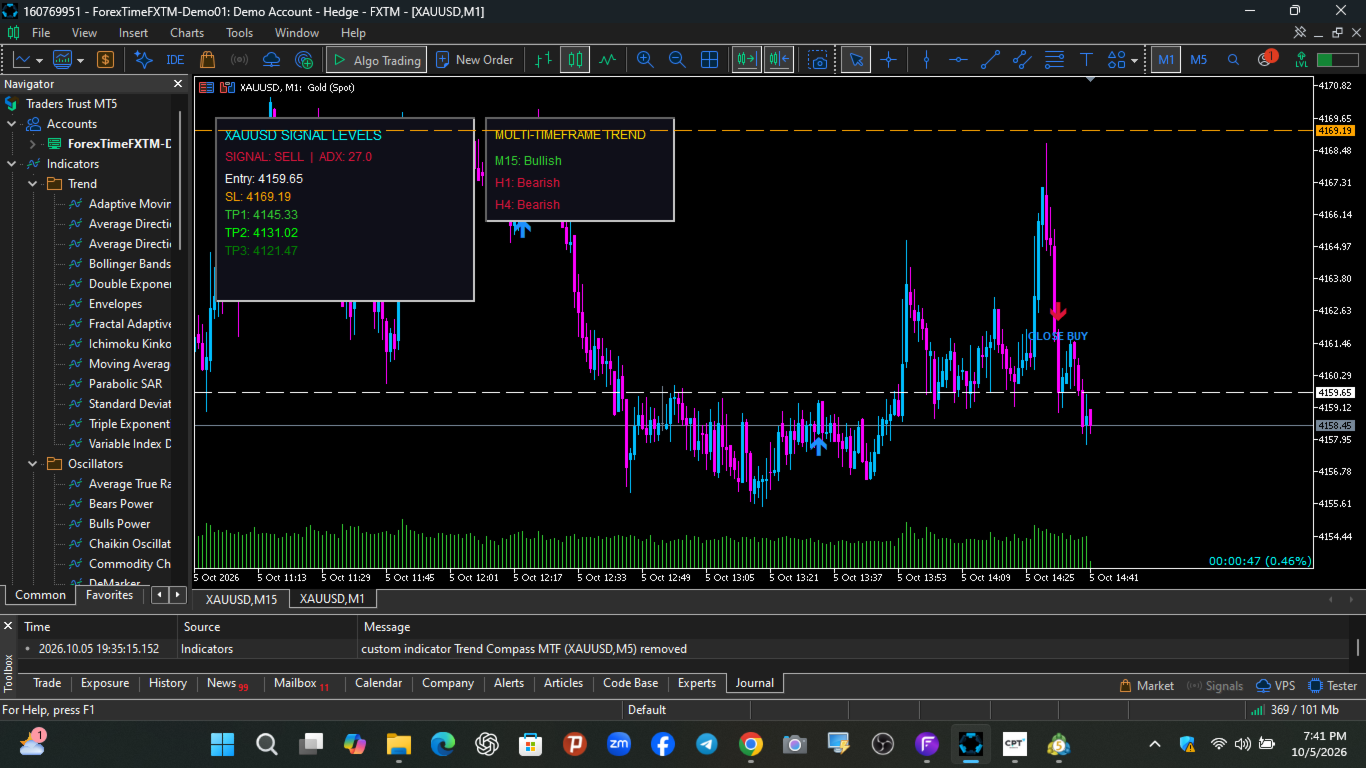
- **Multi-timeframe trend panel:** Shows Bullish, Bearish, Neutral, or Loading for M15, H1, and H4.
- **Closed-bar BUY and SELL arrows:** Signals are evaluated after the candle closes.
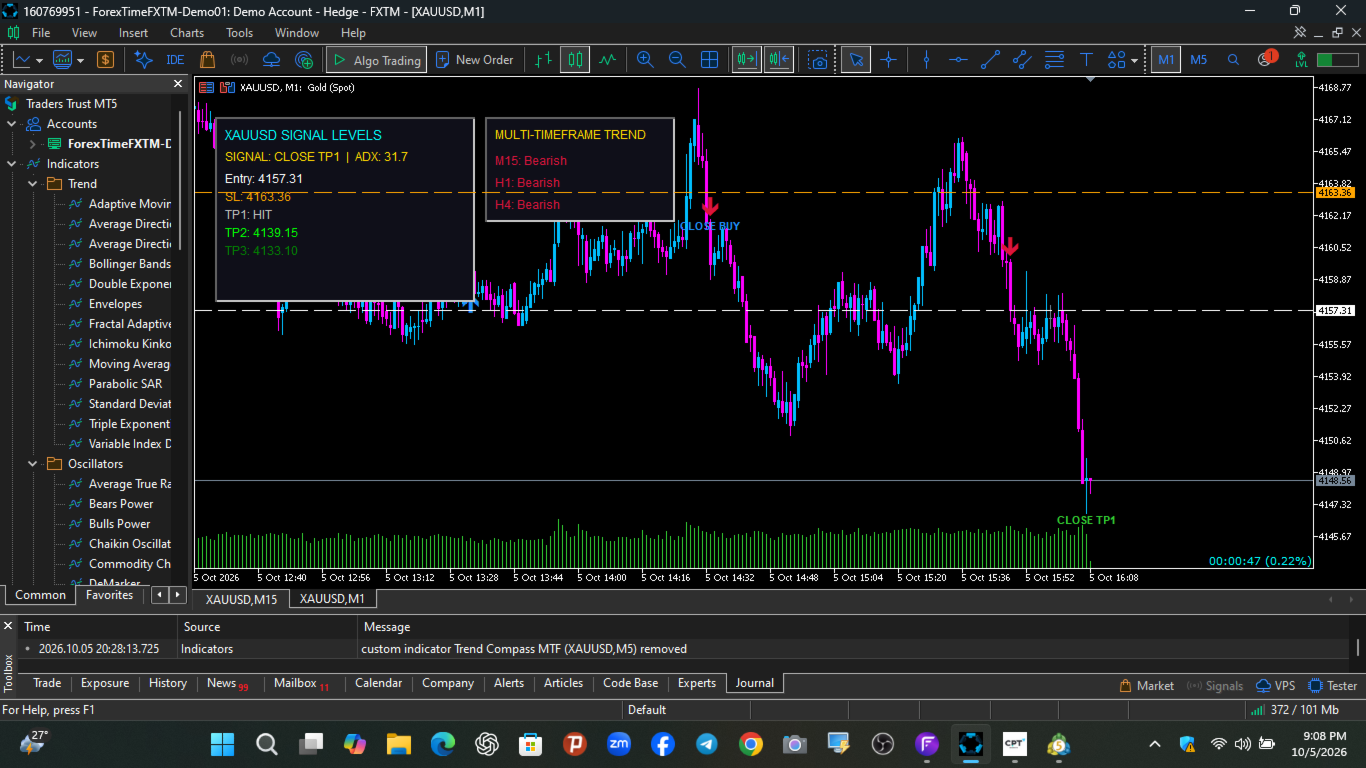
- **On-chart signal dashboard:** Displays the latest signal, entry reference, stop loss, and target levels.
- **Swing-based stop loss:** Uses recent swing highs or lows with an adjustable ATR buffer.
- **Configurable R-multiple targets:** Set TP1, TP2, and TP3 distances. Default values are 1.5R, 3R, and 4R.
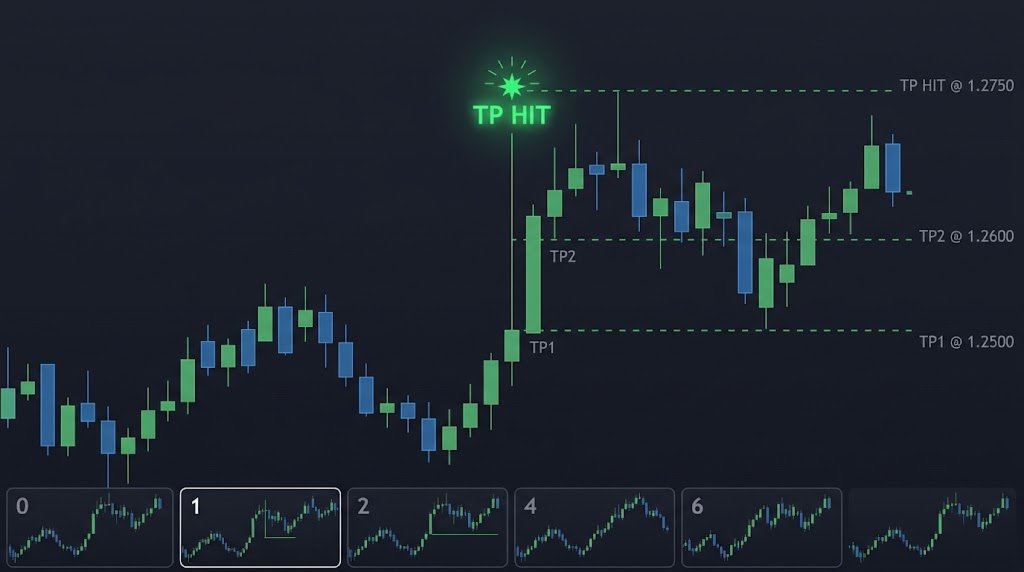
- **Target touch markers:** Displays a CLOSE TP1, CLOSE TP2, or CLOSE TP3 label when a target is reached on a closed candle.
- **Reversal markers:** Displays CLOSE BUY or CLOSE SELL when a confirmed opposite arrow appears.
- **Chart levels:** Draws entry, stop-loss, and target price lines for the latest signal.
### Signal Conditions
The indicator combines the chart timeframe’s EMA, ADX and directional indicators, RSI threshold crossing, and candle-body strength.
A BUY signal requires bullish directional conditions, price above the chart timeframe EMA, an RSI move above its configured threshold, and a strong bullish candle. SELL conditions apply the corresponding bearish rules.
### Suggested Workflow
1. Add the indicator to your chart.
2. Review the M15, H1, and H4 trend readings.
3. Wait for a confirmed BUY or SELL arrow on your chosen chart timeframe.
4. Review the displayed stop-loss and target levels as reference points.
5. Use your own trading plan to decide whether to enter, manage, or close a position.
### Important Information
Trend Compass MTF is an **informational indicator**. It does not open, manage, or close trades. The displayed entry, stop-loss, and target prices are calculated reference levels, not guaranteed execution prices or profit outcomes.
Target and stop touches are identified from candle high/low data. If a single candle reaches both a stop and a target, the indicator treats the stop as having been reached first because candle data does not show which level was hit first.https://youtu.be/1mr1yJdc4NU
Always evaluate the indicator on your broker’s data and test your settings before using them in live trading.
Right now, the M15/H1/H4 panel only shows whether the last closed candle is above or below the EMA 200. Those timeframes do not filter or confirm your BUY/SELL signals. The signals come from the chart timeframe using ADX/DI, EMA, RSI, and candle strength.
Entry timing
- Check the trend panel first. Look for BUY setups when M15, H1, and H4 are all Bullish; look for SELL setups when they’re all Bearish. If they disagree, consider waiting.
- Wait for a signal on a closed candle. Don’t enter while the candle is still forming. Your code uses the latest closed candle as the signal reference.
- Don’t chase a late signal. If price has already moved far from the signal candle or is near a target, wait for another setup.
- Use the displayed SL and targets as reference levels. Your stop is based on a recent swing plus an ATR buffer; targets are set at 1.5R, 3R, and 4R. They’re levels in the indicator, not guaranteed outcomes.
- Reassess after the SL is hit or a new opposite signal appears. Don’t assume the old setup is still valid.
One important detail: the dashboard can show the latest historical signal, even if it appeared a while ago. That doesn’t necessarily mean it’s a fresh entry. Treat the MTF panel as trend context for now—the code doesn’t yet require those timeframes to agree before showing a signal.