ECFX Citadel Crypto R2
- Experts
-
Jarrod Emery
 I’m the founder of ExpertCodeFX and an MQL5 Expert Advisor developer focused on practical, testable automation for MetaTrader 5.
 - Versione: 1.6
- Attivazioni: 5
ECFX Citadel Crypto R2 is a multi-symbol cryptocurrency Expert Advisor for MetaTrader 5. It manages a configurable basket of 1 to 15 supported cryptocurrency symbols from one H1 chart. Each active symbol keeps independent strategy state while sharing account-level equity, margin and portfolio safeguards.
THREE COORDINATED ENGINES
• Engine A uses multi-timeframe price levels, pending entries, filters and position management.
• Engine B uses a separate session-based trading model.
• Engine C uses an independent portfolio model with separate order ownership.
Each engine uses its own magic-number namespace. The engines can operate independently while sharing the same account equity, free margin and portfolio protections.
MULTI-SYMBOL BASKET
BasketSymbols accepts comma-separated broker instrument names. Citadel validates every configured symbol before creating its trading context. Optional symbols that are unavailable are recorded as skipped rather than causing the entire EA to detach, provided BasketMinimumAvailableSymbols is satisfied.
The dashboard and Experts log show active, available and skipped symbol information. This allows the usable portion of a basket to continue without hiding configuration problems.
BROKER SYMBOL COMPATIBILITY
Cryptocurrency availability and naming differ between brokers. Bitcoin may appear as BTCUSD, BTCUSD.a, BTCUSDm, BTCUSDp or another broker-specific name.
Citadel first checks the exact configured name. When BasketResolveBrokerNames is enabled, it can accept one unambiguous broker prefix or suffix match. If no match exists, the symbol is skipped or initialization is refused according to BasketSkipUnavailable. If several possible matches exist, Citadel refuses to guess and reports the ambiguity in the Experts log.
The default IC Trading / CapitalPointTrading development basket contains nine symbols verified as available in the test terminal:
BTCUSD, SOLUSD, ADAUSD, BCHUSD, LTCUSD, XLMUSD, BNBUSD, DOTUSD and POLUSD.
Availability, contract specifications and trading hours can change. A broker preset confirms symbol-name compatibility only at the time of testing. It does not guarantee identical spreads, margin requirements, execution or results.
ON-CHART DASHBOARD
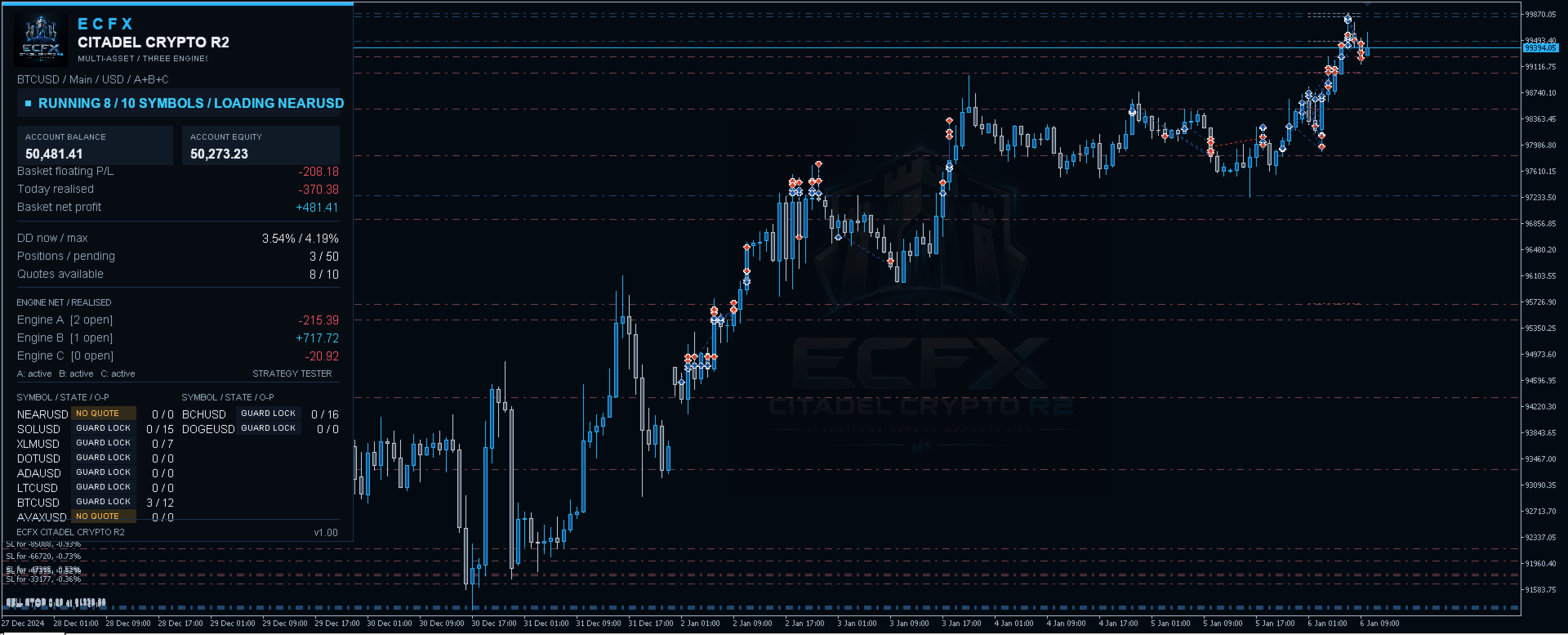
The Citadel dashboard displays:
• Account balance and equity
• Basket floating profit or loss
• Today's realised result and basket net result
• Current and maximum drawdown
• Open positions and pending orders
• Live quote and skipped-symbol counts
• Engine-level net and realised figures
• Per-symbol readiness, position count and pending-order count
SETUP
1. Use a MetaTrader 5 hedging account.
2. Open Market Watch and display the intended cryptocurrency instruments.
3. Enter exact broker names in BasketSymbols, separated by commas and without duplicates.
4. Attach Citadel to one H1 chart.
5. Enable algorithmic trading.
6. Confirm the active, skipped and live-quote counts on the dashboard.
7. Test the selected configuration in the Strategy Tester and on a demo account before considering live use.
IMPORTANT BASKET INPUTS
• BasketSymbols — exact comma-separated broker symbol names, 1 to 15 entries.
• BasketResolveBrokerNames — allows one unambiguous broker prefix or suffix match.
• BasketSkipUnavailable — keeps valid symbols active when an optional symbol is unavailable.
• BasketMinimumAvailableSymbols — minimum usable basket size required for initialization.
• BasketMagicNamespace — stable ownership namespace; do not change while trades are open.
• AnchorOverrides — optional supported-symbol anchor overrides.
• BasketQuoteMaxAgeSeconds — pauses processing when a quote is stale.
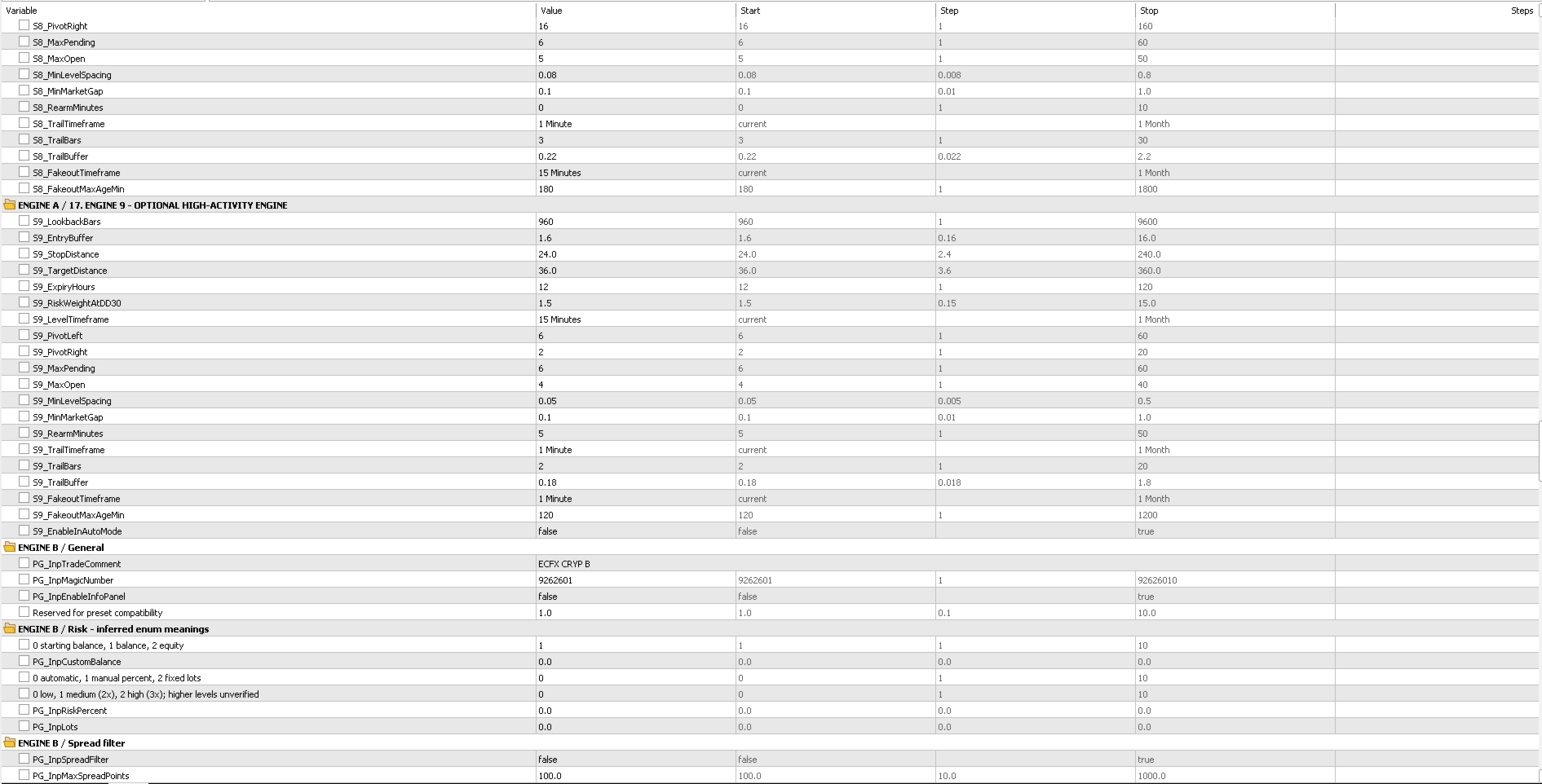
Additional input groups control Engines A, B and C, portfolio protection, exposure, margin handling and display options. Users should save their own tested preset after adapting the broker symbols and risk settings.
REQUIREMENTS
• MetaTrader 5 hedging account
• H1 chart recommended
• Automated trading enabled
• Current quotes and adequate history for every active symbol
• Sufficient free margin for the chosen basket and settings
• One EA instance per basket magic namespace
RISK NOTICE
ECFX Citadel Crypto R2 does not guarantee profit. Cryptocurrency markets can be highly volatile. Spreads, liquidity, trading hours, margin and execution conditions vary between brokers and can change quickly. Automated trading can produce losses. Historical backtests are simulations and are not live trading results. Past performance does not guarantee future results. Test carefully on demo, use conservative settings and monitor margin and drawdown. Users remain responsible for their trading decisions and account risk.