TH SYSTEMS ATR BREAKOUT
RECOMMENDED TIMEFRAME
The recommended timeframe for TH Systems ATR Breakout is M1 (1 Minute).
The provided SET files are designed for use on the M1 timeframe.
LAUNCH WEEK
TH Systems ATR Breakout is available free of charge during the first week after release. After the launch week, the product will be available at its regular price.
FEEDBACK & DEVELOPMENT
Your feedback is highly appreciated. If you have suggestions, feature requests or encounter any issues, please contact me through MQL5. I am committed to continuously improving the EA and will carefully consider user feedback.
If you experience a problem, please give me the opportunity to investigate and help before leaving a negative review.
DISCIPLINE · SYSTEM · EDGE
TH Systems ATR Breakout is a fully automated Expert Advisor designed to identify and trade short-term breakout and momentum opportunities.
The strategy combines ATR-based volatility analysis with price-action and momentum conditions. Entries, exits and risk management are executed automatically according to predefined rules.
STRATEGY CONCEPT
The EA searches for strong momentum movements relative to current market volatility. Depending on the selected configuration, additional price-action conditions can be used to confirm the setup before an entry is placed.
The strategy can use market or pending-order entries and provides configurable stop-loss, take-profit and risk-management options.
KEY FEATURES
• Fully automated trading
• ATR-based momentum and volatility detection
• Optional price-action / indecision confirmation
• Market and pending-order entry modes
• ATR-based or structure-based Stop Loss
• Configurable Risk/Reward Take Profit
• Percentage-based risk management
• Optional EMA trend filter
• Break-even management
• Trading-time filters
• Spread protection
• Support for multiple positions
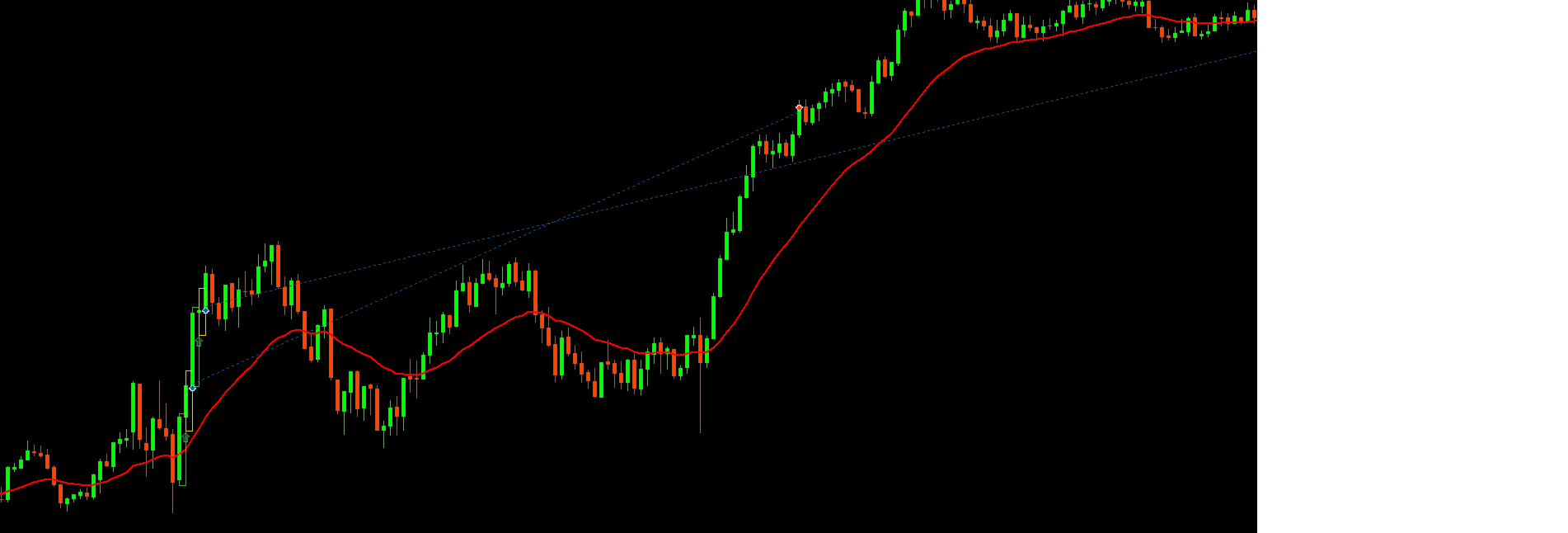
• Visual signal and trade-level information on the chart
DEVELOPMENT & ROBUSTNESS
A major focus during development has been robustness rather than maximizing historical backtest profit.
Parameter configurations were evaluated across different market periods and validated using out-of-sample data. The objective is to identify stable parameter regions instead of selecting individual settings solely because they produced the highest historical return.
IMPORTANT
Broker conditions can significantly affect results. Spreads, commissions, execution, symbol specifications and trading sessions may differ between brokers.
Backtest results therefore cannot guarantee identical future or live-trading performance.
No Martingale · No Grid · No Recovery Trading
Drawdowns and losing periods are a normal part of systematic trading. Past performance does not guarantee future results.
TH SYSTEMS
Discipline · System · Edge
Input Parameters
General
Magic Number – Unique identifier used by the EA to manage its own trades.
Trade Comment – Custom comment added to orders opened by the EA.
Max Open Trades – Maximum number of open positions allowed per symbol and Magic Number.
One Direction Only – Prevents simultaneous long and short exposure on the same symbol.
Delete Opposite Pending – Removes the opposite pending order after an entry is triggered.
Allow Multiple Same Direction – Allows multiple entries in the same direction when new valid signals occur.
Max Trades Same Direction – Maximum number of positions and pending orders allowed in the same direction.
Slippage Points – Maximum permitted price deviation for trade execution.
Momentum Candle
ATR Period – ATR calculation period used to measure current market volatility.
Momentum ATR Multiplier – Defines the minimum momentum candle range relative to ATR.
Momentum Min Body Percent – Minimum candle body size as a percentage of the complete candle range.
Use Close Location Filter – Enables an additional filter requiring the momentum candle to close near its directional extreme.
Close Location Percent – Defines how close the candle must close to its high for bullish signals or low for bearish signals.
Indecision Candle
Use Indecision Candle – Enables or disables the indecision candle requirement. When disabled, the momentum signal is traded directly.
Wick Tolerance Percent – Maximum permitted difference between the upper and lower wick of the indecision candle.
Max Indecision Body Percent – Maximum body size of the indecision candle as a percentage of its total range.
Use Indecision Size Filter – Enables the relative size filter for the indecision candle.
Max Indecision Size Percent – Maximum size of the indecision candle relative to the preceding momentum candle.
Entry
Entry Mode – Selects between immediate market execution and stop-order entry.
Entry Buffer Points – Additional distance in points applied to stop-order entries.
Pending Expiry Bars – Number of bars after which an untriggered pending order expires.
Max Market Deviation ATR – Maximum permitted deviation from the signal close for a market entry, measured relative to
Stop Loss
Stop Mode – Selects between a stop based on previous candles or an ATR-based stop.
Stop Lookback Bars – Number of previous candles used to determine the stop level when using the candle-based stop mode.
Stop Buffer Points – Additional distance added to the calculated stop loss.
Stop ATR Multiplier – ATR multiplier used to calculate the stop distance in ATR mode.
Min Stop Distance Points – Minimum permitted stop-loss distance in points.
Max Stop Distance Points – Maximum permitted stop-loss distance. Set to 0 to disable this limitation.
Take Profit
Use Take Profit – Enables or disables the fixed take-profit target.
Risk Reward Ratio – Sets the take-profit distance relative to the initial stop-loss risk. For example, 2.0 represents a 1:2 risk/reward ratio.
Money Management
Lot Mode – Selects between fixed lot size and percentage-based risk management.
Fixed Lot – Lot size used when Fixed Lot mode is selected.
Risk Percent – Percentage of account capital risked per trade when Risk Percent mode is selected.
Trading Filters
Use Time Filter – Enables or disables the defined trading sessions.
Use Session 1 – Enables the first trading session.
Session 1 Start Hour / Minute – Starting time of the first trading session.
Session 1 End Hour / Minute – Ending time of the first trading session.
Use Session 2 – Enables the second trading session.
Session 2 Start Hour / Minute – Starting time of the second trading session.
Session 2 End Hour / Minute – Ending time of the second trading session.
Trade Monday–Friday – Individually enables or disables trading for each weekday.
Max Spread Points – Maximum spread allowed for new entries. Set to 0 to disable the spread restriction.
EMA Filter
Use EMA Filter – Enables or disables the EMA trend filter.
EMA Period – Period used for the Exponential Moving Average.
EMA Applied Price – Selects the price type used for EMA calculation.
For long signals, the completed signal candle must close above the EMA; for short signals, it must close below the EMA.
Break-even
Use Break-even – Enables or disables automatic break-even management.
Break-even Trigger R – Defines the profit level, measured in multiples of the initial risk, at which break-even is activated.
Break-even Offset Points – Optional profit buffer added beyond the entry price when the stop is moved to break-even.
ATR Trailing Stop
Use ATR Trailing – Enables or disables the ATR-based trailing stop.
Trailing Start ATR – Defines how far price must move into profit, measured in ATR, before trailing begins.
Trailing Step ATR – Minimum ATR-based improvement required before the stop is moved again.
Trailing SL ATR – Distance between the current market price and the trailing stop, measured in ATR
Chart Display
Show Patterns – Enables or disables visual marking of detected patterns on the chart.
Max Displayed Signals – Maximum number of historical signal patterns displayed simultaneously.
Bullish Color – Chart color used for bullish momentum patterns.
Bearish Color – Chart color used for bearish momentum patterns.
Indecision Color – Chart color used for detected indecision candles.

 TH SYSTEMS – DISCIPLINE · SYSTEM · EDGE