ZoneTrading
- Experts
- Versione: 1.0
- Attivazioni: 5

## Introduction
ZoneTrading EA is an advanced Expert Advisor designed for breakout trading strategies. It automatically identifies price zones during specific time windows and places strategic orders to capture breakouts with comprehensive risk management.
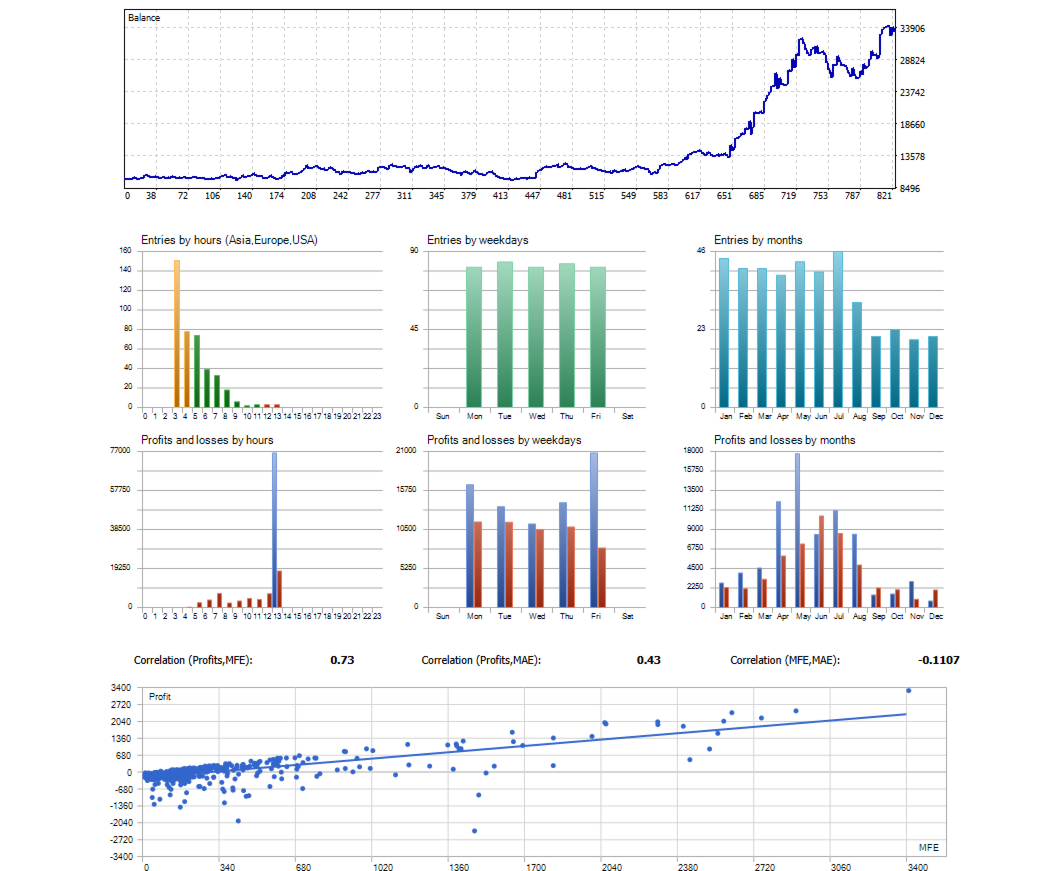
This is day trading EA, all the trade should be closed within the day.
Refer to setup file: https://drive.google.com/drive/folders/1ZBBxm51ilgPamNGpvBJEs0u7aNMgvPPL?usp=sharing
### Key Features
- **Automated Price Zone Detection**: Identifies highest and lowest prices in specified time windows
- **Smart Order Management**: Places Buy Stop and Sell Stop orders with intelligent execution
- **Advanced Risk Management**: Multiple stop loss and trailing stop options
- **Visual Feedback**: Displays price zones on charts with customizable appearance
- **Flexible Trading**: Support for Long, Short, or Both directions
## Installation
### Step 1: Download and Install
1. Download the `ZoneTrading.mq5` file
2. Open MetaTrader 5
3. Press `Ctrl+N` to open MetaEditor
4. In MetaEditor, go to `File` → `Open`
5. Navigate to the downloaded file and open it
6. Press `F7` to compile the EA
### Step 2: Attach to Chart
1. In MetaTrader 5, open a chart for your desired currency pair
2. From the Navigator panel, find "Expert Advisors"
3. Drag `ZoneTrading` onto your chart
4. Configure parameters in the popup window
5. Click "OK" to start the EA
### Time Settings according to server time.
#### StartTimeMinutes
- **Purpose**: Defines when the EA starts analyzing price zones
- **Range**: 0-1440 (minutes from midnight)
- **Example**:
- `180` = 3:00 AM
- `480` = 8:00 AM
- `720` = 12:00 PM
#### ZoneDurationMinutes
- **Purpose**: How long to analyze price action for zone determination
- **Range**: 30-480 minutes
- **Example**:
- `60` = 1 hour analysis
- `150` = 2.5 hours analysis
- `240` = 4 hours analysis
#### CloseDelayMinutes: all the trade must be closed within the day
- **Purpose**: When to automatically close all positions
- **Range**: 60-1440 minutes
- **Example**:
- `480` = Close at 8:00 AM (if start at midnight)
- `960` = Close at 4:00 PM
### Risk Management
#### Stop Loss Types
**1. STOPLOSS_PERCENT**
- Calculates stop loss as percentage of account balance
- **Example**:
- Account: $10,000
- StopLossValue: 1.0
- Stop Loss: $100 (1% of account)
**2. STOPLOSS_POINTS**
- Fixed point-based stop loss
- **Example**:
- StopLossValue: 50
- Stop Loss: 50 points from entry
**3. STOPLOSS_PRICE_ZONE**
- Uses opposite price zone level as stop loss
- **Example**:
- Buy Stop at 1.2000 (high zone)
- Stop Loss at 1.1950 (low zone)
**4. STOPLOSS_MONEY**
- Maximum money loss allowed
- **Example**:
- StopLossValue: 100
- Maximum loss: $100 per trade
#### Trailing Stop Options
**1. TRAILING_NONE**
- No trailing stop applied
**2. TRAILING_PERCENT_OF_SL**
- Activates when profit reaches percentage of stop loss distance
- **Example**:
- TrailingValue: 50
- Activates when profit reaches 50% of SL distance
**3. TRAILING_POINTS**
- Activates when price moves fixed points in favorable direction
- **Example**:
- TrailingValue: 100
- Activates when price moves 100 points in profit
### Volume Management
#### VOLUME_PERCENT
- Calculates volume as percentage of account balance
- **Example**:
- Account: $10,000
- VolumeValue: 1.0
- Volume: 0.01 lots (1% of $10,000)
#### VOLUME_FIXED
- Uses fixed lot size
- **Example**:
- VolumeValue: 0.1
- Volume: 0.1 lots
### Trading Direction
- **TRADE_BOTH**: Places both Buy Stop and Sell Stop orders
- **TRADE_LONG_ONLY**: Places only Buy Stop orders
- **TRADE_SHORT_ONLY**: Places only Sell Stop orders
## Trading Strategy Explained
### How the EA Works
1. **Waiting Phase**: EA waits for the specified start time
2. **Analysis Phase**: Monitors price action during the zone duration
3. **Zone Determination**: Identifies highest and lowest close prices
4. **Order Placement**: Places Buy Stop above high and Sell Stop below low
5. **Execution Management**: When one order executes, cancels the other
6. **Position Management**: Applies trailing stops and manages positions
7. **Closure**: Closes positions at specified time
### Example Trading Day
**Scenario**: EURUSD, Start Time 3:00 AM, Zone Duration 2.5 hours
```
3:00 AM - EA starts monitoring EURUSD
3:00-5:30 AM - Analyzes price action, finds:
- Highest close: 1.2000
- Lowest close: 1.1950
5:30 AM - Places orders:
- Buy Stop at 1.2000
- Sell Stop at 1.1950
6:15 AM - Price breaks above 1.2000
- Buy Stop executes
- Sell Stop automatically cancelled
6:15 AM - 7:00 PM - Position managed with trailing stop
7:00 PM - Position automatically closed
```
## Troubleshooting
### Common Issues
**1. EA Not Placing Orders**
- **Cause**: Insufficient margin
- **Solution**: Reduce volume or add funds
- **Cause**: Invalid time settings
- **Solution**: Check StartTimeMinutes and ZoneDurationMinutes
**2. Orders Not Executing**
- **Cause**: Price not reaching zone levels
- **Solution**: Adjust time window or check market conditions
- **Cause**: Spread too wide
- **Solution**: Wait for better market conditions
**3. Unexpected Position Closures**
- **Cause**: Stop loss hit
- **Solution**: Review stop loss settings
- **Cause**: Time-based closure
- **Solution**: Check CloseDelayMinutes setting
**4. Multiple Positions Open**
- **Cause**: Both orders executed simultaneously
- **Solution**: EA automatically closes worst position
- **Cause**: Magic Number conflict
- **Solution**: Change Magic Number
**Remember**: Always test new settings on a demo account before using them on a live account. Forex trading involves substantial risk, and past performance does not guarantee future results.
Suggestion setup:
Time UTC+0, please convert to your server time
| Start time(minutes) | Duration time from Start time(minutes) | Close time from start time(minutes) | |
|---|---|---|---|
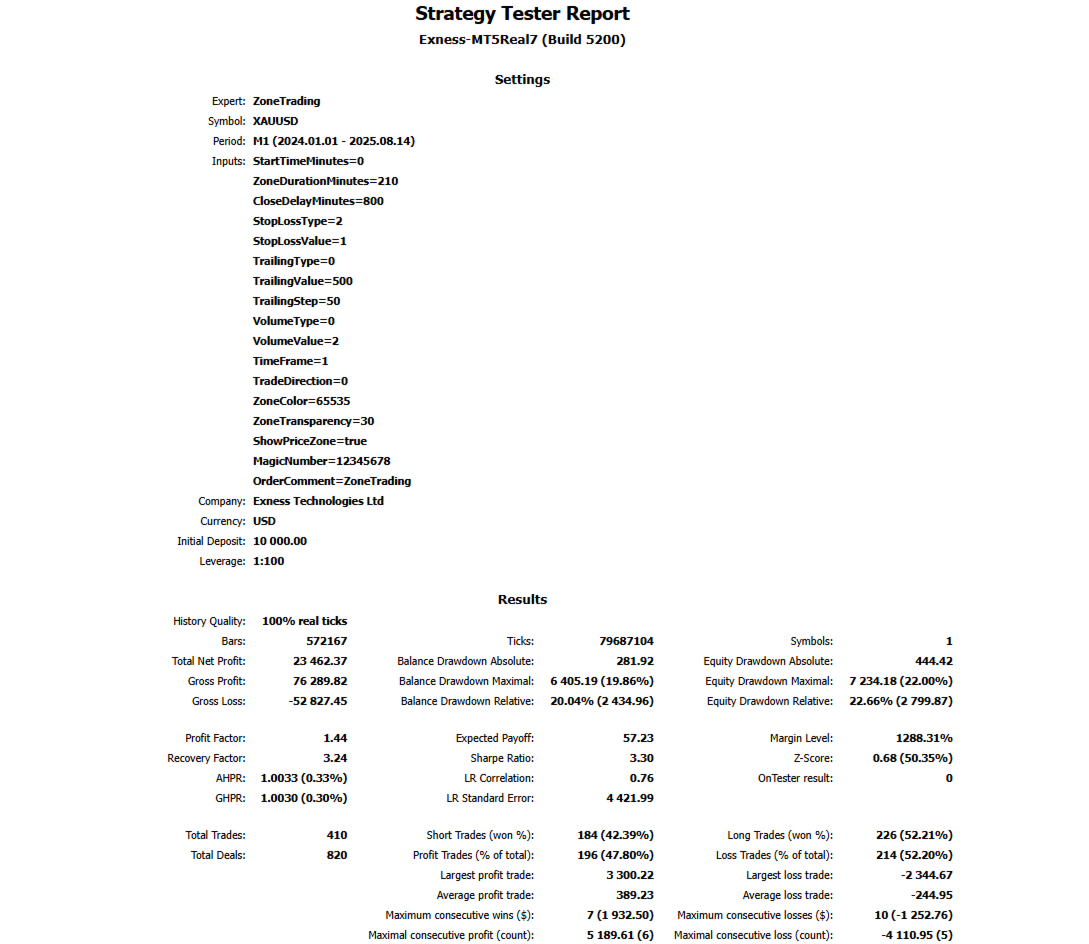
| XAUUSD | 0(00:00) | 210 | 800 |
| USDJPY | 0(00:00) | 180 | 920 |
| USTECx100 | 75(01:15) | 195 | 875 |
| ETHUSD | 15(00:15) | 180 | 1040 |
Please run the optimization to have the best setup!