Trendicator
- Indicatori
- Versione: 1.2
- Aggiornato: 1 febbraio 2026
- Attivazioni: 5

Functions
-
Analyzes the current market trend
-
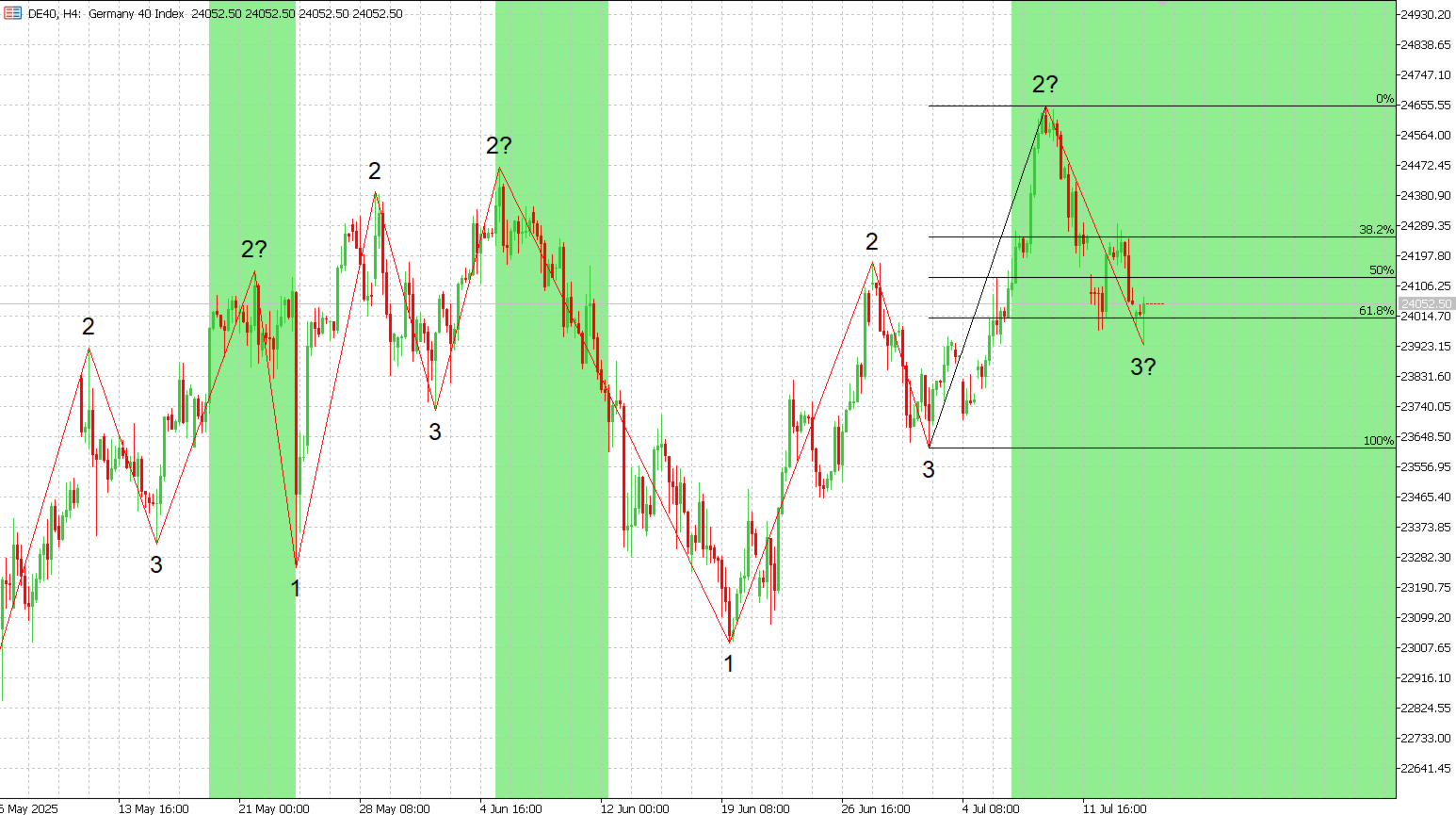
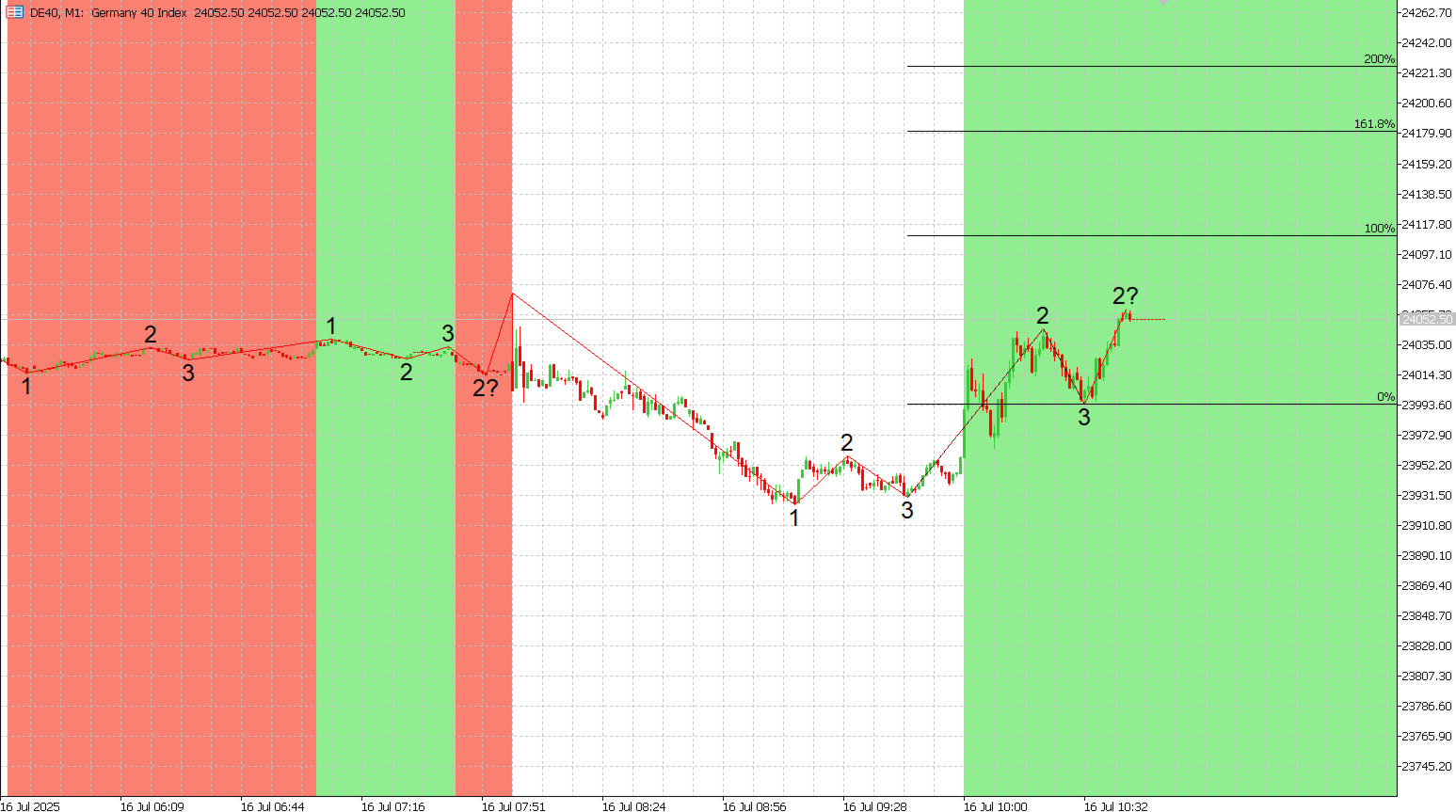
Displays a numbering system based on trend structure (see below)
-
Colors the chart background depending on trend direction
-
Displays the ZigZag indicator
-
Display Fibonacci Retracement with custom defined levels at the lates corrective trend movement
-
Display Fibonacci Expansions with custom defined levels at the latest progressive trend movement
-
Buffers for all relevant Trend parameters so EAs can access the trend information
Background Information
The Trendicator analyzes and visualizes the current market trend.
It is based on Dow Theory and the concepts described in the German book “Das Große Buch der Markttechnik.”
A trend is defined by the following structure:
-
Uptrend: Higher highs and higher lows
-
Downtrend: Lower lows and lower highs
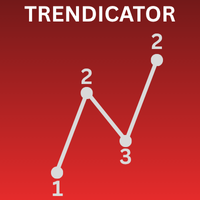
A numbering system is implemented:
-
Starting point of a trend (Low for uptrend, High for downtrend)
-
Highs (uptrend) or Lows (downtrend)
-
Lows (uptrend) or Highs (downtrend)
Unconfirmed points are marked with a ? .
A valid trend requires at least four points (two highs and two lows).
If price breaks the last P3 level, the trend is considered broken.
A new trend in the opposite direction also ends the current trend.
The indicator provides a quick and intuitive overview of the current market situation and key price levels.
Settings
-
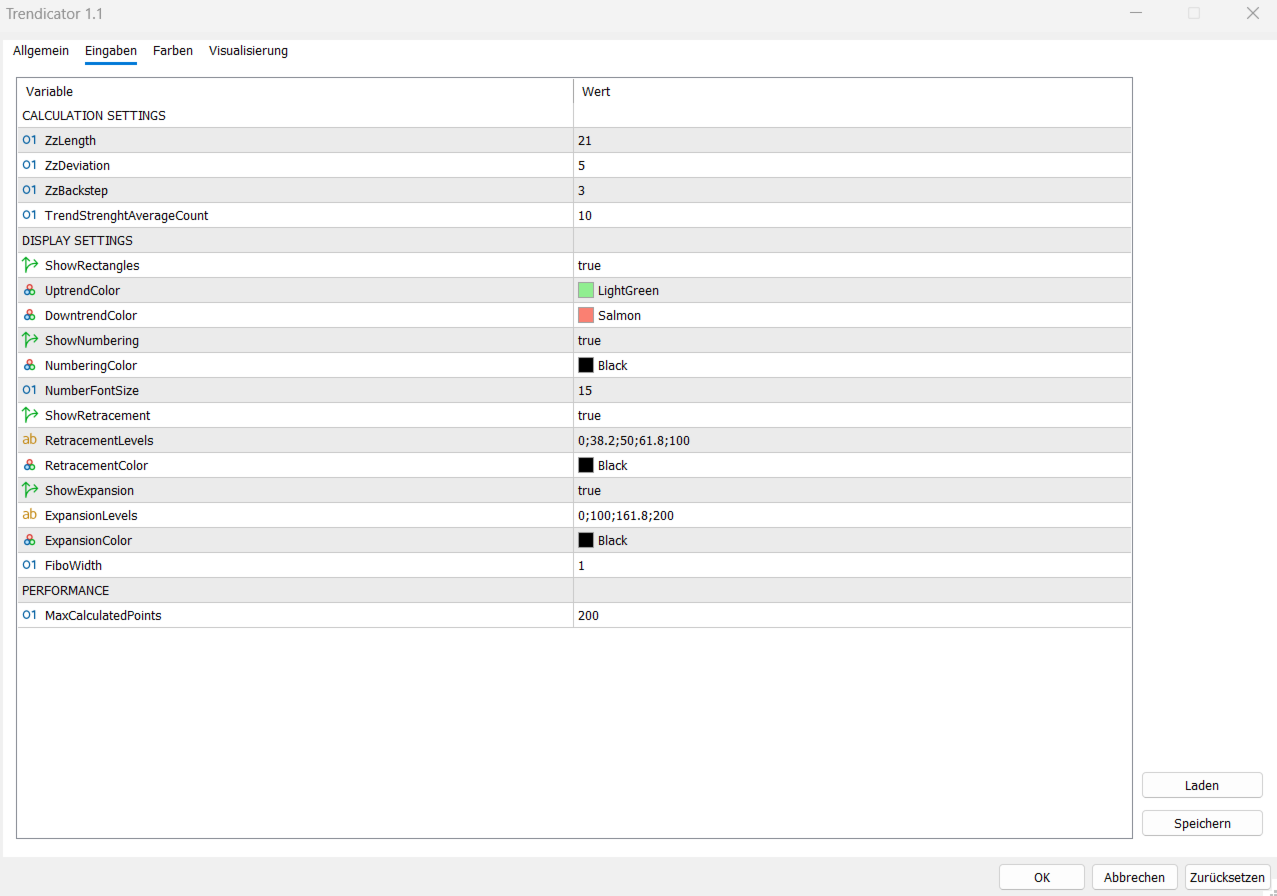
ZigZag Parameters / Buffer settings (Length, Deviation, Backstep):
Directly forwarded to the standard ZigZag indicator.
These adjust how highs and lows are detected. The average trend strength can also be selected. A moving average is calculated for the last x trends, how many confirmed P2s they had. -
Display Settings:
-
Define the colors for ZigZag lines, numbering, and background shading
-
Font size for numbering
-
Toggle display of ZigZag, numbers, and background
-
Toggle diyplay of Fibonacci Retracement / Expansion
-
Custom Levels for Fibonacci Retracement / Expansion (separate levels by ";" for example "0;38;50;68;100")
-
Color and line width selection for Fibonacci tools
-
-
Performance:
-
Number of extreme points to analyze
-
A higher number gives a longer trend history but may increase loading time when switching symbols or timeframes
-
Buffers
Moste buffers are only calculated / updated for the current trend for performance reasons. 11 Buffers are used:
0) Zig Zag: just copied and displayed from the ZigZag Indicator.
1) Trend Direction: Can have the values 1 (Uptrend), 0 (No trend), -1 (Downtrend). Its the same then the colored background of the chart.
2) Retracement: Calculates the retracement value (comparable to Fibonacci Retracement Object) of the current move (1 = Broken Trend, 0 = Trend Continuation). Resets after Trend Break or Trend Continuation. It is based on candle highs (down trend) and candle lows (up trend).
3) Expansion: Calculates the expansion value (comparable to Fibonacci Expansion Object) of the current move. Resets after beginning of trend correction. It is based on candle hights (down trend) and candle lows (up trend).
4) Confirmed P2 Count: Resets at the start of each trend, counts the number of confirmed P2 (not 2?).
5) Open P2 Count: Counts the unconfirmed P2 (2?) of the current Trend.
6) Next Open P2: Holds the value of the next unconfirmed P2 (2?) seen from the current price (next trend continuation).
7) Last Open P2: Holds the furthest away unconfirmed P2 (2?) point from the current trend. If Buffer 5 == 1 (only one unconfirmed P2) then Buffer 6 and Buffer 7 (Next ans Last Open P2) are the same.
8) Open P3: Holds the value of the last unconfirmed P3 (3?).
9) Confirmed P3: Holds the value of the last confirmed P3 (3)
10) Average Trend Strength: For each Trend the ammount of continuations (confirmed P2) are calculated. The Buffer averages the value over the last x (definied in settings) trends.
Development Status & Upcoming Features
This product is currently under development!
The core functionality for trend analysis and visualization is complete and available in this version. It is a fully working initial release and will be continuously improved.
Three major updates are planned for the future. The long therm goal is to also update a UI to make it a Multi-Timeframe tool to analyze multiple trend sizes of a symbol at once.