 MetaTrader 5
 Experts
 Indicatori
 librerie
 Utilità
 Widget
 Regole
Guarda i video tutorial del Market su YouTube
Come acquistare un Robot di Trading o un indicatore
Esegui il tuo EA
hosting virtuale
hosting virtuale
Prova un indicatore/robot di trading prima di acquistarlo
Vuoi guadagnare nel Market?
Come presentare un prodotto per venderlo con successo
Utilità di trading a pagamento per MetaTrader 5 - 67
 Di seguito sono riportati i programmi di trading che semplificano il trading in MetaTrader 5. Passa il mouse su un'utilità per leggerne la descrizione e la sua funzione.

See how many input combinations an MT5 Tester preset describes before starting an optimization. Optimization Grid Budget reads one saved .set file and shows the full-grid count, the enabled inputs with the most values, and how many combinations would remain if you held each shown input fixed. Set a pass budget to flag grids larger than the number you planned to test.
Getting started
1. Save an inputs preset from the MT5 Strategy Tester. In the terminal data folder, create MQL5/Files/Optimizati

ReplayLab Pro — Historical Replay and Virtual Trading for MT5 ReplayLab Pro is a historical market replay and manual trading simulator for MetaTrader 5. Practice trading on past market data, place virtual orders, analyze results, and save your sessions for later. ReplayLab Pro creates a separate replay chart using historical data from your MT5 terminal. Price history is revealed progressively, allowing you to study market movement without seeing future candles in advance. The utility combines hi

Scalp Level Manager MT5 is a manual trade management panel for scalpers who build a position across multiple entries. Drag a stop loss or take profit line to preview the combined net profit or loss at that price. When you are ready, click Set SL or Set TP to apply the level to matching positions. Moving a line alone does not change anything at the broker. Manage multiple positions from one chart Set SL or Set TP applies a common price to the selected Buy or Sell positions on the current chart sy

================================================================== PRODUCT NAME ================================================================== Total PL Close Manager MT5
( "Basket TP SL Manager MT5" / "TotalPL Force Close MT5")
================================================================== DESCRIPTION ==================================================================
Total PL Close Manager is a trade-management utility for MetaTrader 5. It watches the combined profit and loss of the

Stop losing challenges to the daily loss rule: protection before the trade, not after.
Lyrix Guardian is a risk utility for prop-firm accounts. It does not open trades. It watches your account and enforces your firm's limits with a safety buffer.
What makes it different: it checks the worst case the moment a new position opens. Guardian adds up today's loss, the risk to the stop of every open position and the new one. If that worst case would exceed your daily budget, the new position is close

Tollgate Spread Atlas mostra quanto costa davvero fare trading con il proprio broker. Legge lo storico reale dei tick del simbolo del grafico e di fino a 8 simboli della lista, costruisce una mappa dello spread per ora della settimana (da lunedì a venerdì, 24 ore del server), confronta lo spread live con lo spread tipico dell'ora corrente e trasforma spread, commissione e swap in costo di andata e ritorno e in costo come percentuale dell'ATR su sei timeframe. È di sola lettura: non apre, modific

LENS Smart Trade Manager Manual Trading Panel | Risk Management | Trailing Stop | Account Protection Trade with Control. Manage Risk with Confidence. LENS Smart Trade Manager is a MetaTrader 5 trading utility designed to simplify manual order execution, position management, and account risk monitoring. The utility combines a visual trading panel, position sizing calculator, multiple trailing stop methods, and account protection tools in one chart-based interface. Whether you trade Forex, Gold, I

Doug Scalper Boleta Pro MT5 Boleta profissional de negociação e gerenciamento de ordens para MetaTrader 5 A Doug Scalper Boleta Pro MT5 é uma ferramenta desenvolvida para traders que buscam praticidade, organização e controle na execução de operações diretamente pelo gráfico do MetaTrader 5. Inspirada na experiência operacional de plataformas profissionais de negociação, a boleta reúne recursos para envio de ordens, posicionamento gráfico de entradas, configuração de Stop Loss e Take Profit, ger

[Product name] Magic Closer Panel MT5
[Short description] Close positions in one click, filtered by Magic Number and Symbol. Close Buy / Close Sell / Close All for one EA, your manual trades, or everything.
[Description] Magic Closer is a compact on-chart panel that closes positions in one click — but only the positions you actually mean.
Running several Expert Advisors on the same account? Mixing EA trades with manual trades? A normal "close all" button closes everything. Magic Closer lets

Professional Operations Panel (MT5) Professional Operations Panel is an all-in-one visual utility for manual execution and risk management, designed for high-speed scalping and for practicing in the Strategy Tester. It combines one-click trading with interactive chart lines. Key Features Real-time market info: active symbol, live BID / ASK, spread in points, active timeframe, and a candle close countdown. Chart lines in sync: TP, SL, SL BUY and SL SELL are drawn as draggable horizontal lines. Mo

(Free edition: Pilotdeck One - same panel, risk calculator, one-click trading with drag lines and break-even.) Plan the trade on the chart, see the risk before you click, and let the panel handle the exits. Pilotdeck is a manual trade manager for MetaTrader 5. You drag Entry, Stop Loss and Take Profit lines on the chart; Pilotdeck calculates the lot size from your risk, shows money, percent, R:R and distance live next to each line, and sends the order with one click. After the entry it manages t

Mini Window This is a real chart inside your chart: candles run in real time, the last one breathing along with the price. Its own symbol, its own timeframe — watch H4 while you work on M5, or keep EURUSD beside you while you trade gold. The window is elastic: widen the chart's shift zone and it spreads out with it, narrow the zone and it draws itself in. Along the bottom runs a row of timeframes — M5 M15 H1 H4 D1 — and a single tap switches instantly. In the corner, “−” and “+” for zoom. Across

(Free edition: Relaywire Notify - MT5 -> Telegram notifications only, no signal copying.) Read trade signals from Telegram, turn them into orders with your own risk, and get every trade event back on your phone. Relaywire is an Expert Advisor for MetaTrader 5 that connects the terminal with Telegram in both directions: Telegram -> MT5: it reads signal messages, understands BUY / SELL, entry or entry zone, SL, up to 5 targets and management messages ("close half", "SL to entry", "close all", "can

Creyes Local Trade Copier copies open positions from one MetaTrader 5 terminal to another terminal on the same computer or VPS . It works through a small file in the shared Common folder: no DLL, no internet, no WebRequest and no third-party service . How it works Attach the program to a chart of the terminal whose trades you want to copy and set Mode = Master . Attach the same program to a chart of the other terminal (hedging account) and set Mode = Slave . Use the same channel name in both. Th

================================================================== PRODUCT NAME ================================================================== Same SL TP Manager MT5
================================================================== SHORT DESCRIPTION ================================================================== One-click trade panel: set, move or remove a common Stop Loss and Take Profit for ALL positions on the chart symbol. Break-even, SL +1 pip, Close All, Delete All and an on-char

Shows what your open trades really add up to: net long/short per currency, index and metal exposure, and the money lost if every stop is hit. Buy EURUSD, buy EURJPY, buy USDJPY — three different trades? Not really: you are long EUR twice and short JPY twice. Ballast Exposure Meter adds up every open position on the account and shows the real picture. Net exposure per currency — long or short, the amount in that currency and its value in your account currency, largest first. Indices, metals, stoc

The MT5 copy-trading system consists of two EAs, a Sender and a Receiver. The system can run multiple terminals on one PC, or across two computers using the MT5 common folder or a LAN relay directory. It requires no server and no extra ports. It follows positions, pending orders, partial closes and full closes. It offers four volume modes: ratio, fixed, equal P/L and equity ratio. Volumes are strictly normalized to each symbol's minimum volume step, so non-round steps such as 0.04 lots ar

EuroScalper is a market cockpit for EURUSD scalpers and day traders. One compact panel shows what every timeframe is doing, what trading costs right now, and whether conditions suit a scalp, with a small execution section that sizes each trade from your risk. It is built for EURUSD and works on any symbol. User guide and articles: User guide , How to read multi timeframe RSI and divergence for EURUSD scalping , EURUSD scalping costs: spread, commission and ATR . Multi-timeframe grid One row per

One EA blows through your daily loss in a few minutes — and the challenge is gone.
Multi-EA Guard Pro is an account-level risk manager and equity protector that watches your account, every EA you run (by magic number) and your manual trading, and acts before a limit is broken: it closes positions, deletes pending orders and alerts you. It never opens a trade.
Built for prop firm accounts (FTMO, The5ers, FundedNext, Funding Pips presets included, each with a safety margin below the firm's offic

Trade Guard Pro MT5 is an account-wide trade management Expert Advisor ( Utility ) designed to simplify the opening, monitoring, protection, and closing of trading positions. It provides a convenient graphical control panel directly on the MT5 chart. The EA allows traders to: Open BUY and SELL positions. Close BUY or SELL positions separately. Close all profitable or losing positions. Close all open positions across the account. Partially close positions. Automatically protect positions using B

Every engulfing candle on 29 markets and 6 timeframes, graded A, B or C by where it formed. One panel, one glance. User guide and articles: User guide , How to trade engulfing candles at key levels , Bullish and bearish engulfing patterns: what the context tells you . Most engulfing candles form in the middle of nowhere. The ones traders wait for form at a key level, after a liquidity sweep, with the higher timeframe behind them. EngulfingScanner finds every fresh engulfing on closed bars, check

Keeps your prop-firm challenge inside its rules: fits every stop to the loss you have left, closes and locks before the daily or total limit, locks a reached profit target. A prop-firm challenge is usually lost to one rule: the maximum daily loss or the maximum total loss. Ballast Prop Guard watches the whole account — manual trades and every EA — and makes those limits very hard to break. What it does Fitted stops — every open position gets a stop-loss so that, even if price jumps straight to a

One-click trading that sizes every lot from your risk %, adds a stop-loss to any trade without one, and locks trading after your daily loss limit. Most accounts are not lost by a bad strategy. They are lost by one trade without a stop, one oversized lot, or one bad day that turns into revenge trading. Ballast Risk Panel stops all three. 1. Buy / Sell with the right lot size Press BUY or SELL. Ballast Risk Panel calculates the lot so that the stop-loss loses exactly your chosen % of balance (defa

Manages your open trades for you: break-even, partial profit, ATR trailing stop and time exit — measured in R, never loosening a stop. Opening a trade is the easy part. Ballast Exit Manager handles the rest, the same way every time, for manual trades and trades from other EAs. Everything is measured in R = the trade's initial risk (the distance from entry to the first stop-loss). A trade at +1R has made as much as it risked. Break-even — at +1R (default) the stop moves to the entry price plus a

Closes positions and blocks trading around important news, using MT5's built-in economic calendar. Protects manual trades and other EAs. Big news (interest rates, jobs reports, inflation) can move price more in one minute than in the whole day before it, with wide spreads and slippage. Many prop firms forbid holding trades through it. Ballast News Shield handles it for you. Reads the built-in MT5 economic calendar — no DLL, no web requests, no settings to allow URLs. A set number of minutes befo

(Free edition: Rewindeck One - pause / play, one-click trading, lines set by click, basic statistics.) Replay the market in the MT5 Strategy Tester and practise manual trading bar by bar - with a pause button, a trade panel and statistics for your session. Rewindeck is an Expert Advisor for the visual mode of the MetaTrader 5 Strategy Tester. It adds a replay control (pause, play, next bar, jump to a date) and a trade panel to the tester chart. You place trades like on a live chart: set the Entr

See the real quality of any EA or manual trading: results in R, money and percent, time below peak, monthly heatmap, results per comment, symbol and direction, plus an automatic martingale, grid and no-stop-loss check. Net profit tells you how much an EA made. It does not tell you how it made it, how long you had to wait through losses, or whether the account is one bad week away from disaster. Smart Trade Analyzer reads your account history inside MetaTrader 5 and answers those questions on one

Veritas è il test della verità per i robot di trading. Un backtest può sembrare ottimo per pura fortuna: Veritas risponde a una sola domanda, questo robot batte davvero il caso? Legge un report del Tester Strategie o lo storico del tuo conto e in pochi secondi assegna un voto chiaro, dalla A alla F. Non fa mai trading. Cosa verifica Veritas Gemelli casuali: ogni operazione del robot viene ripetuta 500 volte in un giorno estratto a caso, in una direzione estratta a caso, con lo stesso stop loss,

Trade Planner Pro MT5 Short Description (Tagline):
Visual Risk Calculator, Interactive Chart Trade Planner, and Automated Position Manager (BE, Trailing & Partial Close) with a Resizable HiDPI Panel. Full Product Description: Trade Planner Pro is an all-in-one visual trade planning, risk calculation, and position management utility designed for discretionary, swing, and intraday traders on MetaTrader 5. Stop switching between external lot-size calculators and messy order tickets. Plan every tra

Performance Scoreboard EA - Read-only dashboard
This tool does NOT open, close or modify any trades. It only reads your account's history and shows the results of each Expert Advisor on the chart.
If you run several EAs on one account, the account balance alone cannot tell you which EA is earning and which one is losing. Performance Scoreboard separates every closed trade by EA, so you can review each one on its own.
KEY FEATURES
1. Best EA and Worst EA at a glance - Two tables side by side

OrderBook Radar: il book degli ordini dei grandi exchange crypto, disegnato sul grafico. L'utilità unisce i book di nove exchange (Binance, Coinbase, OKX, Bybit, Kraken, Bitstamp, Bitfinex, Gate, MEXC) in una scala di prezzi accanto al grafico, mostra la profondità cumulata e i maggiori muri di ordini. Il pannello della folla mostra la quota di conti futures long e short su Binance, Bybit, OKX, Bitget, Gate e HTX, con una lettura contraria. Forex e metalli: book e posizioni aperte di OANDA e Myf

UMNi-SYNC
Local Trade Copier for MetaTrader 5 — Master / Subscriber, MT4 and MT5 together UMNi-SYNC copies trades from one MetaTrader account (the Master) to any number of other accounts (Subscribers) running on the same computer or VPS. The master publishes its open positions to a small file in the terminals' shared Common folder several times a second; each subscriber mirrors them: new trades, closes, partial closes and SL / TP changes. MT4 and MT5 terminals copy to each other. Telegram is us

OTT PROP TRADE MANAGEMENT v2.1 EXPERT ADVISOR FOR METATRADER 5 OTT Prop Trade Management is a trading management assistant designed for traders who want to control their entries, calculate position sizes according to predefined risk levels, and protect their capital using integrated trading management tools within a single graphical panel. Main Features Interactive Trading Panel Integrated directly into the MT5 chart, with a minimizable and expandable interface providing execution and trade mana

Drawdown protection for prop-firm style rules: daily loss limit, maximum drawdown (static, trailing or end of day) and a per-EA circuit breaker, with a safety margin. TrendPax DD Protector watches your account and acts before the usual prop-firm rules are broken. It runs on one chart and protects every EA and every manual trade of the terminal. It is a help, not a guarantee. The DD Protector acts as soon as it detects a limit, but slippage, price gaps, connection losses or a closed market can ta

Chart Risk Manager is a trade panel for MetaTrader 5. You set the entry, stop loss and take-profit by dragging lines on the chart, and the panel shows the volume, the loss at the stop loss in your account currency, the margin and the risk as a percent of your balance before anything is sent. Plan the trade on the chart - Market, Buy Limit, Buy Stop, Sell Limit and Sell Stop orders. - Entry, stop loss and every take-profit are lines you drag. 1R and 2R guide lines show the reward against the ris

Stop guessing your lot size. RiskPilot turns position sizing into one drag and one click.
HOW IT WORKS 1. Enter your risk: a percent of balance, equity or free margin, or a fixed money amount. 2. Click LINES and drag the Stop Loss line to where your trade idea is wrong. 3. RiskPilot instantly shows the exact lot size, the money at risk, the reward at your Take Profit and the risk:reward ratio. 4. Click OPEN, confirm, done.
FEATURES - Exact lot size for any symbol: forex, gold, indices, crypto
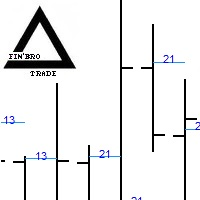
The indicator shows the price level at which the maximum spread was recorded on each bar.
The spread widens when the price is most attractive to traders.
Therefore, the price will also be attractive at these levels on subsequent bars, which can be used in your trading.
There is a high probability of a rebound from these levels on subsequent bars. For a higher probability of successful trading, use a dual-timeframe chart.

One bad day can end a prop firm challenge. PropShield watches your whole account every second and closes everything before a rule is broken.
HOW IT WORKS 1. Attach PropShield to any one chart and enter your firm's rules: daily loss %, maximum drawdown % and the day reset hour. 2. The panel shows live progress bars for the daily loss and maximum drawdown, with the exact equity floor for each. 3. You get a warning (pop-up and/or phone push notification) when a limit is getting close. 4. When the

Daily loss measured the way funded-account programs measure it, deposits excluded, and a lock that closes every new trade in under 2 seconds. Chakana Prop Firm Guard watches your account every second and enforces the rules you set. When a limit is reached it closes all positions, deletes pending orders and closes any new trade opened while the lock is active. The lock survives a terminal restart. How to use it in 3 steps Enter your limits: max daily loss and max total drawdown (plus targets if y

One EA, two modes: no separate master product, no DLL and no internet connection needed. Chakana Trade Copier copies trades between MetaTrader terminals running on the same computer or VPS. Attach it as Master on the account you trade and as Slave on every account that should follow. How to use it in 3 steps Attach it as Master on the account you trade. Attach it as Slave on each follower account, with the same channel name. Choose the lot mode: from then on new trades are copied. Key features F

Read-only: it never opens, modifies or closes trades. It turns your account history into the statistics that show how you really trade. Chakana Trade Journal reads your account history and shows the numbers on a panel on the chart, with an HTML report and a CSV export. How to use it in 3 steps Attach it to any chart (it does not trade). Choose the period: today, this week, this month, all history or custom dates. Filter by magic number to measure one EA, and export the HTML report or the CSV. Ke

CopyLink copies trades from one MetaTrader 5 account to one or more other MetaTrader 5 accounts running on the same computer or VPS. No DLL and no external program: one Expert Advisor that works as Master or Slave.
HOW IT WORKS 1. Install several MetaTrader 5 terminals (one per account) on the same PC or VPS. 2. On the source account, attach CopyLink with Mode = MASTER. 3. On each receiving account, attach CopyLink with Mode = SLAVE and the same Channel name. 4. Every trade opened, modified, p

ChallengeLens - Simulatore di challenge prop firm: percentuale di successo, motivi di bocciatura e lotti migliori
Prima di pagare una challenge di una prop firm, scopri quante volte il tuo EA o il tuo trading l'avrebbe superata.
ChallengeLens prende i risultati giornalieri dello storico del tuo conto o dei tuoi report dello Strategy Tester e rifà la challenge partendo da ogni giorno possibile, con le regole vere della prop firm. In pochi secondi vedi quante challenge sono superate, perché ven

Automated Signal Execution & Risk Management System for Gold (XAUUSD) — Powered by GTMO Telegram Signals This Expert Advisor is a precision trade execution and risk-management engine built exclusively for XAUUSD (Gold) . Designed to seamlessly automate and manage trading signals sent by GTMO on Telegram , it transforms incoming Telegram alerts into disciplined, rule-based market execution with strict capital protection—eliminating manual execution delays and emotional decision-making. Key Strate

Drag the stop line, get the exact lot, trade in one click, and let a daily loss shield lock the account for the day when your limit is reached. Chakana Risk Manager turns position sizing into a single drag. The panel calculates the lot for the percentage of the balance you decide to risk and opens market orders with the stop loss and take profit already in place. How to use it in 3 steps Drag the red stop-loss line to where your stop belongs. Pick the risk with the 0.5 %, 1 %, 2 % or 3 % buttons

RiskShield Guardian is a protection layer for your MetaTrader 5 account. It does not open trades or try to predict the market. It watches your equity in real time and enforces the risk rules you set, whether trades come from you, your phone or any Expert Advisor. Attach it to one chart. It monitors the whole account. WHO IT IS FOR Prop-firm traders who cannot afford to break a daily-loss or max-drawdown rule Traders running several EAs on one account who need one place to cap total risk Manual t

Swap Hop MT5
Rollover swap saver: estimates tonight's swap for every position (incl. the triple-swap day), hops out before rollover when the swap is bigger than spread + commission, and re-opens after rollover with the same SL/TP - reporting the real net saving. Holding gold, indices or high-swap pairs overnight can cost more in swap than the trade makes. SwapHop closes the position a few minutes before rollover and re-opens it afterwards - but only when that is actually cheaper.
HOW IT WORKS

SplitBook MT5 Independent trade legs on NETTING accounts: every leg has its own entry, volume, stop loss and take profit (even opposite directions) while the broker keeps one net position. SplitBook executes each leg's exit and keeps book and broker in sync. Netting accounts (futures, stocks, many exchange and some FX brokers) allow only one position per symbol with one stop and one target. Scaling in at different prices with different exits is impossible - until now.
SplitBook adds a position

ReClaim MT5 Stop-hunt recovery: when your stop loss is swept and a candle closes back beyond the stop within N bars, ReClaim re-enters the original trade with a stop beyond the sweep, risk-matched lots and a strict attempt cap. Price takes your stop by a few points and then runs to your target. Re-entering by hand is emotional and usually too late or too big. ReClaim turns it into a rule.
HOW IT WORKS - ReClaim reacts only to positions closed by their stop loss. - It records the stop level, or

LeakStop MT5 Learns from your own closed trades where you statistically lose - entry hours, weekdays, symbol+direction pairs, revenge re-entries and late-day trades - and alerts or blocks new trades that fall into those leaks. Statistics panels can show you that you lose on Fridays or after a loss. LeakStop goes one step further: it finds those leaks with a statistical test and then guards them live.
HOW IT WORKS - Reads your closed trades for the chosen number of days (optionally one magic nu

CurveGate MT5
Equity-curve trading for any Expert Advisor: each EA (magic number) is paused when its own equity curve falls below its moving average, keeps trading on paper (shadow trades) and is resumed automatically when the curve recovers. Every EA goes through bad phases. Equity-curve trading is the classic professional answer: stop trading a system while it is below its own equity-curve average, start again when it recovers. Until now you needed the EA's source code to do it. CurveGate do

EA Silence Watch is a read-only utility for traders who run several Expert Advisors. It does not place, modify or close any order. It learns the normal entry rhythm of every EA from the deal history of the account and tells you when one of them has been silent for longer than usual. What you see on the chart Four counters at the top: SILENT, WATCH, OK and LEARNING. A status strip with the terminal state (connection, Algo Trading, ping) and the state of your expected EA list. One row per EA with

JARA Prop Firm Guardian Account protection for evaluation and funded accounts. The Guardian watches your account 24/5 and closes positions before you break your daily or maximum loss limit, whether you trade manually or with any Expert Advisor. Works with any prop firm: you enter your own rules (loss limits, drawdown type, profit target and daily reset time). Nothing is hard-coded, so it keeps working when firms change their rules. Main features Daily loss limit: from day-start balance, equity,

Launch Offer: Currently available at $49.99 for early adopters. Price will increase to $69.99 after the first 20 licenses are sold. Altopium Smart Risk And Visual Order Placer is a precision visual trade execution and position sizing utility designed for discretionary traders across ALL financial markets — including Forex, Gold & Metals (XAUUSD, XAGUSD), Stock Indices (US500, USTEC, US30, GER40), Crypto (BTCUSD, ETHUSD), Commodities, and Stocks/CFDs. Stop wasting critical seconds calculating lo

Never lose a trade again because a stop loss was missing. Trade Guardian watches every open position on your account (manual trades, other Expert Advisors, signal copiers) and protects them automatically, second by second. Features Emergency Stop Loss : any position opened without a stop loss (or whose stop loss was silently rejected by the broker) gets one instantly. If the price is already beyond that level, the position is closed. Auto Break-Even : once the trade reaches the trigger profit, t

One-cancels-other for MT5: when one pending order fills, the others are deleted at once. One-click straddle with stop, target, expiry and a risk-based lot. MetaTrader 5 has no built-in OCO. Place a buy stop above and a sell stop below before the news, one of them fills, and the other one is still waiting to open a second trade against you. Ballast OCO Orders deletes it for you. What it does OCO for any pending orders — buy/sell stop, buy/sell limit, stop-limit. Placed by hand, from the one-click

Stop Donating Profits to Execution Delays, Spread Spikes, and Emotional Over-Trading Every experienced trader knows that the hardest part of trading isn't finding a setup—it is executing with mathematical precision under pressure . In fast-moving markets like Gold (XAUUSD), NAS100, US30, and major Forex pairs, fumbling with MetaTrader 5's native order window, miscalculating lot sizes, entering during an unnoticed spread spike, or taking one emotional trade past your daily drawdown limit can wipe

TrendSniper KeyLevel Assistant EA — Your Ultimate Institutional Trading Co-Pilot Are you tired of entering trades against higher-timeframe trends, miscalculating lot sizes under market stress, or closing winning trades too early? TrendSniper KeyLevel Assistant is a professional, semi-automated institutional trading dashboard engineered for discretionary traders, prop firm challengers, and scalpers. It bridges the gap between discretionary intuition and algorithmic execution discipline. Equipped

Recovery and basket manager for MT5: average-in / DCA layers, hedge lock and basket take-profit for a losing trade, with hard limits it can never exceed and the worst case shown before anything is sent. Basket Recovery Manager takes over a losing position or a whole basket on the chart symbol – opened by hand or by any other Expert Advisor – and runs the recovery plan you choose: add layers as price moves against you, lock the loss with a hedge, and close everything together at a basket target o

Follow my MQL5 channel ‘Hurricane Tools for MT5’ for new tools and updates: https://www.mql5.com/en/channels/hurricane_tools DESCRIPTION Hurricane Clock Pro is the full version of the free Hurricane Clock. It tells you not only what time it is in the markets, but how big each session usually is, when spreads are cheap or expensive, and what is coming up. Clock and sessions Countdown to the candle close: chart timeframe, M5, M15, H1, H4 or D1 Server time and your own PC time Sydney, Tokyo, London
Sai perché MetaTrader Market è il posto migliore per vendere strategie di trading e indicatori tecnici? Non c'è bisogno di pubblicità o di protezione del software, nessun problema di pagamento. Tutto ciò è fornito da MetaTrader Market.

Ti stai perdendo delle opportunità di trading:
- App di trading gratuite
- Oltre 8.000 segnali per il copy trading
- Notizie economiche per esplorare i mercati finanziari
Registrazione
Accedi
Accetti la politica del sito e le condizioni d’uso
Se non hai un account, registrati