ReplayLab Pro
- Utilità
- Versione: 1.0
- Attivazioni: 5

ReplayLab Pro is a historical market replay and manual trading simulator for MetaTrader 5. Practice trading on past market data, place virtual orders, analyze results, and save your sessions for later.
ReplayLab Pro creates a separate replay chart using historical data from your MT5 terminal. Price history is revealed progressively, allowing you to study market movement without seeing future candles in advance.
The utility combines historical replay, virtual trade management, technical drawing tools, a statistics dashboard, and customizable chart layouts in one workspace.
Historical Market Replay
Study past market conditions at your own pace.
-
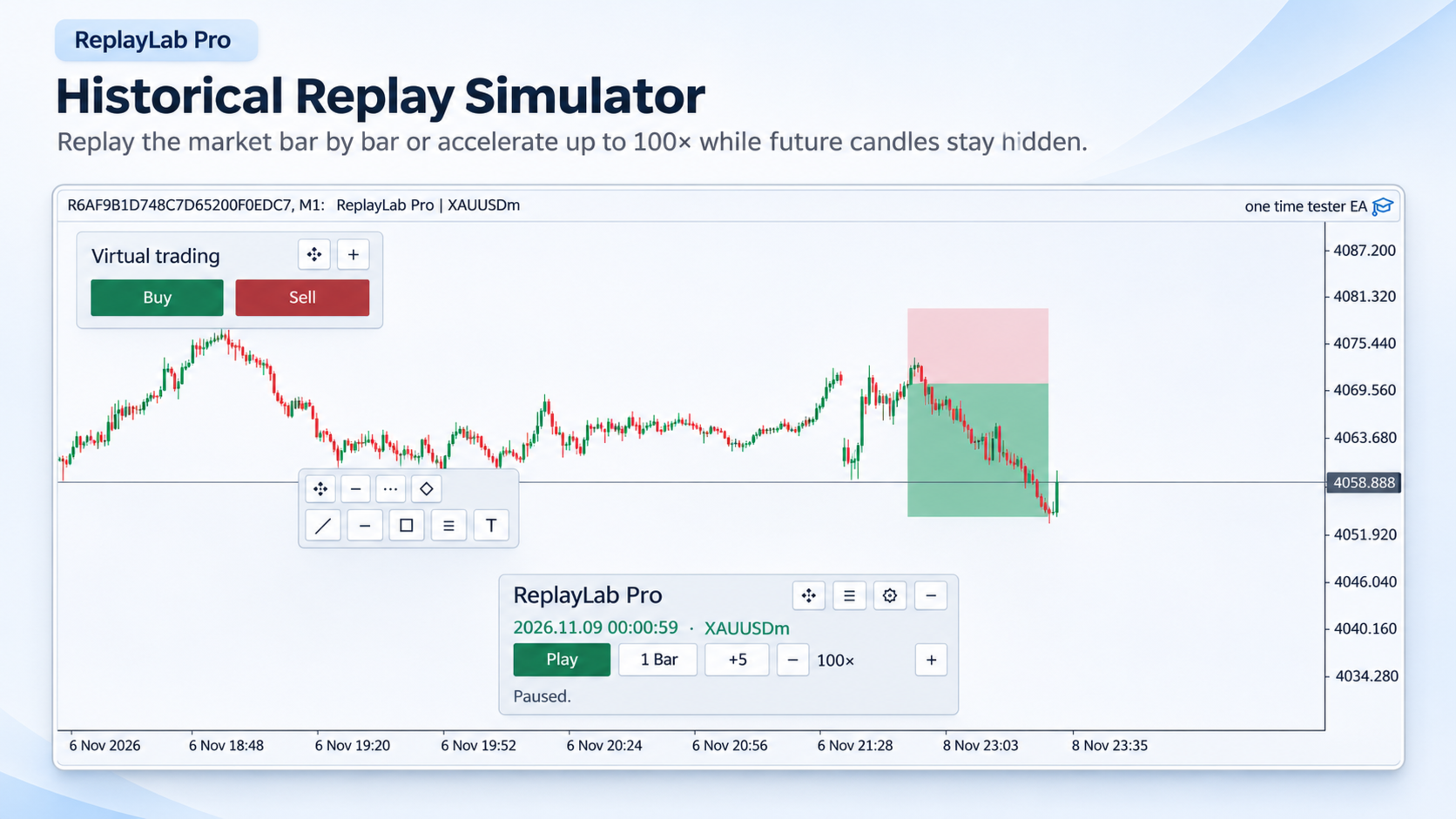
Replay historical price action using M1 candles or available recorded ticks.
-
Play, pause, advance individual events, or step forward by one or several candles.
-
Adjust playback speed from 1× to 100×, with an additional maximum-speed option.
-
Navigate to a selected historical date and time.
-
Change the chart timeframe while working with the replay.
-
Use compatible MT5 technical indicators on the separate replay symbol.
ReplayLab Pro uses a custom replay symbol so that historical information is published as the simulation advances rather than displaying a completed future chart.
Virtual Trading and Risk Management
Place and manage simulated trades directly from the chart without sending real orders to your broker.
-
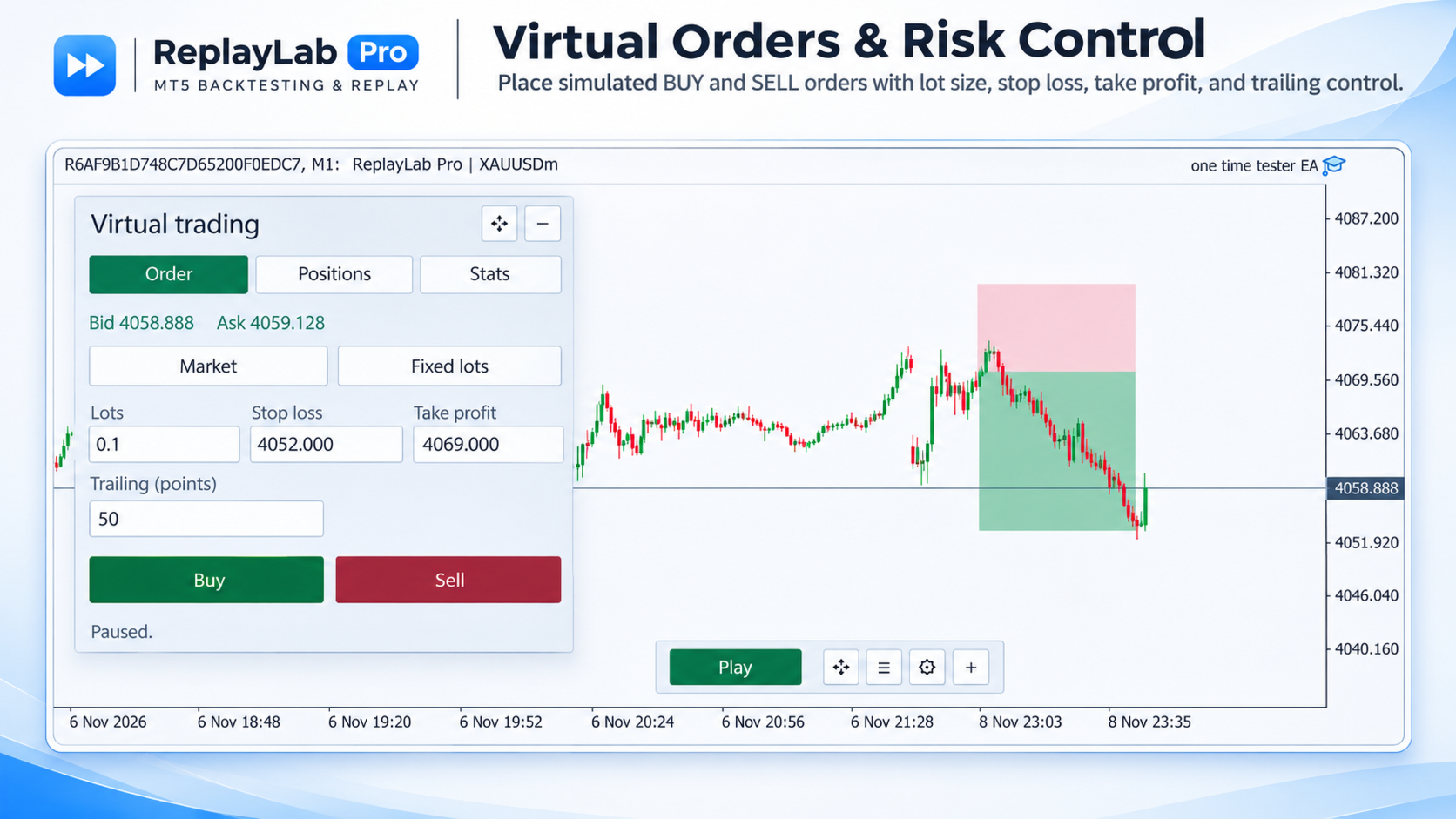
Open virtual BUY and SELL market orders.
-
Place virtual limit and stop orders.
-
Set and modify stop-loss and take-profit levels.
-
Adjust trading levels using chart controls.
-
Manage positions with partial closing, break-even and trailing stops.
-
Select fixed lot sizing or risk-based position sizing.
-
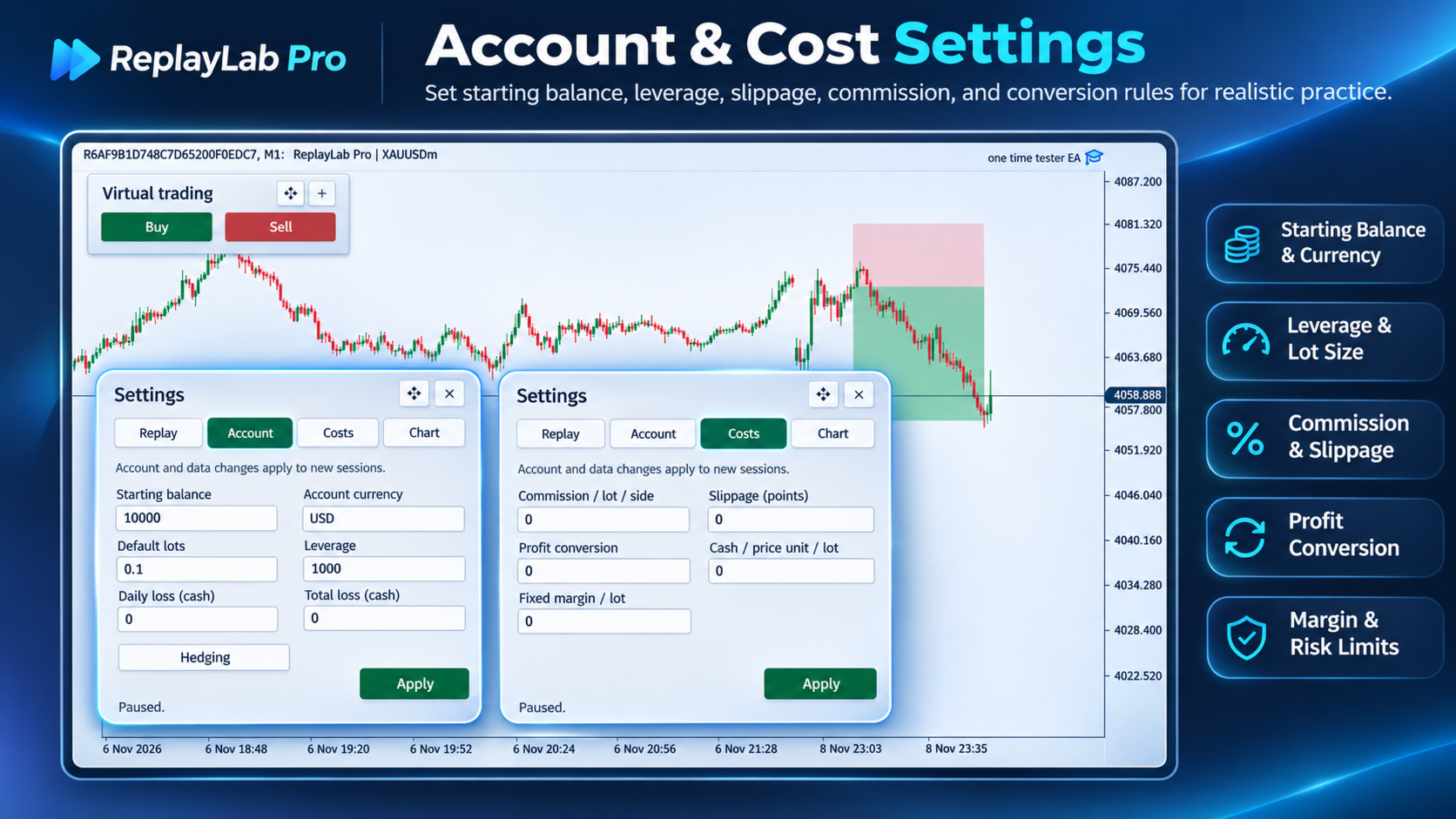
Configure the starting balance, account currency, leverage, commissions, spread and slippage assumptions.
The simulator tracks virtual balance, equity, margin and open profit or loss as market prices advance.
Saved Trading Sessions
ReplayLab Pro includes a session library for organizing historical trading practice.
Create and name sessions, save your progress, return to previous sessions, and continue from saved historical positions.
Session information includes replay progress, virtual trading activity, chart drawings and selected settings. Automatic saving and recovery mechanisms help protect recorded practice activity.
Sessions can also be duplicated for further practice and comparison.
Drawing Tools and Chart Analysis
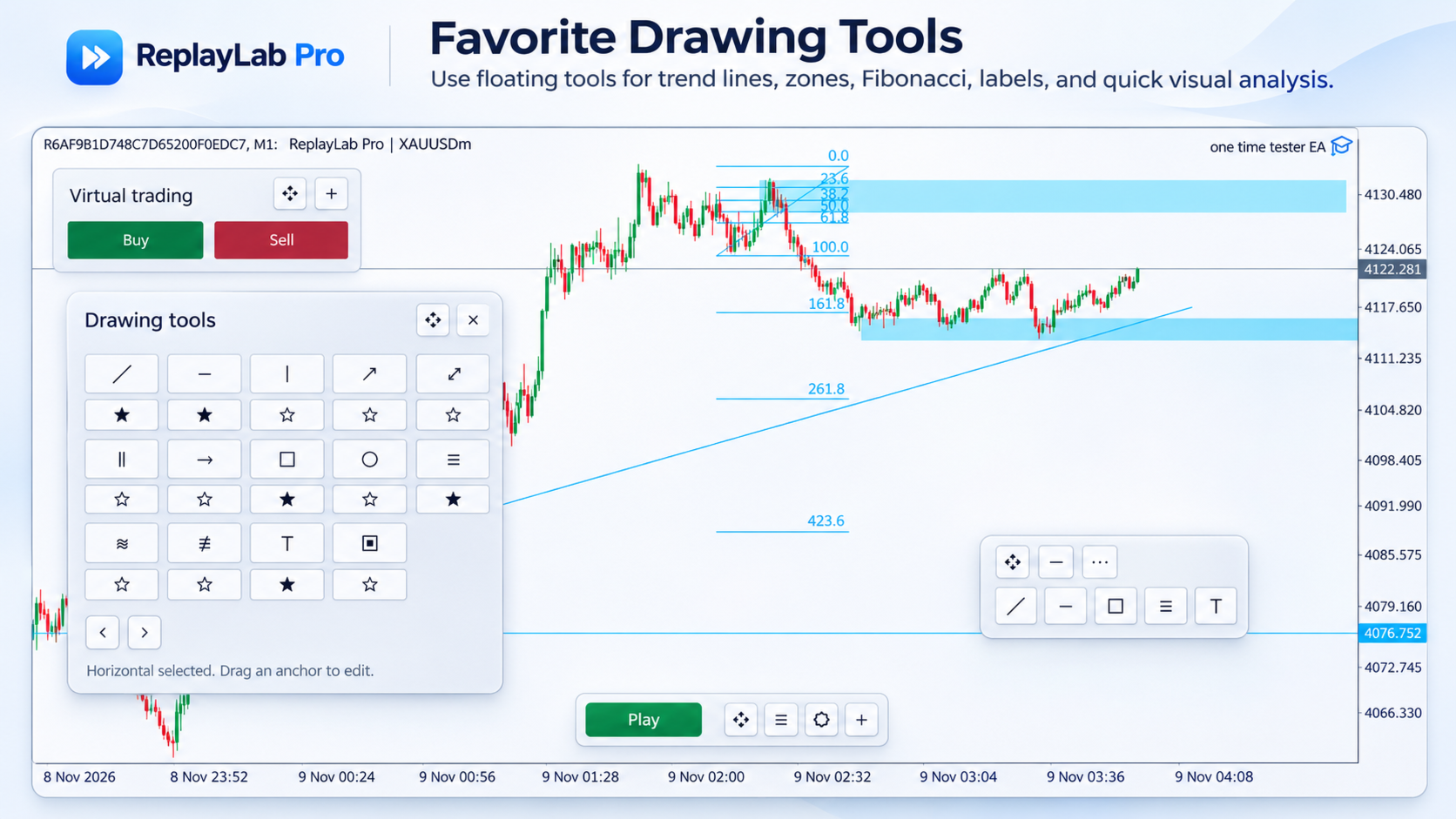
Use a movable drawing toolbar to analyze historical charts while practicing.
Available tools include trendlines, horizontal and vertical lines, rays, rectangles, channels, Fibonacci tools, text annotations, arrows and other common chart objects.
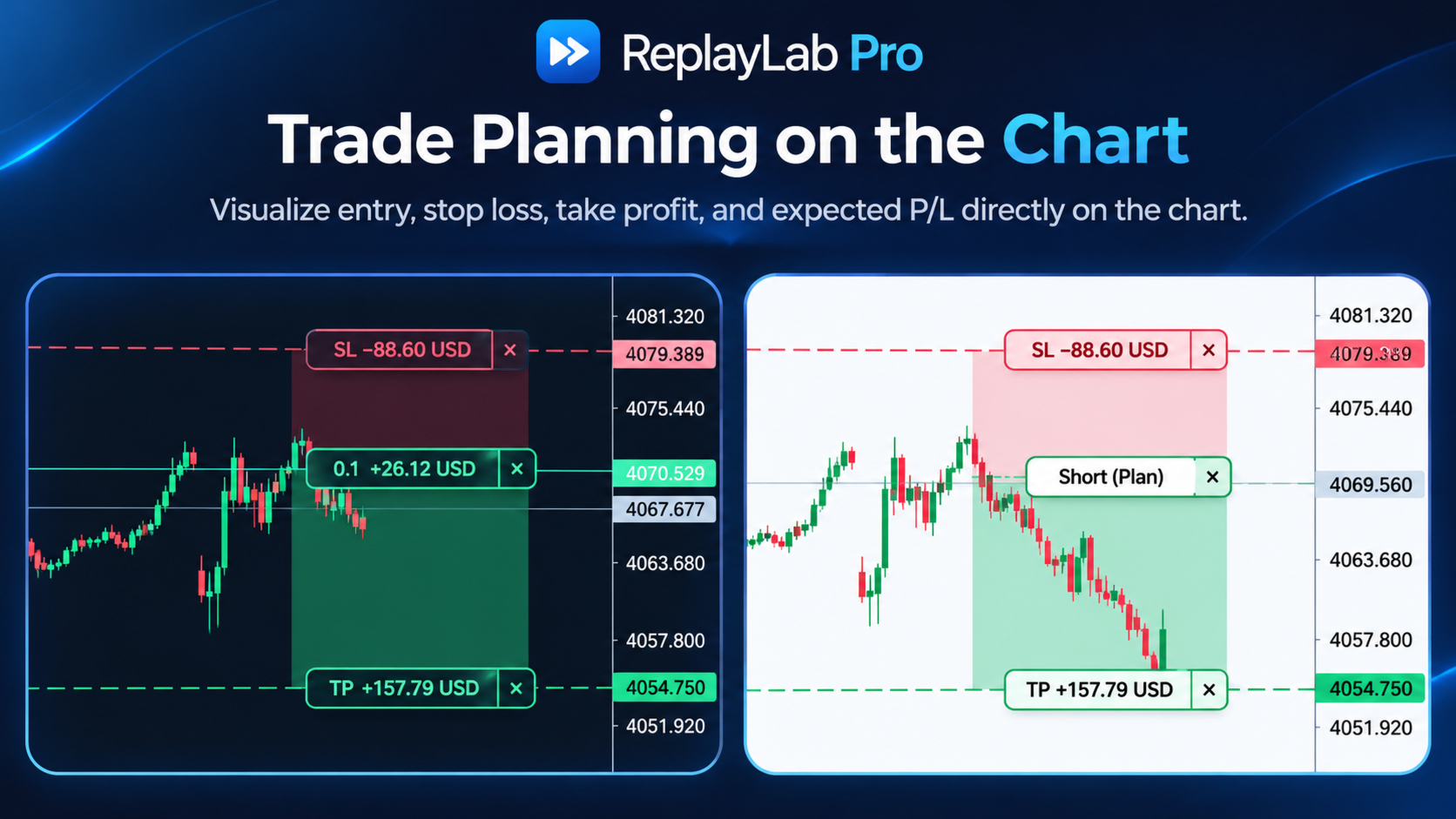
Long and short position boxes help visualize planned entries, stop losses, targets and risk/reward areas.
The drawing toolbar can be repositioned, collapsed and customized with frequently used tools.
Trading Statistics and Reports
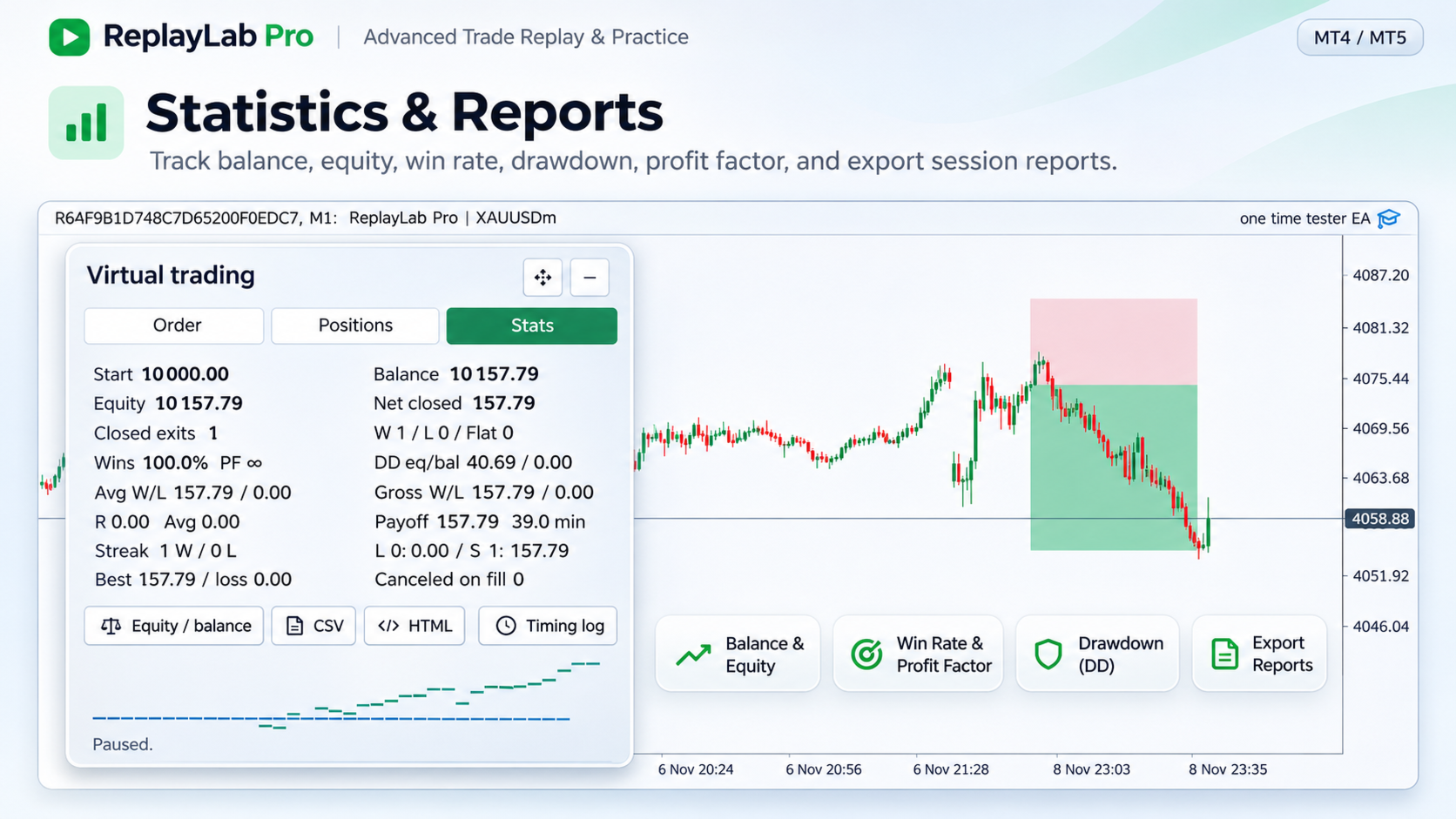
Review virtual trading activity through the integrated statistics panel.
Monitor balance, equity, net profit, win rate, profit factor, drawdown, average winning and losing trades, trade duration, consecutive results and R-based performance measurements.
View the account curve and export trading information to CSV or HTML for additional review.
Chart Appearance and Layouts
Customize the replay environment to suit your preferences.
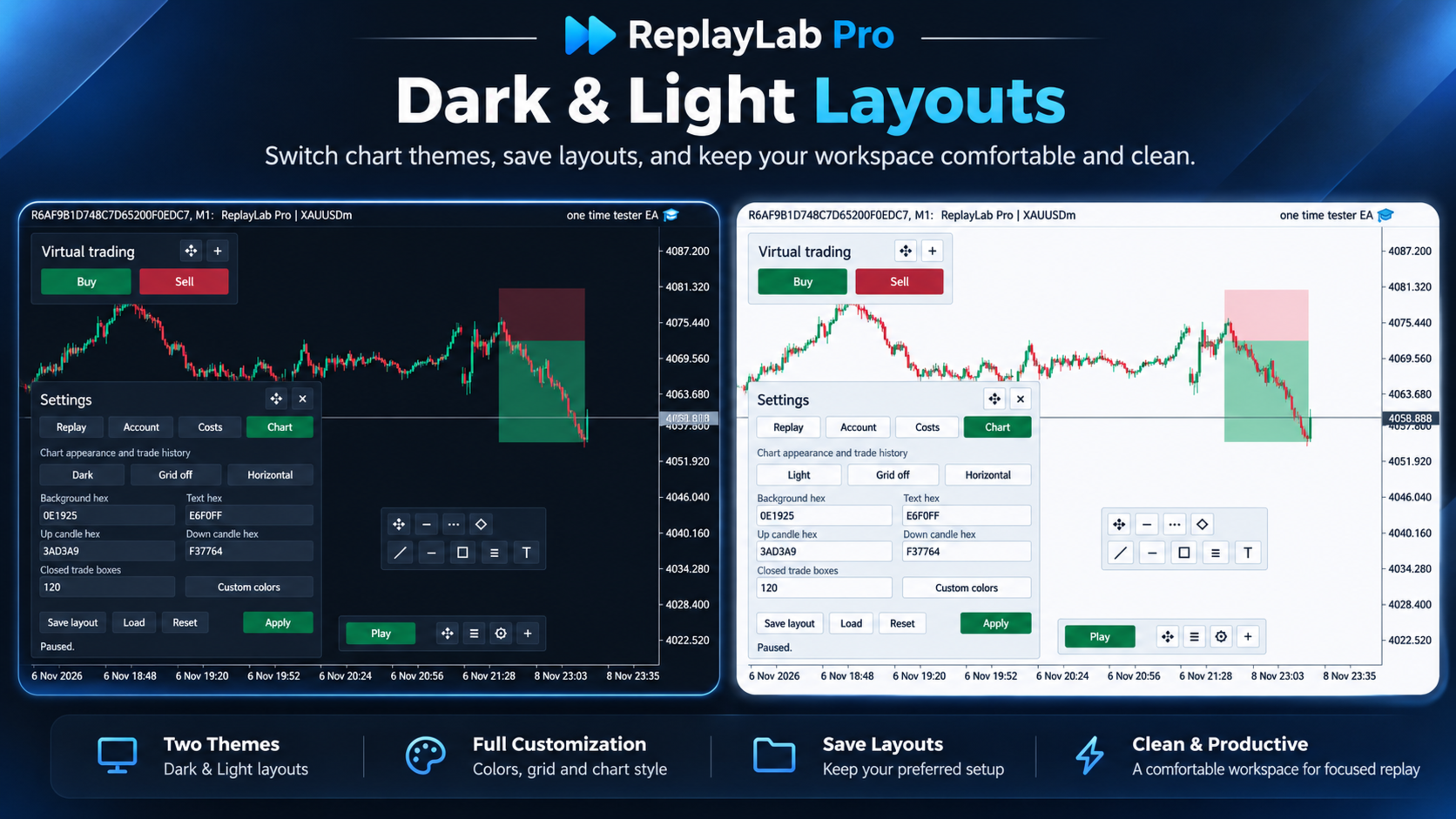
Switch between light and dark chart styles, change candle and background colors, adjust grid visibility, and save preferred chart layouts.
The replay controller, virtual trading panel and drawing toolbar use movable or collapsible interfaces to preserve chart space.
Getting Started
-
Install ReplayLab Pro in MetaTrader 5 and attach it to a regular chart.
-
Select the historical starting date, replay mode and account settings.
-
Create a new practice session.
-
Start replaying market data and place virtual orders.
-
Use drawing tools and indicators to analyze the chart.
-
Save the session or review the statistics and export a report.
Important Information
ReplayLab Pro is intended for historical trading practice and analysis. It does not place orders on a real brokerage account.
Historical data availability depends on the broker and the information stored in MetaTrader 5. Tick-based replay uses available recorded quotes; candle-based simulation uses approximations where the precise intrabar price sequence is unknown.
Some custom indicators may have additional data or symbol requirements.
Historical simulation results are not a guarantee of future trading performance.
ReplayLab Pro — Replay historical markets, practice trading decisions, and review the results in MetaTrader 5.