 MetaTrader 5
 Experts
 Indicatori
 librerie
 Utilità
 Widget
 Regole
Guarda i video tutorial del Market su YouTube
Come acquistare un Robot di Trading o un indicatore
Esegui il tuo EA
hosting virtuale
hosting virtuale
Prova un indicatore/robot di trading prima di acquistarlo
Vuoi guadagnare nel Market?
Come presentare un prodotto per venderlo con successo
Nuovi Expert Advisors e Indicatori per MetaTrader 4 - 303
 I robot di trading eseguono le operazioni di mercato automaticamente, mentre gli indicatori permettono di analizzare al meglio le quotazioni e prevedere il comportamento dei prezzi. Con queste applicazioni, sarai in grado di eseguire operazioni in MetaTrader 4 in modo più consapevole, cogliendo più opportunità.
This EA trades daily breakouts placing bidirectional pending orders using the last day's trading range, provided these price levels have not been yet tested. It offers many trading behaviors and flexible position management settings, plus a martingale and inverse martingale mode. [ Installation Guide | Update Guide | Troubleshooting | FAQ | All Products | Get Help ] Easy to use and supervise Customizable break-even, SL, TP and trailing-stop Works for ECN/Non-ECN brokers Works for 2-3-4-5 dig
FREE
This EA detects fast moving trend and opens and closes buy/sell position in jest few seconds only. Life of a trade is of only few seconds, that's why it is called Ultimate True Scalper EA. Recommendations for this EA: Please use given .Set (preset) file for better results from this EA. EA default settings may not be optimum so preset file must be used. You may find this .Set file in Comments section.
EA gives best results on GBPUSD, Minutes-15 time frame. Broker should be 5-dgits.
Broker should

Moriarty is fully automatic advisor based on Scalping, but also uses Martingale strategy. This advisor does not depend on timeframes and uses heuristic algorithms for opening/closing orders. It can work on several currency pairs simultaneously.
Usage Run the advisor on a chart.
Parameters Moriarty Take profit in pips: minimal number of pips that is required to close order with profit Lots: size of lot Step: martingale step Martingale: multiplier for martingale Magic: the magic value to distin

UXJ Rider Mt4
UXJ Rider is forex Expert advidor with scalper system with not martigale.Breakout strategy with USD/JPYpair only.The system growth you profit by using RR 1:2.5 and work on Time Frame H1 only and require spread not over 1 pip.Real operation monitoring as well : https://www.mql5.com/en/signals/529301
General Recommendations The minimum deposit is 100$ use an low spread account avarage lower than 1 pip.
Input parameter This system work with time frame H1 only and setting lot base

Indicators Family - A fully automated Expert Advisor based on 2 Moving Average indicators, 2 Stochastic indicators, and 3 RSI indicators, because of this, the adviser was named Indicators Family. The adviser trades on intraday trading and on the grid system with a small increase in Lot, which makes the advisor more secure. The algorithm of the adviser that allows to analyze the direction of the trend and open orders in this direction and close the orders with a small fixed profit. For example,
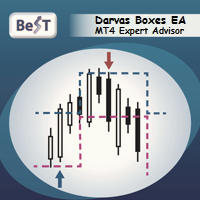
BeST_Darvas Boxes EA is an MT4 Expert Advisor that is based on the most classic trading method developed in the 50's by Nicolas Darvas commonly known as The Darvas Boxes Trading System. The Original Darvas Boxes System can be found in details in his book "How I Made $2,000,000 In The Stock Market" (Copyright 1960, by Nicolas Darvas).
Although the original system was designed to trade only Stocks and to open only Long trades its trading principles can also be applied to many other Markets l

Полностью автоматический советник, предназначенный для скальпинга в период низкой волатильности рынка. Советник использует расширенный алгоритм точек входа, а так же несколько дополнительных фильтров для входа и выхода из рынка. Советник не требует оптимизации и дополнительной настройки. Не использует мартингейл, сетки ордеров. Торгует в основном ночью. Рабочий тайм-фрейм М15. Минимальный депозит 100$ MaxSpread - Максимально допустимый спред для открытия позиции MaxSlippage - Проскальзывание

Avantgarde: Grid This Expert advisor uses simple and robust grid method to place trades. simple and easy to use. https://www.mql5.com/en/signals/534678 How It Works: The EA does not use indicators but uses a math based solution to price-action. The EA will perform the same trades in any timeframe. Avantgarde Grid is equipped with money management, Autolot and DD close trade. Take care when setting the <step> as it will alter the aggressiveness. The Greater the step the less risk. Parameters Buy

Trading Board is a Tool That Help you execute Sell and Buy Operation very smoothly.
General Description : This Tool has this functions: The function of Send Buy or Sell orders. The function to close all orders in the current chart. Choose the volume you need to trade. Calculate of Stop loss and Take Profit with the number of points. Draw the Fibonacci retracement.
FREE
Triple Exponential Moving Average Technical Indicator (TEMA) was developed by Patrick Mulloy and published in the "Technical Analysis of Stocks & Commodities" magazine. It works as the same as EMA. However, it provides smaller lags, even compared to Double EMA. Input Description: period: MA's period. Must be higher than 1. applied_price: Define the price to be applied. Use 1 of these integers. 0 -> applied_price is Close price 1 Open price 2 High price 3 Low price 4 Median price 5 Typical price
FREE

Magneto Power MA - трендовый осциллятор. Основан на классическом индикаторе moving average, но при этом имеет нестандартный способ интерпретации. Здесь нет никаких фокусов с пересечениями мувингов, только гибридная работа MA и волатильности инструмента. При этом при должной настройке может составить конкуренцию дорогим и сложным аналогам. По гистограмме индикатора легко определить текущую тенденцию, а так же исчерпало себя движение цены или ещё нет. Настройки индикатора аналогичны классическому
FREE
Based on candlesticks patterns. Different candlesticks patterns included with buy and sell on pattern recognition without stoploss and limit. Sell at peaks and buy at bottoms or follow a trend. A simple EA based on century old chart patterns. EA also uses extensions to established patterns and takes more than one buy or sell trades following a buy or sell trade and closes all previous buy or sell trades on a reverse pattern.

A trend following expert adviser with a trade every candle with stop loss and profit target. Profitable on 10 years hourly historical data and year 2017 separately. Can be run on 15 minutes as well with a higher stop loss multiple. There is a total profit message in journal on closing EA. Can be easily tested in strategy tester on different currency pairs on different time frames varying profit target and stop loss multiple.

An ADX indicator based expert adviser taking a trade when ADX is more than 50. Follows trend to maximum and reverses. Lesser trades with overall profit as tested in strategy tester on EURUSD and USDJPY hourlies. Closes all trades and takes a trade in opposite direction on change of trend. There is a total profit message in journal on closing EA. Significant returns without leverage in strategy tester.

FairyFibo can generate as many as 70 different BUY signals and 70 different SELL signals solely based on Price Action and Fibonacci levels. The idea is to catch as many as Swing High's and Swing Low's but with the consideration of the current trend mind. This indicator can be also used for Binary Options Trading as most of the time price tends to follow the signal direction immediately. Most of the strategies are already optimized for different time frames and different market conditions. While

EU_Savings_Box (MT4 Expert Advisor)
This is 100% Algo Forex Trading Robot and is programmed for Long Term Investment with Low Risk. It uses no martingale, no grid, no scalping. The strategy combines 3 reliable indicators and properly filtered price action strategies to determine safe market entry and exit levels. This strategy has over 70% winning rate within 18 year plus. It is recommended for those looking for EA that can be trusted for many years. Moreover, you can adapt this EA to your pref
Этот инструмент поможет собрать сигнальную индикатор без программирования, для Форекс или Бинарных опционов , на основе Ваших условий . И самое главное, создаст отдельный файл-исходник этого сигнального индикатора(.mql4). В условия для сигнала можно включить такие стандартные индикаторы, как: RSI, CCI, BolingerBands и др. Также Вы можете использовать до 3-х сторонних индикаторов-стрелок (с буферами), фильтр по направлению свечи, соотношение тела свечи к теням, фильтр по часу и минуте времени

Break Average Free Break average is a fully automated Expert Advisor for automatic trading on EURUSD, which uses the strategy of breaking the average. It can work with small deposits of $ 250 and a small leverage of 1: 30. To enter the market, filters of two indicators are used (such as the stochastic and the moving average of 2 periods), which confirms the entry to the market. Very good offer to try the full version only 50 USD Differences from full version : 1. Opens only SELL positio
FREE

Советник совершает сделки по сигналам индикаторов из стандартного набора терминала, которые можно включить или отключить в соответствующих настройках советника. Для закрытия ордеров используются два типа, по достижению установленной цели или по обратному сигналу при условии что вся серия сделок находиться в прибыли. Для вычисления объема следующей сделки также используется несколько вариантов. Описание входных параметров: Identification number - Идентификационный номер советника Panel - Включить

Trade Panel è un assistente commerciale multifunzionale. L'applicazione contiene più di 50 funzioni di trading per il trading manuale e permette di automatizzare la maggior parte delle attività commerciali. Istruzioni per l'applicazione : https://www.mql5.com/it/blogs/post/762331 Versione di prova dell'applicazione per un conto demo: https://www.mql5.com/it/blogs/post/762419 Come installare l'applicazione: https://www.mql5.com/it/blogs/post/762362 Come testare l'applicazione in modalità visuale:
Questo EA opera utilizzando i crossover di medie mobili. Offre impostazioni completamente personalizzabili, impostazioni flessibili di gestione della posizione, oltre a molte funzioni utili come sessioni di trading personalizzabili e una modalità martingala e martingala inversa. [ Guida all'installazione | Guida all'aggiornamento | Risoluzione dei problemi | Domande frequenti | Tutti i prodotti ] Facile da usare e supervisionare Impostazioni della media mobile completamente personalizzabili Impl
FREE
Questo EA opera utilizzando l'indicatore Average Directional Index (ADX) . Offre molte strategie di ingresso e impostazioni flessibili di gestione della posizione, oltre a molte utili funzioni come sessioni di trading personalizzabili e una modalità martingala. [ Guida all'installazione | Guida all'aggiornamento | Risoluzione dei problemi | Domande frequenti | Tutti i prodotti ] Facile da usare e supervisionare Implementa 4 diverse strategie di ingresso Break-even, SL, TP e trailing-stop person
FREE

Pisces TheProfitZone
"Pisces TheProfitZone MT4 Indicator Powered byFxGangster" This indicator will calculate new support and resistant zone everyday, and that give us a trading zone such as thats telling us TP and SL, So it still telling us for where should the price will go reach?
Fore Example. Uptrend : If Price can stay upper a Line and price close higher above a Line, then the price will continue go up to reach next Line. Downtrend : If Price can't pass to stay upper a Line and the price

Always know when the Smart Money/Market Makers are active! Shows you Past to Present, the true volume of currency pairs in a quick and beautiful histogram you can size to fit any chart. --------------------------------------------------------------------------------------------------------------------------------------------------- -Works on all time frames and all currencies -Shows volume from Ultra Low to Ultra High and even shows Excessive volume, this will tell you when to stay out of the ba
Dawn In Trading indicator is a new ray of light in trading! This indicator has been tested on a real chart in real trading; All statistics about this indicator from real trading on the market! From the screenshots you can see the profitability of quality and the number of signals of this tool, you can also check it in the tester! As soon as a blue arrow appears, open a deal to increase, when a red arrow appears, open a deal to fall!
Signals appear when you open a new candle and do not redraw, t

The default settings for the currency pair EURUSD, H1 timeframe. Initial deposit of $ 1000 BoberHober is an intraday trading system. It automatically analyzes the market for 12 indicators and trades orders BUY and SELL. The robot does not open pending orders. With the help of an intelligent analysis and forecasting system, the robot calculates the optimal trading mode, depending on the market situation. Next, the maximum number of orders in the grid is determined and the robot starts trading. Th

The principle of this indicator is very simple: detecting the trend with Moving Average, then monitoring the return point of graph by using the crossing of Stochastic Oscillator and finally predicting BUY and SELL signal with arrows, alerts and notifications. The parameters are fixed and automatically calculated on each time frame. Example: If you install indicator on EURUSD, timeframe M5: the indicator will detect the main trend with the Moving Average on this timeframe (for example the Moving

Mini Martinel is a Martingale EA. Its biggest feature is that it can run well for $100 , even $50, and it is not limited to one currency pair. Multiple currency pairs can be used . I personally think that Martin EA is a high-risk gambling behavior, so I hope to participate with the least amount of money, but everyone knows that Martin's theoretical basis is to have unlimited money, so this EA may lose money. Of course, I have limited the amount of loss to it. Under the low-risk mode, the $50 sto

The Trend PA indicator uses Price Action and its own filtering algorithm to determine the trend. This approach helps to accurately determine entry points and the current trend on any timeframe. The indicator uses its own algorithm for analyzing price changes and Price Action. Which gives you the advantage of recognizing, without delay, a new nascent trend with fewer false positives. Trend filtering conditions can be selected in the settings individually for your trading style. The indicator

Индикатор ForexMarshalsBars относится к группе трендовых индикаторов. Он дает возможность принимать правильные решения о входе в рынок или выходе из него и через его настройки указывает, следует ли открывать длинную или короткую позицию для получения прибыли. Вы должны понимать, на чем основываются сигналы, которые дает вам индикатор. Прежде всего надо запомнить то, что лучше всего использовать сразу несколько индикаторов, чтобы уменьшить свои риски и только так вам удастся получить более то

the expert Advisor is an artificial intelligence that uses built-in algorithms to calculate currency support levels and place orders.
defined by five main levels support.in in cases of a breakdown of the strongest support, the adviser closes orders and opens an order in the direction of the trend, thereby saving the Deposit from being completely drained.
new levels are defined, and the EA starts working.
does not use martingale.
it works on any timeframe, but preferably 30 minutes.
the tes
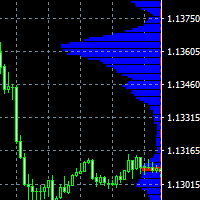
The indicator displays price distribution on a horizontal histogram. Horizontal histogram help find out key levels of price so that you can make good decision on setting point of take profit, stop loss... You can improve exist trading strategy or get new trading idea with the histogram of price.
Outstanding features Support multiple time frame : you can choose to work with history data in any time frame you want. It does not depend on current display time frame.
Support weighting by volume and/
FREE

Pending Levels EA is a great expert advisor that places pending buy and sell orders at important levels. It doesn't use any indicators and only use price and levels to make profit.
It always use stopploss and takeprofit. Testresults use reasonable SL/TP. It has moneymanagement It doesn't use Martingale or Grid
Only a few easy settings: -Magic number: ID of order -Minimum lot allowed -Risk: 0 use fixed lot -Stopploss: Setting in points. One pip is 10 Points. So if you want 50Pip SL you set 500

Grid Halo 2 - the adviser uses one indicator, and the neural network to search for signals to enter. Works in fully automatic mode! You do not need any settings, you can use the default settings. The bot passes the historical gap for the 19-year period from 2000 to 2019. Unlike alternative developments, this bot can simultaneously trade both on buy and on sell. That is, it has two independent systems of analysis. This is a significant advantage in real work because it gives the opportunity to

This is an adviser that often trades and opens trades almost every day (with normal optimization). In this case, the adviser opens no more than one transaction in each direction. When there are a lot of deals in optimization, more often it will give more profit in real life than advisers who, during optimization, make fewer deals, but show high profitability. This Expert Advisor is a free version of Trading every day and has some limitations: - currency pair only EURUSD - lot limit to 0.1 Input
FREE

The advisor NewsCatcher Free opens trades when the price makes a reversal move from support and resistance levels. Market entries should be confirmed by the Relative Strength Index (RSI). The RSI is implemented as a tachometer.
It is recommended to use this advisor in a highly volatile market after a political event or a release of major economic data.
You can use this advisor in the semi-automated mode (the RSI performs an information role) or in the fully automated mode (the RSI decides when t
FREE
The Divergent Accuracy indicator is designed to identify discrepancies on the price chart of a currency pair. The Divergent Accuracy indicator recognizes bullish and bearish divergences, and can also output a signal that a divergence has been detected... In addition to identifying divergences, the indicator works with overbought and oversold levels, and also shows arrows to enter the market...

NIGHTCRUSHER is a fully automated expert advisor, designed for scalping on quite market situation. you can also run different strategies like swing trading or grid different Trade Entry Signals different Exit Strategies included (MA Cut / Signal Change / Trailing TP) clever Risk & Money management - Balance based - Longrun trades tracking You can also use a Grid function or Lot multipier, if needed News Feature included - to protect you of miss trades in news times
Important: Get informed about

Losser is one of the implementations of the indicator to protect the position from loss. Similar implementations exist, it is not a complicated algorithm. The principle is very simple, practical and effective - they are implemented in this indicator, which will help traders protect their deposit from loss. The indicator uses a series of moving averages, which, with a given Length step, form the resulting lines that are displayed on the price chart as blue and red lines. These lines are the level

Robonacci USDJPY is the Second addition to my ROBONACCI EA Series. Like other ROBONACCI EA's this one also has the similar core features. The strategies are developed in a way that the EA should survive continuously. Using various Fibonacci levels extensively the EA decides which price action to take in account depending on various market conditions. It deals with only one trade at a time and maintain strict money management rules.
Product Home Page: https://www.mql5.com/en/market/product/351

ZeroPoint signals a change in the moving average angle, the LevelZero parameter sets the zero point circle, there are limits from -LevelZero to LevelZero including will be considered the zero point, it can be indicated in red on the histogram.
Options: LevelZero - zero point [-LevelZero, LevelZero]; Length - the length of the moving average; Start - the starting point for calculating the angle; End - is the end point for calculating the angle; MetodMA - averaging method; AppliedPric

The premium loudness indicator draws on the chart of a currency pair based on data on the price level in the back period in the input parameters of the indicator in the form of a histogram. The width of the histogram at this level means, conditionally, the number of transactions conducted on it If the broker provides real volume data, Cannot be received For example, the range H1 can be specified as H1, H4, D1, W1, MN1. For M1, it is recommended to use periodic settings for M5 values.

the zigzag indicator draws lines on the chart from the highest point to the lowest
There are built-in fibonacci levels
built-in sound alert
the indicator highlights trends on small timeframes with a thin line and trends highlights with a coarse line
Fibonacci levels can be turned on and off in the settings settings are very simple and clear
the same sound alert can be turned on and off, you can change the colors of the lines.

Premium Volume Lite The Premium Volume Lite indicator plots the distribution of deals according to price levels in the form of a histogram on a chart of a currency pair. The width of the histogram at this level means, conditionally, the number of transactions carried out on it. If the broker provides data on real volume, the indicator can show the distribution over it. Ranges can be equal only to standard timeframes not lower than the current one. о periods value is current then the indicator wi

Скрипт открывает графики по всем инструментам находящимся в окне "Обзор рынка" и по желанию может задать для всех графиков один шаблон. Так-же можно удалить все графике открытые в терминале Мт4. В скрипте имеются следующие настройки: "Таймфрейм" по умолчанию M30; (Можно поставить свой: M1, M5, M15, M30, H1, H4, D1, W1, MN.) "Задержка" по умолчанию "0"; (Задержка перед открытием следующего графика в миллисекундах.) "Шаблон" по умолчанию "True"; (True=пр

ArcTrend - The indicator should be used to enter the market, it looks like two moving averages, but this is only a first impression. The algorithm for calculating the indicator is completely different and quite complex. When using the indicator, use either the feet or the filter in the flat. Do not use take profit to close, it is much better to use a trailing stop. Indicator without parameters.

По факту вы выставляете виртуальные Buy Stop и Sell Stop которые срабатывают после закрытия свечи. Данный помощник позволяет заранее выставить уровень Stop Loss и Take Profit. Так-же имеется демо режим для предварительного расчёта параметра риск/прибыль. Помощник имеет следующие настройки "Лот" по умолчанию "0.01" "Проскальзывание" по умолчанию "60" (Значение в пунктах) "Номер Ордера" по умолчанию "0" (Магический номер ордера) "Цвет Комментариев" по умолчанию "Black" "Шрифт

Подкрашивает аномально большие тиковые объёмы в красный цвет. Имеет следующие настройки: "Процент" по умолчанию "70" (Процент на который аномальный объём должен быть больше предыдущего) "Уровень" по умолчанию "500" (Количество тиков, больше которого будем брать во внимание аномальный объём) Внимание! Данный индикатор был разработан для мелких таймфреймов M1,M5,M15. Идея в том, что на таких Таймфреймах увеличение количества тиков говорит об увеличении количество сделок, увеличения интереса к цен

Тестер поможет протестировать вашу ручную стратегию или проверить чужую . В обращении тестер достаточно прост,есть возможность регулировать скорость теста и лот, отдельно закрывать и модифицировать ордера. У данного тестера имеются следующие настройки: "Начальный лот" по умолчанию"0.01" "Шаг изменения лота" по умолчанию "0.01" "Шаг изменения скорости" по умолчанию "50" (условная величена, чем она больше, тем быстрее меняется скорость)
FREE

The expert DSC AI GRID MTG is a expert that has an advanced system to authorize or not the opening of new trades, differentiating when to open orders by the Grid and also which system of Martingale to use. With that he manages to pass the long-term backtest. Drive with backtest e sets: https://drive.google.com/open?id=11ckmsl7HVA_sKx_F0AtvAjsCToZZhZ_M
Before running the Robot in real account, see what minimum capital you will need for when the Robot goes through the most complicated periods in

The advisor NewsCatcher Visual automatically downloads actual data from 2 economic calendars: investing.com or mql5.com . The advisor can work in the "autoclick" mode, that is it can open trades automatically by comparing actual and forecast values. It also allows to manually open both instant and pending orders with a set volume.
Recommendations
By default the advisor NewsCatcher Visual applies the "autoclick" strategy to all events of high volatility. This allows the advisor to work in the fu

This EA trades using the RSI Indicator. It offers many trading scenarios and flexible position management settings, plus many useful features like customizable trading sessions, a martingale and inverse martingale mode. [ Installation Guide | Update Guide | Troubleshooting | FAQ | All Products | Get Help ] Easy to use and supervise It implements three different entry strategies Customizable break-even, SL, TP and trailing-stop Works for ECN/Non-ECN brokers Works for 2-3-4-5 digit symbols Tr
FREE

This expert advisor trades using the famous Parabolic Sar indicator and implements many other useful features for the exigent trader, like customizable indicator and trading settings, trading sessions and a martingale feature. [ Installation Guide | Update Guide | Troubleshooting | FAQ | All Products | Get Help ] Easy to use and supervise Fully customizable parabolic sar settings Customizable break-even, SL, TP and trailing-stop Works for ECN/Non-ECN brokers Works for 2-3-4-5 digit symbols
FREE
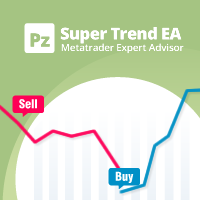
This expert advisor trades using the famous super trend indicator: it is completely loyal to the original algorithm and implements many other useful features for the exigent trader, like customizable trading sessions, multi-timeframe filters and many others. [ Installation Guide | Update Guide | Troubleshooting | FAQ | All Products ] Easy to use and supervise Fully configurable indicator settings Customizable break-even, stop-loss, take-profit and trailing-stop settings Works for ECN/Non-ECN br
FREE

This EA trades using the Heiken Ashi Smoothed Indicator. It offers many trading scenarios and flexible position management settings, plus many useful features like customizable trading sessions, a martingale and inverse martingale mode. [ Installation Guide | Update Guide | Troubleshooting | FAQ | All Products | Get Help ] Easy to use and supervise It implements three different entry strategies Customizable break-even, SL, TP and trailing-stop Works for ECN/Non-ECN brokers Works for 2-3-4-5
FREE

This EA is suitable for everyone who need to generate cashflow from main portfolio by taking less risk. EA will help you to calculate risk parameter per order and trade Long position ONLY. How to use EA effectively Firstly, You have to define your trading zone which you need to trade and You have to DEFINE 1.Upper and lower limit Price which you need to trade.
2. Number of order which you trade and lot size of each order
3. Your initial Balance
4. STOP OUT Percentage 5. IMPORTANT THING is

Trade the Ichimoku Kinko Hyo Indicator with complete freedom using a powerful and flexible EA. It implements many entry strategies and useful features, like customizable trading sessions and a martingale mode. [ Installation Guide | Update Guide | Troubleshooting | FAQ | All Products | Get Help ] Easy to use and supervise It implements several entry conditions Customizable break-even, SL, TP and trailing-stop settings Works for ECN/Non-ECN brokers Works for 2-3-4-5 digit symbols Implements
FREE

This EA trades using the CCI Indicator. It offers many trading scenarios and flexible position management settings, plus many useful features like customizable trading sessions, a martingale and inverse martingale mode. [ Installation Guide | Update Guide | Troubleshooting | FAQ | All Products | Get Help ] Easy to use and supervise It implements three different entry strategies Customizable break-even, SL, TP and trailing-stop Works for ECN/Non-ECN brokers Works for 2-3-4-5 digit symbols
FREE
Multiple Indicators for Major Currencies
The purpose of this indicator is to save time to detect more good trading opportunities by scanning all 28 cross currency pairs of AUD, CAD, CHF, EUR, GBP, JPY, NZD and USD in the same time. There are 5 indicators included in this indicator which are CCI, RSI, Stochastic, MACD and the different between plusDI and minusDI of ADX (PlusDI-MinusDI). The indicator can help in determining the following properties of each currency depending on which indicator w

This EA trades using the Bollinger Bands indicator. It offers many trading behaviors and flexible position management settings, plus many useful features like customizable trading sessions and a martingale mode. [ Installation Guide | Update Guide | Troubleshooting | FAQ | All Products | Get Help ] Easy to use and supervise Fully customizable indicator settings Customizable break-even, SL, TP and trailing-stop Works for ECN/Non-ECN brokers Works for 2-3-4-5 digit symbols Trading can be NFA/
FREE
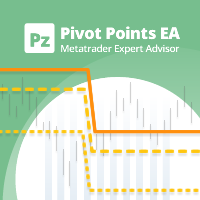
This EA trades Classic Pivot Points using pending orders. It offers many trading behaviors and flexible position management settings, plus many useful features like customizable trading sessions and a martingale mode. [ Installation Guide | Update Guide | Troubleshooting | FAQ | All Products | Get Help ] Easy to use and supervise It implements 4 different trading behaviors Customizable break-even, SL, TP and trailing-stop Works for ECN/Non-ECN brokers Works for 2-3-4-5 digit symbols Trading
FREE
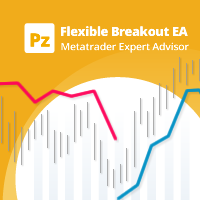
Trade donchian breakouts with complete freedom using the Flexible Breakout EA . It can trade any breakout period, any timeframe, with pending or market orders- as desired- and implements many other useful features for the exigent trader, like customizable trading sessions and a martingale mode. [ Installation Guide | Update Guide | Troubleshooting | FAQ | All Products | Get Help ] Easy to use and supervise Customizable trading direction Customizable donchian breakout period It can trade usi
FREE
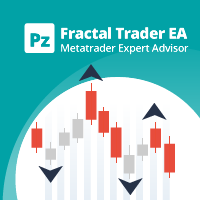
This EA trades untested fractals using pending orders. It offers many trading behaviors and flexible position management settings, plus many useful features like customizable trading sessions and a martingale mode. [ Installation Guide | Update Guide | Troubleshooting | FAQ | All Products | Get Help ] Easy to use and supervise It implements 4 different trading behaviors Customizable break-even, SL, TP and trailing-stop Works for ECN/Non-ECN brokers Works for 2-3-4-5 digit symbols Trading can
FREE
Double Exponential Moving Average (DEMA) is a well-known trend indicator. DEMA was developed by Patrick Mulloy and published in February 1994 in the "Technical Analysis of Stocks & Commodities" magazine. It is used for smoothing price series and is applied directly on a price chart of a financial security. Besides, it can be used for smoothing values of other indicators. The advantage of this indicator is that it eliminates false signals at the saw-toothed price movement and allows saving a posi
FREE
This EA trades using the Stochastic Indicator. It offers many trading scenarios and flexible position management settings, plus many useful features like customizable trading sessions, a martingale and inverse martingale mode. [ Installation Guide | Update Guide | Troubleshooting | FAQ | All Products | Get Help ] Easy to use and supervise It implements three different entry strategies Customizable break-even, SL, TP and trailing-stop Works for ECN/Non-ECN brokers Works for 2-3-4-5 digit sym
FREE

BRiCK is a simple and versatile Utility.
By combining Experts, Indicators and utilities like the Lego block, various trading styles can be realized. "BetByTrade" is a utility to automatically add / close positions when trading. If you open the position in the trade pool, if the calculation result of the betting method exceeds the initial lot, the utility will order additional.
If you close the position in the trade pool, if the position that was additionally ordered by the utility remains, it w
FREE

Индикатор DivergenceMRDM ситуацию, когда направление движения цены и технических индикаторов не совпадает. Что можно воспринимать как точки для входа в рынок, точки потенциального разворота рынка. Чаще всего проявляется сигнал при достижении индикатором зоны перекупленности или перепроданности. Один из четырех индикаторов: MACD , RSI , ADX , Momentum . Готовая торговая система. Индикатор не перерисовывается и не запаздывает 95% сделок прибыльные. Работает на всех валютных парах и на всех таймфр

DESCRIPTION :
SCALPING CATCHER is an automated Expert advisor with the use of 04 specified indicators that guaranties the best results of Scalping system.
GENERAL RECOMMENDATIONS : This is Scalping EA works Only with EURUSD pair on M5 TIMEFRAME . The minimum Deposit is 300 $ .
INPUT PARAMETERS : This EA uses AutoLot function that allows it to calculate the lot size basing on the account balance. It also uses AutoProfit which is calculated according the the volume size and the account balance

Trailing Stop Forward EA locks trade profit once trade moves in profit by certain points(eg 100 points) by moving the Stop Loss in direction of trade. There are three inputs in EA to be provided by user to EA TrailingStart this input used as activator when trade moved 100 points towards profit, this EA will start shifting your stop loss towards profit. TrailingStop input defines what should be the distance of stop loss from current market price once TrailingStart activated i.e trade moved 1

Full Force WSK is a multicurrency EA that is optimized to trade on specific Gaps on market open using intelligent algorithm looking for daily volume and gaps pattern variation optimized for the last years for 14 forex pairs.
Trading Strategy:
FullForce WSK is fully optimized for the following pairs:
Majors: EURUSD / GBPUSD / USDCHF / USDJPY
Minors: AUDCHF / CADCHF / CADJPY / CHFJPY / EURCHF / EURGBP / EURJPY / GBPAUD / GBPCHF / GBPJPY
We really do not recommend any other pair because ou
Il MetaTrader Market offre un luogo pratico e sicuro dove acquistare applicazioni per la piattaforma MetaTrader. Scarica versioni demo gratuite di Expert Advisors e indicatori direttamente dal tuo terminale e testali nello Strategy Tester.
Prova le applicazioni in diverse modalità per monitorare le prestazioni ed effettuare pagamenti per i prodotti desiderati, utilizzando il sistema di pagamento MQL5.community.

Ti stai perdendo delle opportunità di trading:
- App di trading gratuite
- Oltre 8.000 segnali per il copy trading
- Notizie economiche per esplorare i mercati finanziari
Registrazione
Accedi
Accetti la politica del sito e le condizioni d’uso
Se non hai un account, registrati