 MetaTrader 5
 Experts
 Indicatori
 librerie
 Utilità
 Widget
 Regole
Guarda i video tutorial del Market su YouTube
Come acquistare un Robot di Trading o un indicatore
Esegui il tuo EA
hosting virtuale
hosting virtuale
Prova un indicatore/robot di trading prima di acquistarlo
Vuoi guadagnare nel Market?
Come presentare un prodotto per venderlo con successo
Nuovi Expert Advisors e Indicatori per MetaTrader 4 - 298
 I robot di trading eseguono le operazioni di mercato automaticamente, mentre gli indicatori permettono di analizzare al meglio le quotazioni e prevedere il comportamento dei prezzi. Con queste applicazioni, sarai in grado di eseguire operazioni in MetaTrader 4 in modo più consapevole, cogliendo più opportunità.
Ultra Advanced MA è un indicatore a media mobile per MetaTrader 4. Una media mobile attenua il rumore di breve termine e dà una visione più chiara della direzione principale del mercato. Caratteristiche principali
- Lettura del trend basata sulla media mobile
- Attenua il rumore dei prezzi di breve termine
- Utile come filtro per altri segnali
- Consigliato sul timeframe H4
- È disponibile una versione demo per provarlo Impostazioni consigliate
Timeframe: H4
Coppie: EUR/USD, USD/JPY, GBP/USD, US

Ultra Advanced Support and Resistance Ultra Pips è un indicatore di supporti e resistenze per MetaTrader 4. Le aree di supporto e resistenza sono prezzi in cui il mercato ha già reagito e può reagire ancora. Caratteristiche principali
- Analisi di supporti e resistenze
- Aiuta a pianificare dove osservare le reazioni del prezzo
- Utile per posizionare stop e target con il proprio metodo
- Focalizzato sui timeframe H1 e H4
- È disponibile una versione demo per provarlo Impostazioni consigliate
Ti

Ultra Advanced EMA MA è un indicatore a media mobile esponenziale (EMA) per MetaTrader 4. Una media esponenziale dà più peso ai prezzi recenti, quindi segue più da vicino i nuovi movimenti rispetto a una media semplice. Caratteristiche principali
- Basato sulla media mobile esponenziale
- Maggior peso ai prezzi recenti
- Può fungere da riferimento dinamico di supporto e resistenza
- Facile da usare
- È disponibile una versione demo per provarlo Impostazioni consigliate
Timeframe: H1, H4, D1
Copp

Ultra Advanced FiboChannel è un indicatore di canale di Fibonacci per MetaTrader 4 che traccia automaticamente i livelli di Fibonacci sul grafico. Combina l'analisi di Fibonacci con una vista del mercato a canale. Caratteristiche principali
- Traccia automaticamente i livelli di Fibonacci
- Vista del prezzo basata sul canale
- Consigliato su H1, H4 e D1
- Facile da usare
- È disponibile una versione demo per provarlo Impostazioni consigliate
Timeframe: H1, H4, D1
Coppie: EUR/USD, USD/JPY, GBP/US
This is the author's product of the trading-investment company Algorithmic Capital, which specializes in professional investor capital management and the creation of trading and analytical software. The Channel Enslaver indicator is created on an “all inclusive” basis. Its program code includes several important blocks at once: • A set of professional technical indicators that independently analyze quotes and generate trading signals. • An alert system that gives special signals (including Email

ZhiBiSmart is suitable for all chart cycles of all market varieties. It uses the trend back call to make the bounce band, which will better predict the band and trend. Buy the order: a mark with a green upward arrow; Buy the close: the green cross mark appears; Sell the order: a mark with a yellow downward arrow; Sell the close: a yellow cross mark; parameter settings: [TrendPeriod]: the period of the trend line; [SignalPeriod]: the period of the signal line; [TrendSpread]: The final determi

Over 100,000 users on MT4 and MT5 Blahtech Candle Timer displays the remaining time before the current bar closes and a new bar forms. It can be used for time management Links [ Install | Update | Training ] Feature Highlights
The only candle timer on MT4 with no stutter and no lag S electable Location Tracks server time not local time Multiple colour Schemes Configurable Text Customisable alerts and messages Optimised to reduce CPU usage Input Parameters Text Location - Beside / Upper
FREE

FIT SCALPER - is fully automated multifunctional trading robot – scalper, can be used with any currency pairs and any TF. The EA gets signals for enter from two force indicators, uses aid orders to strengthen position, martingale, averaging, stop loss, take profit, trailing stop, avails special function of overlapping of unprofitable orders by profitable ones. Main capacities 1. 1 . . EA normal function In this mode aid order function and overlapping of unprofitable orders fun

Used in manual trading to block losses on any price movement against a trader. Allows profits to grow as the price moves in the right direction. Can lock one position or grid. Helps other robots to reduce drawdown by locking.
Principle of operation
Instead of the traditional stop loss, the trader manually sets the initial locking line of this robot. The robot monitors the behavior of the price relative to this line. If the price goes against the trader, the robot locks the position (or several
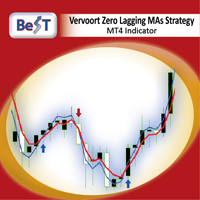
All those involved in trading do certainly know that Moving Average Crossovers for being tradable should be reliable and also they need to have minimal lag.
BeST_Vervoort Zero Lagging MAs Strategy is a Metatrader Indicator that can help you to achieve it and is based on S.Vervoort's work about Reliable and of Zero Lag MAs Crossovers as described in his TASC_05/2008 article " The Quest For Reliable Crossovers ". It's a Multipotentiality Indicator as it can display of either simply the Zero Laggin

Order Management EA (OME). The software will manage your trades based on 2 options: Magic Number or Order Comment. Both the Trades from the other EA or from Manual Trading. Drawing Stop Loss/Take Profit, Close All the positions, manages Multiple Orders, determining grid range and entry signals automatically. Sending Martingale Orders, if necessary, that can be turn off/on. Including 2 options lot calculation: Multiplication or Addition. You install OME in your account, you place order, and it

EA The Time_v1.0
is a f ully automated Expert Advisor work with indicator MACD - SAR - SMA and AWESOME with strategy Scalping and Swing and Grid and i have other products can be found here: https://www.mql5.com/en/users/ahmedyacout/seller and the Youtube Chanel for more video Back test expert https://www.youtube.com/channel/UCQTQoNbIWsDlKryPvqfIw8A/featured?view_as=subscriber The Web Site Coming soon General Recommendations
The minimum deposit is 1000$ or 20$ With cent account leverage fro

The initial price is 75 USD, the future price is 150 USD
The EA uses a reverse strategy. To detect trading signals, the following indicators are used: Moving Average, Relative Vigor Index, Average True Range, Alligator and other custom indicators . Each pair has a stop loss, take profit, breakeven and trailing stop. The EA trades on many major currency pairs and timeframes. The EA uses timeframes: MetaTrader 4 MetaTrader 5 M1, M5, M15, M30, H1 M1, M2, M3, M4, M5, M10, M12 ,

Mars 1 is a Box Break is a powerful indicator of Break Zone for any par and any timeframe. It doesn't requires any additional indicators for the trading setup.The indicator gives clear signals about opening and closing trades.This Indicator is a unique, high quality and affordable trading tool.
Perfect For New Traders And Expert Traders Low risk entries. Never repaints signal. Never backpaints signal. Never recalculates signal. For MT4 Only Great For Scalping Great For Swing Trading Arrow Entr

This EA has built-in trend acceleration indicator to check the trends before performing any trading action. It's engine is provided with: trailing Stop Loss; bad time to trade filter for each day of the week; enable and disable martingale mode; define the maximum spread value to trade; define the minimum equity percentage to allow trading; the input values are already optimized for EURUSD at timeframe M1. The Strategy This Expert Advisor uses built-in trend acceleration indicator where you can s

Free TrendLine EA opens trades whenever the price on the chart interacts with or crosses your trend line. You simply draw the trend line manually then let the EA do the trading automatically according to the rules you give it. The settings available in the EA are explained below: Lots : The lot size for trading. RiskPercentage : Set a value other than zero to activate lot sizing by use of percentage of margin. TrendLineName: The name of the line to track. You can either * rename the trend line t
FREE

This system is currently set for a multi time period. Examines the candles with a formula. The right time also notifies you. You can gain earnings using this system. Re-painting, feature is not available. Several indicator data, channel width and candlestick shadows are calculated. You can adjust the settings according to different time periods by trying the settings. The green line is the "take profit" level.

Pivot levels is indicator showing 7 pivot levels. It is adjusted for major use, including: all standard time frames
choice of periods to show three popular calculation formulas (typical, median, weighted) 9 level Camarilla pivot
pivot day shift choice of properties for lines and labels choice of showing alerts when crossing pivot lines Parameters: ----------Main parameters----------- Timeframe - time frame for pivot levels
Number of periods to show - displays pivot levels for number of periods
FREE

The adviser finds the trend of the currency pair on a given number of bars, then determines the time of the onset of correction. If the trend is strong enough, and the correction becomes equal to the one specified in the parameters, then the adviser can open a trade in the direction of the trend, if additional indications of indicators confirm the opening of the trade. You can set different correction values and many other parameters. This version of the Expert Advisor is free, it has limitati
FREE

Dark Rider is a Night Scalper Expert Advisor . It recognizes overbought and oversold conditions in the hours after close of the New York Exchange and trades accordingly. Dark Rider features an on screen monitor and settings panel on which you can monitor your status and progress. A signal for Dark Rider can be found here .
New in version 1.5 The option 'Stay in trending trades' is new for version 1.5. It will keep you in trending trades. Profitability has been increased while drawdown has bee

EA мультисоветник,в тестере не работает!!!Торгует по 9 валютным парам.Прибыль зависит от ,Вашего,риска.На минимальных настройках приносит не большую прибыль.Рекомендую подключиться к сервису https://fxcash.ru/?id=X65414 . Рекомендуемые пары
extern string _Parameters_Symbol="----- Parameters Symbol"; extern string Symbol1 = "EURUSD"; extern string Symbol2 = "EURCHF"; extern string Symbol3 = "EURCAD"; extern string Symbol4 = "CADJPY"; extern string Symbol5 = "USDCAD"; extern string

I personally always trade at EURUSD 1 and 5 minutes and always set the basic settings to these time units. You can also test on other pairs or trades and all time units, but the parameters must be set.
Deser Expert Advisor has 3 functions.
Trend EA - Grid EA - Hedge EA
You can start in GRID mode with 500 USD and earn 500USD per month with a DD of about 30% or start with 5000 USD and earn up to 5000 per month. The functions are basically very simple. If someone wants to know more, just write a

If you are looking for a simple indicator of Forex trading sessions, you are on purpose. This indicator draws vertical bars that indicate the start and end time of the main trading sessions.
For a trader, trading sessions indicate a clear time frame for increasing market volatility. The Sessions Trading Session Indicator is a tool that, beyond doubt, will be useful not only for beginner traders, but also for experienced traders.

EA works by trend with elements of the Martingale strategy. Select timeframes that are comfortable for trading (set in the settings): global and smaller. For example, we analyze the main trend by D1, and the signal for trade on M15 ... The first order in each direction is opened with a starting lot, then the multiplication factor is applied (set in the settings). If the last order is closed by take profit, again we start with the starting lot ... Rules for each direction, separately for buy and
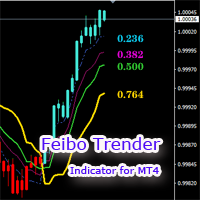
The Feibo Trender is a trend tracking indicator based on the Feibo section calculation. 1.The price is in an upward trend and candles turn blue .The price is in a downward trend and candles turn red . 2.The segmented areas of the channel are identified by lines of different colors that can as support or pressure reference locations . 3.The price broke through the yellow line, which marked the trend reversal. The indicator parameters can be customized and the settings are simple. If you have any

The indicator simplifies the decision-making process by recognizing the reversals using the built-in algorithm, and then confirms the signals at the support / resistance levels. In this way, the indicator tracks the market trend with unsurpassed reliability, ignoring the sharp fluctuations in the market and the noise around the average price. The indicator can be used for both small periods and long-term trading. The indicator is not redrawn and not late. 94% of deals are profitable. Take profit

Multi-timeframe indicator perfectly determines when there will be a rollback from the level ideal for binary options. of correct true signals Forex Stop Loss trading can be dragged behind the line thereby moving the deal to breakeven there is a signal in the indicator. The indicator showed excellent results during testing. Test in the test and make sure it is accurate. For any questions, suggestions, please always communicate with you.
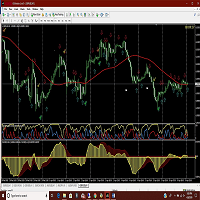
Amac indicator will give you alerts when the ADX crosses and also when the two MACD indicators cross. Helps in determining the trend direction, good for scalping against the main trend as well. Get mobile alerts and email in addition to the platform alerts. Arrows indicate MACD direction and Check marks show ADX turns. Works on all time frames but you can get more pips by using the 30 min and above. Be sure to view the photos!

This indicator guides you like a hunter. Tacheprofit and StopLoss levels. See the difference in the experiment. Works in all periods. Works at all rates. You can win with this system. The crossing of the mean and the re-test were done according to the rule. You can see the transactions by moving backwards on the strategy test screen. The whole system is automatically calculated.

Unbreakable EA:
Fully automated trading robot that uses the values of 57 parameters and selects only the most probable signals. Traded pairs: EUR/USD, GBP/USD, USD/JPY, USD/CHF; Timeframe: M5; Trading style: scalping; Indicators used: RSI Moving Average Bollinger Bands According to the results of the 2003-2019 backtest with 99% modeling quality: for 16 years, the maximum drawdown does not exceed 17.1% , while the ratio of profitable trades is 80.8%. Settings: We have already performed a full

This indicator was created on the basis of the original extreme search indicators,
and as the filters are used is a modified RSI.
Signals are not repaint, so I recommend to analyze
history and choose your trading strategy.
Recommended TF - 5 and 15 minutes, expiration to the end of the candle.
Shows good results when Martin on the next candle or signal.
I do not recommend trading in the news and at the beginning of trading sessions, and avoid pairs with JPY,
on them results worse.
The arrow appe
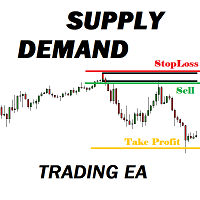
Many supply demand traders find their entry levels easily, but they have trouble finding exit point, risk management and trade management. This EA is created just for that. T his is the only tool you need to trade Forex. This is not an automatic Supply Demand EA! You have to find and draw your levels yourself and EA will take care of the rest. EA handles position openings, automatically calculates the risk you define, and creates a take profit level based on the expected movement in the time you

Renko Trade Alarm is designed to work on chart with Renko and Mean Renko candles. It generate B uy and S ell signals on the chart and send notifications. Visualization of signals: Swing - Formations 123. Pattern - Double Bottom, Double Top, Triple Bottom, Triple Top, Formations 123 Reverse. Scalp - Periodic change in the price direction, plus additional filters in the form of oscillators Stochastic and MACD. Ichi - Signals filtered by the Ichimoku indicator. For correct operation an offl

Easy Set Trade Panel Trade Smarter, Not Harder Take the stress out of trade setup and risk management with the Easy Set Trade Panel — a streamlined, drag-and-drop interface designed for speed, precision, and simplicity. Key Features: Effortless Trade Setup : Just drag your Entry, Stop, and Take Profit lines on the chart. The panel calculates the exact lot size for your trade based on your risk preferences. ️ Smart Risk Management : Choose how you want to control risk: % of Account (e.g., Ri

Перед вами один из самых мощных советников. Эксперт использует по максимуму те возможности тренда, которые трейдер не может заметить и, соответственно среагировать на них. Это позволяет роботу действовать в 3 раза эффективнее. Конечно, не все брокеры приветствуют скальпинг-стратегии, поэтому Crazy BOOM можно назвать узко профессиональным инструментов биржевой торговли. Crazy BOOM — это доступный и удобный робот для начинающих участников биржевой торговли, ведь он позволяет работать и получать

can recognize candlestick patterns
he also recognizes the lows and highs of the price for a certain time.
MTF works on all currency pairs in futures and sulfur, cryptocurrency does not redraw. his work can be seen in the test.
you can trade at any time of the day but the preferred trading time during the European American session ----------------------------------------------------------------------------------------------------------------------------------------------------------

Imperium Pattern EA
USE IT ONLY WITH THE SET FILES I POSTED TO THE COMMENT SECTION.
This is the biggest update in the life of the Imperium Pattern EA, it got new features and engine.
---It got the official TheNomadTrader Dynamic engine system alongisde with good risk:reward ratio
---New feature that allows traders to tell the EA after how much time(X value in minutes) the EA can close trades by dynamic exit. This feature boosts the EA perfoemance and it is a key feature in crisis situati
Provides maximum revenue from trends.
You can receive signals from Zigzag, Front Fibonacci Retracement, Back Fibonacci Retracement and Stochastic Oscillator indicators. You can run these indicators in the background. It will give you a warning at the levels you set. You can change all levels from the settings. Designed to help you get the most out of trends. Fibo Level : 38.2 / 61.8 / 76.4 Stochastic : 20 / 80

Lemon Cat Scalper Free Version. The ideal time frame of this EA is M15, however lower timeframes are also suitable. I mainly used M15 and M5 for backtesting. This EA simply uses previous bars to determine the position for opening orders. It uses a very special strategy for defending losing positions, and it has passed 10 years backtest for most symbols. This EA is mostly suitable for EUR/USD, USD/CAD, AUD/USD, NZD/USD, EUR/CAD, EUR/AUD, AUD/CAD, AUD/NZD and NZD/CAD, however other symbols are
FREE

Please do not trust any backtest result. Use a demo account to try it.
SureFire is a well-known Martingale Hedging strategy in Forex trading. No need to predict market direction. This expert is not just an ordinary Sure Fire strategy, but reinvented the trade setup logic based on calculations. Good money management is the critical factor to run this EA. Highly aggressive in trading big market movement. Definitely the best tool in a volatile market.
LIVE TRADE signal is here: https://www.

Attualmente 30% di sconto!
Questo cruscotto è un software molto potente che lavora su più simboli e fino a 9 timeframe. Si basa sul nostro indicatore principale (migliori recensioni: Advanced Supply Demand ).
Il cruscotto offre un'ottima panoramica. Mostra: Valori filtrati di domanda e offerta, compresa la valutazione della forza delle zone, distanze dei pip da/all'interno delle zone, Evidenzia le zone annidate, Fornisce 4 tipi di allarmi per i simboli scelti in tutti i (9) time-frames.
Oscillator helps determine the direction of the market Shows the direction of the price movement and is painted in the appropriate color. Allows you to conduct trend and counter trend trading It works on all timeframes, on any currency pairs, metals and cryptocurrency Can be used when working with binary options Distinctive features Does not redraw; Simple and clear settings; It works on all timeframes and on all symbols; Suitable for trading currencies, metals, options and cryptocurrency (Bitco

The initial price is 89 USD, the future price is 200 USD
Trading is carried out by market orders from important price levels, which are determined by an advanced adaptive algorithm EA . the Algorithm allows you to determine the dynamic levels of price changes, which gives the EA the ability to quickly find entry points. The EA determines the short-term trend and opens a position with a subsequent partial closure, the average position is open for several hours. The EA trades many major currenc

The robots uses the FUNDAMENTALS strategy used by most successful traders and it only trades when there is a news event. The robot also provide the trader with options of changing lot size, using stoploss, takeprofits and trailing stops. The news events are downloaded automatically from investment.com economic calender by the robot and displayed on the screen in the panel. The trader needs to ensure that the internet is connected before its news time. The robot will display in the top left corne

EA BlueSkay_v1.60
The BlueSkay is a fully automated Expert Advisor work with indicator SMA14 and SAR with strategy Scalping and Swing and Grid and i have other products can be found here: https://www.mql5.com/en/users/ahmedyacout/seller and the you tube Chanel for more video Back test expert https://www.youtube.com/channel/UCQTQoNbIWsDlKryPvqfIw8A/featured?view_as=subscriber The Web Site Coming soon
General Recommendations
The minimum deposit is 1000$ or 20$ With cent account leverage from

This indicator is designed to show the pair power of the major 28 paris with RSI,Stochostic,and CCI. The power value is sorted from the weak to the strong. The weaker pairs: the pairs occurs at least 2 times in the top 3 rows The stronger pairs: the pairs occurs at least 2 times in the bottom 3 rows Users can add another symbol, so it can calculate 28+1 symbols. My advice: https://www.mql5.com/en/blogs/post/729880
A free EA with Pair Power Matrix --- https://www.mql5.com/en/blogs/post/7328

The ZZ Snake indicator is a small entertainment utility and does not have any benefit for trading. Made on the indicator ZigZag, so the parameters will be easy to figure out. If you set it on a graph, you can see a serpent monster that moves across the screen, changing the dimensions of the head and torso in movement. Just connect it to the schedule and let yourself crawling. Careful, he can bite! )
P.S. For a more dynamic movement of the snake, it is recommended to run it in the strategy teste
FREE
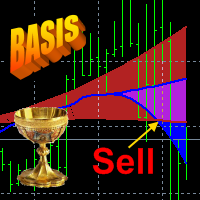
The principle of the indicator.
The Strong Trend Flat Signal (STFS) indicator is the intersection of two, developed by the author, non-lagging moving averages with averaging periods 21 and 63. A simple moving average (SMA) with an averaging period (2n + 1) of bars is always obtained lagging by n bars. If SMA or other types of moving averages are the basis for making trading decisions, then their strong delay does not allow to open positions in time and close positio

The DYJ TrendPending EA tracks the new change of price of the currency pair and opens trades in case of a price low and high from the main movement in the direction of the trend. So EA uses the least risky grid and Add lots. And can attach a positive and reverse pending order. The PositivePending orders can reduce the number of grids and Add lots, while ReversePending orders reduce the loss of orders . For more convenient search, the working timeframe has been added to inputs (Work timeframe).

MacdScapler is an automatic expert advisor with two section of martingale strateges with automation takeprofit. The MACD indicator with adjustable parameters is used as inputs. If parameters of the entry points goes wrong, the EA changes them automaticly. General recommendation
The minimum recommended deposit is 1000 cents for 0.01 lot. Spread is recommended less then 2 points. The martingale parameter can be set from 0.1 to any value in two steps - the first for the four trades and the second
FREE

This EA is designed to monitor the slippage of opening and closing orders, and save the records in files. It is useful to record the slippage and evaluate brokers. The record files are saved in the folder MT4_Data_Folder\MQL4\Files. Go to "File " --> "Open Data Folder" . Warning : Do NOT open the files directly, otherwise it will affect the exectution of EA, just copy them to another folder and open them.
Usage: Open a chart and load the EA on it, just need only one EA to run, it monitors al
FREE
Automatic advisor locker. It opens a buy and sell order and then opens a grid with a martingale, while each grid order will be locked by an opposite order. The order grid is closed upon reaching a certain profit value in the deposit currency.
For one currency pair, the minimum deposit is 5000 usd.
For 50 usd cent bills.
Trading leverage 1: 500 and higher. Settings
Start time - Start of trading Number of trades per day - Number of trades per day Number of locking orders - Number of locking g

STPAOS is an automated trading advisor. The advisor programmatic functionality has been customized for a safe trading strategy with the trend, the essence of which is to close the transaction while achieving a positive profitability ratio of several points, which gives the buyer the opportunity to minimize the loss of funds from the opening of losing trades. Advisor is equipped with special software installations and utilities that help to achieve a positive indicator of trade profitability. The

SSM is a fully automated trading advisor. The configuration of the advisor's program settings is based on the use of a safe trading strategy, which implies closing a deal while achieving a positive progression of profitability of several points, which allows the buyer to minimize the leakage of funds from opening losing trades. The adviser contains special utilitarian macros and installations that implicitly help the user to achieve a profitable indicator of trade profitability. The mechanics of

Bolensia is a fully automated scalper trading advisor. The structure of the augmented macro settings of the adviser was developed for trading using the safe scalping strategy based on opening short-term trades and closing them when a small progressive indicator of profitability dynamism is reached, which allows the user to minimize losses from opening losing trades. The expert advisor integrates special program parameters and utilitarian microtasks, reducing software processes and helping the us
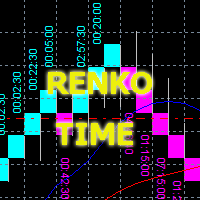
Советник отображает на графике ренко-бары, строит на их основании две скользящие средние и канал по ценам закрытия с заданным периодом. Ренко - специфичное отображение движение цены, при котором на графике выводятся лишь "кирпичи" заданного размера, эквивалентные движению цены, вне зависимости от времени их формирования. Дополнительной опцией для ренко в данном советнике является отображение времени формирования каждого кирпича. Торговые сигналы формируются в два этапа: Формирование опорной точк

The indicator was developed with one purpose - adequate processing on stories and the maximum approach to the original (it was required for development of more difficult indicator and use in the expert). I think, everything who tried to get history from the original indicator understood that in it there is information only on extrema and nothing more. It is not sure that similar does not exist, but mine is found on other than original to an algorithm: - for one pass (programmers will understand)
The indicator is constructed on the basis of ZigZagHistory ( https://www.mql5.com/ru/market/product/37376 ). At the same time calculated on the current timeframe and on the specified high. The history of the high timeframe is displayed by hollow squares. The history of a current timeframe is displayed by rhombuses. Colors and the sizes of signs can be adjusted. Attention! The Price noise parameter - has significant effect on formation of extrema. Parameters:
High TimeFrame (HTF) - the high tim
!!! New faeture sending Signals as VIP EMAILS MT4 Telegram Signal is tool, which sends selected trades via magicno to telegram channel , sms and email to user. Tool sends trades when open and close with chart to telegram chanel. It also sends every modification from trades to telegram. Tool can send multiple charts and magicno and pairs from a single chart. For this you have to fill in on the chart corresponding magic number to be sent by the chart. You must add the URL “ http://api.telegram.o
️ Hedging Forex EA1 – Smart Risk Control with ATR & Hedge Strategy
Now with enhanced features and virtual strategy tester guidance
Hedging Forex EA1 version "8.00" I work at a demo account https://t.me/hfmq4/109 ---
. Recommended Broker:
For optimal performance, a low-spread account is highly recommended to execute the Smart Martingale basket efficiently. Open an Exness Zero Account:
https://one.exnesstrack.org/a/lmeqq9b7 Overview
Hedging Forex EA1 is a smart, risk-managed Expe

The tactics of the work is based on determining the definition of price patterns, confirming a long trend movement. Thanks to a unique algorithm, a trading expert controls the “market pulse” and, in determining patterns of attenuation or trend reversal, stops trading until the next protracted wave movement appears.
Each position of the adviser has a stop loss and take profit.
The martingale method is NOT used. The grid is NOT used.
The default settings are recommended for use on EURUSD (15m)

Implementation of the channel on the MetaTrader 4, with real image of the lines.
The channel itself consists of two lines, equally spaced from above and below from the trend line. The indicator is not redrawn and not late. The principle of operation of the indicator is that, when placed on the chart, automatically determine the current state of the market, analyze historical data, based on historical data and display the trader directions to further actions.

This indicator shows the pivot points of corrections, trends and trends. Matrix calculation system shows 8 types of reversal of the currency pair chart.
Signal classification:
Category 1 - the basic signal . Provides corrective movement between the phases of the graph. On the D1 timeframe it is possible to apply for trading on each bar.
Category 2 - the most basic signal on the graph. In a calm market with a small ATR (for example, night trading), its signals will be major. In impulse mov
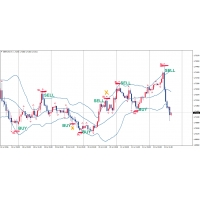
What is a robot? The robot is fully automated for trading, to compensate for the most expensive time. The robot takes the opportunity to passively earn you 5-10% per month! The most important observance of money management! Do not pursue a profit of 30-50% per month, if you are looking for such a robot, then you are not here! The robot has experienced the most important time, namely! This will not deplete your deposit in the amount of 500-1000 dollars a week, but will allow you to make a profit
Average Daily Range with factor target and more functions (ADR)
Hello traders,
The upgraded ADR dashboard is much more better and more convenient for day trader, try it to experience the good things!
How to use Average Daily Range (ADR) Indicator? ADR is just a simple indicator tool to help trader identify the daily average range of an instrument. So for example we have the pairs EURUSD and that pairs usually makes a peak and bottom during the trading day and the point from the bottom to the

PoundYen Trend Follower
PoundYen Trend Follower is a fully automated expert Advisor that trades on trend rollbacks. In its analysis, the expert Advisor uses certain formations of price behavior and indicator values on different time ranges. Upon reaching certain conditions for the opening and closing of positions the EA trails the trade entry and exit. The expert Advisor automatically calculates the volume of the transaction to enter depending on the free Deposit funds, but it is also possible

The strategy used by this trading robot is placing stop orders (Pending) before the news event. The news event release time can be accessed from investment.com an app that the trader must download from play store into his/her mobile device. The robot places two stop orders, a Buy Stop and Sell Stop at the same time at least two minutes before news release time. For example, if the news release time is 15:30, the pending orders will be opened at 15:28(see how to insert the news time at screensho
FREE
Signals and Alerts for AMA (Adaptive Moving Average) indicator based on these MQL5 posts: Adaptive Moving Average (AMA) and Signals of the Indicator Adaptive Moving Average . Note : this tool is based on the code of AMA indicator developed by MetaQuotes Software Corp.
Features The signals are triggered at closing of last bar/opening of a new bar; Any kind of alerts can be enabled: Dialog Box, Email message, SMS notifications for smartphones and tablets, and Sound alerts; Customizable
FREE
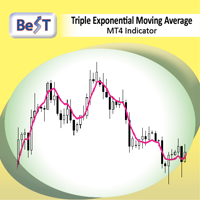
Triple Exponential Moving Average ( TEMA ) is a moving average (MA) that gives the most weight to recent price data. TEMA is more reactive to all price fluctuations than a Simple Moving Average (SMA) or an Exponential Moving Average (EMA) or even a Double Moving Average (DEMA) and surely can help traders to spot reversals sooner because it responds very fast to any changes in market activity. TEMA was developed by Patrick Mulloy in an attempt to reduce the amount of lag time found in trad
FREE

Трендовый индикатор предназначенный для поиска так называемого разворота цены. Который точно показывает трейдеру момент разворота цены. Данный индикатор лучше всего подходит для выставления стоп ордеров, а также для установления движения тренда или настроения рынка.Лучше всего работает в момент установления на рынке сильных трендовых направлений движения , которые происходят приблизительно 40% времени. مؤشر الاتجاه المصمم للبحث عن ما يسمى بالنقاط المحورية ، الذي يبين بدقة للتاجر لحظة الانعكا
FREE
Sai perché MetaTrader Market è il posto migliore per vendere strategie di trading e indicatori tecnici? Non c'è bisogno di pubblicità o di protezione del software, nessun problema di pagamento. Tutto ciò è fornito da MetaTrader Market.

Ti stai perdendo delle opportunità di trading:
- App di trading gratuite
- Oltre 8.000 segnali per il copy trading
- Notizie economiche per esplorare i mercati finanziari
Registrazione
Accedi
Accetti la politica del sito e le condizioni d’uso
Se non hai un account, registrati