 MetaTrader 5
 Experts
 Indicatori
 librerie
 Utilità
 Widget
 Regole
Guarda i video tutorial del Market su YouTube
Come acquistare un Robot di Trading o un indicatore
Esegui il tuo EA
hosting virtuale
hosting virtuale
Prova un indicatore/robot di trading prima di acquistarlo
Vuoi guadagnare nel Market?
Come presentare un prodotto per venderlo con successo
Nuovi Expert Advisors e Indicatori per MetaTrader 4 - 297
 I robot di trading eseguono le operazioni di mercato automaticamente, mentre gli indicatori permettono di analizzare al meglio le quotazioni e prevedere il comportamento dei prezzi. Con queste applicazioni, sarai in grado di eseguire operazioni in MetaTrader 4 in modo più consapevole, cogliendo più opportunità.
Ultra Advanced MA è un indicatore a media mobile per MetaTrader 4. Una media mobile attenua il rumore di breve termine e dà una visione più chiara della direzione principale del mercato. Caratteristiche principali
- Lettura del trend basata sulla media mobile
- Attenua il rumore dei prezzi di breve termine
- Utile come filtro per altri segnali
- Consigliato sul timeframe H4
- È disponibile una versione demo per provarlo Impostazioni consigliate
Timeframe: H4
Coppie: EUR/USD, USD/JPY, GBP/USD, US

Ultra Advanced Support and Resistance Ultra Pips è un indicatore di supporti e resistenze per MetaTrader 4. Le aree di supporto e resistenza sono prezzi in cui il mercato ha già reagito e può reagire ancora. Caratteristiche principali
- Analisi di supporti e resistenze
- Aiuta a pianificare dove osservare le reazioni del prezzo
- Utile per posizionare stop e target con il proprio metodo
- Focalizzato sui timeframe H1 e H4
- È disponibile una versione demo per provarlo Impostazioni consigliate
Ti

Ultra Advanced EMA MA è un indicatore a media mobile esponenziale (EMA) per MetaTrader 4. Una media esponenziale dà più peso ai prezzi recenti, quindi segue più da vicino i nuovi movimenti rispetto a una media semplice. Caratteristiche principali
- Basato sulla media mobile esponenziale
- Maggior peso ai prezzi recenti
- Può fungere da riferimento dinamico di supporto e resistenza
- Facile da usare
- È disponibile una versione demo per provarlo Impostazioni consigliate
Timeframe: H1, H4, D1
Copp

Ultra Advanced FiboChannel è un indicatore di canale di Fibonacci per MetaTrader 4 che traccia automaticamente i livelli di Fibonacci sul grafico. Combina l'analisi di Fibonacci con una vista del mercato a canale. Caratteristiche principali
- Traccia automaticamente i livelli di Fibonacci
- Vista del prezzo basata sul canale
- Consigliato su H1, H4 e D1
- Facile da usare
- È disponibile una versione demo per provarlo Impostazioni consigliate
Timeframe: H1, H4, D1
Coppie: EUR/USD, USD/JPY, GBP/US

Ultra Advanced Fibonacci è un indicatore di Fibonacci per MetaTrader 4 che traccia automaticamente i livelli di Fibonacci sul grafico. Fa risparmiare il tempo di posizionare lo strumento a mano. Caratteristiche principali
- Traccia automaticamente i livelli di Fibonacci
- Nessun tracciamento manuale richiesto
- Aiuta a individuare le possibili aree di ritracciamento
- Focalizzato sui timeframe M30 e H1
- È disponibile una versione demo per provarlo Impostazioni consigliate
Timeframe: M30, H1
Cop

Ultra Advanced Arrows è un indicatore a frecce per MetaTrader 4. Secondo l'autore, è adatto sia all'analisi per lo scalping sia a quella per lo swing trading. Caratteristiche principali
- Mostra le sue letture come frecce sul grafico
- Adatto all'analisi per scalping e swing trading
- Funziona da M30 fino a D1
- Facile da usare
- È disponibile una versione demo per provarlo Impostazioni consigliate
Timeframe: M30, H1, H4, D1
Coppie: EUR/USD, USD/JPY, GBP/USD, USD/CHF, USD/CAD, AUD/USD, EUR/JPY C

Ultra Advanced RSI è un indicatore basato sull'RSI per MetaTrader 4. Mostra la divergenza o la convergenza tra gli ultimi due picchi, il che aiuta il trader a confrontare il momentum con il prezzo. Caratteristiche principali
- Basato sul Relative Strength Index
- Mostra la divergenza o la convergenza tra gli ultimi due picchi
- Aiuta a confrontare il momentum con gli ultimi movimenti di prezzo
- Facile da usare
- È disponibile una versione demo per provarlo Impostazioni consigliate
Timeframe: M3

Ultra Advanced Predictor è un indicatore tecnico per MetaTrader 4 che aiuta il trader a leggere trend e momentum. Può essere applicato a qualsiasi timeframe del grafico. Non prevede il futuro; è uno strumento per studiare il comportamento del prezzo. Caratteristiche principali
- Può essere applicato a qualsiasi timeframe del grafico
- Consigliato su H1, H4 e D1
- Aiuta a studiare il comportamento recente del prezzo
- Facile da usare
- È disponibile una versione demo per provarlo Impostazioni con

Ultra Advanced Stochastic è un indicatore basato sullo stocastico per MetaTrader 4. Secondo l'autore, identifica candele rialziste e ribassiste consecutive, il che aiuta il trader a vedere quando un movimento è proseguito per diverse barre. Caratteristiche principali
- Analisi basata sullo stocastico
- Identifica candele rialziste e ribassiste consecutive
- Focalizzato sui timeframe H4 e D1
- Facile da usare
- È disponibile una versione demo per provarlo Impostazioni consigliate
Timeframe: H4, D

Ultra Advanced MACD è un indicatore MACD per MetaTrader 4. Si calcola sottraendo due medie mobili calcolate sul prezzo, ed è il modo classico di misurare il momentum. Caratteristiche principali
- Calcolo classico del MACD da due medie mobili del prezzo
- Aiuta a seguire i cambiamenti di momentum
- Adatto a H1, H4 e D1
- Facile da usare
- È disponibile una versione demo per provarlo Impostazioni consigliate
Timeframe: H1, H4, D1
Coppie: EUR/USD, USD/JPY, GBP/USD, USD/CHF, USD/CAD, AUD/USD, EUR/JP

Ultra Advanced Precision Trend è un indicatore di trend per MetaTrader 4 che colora le candele in base allo stato attuale del trend. Il trend può essere letto direttamente sul grafico dei prezzi. Caratteristiche principali
- Candele colorate in base allo stato attuale del trend
- Lettura del trend senza una finestra aggiuntiva
- Rende facile notare i cambi di stato del trend
- Facile da usare
- È disponibile una versione demo per provarlo Impostazioni consigliate
Timeframe: H1, H4, D1
Coppie: EU

Ultra Advanced Detrend è un indicatore di detrending per MetaTrader 4. Il detrending rimuove il trend principale dal prezzo in modo che i cicli e gli swing più brevi siano più facili da studiare. Caratteristiche principali
- Vista del prezzo senza trend (detrended)
- Aiuta a studiare i cicli di mercato più brevi
- Può essere regolato per varie coppie e timeframe
- Facile da usare
- È disponibile una versione demo per provarlo Impostazioni consigliate
Timeframe: H1, H4, D1
Coppie: EUR/USD, USD/JP

Ultra Advanced Scalper è un indicatore tecnico per MetaTrader 4 pensato per l'analisi di breve termine. Secondo l'autore, è adatto allo scalping sui timeframe più bassi. Caratteristiche principali
- Progettato per l'analisi di breve termine e lo scalping
- Funziona da M15 fino a H4
- Facile da usare
- Può essere combinato con un filtro del trend su un timeframe superiore
- È disponibile una versione demo per provarlo Impostazioni consigliate
Timeframe: M15, M30, H1, H4
Coppie: EUR/USD, USD/JPY,

Ultra Advanced MA SMA è un indicatore a media mobile semplice (SMA) per MetaTrader 4. Una media mobile semplice dà lo stesso peso a ciascuna barra del suo periodo e offre una vista omogenea del trend. Caratteristiche principali
- Basato sulla media mobile semplice
- Vista omogenea del trend di fondo
- Può fungere da riferimento dinamico di supporto e resistenza
- Facile da usare
- È disponibile una versione demo per provarlo Impostazioni consigliate
Timeframe: M30, H1, H4
Coppie: EUR/USD, USD/JP

Ultra Advanced MA Points è un indicatore a media mobile per MetaTrader 4 che segna punti legati a una media mobile. Aiuta il trader a seguire il comportamento del prezzo attorno alla media. Caratteristiche principali
- Analisi basata sulla media mobile
- I punti rendono più facile vedere la relazione tra prezzo e media
- Utile per rivedere il comportamento passato sul grafico
- Facile da usare
- È disponibile una versione demo per provarlo Impostazioni consigliate
Timeframe: M30, H1, H4
Coppie:

Ultra Advanced AutoFibo è un indicatore di Fibonacci automatico per MetaTrader 4. Come dice il nome, serve ad applicare l'analisi di Fibonacci senza che il trader debba tracciare lo strumento a mano. Caratteristiche principali
- Analisi di Fibonacci automatica
- Fa risparmiare il tempo del tracciamento manuale
- Aiuta a individuare le possibili aree di ritracciamento
- Facile da usare
- È disponibile una versione demo per provarlo Impostazioni consigliate
Timeframe: M30, H1, H4
Coppie: EUR/USD,

Ultra Advanced FibonacciPro è un indicatore di Fibonacci per MetaTrader 4. I livelli di Fibonacci sono molto usati per studiare i ritracciamenti e le possibili aree di reazione all'interno di uno swing di prezzo. Caratteristiche principali
- Analisi degli swing di prezzo basata su Fibonacci
- Aiuta a individuare le possibili aree di ritracciamento
- Utile per pianificare livelli di riferimento per stop e target
- Facile da usare
- È disponibile una versione demo per provarlo Impostazioni consigl

Ultra Advanced Force Meter è un indicatore tecnico per MetaTrader 4 progettato per aiutare il trader a valutare la forza dei movimenti di mercato. Aggiunge una misura della forza alla lettura del prezzo. Caratteristiche principali
- Focus sulla forza dei movimenti di prezzo
- Aiuta a valutare se un movimento ha forza alle spalle
- Consigliato su quattro coppie di valute principali
- Facile da usare
- È disponibile una versione demo per provarlo Impostazioni consigliate
Timeframe: M30, H1, H4
Cop
Master head and shoulders patterns for better trading decisions A head and shoulders pattern is a chart formation that resembles a baseline with three peaks, the outside two are close in height and the middle is highest. It predicts a bullish-to-bearish trend reversal and is believed to be one of the most reliable trend reversal patterns. It is one of several top patterns that signal, with varying degrees of accuracy, that a trend is nearing its end. [ Installation Guide | Update Guide | Trouble
Description: The indicator shows the TDI indicator in a separate window, and with the RSI component, the indicator finds possible divergences with M or W patterns. KEY LINKS: How to Install - Frequent Questions - All Products Functions: Finds Market Makers patterns. Finds extremes or exhaustion into the market. Looks for a trend continuation. Content: TDI Indicator Divergence and M or W Signals Note 1: This indicator should only be considered as a part of any trading strategy. You shoul

ZhiBi Fast Scalp is a good fast scalping index system. The signal is oscillated according to the trend, and the Buy and Sell signals are frequently given. Suitable for all market varieties and time periods.
The up arrow appears to place the order Buy; the down arrow appears to place the order Sell;
Parameter setting description: [Signal_line_period]: The average period of the small cycle signal line. [Trend_line_period]: The average period of the large cycle trend line. [Alert_No_Off]: Open or

The EA compares two instruments and opens opposite positions when these instruments diverge. Further, when the instruments converge, the EA closes positions on the total profit. The EA works on any instruments. Select couples can be on the table. Advisor enough to put on one pair of bundles. For example, for trading on GBPUSD — EURUSD, it is enough to put the EA on GBPUSD or EURUSD. On the chart, the EA draws both currencies and the bars indicate the distance between them.
The parameters of the
Revolution Martingale Pro
indicator for binary options!
at the time of opening and the appearance of the signal!
Blue diamond is shopping up.
A red diamond is an option down.
The indicator is already set to trade in binary options. ----------- protection is set against hitting on (steps - martingale knees) protection of several minuses under the row. ------------------------------------------- (Redrawing possible)

Alarm arrow indicator of increased sensitivity After closing the candle the arrows do not disappear Allows you to enter the transaction on time at the lowest price movements Can be used on any currency pairs, metals and cryptocurrency Suitable for working with binary options Distinctive features Does not redraw; Determines the price correction; Advanced settings for fine tuning; Works on all timeframes and on all symbols; Suitable for trading currencies, metals, options and cryptocurrency (Bitco

Quantum Swing 1. What is Quantum Swing The indicator calculates and displays future price levels based on quantum mathematics with high accuracy of probability and direction. Levels are displayed in the form of zones for making trading decisions; they clearly define a narrow price range for placing orders with a minimum stop-loss and maximum take-profit. The indicator displays future trading zones on different timeframes H1, H4, D, W. Quantum oscillations are also displayed without reference to
FREE
Данный индикатор Форекс построен на теории оценки силы тренда и расчёта, когда нужно входить в рынок. Как только появляется сигнал захода в рынок над свечёй вырисовуется стрелка которая и показывает дальнейшее направление цены. . Это полноценный индикатор который поможет вам принимать решение о входе в рынок и о позиции которую необходимо занять при открытии ордера.

EA The Time_v1.0
is a f ully automated Expert Advisor work with indicator MACD - SAR - SMA and AWESOME with strategy Scalping and Swing and Grid and i have other products can be found here: https://www.mql5.com/en/users/ahmedyacout/seller and the Youtube Chanel for more video Back test expert https://www.youtube.com/channel/UCQTQoNbIWsDlKryPvqfIw8A/featured?view_as=subscriber The Web Site Coming soon General Recommendations
The minimum deposit is 1000$ or 20$ With cent account leverage fro

Советник имеет несколько режимов торговли. Режимы открытия позиций и отложенных ордеров. Открытие позиций через заданный шаг. После прохождения ценой заданного расстояния 1 шаг вверх — продает, 1 шаг вниз — покупает. Таким образом, появляется сеть, которую Вы закрываете руками с помощью кнопок советника или отдаете прибыль на усмотрение самого советника, нажав кнопки автоторговли.
Открытие сети отложенных ордеров Ордера открываются в зависимости от настроек. Можно задавать любые сочетания из buy
The original multi-indicator suite from JoaquinTrading specifically geared towards binary options, including regulated exchanges such Nadex, Cantor Exchange, and other binary option brokers.
The Probability Tool Suite Classic will provide the given win/loss outcome probabilities of up to 10 strike levels, a specific expiration duration, based on a particular indicator's parameters and derivative behavior (i.e. expiry, touch, touch & retrace). Using this indicator will give users an idea if a p
MACD Display is a MACD disaplay and cross monitoring indicator,which can works on 6 timeframe at same time. Indicator advantage: 1. Deviation from the point can be drawn on the main picture and indicator drawing. It is convenient to observe and can be hidden or displayed by parameter setting. 2. Deviation from the entry point is clearly indicated by the arrow in the drawing. 3. Cross-cycle monitoring can simultaneously monitor the MACD deviation and the golden dead fork of the six-cycle framewor
Indicator for effective binary options trading.
Complete lack of redrawing The arrow indicates the direction of the next candle and the possible direction.
signal accuracy. Complete lack of redrawing. works great with support and resistance levels
it has an alert, it can be turned on or off in the settings
the accuracy of this tool is perfect
All successful trading.
Also see my other indicators
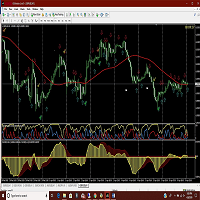
Amac indicator will give you alerts when the ADX crosses and also when the two MACD indicators cross. Helps in determining the trend direction, good for scalping against the main trend as well. Get mobile alerts and email in addition to the platform alerts. Arrows indicate MACD direction and Check marks show ADX turns. Works on all time frames but you can get more pips by using the 30 min and above. Be sure to view the photos!

This indicator guides you like a hunter. Tacheprofit and StopLoss levels. See the difference in the experiment. Works in all periods. Works at all rates. You can win with this system. The crossing of the mean and the re-test were done according to the rule. You can see the transactions by moving backwards on the strategy test screen. The whole system is automatically calculated.
multi-timeframe indicator. Ideal for both the Forex market and binary options. Good accuracy of this tool the indicator showed excellent results during testing. test it in a tester and make sure it is accurate.... complete lack of redrawing. You can choose absolutely any instrument. the indicator will provide many profitable and accurate signals. advantages of the indicator: advanced signals. high signal accuracy. frequency of occurrence of signals.

The Expert Advisor works on the basis of a strategy for calculating the difference in amplitudes of price fluctuations and the Average True Range indicator. A trading expert determines the periods of anomalous discrepancies between these data (an entity resembling a divergence) and is included in the work. It is recommended to use on the 5 minute timeframe, trading instruments: GBPUSD, EURUSD, USDCAD. For stable operation, it is recommended to use a VPS server and a 5-digit flow of quotes. Setti

iVolX indicator horizontal volumes for all time periods
Main settings of the indicator: VolumeSource - select data for volumes (tick or real) PeriodMinutes - selection period for rendering of volumes PeriodsNumber - number of periods to show on the chart StartDate - the start date of the calculations ClusterPoints - cluster width Color - color MaxVolColor - maximum volume color ValueArea - the value of the zone of balance ValueAreaColor - color of the balance zone MaxVolFontSize - fon
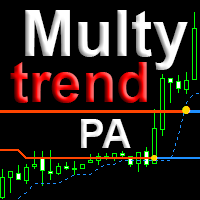
The indicator combines the principles of Price Action and a unique filtering algorithm with feedback for the three movings, this allows you to determine the pivot points and the current trend on any timeframe with a high probability. MultyTrend PA is an evolution of the Trend PA indicator and can be used on the principle of the three Elder screens, with everything you need is displayed on the same graph. Line 1 fast moving, Line 2 main moving, Line 3 - slow moving to determine the direct

The trend scalper is based on the head-shoulder micropatterns and the relative strength index. The unique algorithm of the adviser determines the most possible directions of price movement, false impulses and the force of movement are calculated.
Each position has a stop loss and take profit.
Dangerous trading methods are not used.
It is recommended to use the advisor with the default settings on the following trading instruments (timeframe 5 minutes): GBPUSD, USDCAD, EURUSD. Recommended bro

indicator for binary options! open a deal only for 1 - candle The indicator is already set to trade in binary options. The indicator is ideal for trading on martingale since he very accurately combines what the next candle will be if you are trading in a martingale money management, this is the indicator that you were looking for; it is just created for you and your trading style p.s it is much better than relying on the color of the candle as some not very experienced traders do (therefore, the
Mr Pip Scalping Indicator
is a momentum indicator that measures the magnitude of recent price changes to evaluate overbought or oversold conditions in the price of a stock or other asset with few major tweaks. This is NOT RSI. Features V2: Added Supply/Demand Filter
You can select which zone to see on the chart ( Important Resistance/Support; Verified Resistance/Support; etc ). You get alerts when prices is entering on a specific supply/demand zone. How to use? When the signal comes, you will

Trend Lines Cross This indicator will alert you on any cross of a Trendline. You can draw up to two trend lines and form a channel, a pennant , a triangle or a simple trend and when the price crosses either trend line the indicator will provide you with alerts that you define plus an up or down arrow when the cross happened. How to: Draw the 1st trendline and name it tl1. Draw the 2nd trendline and name it tl2. Select which type of alerts you would like in the indicator properties and you a
FREE

GA scalp
About the form of Expert Advisor: Focus on the scalping EA of the GBPAUD currency. Trading 4 days a week, 2 hours a day, will not use any dangerous actions such as Martin, grid, jiacang.
About EA parameter settings:
If you want to guarantee a stable and low-risk benefit, then use my default parameters. AutoOrder = 1; "Single switch for GA scalp EA. 1 is on, 0 is off DefaultLots = 0.1; Fixed Trade Batch MoneyManagement = 0; "Net value ratio trading batch switch. 1 is on, 0 is off

Nygma Binary Options is a momentum indicator that measures the magnitude of recent price changes to evaluate overbought or oversold conditions in the price of a stock or other asset with few major tweaks. This is NOT RSI.
Features V3: Added Supply/Demand Filter: You must add your own S/R indicator .
You get alerts when prices is entering on a specific supply/demand zone. How to use the S/R Filter? Load the Nygma_Mod.ex4 into the chart, after that load your S/R indicator on the chart. In order

Robot forex " Big Rocket " is based on custom variation of MACD, CII, FIBONACCI, RSI and TOCHASTIC indicator in assistance of Auto Optimizer and Auto Frequency Smart module that allows for dynamic adaptation to current market conditions (no user calibration needed) - the specific result is chosen on the basis of several different coefficients. EA can be run on different symbols and timeframes but for reducing demand on computing power, internal parameters are narrowed and it is highly reco

EA Turbine - автоматический советника, использующий в качестве сигнала для входа резкие ценовые колебание. Для получения сигнала цене нужно пройти определенное расстояние за некоторое время, также используются тиковые данные, для определения средних значений, и определенного их превышении на данный момент. Trend Strategy - при получении сигнала открывается ордер в направлении импульсного движения. Back Strategy - при получении сигнала, на определенной дистанции от текущей цены выставляется отло

The multi-adviser in the tester does not work, it needs all currency pairs, and in the tester only one !!! We need tests and suggestions for the work of the advisor!!extern string _Parameters_Symbol="----- Parameters Symbol"; extern string Symbol1 = "EURUSD"; extern string Symbol2 = "EURCHF"; extern string Symbol3 = "EURCAD"; extern string Symbol4 = "CADJPY"; extern string Symbol5 = "USDCAD"; extern string Symbol6 = "AUDUSD"; extern string Symbol7 = "CADCHF"; extern string Symbol8

First thirty minutes are essential for a trading session. The early reaction of traders and market players sets a path for the rest of the day. KT London Breakout EA takes advantage of this phenomenon, and after analyzing the first thirty minutes of London session, it places two bidirectional pending orders. One of pending order is eventually canceled after realizing the market direction with certainty.
It has been strictly tested and developed for EUR/JPY using 30-Min Time Frame. You can expe

(ROBOT IS OPTIMIZED FROM 2015.01.01 TO TODAY !) ( IF YOU ARE HAPPY WITH EA, REMEMBER TO LEAVE REVIEW AFTER TESTING EA ) SIMPLE EURUSD. is a fully automatic Expert Advisor. This expert advisor is based on 3 basic indicators like BB, STOCH, RSI. Robot is trading 24/5. The Robot was tested and optimized from 2015 to Today with 99,90% tickdata with succes. Robot is working on 15 min time frame and EURUSD

TT Arrows is a trend based indicator that very succesfully predicts the start of the new trend. The indicator is working with all trading instruments and in M5, M15, H1 and H4 timeframes. Up arrow signals a good time to enter a bullish trade while down arrow signals a good time to enter a bearish trade. The trade should be taken when the candle that has the arrow is closed. Following this strategy you will have have a high percentage of winning trades. Enjoy!

中文版的外汇经济日历,数据源来自金十网站https://rili.jin10.com 使用的电脑时区为东八区保证,LocalTime和https://rili.jin10.com 网站的时间一样
中文版的外汇经济日历,数据源来自金十网站https://rili.jin10.com 使用的电脑时区为东八区保证,LocalTime和https://rili.jin10.com 网站的时间一样 中文版的外汇经济日历,数据源来自金十网站https://rili.jin10.com 使用的电脑时区为东八区保证,LocalTime和https://rili.jin10.com 网站的时间一样 中文版的外汇经济日历,数据源来自金十网站https://rili.jin10.com 使用的电脑时区为东八区保证,LocalTime和https://rili.jin10.com 网站的时间一样

The Legendary Donchian Channel Indicator. This is the indicator that Richard Dennis used in the famous turtle experiment where he showed that anybody can become a successful trader by practice. Some techniques are older then MetaTrader itself. In fact we were unable to find a color picture of Mr. Donchian himself, for use as the product icon for this indicator. We had to artificially colorize an old black and white picture of the genius. But it is okay because he is smiling at us and now you ar

Tick Sound will play a different sound each time a tick is triggered. When the tick is higher than the previous one, an "UP" sound is triggered When the tick is lower than the previous one, a "DN" sound is triggered The main sound i chose is a Sheppard Tone : it's an audio effect that simulates and endless ramping sound up or down which is perfect for this task. but you can also select 14 different pre-made up/dn sounds or use your own sounds
There are three main parameters for Tick Sound Ask :

TopstepFX Max Lots Calculator was built to help traders in the TopstepFX Trading Combine monitor their cumulative open position size across all products. While using it, the chart window that is running the Expert Advisor will automatically display the total cumulative position size, for all products being traded. Additionally, it will warn traders when their max position size has been reached.
FREE
Индикатор работает по двум направлениям: прибыли и просадки , а также в двух измерениях: % и $ . Если выставляется значение $ , то % автоматически подгоняется под $ . При изменении депозита индикатор сам уровни корректирует по отношению того, на что был настроен, а другой параметр корректируется к первому. Корректировка появляется при изменении депозита. Округление числа с плавающей точкой у линий (для красивой читаемости) в значении доллара - 2, в проценте - 1. Уровни автоматически выставля

Patient Hunter EA GOLD (XAUUSD) Everything is already set up for GOLD H1 timeframe . Strategy is based on breakout of the HIGHEST channel after some period of consolidation. It uses Stop pending orders with FIXED Stop Loss and Take Profit . Strategy uses also PROFIT TRAILING function to lock as much profit as possible. For every candle the pending orders are modified to adapt the market behavior. You need to set only the lotsize depending on the amount of capital in relation to the expected

Shadow Bot is mainly designed for trading the EURSGD H1 timeframe on a low spread EURSGD ECN broker. It trades mainly during the asian session. It primarily waits for a valid trade opportunity before executing the trade orders. Once in sight, it will execute the order and proceed to manage the order from there. There is no martingale/grid/averaging/hedging used for this particular strategy. Stoploss is given for every single trade to minimize the risk. Default setting is mainly for the purpose

Lemon Cat Scalper The most suitable time frame of this EA would be M15 or even lower, I mainly use M15 or M5 for back testing. This EA use previous number of bars to determine the position during opening orders. More, this EA use a very special strategy for defending, and it can pass 10 years back test for some symbols. This EA is suitable for trading EUR/USD, USD/CAD, AUD/USD, NZD/USD, EUR/CAD, EUR/AUD, AUD/CAD, AUD/NZD, NZD/CAD, or any symbols you like. Defaults setting are not optimized

这EA是根据交易品种的特性研究后得出的交易模型而创造的.
特性: 最适合交易品种:EURUSD,其次是USDJPY、GBPUSD。 大部分情况连续亏损不超过3次。 本EA有追踪亏损策略,但遇到亏损达到一定比例时,会自动变更特殊的交易策略(此时订单相对变少),直到追回亏损。
使用说明: 本EA交易周期是30分钟,打开对应交易品种的图表和加载EA,并设定为30分钟周期。 参数ctime_start:根据日期追损,例如设置为2019.01.01 00:00:00,即从2019.01.01 00:00:00开始计算账户的亏损。 例子1:你要从2017年3月11日 12点10分 开始测试EA,就需要把参数ctime_start设置为2017.03.11 12:10:00。 例子2:如果你当前账户的历史订单是亏损的,参数ctime_start设置的日期在亏损订单的日期前面,EA就会来追踪这个亏损,直到追回亏损。 参数tprofit:盈利金额指数(例如设为3,则盈利范围在2至4之间),即设置为3时,即每单盈利金额约为3美元(EURUSD)
建议: 当参数tprofit设置为3时,每一个交易品种

Ultra Fractal è un indicatore tecnico basato sui frattali per MetaTrader 4. È progettato per aiutare il trader a identificare più chiaramente i livelli di supporto e resistenza sul grafico. Caratteristiche principali
- Approccio basato sui frattali per supporti e resistenze
- Focalizzato sui timeframe H1, H4 e D1
- Consigliato dall'autore per quattro coppie di valute principali
- Semplice da applicare a un grafico
- È disponibile una versione demo per provarlo prima dell'acquisto Impostazioni co
This is the author's product of the trading-investment company Algorithmic Capital, which specializes in professional investor capital management and the creation of trading and analytical software. The Channel Enslaver indicator is created on an “all inclusive” basis. Its program code includes several important blocks at once: • A set of professional technical indicators that independently analyze quotes and generate trading signals. • An alert system that gives special signals (including Email

ZhiBiSmart is suitable for all chart cycles of all market varieties. It uses the trend back call to make the bounce band, which will better predict the band and trend. Buy the order: a mark with a green upward arrow; Buy the close: the green cross mark appears; Sell the order: a mark with a yellow downward arrow; Sell the close: a yellow cross mark; parameter settings: [TrendPeriod]: the period of the trend line; [SignalPeriod]: the period of the signal line; [TrendSpread]: The final determi

Over 100,000 users on MT4 and MT5 Blahtech Candle Timer displays the remaining time before the current bar closes and a new bar forms. It can be used for time management Links [ Install | Update | Training ] Feature Highlights
The only candle timer on MT4 with no stutter and no lag S electable Location Tracks server time not local time Multiple colour Schemes Configurable Text Customisable alerts and messages Optimised to reduce CPU usage Input Parameters Text Location - Beside / Upper
FREE

FIT SCALPER - is fully automated multifunctional trading robot – scalper, can be used with any currency pairs and any TF. The EA gets signals for enter from two force indicators, uses aid orders to strengthen position, martingale, averaging, stop loss, take profit, trailing stop, avails special function of overlapping of unprofitable orders by profitable ones. Main capacities 1. 1 . . EA normal function In this mode aid order function and overlapping of unprofitable orders fun

Used in manual trading to block losses on any price movement against a trader. Allows profits to grow as the price moves in the right direction. Can lock one position or grid. Helps other robots to reduce drawdown by locking.
Principle of operation
Instead of the traditional stop loss, the trader manually sets the initial locking line of this robot. The robot monitors the behavior of the price relative to this line. If the price goes against the trader, the robot locks the position (or several
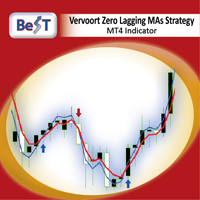
All those involved in trading do certainly know that Moving Average Crossovers for being tradable should be reliable and also they need to have minimal lag.
BeST_Vervoort Zero Lagging MAs Strategy is a Metatrader Indicator that can help you to achieve it and is based on S.Vervoort's work about Reliable and of Zero Lag MAs Crossovers as described in his TASC_05/2008 article " The Quest For Reliable Crossovers ". It's a Multipotentiality Indicator as it can display of either simply the Zero Laggin

Order Management EA (OME). The software will manage your trades based on 2 options: Magic Number or Order Comment. Both the Trades from the other EA or from Manual Trading. Drawing Stop Loss/Take Profit, Close All the positions, manages Multiple Orders, determining grid range and entry signals automatically. Sending Martingale Orders, if necessary, that can be turn off/on. Including 2 options lot calculation: Multiplication or Addition. You install OME in your account, you place order, and it

The initial price is 75 USD, the future price is 150 USD
The EA uses a reverse strategy. To detect trading signals, the following indicators are used: Moving Average, Relative Vigor Index, Average True Range, Alligator and other custom indicators . Each pair has a stop loss, take profit, breakeven and trailing stop. The EA trades on many major currency pairs and timeframes. The EA uses timeframes: MetaTrader 4 MetaTrader 5 M1, M5, M15, M30, H1 M1, M2, M3, M4, M5, M10, M12 ,

Mars 1 is a Box Break is a powerful indicator of Break Zone for any par and any timeframe. It doesn't requires any additional indicators for the trading setup.The indicator gives clear signals about opening and closing trades.This Indicator is a unique, high quality and affordable trading tool.
Perfect For New Traders And Expert Traders Low risk entries. Never repaints signal. Never backpaints signal. Never recalculates signal. For MT4 Only Great For Scalping Great For Swing Trading Arrow Entr

The DYJ TrendPending EA tracks the new change of price of the currency pair and opens trades in case of a price low and high from the main movement in the direction of the trend. So EA uses the least risky grid and Add lots. And can attach a positive and reverse pending order. The PositivePending orders can reduce the number of grids and Add lots, while ReversePending orders reduce the loss of orders . For more convenient search, the working timeframe has been added to inputs (Work timeframe).

This EA has built-in trend acceleration indicator to check the trends before performing any trading action. It's engine is provided with: trailing Stop Loss; bad time to trade filter for each day of the week; enable and disable martingale mode; define the maximum spread value to trade; define the minimum equity percentage to allow trading; the input values are already optimized for EURUSD at timeframe M1. The Strategy This Expert Advisor uses built-in trend acceleration indicator where you can s
Il MetaTrader Market è il posto migliore per vendere robot di trading e indicatori tecnici.
Basta solo sviluppare un'applicazione per la piattaforma MetaTrader con un design accattivante e una buona descrizione. Ti spiegheremo come pubblicare il tuo prodotto sul Market per metterlo a disposizione di milioni di utenti MetaTrader.

Ti stai perdendo delle opportunità di trading:
- App di trading gratuite
- Oltre 8.000 segnali per il copy trading
- Notizie economiche per esplorare i mercati finanziari
Registrazione
Accedi
Accetti la politica del sito e le condizioni d’uso
Se non hai un account, registrati