Replay Simulator
- Experts
-
Arslan Tariq
 Professional Trader & Developer with nearly 10 years of experience in Forex, Crypto, Commodities, and Indices. Specialized in MetaTrader 5 Expert Advisors, custom indicators, automated trading systems, and TradingView Pine Script strategies.
 - Version: 4.35
ReplayTrader – Bar Replay Simulator for MetaTrader 5
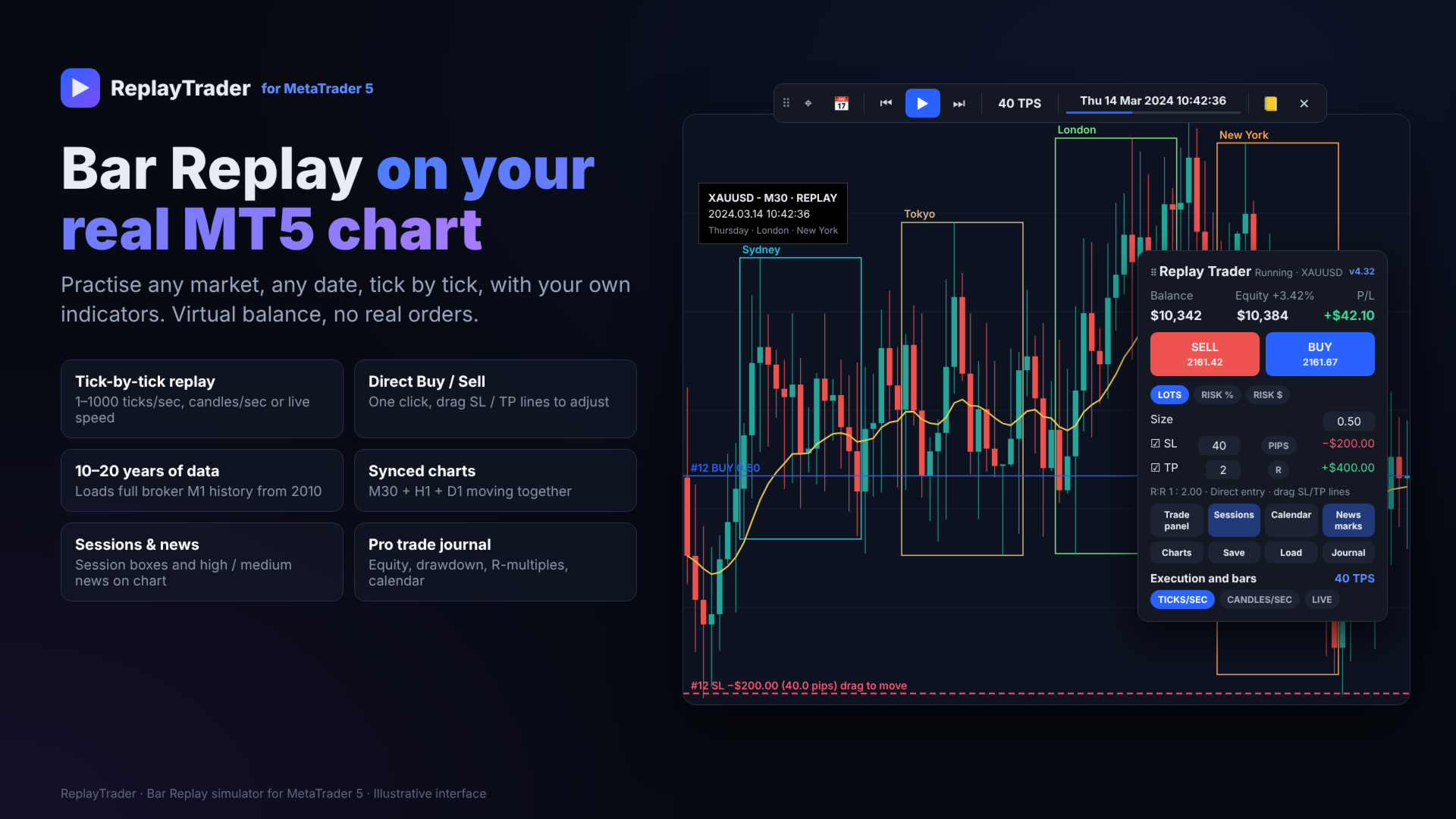
Practise any market, any date, tick by tick, on your real MT5 chart with your own indicators. Virtual balance, no real orders.
ReplayTrader turns your normal MetaTrader 5 chart into a TradingView-style bar replay simulator. Pick a start date, press Play, and trade the past as if it were live. You get one-click Buy/Sell, draggable SL/TP lines, synced multi-timeframe charts, session boxes, high/medium impact news and a full-screen trade journal. Load 10–20 years of broker M1 history and practise without risking real money.
Why traders use it
- Practise your strategy on years of real price data in hours, not months
- Build screen time and confidence before trading live
- Measure your edge with real statistics: win rate, profit factor, expectancy, drawdown, R-multiples
- Works on any symbol your broker offers: forex, gold, indices, crypto, stocks
Tick-by-tick bar replay
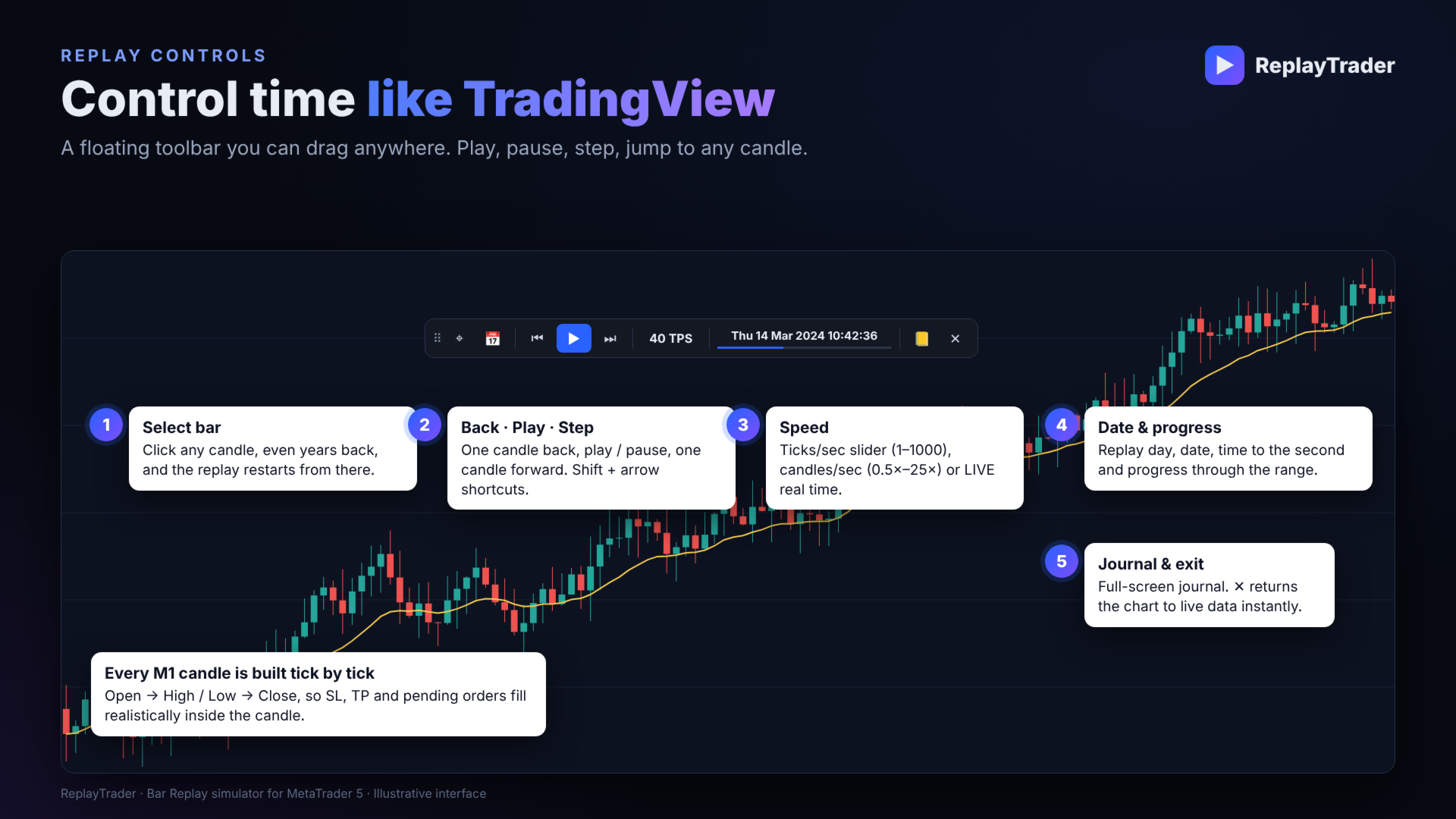
- Every M1 candle is rebuilt from ticks (Open → High/Low → Close), so SL, TP and pending orders fill realistically inside the candle
- Speed modes: Ticks/sec (1–1000), Candles/sec (0.5×–25×) or Live real time
- Play/pause, step forward or back one candle, with keyboard shortcuts (Shift + arrows)
- Select bar: click any candle, even years back, and the replay restarts from there
Runs on your real chart
- The replay runs on the chart you already use, so your indicators and templates stay attached
- Indicators update like a live feed while the replay runs
- Press ✕ to exit: the chart returns to the real symbol and timeframe with live data
One-click trading
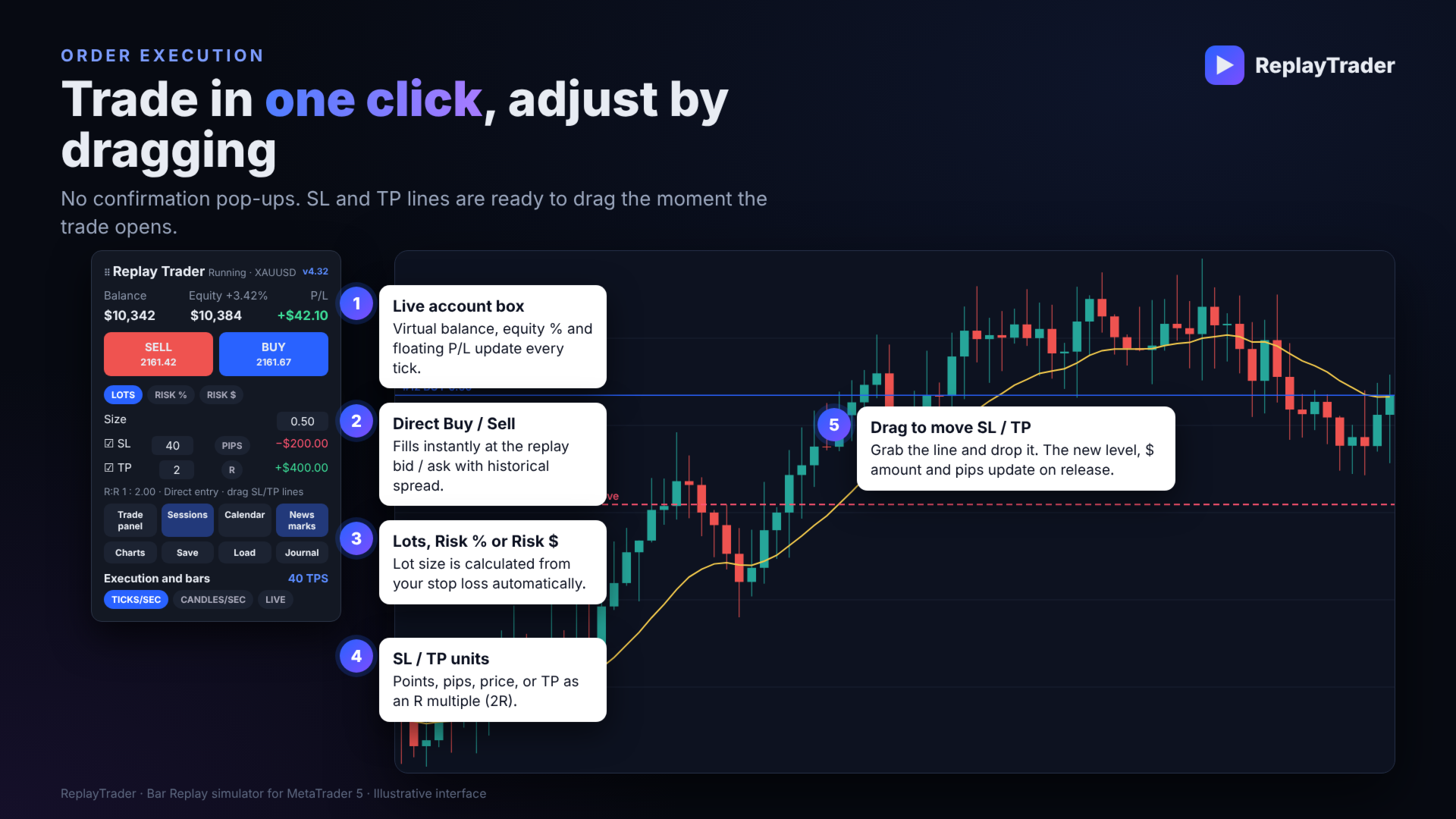
- Direct Buy/Sell with no confirmation pop-ups
- Position size by Lots, Risk % or Risk $ (lot size is calculated from your stop loss)
- SL/TP in points, pips, price, or TP as an R multiple (for example 2R)
- Drag the SL/TP lines on the chart: the new level, $ amount and pips update when you release the line
- Pending orders from an order line (Limit or Stop is chosen automatically)
- Uses the historical spread from the data, plus optional commission
Trade management
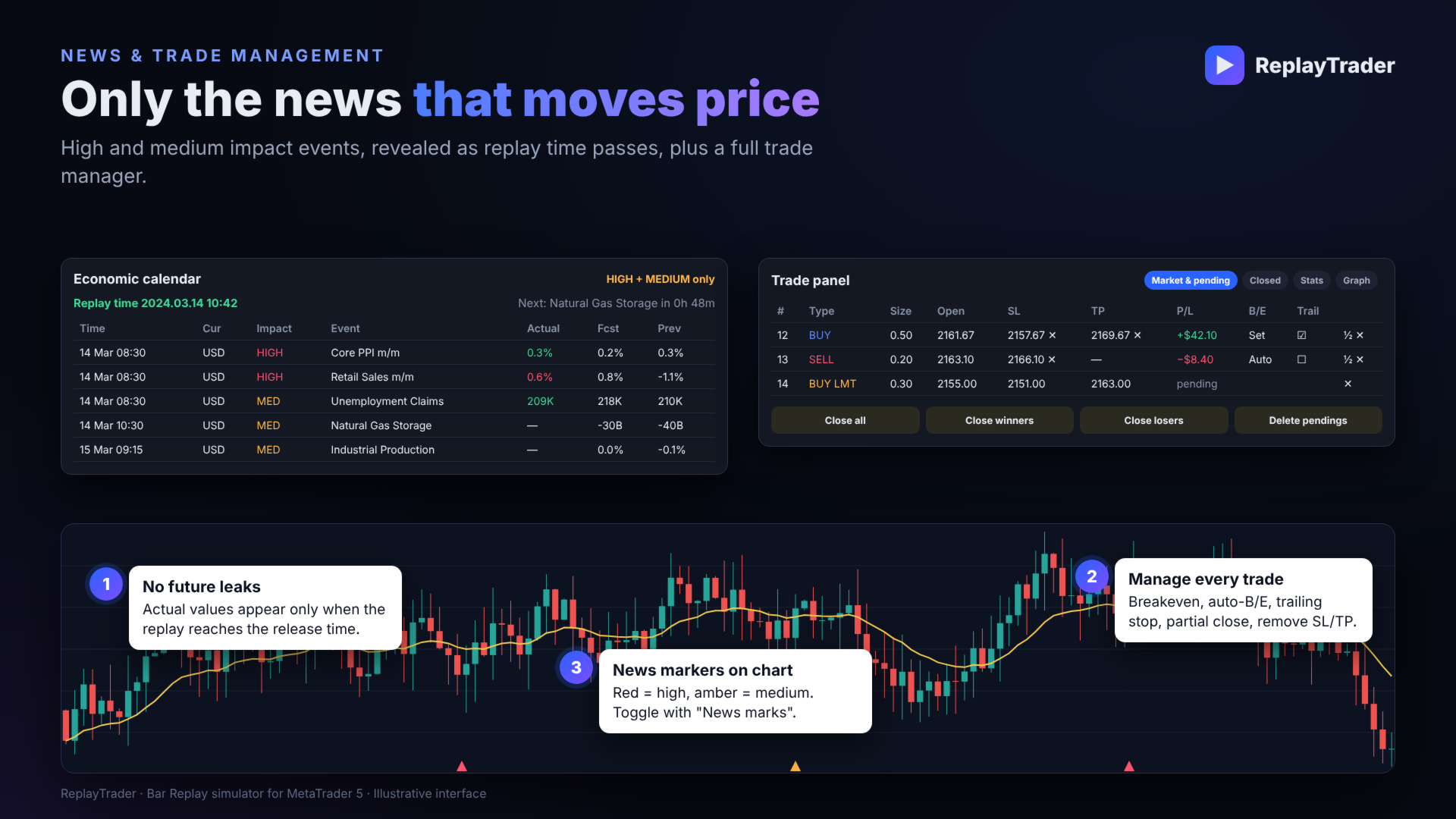
- Trade panel showing all market and pending orders
- Breakeven, auto breakeven at an R multiple, trailing stop, partial close and remove SL/TP
- Close all, close winners, close losers, delete pendings
- Closed-trades list, statistics and balance graph
Multi-timeframe and sessions
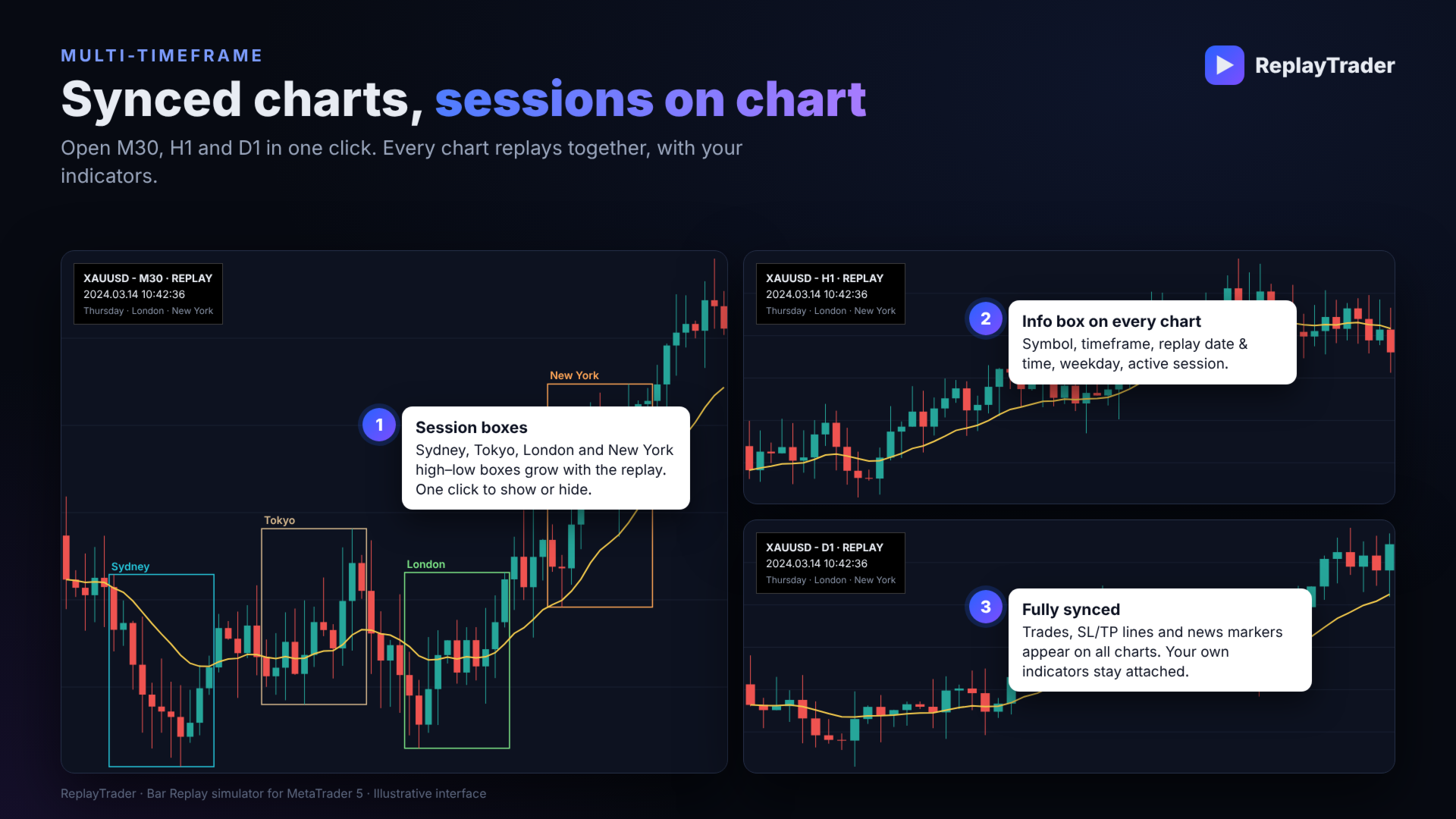
- Open up to 3 synced charts (for example M30 + H1 + D1) in one click; all of them replay together
- Trades, SL/TP lines and news markers appear on every chart
- An info box on each chart shows symbol, timeframe, replay date and time, weekday and active session
- Session boxes on the chart: Sydney, Tokyo, London and New York high–low boxes grow with the replay; show or hide them in one click
Economic calendar (high and medium impact only)
- Built on the MetaTrader 5 economic calendar
- Shows only high and medium impact news for the symbol’s currencies
- No future leaks: actual values appear only when the replay reaches the release time
- News markers on the chart (red = high, amber = medium), toggled with one click
Professional trade journal
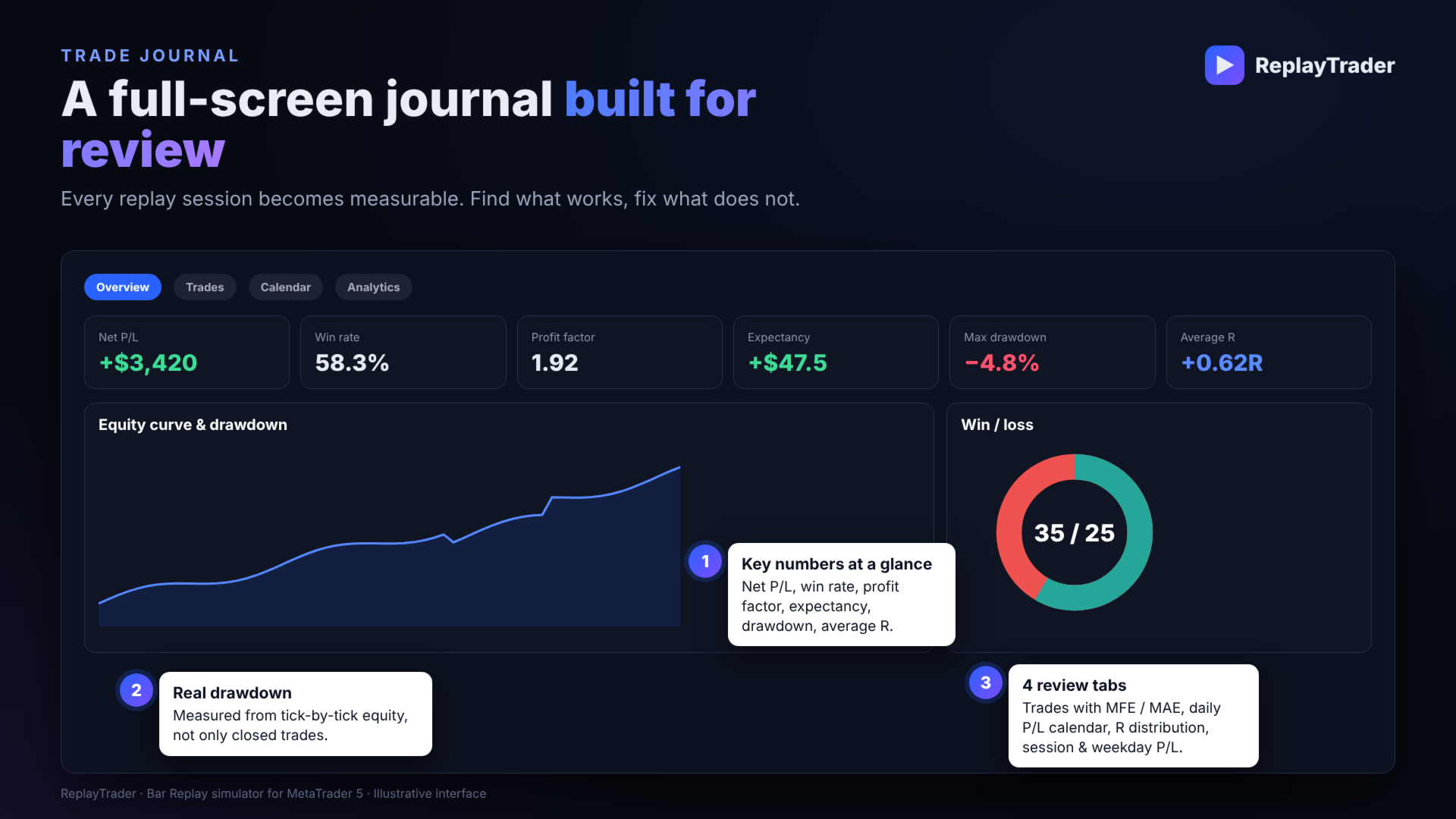
- Full-screen journal with 4 tabs: Overview, Trades, Calendar, Analytics
- Net P/L, win rate, profit factor, expectancy, max drawdown, average R
- Equity curve, with drawdown measured from tick-by-tick equity rather than only closed trades
- Every trade shows MFE, MAE, R-multiple and exit reason; click a trade to jump the chart to it
- Daily P/L calendar, R distribution, P/L by session, weekday and hour, long vs short
- The journal is exported to CSV when you exit
Data, speed and stability
- Load 10–20 years of M1 history (from 2010, or the earliest data your broker has)
- History loads in the background with a progress bar; the same range reloads instantly the next time
- Long replays load more data automatically as they run
- The replay engine is built so MT5 stays smooth at any speed, even with many open trades
- Save/Load sessions: balance, trades, journal and replay position, so you continue exactly where you stopped
Clean, modern interface
- TradingView-style toolbar and control panel, both draggable anywhere on the chart
- Dark professional design, automatic scaling for high-resolution screens, hints on hover
- 100% virtual: no real orders are ever sent to your broker
How it works
- Attach ReplayTrader to any chart (your indicators can already be on it).
- In the inputs, set Load history from, Replay starts at and your virtual balance.
- ReplayTrader loads the history, with a progress bar.
- Press Play. Candles form tick by tick at the speed you choose.
- Trade with Buy/Sell, drag SL/TP, manage trades, and open synced charts, sessions and news.
- Open the Journal at any time to review your results.
- Press ✕ to finish: the journal is saved and your chart returns to live data.
Requirements
- MetaTrader 5, on a normal chart (it does not run in the Strategy Tester)
- For long history: Tools → Options → Charts → Max bars in chart = Unlimited
- The economic calendar needs an internet connection
- How far back the history goes depends on your broker