Night Session Automated Trader
- Experts
- Version: 1.4
- Activations: 10

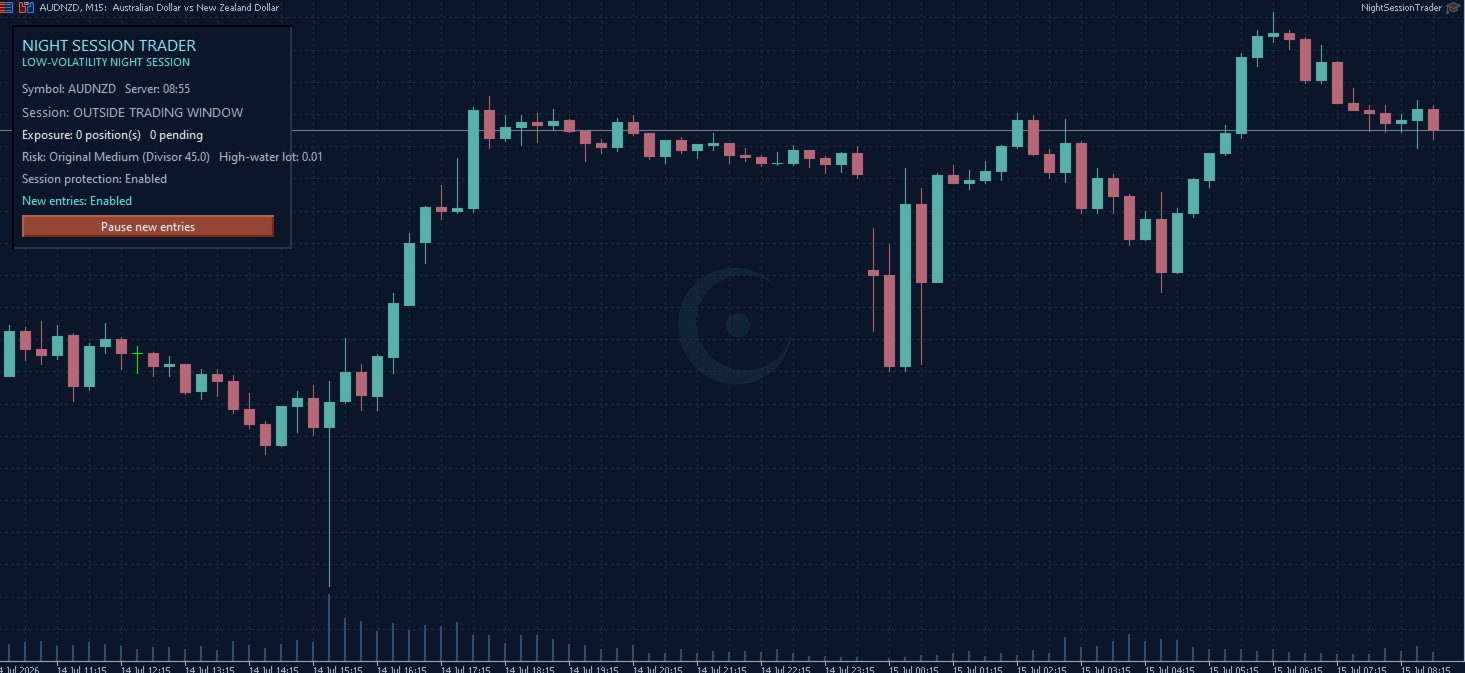
Night Session Trader is an automated trading Expert Advisor for MetaTrader 5, designed for quiet market hours and low-volatility Forex pairs.
The EA focuses on short-term price movements during the night session. It places pending limit orders around a calculated reference area and manages entries, stop loss, take profit and holding time automatically.
The primary recommended symbol is AUDNZD on the M15 timeframe.
Key Features
- Designed for low-volatility Forex pairs
- Primary recommended symbol: AUDNZD
- Recommended timeframe: M15
- Automatic lot calculation
- Multiple risk profiles
- Optional compounding mode
- Spread and trading-condition filters
- Automatic pending-order management
- Dynamic take-profit management
- Maximum holding-time protection
- Daily session-loss protection
- Economic-event risk filtering
- Compatible with MetaTrader 5 netting and hedging accounts
- No Martingale
- No grid trading
- No loss-recovery lot multiplication
How the Strategy Works
Night Session Trader operates during a predefined night trading window based on the broker's server time.
The EA identifies a reference price area and places limit orders at a controlled distance from the current market. Each trade is managed with predefined protective levels and time-based exit rules.
The strategy is designed to capture relatively small price movements under quiet market conditions. It is not intended for strong trends, major news events or highly volatile instruments.
Broker and Spread Requirements
Broker conditions are a key factor for this strategy.
Because the EA trades during quieter market hours and targets relatively small price movements, its results can be strongly affected by:
- Spread widening during rollover
- Commission
- Slippage
- Order execution speed
- Broker server time
- Minimum stop distance
- Freeze level
- Symbol contract specifications
- Available liquidity during the trading session
A broker with low and stable night spreads is recommended. Two brokers using the same symbol may produce different results because their spreads, rollover times, execution conditions and price feeds can differ.
Before using the EA on a live account, test it with your broker using the Strategy Tester and a demo account. Pay particular attention to the AUDNZD spread during the actual trading window.
Recommended Setup
- Platform: MetaTrader 5
- Primary symbol: AUDNZD
- Timeframe: M15
- Minimum recommended deposit: 100 USD
- Recommended leverage: 1:300
- Risk profile: Medium for a balanced starting configuration
- Hosting: A stable VPS close to the broker's trading server is recommended
- Account type: Netting and hedging accounts are supported
The 100 USD deposit is a practical starting reference under the recommended leverage. A larger balance can provide more margin capacity and better tolerance for differences in broker conditions.
Other Symbols
The EA may also be tested on other low-volatility Forex pairs, particularly selected combinations involving AUD, NZD, CAD and CHF.
However, AUDNZD remains the primary recommended symbol. Other pairs can have different spreads, volatility patterns, trading sessions and contract specifications. They should be tested individually before live use.
The EA is not primarily designed for gold, cryptocurrencies, indices or other high-volatility instruments.
Risk Management
Night Session Trader includes automatic position sizing and selectable risk profiles. Users can choose a fixed-lot approach or automatic lot calculation according to their preferred risk level.
Compounding can be enabled or disabled. Maximum lot protection and daily session-loss controls are also available.
The EA does not use Martingale, grid trading or automatic lot multiplication after a loss.
Getting Started
1. Attach the EA to an AUDNZD M15 chart.
2. Enable algorithmic trading.
3. Start with the default Medium risk profile.
4. Check the broker's night spread and server time.
5. Run a backtest using the broker's own symbol data.
6. Test the EA on a demo account before using real funds.
7. Use a stable VPS if continuous operation is required.
Support
If you have any questions before or after purchasing the product, you are welcome to send me a private message through MQL5.
For faster assistance, please include:
- Broker name and trading server
- Trading symbol and any broker suffix
- Account type and leverage
- EA input screenshot
- Experts or Journal log screenshot
- Description of the issue
I will help you check the setup, broker compatibility and relevant trading conditions.
Important Information
Trading results can vary between brokers and accounts. Historical backtests do not guarantee future performance.
Spread, commission, slippage, liquidity and broker execution conditions can materially affect the results of a night-session strategy. Always test the EA with your own broker and select a risk level appropriate for your account.