Visual PMax Trend Indicator
- Indicateurs
- Version: 1.0
- Activations: 5

Visual PMax Indicator is a trend-following indicator for MetaTrader 5 based on PMax logic. It combines a Moving Average with ATR-based dynamic stop levels to help traders identify market direction, trend changes, and possible buy/sell opportunities.
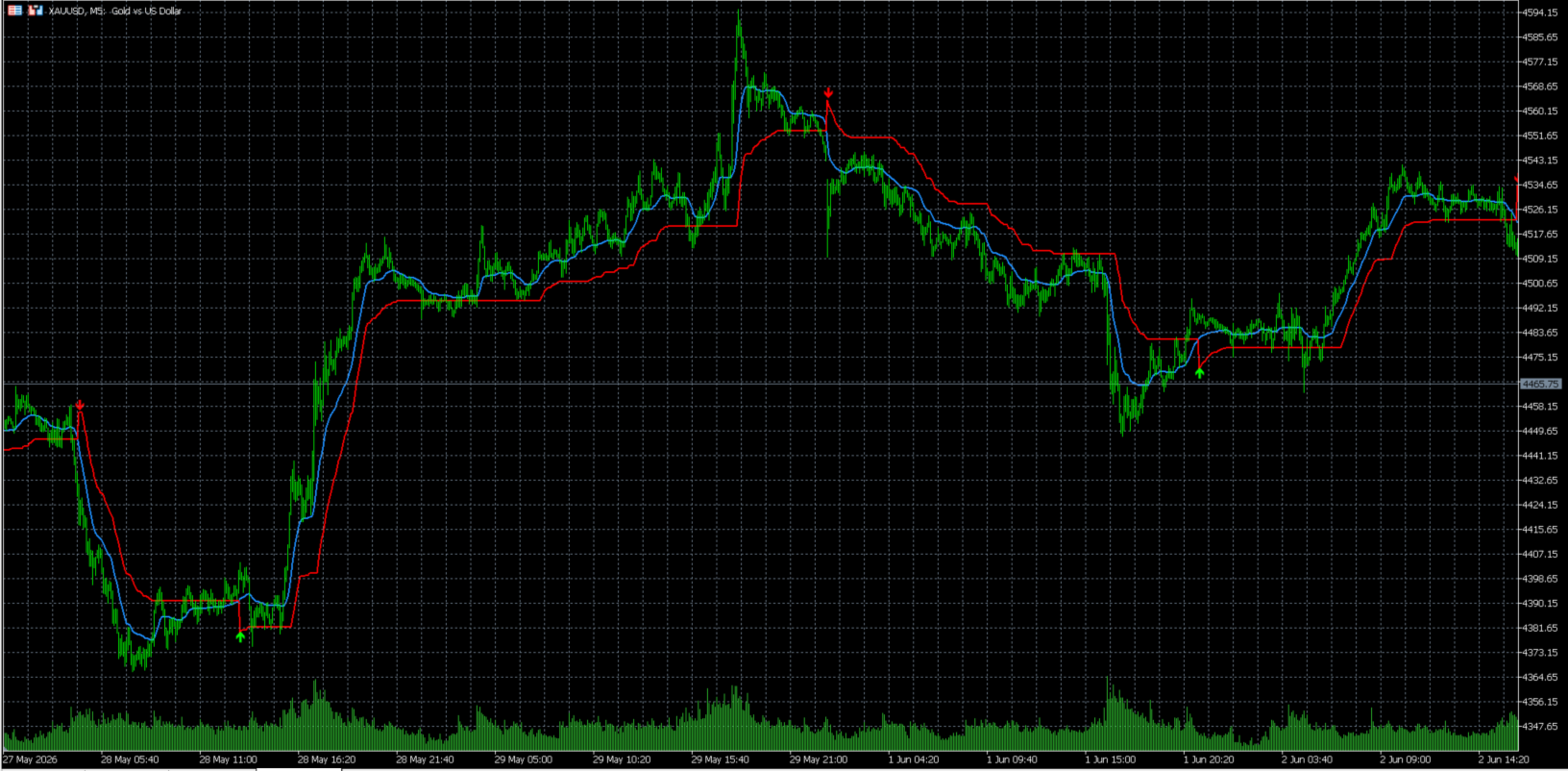
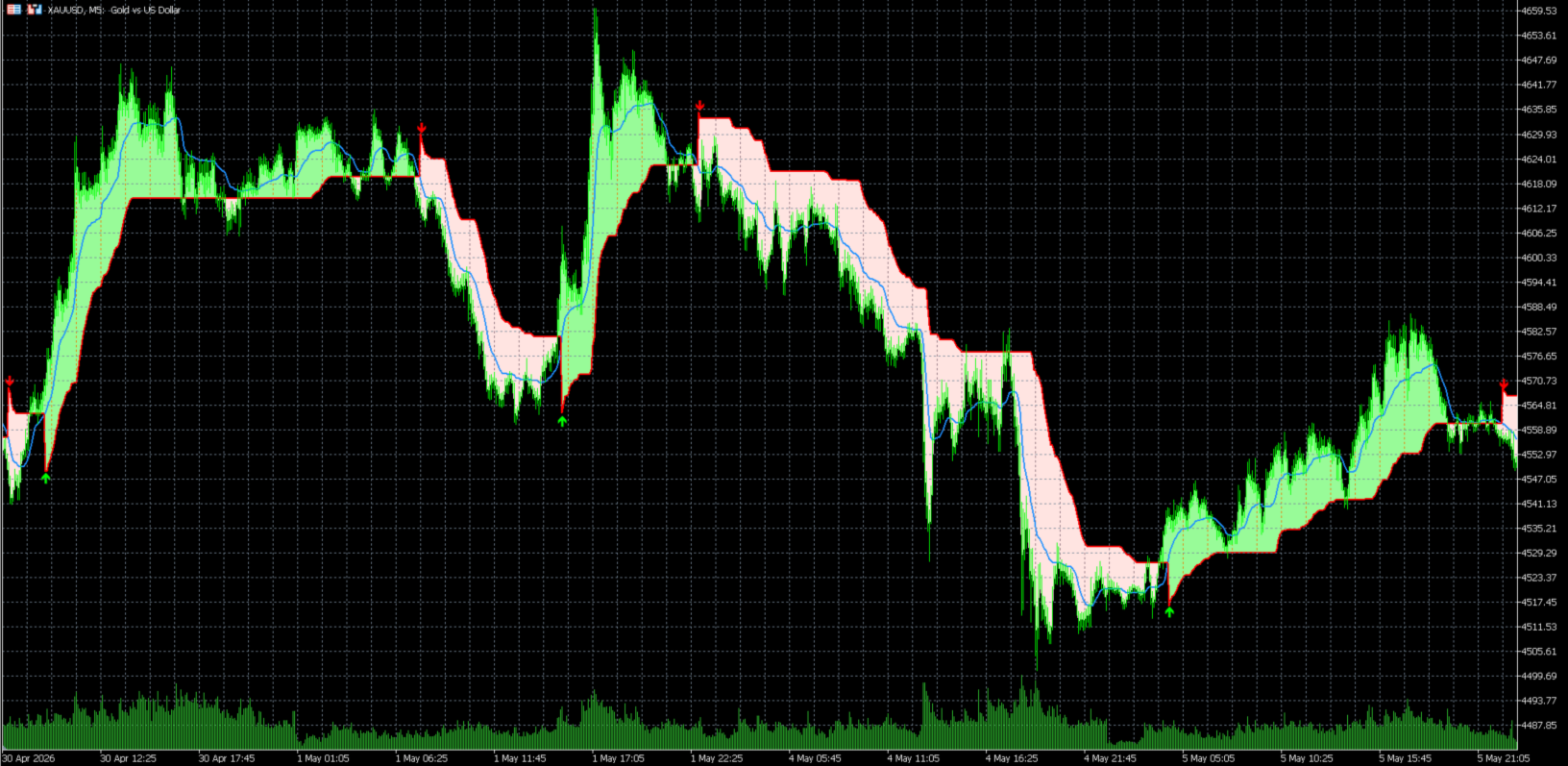
The indicator provides a clear visual view of the current trend directly on the chart. It plots the Moving Average line, the PMax trend line, optional trend area coloring, and buy/sell arrows when a trend change signal occurs.
This tool is especially useful for traders who want a simple and visual way to follow trend direction on symbols such as XAUUSD, Forex pairs, indices, and other CFD instruments.
Main Features
✅ PMax Trend Line
Displays the main PMax line calculated using ATR-based dynamic stop levels.
✅ Moving Average Line
Shows the selected Moving Average line used in the PMax calculation.
✅ Buy and Sell Signals
The indicator can display arrows when the Moving Average crosses the PMax line.
✅ Optional Trend Area
You can enable or disable the colored trend area between price and PMax.
✅ Multiple Moving Average Types
The indicator supports:
- EMA
- SMA
- VAR Adaptive Moving Average
✅ ATR-Based Trend Filtering
ATR is used to calculate dynamic stop levels, helping the indicator adapt to market volatility.
✅ Suitable for Trend-Following Strategies
The indicator can help detect trend continuation and possible trend reversal areas.
✅ Works Directly on the Chart
No complicated setup is required. Attach the indicator to the chart and adjust the parameters as needed.
How the Indicator Works
The Visual PMax Indicator calculates a Moving Average based on the selected MA type. Then it uses ATR and an ATR multiplier to create dynamic upper and lower stop levels.
When the market is in an uptrend, the PMax line follows the price from below.
When the market is in a downtrend, the PMax line follows the price from above.
A buy signal appears when the Moving Average crosses above the PMax line.
A sell signal appears when the Moving Average crosses below the PMax line.
The optional trend area helps traders visually understand whether the current market condition is bullish or bearish.
Input Parameters
ATRPeriod
ATR calculation period. Higher values create smoother signals.
ATRMultiplier
Multiplier used with ATR to calculate the PMax stop levels. Higher values create wider stop levels and fewer signals.
MAPeriod
Moving Average period used in the calculation.
MovingAverageType
Selects the Moving Average type:
- MA_EMA
- MA_SMA
- MA_VAR
ShowBuySellSignals
Enable or disable buy and sell arrows on the chart.
ShowTrendArea
Enable or disable the colored trend area between price and PMax.