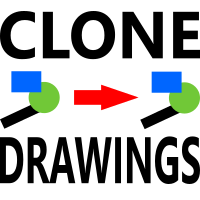
Chart Drawing Cloner
FREE
Publicado:
13 abril 2021
Versión actual:
1.2
¿No ha encontrado el robot adecuado?
Encargue el suyo
en la bolsa Freelance.
Pasar a la bolsa
Encargue el suyo
en la bolsa Freelance.
Cómo comprar un robot comercial o indicador
Inicia el robot en el
hosting virtual
hosting virtual
Pruebe un indicador/robot comercial antes de comprarlo
¿Quieres ganar en el Market?
Cómo ofrecer un producto para que lo compren

Está perdiendo oportunidades comerciales:
- Aplicaciones de trading gratuitas
- 8 000+ señales para copiar
- Noticias económicas para analizar los mercados financieros
Registro
Entrada
Usted acepta la política del sitio web y las condiciones de uso
Si no tiene cuenta de usuario, regístrese
Hi
Is this also available for MT5?
Hi
Is this also available for MT5?
Hello, Unfortunately not right now. Should I get some time I will add it to the todo list.
Sorry.
If you first add a number of drawings to the source chart and copy them to the destination charts, after which you delete certain drawings on the source chart, the deleted drawings still show on the destination charts when you apply the Cloner on the source chart for a second time. Is that correct?
Hello.
It sounds like you are expecting the script to keep the two charts in sync?
If you delete objects from one chart, it does not automatically delete them from the second.
Each time it is applied, the script acts once to copy objects from the first chart to the second, then terminates.
So, the first copy is straight forward, and copies to the second chart. You then delete from the first chart, but not the second, and then try to copy everything again from the first chart. The second chart still has the objects from the first copy.
Hope that makes sense and is helpful in some way.
Hello.
It sounds like you are expecting the script to keep the two charts in sync?
If you delete objects from one chart, it does not automatically delete them from the second.
Each time it is applied, the script acts once to copy objects from the first chart to the second, then terminates.
So, the first copy is straight forward, and copies to the second chart. You then delete from the first chart, but not the second, and then try to copy everything again from the first chart. The second chart still has the objects from the first copy.
Hope that makes sense and is helpful in some way.