Maksim Novikov
Maksim Novikov
  • Information
no
experience
10
products
0
demo versions
0
jobs
0
signals
0
subscribers
My name is Maxim, I am a trader and developer in the MQL4 and MQL5 programming languages.
Friends

Add friends via their profile or user search and you will be able to see if they are online

Maksim Novikov Published product

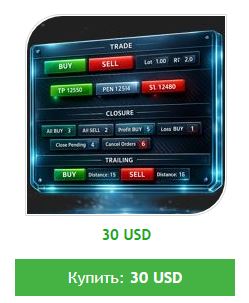
Trade Studio MT4 is a multifunctional trading panel that combines four key tools for manual trading in a single, intuitive interface. Switch between modules with one click and manage all aspects of your trades without cluttering the chart with multiple windows. Common Interface The top panel contains: Symbol selection — drop-down list with instruments for quick switching Magic Number — filter to identify your positions and orders Four navigation buttons — Trade, Lines, Closure, Trailing (active

Maksim Novikov Published product

Trade Studio MT5 is a multifunctional trading panel that combines four key tools for manual trading in a single, intuitive interface. Switch between modules with one click and manage all aspects of your trades without cluttering the chart with multiple windows. Common Interface The top panel contains: Symbol selection — drop-down list with instruments for quick switching Magic Number — filter to identify your positions and orders Four navigation buttons — Trade, Lines, Closure, Trailing (active

Maksim Novikov Published product

Object Trader MT4 is a unique trading utility that changes the approach to managing pending orders. Instead of entering prices manually, you simply create graphic objects on the chart, and the utility itself places and updates orders attached to these objects. Work Concept The utility allows you to "attach" trading orders to three types of graphic objects: Rectangles — for placing paired orders (Buy Stop and Sell Stop) Lines — for placing single pending orders Trailing lines — for managing stop

Maksim Novikov Published product

Object Trader MT5 is a unique trading utility that changes the approach to managing pending orders. Instead of entering prices manually, you simply create graphic objects on the chart, and the utility itself places and updates orders attached to these objects. Work Concept The utility allows you to "attach" trading orders to three types of graphic objects: Rectangles — for placing paired orders (Buy Stop and Sell Stop) Lines — for placing single pending orders Trailing lines — for managing stop

Maksim Novikov Published product

Drag Orders MT4 is a unique trading utility that transforms the process of placing pending orders into a simple and visual action. Instead of entering numbers into parameter fields, you simply drag and drop colored elements directly on the chart. How It Works: The utility creates three interactive horizontal lines on the chart with attached information fields: Green line (top) — Take Profit level White line (center) — Pending order level Red line (bottom) — Stop Loss level Semi-transparent

Maksim Novikov Published product

Drag Orders MT5 is a unique trading utility that transforms the process of placing pending orders into a simple and visual action. Instead of entering numbers into parameter fields, you simply drag and drop colored elements directly on the chart. How It Works: The utility creates three interactive horizontal lines on the chart with attached information fields: Green line (top) — Take Profit level White line (center) — Pending order level Red line (bottom) — Stop Loss level Semi-transparent

Maksim Novikov Published product

Position Closer MT4 is a convenient trading utility that displays directly on the chart and allows you to manage position closing quickly and efficiently. Instead of closing each position individually, you can close them all with one button. How It Works: The panel consists of two large informative buttons: The green "Close BUY" button — shows the number of open Buy positions on the current symbol and their total profit/loss. The brown "Close SELL" button — shows the number of open Sell

Maksim Novikov Published product

Position Closer MT5 is a convenient trading utility that displays directly on the chart and allows you to manage position closing quickly and efficiently. Instead of closing each position individually, you can close them all with one button. How It Works: The panel consists of two large informative buttons: The green "Close BUY" button — shows the number of open Buy positions on the current symbol and their total profit/loss. The brown "Close SELL" button — shows the number of open Sell

Maksim Novikov Published product

Trade Launch is an intuitive trading panel designed for traders who value speed and control when opening trades manually. It is displayed directly on the chart and allows you to manage all key order parameters in a single window. Key Features: Instant Order Placement:   Open Buy and Sell positions with a single button press. The button names dynamically display the current Ask and Bid prices. Built-in Risk Management:   Convenient fields for entering Lot volume, as well as Stop Loss

Maksim Novikov Published product

Trade Launch is an intuitive trading panel designed for traders who value speed and control when opening trades manually. It is displayed directly on the chart and allows you to manage all key order parameters in a single window. Key Features: Instant Order Placement:   Open Buy and Sell positions with a single button press. The button names dynamically display the current Ask and Bid prices. Built-in Risk Management:   Convenient fields for entering Lot volume, as well as Stop Loss

Maksim Novikov
Registered at MQL5.community