Eusebiu Dascalu / Profile
- Information
|
no
experience
|
2
products
|
118
demo versions
|
|
0
jobs
|
0
signals
|
0
subscribers
|
I’ve failed too many times to even think about quitting.
TALON Gold Scalper: https://www.mql5.com/en/market/product/174586#!tab=overview
Friends
216
Requests
Outgoing
Eusebiu Dascalu
🏷️ Here, we try to make money from the market, not from selling robots — that’s why TALON Gold Scalper will be at a discount this weekend!
Eusebiu Dascalu
What's new in TALON Gold Scalper V1.1 🚀
We have taken the system to a new level of precision, control, and safety. Here are the most important improvements added in this release:
Aggressive Mode (relaxed filters / more trades)
Daily Profit Target (securing the day)
Max Open Trades (exposure control)
Visible Magic Number (simplified account management)
⚠️ Attention! Adjust the volume according to your risk tolerance. Always test on a demo account before trading live.
We have taken the system to a new level of precision, control, and safety. Here are the most important improvements added in this release:
Aggressive Mode (relaxed filters / more trades)
Daily Profit Target (securing the day)
Max Open Trades (exposure control)
Visible Magic Number (simplified account management)
⚠️ Attention! Adjust the volume according to your risk tolerance. Always test on a demo account before trading live.
Eusebiu Dascalu
A real scalper wants action, so TALON is working on the "Aaggressive mode". Stay tuned 🚀
Eusebiu Dascalu
# About Testing in MT5
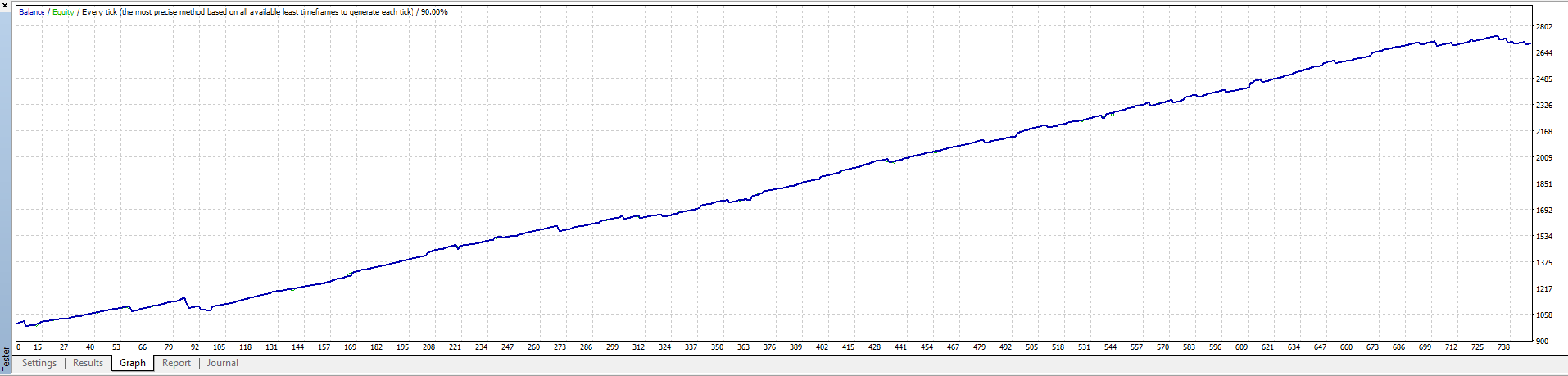
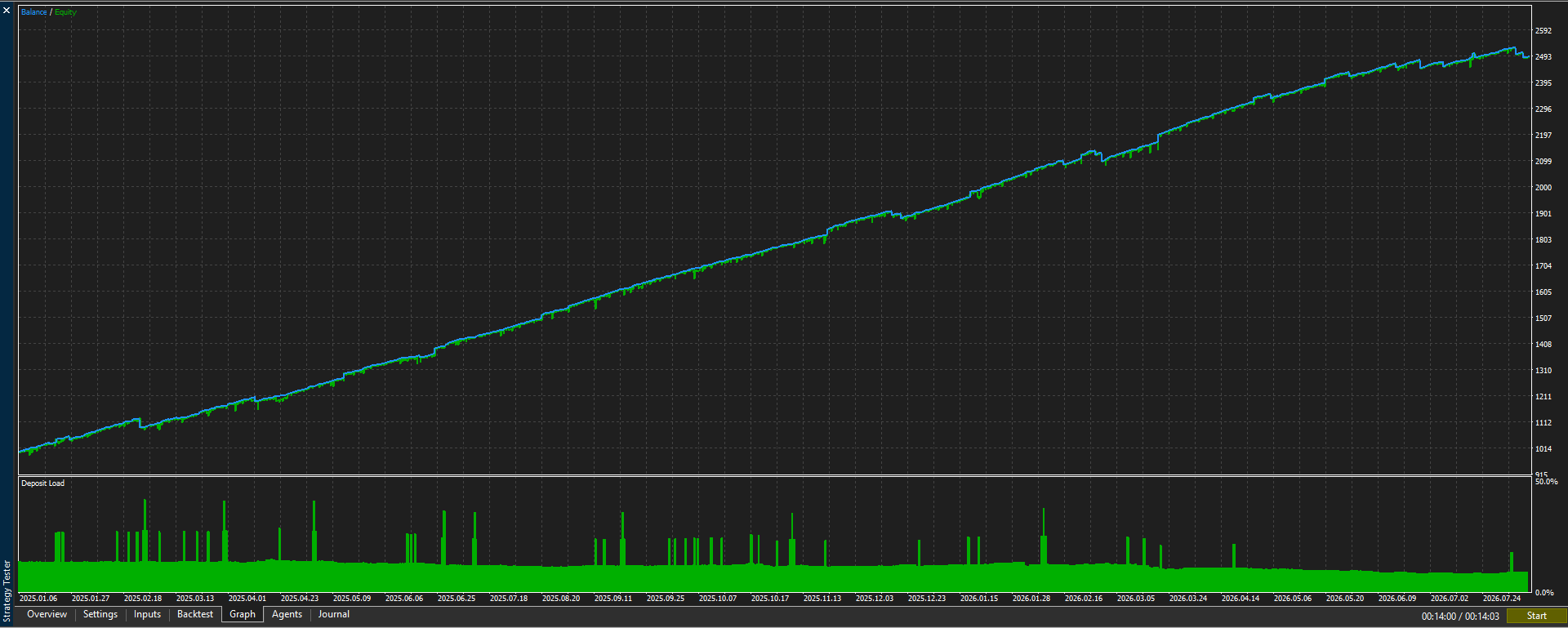
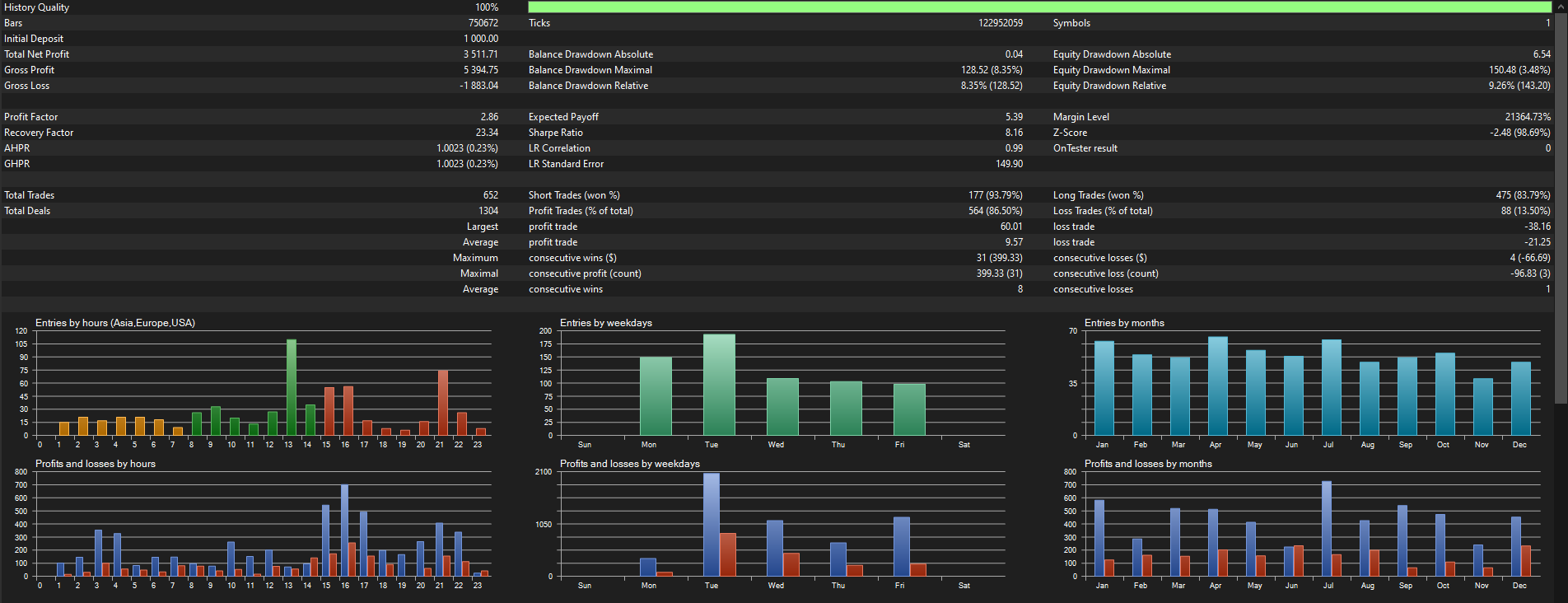
If you run the same EA with the exact same settings and get completely different results, the problem is usually not the code. The problem is often the MT5 Strategy Tester.
For scalping systems, even small errors can completely change the results.
## The 3 most common problems
### 1. “Current” Spread
If you test at night or during weekends, the spread can become huge and block most trades.
✅ Always use a fixed spread (example: 10, 20, 30).
---
### 2. Wrong Data Modeling
If the tester runs on “1 minute OHLC”, many precise entries will be missed.
✅ Always use:
**Every tick based on real ticks**
---
### 3. Corrupted Cache
MT5 stores old test data and temporary files. Sometimes the tester starts using incorrect or “ghost” data instead of real market prices.
✅ A full “Hard Reset” is recommended.
# How to do a Hard Reset in MT5
### Step 1 — Delete Tester Cache
* File → Open Data Folder
* Go to: `Tester → cache`
* Delete all files inside the folder
### Step 2 — Delete Old History Data
* Go to: `bases → your broker → history`
* Delete the tested symbol folder (example: XAUUSD)
### Step 3 — Restart MT5
* Completely close MT5
* Open it again
* Recompile your EA
### Step 4 — Run the Test Properly
Use:
* **Every tick based on real ticks**
* Fixed spread
Then press Start.
This forces MT5 to download fresh data and produce results much closer to real market conditions.
If you run the same EA with the exact same settings and get completely different results, the problem is usually not the code. The problem is often the MT5 Strategy Tester.
For scalping systems, even small errors can completely change the results.
## The 3 most common problems
### 1. “Current” Spread
If you test at night or during weekends, the spread can become huge and block most trades.
✅ Always use a fixed spread (example: 10, 20, 30).
---
### 2. Wrong Data Modeling
If the tester runs on “1 minute OHLC”, many precise entries will be missed.
✅ Always use:
**Every tick based on real ticks**
---
### 3. Corrupted Cache
MT5 stores old test data and temporary files. Sometimes the tester starts using incorrect or “ghost” data instead of real market prices.
✅ A full “Hard Reset” is recommended.
# How to do a Hard Reset in MT5
### Step 1 — Delete Tester Cache
* File → Open Data Folder
* Go to: `Tester → cache`
* Delete all files inside the folder
### Step 2 — Delete Old History Data
* Go to: `bases → your broker → history`
* Delete the tested symbol folder (example: XAUUSD)
### Step 3 — Restart MT5
* Completely close MT5
* Open it again
* Recompile your EA
### Step 4 — Run the Test Properly
Use:
* **Every tick based on real ticks**
* Fixed spread
Then press Start.
This forces MT5 to download fresh data and produce results much closer to real market conditions.
Christian Paul Anasco
1 hour ago
Interesting take. How do people change the spread on the Strategy Tester? I can't seem to figure this out.
Eusebiu Dascalu
Added poll Have you recovered your EA investments and become profitable so far?
-
71% (5)
-
14% (1)
-
14% (1)
Total voters: 7
Share on social networks · 1
1
Eusebiu Dascalu
Published product
TALON Scalper: PLUG & PLAY Aggressive Scalper for GOLD (XAUUSD) NO GRID | NO MARTINGALE | HUGE WIN RATE | LOW DRAWDOWN Time Frames: M1, M5, M15 (The chart timeframe does not matter, the EA uses its own internal Multi-Timeframe analysis ) Designed as an aggressive "Hit and Run" algorithm, TALON Gold Scalper strikes fast and accurately, extracting daily profits from Gold's volatility while maintaining a minimal Drawdown (DD). TALON Gold Scalper has been rigorously tested on
Eusebiu Dascalu
Added poll If you had to choose ONE, what defines a good EA?
-
18% (8)
-
41% (18)
-
18% (8)
-
23% (10)
Total voters: 44
Share on social networks · 1
18
Eusebiu Dascalu
Hunter Nas100 had an incredible day on Monday. Unfortunately, it’s currently undergoing re-optimization.
: