Anand / Profile
- Information
|
10+ years
experience
|
0
products
|
0
demo versions
|
|
144
jobs
|
0
signals
|
0
subscribers
|
Software Engineer
at
Self Employed
Feedbacks:
https://www.mql5.com/en/users/anand_mt4/feedbacks
Finished jobs:
https://www.mql5.com/en/users/anand_mt4/portfolio/jobs_close
Submit a new job for me:
https://www.mql5.com/en/job/new?prefered=anand_mt4
https://www.mql5.com/en/users/anand_mt4/feedbacks
Finished jobs:
https://www.mql5.com/en/users/anand_mt4/portfolio/jobs_close
Submit a new job for me:
https://www.mql5.com/en/job/new?prefered=anand_mt4
Anand
ZigZag Support Resistance Indicator
https://www.mql5.com/en/market/product/13723
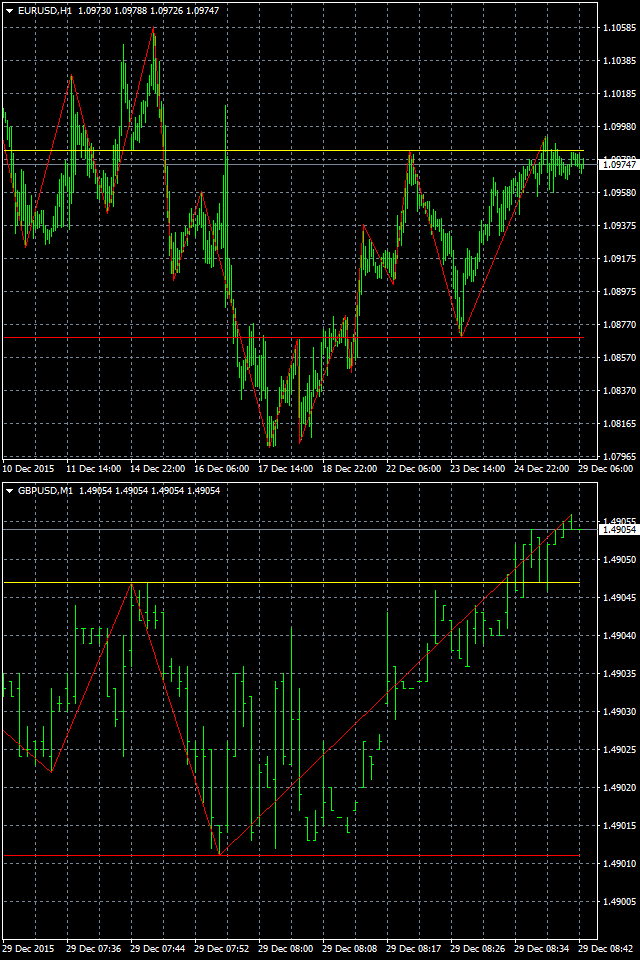
This indicator indicates the highest highs, lowest lows of the market.
This indicator makes a pattern of zigzags by observing the changes in the market.
is indicator shows a Support line which observes from the zigzag pattern and places the line accordingly so that the trader can place orders.
This indicator shows a Resistance line which observes from the zigzag pattern and places the line accordingly so that the trader can place orders.
https://www.mql5.com/en/market/product/13723
This indicator indicates the highest highs, lowest lows of the market.
This indicator makes a pattern of zigzags by observing the changes in the market.
is indicator shows a Support line which observes from the zigzag pattern and places the line accordingly so that the trader can place orders.
This indicator shows a Resistance line which observes from the zigzag pattern and places the line accordingly so that the trader can place orders.
Anand
Inside Outside Bars Indicator
https://www.mql5.com/en/market/product/10588
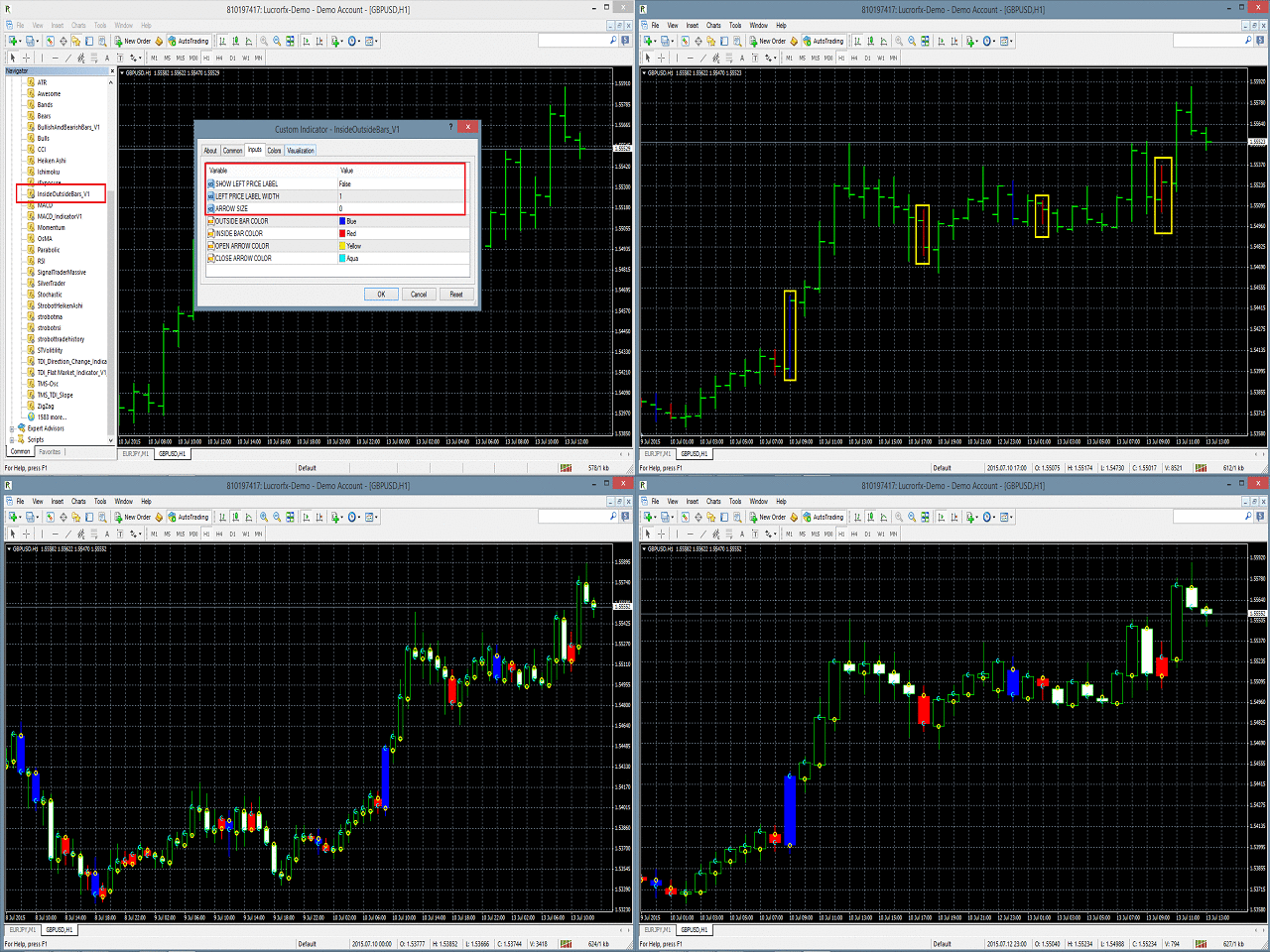
The Inside Outside Bars indicator is drawn in the main window of the chart and displays them in different color with price label displaying on the left of the inside and outside bars.
https://www.mql5.com/en/market/product/10588
The Inside Outside Bars indicator is drawn in the main window of the chart and displays them in different color with price label displaying on the left of the inside and outside bars.
Anand
HP Volume Delta Indicator
https://www.mql5.com/en/market/product/21935
Volume Delta Indicator is an advanced multi timeframe scanner dashboard type indicator.
https://www.mql5.com/en/market/product/21935
Volume Delta Indicator is an advanced multi timeframe scanner dashboard type indicator.
Anand
Market Hour Indicator
https://www.mql5.com/en/market/product/19736
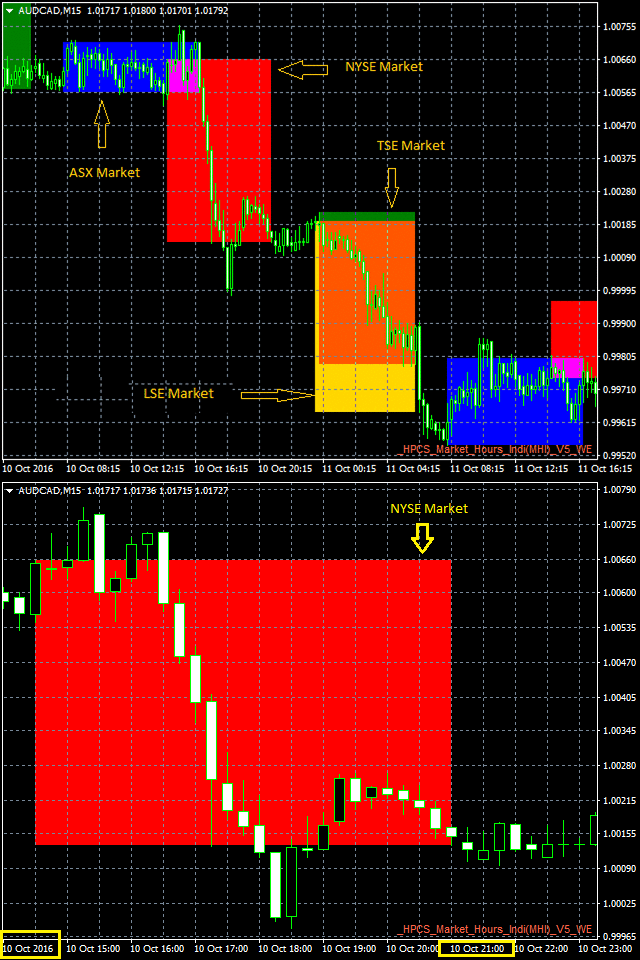
Market Hour Indicator is one the most useful indicators for the traders who trade in different markets. The indicator highlights the area in the chart during which a particular market is open. It operates on four different markets i.e. New York Stock Exchange, Australian Stock Exchange, Tokyo Stock Exchange and London Stock Exchange.
https://www.mql5.com/en/market/product/19736
Market Hour Indicator is one the most useful indicators for the traders who trade in different markets. The indicator highlights the area in the chart during which a particular market is open. It operates on four different markets i.e. New York Stock Exchange, Australian Stock Exchange, Tokyo Stock Exchange and London Stock Exchange.
Anand
Advance MACD Indicator
https://www.mql5.com/en/market/product/10589
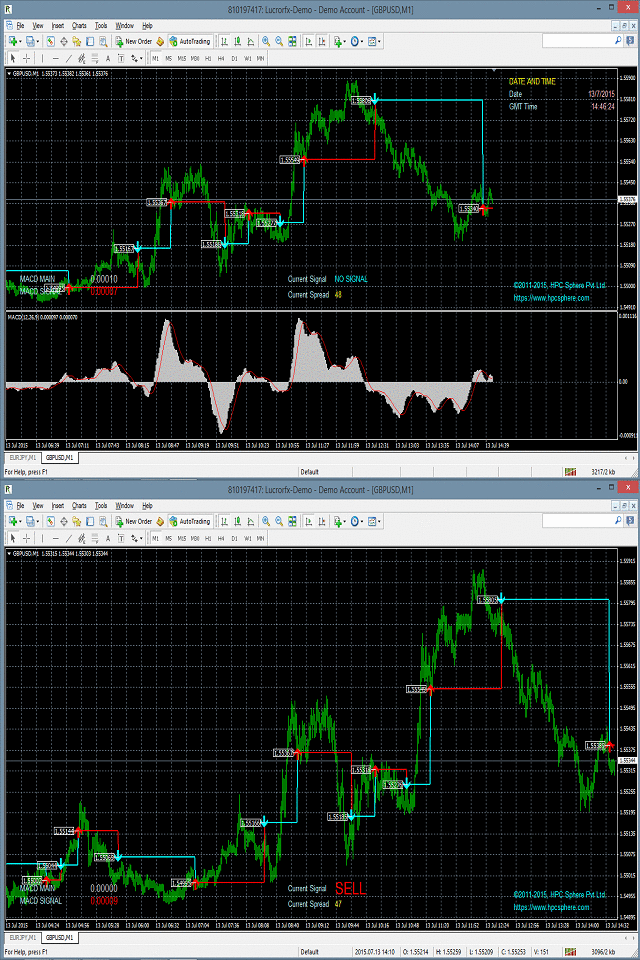
MACD Indicator draws line and arrow in the main chart window to identify the trade opportunity.
The number of bars used for indicator calculation are:
1. FAST EMA PERIOD-12
2. SLOW EMA PERIOD-26
3. SIGNAL SMA PERIOD-9
https://www.mql5.com/en/market/product/10589
MACD Indicator draws line and arrow in the main chart window to identify the trade opportunity.
The number of bars used for indicator calculation are:
1. FAST EMA PERIOD-12
2. SLOW EMA PERIOD-26
3. SIGNAL SMA PERIOD-9
Anand
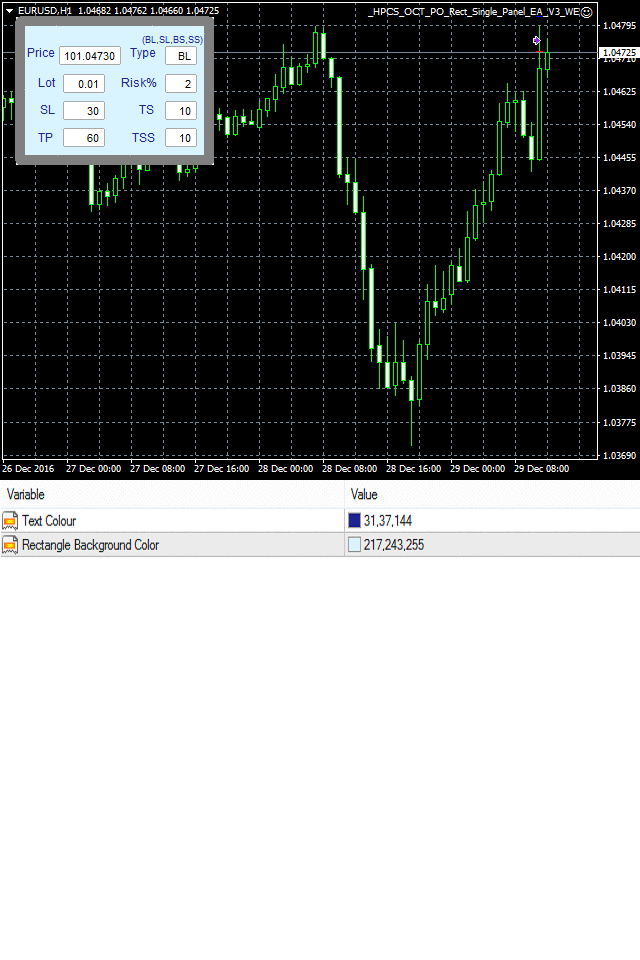
On Chart Trading Pending Order Window Single
https://www.mql5.com/en/market/product/12348
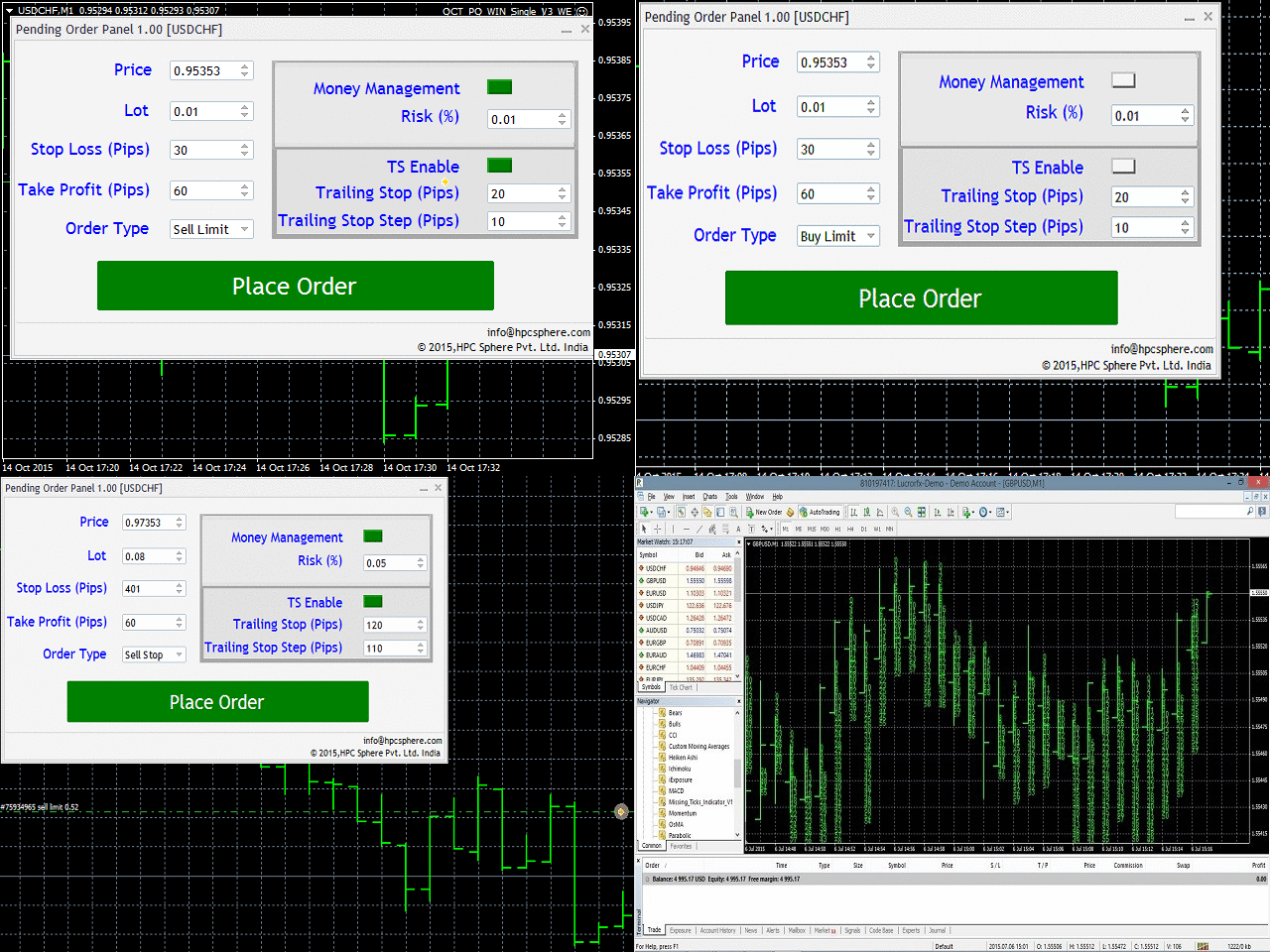
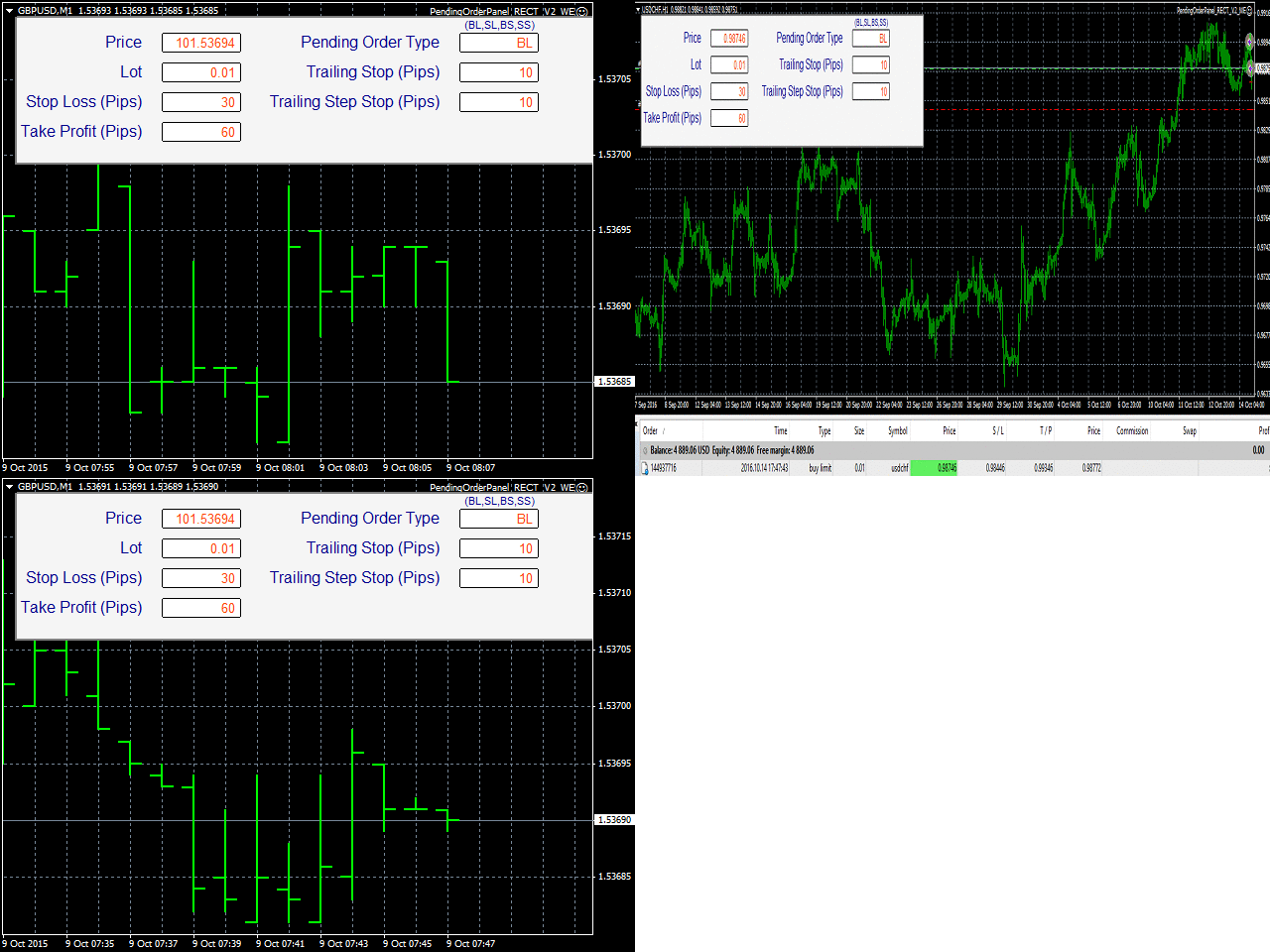
The expert advisor (EA) generates an on-chart trading panel to manually place any of four different types of pending order(s) on the attached chart's current symbol. Before clicking "Place" button, to place a pending order
https://www.mql5.com/en/market/product/12348
The expert advisor (EA) generates an on-chart trading panel to manually place any of four different types of pending order(s) on the attached chart's current symbol. Before clicking "Place" button, to place a pending order
Anand
HP Market Order Panel
https://www.mql5.com/en/market/product/23843
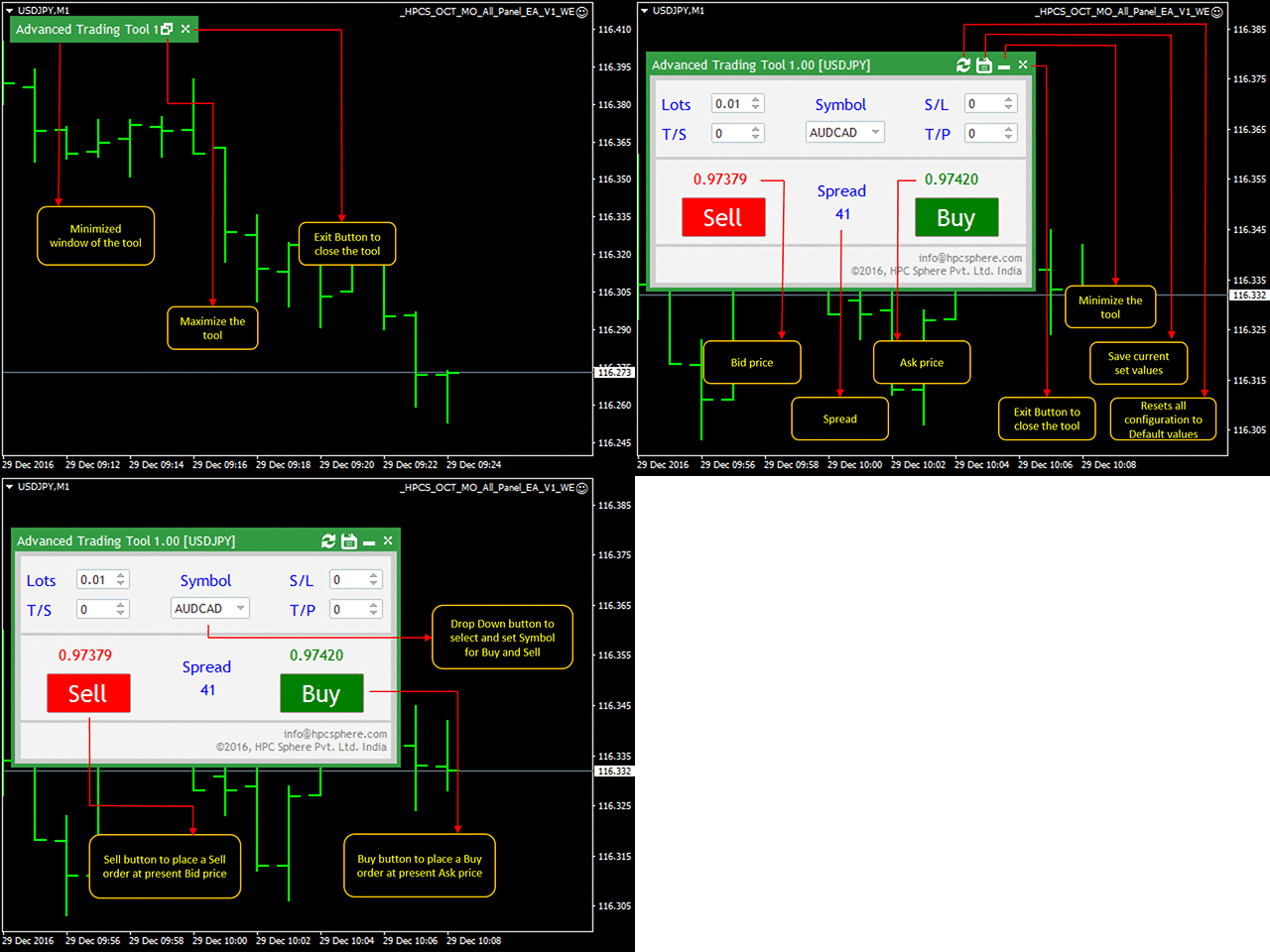
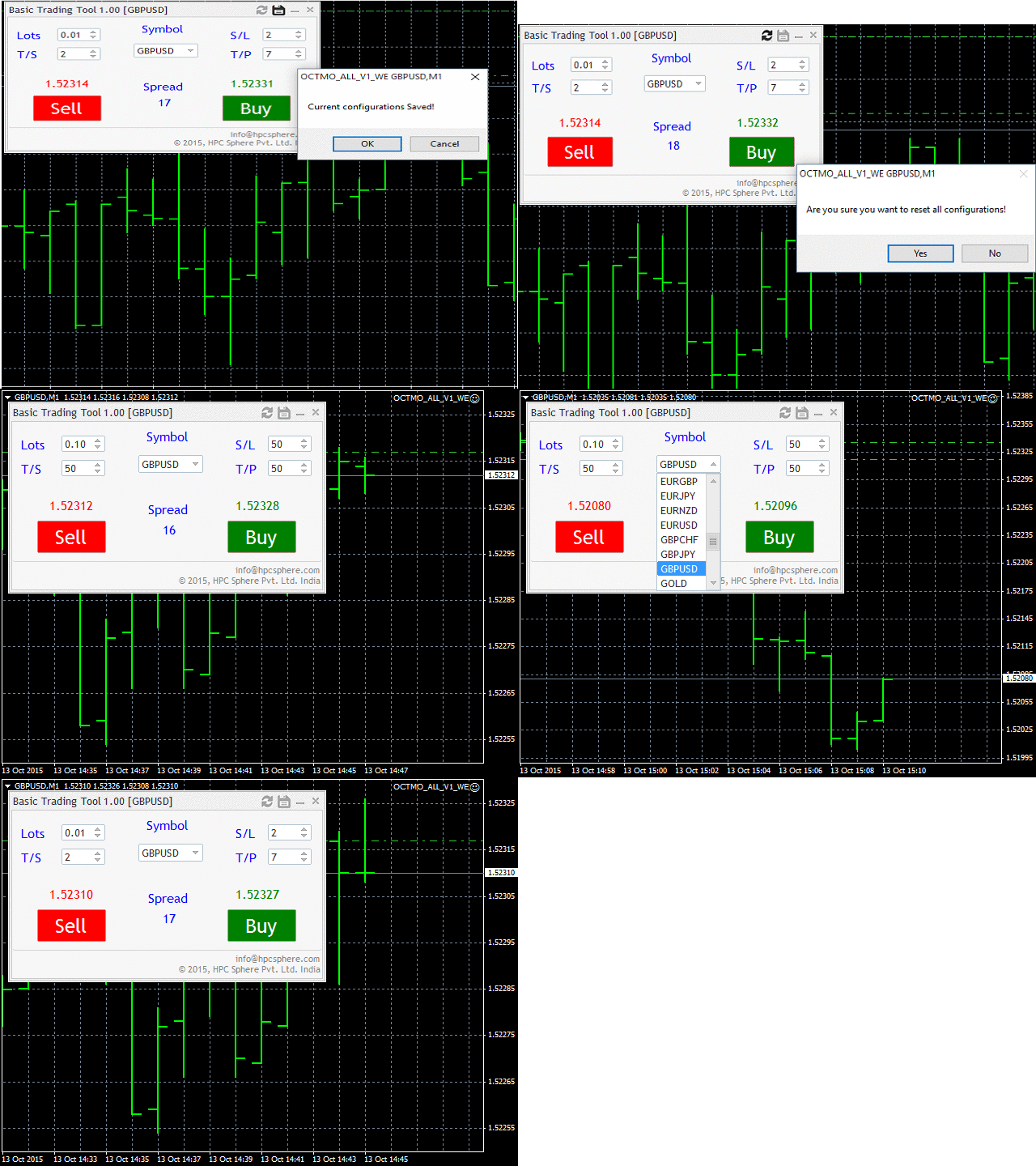
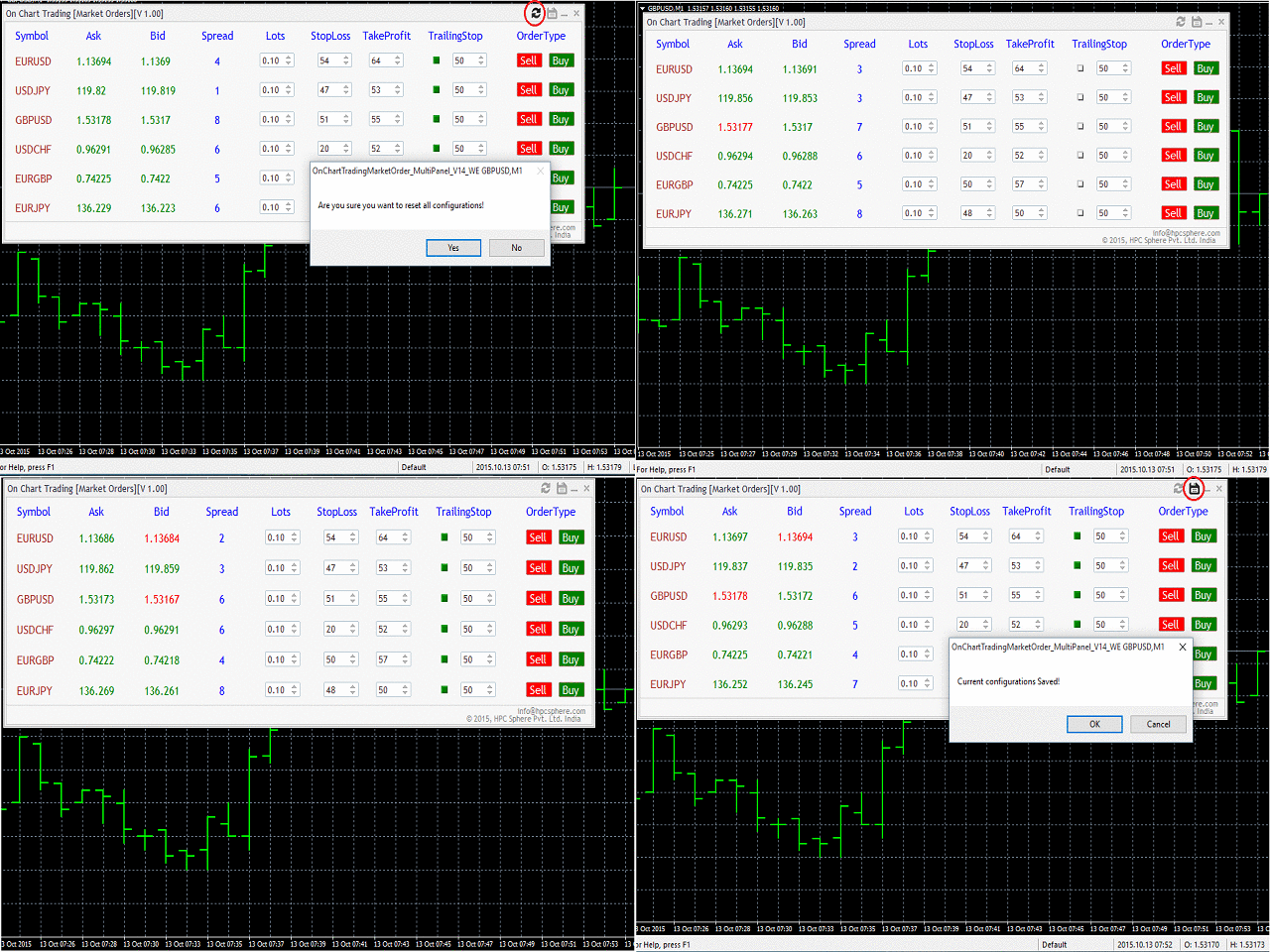
This panel is an advanced panel which can be used to place buy/sell orders with live bid/ask price and spread.
This panel is very useful for the traders who wish to save their configurations and reset them with the use of simple buttons.
https://www.mql5.com/en/market/product/23843
This panel is an advanced panel which can be used to place buy/sell orders with live bid/ask price and spread.
This panel is very useful for the traders who wish to save their configurations and reset them with the use of simple buttons.
Anand
HP Harami Cross Indicator
https://www.mql5.com/en/market/product/21932
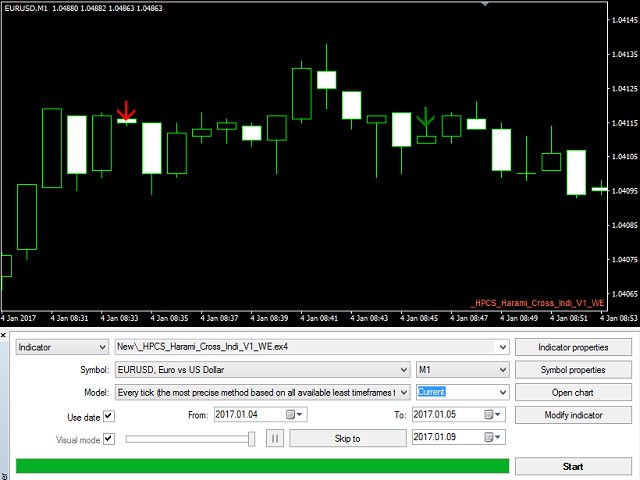
It is a trend indicated by a large candlestick followed by a doji that is located within the top and bottom of the candlestick's body.
It is a significant indicator of trend reversal, particularly when it occurs after a long body in a downtrend. It is the same as the Harami, except that the second candle is a Doji.
https://www.mql5.com/en/market/product/21932
It is a trend indicated by a large candlestick followed by a doji that is located within the top and bottom of the candlestick's body.
It is a significant indicator of trend reversal, particularly when it occurs after a long body in a downtrend. It is the same as the Harami, except that the second candle is a Doji.
Anand
Triangular Arbitrage Indicator
https://www.mql5.com/en/market/product/15095
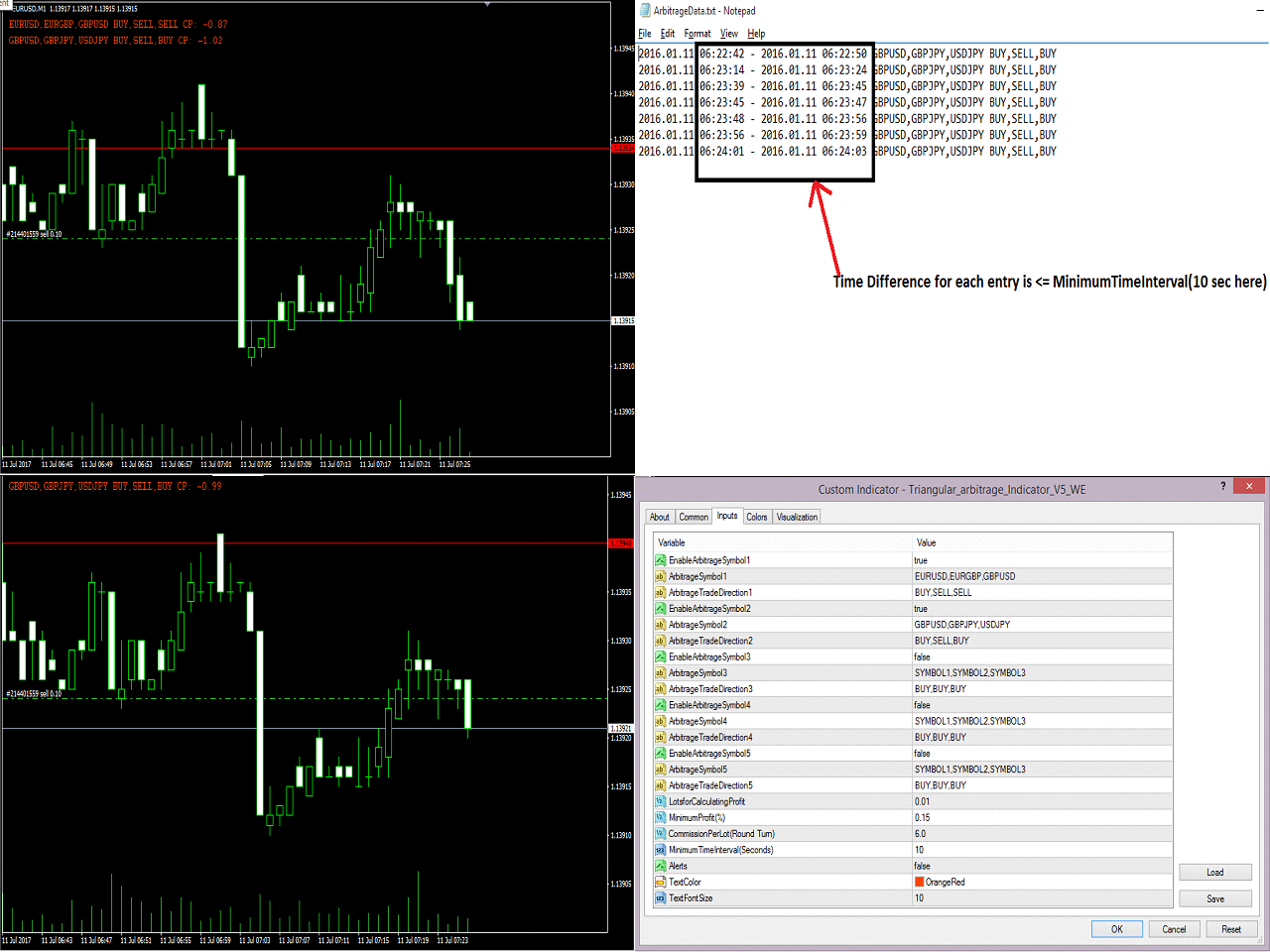
Triangular Arbitrage Indicator is one the most advance and efficient indicator available based on triangular arbitrage concept. Its complex algorithm calculates the profit based on different input parameters and shows directly on the chart. Also, if the minimum profit is retained for the minimum time interval (see input parameter sections) then that particular asset is written in a text file.
https://www.mql5.com/en/market/product/15095
Triangular Arbitrage Indicator is one the most advance and efficient indicator available based on triangular arbitrage concept. Its complex algorithm calculates the profit based on different input parameters and shows directly on the chart. Also, if the minimum profit is retained for the minimum time interval (see input parameter sections) then that particular asset is written in a text file.
Anand
On Chart Trading Market Order Panel
https://www.mql5.com/en/market/product/12305
The user can choose from different market symbols. The lot size can be easily given along with the Stop Loss, Take Profit, Trailing Stop parameters. The user only needs to enter the above parameters and then either click on Sell or click on Buy.
https://www.mql5.com/en/market/product/12305
The user can choose from different market symbols. The lot size can be easily given along with the Stop Loss, Take Profit, Trailing Stop parameters. The user only needs to enter the above parameters and then either click on Sell or click on Buy.
Anand
Virtual Order Panel
https://www.mql5.com/en/market/product/15165
It advanced algorithm allows the user to place a virtual pending order and convert that virtual pending order into a market order whenever the Target Level is reached. The user can choose from different market symbols.
https://www.mql5.com/en/market/product/15165
It advanced algorithm allows the user to place a virtual pending order and convert that virtual pending order into a market order whenever the Target Level is reached. The user can choose from different market symbols.
Anand
Custom Trading Forex Panel
https://www.mql5.com/en/market/product/12308
The current Ask and Bid prices can be seen on the panel. The user has to set Lot Size, Stop Loss, Take Profit and then either click on Sell or on Buy. The panel provides a feature to enter a Trailing Stop, too. One has to just enable the Trailing Stop input and set the value for the same.
https://www.mql5.com/en/market/product/12308
The current Ask and Bid prices can be seen on the panel. The user has to set Lot Size, Stop Loss, Take Profit and then either click on Sell or on Buy. The panel provides a feature to enter a Trailing Stop, too. One has to just enable the Trailing Stop input and set the value for the same.
Anand
BollingerBandsIndi Based MO FX EA
https://www.mql5.com/en/market/product/16489
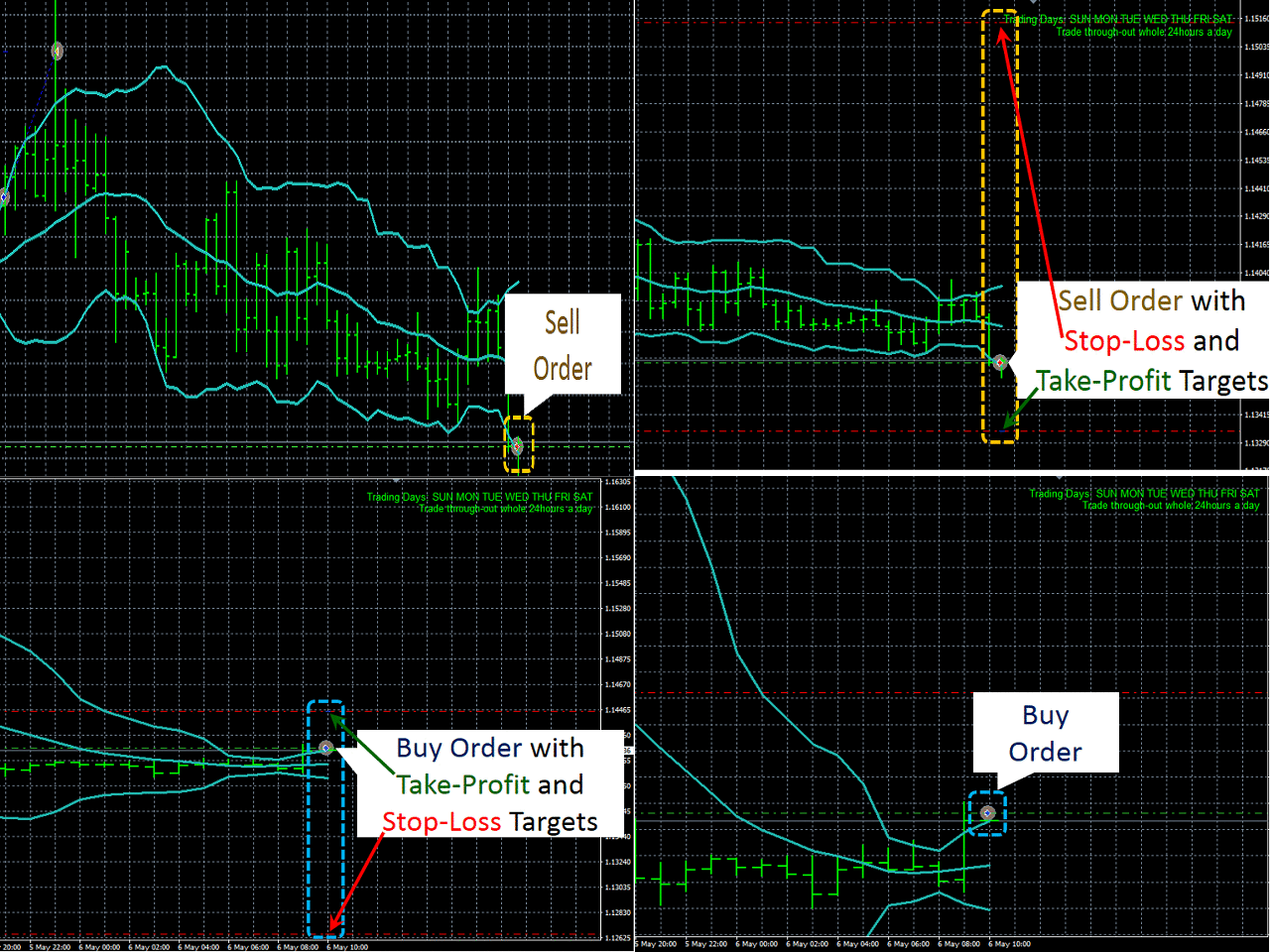
This is an expert advisor (EA), created in Meta-Trader 4 (MT4). It is mainly based on Bollinger bands and optionally use average true range (ATR) indicator for signal entry or exit
https://www.mql5.com/en/market/product/16489
This is an expert advisor (EA), created in Meta-Trader 4 (MT4). It is mainly based on Bollinger bands and optionally use average true range (ATR) indicator for signal entry or exit
Anand
Bullish and Bearish Bars Indicators
https://www.mql5.com/en/market/product/10727
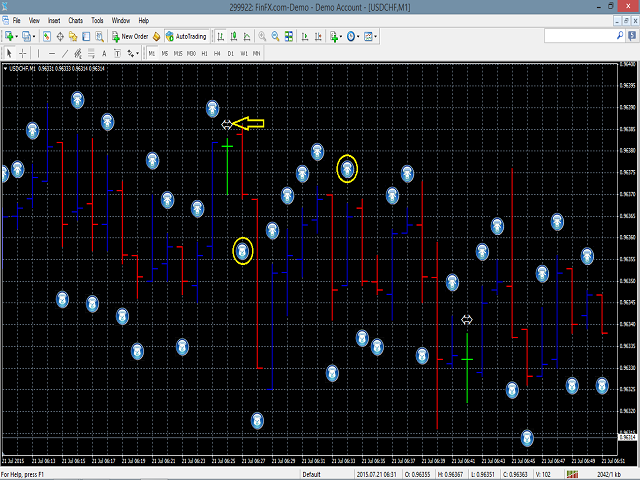
Bullish and Bearish indicator displays the bullish and bearish bars with different color.
• Bullish bars are those who close higher than their opening price and bearish bar closes lower than their opening prices
• It provides the feature of identifying bullish bar with a special symbol of bull drawn at the top of bullish bar.
• It provides the feature of identifying bearish bar with a special symbol of bear drawn at the bottom of bearish bar.
• It identifies the doji bars with arrow symbols drawn at it and the size, color of the arrow can be reset.
• Doji bars are those who close nearly equal to their opening prices.
https://www.mql5.com/en/market/product/10727
Bullish and Bearish indicator displays the bullish and bearish bars with different color.
• Bullish bars are those who close higher than their opening price and bearish bar closes lower than their opening prices
• It provides the feature of identifying bullish bar with a special symbol of bull drawn at the top of bullish bar.
• It provides the feature of identifying bearish bar with a special symbol of bear drawn at the bottom of bearish bar.
• It identifies the doji bars with arrow symbols drawn at it and the size, color of the arrow can be reset.
• Doji bars are those who close nearly equal to their opening prices.
Anand
Trade Pair Optimization Dashboard
https://www.mql5.com/en/market/product/10741
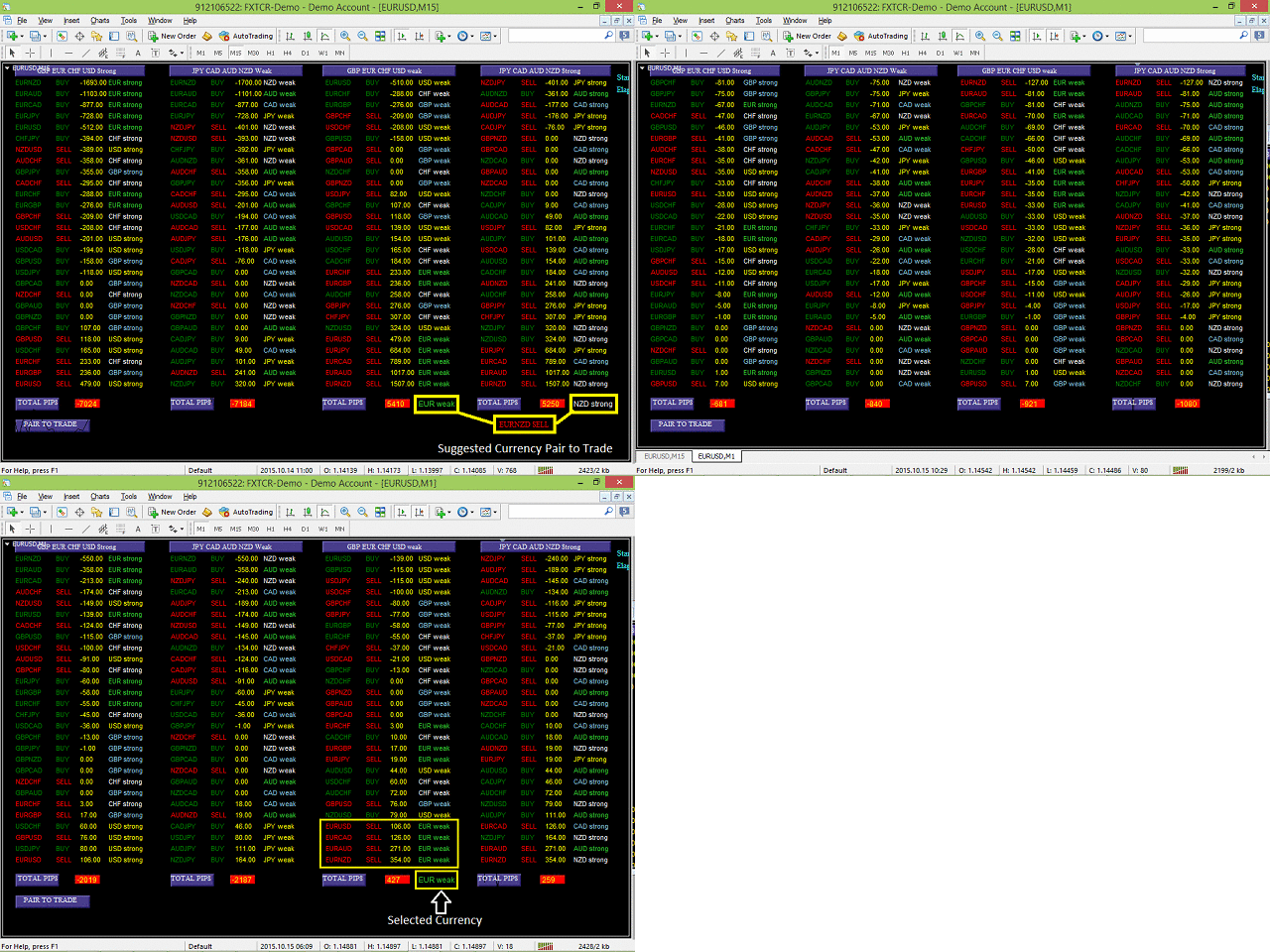
When attached to a chart, it creates a dashboard, that displays profit/loss (in pips) information for different currency pairs with buy or sell trade operation. Profit or loss is calculated, assuming all the shown currency pairs are traded (as per displayed trade type) at the time the script is attached to a chart.
https://www.mql5.com/en/market/product/10741
When attached to a chart, it creates a dashboard, that displays profit/loss (in pips) information for different currency pairs with buy or sell trade operation. Profit or loss is calculated, assuming all the shown currency pairs are traded (as per displayed trade type) at the time the script is attached to a chart.
Anand
Pending Order Panel https://www.mql5.com/en/market/product/12227 Pending Order Panel is an automated trading panel which automatically places pending orders.
Anand
HPC Easy Spread Digger Trade Pad
https://www.mql5.com/en/market/product/12299
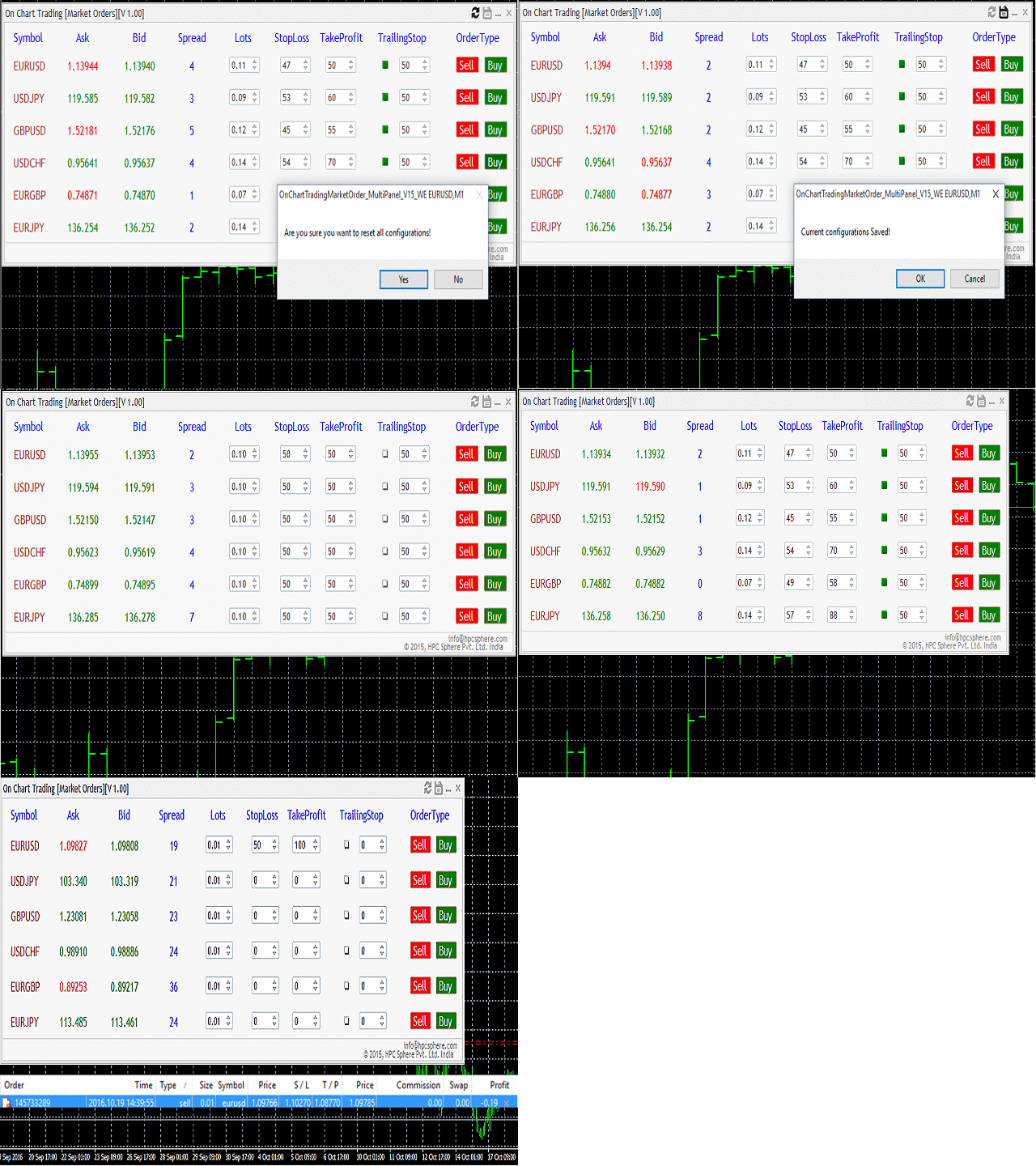
This panel is useful for traders dealing with several major symbols at one place (EURUSD, USDJPY, GBPUSD, USDCHF, EURGBP and EURJPY)
Traders can place orders for many symbols clicking a single button
Traders can see the live changes in the symbols (i.e., ask, bid, spread) values in this panel itself
Traders using the same configuration (inputs) for trading can save their configuration and can reset the configuration
Traders can place trades accordingly with the knowledge of live prices of the market and use buttons to simply place a buy/sell order.
https://www.mql5.com/en/market/product/12299
This panel is useful for traders dealing with several major symbols at one place (EURUSD, USDJPY, GBPUSD, USDCHF, EURGBP and EURJPY)
Traders can place orders for many symbols clicking a single button
Traders can see the live changes in the symbols (i.e., ask, bid, spread) values in this panel itself
Traders using the same configuration (inputs) for trading can save their configuration and can reset the configuration
Traders can place trades accordingly with the knowledge of live prices of the market and use buttons to simply place a buy/sell order.
Anand
HP Wave Entry Alerts Indicator
https://www.mql5.com/en/market/product/21954
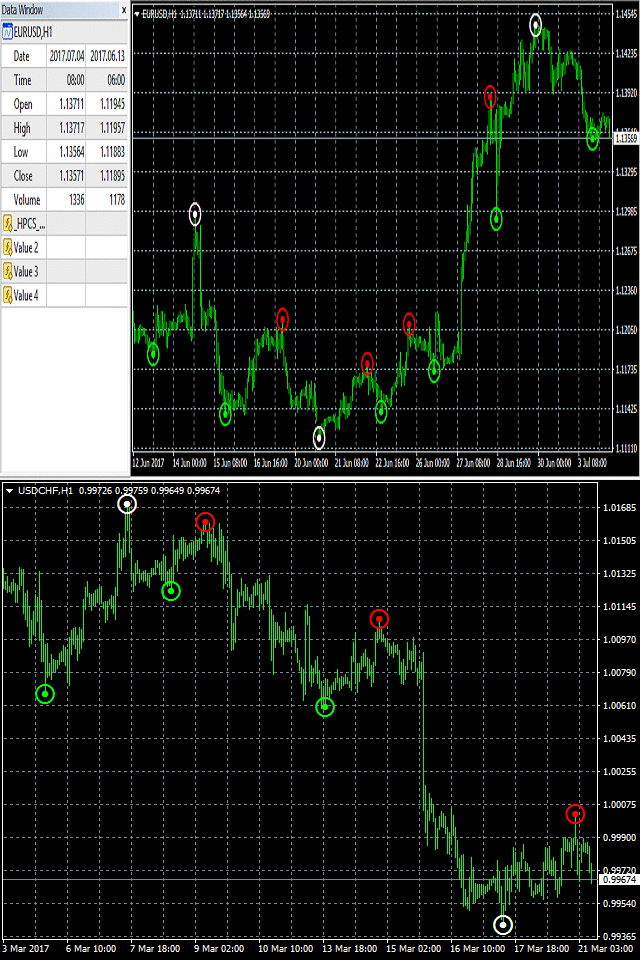
Indicator to identify and display peaks and troughs for a given time period.
This indicator is one indicator that repaints, in the sense that the actual signal is disappearing from the screen if price goes and makes a new high/new low after such a signal appears.
https://www.mql5.com/en/market/product/21954
Indicator to identify and display peaks and troughs for a given time period.
This indicator is one indicator that repaints, in the sense that the actual signal is disappearing from the screen if price goes and makes a new high/new low after such a signal appears.
Anand
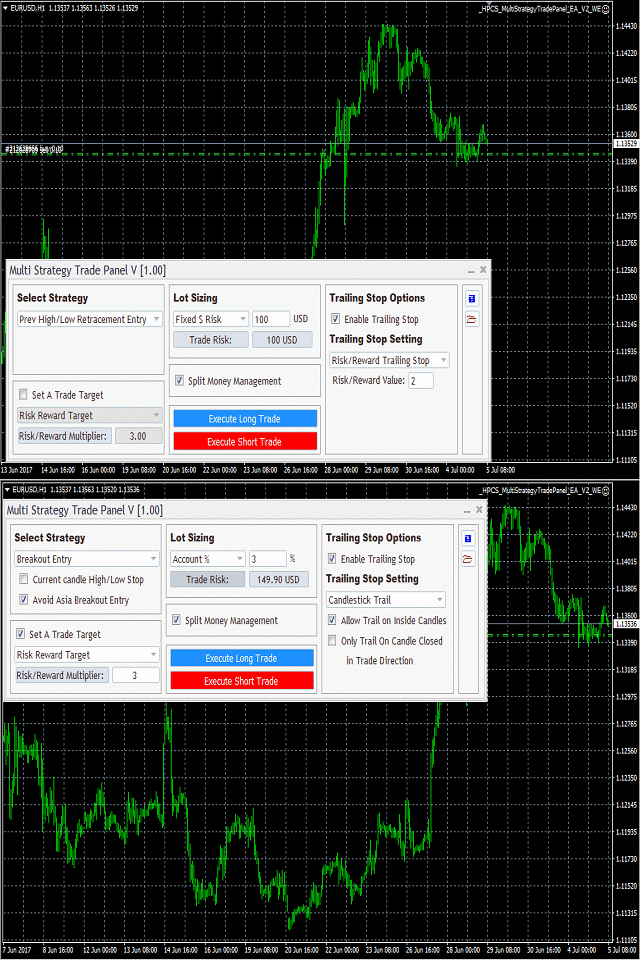
Multi Strategy Trade Panel
https://www.mql5.com/en/market/product/19738
It is one of the most advanced trading panels available.
Its advanced algorithm and feature rich user interface allows you trade on different strategies.
https://www.mql5.com/en/market/product/19738
It is one of the most advanced trading panels available.
Its advanced algorithm and feature rich user interface allows you trade on different strategies.
Anand
HP On Chart Trading Pending Order Panel
https://www.mql5.com/en/market/product/23801
This is a panel which can be used by the users to place a pending order in which they can customize their order while working on the chart.
• This panel allows its user to input their trade values.
• It is an easy to use panel from which user can place their pending orders quickly.
https://www.mql5.com/en/market/product/23801
This is a panel which can be used by the users to place a pending order in which they can customize their order while working on the chart.
• This panel allows its user to input their trade values.
• It is an easy to use panel from which user can place their pending orders quickly.
: