Anand / Profile
- Information
|
10+ years
experience
|
0
products
|
0
demo versions
|
|
144
jobs
|
0
signals
|
0
subscribers
|
Software Engineer
at
Self Employed
Feedbacks:
https://www.mql5.com/en/users/anand_mt4/feedbacks
Finished jobs:
https://www.mql5.com/en/users/anand_mt4/portfolio/jobs_close
Submit a new job for me:
https://www.mql5.com/en/job/new?prefered=anand_mt4
https://www.mql5.com/en/users/anand_mt4/feedbacks
Finished jobs:
https://www.mql5.com/en/users/anand_mt4/portfolio/jobs_close
Submit a new job for me:
https://www.mql5.com/en/job/new?prefered=anand_mt4
Anand
Bullish and Bearish Bars Indicators
https://www.mql5.com/en/market/product/10727
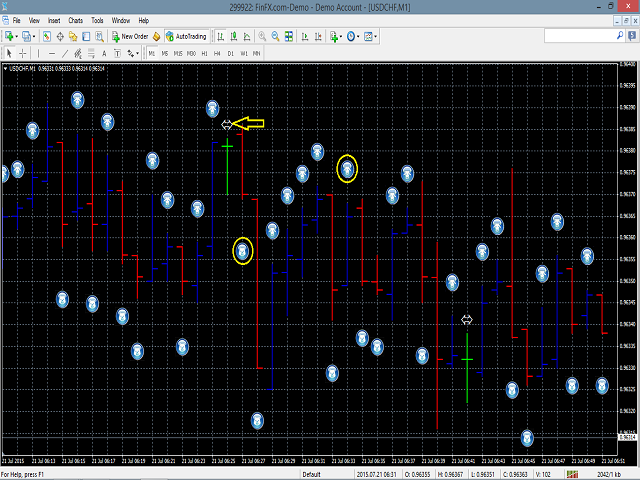
Bullish and Bearish indicator displays the bullish and bearish bars with different color.
• Bullish bars are those who close higher than their opening price and bearish bar closes lower than their opening prices
• It provides the feature of identifying bullish bar with a special symbol of bull drawn at the top of bullish bar.
• It provides the feature of identifying bearish bar with a special symbol of bear drawn at the bottom of bearish bar.
• It identifies the doji bars with arrow symbols drawn at it and the size, color of the arrow can be reset.
• Doji bars are those who close nearly equal to their opening prices.
https://www.mql5.com/en/market/product/10727
Bullish and Bearish indicator displays the bullish and bearish bars with different color.
• Bullish bars are those who close higher than their opening price and bearish bar closes lower than their opening prices
• It provides the feature of identifying bullish bar with a special symbol of bull drawn at the top of bullish bar.
• It provides the feature of identifying bearish bar with a special symbol of bear drawn at the bottom of bearish bar.
• It identifies the doji bars with arrow symbols drawn at it and the size, color of the arrow can be reset.
• Doji bars are those who close nearly equal to their opening prices.
Anand
Trade Pair Optimization Dashboard
https://www.mql5.com/en/market/product/10741
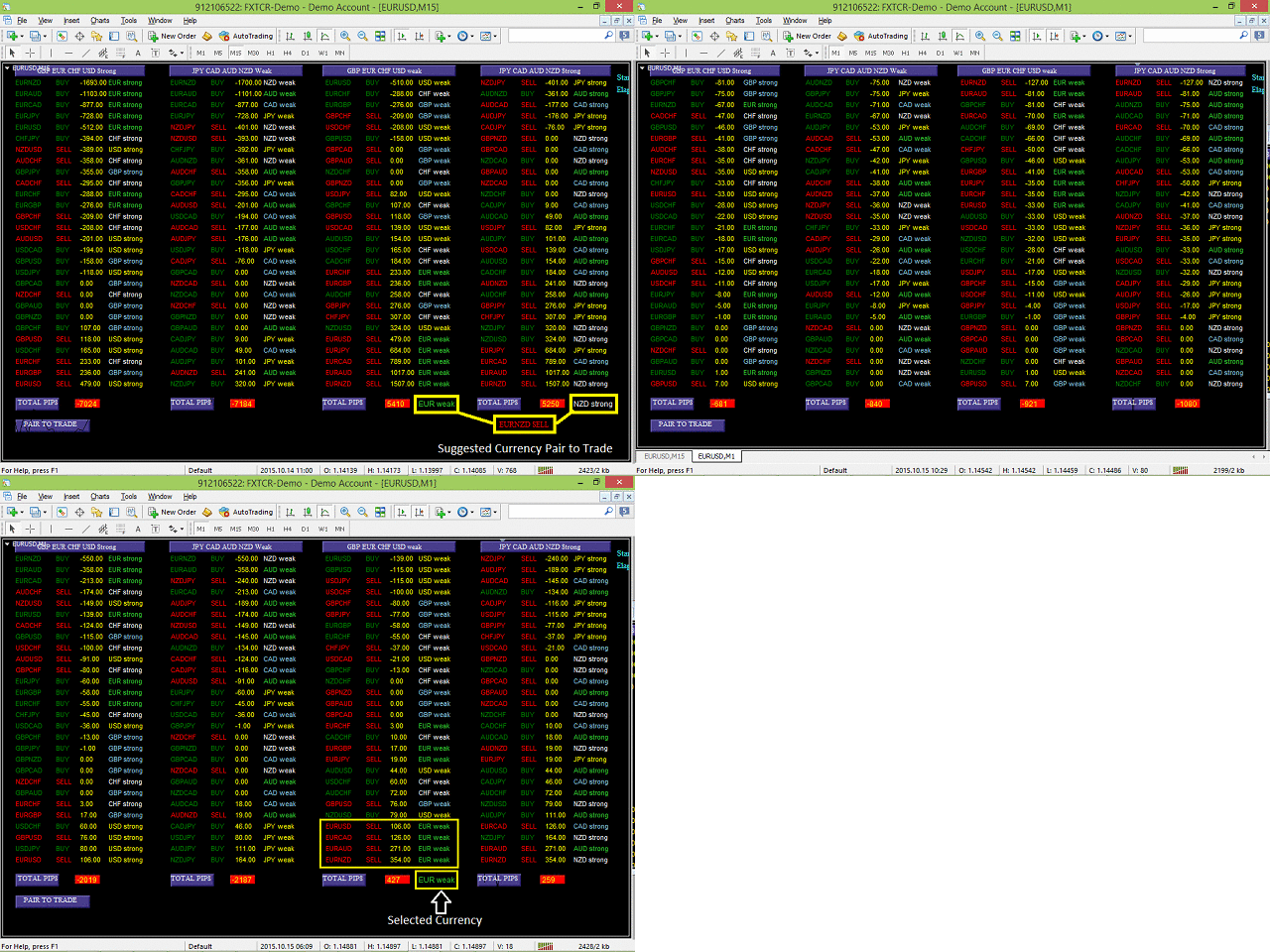
When attached to a chart, it creates a dashboard, that displays profit/loss (in pips) information for different currency pairs with buy or sell trade operation. Profit or loss is calculated, assuming all the shown currency pairs are traded (as per displayed trade type) at the time the script is attached to a chart.
https://www.mql5.com/en/market/product/10741
When attached to a chart, it creates a dashboard, that displays profit/loss (in pips) information for different currency pairs with buy or sell trade operation. Profit or loss is calculated, assuming all the shown currency pairs are traded (as per displayed trade type) at the time the script is attached to a chart.
Anand
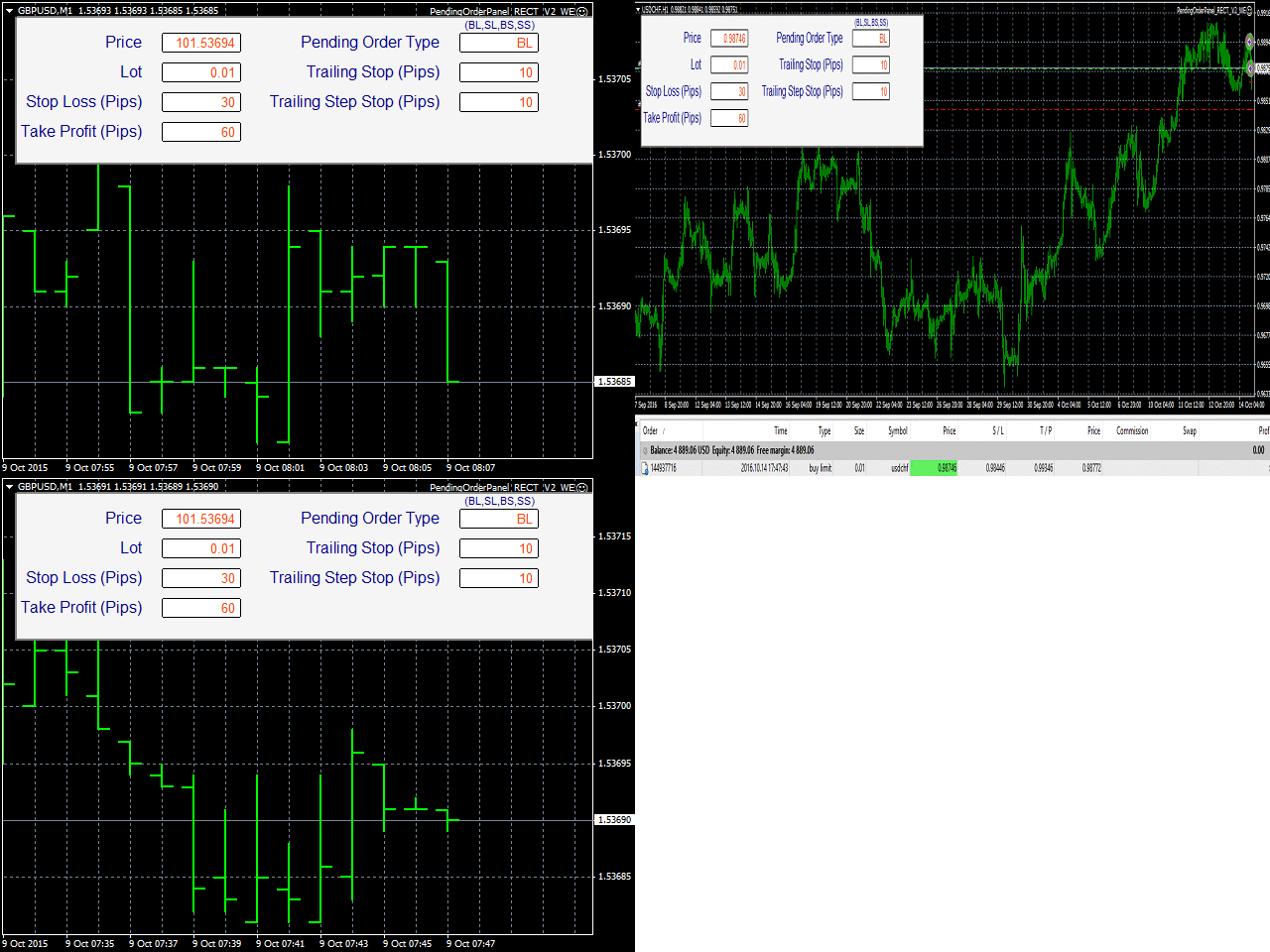
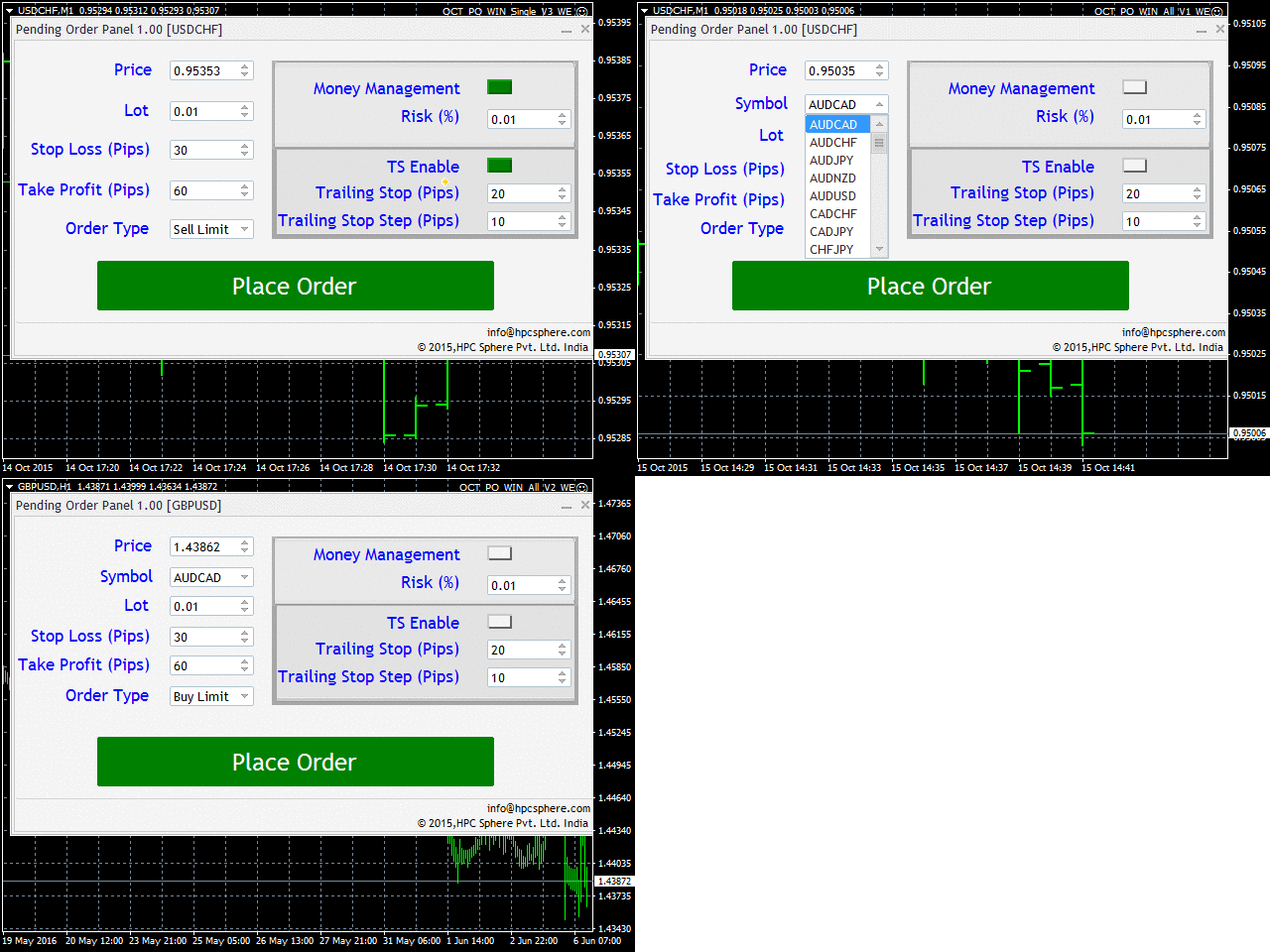
Pending Order Panel https://www.mql5.com/en/market/product/12227 Pending Order Panel is an automated trading panel which automatically places pending orders.
Anand
HPC Easy Spread Digger Trade Pad
https://www.mql5.com/en/market/product/12299
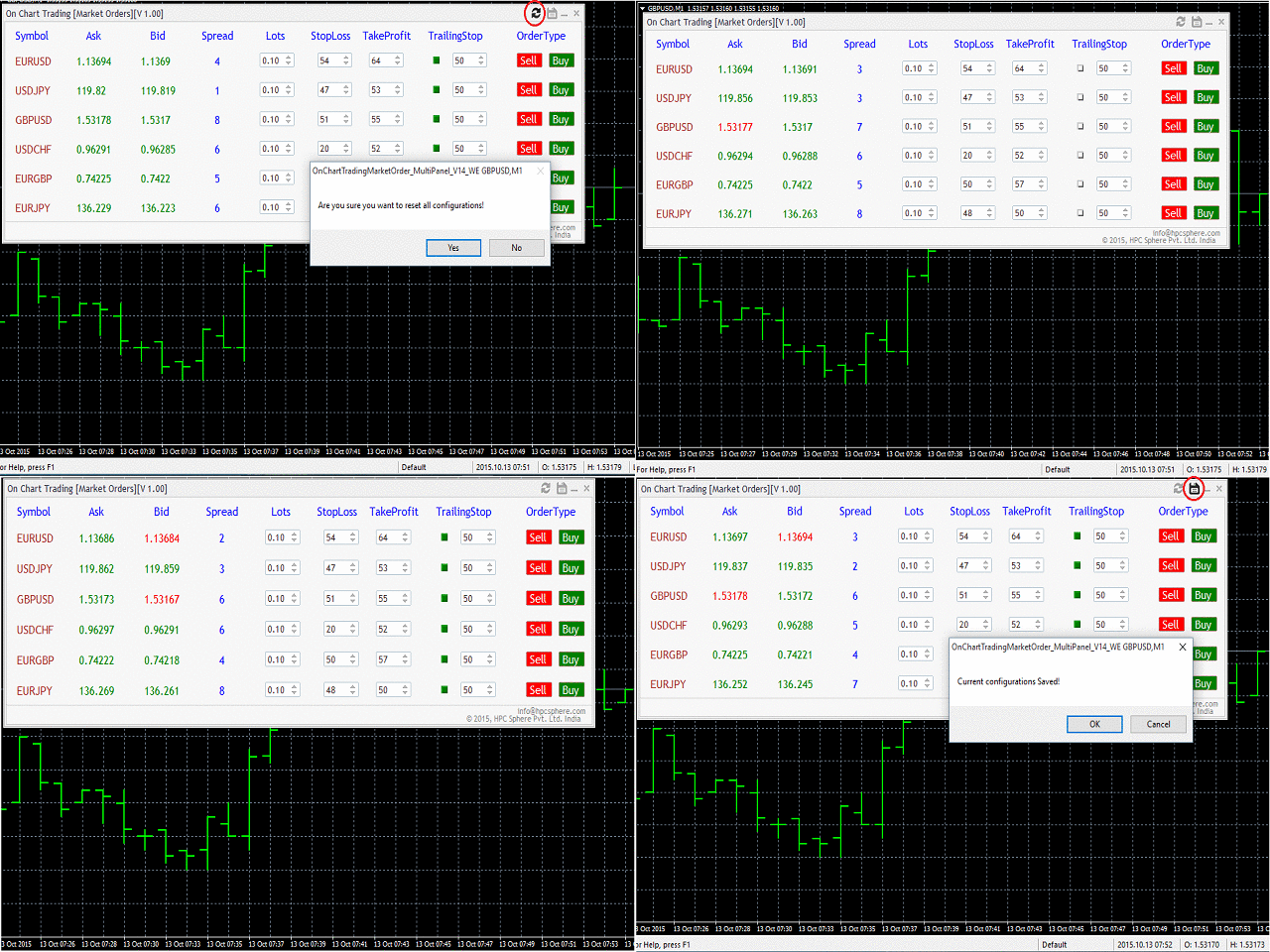
This panel is useful for traders dealing with several major symbols at one place (EURUSD, USDJPY, GBPUSD, USDCHF, EURGBP and EURJPY)
Traders can place orders for many symbols clicking a single button
Traders can see the live changes in the symbols (i.e., ask, bid, spread) values in this panel itself
Traders using the same configuration (inputs) for trading can save their configuration and can reset the configuration
Traders can place trades accordingly with the knowledge of live prices of the market and use buttons to simply place a buy/sell order.
https://www.mql5.com/en/market/product/12299
This panel is useful for traders dealing with several major symbols at one place (EURUSD, USDJPY, GBPUSD, USDCHF, EURGBP and EURJPY)
Traders can place orders for many symbols clicking a single button
Traders can see the live changes in the symbols (i.e., ask, bid, spread) values in this panel itself
Traders using the same configuration (inputs) for trading can save their configuration and can reset the configuration
Traders can place trades accordingly with the knowledge of live prices of the market and use buttons to simply place a buy/sell order.
Anand
HP Wave Entry Alerts Indicator
https://www.mql5.com/en/market/product/21954
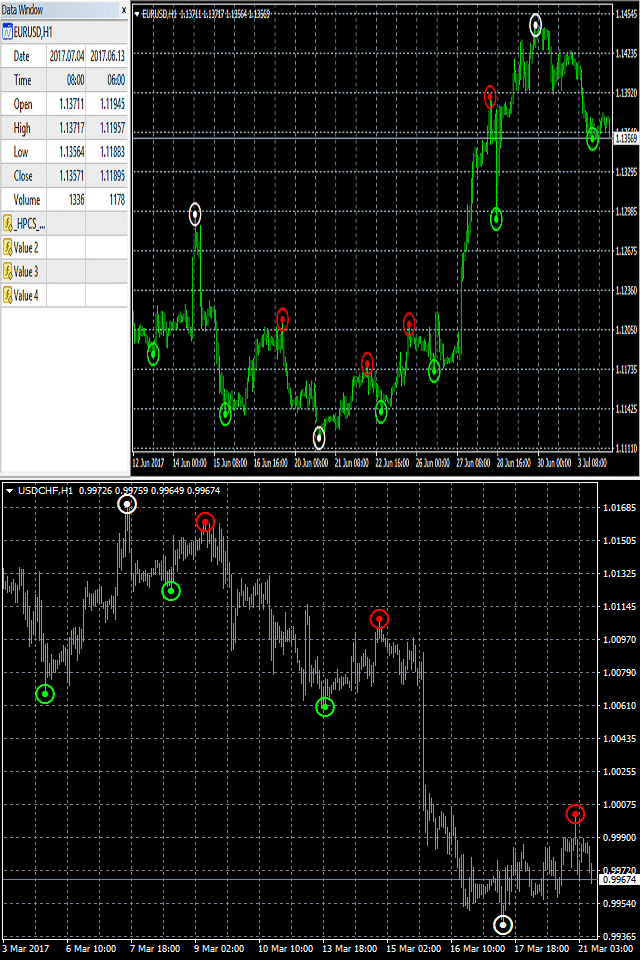
Indicator to identify and display peaks and troughs for a given time period.
This indicator is one indicator that repaints, in the sense that the actual signal is disappearing from the screen if price goes and makes a new high/new low after such a signal appears.
https://www.mql5.com/en/market/product/21954
Indicator to identify and display peaks and troughs for a given time period.
This indicator is one indicator that repaints, in the sense that the actual signal is disappearing from the screen if price goes and makes a new high/new low after such a signal appears.
Anand
Multi Strategy Trade Panel
https://www.mql5.com/en/market/product/19738
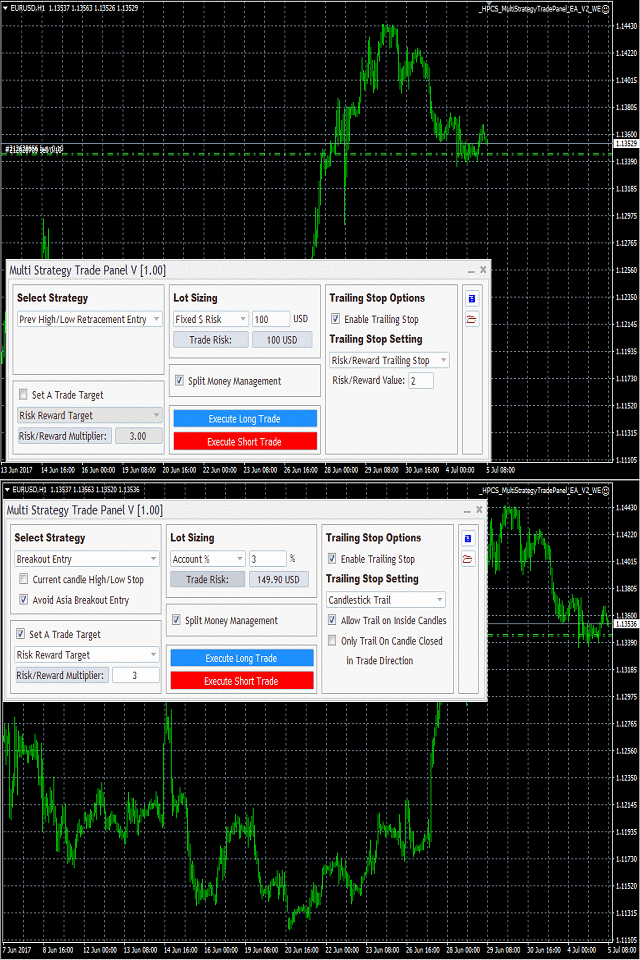
It is one of the most advanced trading panels available.
Its advanced algorithm and feature rich user interface allows you trade on different strategies.
https://www.mql5.com/en/market/product/19738
It is one of the most advanced trading panels available.
Its advanced algorithm and feature rich user interface allows you trade on different strategies.
Anand
HP On Chart Trading Pending Order Panel
https://www.mql5.com/en/market/product/23801
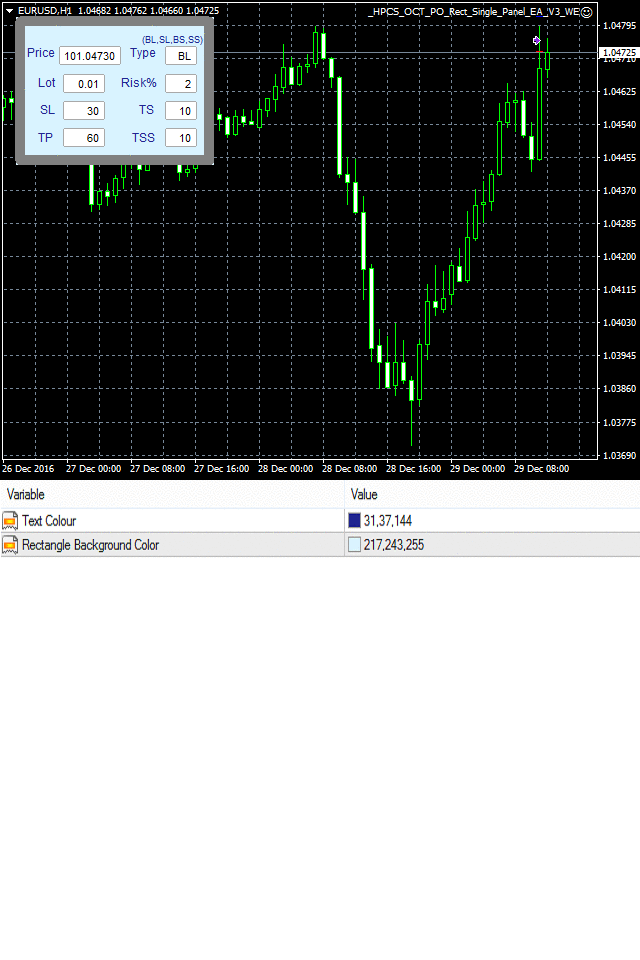
This is a panel which can be used by the users to place a pending order in which they can customize their order while working on the chart.
• This panel allows its user to input their trade values.
• It is an easy to use panel from which user can place their pending orders quickly.
https://www.mql5.com/en/market/product/23801
This is a panel which can be used by the users to place a pending order in which they can customize their order while working on the chart.
• This panel allows its user to input their trade values.
• It is an easy to use panel from which user can place their pending orders quickly.
Anand
HP Position Calculator Panel
https://www.mql5.com/en/market/product/23835
This panel tells you how many lots to trade based on given entry and stop-loss levels, Monetary Risk, Account size(balance or equity) and Account currency.
The default values in the panel are the nearest values on the chart of the time at which the symbol is set using the drop down button.
Users can easily modify the values by using the increase and decrease button or by providing input from keyboard.
https://www.mql5.com/en/market/product/23835
This panel tells you how many lots to trade based on given entry and stop-loss levels, Monetary Risk, Account size(balance or equity) and Account currency.
The default values in the panel are the nearest values on the chart of the time at which the symbol is set using the drop down button.
Users can easily modify the values by using the increase and decrease button or by providing input from keyboard.
Anand
Tick Volume Histogram Indicator
https://www.mql5.com/en/market/product/10517
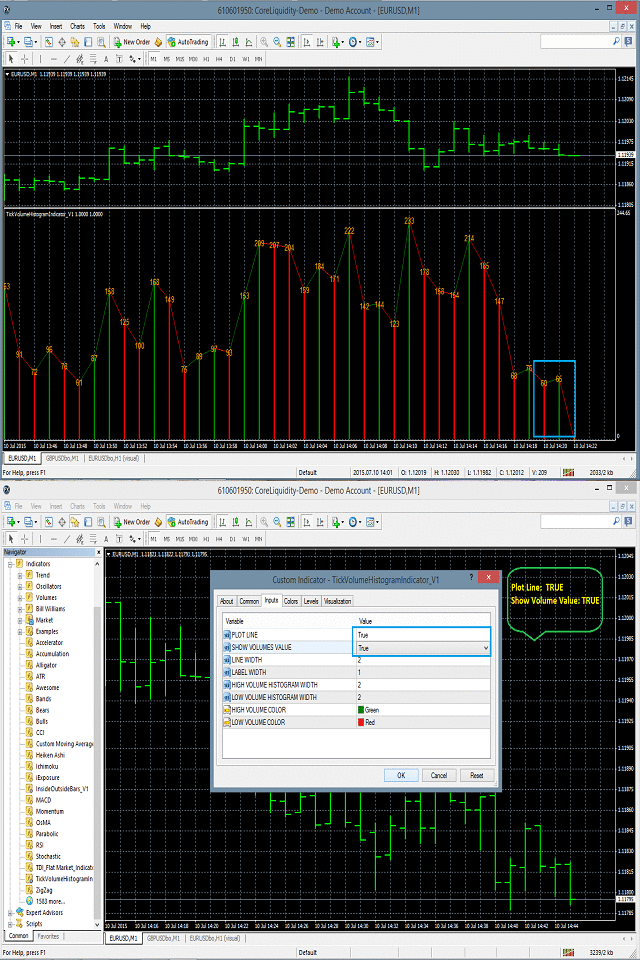
Tick Volume Histogram indicator is drawn in the separate window of the chart.
It basically displays the number of ticks at the peak of the histogram drawn in the separate window.
https://www.mql5.com/en/market/product/10517
Tick Volume Histogram indicator is drawn in the separate window of the chart.
It basically displays the number of ticks at the peak of the histogram drawn in the separate window.
Anand
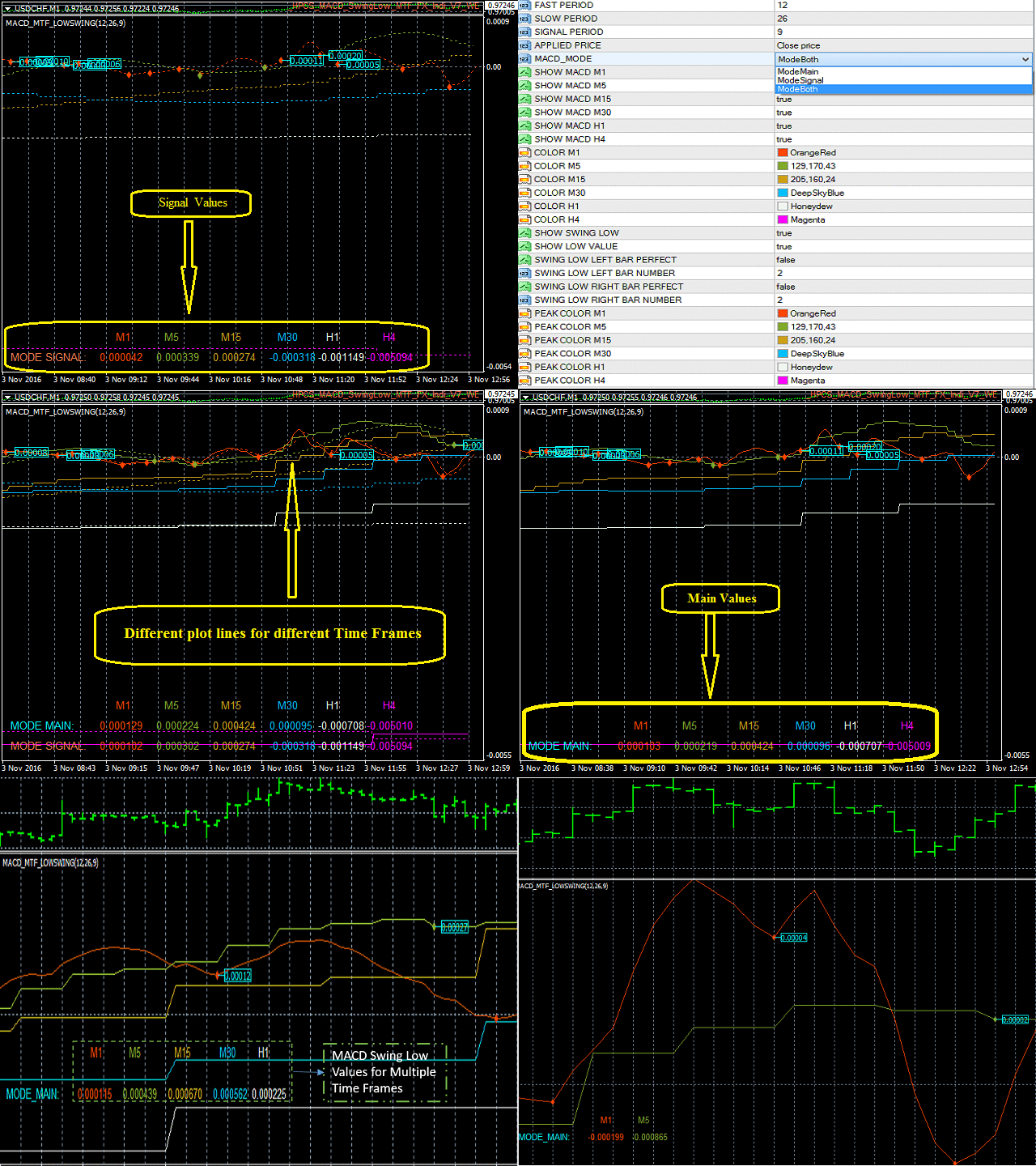
MACD Swing Low Multi Time Frame Indicator
https://www.mql5.com/en/market/product/13283
MACD Swing Low Multi Time Frame Indicator is one of the most advanced indicators based on both Swing Low and MACD trading strategies. It supports multiple timeframes, i.e. by attaching the indicator on a single chart, one can see the MACD Swing Low values for all the other timeframes on a single chart. One would just have to select the timeframes, for which he wants to see the calculated values.
https://www.mql5.com/en/market/product/13283
MACD Swing Low Multi Time Frame Indicator is one of the most advanced indicators based on both Swing Low and MACD trading strategies. It supports multiple timeframes, i.e. by attaching the indicator on a single chart, one can see the MACD Swing Low values for all the other timeframes on a single chart. One would just have to select the timeframes, for which he wants to see the calculated values.
Anand
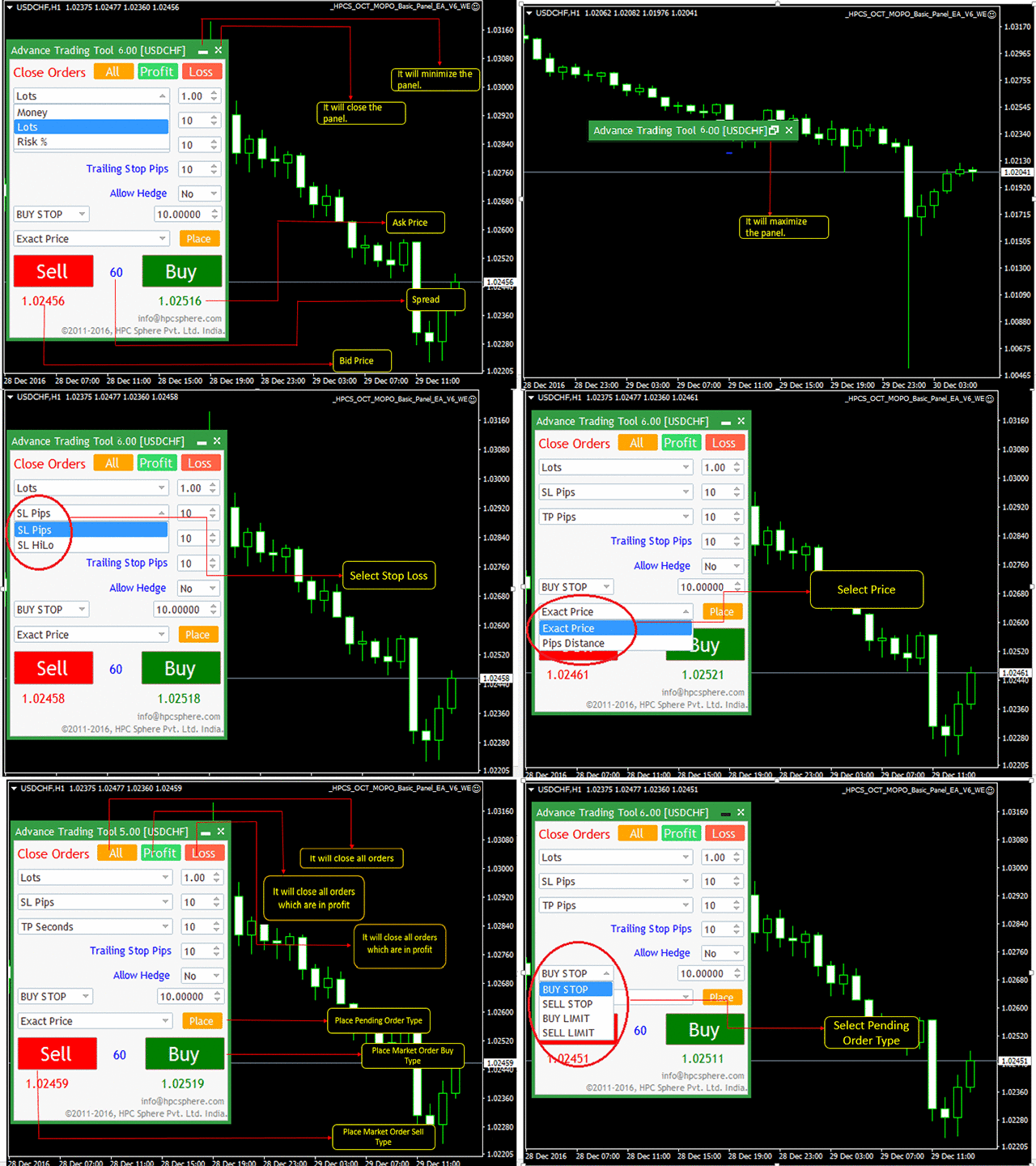
HPC Smart Traders Panel
https://www.mql5.com/en/market/product/23803
This panel is a one stop solution to all your trading problems
Trading made easy. This panel allows trader to place orders (instant or pending) and close the respective orders (ALL, PROFIT, LOSS) just from one panel
Traders can use it to make any type of trade on the chart itself
https://www.mql5.com/en/market/product/23803
This panel is a one stop solution to all your trading problems
Trading made easy. This panel allows trader to place orders (instant or pending) and close the respective orders (ALL, PROFIT, LOSS) just from one panel
Traders can use it to make any type of trade on the chart itself
Anand
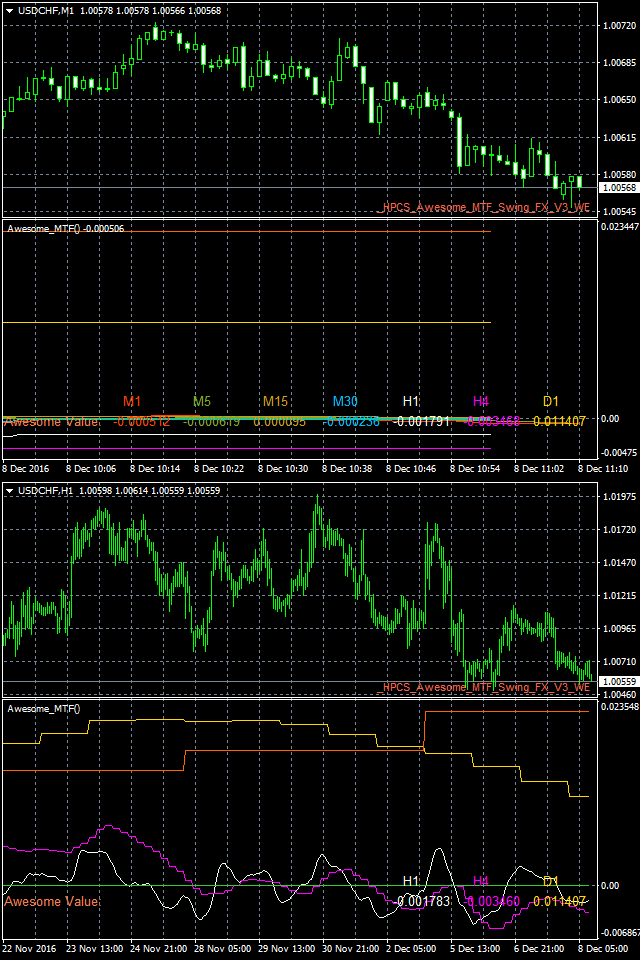
Awesome Swing Multi Time Frame Indicator
https://www.mql5.com/en/market/product/19798
Awesome Swing Multi Time Frame Indicator is one of the most advanced indicators based on both Swing and Awesome indicator trading strategies.
https://www.mql5.com/en/market/product/19798
Awesome Swing Multi Time Frame Indicator is one of the most advanced indicators based on both Swing and Awesome indicator trading strategies.
Anand
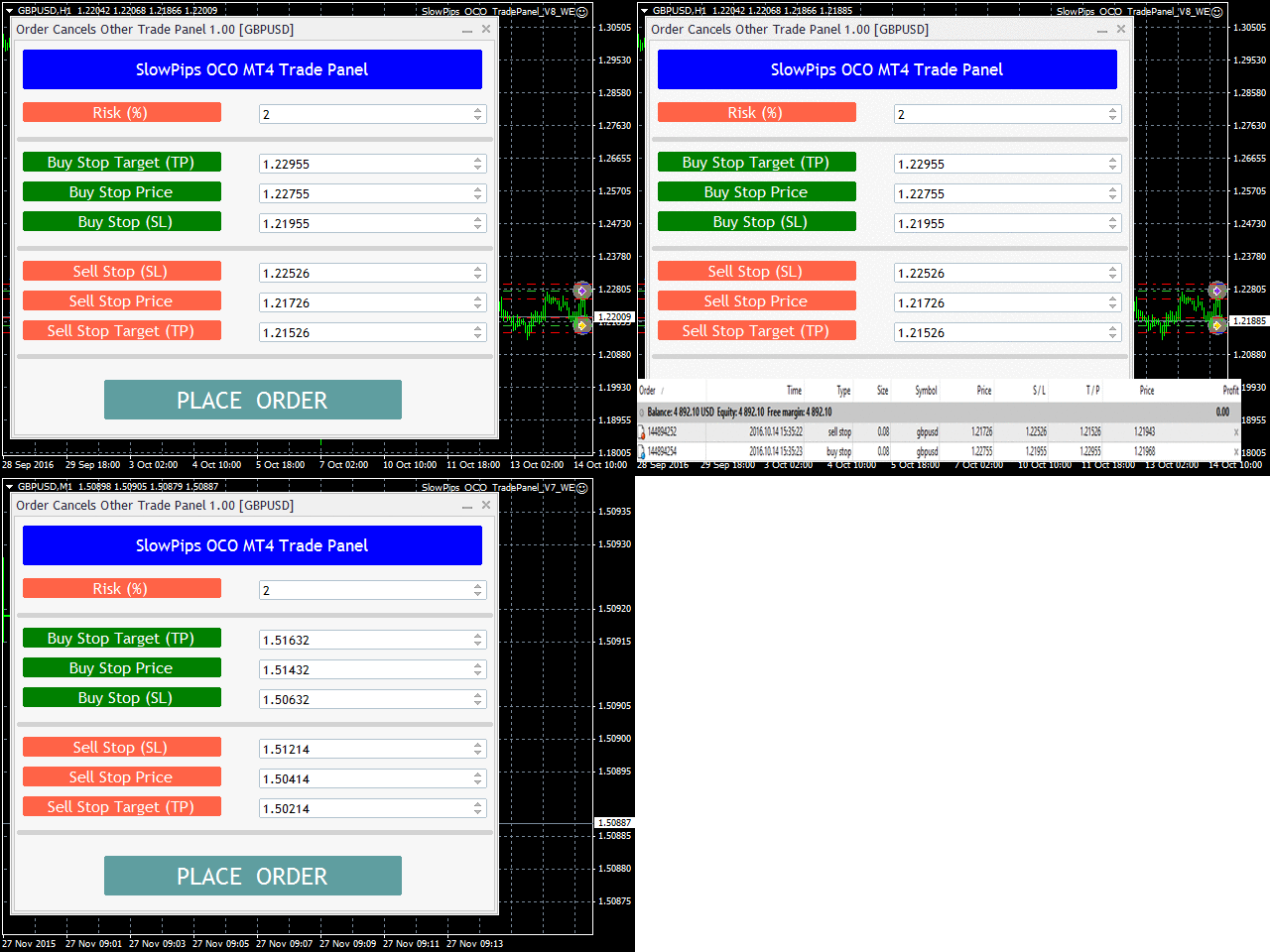
Slow Pips OCO Trade Panel
https://www.mql5.com/en/market/product/13082
Slow Pips OCO Trade Panel is an advanced trading panel for placing pending orders. Traders can use this panel to place two pending orders at once. One pending order would be of buy entry type and the other one would be of sell entry type. Both orders will have Stop Loss and Take Profit parameters. Since two pending orders are placed at the same time, the pending order for which the price hits first gets converted into a market order and the other pending order gets deleted (one order cancels the other).
https://www.mql5.com/en/market/product/13082
Slow Pips OCO Trade Panel is an advanced trading panel for placing pending orders. Traders can use this panel to place two pending orders at once. One pending order would be of buy entry type and the other one would be of sell entry type. Both orders will have Stop Loss and Take Profit parameters. Since two pending orders are placed at the same time, the pending order for which the price hits first gets converted into a market order and the other pending order gets deleted (one order cancels the other).
Anand
Close Trade Utility
https://www.mql5.com/en/market/product/10276
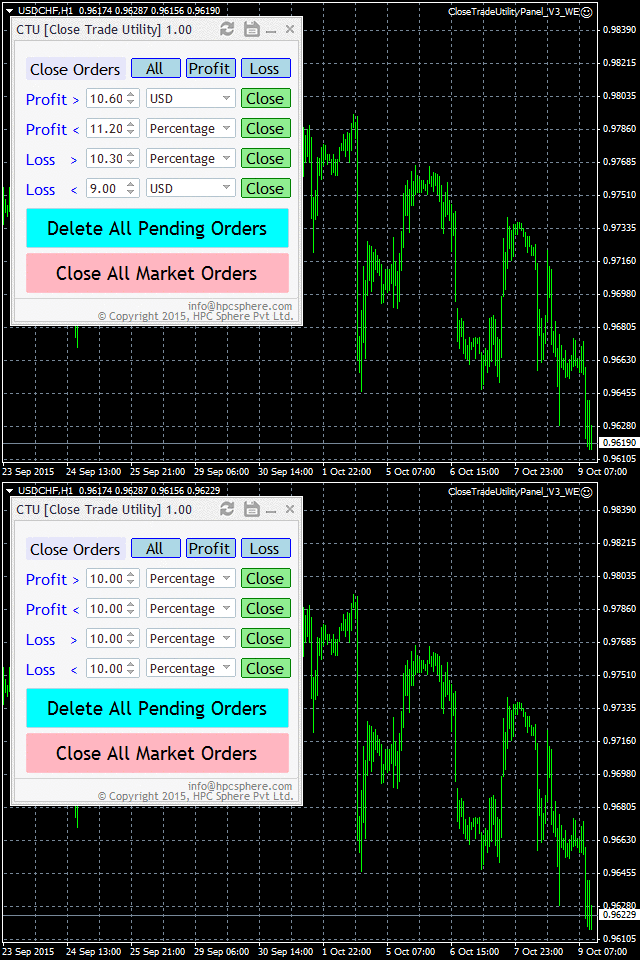
Close trade utility is a panel-based interface which is highly customized to meet the needs of intraday traders, breakout strategy traders, scalpers and almost all other groups of traders.
https://www.mql5.com/en/market/product/10276
Close trade utility is a panel-based interface which is highly customized to meet the needs of intraday traders, breakout strategy traders, scalpers and almost all other groups of traders.
Anand
HP Engulfing Pattern Indicator
https://www.mql5.com/en/market/product/21927
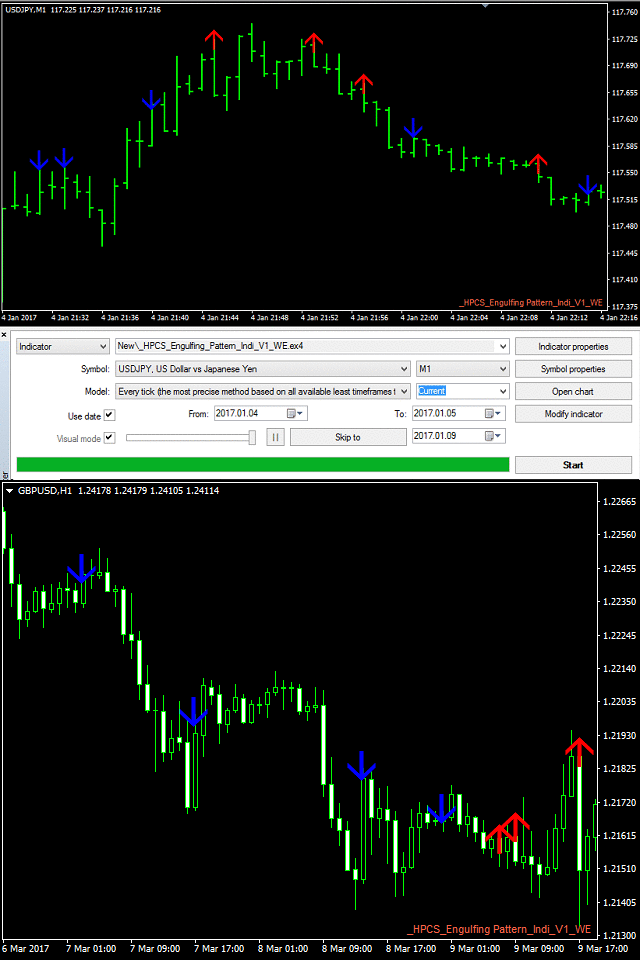
This is a very simple indicator which identifies and displays engulfing pattern on the chart with the help of arrows.
https://www.mql5.com/en/market/product/21927
This is a very simple indicator which identifies and displays engulfing pattern on the chart with the help of arrows.
Anand
On Chart Trading Pending Order Window ALL Symbols
https://www.mql5.com/en/market/product/12355
The expert advisor (EA) generates an on-chart trading panel to place pending order(s) on any currency-pair symbol, as selected from its drop-down menu. Before clicking "Place" button, to place a pending order (PO).
https://www.mql5.com/en/market/product/12355
The expert advisor (EA) generates an on-chart trading panel to place pending order(s) on any currency-pair symbol, as selected from its drop-down menu. Before clicking "Place" button, to place a pending order (PO).
Anand
Missing Tick Indicator
https://www.mql5.com/en/market/product/10439
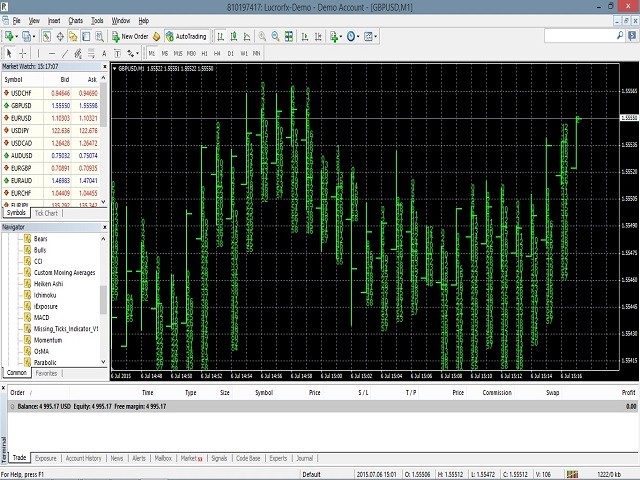
The indicator displays all those seconds, when no Tick was received for the current chart’s currency-pair.
These missing-tick seconds are displayed on the each bar. Besides, they are also printed inside "Experts" log, for post data-analysis.
The missing-tick seconds counter resets after each minute. Thus, it works well for any currency-pair in M1 timeframe.
https://www.mql5.com/en/market/product/10439
The indicator displays all those seconds, when no Tick was received for the current chart’s currency-pair.
These missing-tick seconds are displayed on the each bar. Besides, they are also printed inside "Experts" log, for post data-analysis.
The missing-tick seconds counter resets after each minute. Thus, it works well for any currency-pair in M1 timeframe.
Anand
ADR Dashboard Based Trading Scanner
https://www.mql5.com/en/market/product/15381
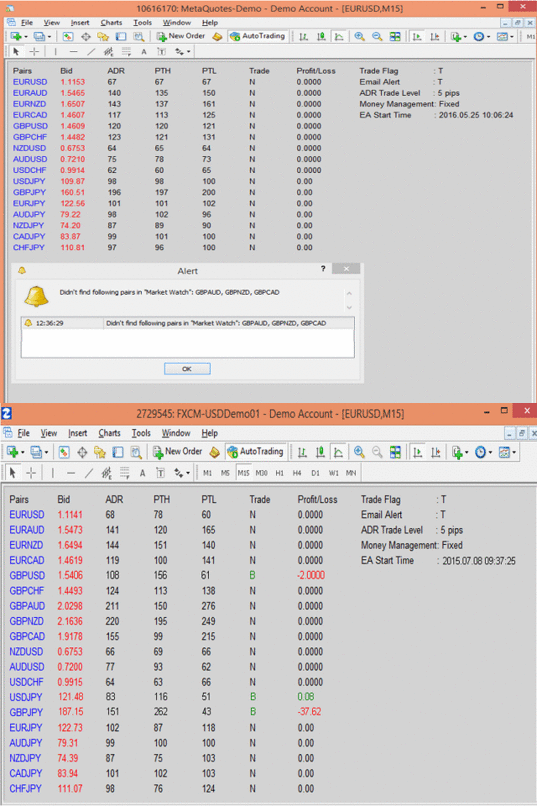
The EA creates a dash-board that scans multiple currency pair
symbols in forex. Everyday, it displays updated information for
each selected currency pair on current Bid price, average daily
range (ADR), pips to high (PTH) and pips to low (PTL).Â
https://www.mql5.com/en/market/product/15381
The EA creates a dash-board that scans multiple currency pair
symbols in forex. Everyday, it displays updated information for
each selected currency pair on current Bid price, average daily
range (ADR), pips to high (PTH) and pips to low (PTL).Â
Anand
Pair Trading Panel
https://www.mql5.com/en/market/product/12651
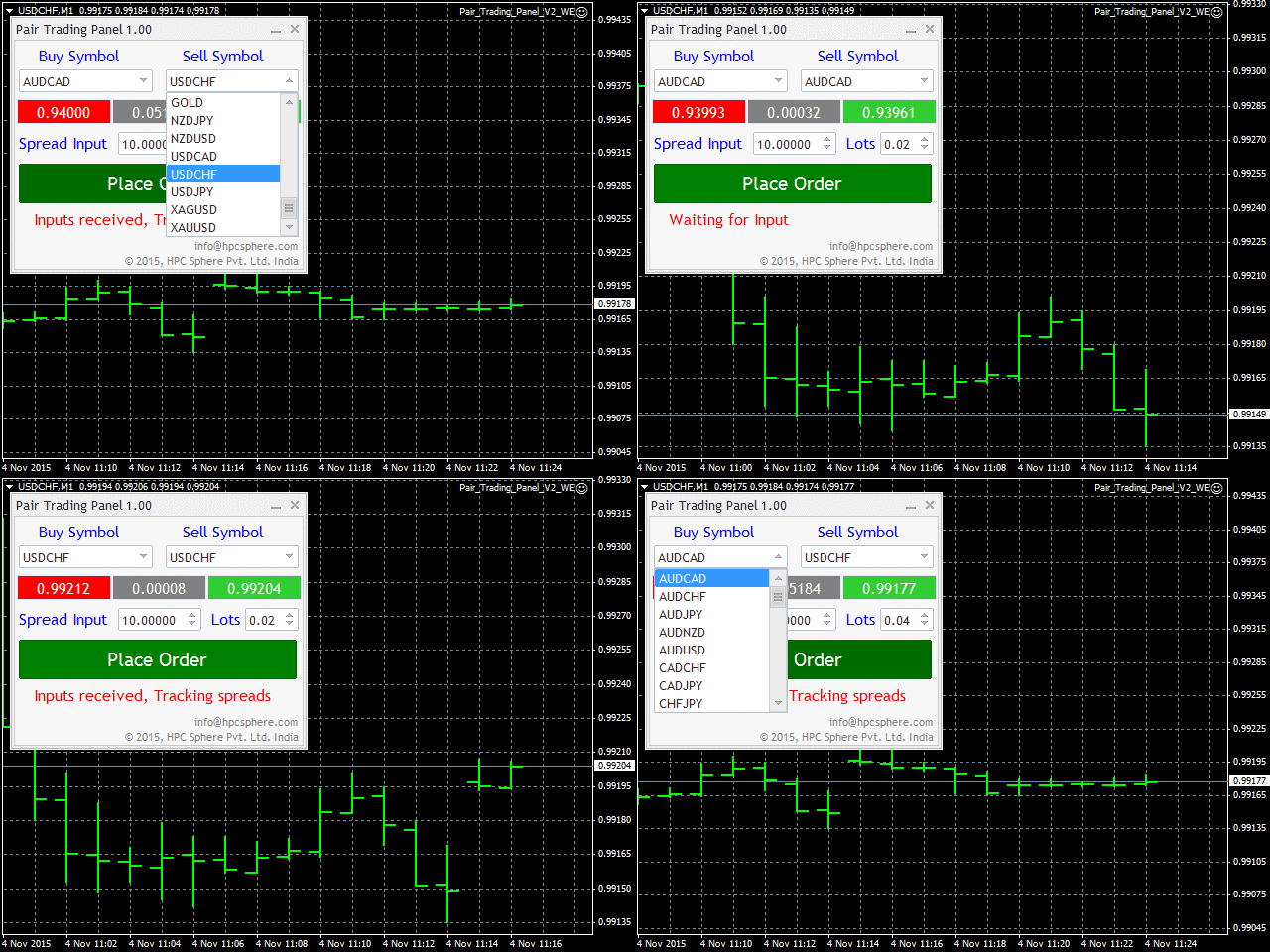
The EA simultaneously triggers buy and sell orders whenever desired target 'spread' is achieved. The panel, generated by EA, allows one to select currency pair(s) to trade Buy and Sell orders at a desired lot. A target 'spread' price is entered and 'Place Order' button is clicked. As soon as the chosen target 'spread' is crossed, the EA places orders, that can be manually closed, on observing favorable conditions to exit.
https://www.mql5.com/en/market/product/12651
The EA simultaneously triggers buy and sell orders whenever desired target 'spread' is achieved. The panel, generated by EA, allows one to select currency pair(s) to trade Buy and Sell orders at a desired lot. A target 'spread' price is entered and 'Place Order' button is clicked. As soon as the chosen target 'spread' is crossed, the EA places orders, that can be manually closed, on observing favorable conditions to exit.
Anand
HP Three coloured RSI Line Indicator
https://www.mql5.com/en/market/product/21929
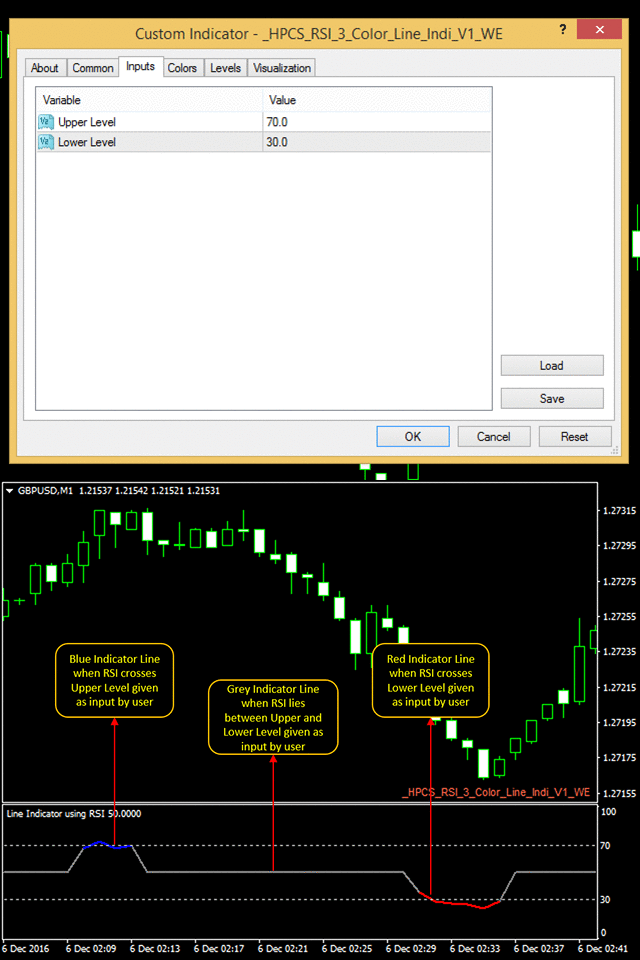
It is a simple to use indicator, in which the color of indicator changes to red or blue when it crosses a specific RSI level given by a user.
It indicates according to a user input and is very easy to customize
https://www.mql5.com/en/market/product/21929
It is a simple to use indicator, in which the color of indicator changes to red or blue when it crosses a specific RSI level given by a user.
It indicates according to a user input and is very easy to customize
: