Astral Volume
- Indicators
-
Ottaviano De Cicco
 There’s more to your chart than meets the eye.
Merkava Labs develops quantitative trading tools
that bring market behaviour into focus.
Built on research. Refined through validation.
Complementary perspectives for the way you trade.
Explore our tools: merkavalabs.com - Version: 1.0
- Activations: 10
Astral Volume
Read volume-weighted momentum in its wider context.
Launch Special — $78 · Save 35% · $120 after launch.
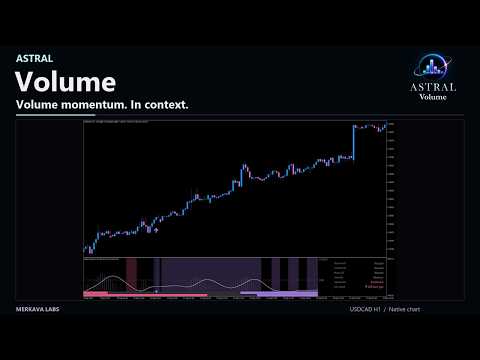
A strong local move can look different on a higher timeframe. For traders who use volume alongside price, Astral Volume brings the local reading and the wider picture together before they assess a directional change.
- Judge the move in context. See tick-volume-weighted momentum and how its intensity compares with recent history.
- Spot agreement and disagreement. Keep two higher-timeframe views beside the current reading instead of mentally combining separate charts.
- Make confirmation consistent. Decide which timeframe views must agree before a directional-change signal is accepted.
Use Volume when your method needs a coordinated view of momentum, relative intensity and timeframe agreement. It uses broker tick volume, not centralized traded volume or executed order flow.
Read the market in context
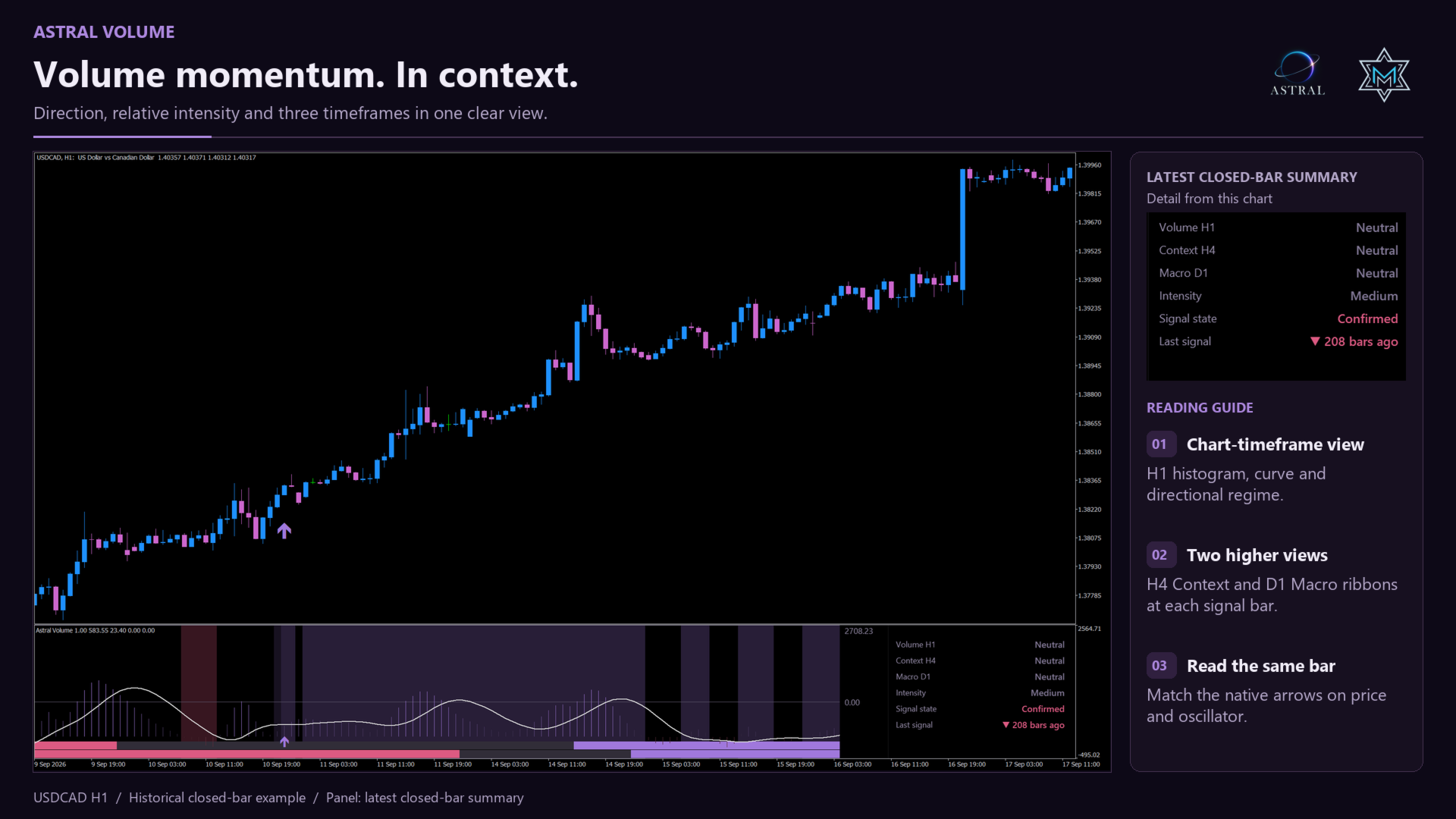
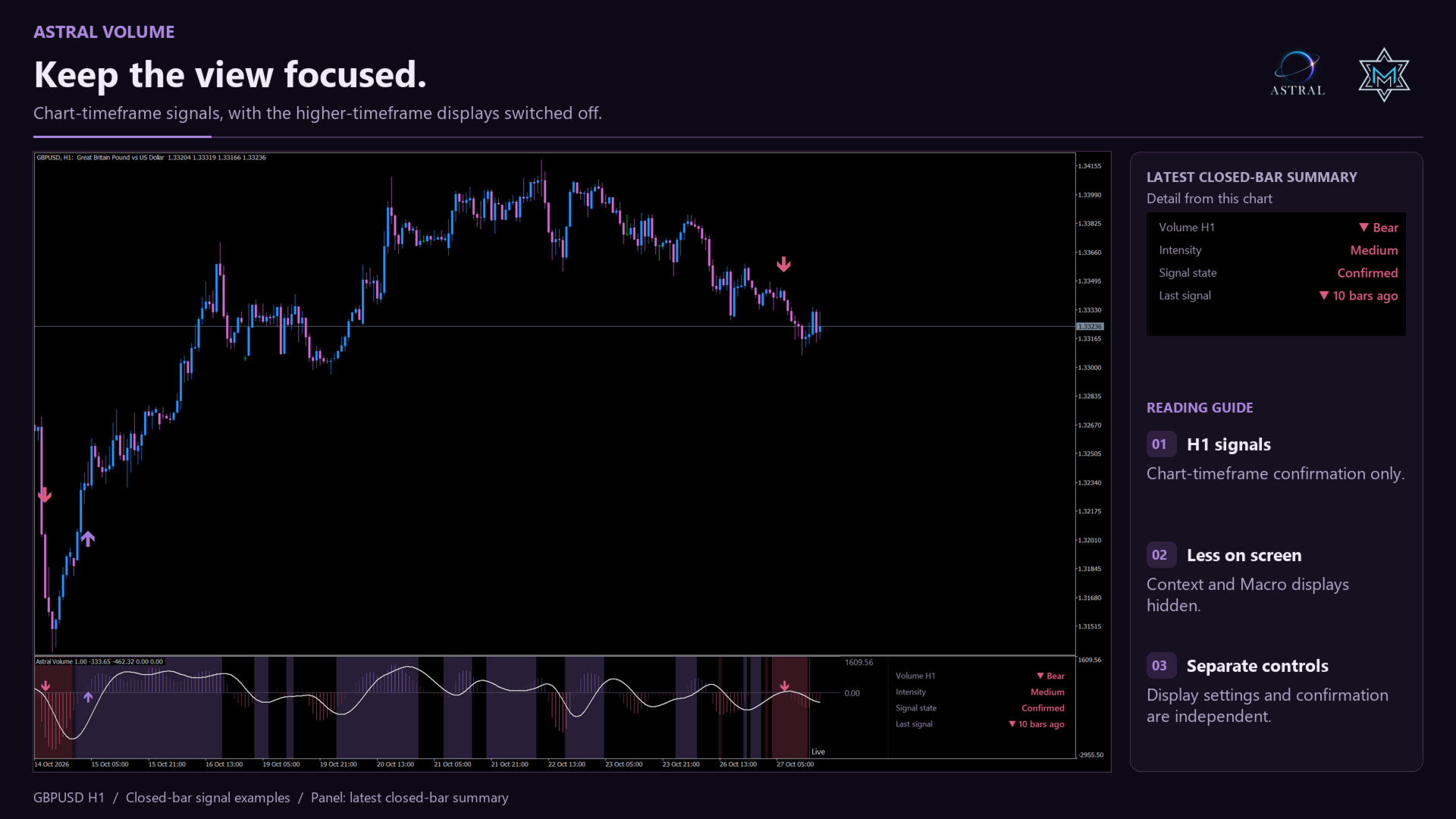
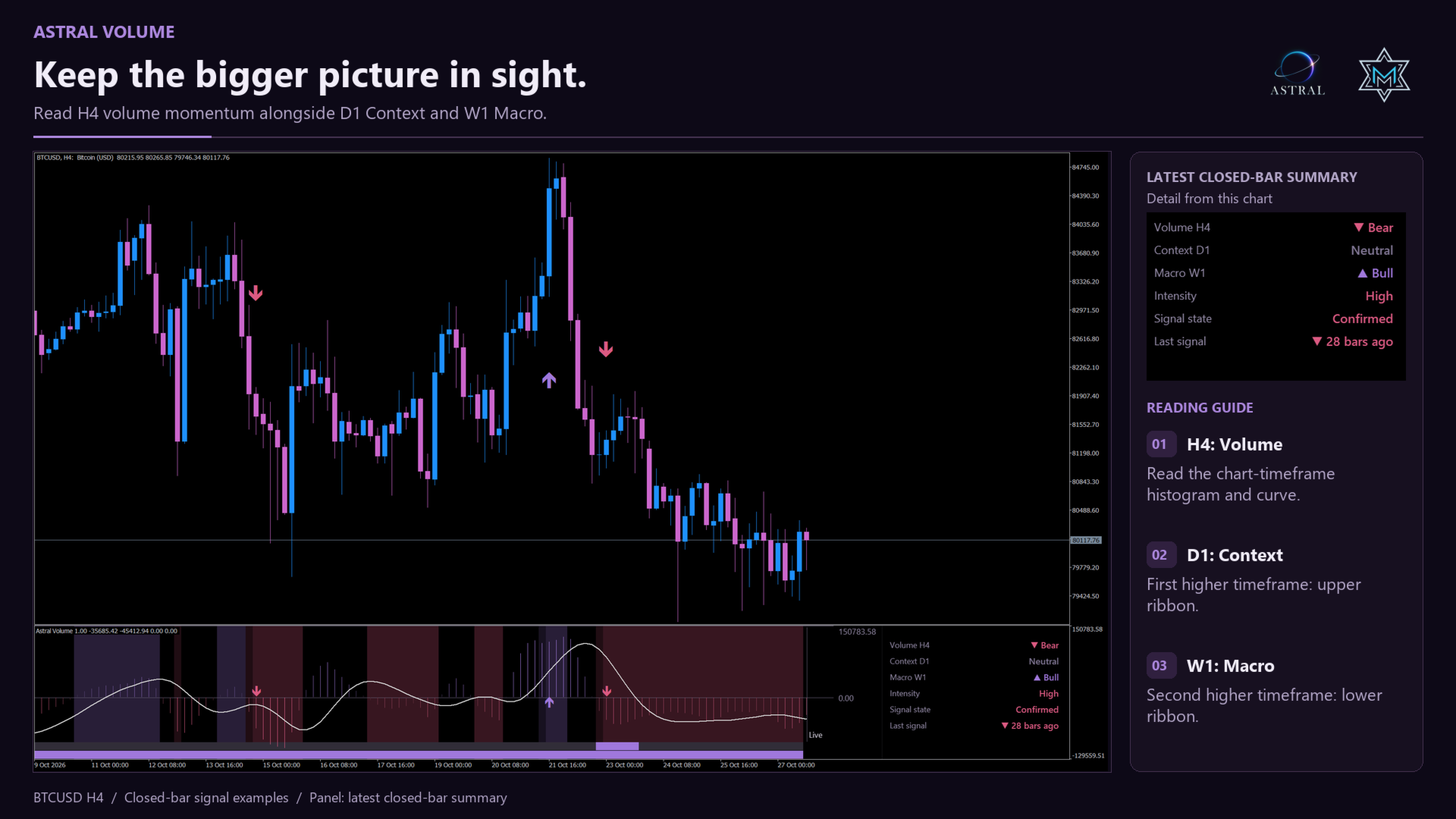
- Volume: the current chart timeframe. The histogram shows the oscillator, the curve provides a smoothed reference, and the full-window background follows the current directional regime.
- Context: the first selected higher timeframe, shown in the upper of the two ribbons at the bottom of the indicator window.
- Macro: the second selected higher timeframe, displayed in the lower ribbon. Both ribbons have equal height.
- The compact panel identifies each timeframe and its bullish, bearish or neutral state, plus Intensity, Signal state and Last signal. A neutral reading is different from unavailable data.
Relative intensity at a glance
Low, Medium and High place the oscillator's absolute magnitude within recent closed-bar history. Gradient shading shows the same relative measure; the panel also displays Intensity when you choose a Solid histogram. High describes the oscillator's relative magnitude, not signal confidence, a probability of success or unusually high raw traded volume.
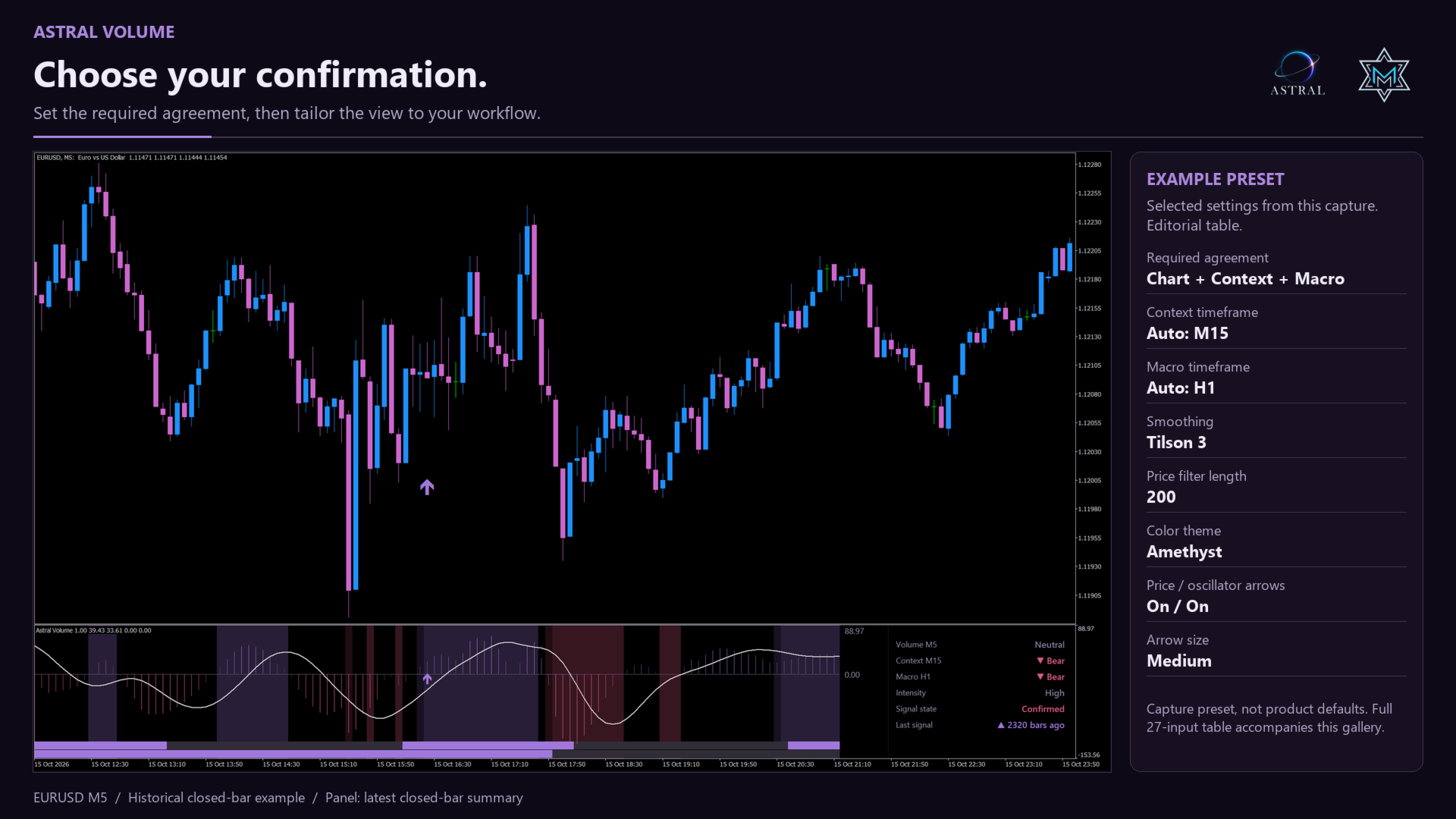
Choose your confirmation
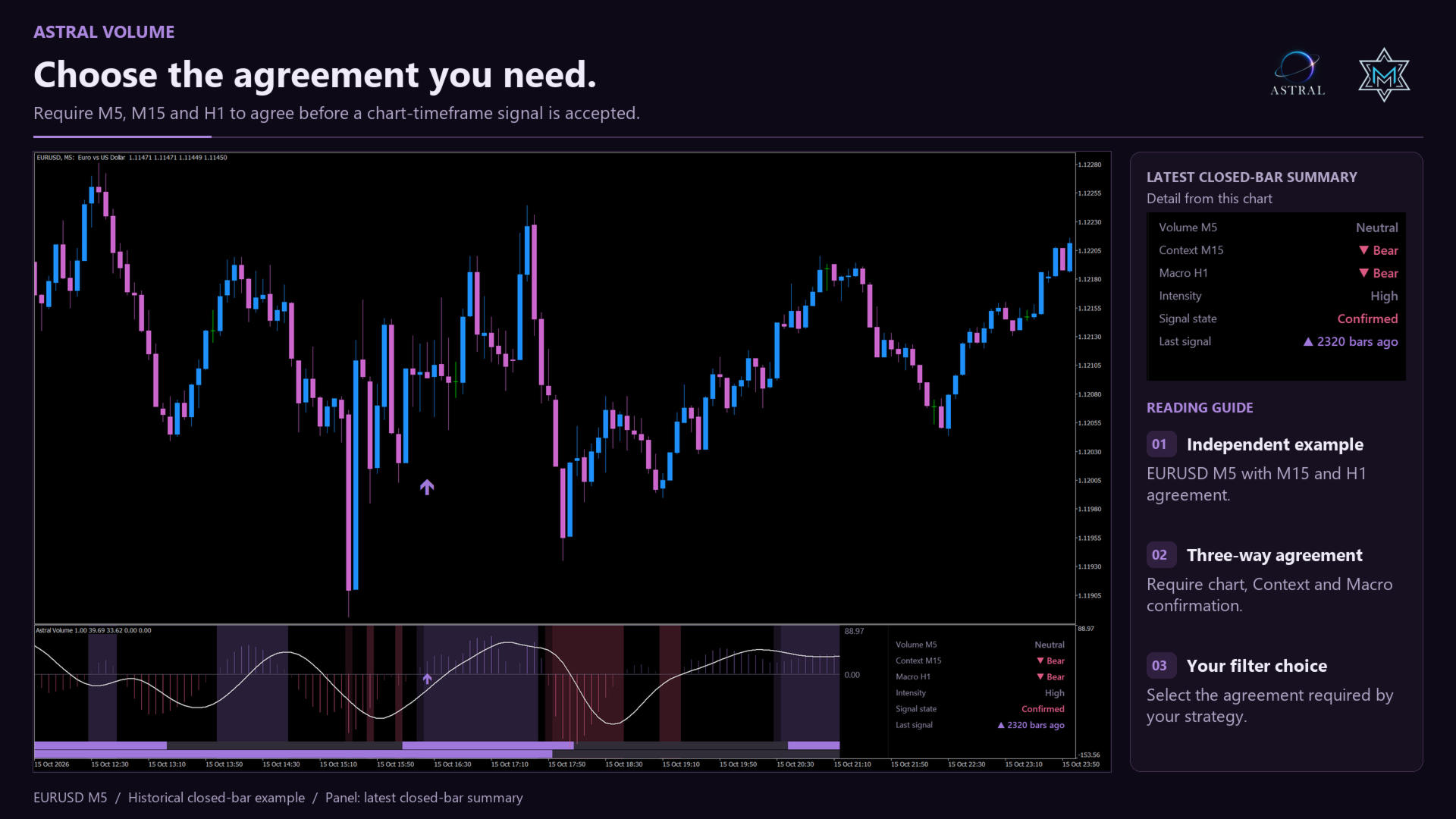
- Current timeframe: current-timeframe directional-change signals, without higher-timeframe confirmation.
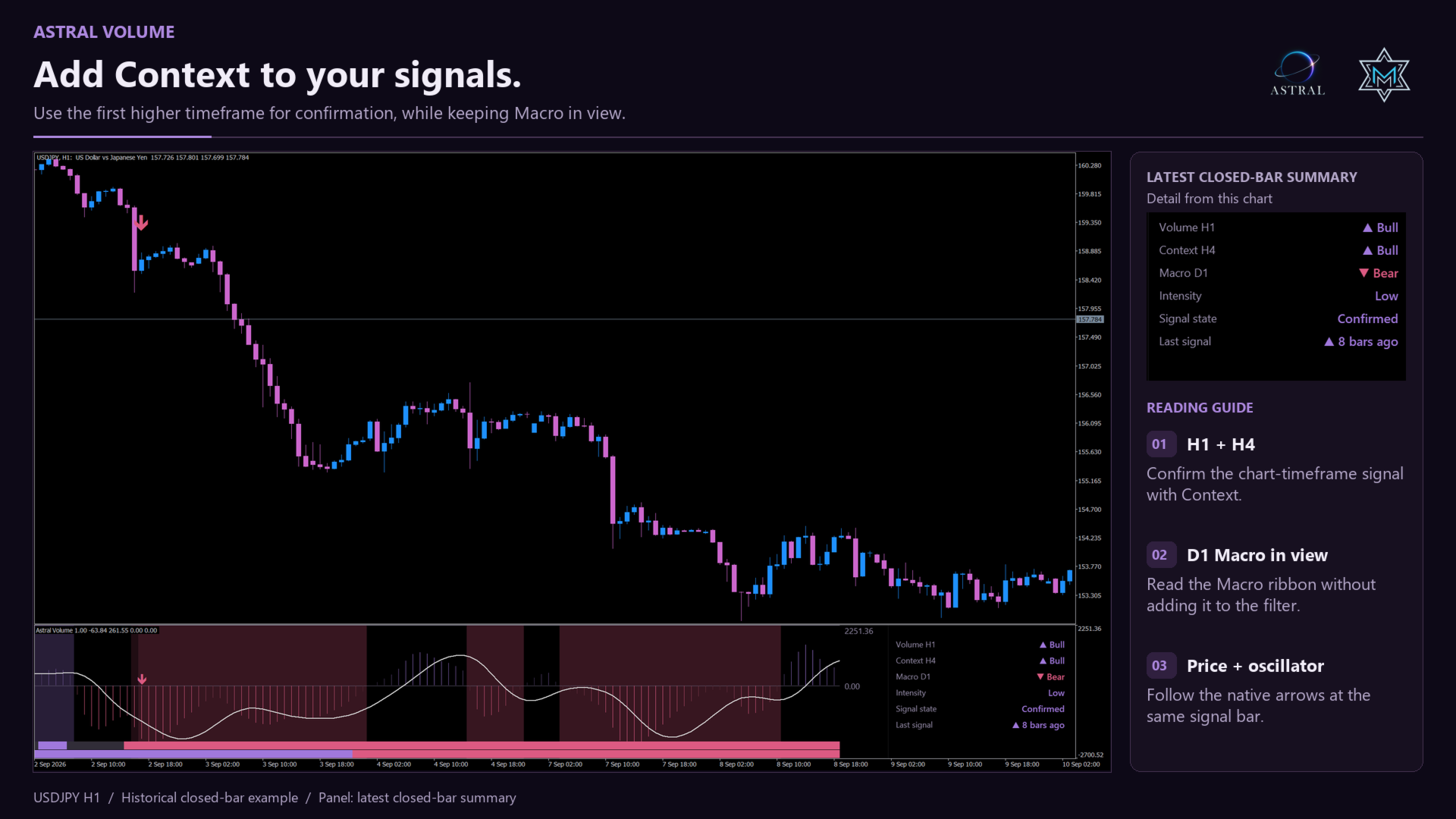
- Current + first higher timeframe: the current signal must agree with Context.
- All three timeframes: the current signal must agree with Context and Macro.
- First + second higher timeframe: Context and Macro must agree with the current signal. For these directional-change candidates, this has the same filtering result as All three in version 1.00.
Higher timeframes filter current-timeframe candidates; they do not generate an independent set of entries. A required neutral, unavailable or disagreeing reading does not confirm a signal. Display and confirmation are independent: hiding a ribbon or panel row does not remove that timeframe from the selected filter.
Higher Timeframe 1 and Higher Timeframe 2 can select the first and second higher timeframes automatically, or use supported manual selections through W1. Manual higher timeframes must be above the chart timeframe, distinct and ordered. Monthly higher-timeframe analysis is not included.
Closed-bar signals
Arrows mark confirmed changes in the current timeframe's directional regime. Signal Bar selects the flip bar, one confirmation bar or two confirmation bars; the default is one confirmation bar. Signals use completed bars. The live bar's histogram and curve can still change. Subwindow Arrows is on by default; Chart Arrows is off. Both can be enabled, with selectable style and size.
Make the workspace yours
- Color Theme: choose a Quantum palette, or None (Use Chart Colors) to follow the chart's actual colours. Curve, panel and arrow colours adapt for readability on light or dark backgrounds.
- Chart Background: Off (Keep Current), Dark Background or Accent Background. Default Off preserves the chart. This is separate from Show Background. Background control is coordinated with other Astral indicators; the previous background is restored when this indicator releases control.
- Histogram Style / Background Style: choose Gradient or Solid histogram, and Charge or Flat shading for the current directional regime.
- Show Background / Show First Higher Context / Show Second Higher Context: control current-regime shading and the two higher-timeframe ribbons independently of Chart Background.
- Show Panel / Panel Corner: control panel visibility and top-right or bottom-right placement.
Alerts
Popup Alert, Sound Alert, Push Notification and Email Alert are off by default. Push and email also require the corresponding MetaTrader terminal configuration. Directional text alerts identify product, symbol, timeframe, direction and signal-bar closing price. Format example: [MKV] Astral Volume | SYMBOL TF | Trend Flip Bull | Close PRICE.
Calculation and settings
- Signal Period / Smoothing: adjust smoothing; Tilson 3 is the default and EMA is available. Volatility Period sets the normalization lookback.
- Price Filter Length / Threshold: adjust the price filter and directional threshold, affecting regimes and signal candidates.
- Volume Timeframes Required and Higher Timeframe 1 / 2: select confirmation scope and automatic or manual higher timeframes.
- Max Bars: sets the displayed/calculated chart window, default 3000; initialization still needs sufficient higher-timeframe history.
Data and support
Calculations use broker tick volume, price movement, smoothing, volatility normalization and a price filter. Tick volume is not centralized exchange volume, order flow or an actual ratio of executed buy and sell trades. Higher-timeframe readings use native broker history and require sufficient finalized data. Missing or unfinalized readings are not used as provisional confirmation.
Corrected broker history can change historical readings. Weekly availability and rollover can limit higher-timeframe data. Astral Volume is an analysis indicator and does not place orders. Support is available through MQL5 product comments and private messages.
Welcome to Astral
Built on research. Designed to work together.
Astral by Merkava Labs combines established analytical methods with original research to create complementary market indicators. Each module has a distinct role and a shared visual language, so you can use it independently or alongside the others.