Astral Shift
- Indicators
-
Ottaviano De Cicco
 There’s more to your chart than meets the eye.
Merkava Labs develops quantitative trading tools
that bring market behaviour into focus.
Built on research. Refined through validation.
Complementary perspectives for the way you trade.
Explore our tools: merkavalabs.com - Version: 1.0
- Activations: 5
Astral Shift
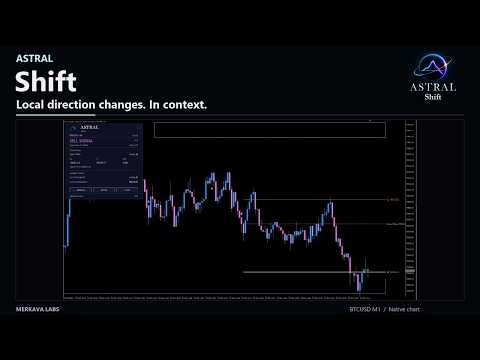
See the shift, its location and plan.
An arrow alone does not tell you where a direction change sits or which levels define its plan. Astral Shift brings those elements together for discretionary traders reviewing local changes on the current chart timeframe.
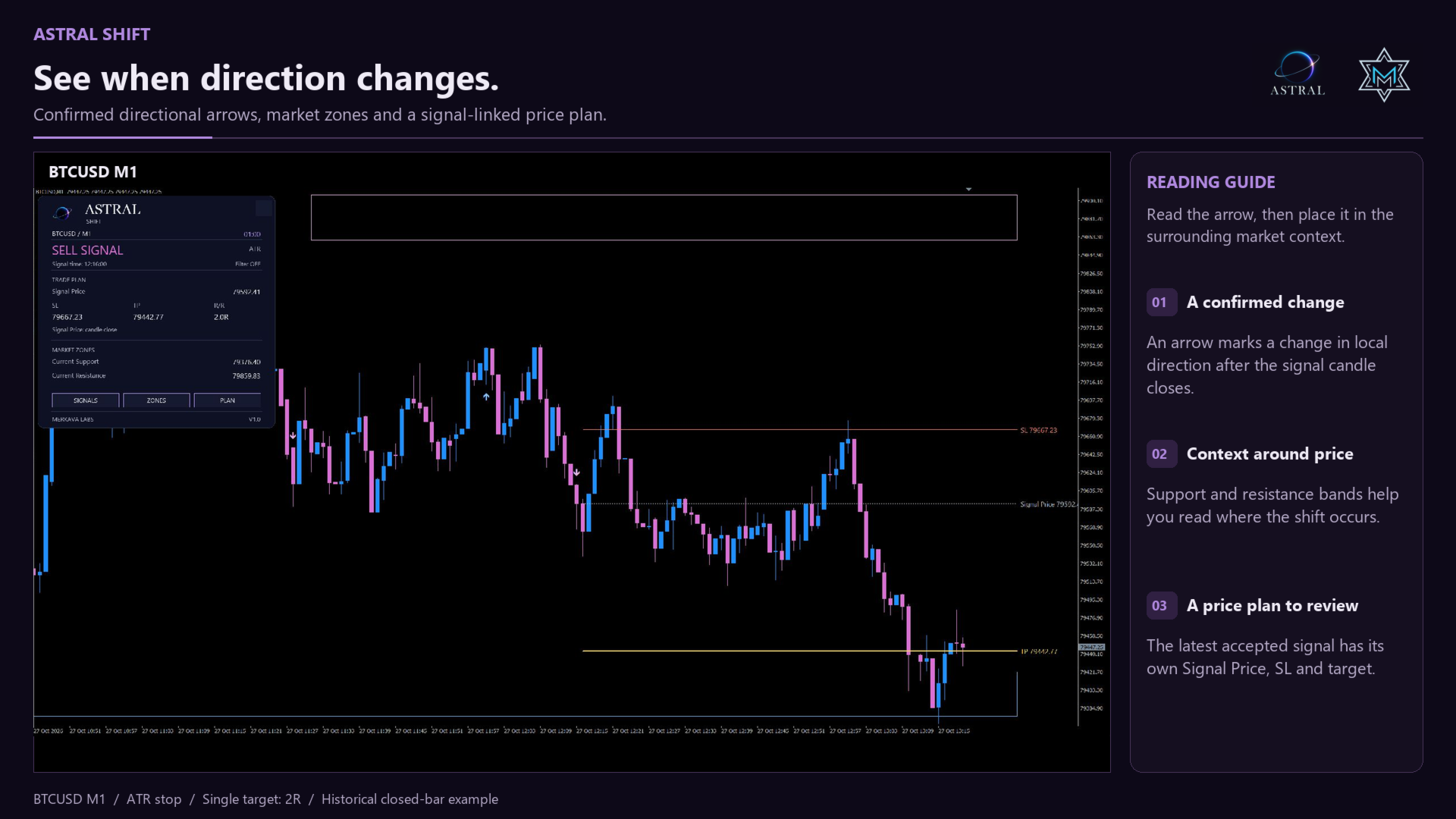
- Focus on confirmed changes. Review the latest accepted directional signal and when it became available.
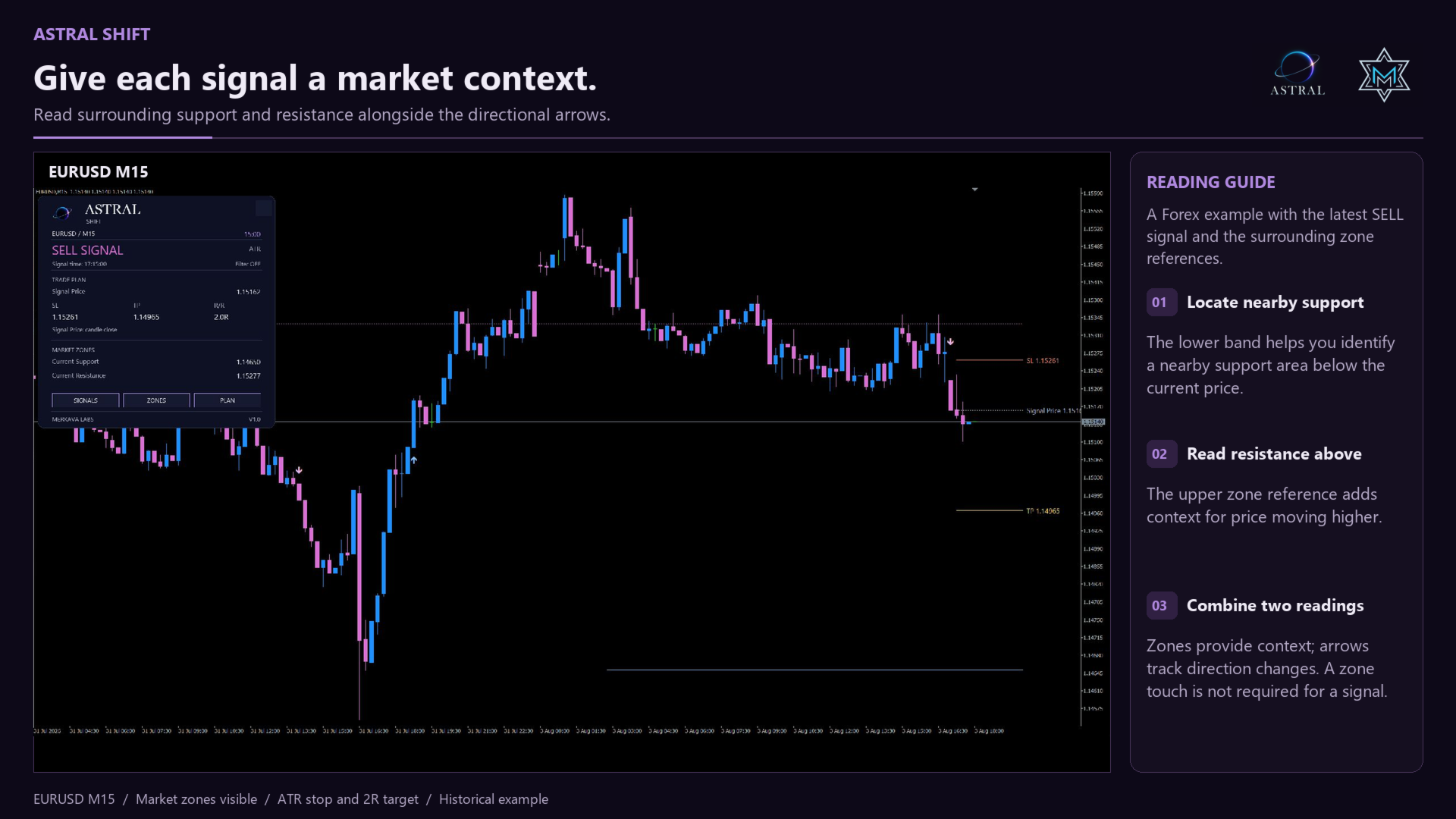
- Understand its price location. See nearby support and resistance alongside the signal, with the zone map providing independent context.
- Keep the plan connected. Review stored stop and target references belonging to that signal while the current zone map develops.
Use Shift to move from noticing a local directional change to assessing its price location and analytical plan in one workspace. Your trading decisions remain your own.
Read the signal and its price location
- Directional arrows: mark changes in the indicator's retained directional regime. A signal can represent a reversal or a continuation after a pullback; it does not certify the end of a market move.
- Market zones: confirmed pivots form support and resistance areas, with optional relative tick-volume confirmation. Zones help assess where a signal occurs; the arrow calculation and zone map are independent.
- Astral Terminal: brings the latest accepted signal, its confirmation time, Signal Price, SL, target references and current nearby support and resistance into one panel.
Zones become available after their pivot confirmation, rather than at the earlier pivot candle. Current zones can merge, change role or adjust as the map develops. Their live state is different from the stored price references of a confirmed signal.
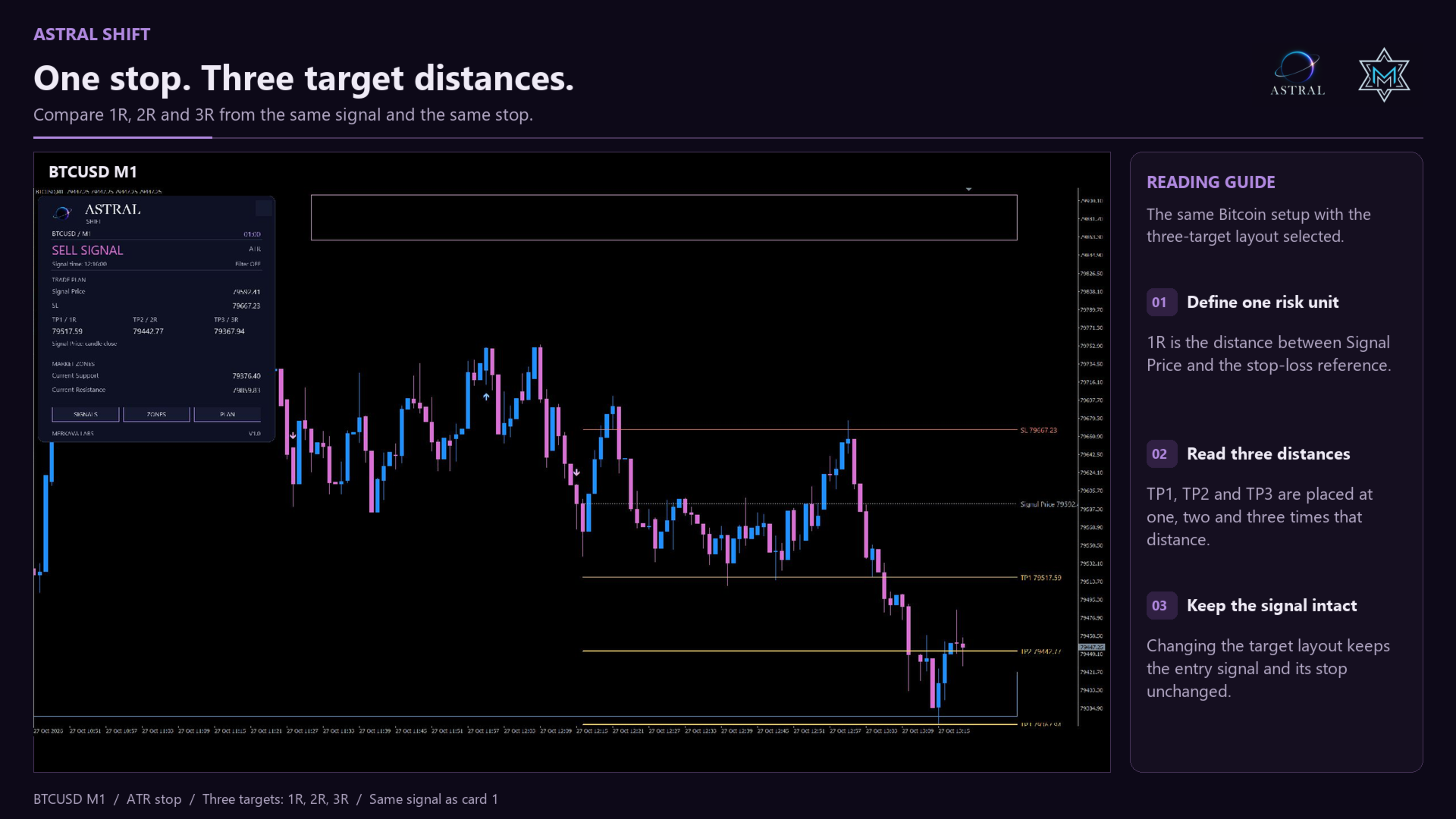
Choose one target or three
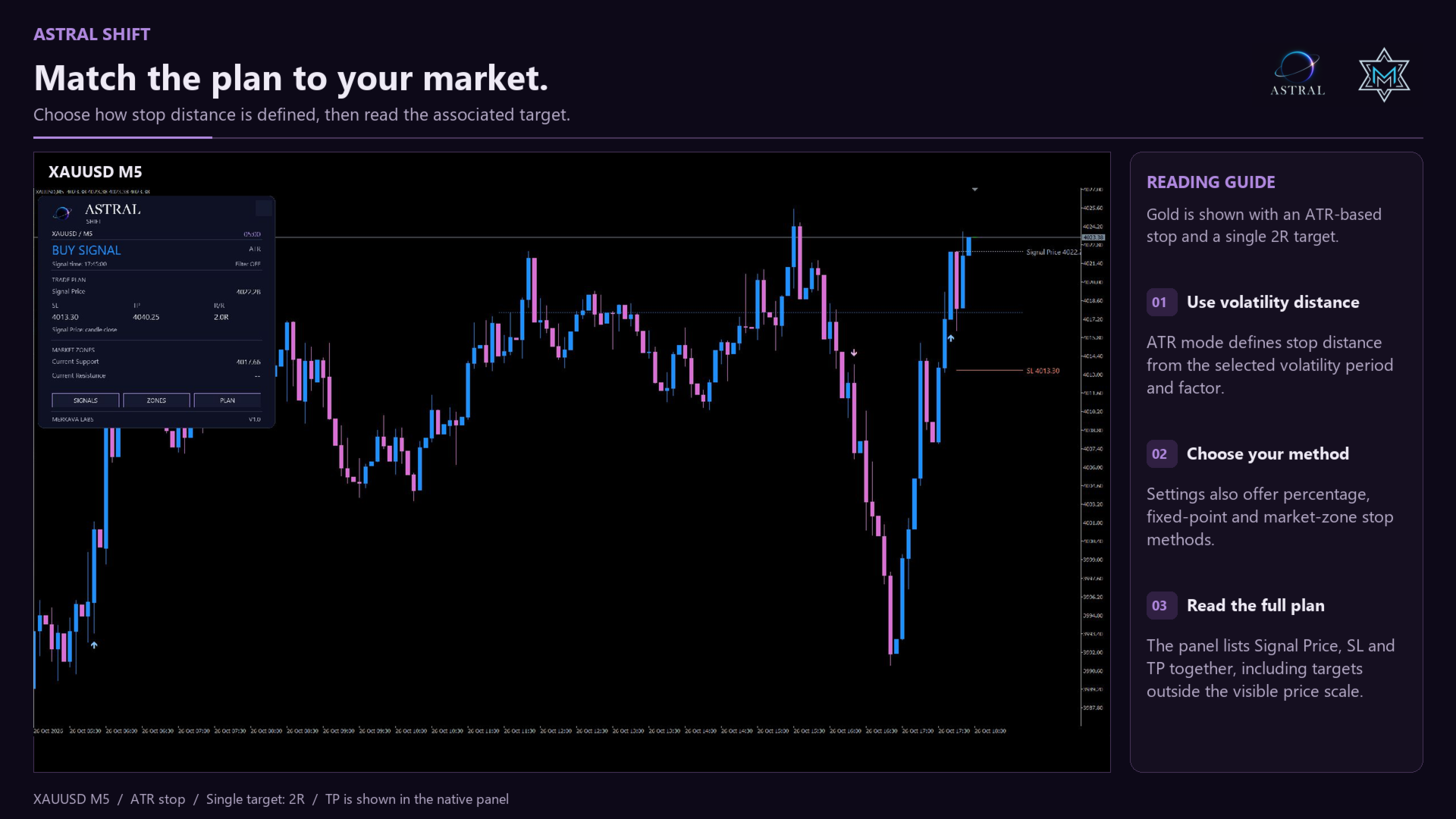
Signal Price is the plan's reference price. The default is the signal candle's closing price. Each accepted signal can display one stop reference and either a Single target or Three targets at 1R, 2R and 3R. R is the distance from Signal Price to the stop reference.
- ATR distance: sets the stop distance from measured volatility. Reward / Risk sets the Single target.
- Percentage: uses a percentage of Signal Price for the stop distance, with a selectable Single reward/risk ratio.
- Fixed points: uses a fixed stop distance in symbol points, with a selectable Single reward/risk ratio.
- Market zones: places the stop at a protective zone boundary and the Single target at an opposing zone boundary. Zone Padding (ATR) can move the stop beyond its boundary and the target before its boundary. The resulting reward/risk ratio depends on those distances.
Target Layout selects Single target or Three targets. Three keeps the qualified stop and uses fixed 1R / 2R / 3R levels; Reward / Risk controls Single. Market zones still requires a qualified zone pair. Missing history, unavailable boundaries or invalid distances leave the plan unavailable instead of substituting a different method.
The displayed plan belongs to the latest accepted signal. Its confirmed references remain stored as new candles arrive. The indicator does not move them to breakeven, trail the stop or track whether an actual position has reached a target. Three target references let you assess a staged exit; they are not automatic partial executions.
Control entry extremes
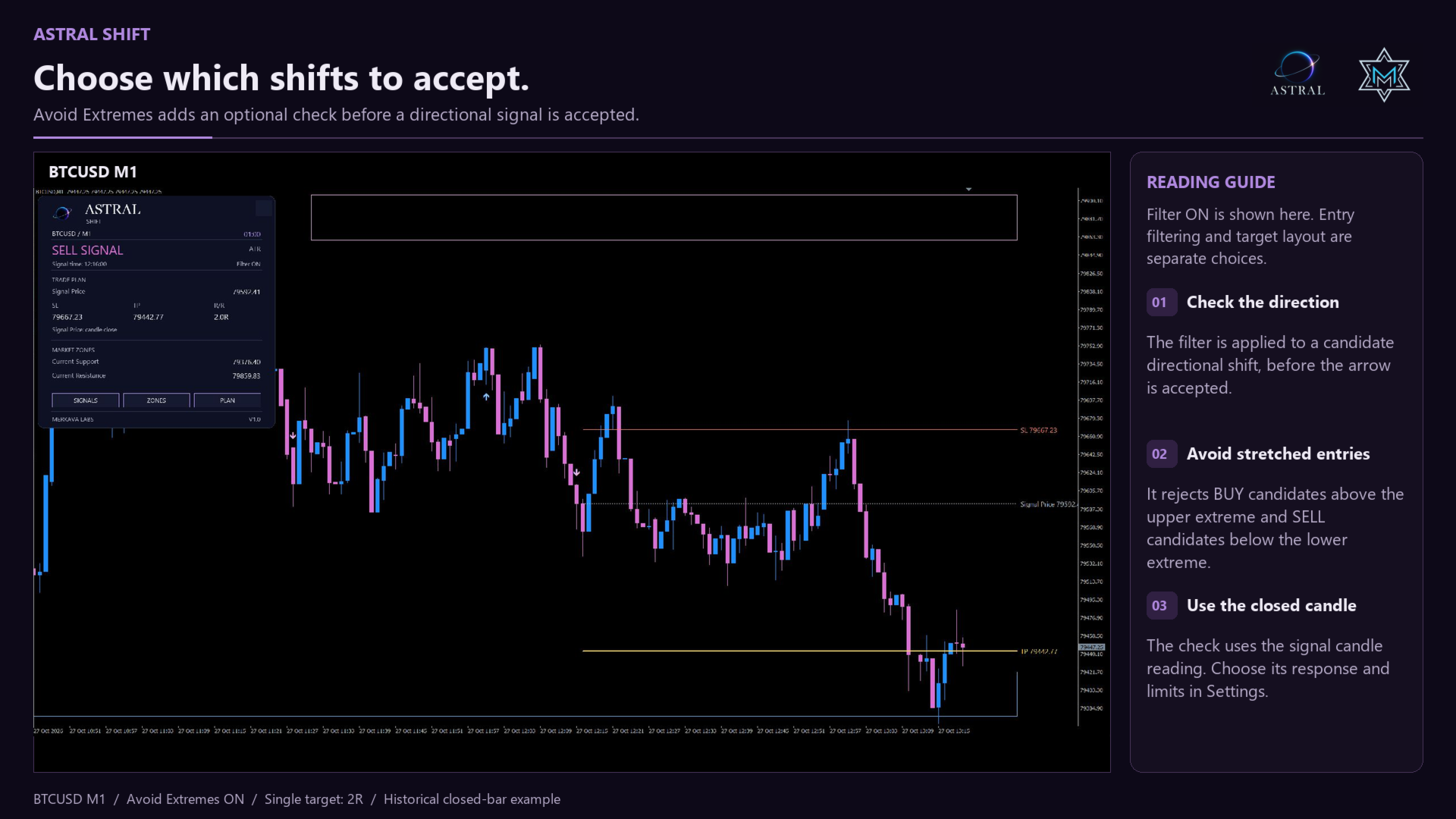
Avoid Extremes is an optional filter, off by default. It evaluates the closed signal candle and can suppress BUY signals in upper-extreme conditions or SELL signals in lower-extreme conditions. Extreme Response, Upper Extreme and Lower Extreme let you adjust the filter.
A rejected candidate is not postponed to a later candle. The underlying directional regime continues to update, so a rejected SELL does not prevent the next eligible BUY. The panel shows Filter ON or OFF and continues to identify the latest accepted signal. The filter is a configurable selection rule, not a measure of signal confidence or a promise of better results.
Closed-bar confirmation
Signals are confirmed after the signal candle closes and first become available on the first available tick of the next actual candle. Arrows are drawn on the signal candle; they are not intrabar predictions. With unchanged settings and history, confirmed signals and their qualified price plans are designed to remain fixed. Input changes or corrected broker history can trigger recalculation. The live support and resistance map can still update.
Make the workspace yours
- Color Theme: selects the indicator's palette. Chart Background is separate and defaults to Off (Keep Current), preserving the chart background.
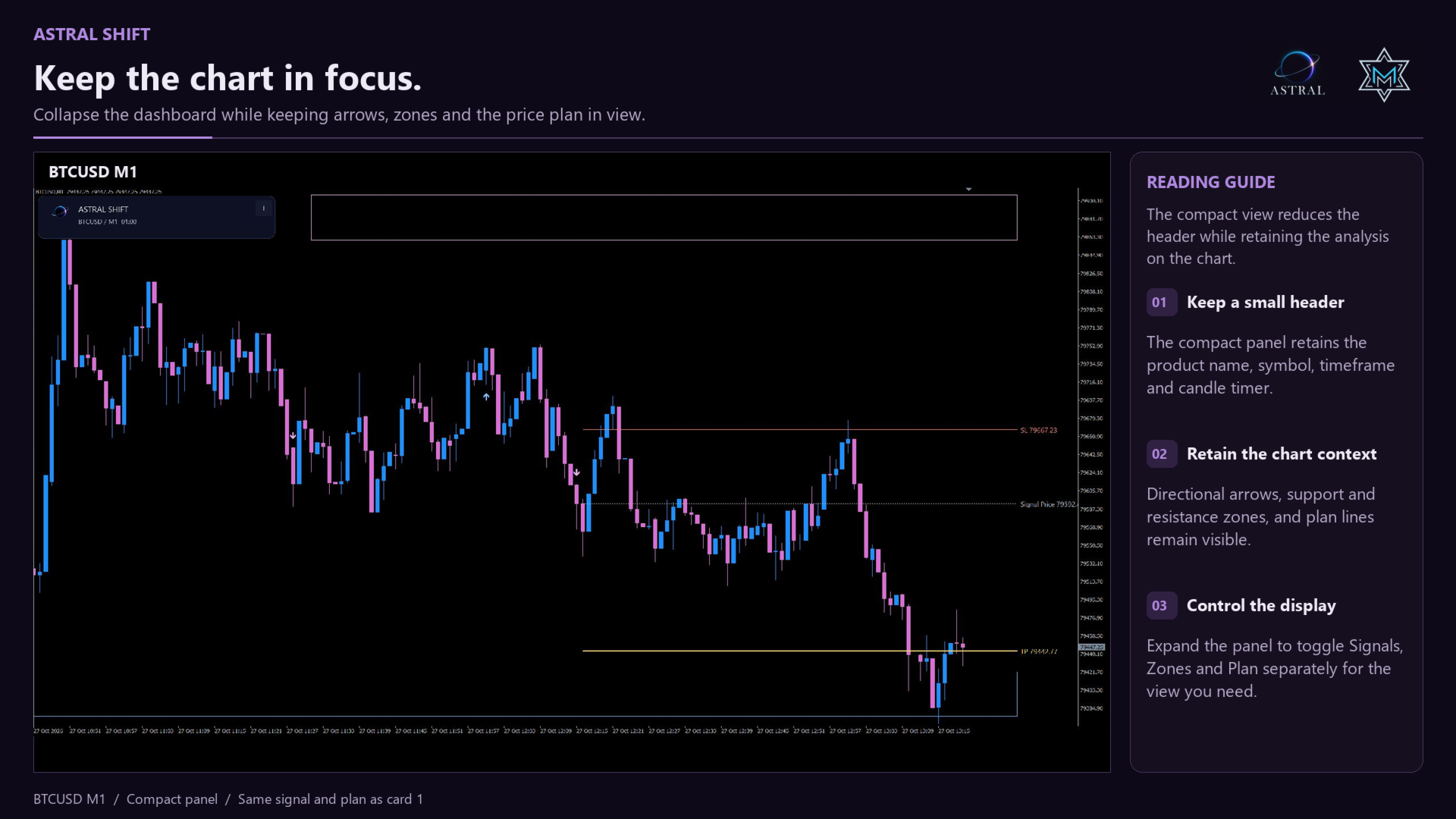
- Show Panel / Start Expanded / Panel Corner: control the panel. It starts at the top left by default and can be dragged by its header. Position and expanded state persist on the same chart and layout profile when switching timeframe or symbol.
- Show Candle Timer: independently shows or hides the candle countdown, useful when several Astral panels share a chart.
- SIGNALS / ZONES / PLAN: panel buttons control chart drawings. Hiding a layer does not disable its calculations or signal alerts. Drawing visibility returns to the input selections on reload.
- Arrow Size / Arrow Gap (Pixels), Fill Zone Bands and Show Historical Zones: adjust marker visibility and the zone map.
Alerts
Popup Alert, Sound Alert, Push Notification and Email Alert are off by default. Sound Alert independently plays alert.wav. Popup sound follows the MetaTrader Events / Alert configuration. Email and push also require terminal configuration. Messages identify the product, symbol, timeframe, direction and signal candle's closing price. Historical signals loaded at initialization do not trigger a new alert.
Calculation and settings
- Response Period: controls the lookback used for directional changes.
- Max Bars (0=All): sets the history limit; the default is 3000 bars.
- Support Confirmation Bars / Resistance Confirmation Bars: set the bars required to the right of a pivot before its zone becomes available; both default to 40.
- Zone Width Factor / Zone Volatility Period: calibrate zone width. Require Volume Confirmation, Volume Average Period and Minimum Relative Volume control the relative tick-volume condition. Historical Zones Per Side limits the historical map.
- Plan Method / Reference Price: select the level method and reference. ATR, Percentage and Fixed points can use the signal close or signal marker. Market zones uses the signal close.
- ATR Period / ATR Stop Factor / Reward / Risk: calibrate the ATR plan and Single target. The defaults are ATR 14, stop factor 1.5 and Single reward/risk 2. Percentage Stop, Fixed Stop (Points) and Zone Padding (ATR) apply to their respective methods.
- Avoid Extremes / Extreme Response / Upper Extreme / Lower Extreme: control the optional entry filter independently of Target Layout.
Data and support
Calculations follow the current chart timeframe and use broker price history and tick volume. Tick volume is not centralized exchange volume or executed order flow. This version does not apply higher-timeframe signal confirmation or scan multiple symbols.
Sufficient finalized history is required for signal, volatility and zone calculations. Missing readings are unavailable data, not neutral confirmation. Signal Price, SL and target lines are analytical references, not executed fills; your spread, fees, slippage and broker stop restrictions affect an executable trade. No profitability or universal non-repaint guarantee is implied. Support is available through MQL5 product comments and private messages.
Welcome to Astral
Built on research. Designed to work together.
Astral by Merkava Labs combines established analytical methods with original research to create complementary market indicators. Each module has a distinct role and a shared visual language, so you can use it independently or alongside the others.