Astral Volatility
- Indicators
-
Ottaviano De Cicco
 There’s more to your chart than meets the eye.
Merkava Labs develops quantitative trading tools
that bring market behaviour into focus.
Built on research. Refined through validation.
Complementary perspectives for the way you trade.
Explore our tools: merkavalabs.com - Version: 1.0
- Activations: 10
Astral Volatility
See changing activity. Keep price in view.
Launch Special — $78 · Save 35% · $120 after launch.
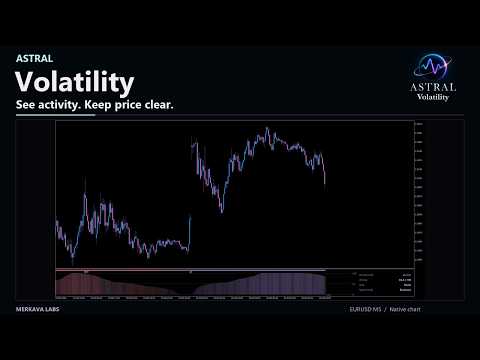
Price-action traders need to read changing market activity without crowding their candles. Astral Volatility uses an innovative algorithm to bring relative activity, directional positioning and confirmed events into a separate window, keeping the price chart clear.
- Put activity in perspective. See how current price volatility compares with its recent range alongside the directional reading.
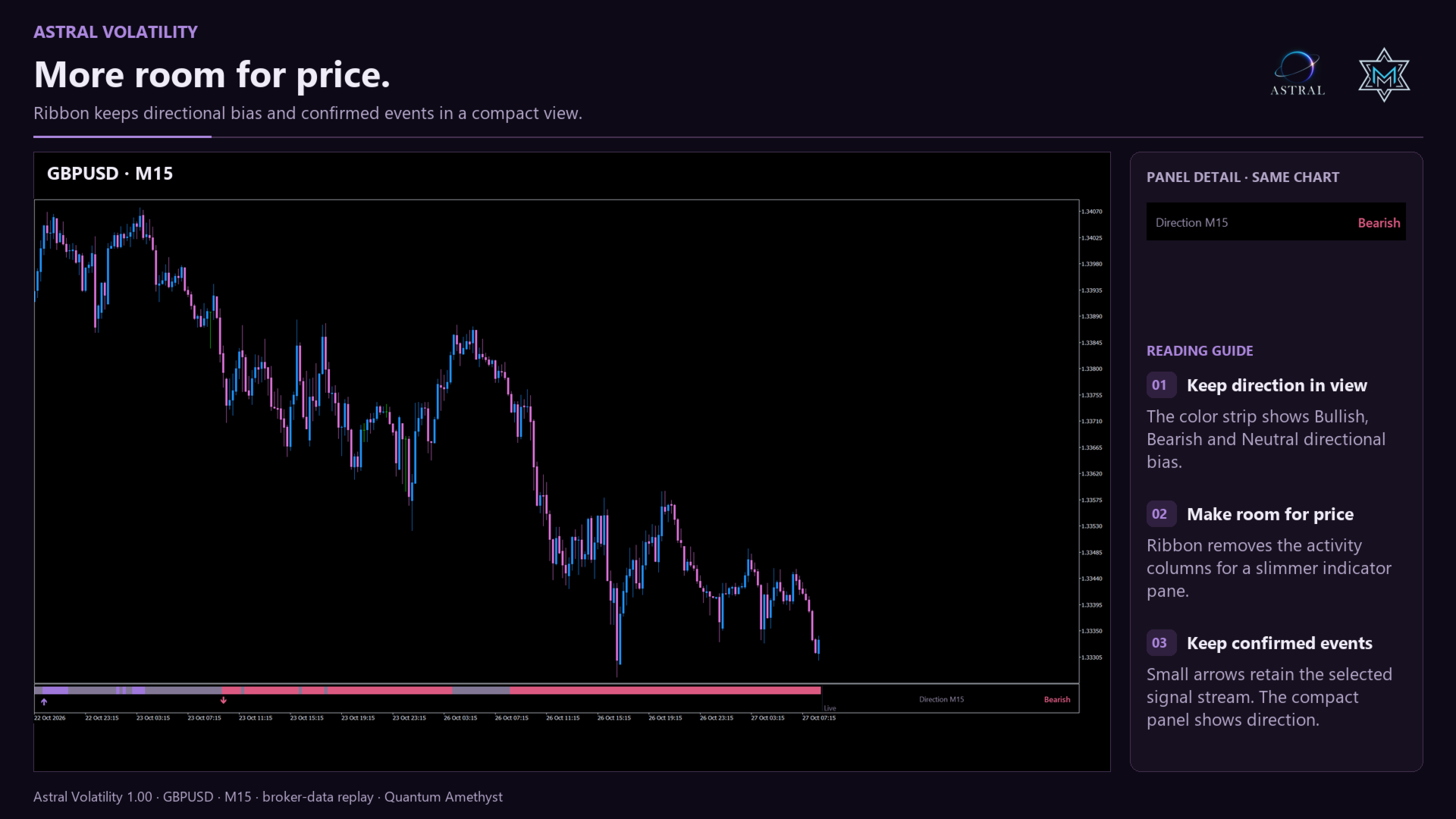
- Keep room for your analysis. Choose a full activity view or a compact strip that leaves more vertical space for price.
- Follow the events that fit your method. Review directional crossings or add compression and spacing requirements for more selective events.
Use Volatility to assess the conditions around a setup, with activity and directional events visible alongside your existing price analysis.
Read activity and direction
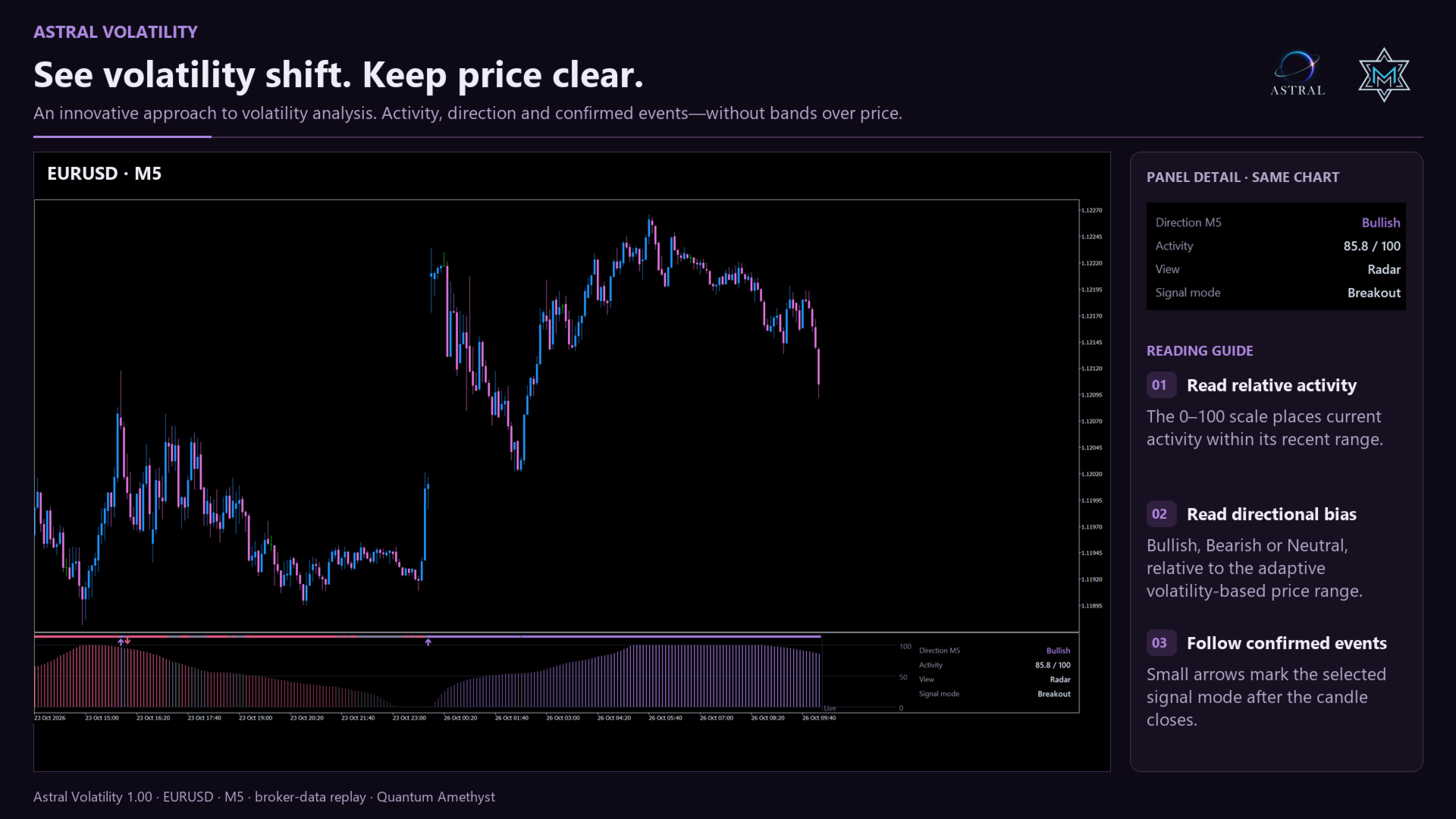
- Radar: relative activity columns on a consistent 0–100 scale, a direction strip and optional event markers.
- Ribbon: a compact direction-and-events view that leaves more vertical space for price. Switching views preserves the selected signal stream.
- Direction: Bullish, Bearish or Neutral describes the last closed candle's position relative to an adaptive, volatility-based price range.
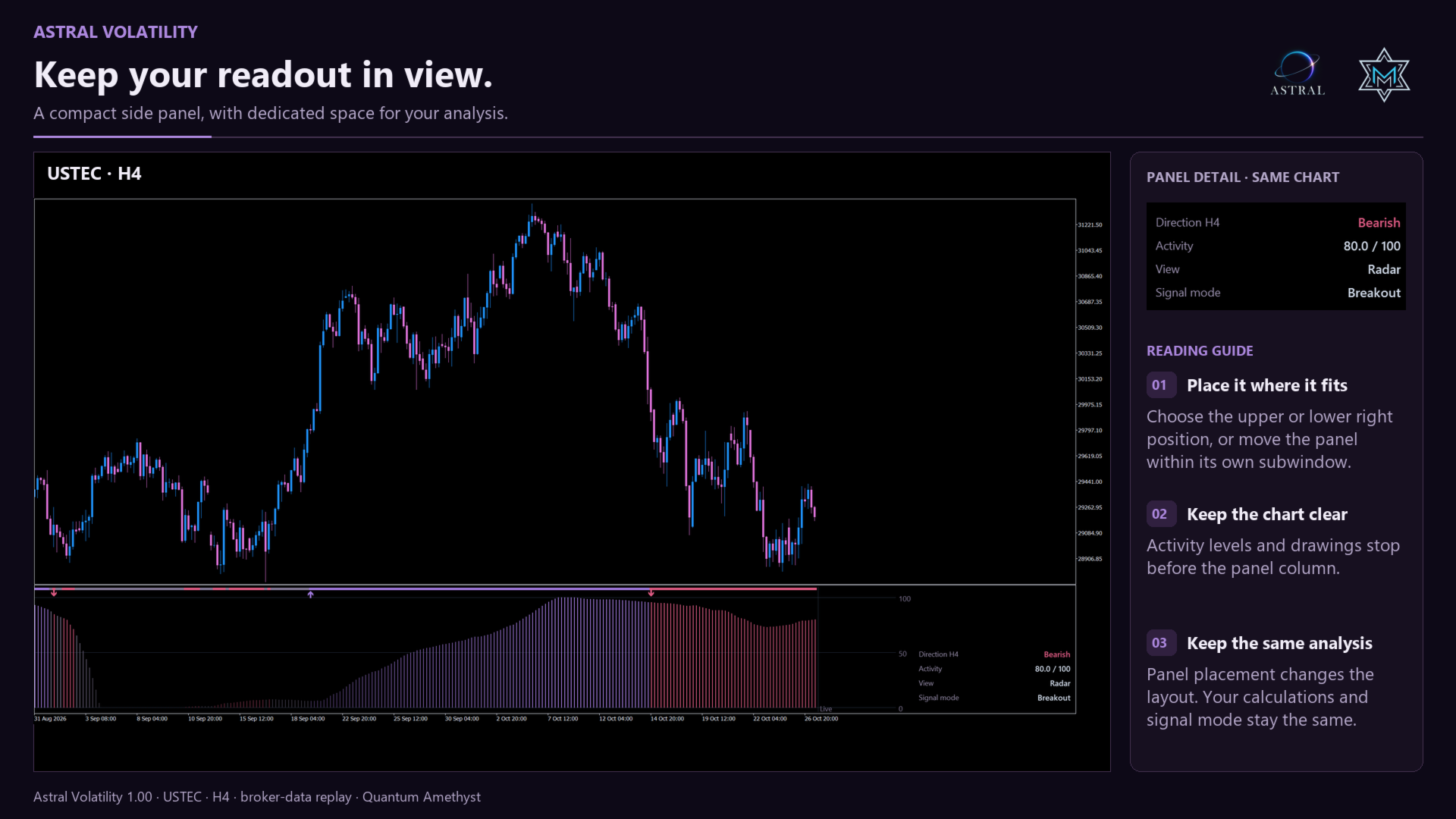
- Side panel: direction, activity, view and signal mode in a compact readout. Shallow panes display fewer rows; a compact Ribbon can show direction only.
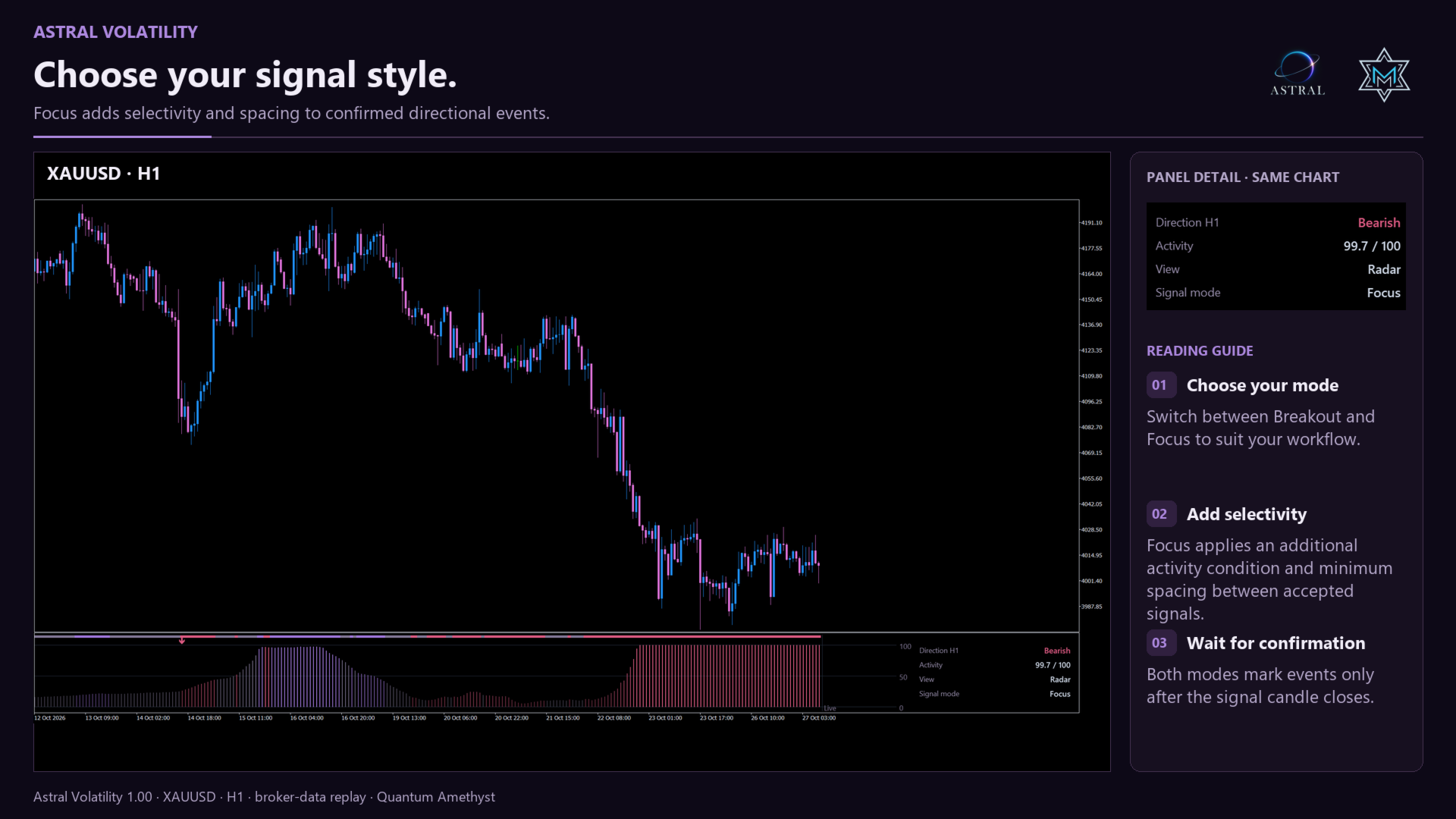
Choose your signal style
Breakout marks confirmed directional crossings. Focus adds a compression condition and minimum spacing between accepted events. Each mode maintains its own signal sequence; a directional state alone is not a fresh signal on every candle.
Both modes use completed candles. The selected event is available after its candle closes and is drawn on that candle. Focus offers additional selectivity, not a promise of better trading results.
Make the workspace yours
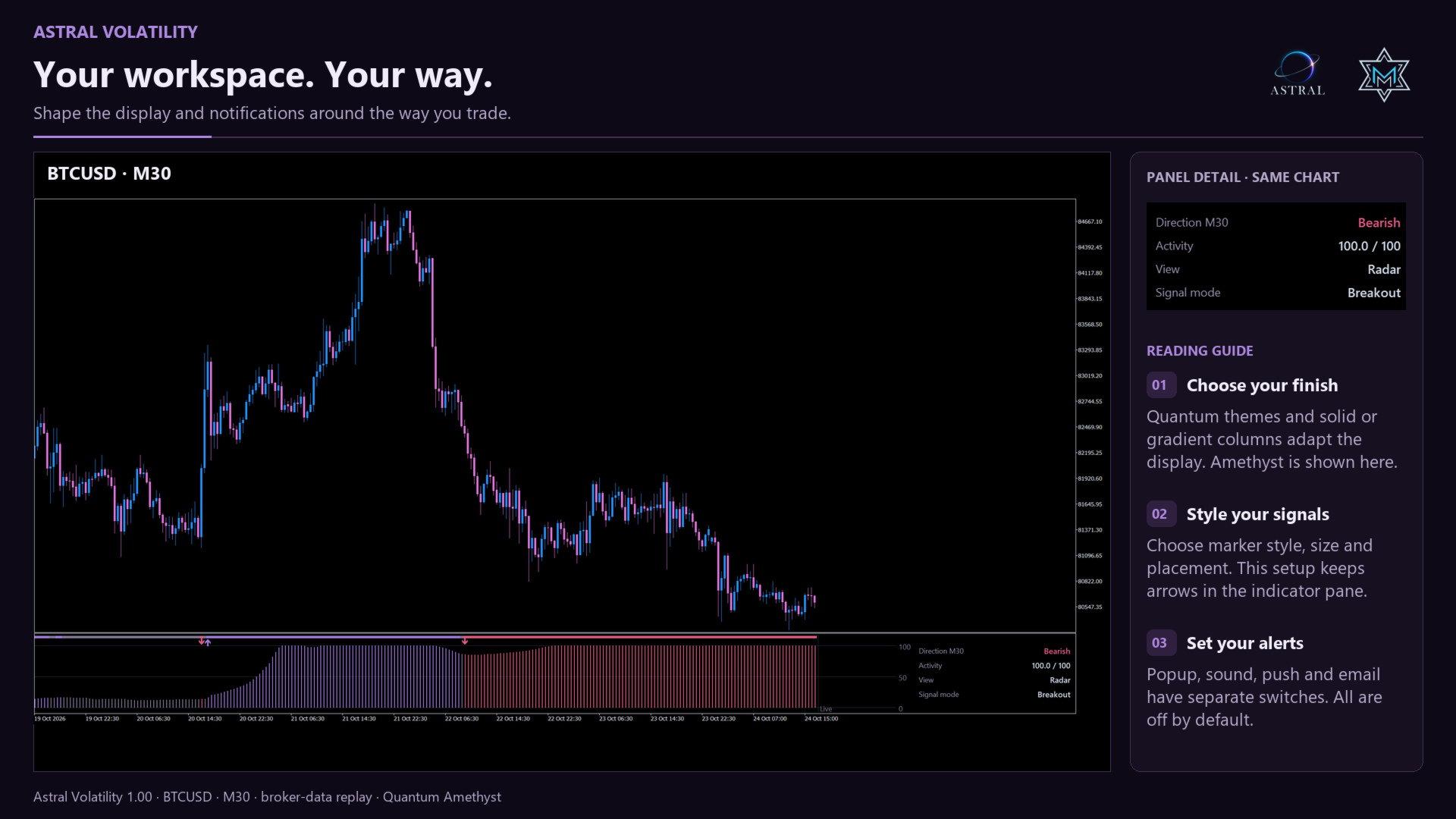
Choose a Quantum color theme, Solid or Gradient columns and histogram width. Resize the indicator pane freely, or select fixed Radar/Ribbon heights. Amethyst is the default palette. Chart Background adapts the indicator window to the price-chart background.
Signal arrows offer eight styles, five sizes and placement in the indicator pane, on price or both. Tiny pane-only arrows are the default; both locations represent the same selected event. Hiding markers does not disable enabled alerts.
The side panel stays within the indicator's subwindow. Choose its initial upper-right or lower-right position, or double-click and drag it. Activity levels and drawings stop before its reserved column. Leave sufficient Chart Shift space for the latest candles.
Popup, sound, push and email are independent and off by default. Alerts identify symbol, timeframe, mode and direction. Push and email require MetaTrader configuration. Attaching or reloading starts alerts silently, without replaying historical events.
Calculation and settings
- Lookback: sets the analysis horizon; default 160 bars.
- Focus: minimum compression and minimum bars between signals control qualification; defaults 0.50 and 10 bars.
- Display controls: show or hide the panel, direction strip, activity scale and vertical current-bar reference independently.
- Display history: limits drawing, with a default of 3000 bars, without shortening the underlying calculation.
Activity ranks relative price volatility within its recent range. It is not traded volume, absolute risk or a probability of success. Undefined activity appears as N/A, with no activity column. Focus uses compression and spacing; it is not an ATR minimum-volatility filter.
Data and support
Astral Volatility analyzes the current symbol and chart timeframe. It does not add higher-timeframe confirmation. Allow sufficient broker history to load. Visible activity, direction and events use completed bars; broker-history revisions can change past readings. The indicator supports analysis and does not place orders.
Use it independently or alongside other Astral indicators, available as separate products. Support is available through MQL5 product comments and private messages.
Welcome to Astral
Built on research. Designed to work together.
Astral by Merkava Labs combines established analytical methods with original research to create complementary market indicators. Each module has a distinct role and a shared visual language, so you can use it independently or alongside the others.