SMC Reversal Map
- Indicators
-
Tshivhidzo Moss Mbedzi
 I build MetaTrader 5 Expert Advisors for gold and forex, and I publish the parts most sellers hide: the losing months, the strategies I rejected, and a test year I never tune on.
How I build:
• A stop-loss on every trade, from entry. No martingale, no grid, no averaging, no recovery mode. - Version: 1.0
- Activations: 15
SMC Reversal Map: Change of Character signals with a historical confidence score
SMC Reversal Map is a Smart Money Concepts indicator for MetaTrader 5. It marks Change of Character (CHoCH) reversals, the moment market structure breaks against the trend that was in control. Before it shows you a signal, it checks how the most similar setups on your own chart actually played out and gives you the result as a confidence score.
Most SMC tools stop at drawing the arrow. This one tells you how reliable that kind of break has been on the symbol and timeframe you are trading.
Why traders use it
- Filters out weak reversals. Not every CHoCH is worth trading, and the score helps you skip low-quality ones.
- Shows the evidence behind each signal, based on your chart's own history instead of a generic formula.
- Works on any symbol (forex, indices, metals, crypto) and any timeframe.
- Does not repaint. Signals are confirmed on bar close and never move or disappear.
How each signal is scored
Every structure break is measured on:
- Order flow: whether buyers or sellers dominated the bars leading into the break.
- Displacement: the size of the break in ATR units, so it is comparable across instruments and volatility regimes.
- [Third factor, e.g. swing context / liquidity sweep / trend strength]
The indicator then looks up the closest matching setups in your history, and their outcomes become the confidence score shown with the signal.
What you see on the chart
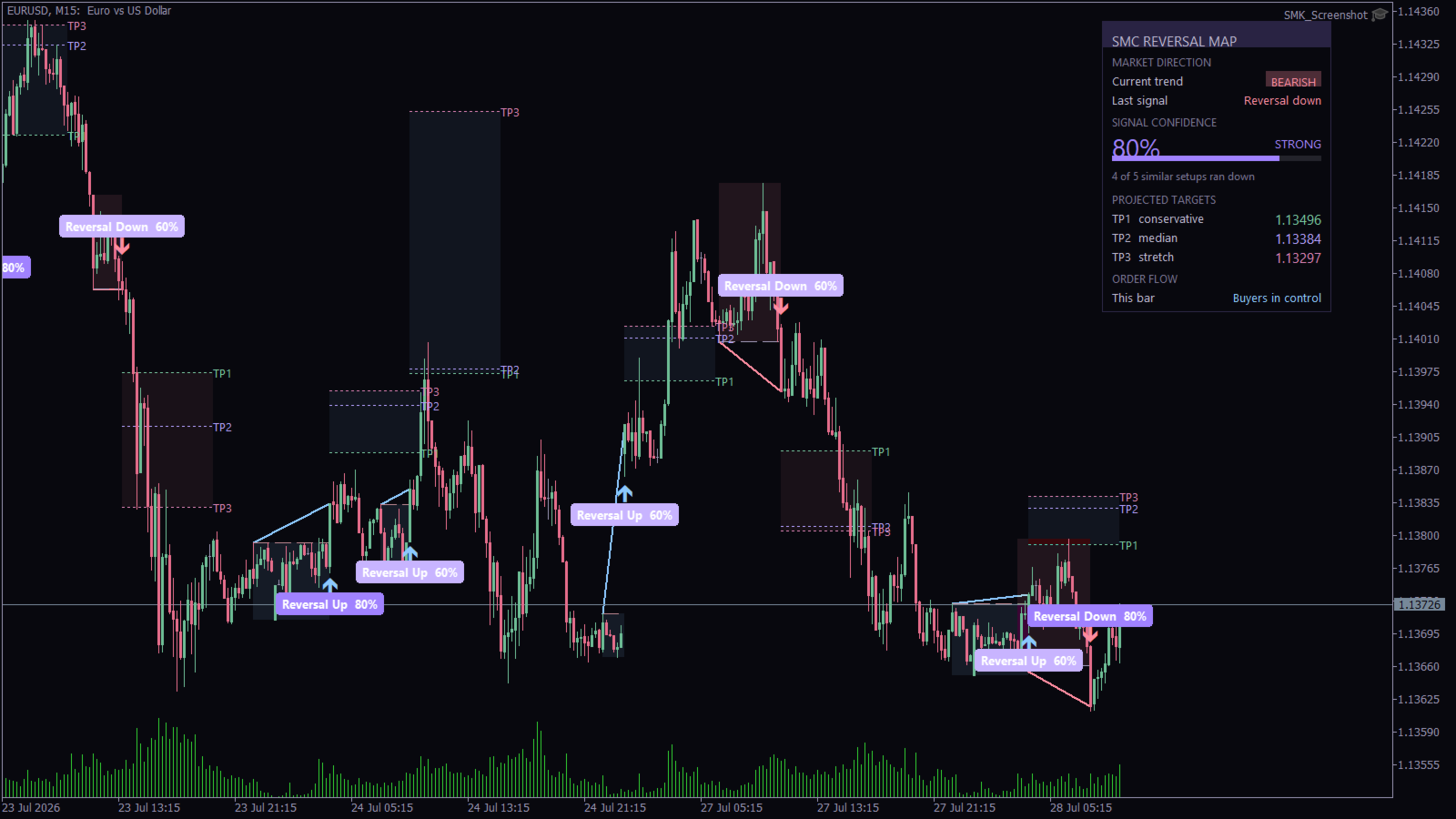
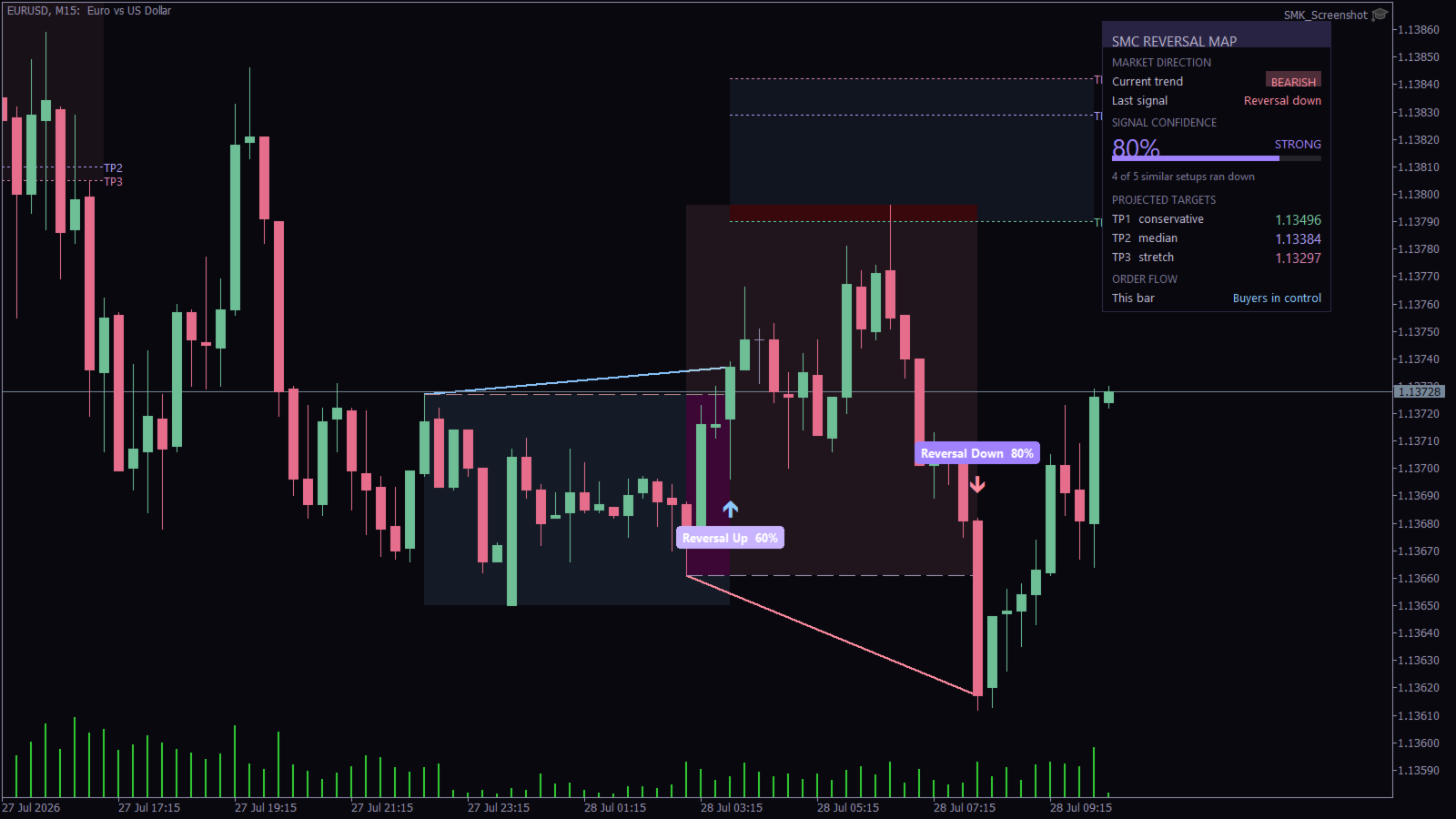
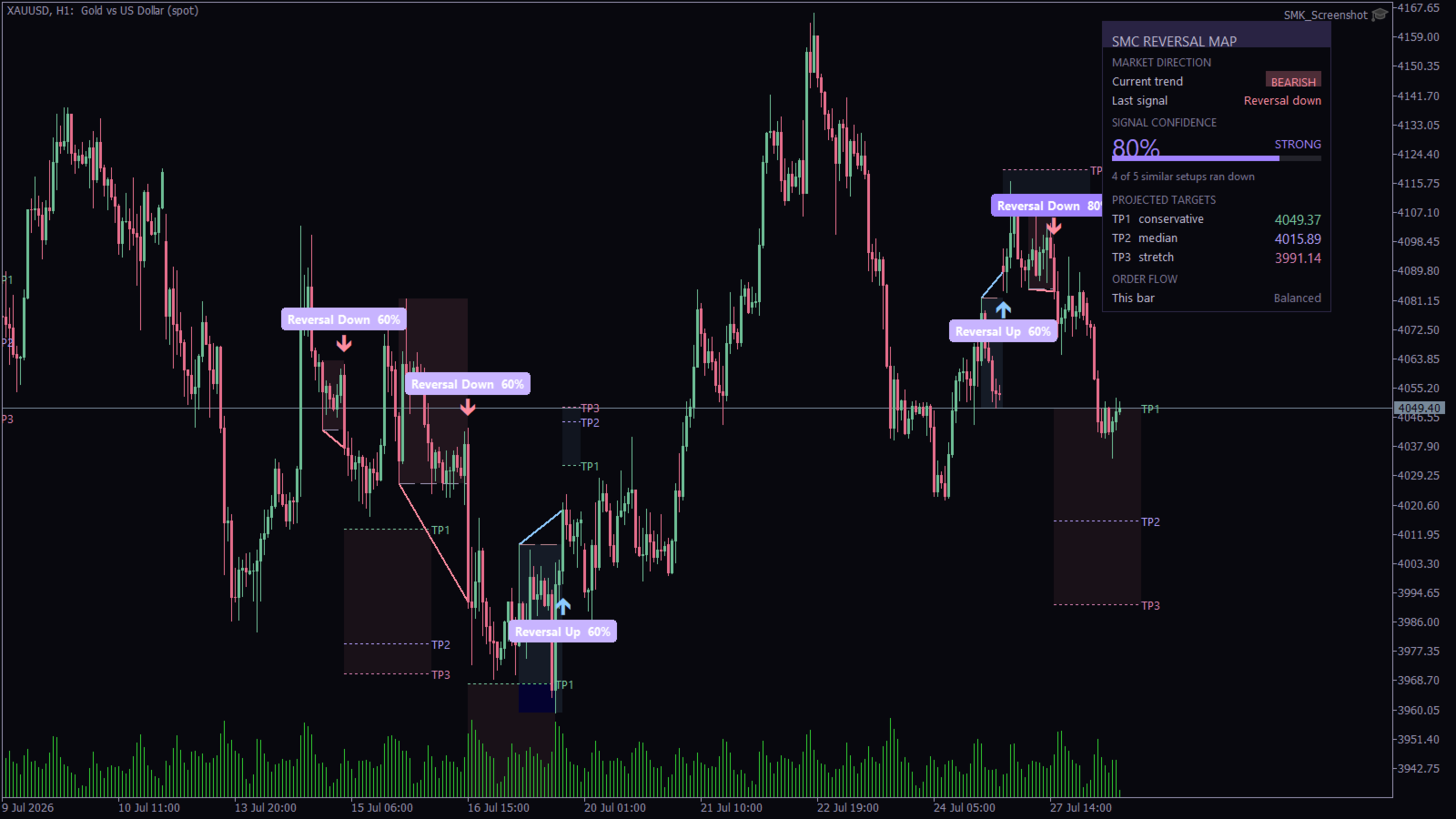
- Reversal Up / Reversal Down labels at the CHoCH
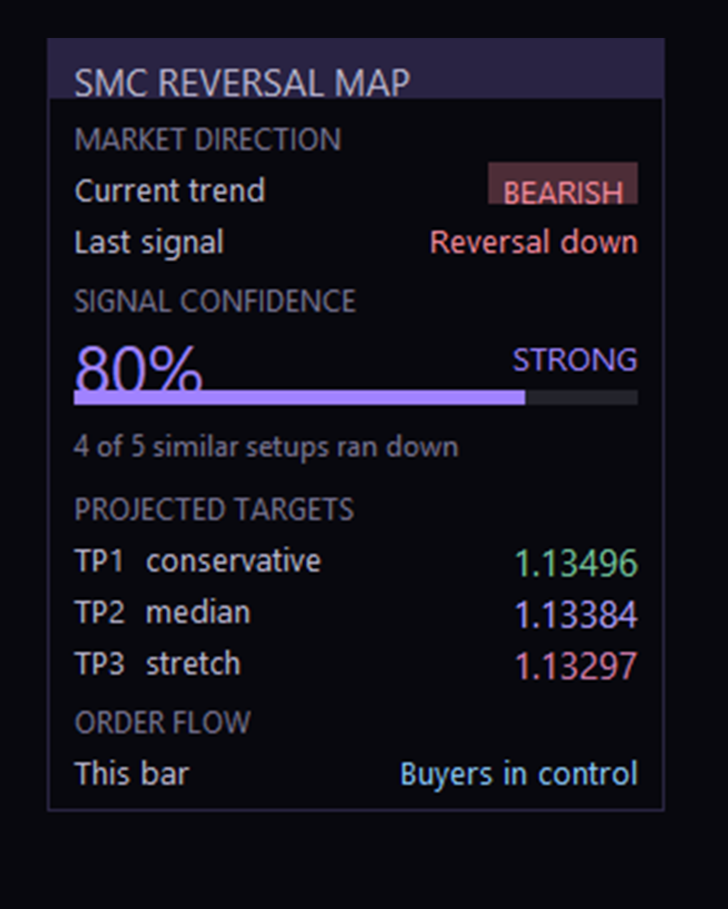
- Confidence score for each signal
- [TP levels / reversal map zones, as shown in the screenshots]
- [Dashboard or panel, if there is one]
How to trade it
- Wait for a signal to close on the chart.
- Check the confidence score and ignore low-scoring setups.
- Confirm with your own context, such as higher-timeframe bias, key levels and session.
- Use your own entry, stop and risk rules.
Alerts
[Popup / Push / Email, if supported]
Inputs
[List the main settings: swing length, history lookback, minimum confidence, colors, alerts]
Recommended use
[M5 to H4 on liquid pairs and metals, adjust to what you have tested.] Test the indicator in the Strategy Tester or on a demo account before using it live.
This is a trading tool, not a guarantee of profit. Past outcomes shown in the score do not predict future results. Trade with proper risk management.