Installation EA
Because the number of error can give you some clue about what to (or, at least - the reason of that).
And just a general information:

- 2021.03.30
- www.mql5.com
Thank you for your answer,
I get it:

First i saw it.
ok now it's fixed i dont' know why.But now i just make bought of one EA {new just go out like 10minutes ago} but i didnt see from my purcahse list.
When i download from website i get installation failed, do you think it's becausee the EA just go out so not yeet upload 100% ?
I can not say more about it sorry (I never had this issue)
But now i just make bought of one EA {new just go out like 10minutes ago} but i didnt see from my purcahse list.
When i download from website i get installation failed, do you think it's becausee the EA just go out so not yeet upload 100% ?
But it should be listed in purchased tab of Metatrader as well ... but it also depends on - how did you buy it. I mean: it may be some delay with it especially if you used Visa/Master card to buy instead of paying directly from your MQL5 forum profile for example.

- www.mql5.com
If you see this new purchase in your profile (https://www.mql5.com/en/users/zolia/market) listed but it is not yet appeared in Metatrader Market/purchased tab so you can do the following:
Forum on trading, automated trading systems and testing trading strategies
Alain Verleyen, 2017.10.21 18:25
I had similar problem and solve it this way :
- Terminal started.
- File menu->Open Data Folder
- Double click on "Config" to open the folder.
- Close the MT5 terminal.
- Delete the file Terminal.ini
- Restart your Terminal, problem should be fixed (you could have to set your toolbars/windows as you like the first time).

- www.mql5.com
If you see this new purchase in your profile (https://www.mql5.com/en/users/zolia/market) listed but it is not yet appeared in Metatrader Market/purchased tab so you can do the following:
Thank you for your feedback.
16Go ram, but maybe it was bug as now it was fixed.
For the EA i think i need waiting, as still not show in Terminal purchase but i can saw it on my purchase in MQL website.
And when i clic from MQL purchase to install i get installation failed.

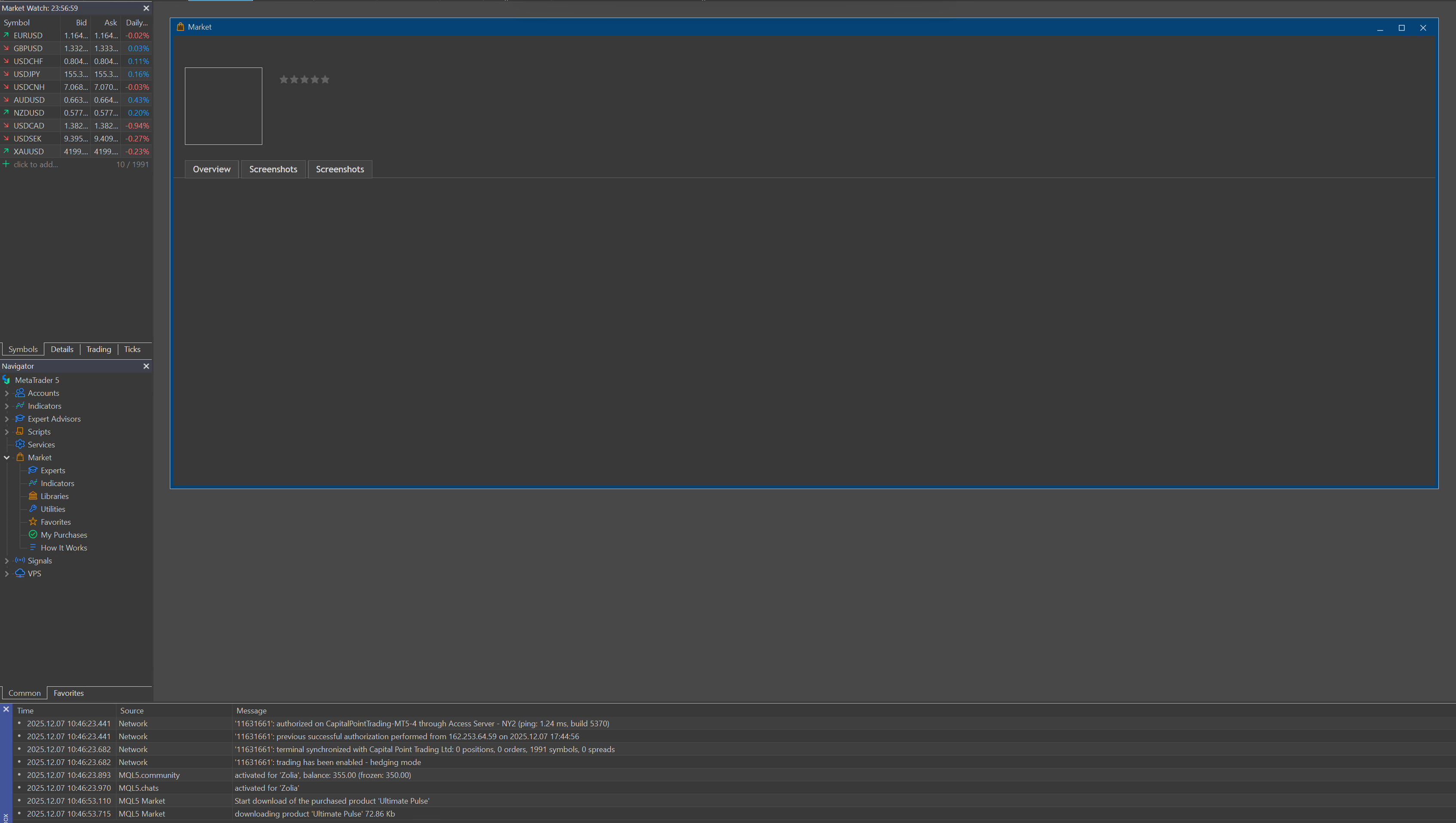
So i will waiting.
Thank you for your time and support it's appreciated.
Thank you for your feedback.
16Go ram, but maybe it was bug as now it was fixed.
For the EA i think i need waiting, as still not show in Terminal purchase but i can saw it on my purchase in MQL website.
And when i clic from MQL purchase to install i get installation failed.
So i will waiting.
Thank you for your time and support it's appreciated.
On my vps i didn't see the ea on the market and on my purchase...
I reinstall the terminal on my vps, restart VPS, same problem.
Do i need to wait ?
On my vps i didn't see the ea on the market and on my purchase...
I reinstall the terminal on my vps, restart VPS, same problem.
Do i need to wait ?
I do not know ... as I said - it depends on the error number in Metatrader journal.
For example, many users (incl myself) had error 403 so I wrote some summary blog-post about it - and it is related to VPS as well - because some VPS providers were banned from the Market.
You can check this blog-post to find the reason:

- 2025.02.19
- www.mql5.com

- Free trading apps
- Over 8,000 signals for copying
- Economic news for exploring financial markets
You agree to website policy and terms of use
Hello,
For about an hour, I’ve been unable to install any of my purchased EAs, I keep getting an “installation failed” message. I’ve tried on different terminals and computers with the same result.
Also, when I try to open the Market from the terminal, it attempts to load but just refreshes without opening.
Is this normal because of the weekend?
]