 MetaTrader 5
 Experts
 Indicators
 Scripts
 Libraries
 Storage
Join our fan page

Day Trader Dashboard - indicator for MetaTrader 5

- Views:
- 1811
- Published:
- Updated:
-
 You are missing trading opportunities:
- Free trading apps
- Over 8,000 signals for copying
- Economic news for exploring financial markets
Registration Log inYou agree to website policy and terms of use
If you do not have an account, please register -
 Need a robot or indicator based on this code? Order it on Freelance
Go to Freelance
Need a robot or indicator based on this code? Order it on Freelance
Go to Freelance
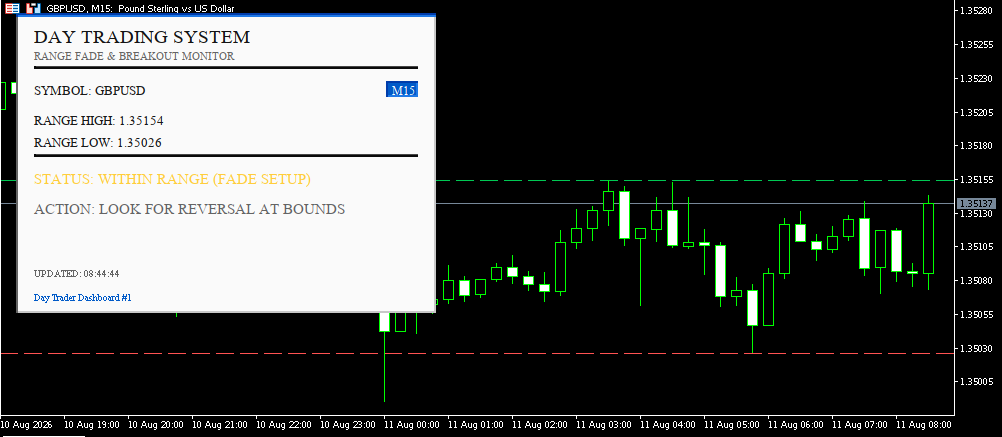
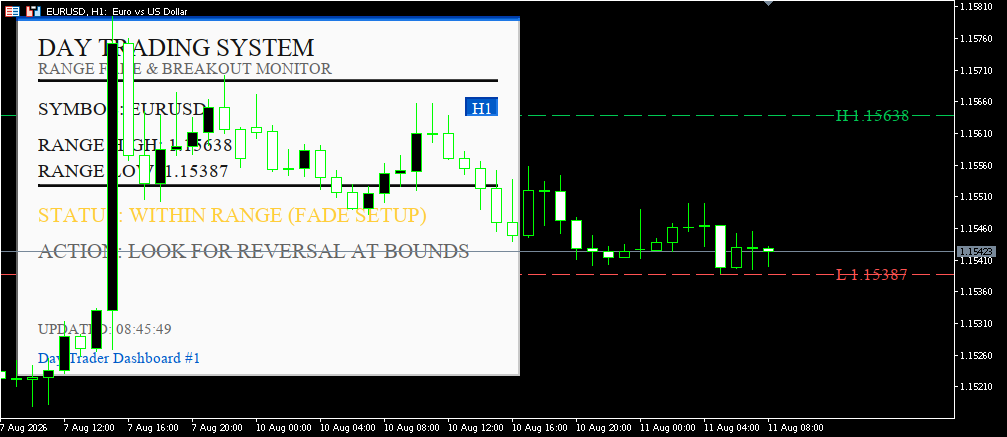
How it helps in real live trading
Removes manual range-drawing: instead of eyeballing or manually drawing High/Low lines every session, the panel calculates and plots them automatically from a configurable lookback.
Instant market-state read: at a glance you know whether price is consolidating inside the range (fade opportunity) or has broken out (momentum opportunity) — no need to interpret raw candles.
Visual confirmation on the chart itself: the High/Low lines plus optional price tags mean you don't have to keep glancing at the panel text — the levels are right where price action is happening.
Multi-timeframe context: since you can run several instances with different lookbacks/timeframes at once, you can confirm setups across timeframes without switching charts.
Lightweight and stable: updates run on a timer (not on every tick) with no heavy recalculation, so it won't slow down the terminal even running continuously through a session.
Input explanations
Input What it does
Instance ID Identifies each copy of the panel; if the requested ID is already taken on the chart, the indicator automatically assigns the next free one
Range lookback (bars) Number of past bars used to compute the range High and Low
Breakout confirmation buffer (points) How many points price must exceed the range by before it's counted as a real breakout (filters out noise/false breaks)
Panel refresh interval How often (in seconds) the panel data updates
Color theme Visual theme, chosen from a dropdown (6 presets)
Base text size Base font size for the panel
Auto-scale panel Automatically resizes the panel to fit the longest text string
Extra scale multiplier Additional manual scaling factor on top of auto-scale
Show panel Shows/hides the panel
Panel corner Anchor corner: Top Left, Top Right, Bottom Left, Bottom Right
Horizontal/Vertical offset Distance from the chosen corner, in pixels
Draw range lines on chart Toggles the High/Low horizontal lines on the price chart
Range line style Solid / Dash / Dot / Dash-Dot
Range line width Thickness of the range lines
Show floating price tags Displays the price value next to each range line
A few real trading methods
Fade the range — when status shows "WITHIN RANGE": wait for price to tag the High or Low line on the chart, look for a rejection signal (pin bar, long wick), then trade back toward the middle of the range with a stop just beyond the line.
Trade the breakout — when status flips to "BULLISH/BEARISH BREAKOUT": enter in the direction of the break right after confirmation (the buffer filters out minor false breaks), with a stop back inside the broken range level.
Opening Range Breakout (ORB) — set a small lookback (10–15 bars) right at session open to define the opening range; the first confirmed breakout from that range is often a strong signal for a directional day.
Multi-timeframe confluence — run two instances with different IDs: one on H1 for the daily range, one on M15 for shorter-term ranges; only take the trade when both show a breakout in the same direction.
News Trading Dashboard
News Trading Dashboard is an informational on-chart panel (it does not trade automatically) that monitors market volatility in real time to detect "news spike" moments — the sudden price moves that occur when economic data is released (NFP, CPI, interest rate decisions, etc.).
Channel Breakout Dashboard
Channel Breakout Dashboard is an informational panel (not an automated trading robot) that runs on the MetaTrader 5 chart and centralizes, in one place, several market conditions that would otherwise require 4-5 separate indicators open at the same time.
FX Dashboard
This is a FX Dashboard style terminal panel on the MT5 chart, plus lines drawn on the chart (EMA, Bollinger, Donchian).
 MT5 EA Acceptance Harness
Deterministic synthetic acceptance checks for MT5 EA entry-state logic, with no market, account or order access.