Candle Painter
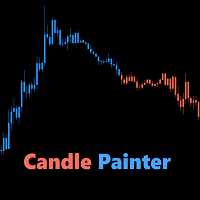
30 USD
Demo heruntergeladen:
820
Veröffentlicht:
15 Januar 2016
Aktuelle Version:
1.5
Keinen passenden Roboter gefunden?
Geben Sie Ihren Eigenen in Auftrag
auf Freelance!
Gehen Sie zu Freelance
Geben Sie Ihren Eigenen in Auftrag
auf Freelance!
Wie man einen Roboter oder Indikator kaufen kann
Starte Deinen EA im
Virtual Hosting
Virtual Hosting
Teste einen Indikator/Roboter vor dem Kauf
Möchtest Du Geld im Market verdienen?
Wie man Produkte richtig präsentiert

Sie verpassen Handelsmöglichkeiten:
- Freie Handelsapplikationen
- Über 8.000 Signale zum Kopieren
- Wirtschaftsnachrichten für die Lage an den Finanzmärkte
Registrierung
Einloggen
Sie stimmen der Website-Richtlinie und den Nutzungsbedingungen zu.
Wenn Sie kein Benutzerkonto haben, registrieren Sie sich
Here is a video of the new version:
You must be able to select multiple indicators as a filter.
To be continued!
Ben
Ben pls inform did you manage to combine fiflters ?
Hi,
Yes, from version 1.2 you are able to use multiple indicators as a filter:
Version 1.2 - 2016.06.15- Multiple indicators at once to develop your own strategies (selectable)
- Minimum percentage of indicators that show the same trend (input)
- Alert when trend changes (true/false) and optional trend to neutral and neutral to trend (true/false)
- Comments (true/false)
Please take a look at the video above.
If you have any questions, just ask. PM or comment.
Ben
The moving average doesn't work when appliedd two different time frames.
I have tried with current vs 4 hr and it doesn't work.
The moving average doesn't work when appliedd two different time frames.
I have tried with current vs 4 hr and it doesn't work.
Hi jt75,
Thank you for your comment, I will take a look at it.
Ben
Hi Ben,
Is there any chance to consider the ability to add a custom indicator (color index #) to also use for painting candles?
That would be really awesome!
Kind Regards,
Peter
Hi Ben,
Is there any chance to consider the ability to add a custom indicator (color index #) to also use for painting candles?
That would be really awesome!
Kind Regards,
Peter
Hi Peter,
I've sent you a PM.
Kind Regards,
Ben
Hi there,
I used the default setting but the candle did not change colors as mentions. Would you please assist?
Hi there,
I used the default setting but the candle did not change colors as mentions. Would you please assist?
Hi Stephen,
Thank you for purchasing CandlePainter.
I think you need to check your property settings:
Right-click on the chart -> properties -> select the common tab -> make sure 'Chart on foreground' is unchecked.
CP is painting on top of the candles. If that box is checked, CP's candles will be behind the chart candles.
I marked it yellow:
Kind Regards,
Ben
Here is a video of the new version:
hello this is one of my favorite indicators but have new computer and it will not work on new computer. It shows i have the menu chart but no candles. i can set it up but no candles. am i doing something wrong. do i have to purchase again. thanks