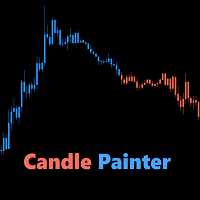
Candle Painter
30 USD
Versione demo scaricata:
820
Pubblicato:
15 gennaio 2016
Versione attuale:
1.5
Non hai trovato un robot adatto?
Ordina il tuo
su Freelance
Vai alla sezione Freelance
Ordina il tuo
su Freelance
Come acquistare un Robot di Trading o un indicatore
Esegui il tuo EA
hosting virtuale
hosting virtuale
Prova un indicatore/robot di trading prima di acquistarlo
Vuoi guadagnare nel Market?
Come presentare un prodotto per venderlo con successo

Ti stai perdendo delle opportunità di trading:
- App di trading gratuite
- Oltre 8.000 segnali per il copy trading
- Notizie economiche per esplorare i mercati finanziari
Registrazione
Accedi
Accetti la politica del sito e le condizioni d’uso
Se non hai un account, registrati
Here is a video of the new version:
You must be able to select multiple indicators as a filter.
To be continued!
Ben
Ben pls inform did you manage to combine fiflters ?
Hi,
Yes, from version 1.2 you are able to use multiple indicators as a filter:
Version 1.2 - 2016.06.15- Multiple indicators at once to develop your own strategies (selectable)
- Minimum percentage of indicators that show the same trend (input)
- Alert when trend changes (true/false) and optional trend to neutral and neutral to trend (true/false)
- Comments (true/false)
Please take a look at the video above.
If you have any questions, just ask. PM or comment.
Ben
The moving average doesn't work when appliedd two different time frames.
I have tried with current vs 4 hr and it doesn't work.
The moving average doesn't work when appliedd two different time frames.
I have tried with current vs 4 hr and it doesn't work.
Hi jt75,
Thank you for your comment, I will take a look at it.
Ben
Hi Ben,
Is there any chance to consider the ability to add a custom indicator (color index #) to also use for painting candles?
That would be really awesome!
Kind Regards,
Peter
Hi Ben,
Is there any chance to consider the ability to add a custom indicator (color index #) to also use for painting candles?
That would be really awesome!
Kind Regards,
Peter
Hi Peter,
I've sent you a PM.
Kind Regards,
Ben
Hi there,
I used the default setting but the candle did not change colors as mentions. Would you please assist?
Hi there,
I used the default setting but the candle did not change colors as mentions. Would you please assist?
Hi Stephen,
Thank you for purchasing CandlePainter.
I think you need to check your property settings:
Right-click on the chart -> properties -> select the common tab -> make sure 'Chart on foreground' is unchecked.
CP is painting on top of the candles. If that box is checked, CP's candles will be behind the chart candles.
I marked it yellow:
Kind Regards,
Ben
Here is a video of the new version:
hello this is one of my favorite indicators but have new computer and it will not work on new computer. It shows i have the menu chart but no candles. i can set it up but no candles. am i doing something wrong. do i have to purchase again. thanks