• 信息
10+ 年
经验
21
产品
242
演示版
0
工作
0
信号
0
订阅者
➡️ All Indicator & Script List: https://www.mql5.com/en/users/somfx/seller
🔸 Join our channel for daily Market Analysis & Product Updates: https://www.mql5.com/en/channels/iq-market-insight
🔸 Welcome Page: https://www.mql5.com/en/blogs/post/761333

We are a team of experienced traders and developers with 16+ years of trading and over 20 years of coding expertise. Since 2009, we've been building advanced tools for pro traders, starting with custom indicators for our own unique strategies.

Our approach blends traditional methods like price action with unconventional techniques inspired by WD Gann, Financial Astrology, and more. This fusion allows us to create powerful, original indicators designed to give you a real edge.

Our goal is simple: to provide you with cutting-edge tools so that you can trade easily using powerful strategies that work like a charm! (Like IQ FX Gann Levels & IQ Gold Gann Levels; indicators based on W.D. Gann's square of 9 trading strategy).

⭐️Important:
• Our products are available only on mql5.com.
• We never contact anyone or sell our products privately.
• We do not provide any personal trading advice.
• We do not sell any of the Intraquotes products on Telegram or any other platform or website.

⚡️ Note & Disclaimer: We do not take custom product order or request. All our indicators are transparently priced based on their value, complexity, and ongoing development. In fairness to all customers and due to platform limitations, we do not offer individual discounts, bundle deals, or price negotiations. Our focus is to deliver premium tools designed for professional traders. That said, we do offer monthly discounts and special promotions, which are announced exclusively through our MQL5 channel. Be sure to follow us there to stay updated and take advantage of these limited-period offers!

You’re always welcome to download free demos for backtesting or rent any indicator for a month to evaluate its real-time performance. We remain committed to continuously designing and refining some of the most effective indicators available for today's markets.

➡️ CONTACT US:
For Indicator Support: Message us here
Support Language: English


Copyright © INTRAQUOTES
Somsri Sarkar - INTRAQUOTES
Somsri Sarkar
⭐️ IQ FX Strength - New Version Released

✅ What’s New (Game Changer)

👉🏻 Indicator now auto-plots symbol crossover vertical time lines directly on the main symbol chart for enhanced trading precision and better signal.
👉🏻 Intelligent date/time formatting on the graph for clearer understanding.


➡️ MT4: https://www.mql5.com/en/market/product/163310
➡️ MT5: https://www.mql5.com/en/market/product/163570

➡️ Update Instructions (for existing users):

1. Remove the older version of the indicator from your chart.
2. In your MetaTrader terminal, go to the Market tab.
3. Open the Purchased section.
4. Locate IQ FX Strength and click Update.
Somsri Sarkar - INTRAQUOTES
Somsri Sarkar
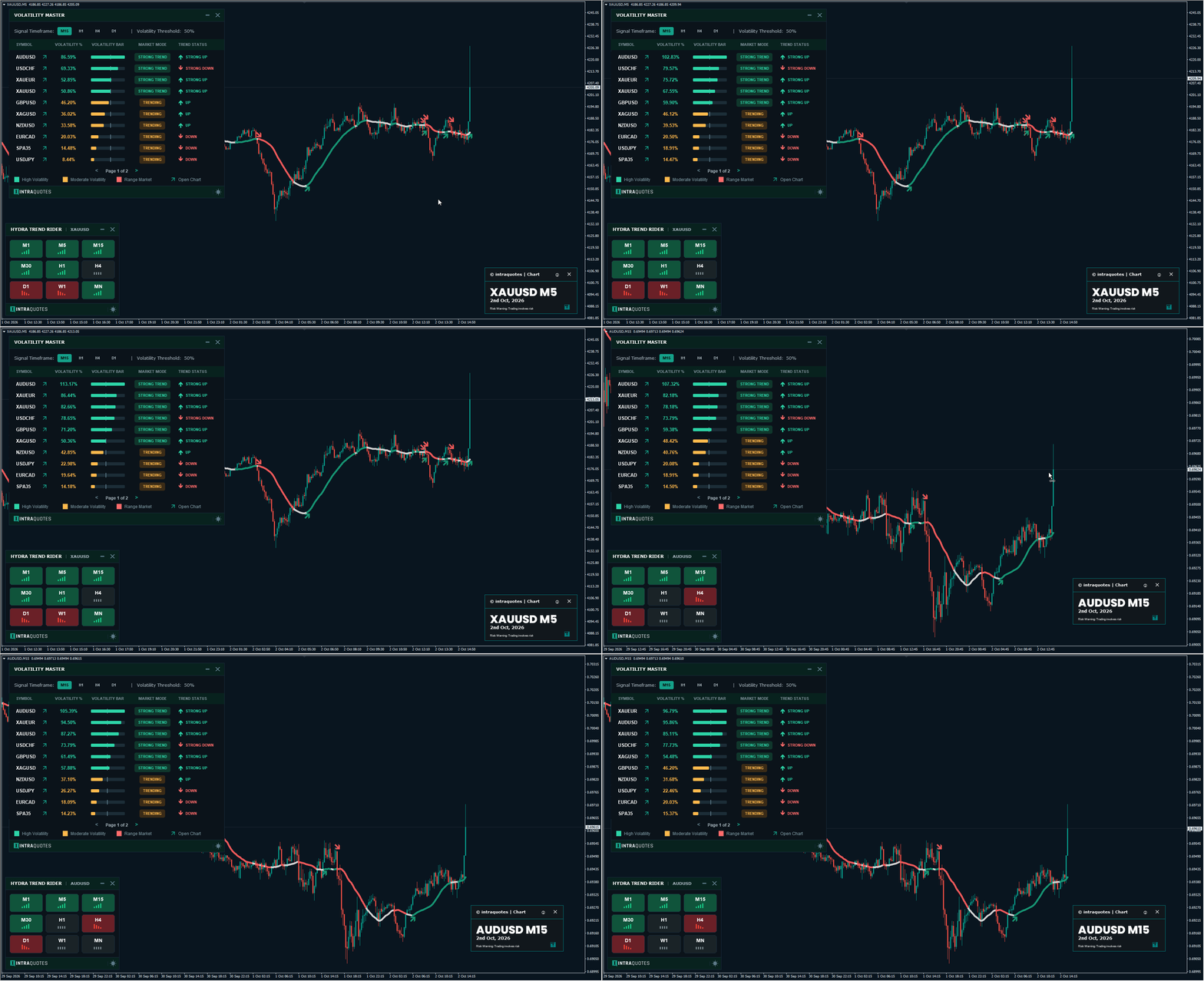
🔴 Volatility Master Real-time Signal

⭐️ Volatility Master Download Link:
➡️ MT4: https://www.mql5.com/en/market/product/111302
➡️ MT5: https://www.mql5.com/en/market/product/111305

➡️ New YouTube Video: https://youtu.be/Xj_ZDfIkyCs
Somsri Sarkar - INTRAQUOTES
Somsri Sarkar
🔵 If you are new to XAUUSD Gann Trading, we recommend that you read this blog post.
➡️ This will help you understand how learning chart patterns can maximise your chances of closing good trades when using IQ Gold Gann Levels.
🚦 Trading chart patterns with IQ Gold Gann Levels can give you a much better understanding of where to put your take profit & stop losses. Give it a read. ⏬

🔗https://www.mql5.com/en/blogs/post/763085
Somsri Sarkar - INTRAQUOTES
Somsri Sarkar
⭐️Intraday Powerful Astrology-based tool: IQ STAR LINES (works on selective symbols, check the product description for the full list)
🔗IQ Star Lines Download Links:
➡️ MT4: https://www.mql5.com/en/market/product/128731
➡️ MT5: https://www.mql5.com/en/market/product/145140
Somsri Sarkar - INTRAQUOTES
Somsri Sarkar
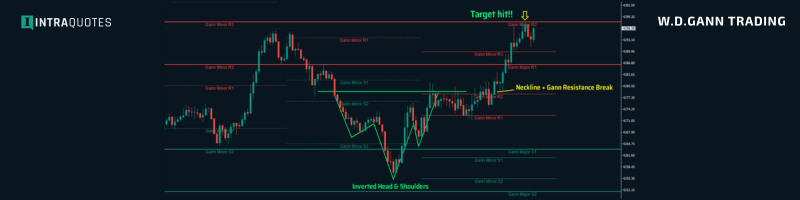
XAUUSD Trading with Chart Pattern & IQ Gold Gann Levels

⭐️ IQ Gold Gann Levels
➡️ MT4: https://www.mql5.com/en/market/product/134335
➡️ MT5: https://www.mql5.com/en/market/product/134935
Somsri Sarkar - INTRAQUOTES
Somsri Sarkar
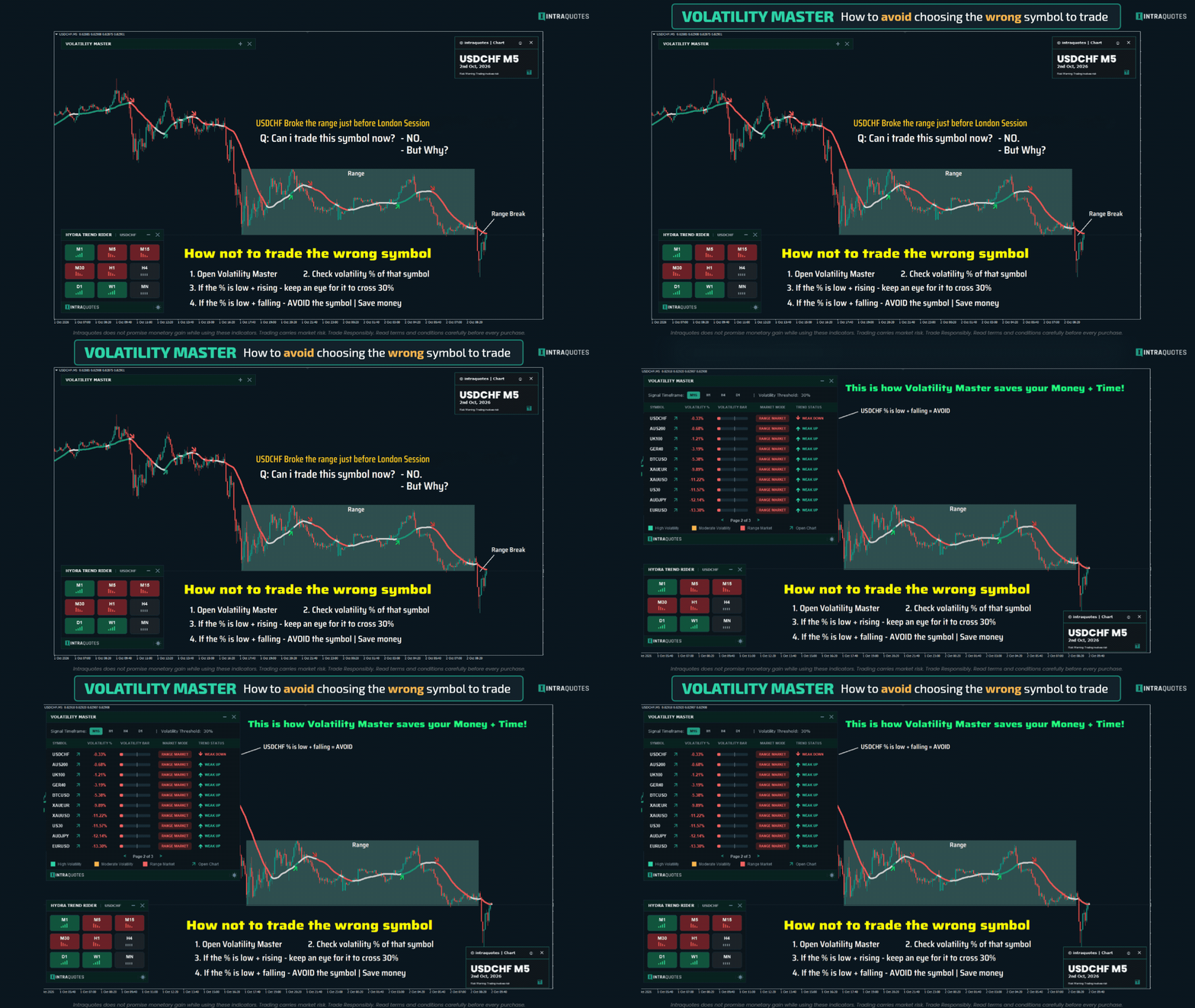
🔴 Volatility Master During NFP News Release

⭐️ Volatility Master Download Link:
➡️ MT4: https://www.mql5.com/en/market/product/111302
➡️ MT5: https://www.mql5.com/en/market/product/111305

➡️ New YouTube Video: https://youtu.be/Xj_ZDfIkyCs
Somsri Sarkar - INTRAQUOTES
Somsri Sarkar
⭐️ Volatility Master Download Link:
➡️ MT4: https://www.mql5.com/en/market/product/111302
➡️ MT5: https://www.mql5.com/en/market/product/111305

➡️ New YouTube Video: https://youtu.be/Xj_ZDfIkyCs
Somsri Sarkar - INTRAQUOTES
Somsri Sarkar
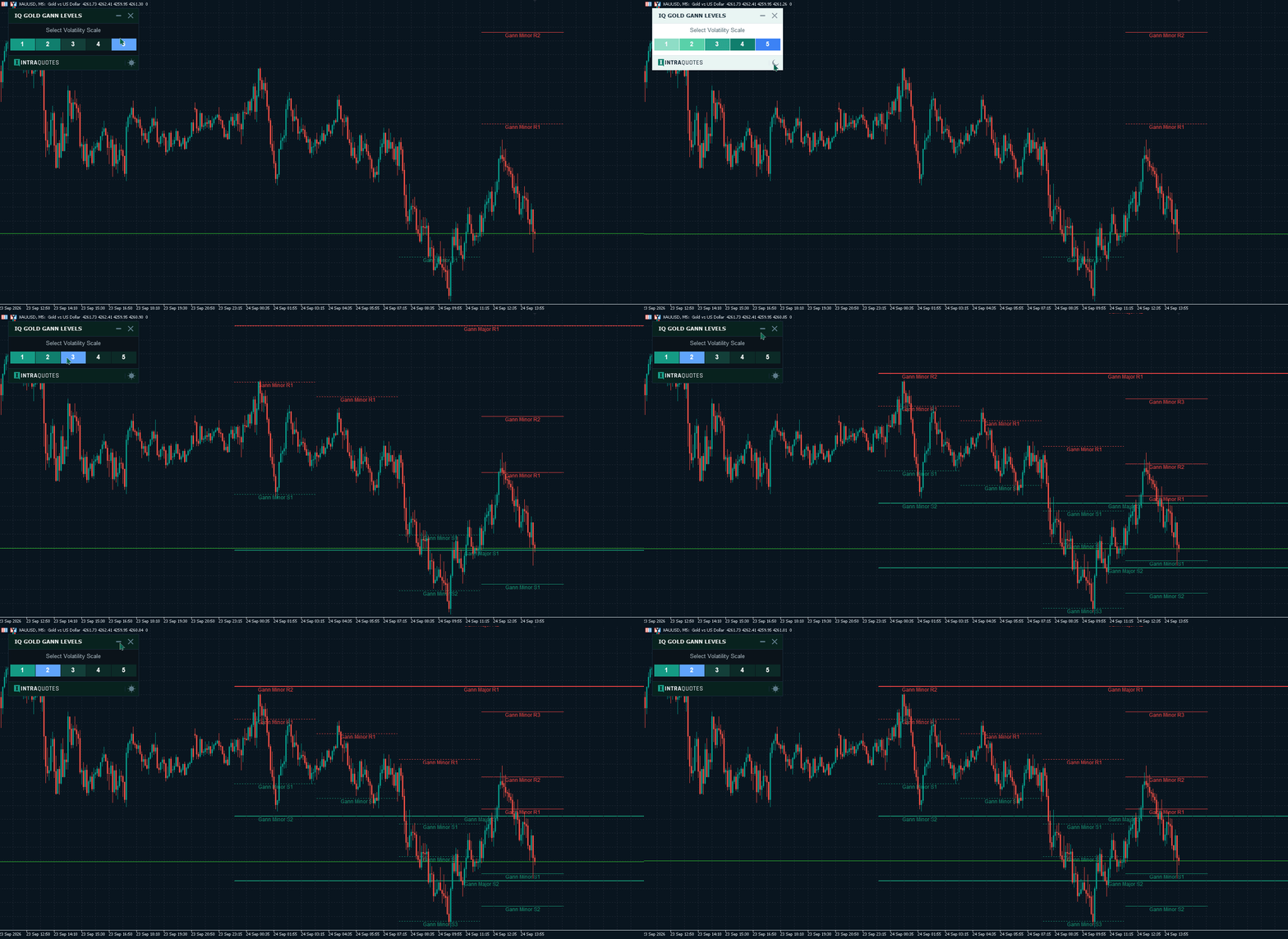
❌ Stop freaking out every time Gold moves. Plan your Entry & Exit with pre-plotted Gann Levels that tell you where the price is going to react next.
🎯Plan your strategy and build your confidence with a powerful tool.

⭐️ IQ Gold Gann Levels
➡️ MT4: https://www.mql5.com/en/market/product/134335
➡️ MT5: https://www.mql5.com/en/market/product/134935
Somsri Sarkar - INTRAQUOTES
Somsri Sarkar
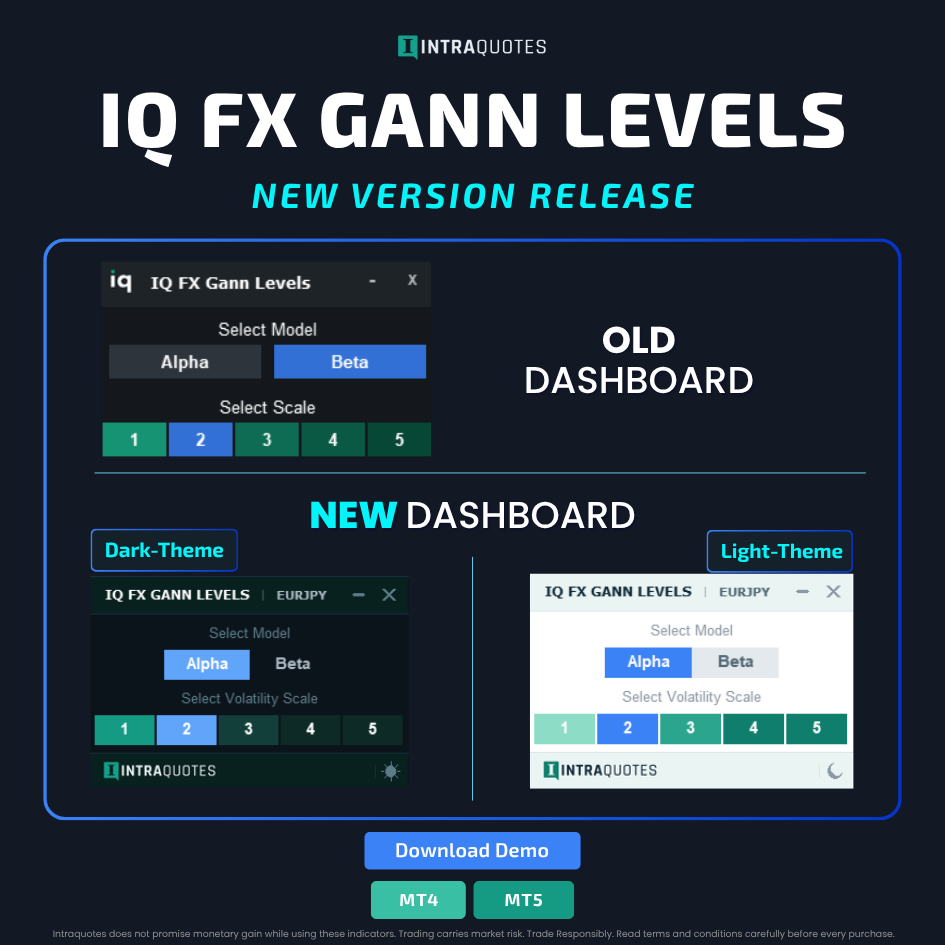
⭐️ IQ FX Gann Levels - New Version Released

✅ What’s New

- Improved dashboard with Light and Dark themes
- Code improvements for better performance; bug fixes for the latest MetaTrader build.

MT4: https://www.mql5.com/en/market/product/120026
MT5: https://www.mql5.com/en/market/product/119707

➡️ Update Instructions (for existing users):

1. Completely remove the old version of the indicator from your chart, including all indicator objects, and make sure the chart is clean.
2 In your MetaTrader terminal, go to the Market tab.
2. Open the Purchased section.
3. Locate IQ FX Gann Levels and click Update.
4. Add the new updated version of the indicator to a fresh chart.
Somsri Sarkar - INTRAQUOTES
Somsri Sarkar
⭐️ Hydra Trend Rider - New Version Released

✅ What’s New

+ Code improvements for better performance; bug fixes for the latest MetaTrader build.

MT4: https://www.mql5.com/en/market/product/111010
MT5: https://www.mql5.com/en/market/product/122155

➡️ Update Instructions (for existing users):

1. Completely remove the old version of the indicator from your chart, including all indicator objects, and make sure the chart is clean.
2. In your MetaTrader terminal, go to the Market tab.
3. Open the Purchased section.
4. Locate Hydra Trend Rider and click Update.
5. Add the new updated version of the indicator to a fresh chart.
Somsri Sarkar - INTRAQUOTES
Somsri Sarkar
⭐️ IQ Gold Gann Levels – New Version Released

✅ What’s New

+ Improved dashboard with Light and Dark themes
+ Code improvements for better performance; bug fixes for the latest MT5 build.

MT4: https://www.mql5.com/en/market/product/134335
MT5: https://www.mql5.com/en/market/product/134935

➡️ Update Instructions (for existing users):

1. Completely remove the old version of the indicator from your chart, including all indicator objects, and make sure the chart is clean.
2 In your MetaTrader terminal, go to the Market tab.
3. Open the Purchased section.
4. Locate IQ Gold Gann Levels and click Update.
5. Add the new updated version of the indicator to a fresh chart.
Somsri Sarkar - INTRAQUOTES
Somsri Sarkar
⭐️ Volatility Master Download Link:
➡️ MT4: https://www.mql5.com/en/market/product/111302
➡️ MT5: https://www.mql5.com/en/market/product/111305

➡️ New YouTube Video: https://youtu.be/Xj_ZDfIkyCs
Somsri Sarkar - INTRAQUOTES
Somsri Sarkar
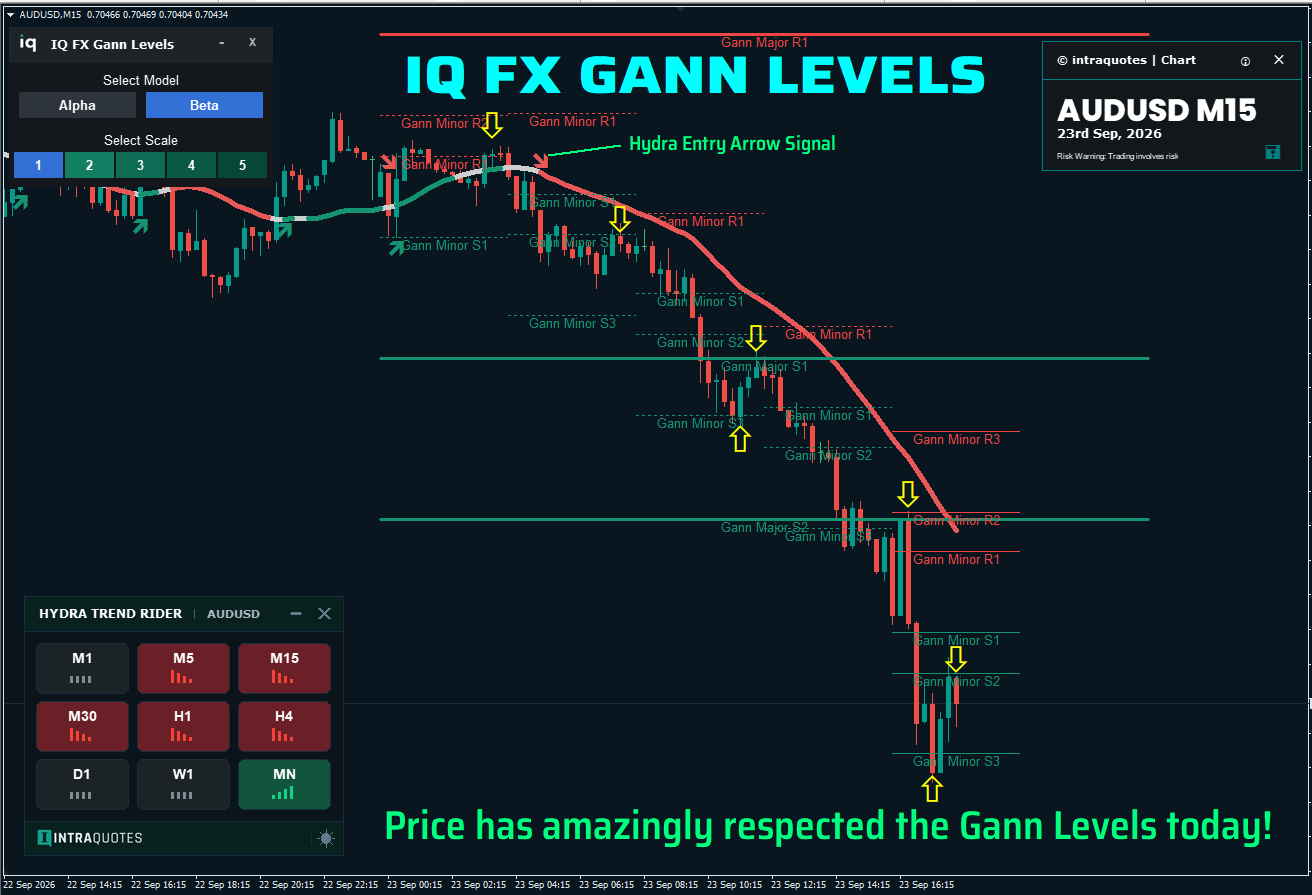
🔴LIVE Market AUDUSD Signal with IQ FX Gann Levels and Trend Signal using AI-Powered Hydra Trend Rider.

⭐️ IQ FX Gann Levels (Powerful W.D.Gann Intraday Trading Tool)-
➡️ MT4: https://www.mql5.com/en/market/product/120026
➡️ MT5: https://www.mql5.com/en/market/product/119707

⭐️ Hydra Trend Rider (AI-Powered Trend Indicator)-
➡️ MT4: https://www.mql5.com/en/market/product/111010
➡️ MT5: https://www.mql5.com/en/market/product/122155
Somsri Sarkar - INTRAQUOTES
Somsri Sarkar
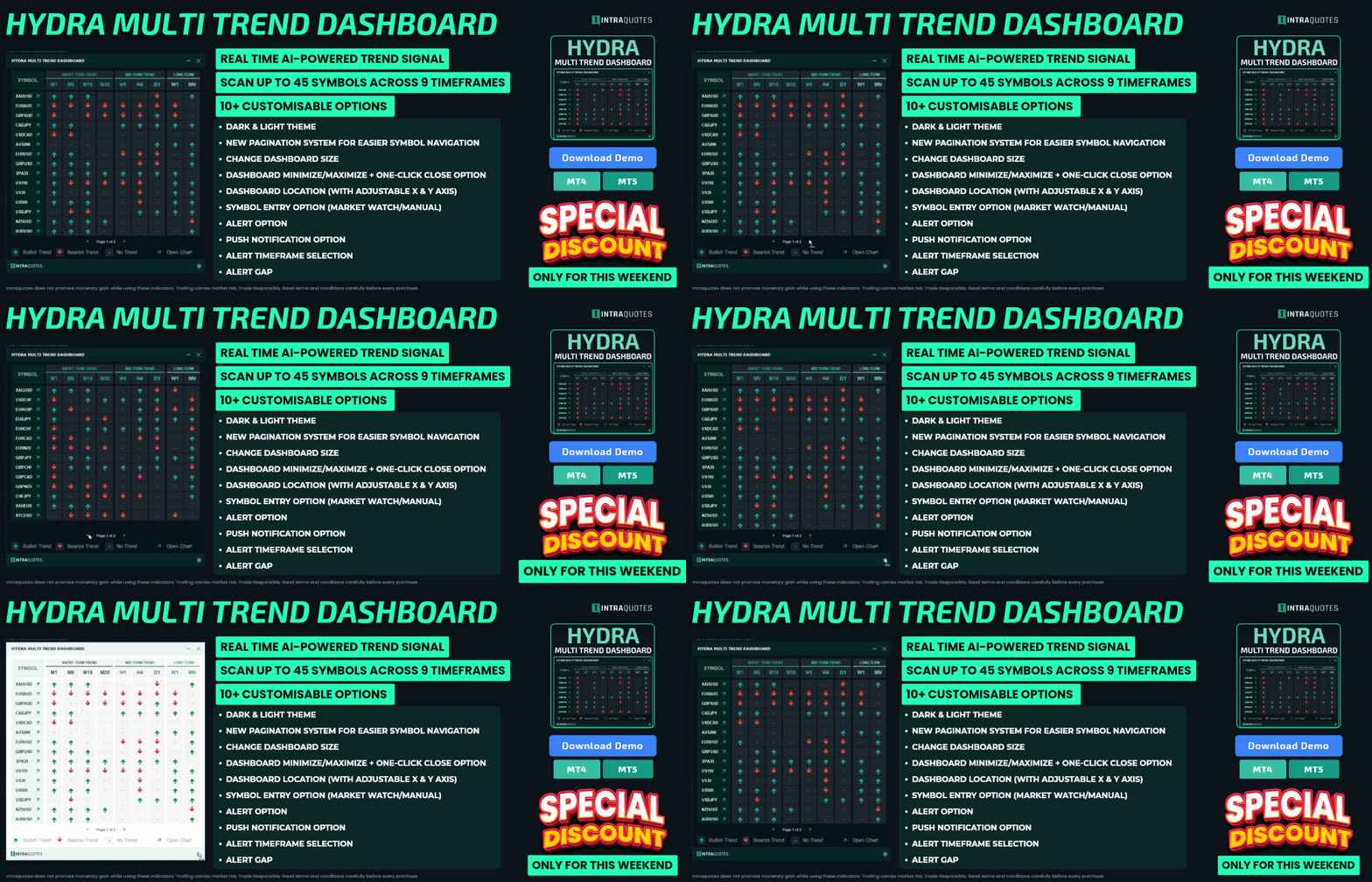
🔥 SFX Multi Trend Dashboard, a multi-symbol, multi-indicator signal dashboard that allows you to monitor up to 12 different technical indicators across various timeframes and instruments, all from a single dashboard with an easy-to-use pagination system. Whether you are looking for trend alignment, momentum shifts, volatility breakouts, or divergence, this dashboard aggregates the data into a clean, modern, and highly responsive graphical interface.

➡️ MT4 Download Link: https://www.mql5.com/en/market/product/17897
Somsri Sarkar - INTRAQUOTES
Somsri Sarkar
⭐️ IQ Trade Status

+ Enhanced Dashboard – Redesigned dashboard with a new Dark/Light Mode toggle for a more comfortable and customizable user experience.

+ Pagination Support – Added pagination to improve navigation and efficiently manage large amounts of data.

+ Performance Optimizations – Significantly optimized the indicator with high-quality code improvements, delivering faster execution, lower resource usage, and smoother overall performance.

MT4: https://www.mql5.com/en/market/product/158151
MT5: https://www.mql5.com/en/market/product/158216
➡️ Update Instructions (for existing users):
Remove the old version of the indicator from your chart.
In your MetaTrader terminal, go to the Market tab.
Open the Purchased section.
Locate IQ Trade Status and click Update.
Somsri Sarkar - INTRAQUOTES
Somsri Sarkar
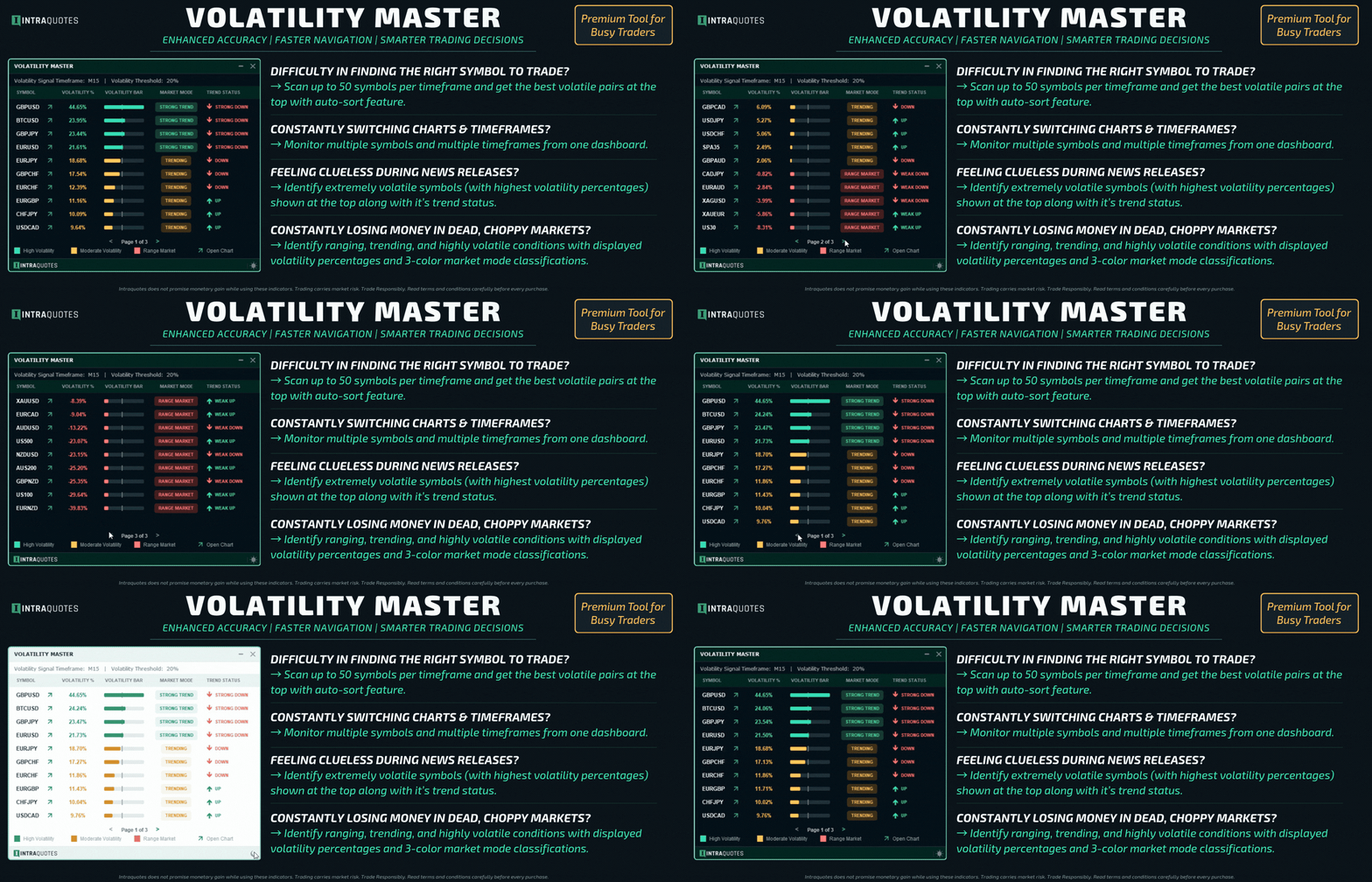
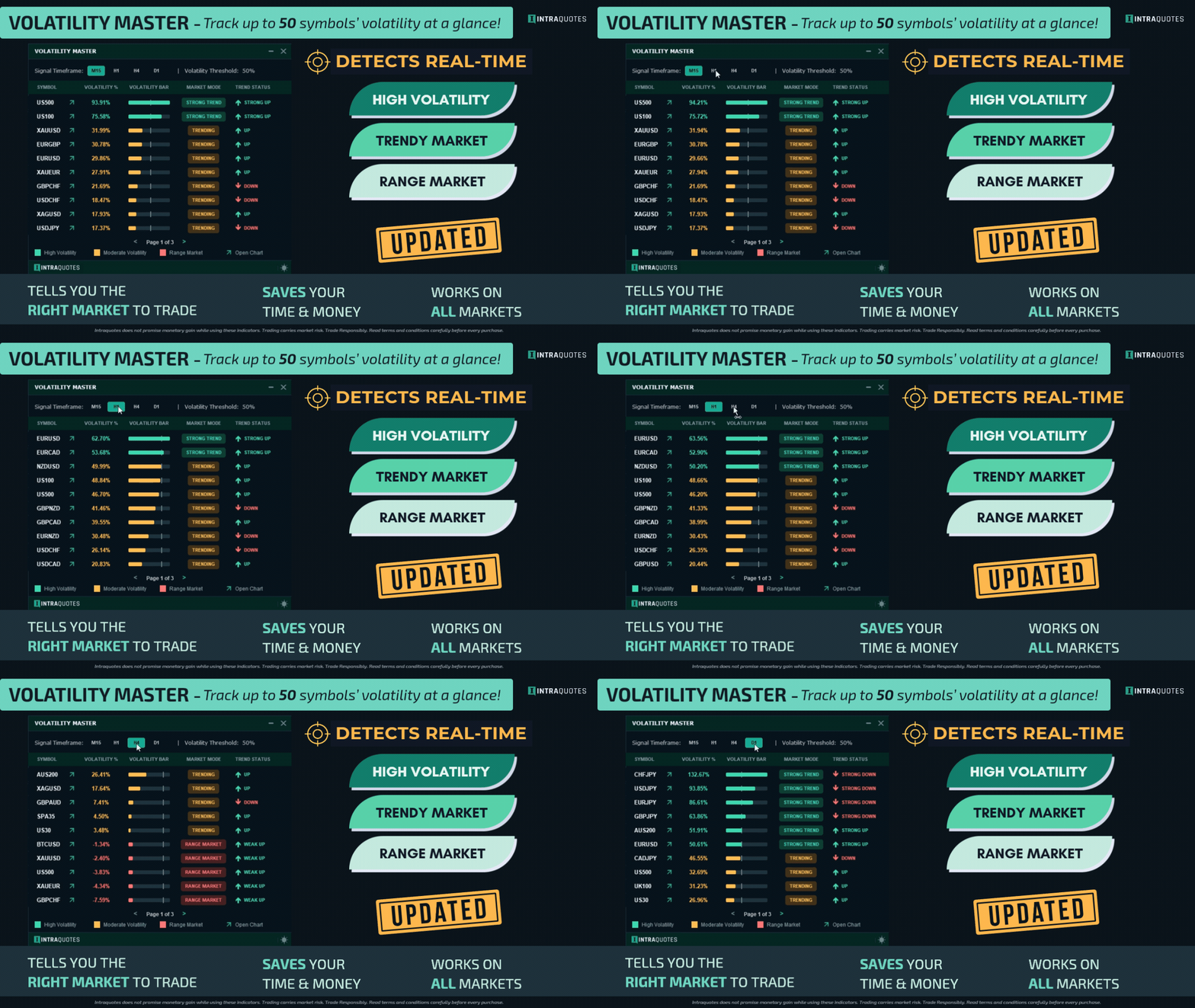
⭐️ Volatility Master - Updated Version

✅ What’s New
+ Interactive Dashboard: Switch timeframes instantly with 1-click buttons directly on the panel.
+ Custom Symbol Limits: Adjustable scanner limit allowing you to choose between default and max symbols.
+ Smart Alert Filters: Restrict notifications to only the Top 3, 5, 10, or All symbols.

MT4: https://www.mql5.com/en/market/product/111302
MT5: https://www.mql5.com/en/market/product/111305

➡️ Update Instructions (for existing users):

1. Remove the old version of the indicator from your chart.
2. In your MetaTrader terminal, go to the Market tab.
3. Open the Purchased section.
4. Locate Volatility Master and click Update
Somsri Sarkar - INTRAQUOTES
Somsri Sarkar
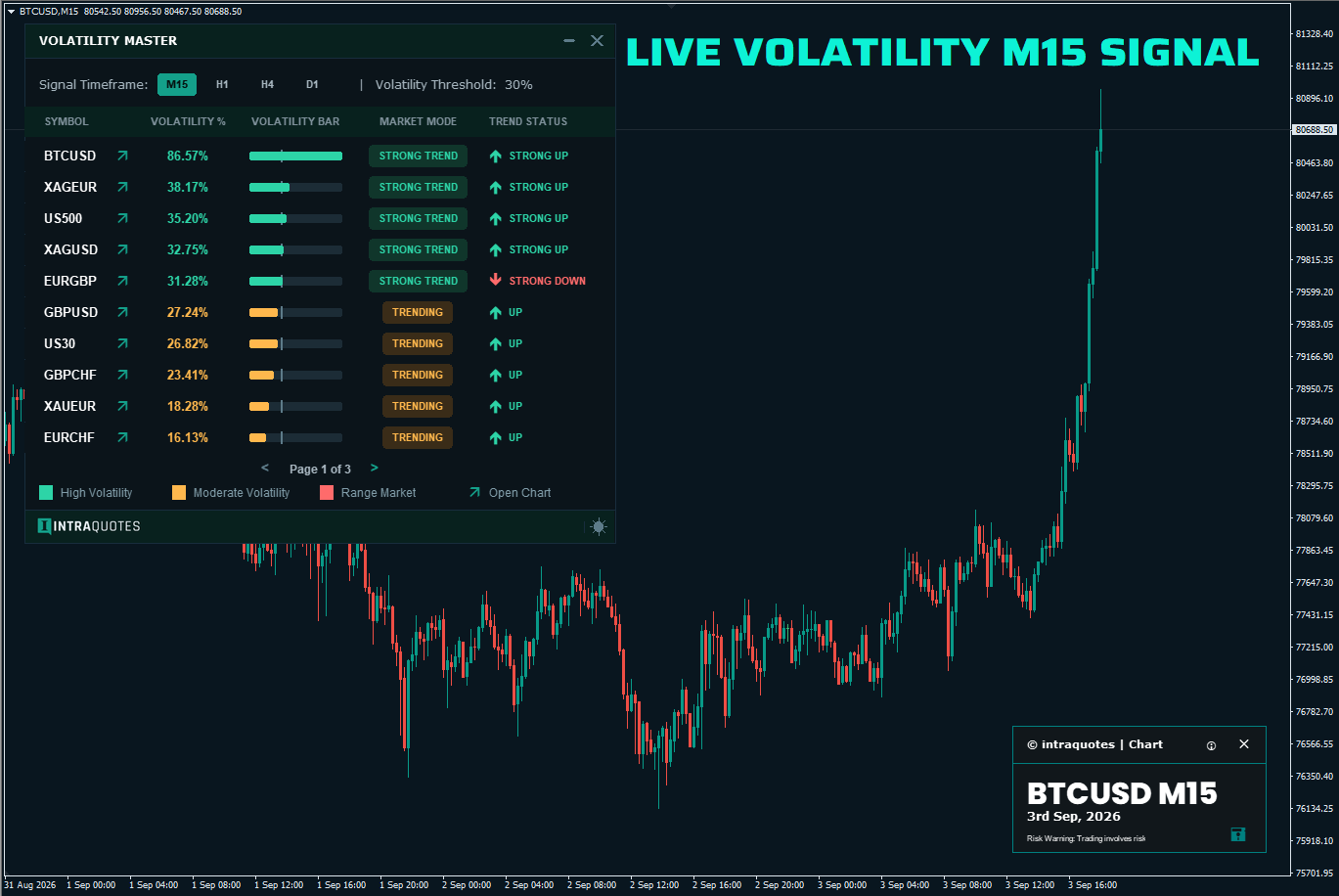
🔴 Real-time Volatility Master Signal

⭐️ Volatility Master Download Link:
➡️ MT4: https://www.mql5.com/en/market/product/111302
➡️ MT5: https://www.mql5.com/en/market/product/111305

➡️ New YouTube Video: https://youtu.be/Xj_ZDfIkyCs
Somsri Sarkar - INTRAQUOTES
Somsri Sarkar
🔥 SFX Multi Trend Dashboard, a multi-symbol, multi-indicator signal dashboard that allows you to monitor up to 12 different technical indicators across various timeframes and instruments, all from a single dashboard with an easy-to-use pagination system. Whether you are looking for trend alignment, momentum shifts, volatility breakouts, or divergence, this dashboard aggregates the data into a clean, modern, and highly responsive graphical interface.

➡️ MT4 Download Link: https://www.mql5.com/en/market/product/17897
Somsri Sarkar - INTRAQUOTES
Somsri Sarkar
⚡New Video on how to prep your MT4 platform for smoother backtesting

👉🏼 https://youtu.be/6_WEYZOfYqU