Super Trend Catcher MT4
- 指标
- 版本: 1.0
- 激活: 20

Super Trend Catcher MT4
Discount: The price is $200$, But now it is just $39 for one purchase, next price is 100$.
*** Contact me to send you instruction and add you in group for sharing or seeing experiences with other users.
+ FREE Trading Utility MT5
Overview
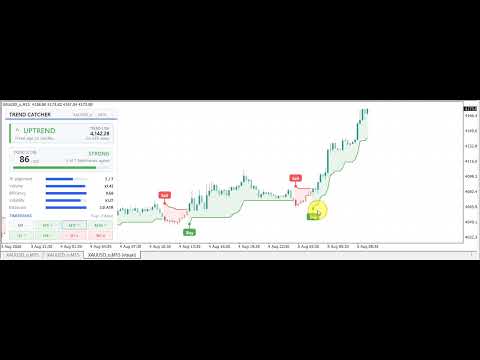
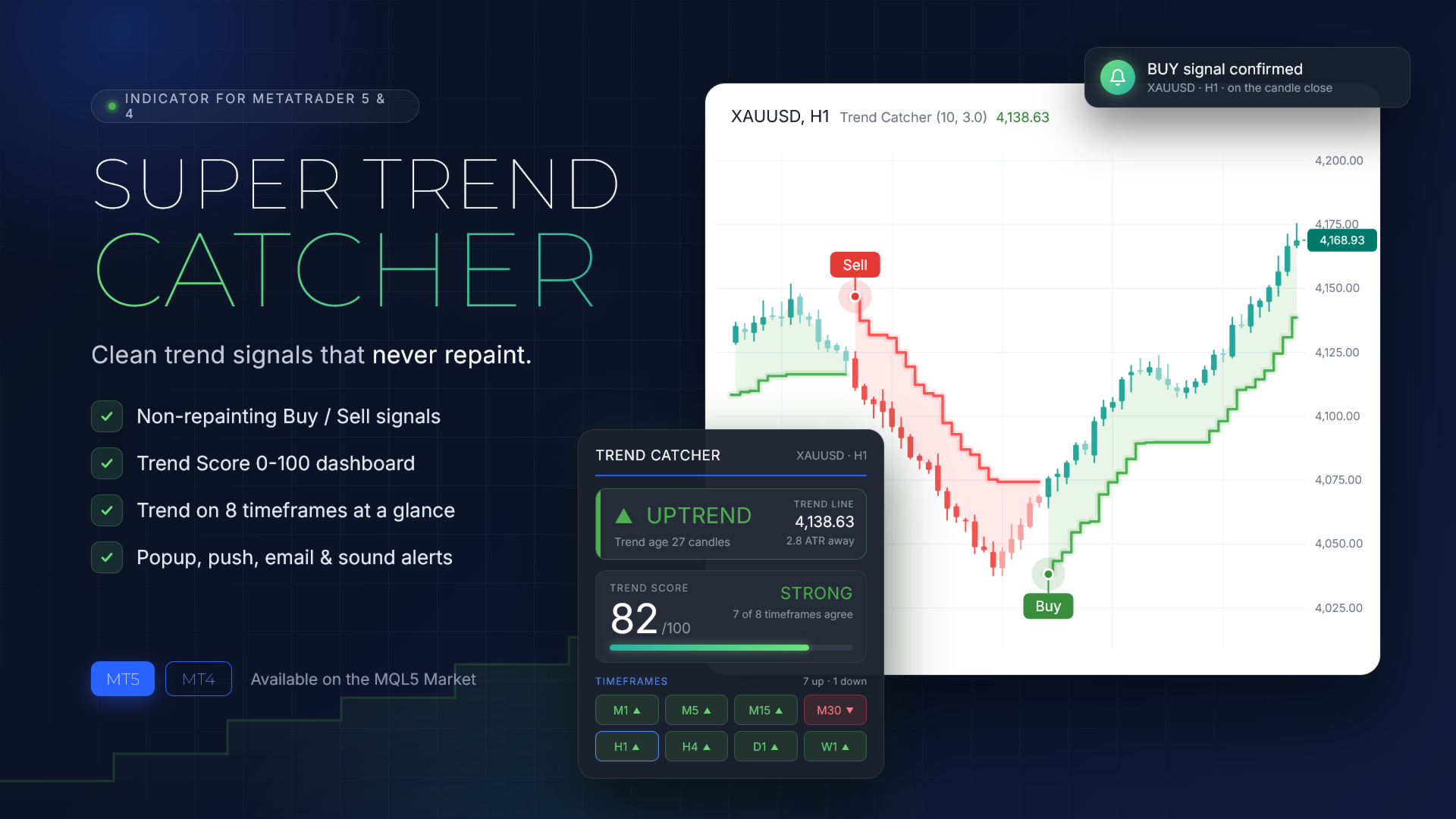
Super Trend Catcher MT4 shows the direction of the market, marks the moment a new trend begins and rates how strong that trend is, all on one clean chart.A trend line follows price and adapts to volatility, a soft cloud fills the space between price and the line, and every candle is colored by the trend it belongs to. Buy and Sell labels appear only after the candle closes, so a signal on the chart never moves or disappears.
A built-in dashboard turns the chart into a decision panel: a Trend Score from 0 to 100, a Volume Score, the trend on up to eight timeframes of the same symbol, and statistics of past signals. Super Trend Catcher works on any symbol and timeframe, including Gold, Bitcoin, Forex pairs and indices.
Main features
Everything you need to follow a trend sits on one chart, with no extra windows or indicators.
- Non-repainting Buy and Sell signals: each signal is confirmed at the close of its candle and stays fixed in history.
- Trend line: a clear stepped line that follows the trend and can serve as a trailing stop level.
- Trend cloud and trend-colored candles: the active trend is visible at a glance, and candles against the trend are drawn in a softer shade.
- Clean chart theme: a modern light or dark style with one setting, and your own chart colors return when you remove the indicator.
- Smart dashboard: Trend Score, Volume Score, a multi-timeframe trend grid and signal statistics in one compact panel.
- Alerts: popup, push notification, email and sound, with an optional minimum Trend Score and an alert when all timeframes agree.
- Flexible display: labels, arrows or dots for signals, custom label text, adjustable colors, panel position, font size and a collapsible panel.
- EA-ready: Buy, Sell, trend direction and trend line values are available as indicator buffers for your own Expert Advisors.
The dashboard
The dashboard answers three questions before every trade: which way is the trend, how strong is it, and do the other timeframes agree.
The trend card shows the current direction, the level of the trend line, the distance of price from it and how many candles the trend has lasted. When the trend turns on the forming candle, the card warns that a flip is forming, so you can prepare before the close confirms it.
The Trend Score rates the current trend from 0 to 100 and labels it Strong, Good, Fair or Weak. It combines five factors, each with its own bar: agreement across timeframes, volume, trend efficiency, volatility and extension from the trend line.
The Volume Score shows whether trading activity supports the move, together with relative volume and the buy and sell share of recent candles.
The timeframe grid shows the trend direction on up to eight timeframes of the same symbol, from M1 to W1 by default, and you choose which ones. The timeframe of the current chart is highlighted.
The statistics block measures the signals in your chart history from one signal to the next: win rate, profit factor, and the average result and best run in ATR units. A footer shows volatility, the current spread and a countdown to the next candle.
How to use it
Super Trend Catcher fits a simple four-step routine.
- Wait for a Buy or Sell label. It appears when the candle closes, and the alert arrives at the same moment.
- Check the dashboard. A Trend Score of Good or Strong and higher timeframes in the same direction support the signal.
- Plan the exit. The trend line can act as a trailing stop, and the opposite signal marks the end of the trend.
- Avoid chasing. A low Extension bar means price is far from the trend line, and a pullback toward the line can offer a better entry.
Settings
The default settings are a good starting point for Gold on M15 to H1 and for most other markets.
- Volatility period and Sensitivity factor: how closely the trend line follows price. A lower Sensitivity factor, such as 2.0 to 2.5, gives earlier and more frequent signals for scalping. A higher one, such as 3.5 to 4.0, gives fewer signals and holds longer trends on H4 and above.
- Signal mode: Standard for confirmed trend changes, Fast to react earlier after strong candles.
- Chart theme and candle colors: Light, Dark or your own chart colors; candles by trend, by trend with softer counter-trend candles, or classic.
- Signal style: Buy and Sell labels, arrows, dots or none, with editable label text for your language.
- Dashboard: position, light or dark colors, font size, and which sections to show.
- Multi-timeframe: the list of timeframes to watch, up to eight.
- Alerts: popup, push, email and sound, a minimum Trend Score, and an alert when all timeframes agree.
The statistics block updates as soon as you change a setting, so you can compare settings on your own symbol and timeframe.
Who it is for
Super Trend Catcher is built for traders who want a clear trend direction without a crowded chart. Scalpers can use it on M1 to M15 with a lower Sensitivity factor, while swing traders get fewer and longer signals on H1 to D1.
It suits Gold, Bitcoin, Forex pairs and indices. EA developers can read its buffers with iCustom and build automated strategies on the same signals.
Important notes
Signals are calculated on closed candles only and do not repaint. While a candle is still forming, the dashboard may show that a flip is forming; it becomes a signal only when that candle closes.
The statistics block is a simulation on historical data: each signal is held until the next opposite signal, without spread or commission. It helps you compare settings, but it is not a record of real trading and does not guarantee future results.
Trading involves risk. Use proper risk management, and test the indicator in the Strategy Tester or on a demo account before trading live.
Download the free demo and run it in the Strategy Tester in visual mode to see Super Trend Catcher on your favorite symbol. For questions, write in the product comments or send me a private message on MQL5.