Range Filter Scanner MT5
- 指标
- 版本: 1.0
- 激活: 5

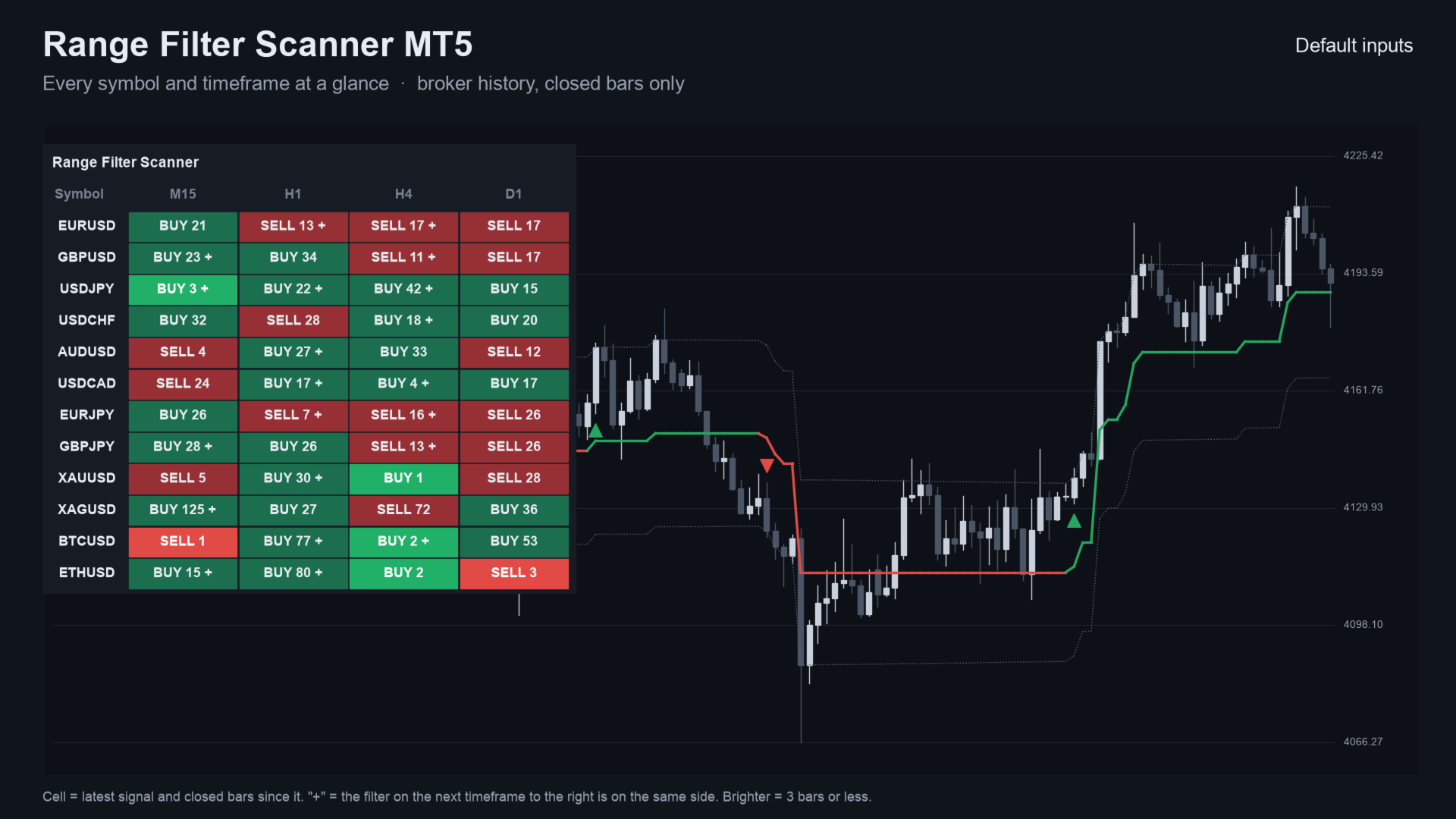
Range Filter Scanner MT5 is a scanner indicator for MetaTrader 5. One panel shows the latest range-filter signal on many symbols and timeframes, how many bars ago it came, and whether the next timeframe to the right agrees. It sends an alert when a new signal appears.
It places no orders. It runs the same range-filter engine as the free Range Filter Signals indicator, for a whole list of charts at once, on closed bars only.
Quick start
- Attach it to any one chart. By default the panel lists the symbols in your Market Watch (Most symbols shown: 30) against M15, H1, H4 and D1.
- For your own symbols, set Which symbols to My list and fill My list, comma separated. Change Timeframes the same way.
- A cell reads "loading" until its history arrives. The panel title counts how many are loaded. Pop-up alerts are on. Switch on Play a sound, Push notification or E-mail if you want them.
What you see on the chart
- A panel with symbols as rows and timeframes as columns.
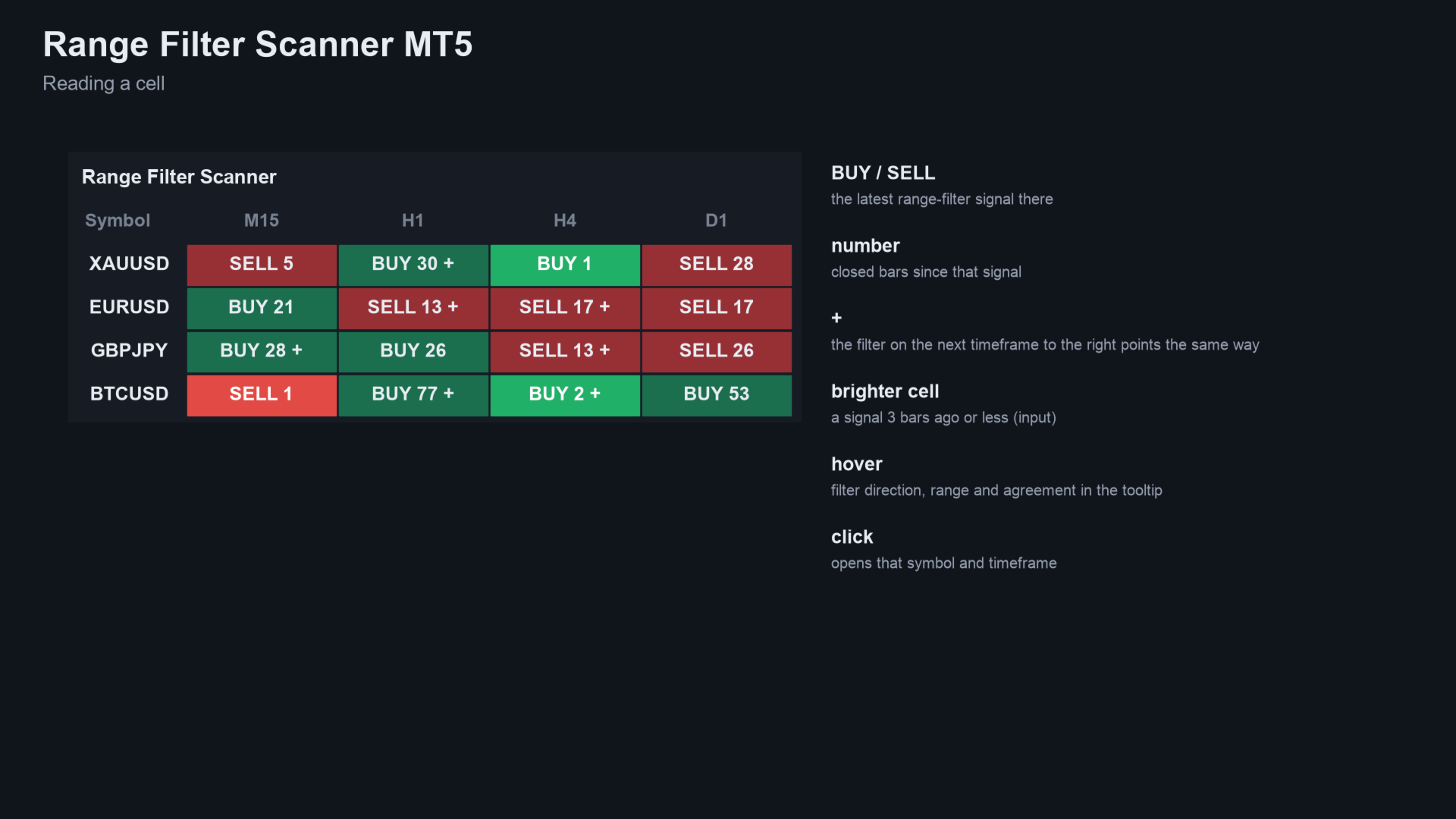
- In each cell: BUY or SELL and the closed bars since that signal, for example "BUY 3".
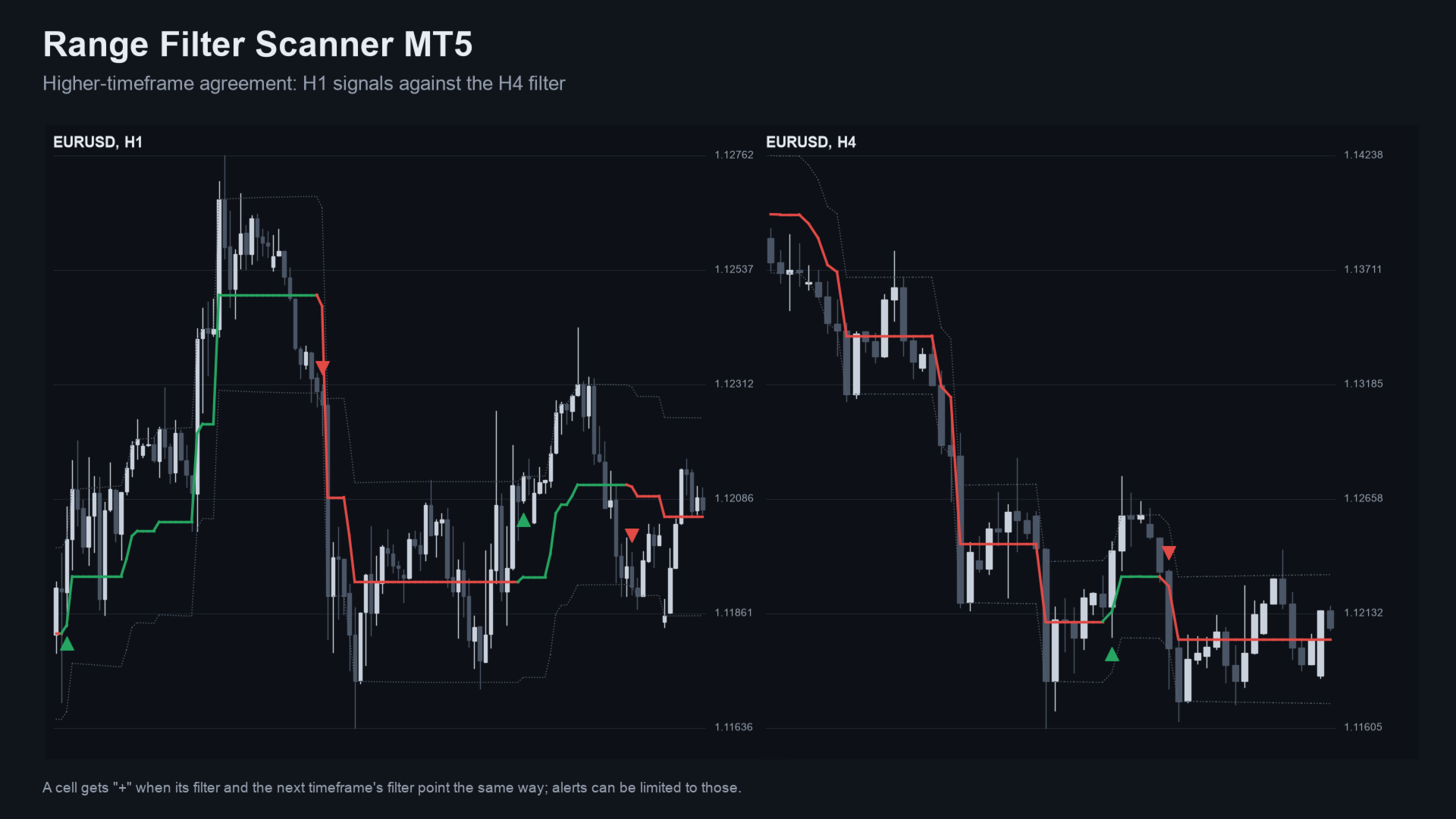
- "+" when the filter on the next timeframe to the right points the same way (the last column never has one).
- A brighter cell when the signal is recent (you set how many bars count as fresh).
- A tooltip with the filter's direction and range. Click a cell to open that chart.
How a signal is built
- The range is the average bar-to-bar close change, smoothed twice and multiplied. The filter only moves when price travels further than that range.
- A buy signal is a close above a rising filter right after a sell setup. A sell signal is the mirror.
- The forming bar is never used, so a cell does not change after its bar has closed.
Who it is for
For traders who use the range filter on several symbols or timeframes.
Inputs
| Input | Default | What it does |
|---|---|---|
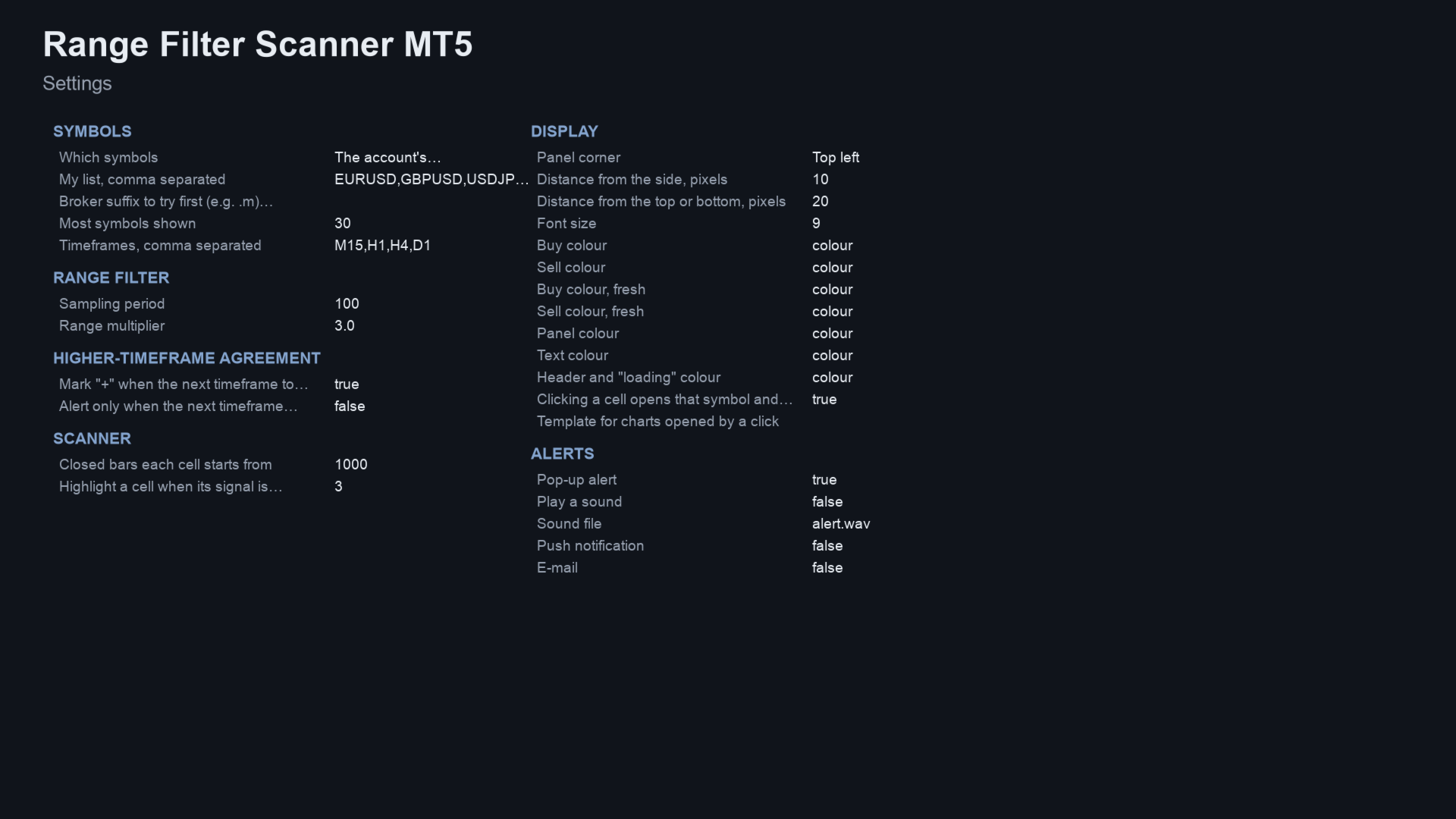
| Which symbols | Market Watch | Market Watch, or your own list. |
| My list, comma separated | EURUSD,GBPUSD,USDJPY,XAUUSD,BTCUSD | Used when Which symbols is My list. |
| Broker suffix to try first | empty | For example .m. Found automatically if empty. |
| Most symbols shown | 30 | From 1 to 60. |
| Timeframes | M15,H1,H4,D1 | Comma separated. They become the columns, left to right. |
| Sampling period | 100 | Same as in the free indicator. |
| Range multiplier | 3.0 | Same as in the free indicator. |
| Mark "+" when the next timeframe to the right is on the same side | on | Higher-timeframe agreement mark. |
| Alert only when the next timeframe agrees | off | Limits alerts to cells with a "+". |
| Closed bars each cell starts from | 1000 | History per cell, 200 to 5000. |
| Highlight a cell when its signal is this many bars old or less | 3 | Brighter cell for a fresh signal. |
| Panel corner, font size, colours | top left, 9 | Look and place of the panel. |
| Clicking a cell opens that symbol and timeframe | on | Opens the chart, or brings it to the front. |
| Template for charts opened by a click | empty | Optional template name. |
| Pop-up alert | on | Alert window in the terminal. |
| Play a sound | off | Plays the sound file below. |
| Sound file | alert.wav | File from the terminal Sounds folder. |
| Push notification | off | Needs your MetaQuotes ID. |
| off | Needs e-mail set up in the terminal options. |
How often
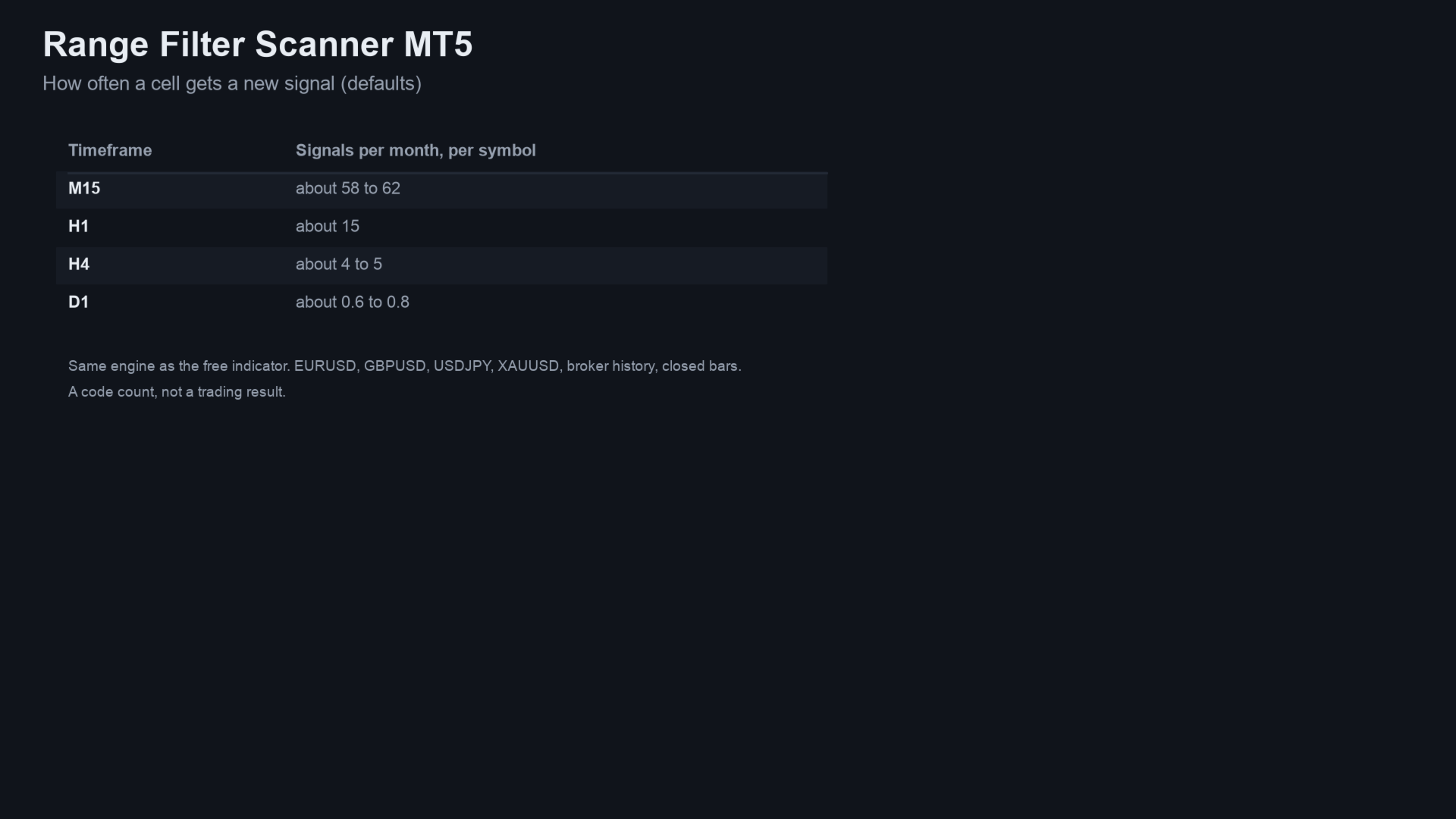
Signals per month per symbol with the defaults (EURUSD, GBPUSD, USDJPY, XAUUSD, closed bars; a code count, not a trading result). M15 about 58 to 62, H1 about 15, H4 about 4 to 5, D1 under 1.
How it was checked
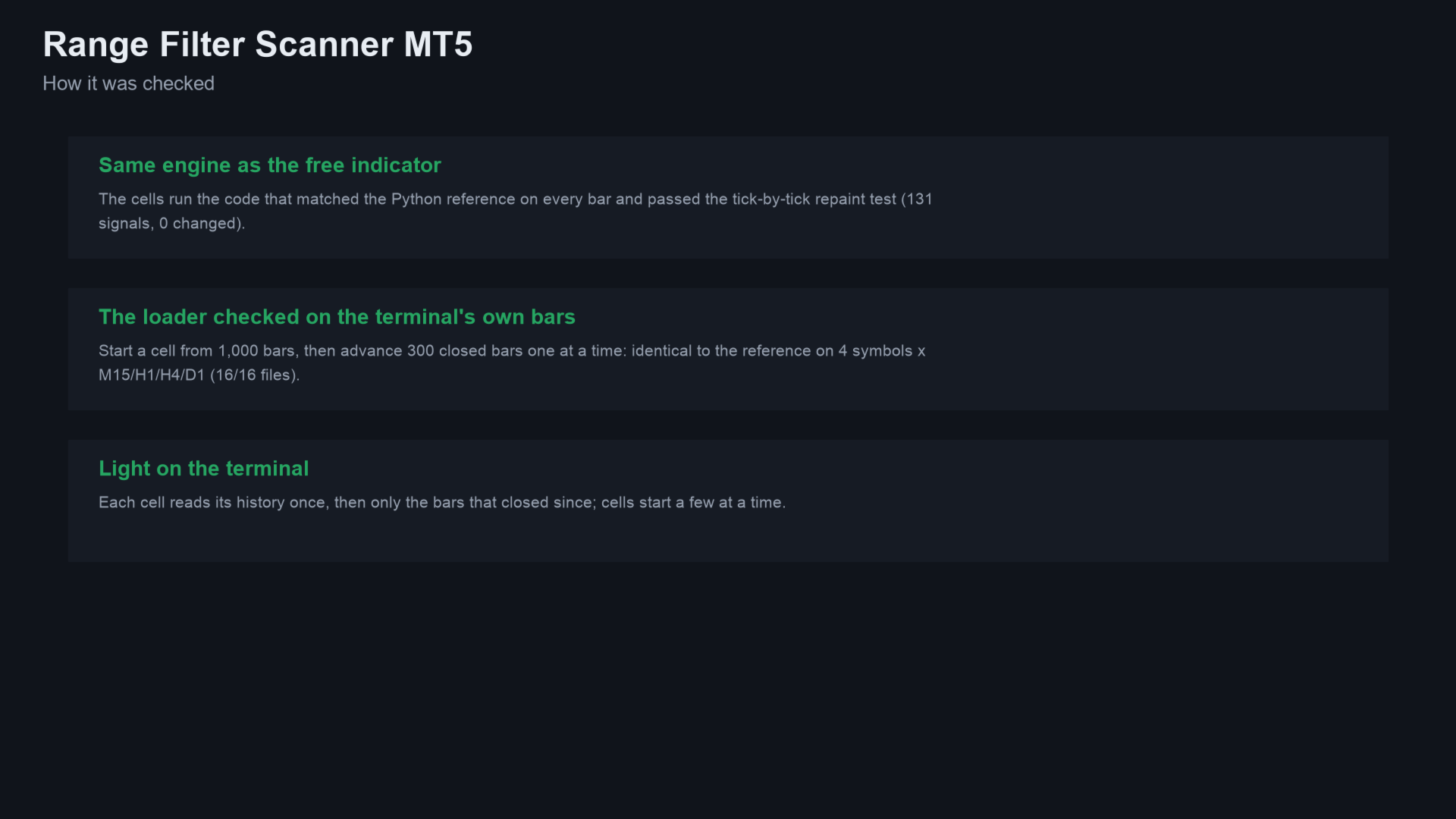
- The engine is the one in the free Range Filter Signals. It matched an independent Python calculation on every bar and passed a tick-by-tick repaint test in the Strategy Tester (XAUUSD H1, 91 million ticks, 0 changed signals).
- The scanner's loader (starting a cell from history, then one closed bar at a time) was compared with the same Python calculation on the terminal's own bars.
Alerts and Expert Advisors
Alerts: pop-up, sound, push notification and e-mail, each switched separately. Cells that signal together are sent as one message. Nothing is sent while history loads, never twice for the same cell and bar, and not in the Strategy Tester.
Buffer 0 holds the number of fresh buy cells, buffer 1 the number of fresh sell cells, on the newest bar.
Questions
- Does it repaint? No. Cells use closed bars only.
- What does "+" mean? The filter on the next timeframe to the right is rising (for a buy) or falling (for a sell) too. It describes agreement, not a promise.
- Does it work on gold and crypto? Yes, on any symbol with history.
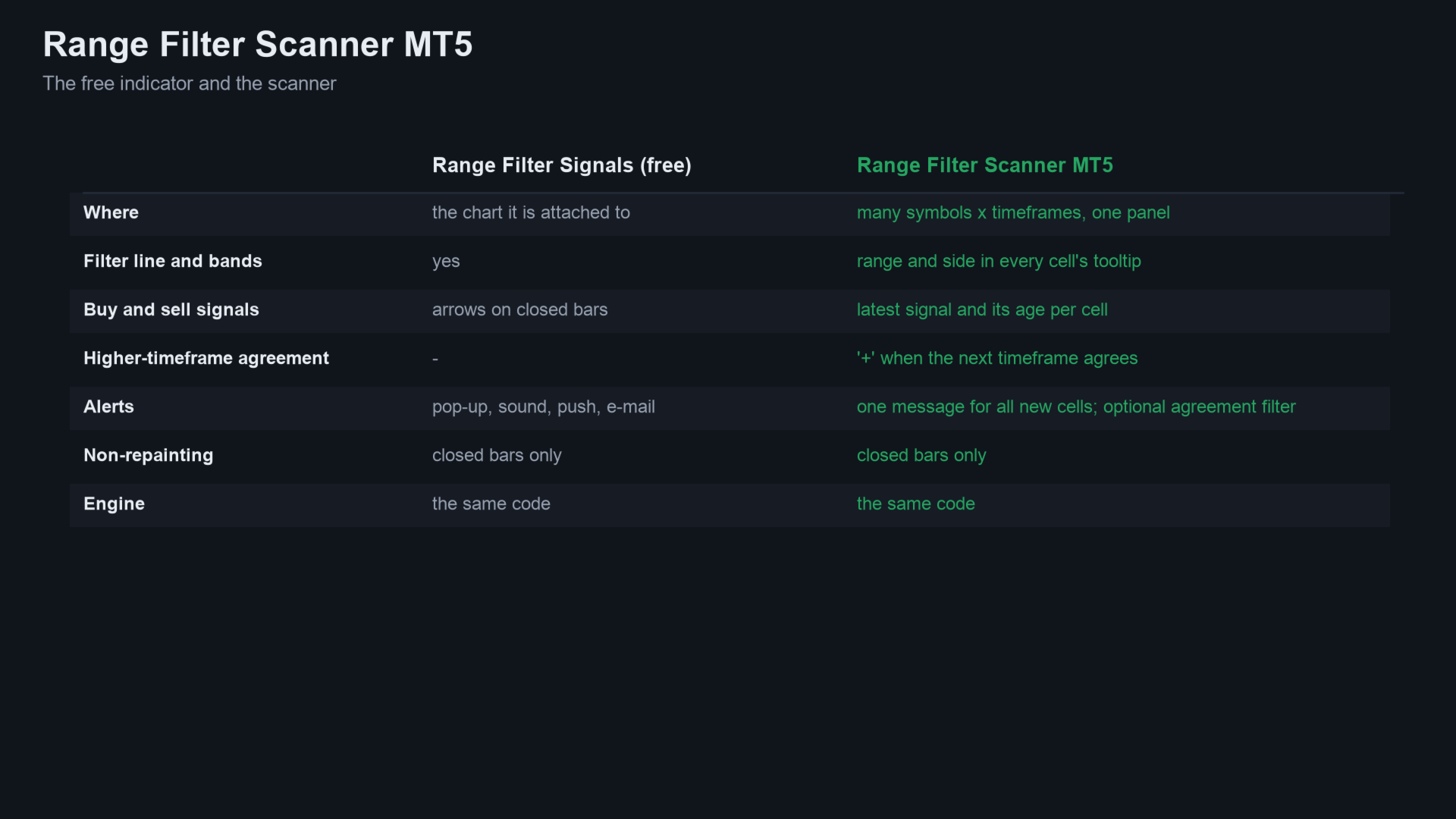
- How is it different from the free indicator? The same calculation as Range Filter Signals: that one draws the filter on one chart. The scanner covers many symbols and timeframes with a higher-timeframe check.
Related products
- Range Filter Signals: the free indicator with the same engine; it draws the filter, bands and arrows on one chart.
- UT Bot Scanner MT5: a scanner of the same kind for the UT Bot signal on many symbols and timeframes.
- All my products on MQL5
If it helps your trading, a short review on this page helps other traders find it.
Questions: use the comments on this page or send me a message on MQL5.
Trading involves risk. The scanner shows a filtered trend. It does not predict the market, and past signals are no indication of future results.