 MetaTrader 5
 专家
 指标
 程序库
 实用工具
 窗口小部件
 规则
适用于MetaTrader 5的EA交易和指标 - 167
 使用EA交易和指标,使外汇交易获得更多盈利。EA交易可使您自动开启和关闭交易,而指标将帮助您更准确地预测市场行为。
该页面提供MetaTrader 5应用程序的目录。

Keep sleeping while your EA does his job! Keep Sleeping EA - is an expert advisor which trades at night. It uses calm but more predictable night time for achieving stable profits. It is recommended to use the EA on a number of instruments simultaneously. This will allow to raise profit and make profit curve smoother. EA's setup giude - https://www.mql5.com/en/blogs/post/746449 What you need to know before buy The EA trades at night (usually from 22:00 to 3:00 GMT+2(+3))
Small prof

A utility to close all positions and orders with one simple click at once.
Various options are available to filter or select orders and positions : Type of orders/positions : Buy / Sell / Buy Limit / Sell Limit / Buy Stop / Sell Stop Symbol Selection : All / Chart Symbol / Custom Symbols. You can enter custom symbols separated by comma. (for example you can enter EURUSD,GBPUSD,AUDJPY) Order Open Type : Manual Opened / Opened by EA Magic Number : You can enter more than one magic number separate

The QRSI indicator is one of the most important and well-known indicators used by traders around the world. It is also obvious that this indicator is capable of showing good entries in every local area. For which it usually needs to be optimized or just visually adjusted. This development is intended for automatic optimization of the indicator. Once placed on the chart, the indicator will automatically re-optimize itself with the specified period (PeriodReOptimization) and display the chart wit
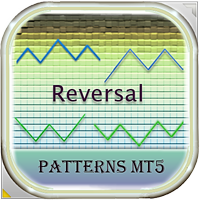
This EA finds technical analysis patterns that often appear before a trend reversal: Double Bottom, Triple Bottom, Head and Shoulders and their opposite counterparts. The Expert Advisor is able to identify them on the chart of a currency pair and trade when the pattern has been formed and it has been broken through. Also, in order to trade excluding unnecessary signals (for example, with weak volatility), you can adjust and optimize the readings of some indicators (Stochastic, ADX) and the filte
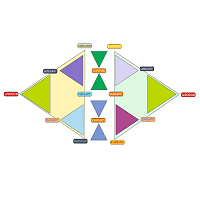
Triangular arbitrage with full automatic! In the parameters, it is enough to specify only the lot and profit!
Trades on all triangles at once, which can be made up of instruments open in the market overview. The adviser himself determines all the triangles that can be made from the broker's available tools. It analyzes the price shift in each triangle relative to the calculated one and opens the whole three at the right moment. Thus, all three instruments constantly insure each other by 100%
A huge number of traders use the VolumeProfile/MarketProfile analysis method. And I think there is no need to explain such concepts as POC and VAH/VAL. However, the standard VolumeProfile representation has a drawback - we only see the current picture of the market. We see the "convexity" of the volume distribution within the period. But we don't see the main thing - the "migration" of the POC level during the price movement. Our indicator is unique. It is dynamic. The first feature is that the
嗨。
任何人都可以在白天或长期投资外汇交易
所有你需要的是"Pro盘中EA MQL5"
Pro intraday EA,通过在您指定的时间间隔处理该工具的"当天最低值和最高值"来检测"安全买入/卖出"点,为您提供实时图表上的"目标通道范围"
1-它提供购买区;购买1,购买2,购买3安全购买点 2-它提供Sell Zone;Sell1,Sell2,Sell3安全卖点 3-它提供等待区;在第一条红线和第一条绿线之间,在此区域中
Pro盘中EA MQL5特性和功能 ;
1-根据您的趋势分析采取中长期头寸 2-仅限日内交易,一种剥头皮 3-EA可以在同一时间进行中长期交易 4-自动对冲系统(保护现有盈利头寸) 5-自动对冲保证金管理 6-移动位置。. 能够根据位置在SL所在的点以下/以上返工 7-能够调整EA的交易手数 8-能够设置EA的分析天数 9-推荐EA交易手数=500美元的账户余额0.01手。. 5000美元最大0.10手 10-它只从日志中获取数据;它不会根据您打开的图表的时区检测交易点。
专家顾问每日及长期投资策略:
https://www.mql5

You shall not pass - it is a Secure Automated Software for trade Forex market and indices.
This system detects the ranges between the end of the American session and the beginning of the Asian session, operating thinking that the volume of the market will not be able to maintain the break of the support or resistance, thinking that this break. To adapt to the different schedules of the different brokers, you have to set the closing time of the American session of your broker in the configuratio

MT4/5通用交易库( 一份代码通用4和5 ) #ifdef __MQL5__ #define KOD_TICKET ulong #define KOD_MAGIC long #else #define KOD_TICKET long #define KOD_MAGIC int #endif class ODLIST; #import "K Trade Lib Pro 5.ex5" //祝有个美好开始,运行首行加入 void StartGood() ; //简单开单 long OrderOpen( int type, double volume, int magic, string symbol= "" , string comment= "" , double opprice= 0 , double sl= 0 , double tp= 0 , int expiration= 0 , bool slsetmode= false , bool tpsetmode= false ); //复杂开单
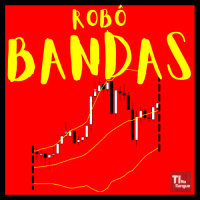
The robot uses one of the most known and used indicators in the world
BOLLINGER BANDS
There are two trading strategies: Upper or Lower Band Break and; Bollinger Band Entry.
Know our products
Position openings are based on the parameters identified as signals.
This Expert Advisor (EA) works on HEDGE (Forex, etc.) and NETTING (Bovespa, etc.) accounts, but manages only one position at a time.
The filters are used to increase the accuracy of the signals and if activated and not met your c

The QRSI indicator is one of the most important and well-known indicators used by traders around the world. All signals are generated at the opening of the bar. Any closing price or zero bar prices are replaced with the corresponding price of the previous bar in order to avoid false results. This indicator is suitable for those who are interested in the classic calculation method but with improved functionality. There is a version for both MT4 and MT5.
By its nature, the QRSI indicator is an o

As you know, the main invariable indicator of all traders is the moving average; it is used in some way in most strategies. It is also obvious that this indicator is capable of showing good entries in every local area. For which it usually needs to be optimized or just visually adjusted. This development is intended for automatic optimization of the indicator. Once placed on the chart, the indicator will automatically re-optimize itself with the specified period ( PeriodReOptimization ) and dis

with JR Trend you will able to enter and exit every trade with just a signals appear no need for any strategy just flow the indicator it work on all pairs and all Timeframe i usually take a look on higher timeframe and return to the lowest timeframe and make an order with indicator signals you can see the amazing result so you can depend only on it intraday or swing as you wish
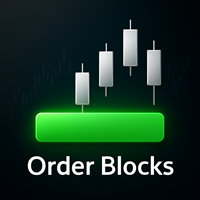
[ MT4 Version ] DoIt Order Blocks - Multi-Timeframe Order Block Indicator for MT5 Most multi-timeframe order block indicators for MT5 give you two bad options: keep switching between charts or display so many rectangles that none of them feels important. DoIt Order Blocks detects bullish and bearish zones from up to four timeframes on one chart. It tells you which timeframes are active and when price is touching one of their blocks, so you can stop searching and start waiting for price to reach
Moving Wizard indicator will guide you to work with Trend and give pure Entry point depending on crossing on the chart it work on all currency and all Timeframe you can use it daily or scalping or swing its good with all and This indicator you can make it your strategy i work on it on H1 Timframe and make a good money you can take alook on it and you see a great resault on chart .Gold moving is to Know the Trend of price other moving below it mean we looking to sell orders . if above it we loo

The multi-currency indicator Currency Strength Index Plus can be set on the chart of any of the 28 currency pairs formed by 8 currencies (USD, EUR, GBP, AUD, NZD, CAD, CHF and JPY), for example, on EURUSD, H1. The indicator is designed to determine the direction of strength of each of the 8 currencies relative to each other. Using the strength and its direction of two opposing currencies, it is possible to make a currency pair with the best trading potential. Currency indices have flexible smoot
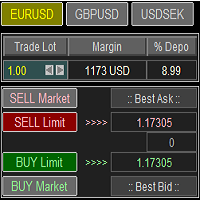
Trade Panel with Loss Breaking for MT5
Multi-instrumental trading panel with the function of transferring the stop loss of positions to loss breaking.
Has the following distinctive properties:
All trading parameters and panel operation are set in the settings. The traded position volume (lot size) is quickly changed. The required margin and the percentage of the required margin of the current deposit for the specified lot size are displayed. Shows profit when take profit is triggered and losses

The Asian Session - it is a Secure Automated Software for trade Forex market and indices.
This system detects the ranges between the end of the American session and the beginning of the Asian session, operating in favor of the break, thinking that this break prior to the start of the session occurs because within the Asian session there will be an impulse in favor of the break. breaking off. To adapt to the different schedules of the different brokers, you have to set the closing time of the Am

Sprocket is an Expert Advisor that implements the scalping principle. A minimum spread is required for correct operation. What is a prerequisite.
There is an opinion that scalping is the lot of beginners. But in fact, it is wrong. In order to conduct a trading operation correctly for himself, a trader needs to learn scalping, otherwise the result may be negative. That is why this bot exists to be an assistant to the trader.
By placing currency fluctuations on time charts with timeframes for 1

EA 的工作原理是價格與平均值的最大偏差。 這個想法是價格總是力求平衡, 與平均值的任何大偏差都會導致相互作用力 - 反作用力。 入口是在這些偏差上進行的。 这是这个顾问的一个信号示例 https://www.mql5.com/en/signals/2047087 (如果愿意,您可以进行更保守的交易)。
選項: sigal_deviation - 交易開始後的最大偏差; 過濾器:
closeBarOnly - 僅在柱線關閉時工作,僅在柱線關閉後打開和關閉交易;
waitFastMovement - 等待快速下降或下降。 N 是秒數,0 表示禁用。我們僅在從最小值或最大值的形成開始經過 N 秒後才進入。有助於防止在即時價格變動期間進入;
oneOrderInDay - 每天只有一筆未平倉交易。有助於降低白天價格突然變化的風險;
onlySwapPlus - 僅在正交換的方向上工作。建議選擇在任一方向具有正掉期的經紀商。 由於顧問的工作中也使用了對沖算法,因此某些交易可能會長時間保持開放狀態;
sepatateBuyAndSell - 用於計算買賣的單獨算法;
minimu
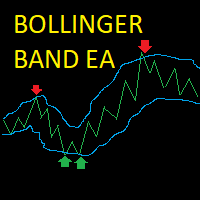
Bollinger Band Scalper EA This EA opens trades when the price hits and bounces off the Bollinger Bands, it closes the trade when it reaches the opposite Bollinger band or if the price reverses into the trailing stoploss. Posisitions are sized dynamically depending on the user's account balance. The EA waits for the price to cross the Bollinger Band and then opens a market order at a set percentage of the bandwidth from the band chosen by the user. The position is sized a percentage of the user's

Killer Market MT5 is an advisor with a system for "Resolving" a basket of unprofitable orders, a news filter, a filter for open positions on other trading instruments and the function of sending trading signals to your Telegram channel.
The Expert Advisor can be used to restore unprofitable positions on the account as a utility to bring trades to breakeven that you opened with your hands or other Expert Advisors.
Works inside a linear regression channel, input on several conditions. The sig
Moving average, moving average (English Moving average, MA) is a general name for a family of functions, the values of which at each point of determining the level of some average value of the original function for the previous period.
CalcPipsOn - In order to add rozruhunok on the chart, you must activate this field.
The previous development of a variant of this indicator differed in that it had an extended functionality for calculating averaging in the set, as well as advanced possibiliti

The robot uses one of the most used indicators in Asia:
* ICHIMOKU CLOUD *
There are two trading strategies:
Crossing of Tenkan and Kijun lines and; Kumo lines crossing.
Know our products
Position openings are based on the parameters identified as signals, if you activate all the robot will issue a trading order only if the number of signals is greater than the minimum stipulated by the user.
This Expert Advisor (EA) works on HEDGE (Forex, etc.) and NETTING (Bovespa, etc.) accounts, but

Fuzzy Predictor EA is based on fuzzy logic strategy based on candlestick analysis , according to number of consecutives long or short candles, percent of long or short candles on a fixed candlestick sample, percent of shadow on this sample or upper and lower shadows on reversal candlesticks for reversal analysis. When the EA analysis all this parameters, it decides, based on its fuzzy strategy, which trade will be better: trend or reversal. Takeprofit and Stoploss is based on candlesticks sample
MT5 的 Expert Advisor 风险管理器是一个非常重要的程序,我认为对每个交易者来说都是必要的程序。
使用此 EA 交易,您将能够控制您交易账户中的风险。风险和利润控制可以以货币形式和百分比形式进行。
要让智能交易系统工作,只需将其附加到货币对图表并以存款货币或当前余额的百分比设置可接受的风险值。 PROMO BUY 1 GET 2 FREE - https://www.mql5.com/en/blogs/post/754725
顾问功能
该风险经理将帮助您控制风险:
- 交易 - 每天 - 一个星期 - 一个月
你也可以控制
1) 交易时允许的最大手数 2) 每天最大订单数 3) 每天最大利润 4) 设置 Equity 的获利了结
不仅如此,如果您在设置中指定自动设置,顾问还可以为您设置默认的止损和止盈。
顾问会在每个事件中附上警报,并向您解释删除订单的原因。比如你开了,你开了第6个订单,按照你的规则你每天只允许开5个订单,顾问会立即删除6个并说明原因。
例如,您开仓的手数比您最初向自己指示的手数大,顾问将删除订单并解释原因。例如,您每天赚取 5
策略逻辑 Pump and Dump for mt5 Expert Advisor 是由交易者为交易者创建的全自动交易顾问。 策略是“买得便宜,卖得贵”。在价格大幅上涨/下跌后开立订单。 Pump and Dump 策略的基本含义是在价格下跌时以更低的价格买入资产,在价格上涨时以更高的价格卖出。 您可能已经注意到,在市场价格剧烈波动后,会出现反方向的显着价格回滚,即绘制所谓的“发夹”,EA 抓住价格强劲增长或下跌的时刻,并根据这些信号。我在视频和屏幕截图中进行了更详细的解释。
顾问的策略基于一种算法,该算法基于使用 iPump 指标对价格变化百分比的分析来识别资产的超买和超卖区域,该指标评估资产的超买/超卖水平,并在此基础上识别资产的超买和超卖区域交易工具的最佳买入/卖出区域,然后进入市场。 购买后,给我留言,我将帮助您进行最佳设置和设置。
好处 内建的风险管理机制,让您初步设定账户最大允许回撤水平,就能及时停止交易,节省资金。 控制交易停止时间。在超出风险管理范围的情况下,EA 可以在预定的时间间隔内暂停交易。为便于控制,事件信号将使用推送通知直接发送到您的手机。 订单利润倍增

SemiAuto Martin System
介绍
这个工具用于半自动马丁交易,点击面板下单由EA进行仓位的管理 只需决定交易的方向,其它都交给EA管理 自动马丁,按照设定的网格加仓,也可以禁用这一功能 一键平仓 一键锁单功能 时间控制 预警声音提示 特性
交易图表:任意 可交易的货币:任意 自动止盈平仓 可以用于回测 清晰的面板显示
参数
主要设置参数 LogLevel = LOG_LEVEL_INFO; //写日志的级别 UseAutoMagic = true; //是否使用魔法数 MagicNumber = 6; //设置魔法数 0-2000 Lots = 0.01; //初始交易量 UseMartin = true; //是否使用马丁功能 Booster = 1.7; //加仓的倍数 NetGap

Usable currency pairs: ALL Symbol Usable timeframes: H1 for check close bars, H4 for open orders, D1 to detect trend M15 for check close bars, H1 for open orders, H4 to detect trend M1 for check close bars, M5 for open orders, H1 to detect trend
How It Work:
This expert uses the Hedge + Martingale method This expert uses MA to identify the main trend This expert was created after several years of effort and programming by a strong program team How to Work:
Just

This DYJ OonClickClose help you to close all orders having profit immediately with only ONE CLICK, its work is very fast. You can choose which symbol you want or close all symbols so it will helpful for you in your trading to manage trading faster. This EA can quick close all Buy and Sell Orders by a selected symbol or total, And delete all pending orders. It includes dynamic target profit tracking function. The software has manual transaction buttons buy and sell. It is a management softw

Based on pending orders. You decide what the distance to the pending order is. Very easy to use and optimize. How it works? EA opens orders in accordance with the trend (if the parameter Trend = On) and then builds succeeding trades if the move goes against it. And more specifically ... sets the distance between orders. The distance can be fixed or variable (different for all orders). This will help increase the trading system flexibility.
Designed for major currency pairs. For Expert Advisor

The Master Piece EA Expert Advisor is a professional tool for trading grids of orders on financial instruments. The algorithm of the program is arranged in such a way and if trade went into loss, EA manage it by grid. Advantages Automatic trading mode, no need manual interference Minimum Balance requirement; 10k cent / 10k dollar Works on Forex (Currency Pairs; EURUSD & USDCHF) Use this set file for forward test and use default parameters for back test. https://c.mql5.com/31/652/master_piece_e
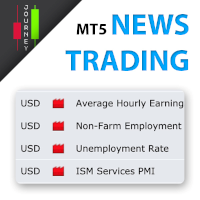
Trading has never been easier! Let's check this out! MT4 version: https://www.mql5.com/en/market/product/72153 Strategy There are some news within a day that can make the price jumps up or down very quickly and that is a good opportunity for traders to get some profits. Looking to scalp a news release? Here's how you can do it: Open two stop orders (a buy stop and a sell stop) 3 to 5 minutes before the news release. Place them about 15 to 20 pips away from the current market price. When the ne
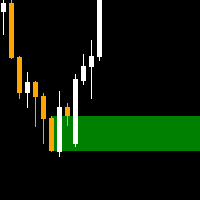
The order block locator is powered by three main search algorithms thar can be used to find order blocks. Simple Fractal Search Algorithm Naive Fractal Movers Algorithm
Candle Transition Algorithm You can even combine the power of your 2 favourite algorithms and get the best of both worlds: Mixed Algorithm (Naive Fractal + Candle transition) Mixed Algorithm (Simple Fractal + Candle Transition
Simple Fractal Search Algorithm
The algorithm finds the fractals based on your setting paramers for c
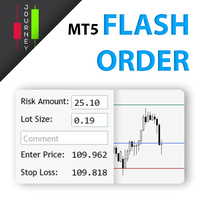
Trading has never been easier! Let's check this out! MT4 version: https://www.mql5.com/en/market/product/72118 The story: How I boost up my trading speed without any "Invalid SL or TP" error
NOW ALL YOU NEED TO DO IS Drag the lines Press Open Order button Enjoy! With this tool, you will no longer have to enter prices manually, which can cause many mistakes and you could miss the trade! From the board, we have: Risk Amount : the risk you want to apply for your trade Risk Unit : USD : If sele
Modifiable Moving Average Cross Expert Advisor
This Expert Advisor (EA) is based on the cross of two moving averages ; i.e; “ Moving Average 1 ” and “ Moving Average 2 ”.
“Moving Average 1” has to always be greater than “Moving Average 2”. (So that it logically makes sense; unless one is just trying out different stuff). If “Moving Average 2” crosses above “Moving Average 1”, the program will enter a BUY trade . If “Moving Average 2” crosses below “Moving Average 1”, the program will enter a

The latest version of Crypto Mama, v1.13, represents a major evolution from its original crypto-focused roots. While it continues to deliver strong, reliable performance on cryptocurrency pairs (especially BTCUSD and other major cryptos), the EA has been significantly enhanced and adapted for multi-market versatility . Crypto Mama now performs impressively across a wide range of instruments, including Forex (major and minor pairs) Metals (XAUUSD/gold, XAGUSD/silver, etc.) Indices And, of course
The small control panel which includes an essential set of tools for major trading styles.
Key advantages: The most important tools for trading in one small app. Do not block your graph with large panels. Trading Essentials (TE) uses minimal design, can be dragged and shows important trading parameters. Quickly change trading parameters by using mouse wheel, keyboard, or +/- buttons on the panel. Did you know that, using 3:1 profit/loss ratio in order to breakeven, you have to be only 25% rig

The Expert Advisor is based on the work of two indicators SM ZigZag and SM trend cloud .
The signal to open BUY or SELL orders is formed based on the data received from the " SM ZigZag "indicator. As soon as the indicator shows the formation of a downtrend (red line), the Expert Advisor places a BUY order with the set lot (the ability to choose in the settings whether it will be fixed or dynamic).
After placing the first BUY order with the initial lot, until the indicator has formed a blue li

Pyramid Order Manager is a utility based on the work of two indicators SM ZigZag and SM trend cloud .
With the help of this utility, the trader has the opportunity to set instant or pending orders on the chart in a short time with his lot, take profit and stop loss, as well as the number of orders in the grid, the coefficients of the lot and step change. The utility has two built-in indicators, listed above, with the ability to disable them.
A distinctive feature of this utility is the possib

Trailing Stops Pro is a highly advanced trailing stop program. It comes with 12 different trailing stops and helps you to manage your trade and stops easily. You can specify a trail start, that means the trailing stop will be started after your positions has reached the selected profit points. Additionally you can set a trail distance as well as activate and deactivate the trailing stop for each position separately. For your convenience the program has a very easy to use app panel. For a detaile

The EA trades using two MA indicators - Moving Average and ADX - Average Directional Movement.
Buying and selling is possible only when a new bar is formed. Buy: MA is rising and the current closing price is above it. A buy order is placed only if there is a buy signal and there are no open long positions. Sell: MA is falling and the closing price is below it. A sell order is placed only if there is a sell signal and there are no open short positions. ADX will not allow trading if the market i

Codebird is proud to present our latest algorithmic trading expert advisor 'Codebird 15'.
Every bar, it evaluates 15 different indicators and compares the latest price to each one to determine a BUY , SELL or NEUTRAL verdict.
Each verdict is then placed through our algorithm which weighs the importance of that indication. In turn, through all 15, we arrive at a summary of all indicators combined. That is what is presented in the top left when you have 'Display Data' turned on.
The highest

This Expert Advisor is applicable to plot wave charts as per the NeoWave method (Neely Extension of Wave Theory). NeoWave is a scientific, objective and revolutionary style of Elliott Wave Theory that was invented by Glenn Neely in 1990 in the “Mastering Elliott Wave” book. To start analyzing with this method, we need a particular chart called the Wave Chart or Cash Data chart . This is the first step for a good wave analysis. To draw this chart, Highs and Lows should be plotted in the order t
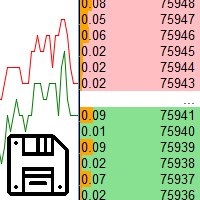
Saving data from the order book. Data replay utility: https://www.mql5.com/en/market/product/71640 Library for use in the strategy tester: https://www.mql5.com/en/market/product/81409
Perhaps, then a library will appear for using the saved data in the strategy tester, depending on the interest in this development. Now there are developments of this kind using shared memory, when only one copy of the data is in RAM. This not only solves the memory issue, but gives faster initialization on each

This robot operates through triggers above and below the previous candlestick with STOP orders.
When reaching the trigger (Stop Order) it opens the order and we have three situations:
If it reaches TAKE PROFIT (Maximum Profit) and the Breakeven Point is activated, it moves the STOP LOSS and the reverse STOP ORDER to Breakeven and cancels the reverse STOP order when reaching the TP.
If you go to STOP LOSS after reaching breakeven, the trigger of the reverse order will be reached because i

If you are looking for a safe ea to start trading BTCUSD this is your ea
BITCOIN MT5. It is an Ea that seeks the best window of opportunity to enter the market.
If the entry is wrong, the system exits by stop lost and take profit.
The system detects the best moment to enter the BTCUSD and at that moment places a market order with its stop loss and its take profit.
Once the order is placed, the exit is only by stop lost or by take profit.
There is only one order at a time reducing the risk.

The Inside Bar e one is a reversal/continuation candle formation, and is one of the most traded candle patterns. Robot F1 allows you to configure different trading strategies, Day Trade or swing trade, based on the Inside Bar as a starting point.
This pattern only requires two candles to perform.
Robot F1 uses this extremely efficient pattern to identify trading opportunities. To make operations more effective, it has indicators that can be configured according to your strategy.
Among the o

The signal to open BUY or SELL orders is formed based on the data received from the " SM ZigZag "indicator. As soon as the indicator shows the formation of a downtrend (red line), the Expert Advisor places a BUY order with the set lot (the ability to choose in the settings whether it will be fixed or dynamic).
After placing the first BUY order with the initial lot, until the indicator has formed a blue line (an uptrend), the next BUY orders are placed after a certain step, which is changed acc

Perfect indicator to use No Forex or Binary Options You can use it manually or use it automated on the mt2trading platform or similar 90% winrate indicator Common questions Which brokers does this work with? IQOption.com Binary.com Alpari.com Specter.ai Instaforex.com clmforex.com GCOption.com Is it necessary to leave my pc on all day using automated mode? > although our platform must constantly run on your laptop / PC, if you want it to work while you are away, it is not necessary to leave your
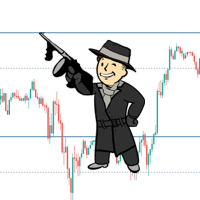
Automatic calculation and marking of resistance and price reversal levels. The script will perform statistical calculations and plot a regular grid on which the quote moves on the graph. These levels are very stable. Use them in trading planning and for placing pending orders.
Just select a timeframe and AutoLevels will indicate the important places of the chart in the form of horizontal lines.
Solid lines indicate more "dense" areas - areas of price reversal, where the quote happens more oft

Direction 1 (Sale off 45 %) By Independent Trading Expert advisor This EA has a strong focus on portfolio security and continuous monetization. Both the up and down of the market and most importantly, This EA has the order correction system makes it possible to take profits even in the wrong direction. Margin should be maintained enough for the next order. Cut loss should be set at risk acceptable and back test until satisfactory results. 1. Choose symbols with low spreads. 2.

If you are looking for a safe ea to start trading XAUUSD this is your ea
The Forex Gold It is an Ea that seeks the best window of opportunity to enter the market.
The system detects the best moment to enter the XAUUSD and at that moment places a market order. The system also allows you to configure the parameters of the value of the pairs in your broker. The name of the pairs should only be changed if the name of the pair in your broker is different from the one used by default, for exam

PROMOTION!! $499 until 1 Mar. After that, EA will be $1,050 Developed and tested for over 3 years, this is one of the safest EAs on the planet for trading the New York Open. Trading could never be easier. Trade On NASDAQ US30 (Dow Jones Industrial Average) S&P 500 What Does The EA do? The EA will open a Buy Stop Order and a Sell Stop Order(With SL and TP) on either side of the market just a few seconds before the NY Open. As soon as 1 of the 2 trades is triggered, the EA automatically delete
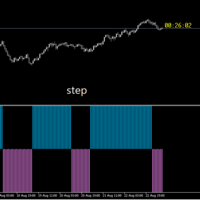
RUBFX Trend histo mt5 , indicator works on synthetic indices, Currencies , Indices ,Stocks Gold etc , good for follwoing trend on the markets suitable for scalping Buy Rules; When the histo changes to Blue you place buy order ,stop loss just below the previous swing low Sell Rules; When the histo changes to Red you place sell order ,stop loss just below the previous swing high Trade on a timeframe which best suits your trading style

In combination with the BT you can test python strategies. The BT has a history of M1 bars from 2016 onwards (over 5 years, source DukasCopy). At this moment the history for the basic 28 instruments will be available.
All time frames are deducted from these M1 bars (M5, M10, M15, M20, M30, H1, H2, H3, H4, H6, H8, H12, D1). Stepping through the history in M1 bar increment or multiple M1 bar increments. Orders and positions will be updated every increment.
All history bars of the instruments are

This is a utility that helps you close market orders and pending orders (optional), using keyboard shortcuts. For me, it's more convenient and faster than clicking a button on the chart. You can set: Keyboard Shortcut Hotkey: You can change and use most of the keys on the keyboard.
Key combination (Ctrl, Shift) also available in case you want to use
(Note that not all combinations work). Magic Number Symbol: All Symbol, or Current Chart Symbol, or Select Symbol List Close Pending orde

Super Cyborg 1.4 is a powerful and highly effective algorithmic trading system designed for the MetaTrader 5 platform. The Expert Advisor supports trading on Forex pairs , CFDs , indices , metals , and many other financial instruments. Thanks to its exceptional flexibility, the robot performs reliably across multiple timeframes—from M5 up to H12 (and beyond). Before using Super Cyborg on a live account, we strongly recommend thorough testing in the Strategy Tester on your chosen symbols and time

Oneiroi trades hard oversold and overbought conditions. On M15 you can achieve a very high hitrate.
The system does not trade a lot because meeting the three conditions is quite hard.
It will work on any pair and any broker but some are better than others.
The EA will work also on small accounts but i would highly recomend to use a 100kcent account.
Our Goal is to help you be way more profitable and way more stress free, so you can enjoy the things that are important to you and your family.

The Recover PRO is an advanced trend and recovery system. It is designed to attempt recovery of losing trades. Each recovery attempt aims to results in break-even or small profits and these levels can be adjusted by the user. The user has a lot of control over what the EA does. These are the features that comes with the EA: Features: The EA can run on multiple charts and will open trades for the attached symbol. The EA opens trades on strong trends and recovers any losing trade while maintaining

Use with JUMP 25. However it can can with the volatility indices as well because it is a modified version. It is advisable to use create a healthy account management. Measure your risk and happy trading. Other experts to be loaded soon. These are modified in order to optimise profits. Ideal candidates are high risk, high returns individuals who hold trades at a maximum of 1 - 2 hours
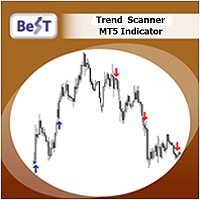
BeST_Trend Scanner is an MT5 Indicator that uses a proprietary algorithm in order to identify the most likely levels and probable moment for an upside or a downside trending price move.
BeST_Trend Scanner is a very useful tool that defines in advance and with a high statistical percentage of accuracy the subsequent Resistance & Support Levels of the anticipated upside or downside trending move of price and so
When used at its Reverse Entries Mode :
It generates Buy or Sell arrows at the ve
Non-lagging VOLATILITY indicator A radical modification of the ATR indicator, which corrected all of its shortcomings (the picture shows the difference with ATR). The indicator shows the swing size of the current market movement. Features: does not have a time window period, i.e. any subjective settings non-delayed, the extremums of the indicator always coincide with the extremum of the price (note the picture) is normalized by means of a color solution, i.e. it has the properties of an oscillat

Magic Max EA, works with Supply Demand Zones with all Currency pairs / Gold and with all timeframes.
Timeframe: (H1 or H4) EURUSD, GBPUSD, AUDUSD, USDCAD, USDCHF, NZDUSD, GOLD
Timeframe: (M1 To H1)
STEP INDEX, V10,V50,V75 , V100, Boom and Crash
(You can select Trade mode according to Trend or for few pair like Boom500/1000 only BUY, C500/1000 only sell) Trade Mode = Both
= Buy
= Sell
Hidden SL TP = False (if its true your set traget dollar function
The EA uses cross-trading for several currency pairs at the same time, taking into account the total profit. Trade is seen in groups, in each group there can be 2 - 8 currency pairs at the same time. Trading signals come from 6 timeframes: М1, М5, М15, М30, Н1, Н4. The EA uses the following indicators: MACD, Standard Deviation, Commodity Channel Index. The EA uses a hidden one: stop loss, take profit, breakeven, trailing and the minimization of stop loss towards profit. The EA does not requir

Indicator that will show your Balance , and your Equity . Really simple to use, no specific requirements to install it. However you can deeply configure it for your own wishes. The pannel has 4 buttons. Only current will display the information of the chart you linked the indicator. If this is deselected, you will have the information of the whole account. Only Buys will display only the BUY orders and Only Sells will display only the SELL orders. Show Zero will display the 0
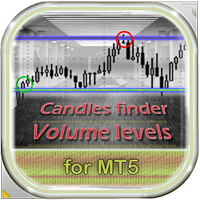
This EA identifies trading candles that often foreshadow a market reversal and finds volume accumulation levels in the trading history. It opens trades if a candlestick like "Doji" or "Engulfing" appears at the volume level and the price seems to be repelled from the level. To make its strategy clearer to users, it can display volume levels and signal candles (thanks to its good display, it can be used as an indicator). In the strategy tester, some display functions do not work correctly, so wat

The SM_GOLEM EA Expert Advisor is designed to work on accounts with an initial deposit of 100 units or more. On cents, it is desirable to use at least 3000 units. The algorithm of the Expert Advisor works as follows: entering a trade at the beginning of the bar with a growing signal of the ROC oscillator, exiting the market at the end of the bar when the CCI (Commodity Channel Index) is below the level line. The Expert Advisor was optimized on an hourly timeframe, since it was supposed to be us

Close all your trades or some of them with this script. If you have multiple trades open on a symbol and you want to close all of them just drag the script onto the chart and close the trades without delay. The Script will ask you how many trades you want to remain open... In case you want to close all trades just click OK Say you want to leave 1 position open out of 7, just type in 1 and click ok. Script closes trades faster than EA because it does not wait for the market to move but rather

Open Multiple Trades on MT5 in 1 click at one price. Enter the Symbol you want to trade Enter the Lot size Specify the number of trades you want to open Choose from a dropdown list whether you want to buy, sell, sell limit, sell stop, buy limit, buy stop If they are pending orders, state the number of pips away from the current price that you want to set the trades. Once you are done, click Ok and see the script open your trades in an instant What to Always Note Check the minimum stop levels f
您知道为什么MetaTrader市场是出售交易策略和技术指标的最佳场所吗?不需要广告或软件保护,没有支付的麻烦。一切都在MetaTrader市场提供。
