 MetaTrader 5
 专家
专家
 指标
指标
 程序库
程序库
 实用工具
实用工具
 窗口小部件
窗口小部件
 规则
规则
适用于MetaTrader 4的新EA交易和指标 - 273
 EA交易自动执行市场交易,而指标可使您更准确地分析报价并预测价格行为。
通过这些应用程序,您将能够更明智地在MetaTrader 4执行交易,抓住更多的交易机会。
EA交易自动执行市场交易,而指标可使您更准确地分析报价并预测价格行为。
通过这些应用程序,您将能够更明智地在MetaTrader 4执行交易,抓住更多的交易机会。 
The indicator is based on the analysis of the volatility of a trading instrument.
The indicator does not repaint (except for the last candle).
On the chart it looks like 2 lines (estimated support / resistance levels) and displays arrows when a trend changes.
It can be used on any timeframe, but best of all, the indicator shows itself on timeframes from H1 and higher.
Extremely easy to set up and use.
Input parameters:
Sensivity - indicator sensitivity. The lower the value, the faster the
BO Trade Simulator is an excellent indicator that will allow us to test our Binary Options strategies correctly and at the desired time.
The Indicator allows you to put amount, expiration time and percentage of profit, everything a Binary Options trader needs without the need to test with demo accounts in different brokers since you will be able to do everything from your Metatrader 4 platform.
Its use is designed to be simple and practical, from the options you can indicate the desired param

This Expert Advisor is a tool designed to assist traders in their operations and thus help them reduce risk, its basic operation is to place a pending pending order at a certain distance, replacing the stop loss.
This pending order is responsible for closing the current order and opening a new one in the direction of the market, until achieving a specific profit.
the control panel is designed to monitor the amount of pending orders that have been executed as well as calculate the recovery pro

CRAZY SALE! Was 250, NOW 50 USD till the end of MAY!!!
---> Check all the other products <---
The WTR Dynamic Range Indicator is a powerful and deeply customizable range indicator that takes in account the average upward and downward movement of the price in the past trading days. This fully customizable indicator can be setted for a lot of uses and cases:
• Trend trading on level breakouts
• Spotting high probability targets for Take Profits
• Setting a multiple targets for position scali

Определение текущей тенденции - одна из самых важных задач трейдера независимо от стиля торговли. Индикатор Trend Selection поможет с достаточно высокой вероятностью это сделать. В расчетах индикатора используется авторская методика. Trend Selection подходит для любой валютной пары, любого таймфрейма, и не меняет свои показания. Цвет гистограммы зависит от силы текущей тенденции: чем темнее гистограмма, тем сильнее текущая тенденция. На текущий момент индикатор имеет два метода расчета сигн

PM Redefine : Is Simply, Simple, Straight and Direct in opening orders and closing of orders;
PM Redefine : Can be run in all type of instrument.{Forex, Commodity ,Stock, or Cryptocurrencies}.
PM Redefine : Can be run in all type of TimeFrame,{M1,M5,M15,M30 , H60, H240, D, W, M}.
PM Redefine : can be used for scalping and day trading.
Input Parameters
typeFrom_0_to_9: type in between 0 and 9 ; upper_levelAlert: if line cross this predefine level up , Arrow Buy show if : showArrow =true: lower_l

With this app you can find the stop out level live or without opening a transaction.
The application consists of 3 boxes, you can enter the amount of money in your Balance box account or it will automatically calculate the current account amount. SELL lot size and BUY lot size can be entered, or trades that are currently open will be calculated automatically. Hedge transactions are calculated automatically.
If you press the S key of the keyboard, you can access the boxes with the values entere
FREE

Rua Pinbar This is an indicator to help you quickly identify pinbar candles in the chart. Can be used on any currency pair and any time frame you want. This indicator is often used to determine entry points. You can refer to the product here: https://www.mql5.com/en/users/phamruacoder/seller
A product of Ruacoder Get code indicator and robot (EA) as required.
FREE

* EA capable of Trading 29 pairs from Single Chart * This is Photocopy of Samartha Expert Advisor https://www.mql5.com/en/market/product/48629 * Samartha Paid is fully automatic trading system... Samartha Test EA does not take trades... But it gives same signals as Samartha paid version * Please contact me by message or on whatsapp +919890059592 if you want to test Demo version on Demo Account for few days in live market. * Test Version is Like Non Trading Indicator for Testing Samartha Perform
FREE

H I G H - P R O B A B I L I T Y - B R E A K O U T T R E N D L I N E I N D I C A T O R This is no ordinary trendline indicator. It has a highly-probability algorithms incorporated in the script to display only trendlines that may give a very high chance of price breakout. The indicator is not a stand alone indicator. Trader should interpret it together with their very own analysis technique to come up with a more efficient trading strategy. You can use with it other trend indica
FREE

Who needs this tool? 1-If you are a Martingale Trader, You need to look at this tool
2-If you are a Trend price channel Trader, you need to look at this tool Smarty Semi Automated EA This tool is a great help for scalpers who use grid or martingale. It is a next-generation smart trading tool. You adjust its trading parameter then you push a button to do all trading for you. However, it is a semi-automated EA so It does not start orders by its own. How it is working? The tool was designed to
FREE

This robot uses a unique algorithm to confine a prize zone and catch trends just from their starts. Using Bollinger Bands to detect the sharp lazer entry points. The major advantage of this robot is that It uses advanced money management system to avoid risky trading conditions and to harvest all profitable opportunities. USE recommended set in the comment section Strategy: Let us first agree on that, all straddle EAs are working by purely martingale formula. This would prepare the scene for a d

H Foroex Robot
Welcome to the H Trading Robot. The EA is working on all Time frames from 1m to 1Day. the ea has many different settings but please trade carefully. I would recommend the 1 Minute frame on IC Markets. Minimum Deposit for that is USD 200, SL TP Trailing default settings are already profitable on 1Minute Frame Trade carefully and responsibly. I wish every single one of you the maximum success.
Thank you and happy trading everyone.

L H E D G E R S C A L P E R A fully automated Expert Advisor that uses counter-trend scalping, managed semi-martingale strategy and lock hedging to execute a complete trading scheme from entry analysis to risk-calculated money management to exit analysis plan execution.
V E R Y I M P O R T A N T You can use only ECN type of account. Otherwise, it's a disaster. You can use only the GBPJPY currency pair. Open and attach with 1 chart only. Use a minimum of $5

This EA has been developed for EURJPY M30 TF. Everything is tested and ready for immediate use on real account. Everything is tested for EURJPY M30 timeframe . Strategy is based on TODAY OPEN BREAKOUT . It enters if volatility raise after some time of consolidation . It uses STOP pending orders with FIXED STOP LOSS and TAKE PROFIT . Very SIMPLE STRATEGY with only FEW PARAMETERS. At 9:00 pm we are closing trading every Friday to prevent from weekly gaps. !!!Adjust these times to your brok

Ichimoku Forex Robot
Welcome to the Ichimoku Trading Robot. The EA is working on all Time frames from 1m to 1Day. the ea has many different settings but please trade carefully. I would reccomend small tp settings and Martingale settings. But it all depends on your investment, Leverage and Broker. SL TP Trailing Martingale option default settings are already profitable Trade carefully and responsibly. I wish every single one of you the maximum success.
Thank you and happy trading everyone.

Broker Tester allow you to test the real terms applied by your broker. Using the 28 forex cross, this indicator records the changes in spreads for the duration of the test. It shows moreover the swap applied for long and short position for multiday trades. You can have a clear expression of the quality of your broker in a short time and maybe you can use this information to negotiate better conditions. In the input parameters, you can enter prefixes and suffixes used by your broker for naming

Индикатор LevelFractal - разработан на основе всем известного индикатора Fractal, он берет значения нескольких ближайших к текущей свече фракталов, вычисляет некое среднее значение и, исходя из него строит уровни поддержки и сопротивления. Когда цена пробивает один из этих уровней, появляется сигнал или на покупку или на продажу, на графике они обозначаются стрелками. Индикатор работает на любом таймфрейме и на валютной паре. По вопросам приобретения полной версии пишите в личку.

Добрый День уважаемые трейдеры! Вашему вниманию индикатор созданный и работающий на базе трендовика ADX, для торговли на смене направления движения который учитывает коррекцию и даёт возможность на ней заработать. Применяю этот индикатор для скальпинга. Рекомендую таймфреймы от 15 ти минутного(М15) до часового (Н1) периодов. Красный кружок сигнал на продажу- Sell) Зелёный кружок сигнал на покупку Buy) Чем меньше ваш таймфрейм тем меньше пунктов вы зарабатываете. Важно выставлять стопы! !В

Swingmaster EA is an state of the art investment algorithm for forex using pure technicals determining the price and time of the market moves
Technicals used : Ichimoku Williams % R Bollinger bands Moving Average
EA Spec : H4 based trading one trade per pair when entry signal arises /exit on signal breach Entered swing trade can last for day/week/month depending market conditions Excellent Risk to reward on the swing trades doing multi currency trading No Martingale No Scalping No Grid Mone

Have you ever been faced with the following limitations on the traditional manual trade opening functionalities of MT4 Platforms: How to: open trades and set the Lots size based on a risk percentage of Account Balance/Equity? set the TP/SL based on pips? quickly open a trade and set the TP and SL values quickly, but because the values you put are closer that the allowed stop level, which you don’t know most of the time. Then the platform does not allow you to open the trade and you eventually m
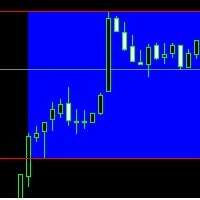
Hi, This is only a simple indicator. It selects a range between two times - you can choose it from how long. Don't wait miracle. This indicator is ideal choose for your break out strategy, for example London break out strategy. Happy trading! We wish you the best! Yours sincerely: MarginCallMasters Team Warning! This is only an indicator, it will not open position or orders to your account.

The MACD indicator is based on volume , which can offer us a very valuable type of information (it marks the long or short strength of each candle), es pecially if we are operating in shorter time frames. Green = bullish signal; Red = bearish signal; Blue = MACD volume
Parameters: Fast: Numbers of bars used for fast period calculations Slow: Numbers of bars used for slow period calculations
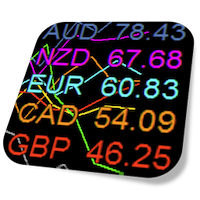
Currency Strength Meter is the easiest way to identify strong and weak currencies. This indicator shows the relative strength of 8 major currencies + Gold: AUD, CAD, CHF, EUR, GBP, JPY, NZD, USD, XAU. Gold symbol can be changed to other symbols like XAG, XAU etc.
By default the strength value is normalised to the range from 0 to 100 for RSI algorithm: The value above 60 means strong currency; The value below 40 means weak currency;
This indicator needs the data of all 28 major currency pairs a
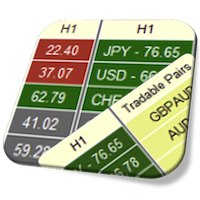
Currency Strength Meter is the easiest way to identify strong and weak currencies. This indicator shows the relative strength of 8 major currencies + Gold: AUD, CAD, CHF, EUR, GBP, JPY, NZD, USD, XAU. Gold symbol can be changed to other symbols like XAG, XAU etc.
By default the strength value is normalised to the range from 0 to 100 for RSI algorithm: The value above 60 means strong currency; The value below 40 means weak currency;
This indicator needs the data of all 28 major currency pairs a

News Scalping Executor is an advisor which helps to trade news with high impact and huge volatility.
This advisor helps to create two opposite orders with risk management. It moves automatically stop loss level to avoid losses as much as possible by using many different algorithms. It helps to avoid trading the news if spread suddenly becomes very huge.
To be profitable with this type of trading you should choose the most volatile types of news such as: GDP, CPI, Unemployment Claims, Interest
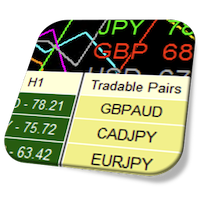
Currency Strength Meter is the easiest way to identify strong and weak currencies. This indicator shows the relative strength of 8 major currencies + Gold: AUD, CAD, CHF, EUR, GBP, JPY, NZD, USD, XAU. Gold symbol can be changed to other symbols like XAG, XAU etc.
By default the strength value is normalised to the range from 0 to 100 for RSI algorithm: The value above 60 means strong currency; The value below 40 means weak currency;
This indicator needs the data of all 28 major currency pairs a

Constant Trader 是一款全自动、专业的交易机器人。 专为外汇市场设计的 EURUSD。
EA 不需要配置参数。 准备好处理 EURUSD M30。 您只需要决定拍品的选择。
它有一个智能算法,可以检测趋势,过滤掉市场噪音。 专家根据趋势方向创建订单。
输入和输出订单由可以在任何 MT4 平台上找到的三个指标的组合给出:Bolinger Bands、Standard Deviation 和 Stochastic。
每笔交易都受到止损保护,这在波动性增加的时候带来了资本安全。
EA 在 1 年的 EURUSD 历史数据(2022-2023)中进行了测试。 在使用真钱之前,请先下载并自行测试。
该智能交易针对 EURUSD M30 进行了优化。 每一对都有自己的特点。
推荐: EAMagic - EA 的幻数,它允许顾问仅使用其头寸。 每个图表必须有不同的值。
本EA无需配置参数。
确保您拥有此平价欧元的已下载和可测试历史记录
FREE

The Price Channel pattern trading strategy is one of the smartest ways to make money trading. The Price Channel pattern represents two trend lines positioned above (channel resistance) and below (channel support) the price. The price action is contained between these two parallel trendlines. The separation between the two trendlines needs to be wide enough if you want to trade inside the Price Channel Pattern. If this is the case, you can buy at the channel support level and sell at the channel

EA主要针对欧元/英镑对M15时间框架设计,但也可用于其他主要货币对,并以最小的风险进行初步测试。 在顾问参数中,您可以更改每笔交易的风险百分比。 EA基于几个指标:百分比BB,稳定带和Ross hook。 如果上述指标的所有条件都满足,ea交易在新的一天开盘时打开买入交易。
以下是过去3年的测试截图。
初始余额=$100.
最终结果= 1 137 000$.
缩编= 13%.
赢利和亏损交易的百分比= 85/15%
在使用真实账户之前,请以最小的风险测试EA。EA主要针对欧元/英镑对M15时间框架设计,但也可用于其他主要货币对,并以最小的风险进行初步测试。 在顾问参数中,您可以更改每笔交易的风险百分比。 EA基于几个指标:百分比BB,稳定带和Ross hook。 如果上述指标的所有条件都满足,ea交易在新的一天开盘时打开买入交易。
以下是过去3年的测试截图。
初始余额=$100.
最终结果= 1 137 000$.
缩编=13%。
赢利和亏损交易的百分比= 85/15%
在使用真实账户之前,请以最小的风险测试EA。
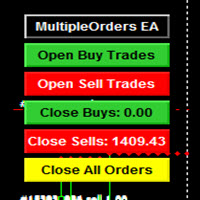
MULTIPLE ORDERS V-TP UTILITY
Multiple Orders V-TP Utility is created to give easy profits-making trades with a little movements and without going long distance to get it all.
This Utility opens multiple orders as many trades as the number specified by the User or as many as permitted by your Broker in the same direction on the same currency pair simultaneously.
The PLUS in this Utility is that this one is created to give a variance in Take-profits plotting. Check the screenshots to understan
R2d2
R2D2ea交易基于百分比BB和稳定带指标进行交易。
货币对:欧元兑美元,时间表:M15。(推荐)
GBPUSD,USD/CHF,USD/CAD,EUR/JPY,EUR/GBP,EUR/CHF,AUD/USD,NZD/USD时间表M15(在某些情况下M30)
打开(输入信号)
R2D2专家顾问在当天开始时打开一个新的多头或空头头寸,当满足百分比BB和稳定带指标的所有逻辑条件时。
交易量 交易您的帐户的百分比。
开立新头寸-账户净值的5%。 保护 止损限制头寸的损失为每个开放手55点。
止盈在60点的利润水平平仓。
当盈利达到50点时,仓位的止损将设置为盈亏平衡价格。
在使用真实账户之前,请以最小的风险测试EA。
低点差+佣金+高质量执行-这是选择交易经纪商时最主要的。
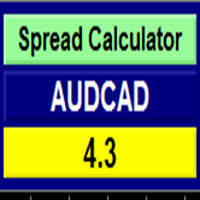
Currency Spread Calculator
This indicator is created with the aim of letting the Traders know the exact points of the spread on the currency pair they are about to buy or sell.
This will safe them of paying exorbitant spread over a single currency pair procurement. Imagine a normal spread become wider from 2 or 3 pips to 15pips or more when there is volatility in the market. It is absolutely outrageous looking for just 20 pips and paying another 20 pips as spread over a currency pair!
Actuall
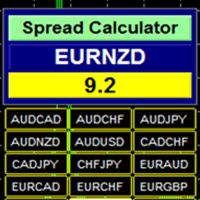
Currency Spread Calculator Plus
This indicator is created with the aim of letting the Traders know the exact points of the spread on the currency pair they are about to buy or sell. What makes it a PLUS is that Symbol/Time frame Changer is coded with this indicator to make it easier navigating from one currency pair to another and one time frame to another on the same chart window without having to open tens of chart window in order to study more currency pairs. It saves time, energy, stress a

EA Jarvis不是由MA Cross,MACD,Custom Indicator,Fibo等触发的买卖普通EA
就像它的名字一样,EA Jarvis是一款智能EA,经过仔细编码,并且在公开发布之前已经进行了至少3个月的实时测试,因此可靠性得到了验证。 Live Signal : https://www.mql5.com/en/signals/731166 Update version 2.6 : Draw down protection - the feature most requested !!
该EA是您的副驾驶员,您可以在其中决定其综合参数以适应您的旅程
交易的本质与预测未来市场发展的必要性有关,因此潜在利润在很大程度上取决于这种预测的准确性。
每个运动的特点都是方向,加速度和速度。 这同样适用于外汇和其他市场的价格变动。
该EA的基本思想来自经验丰富的外汇专家,并在包括MQL5论坛在内的许多论坛中进行了讨论。 一些参考是: https://www.mql5.com/en/articles/5481 https://www.mql5.com/en/foru

四货币对冲套利EA 在购买四货币对冲套利之前,请注意风险: 1) 过去的业绩并不能保证未来的盈利能力(EA也可能亏损)。 2) 由于是多货币对冲策略,本EA测试策略是使用的USDJPY,EURJPY策略原理进行回测 3) 本EA能够很大程度的适应各种意外消息和市场崩盘,但由于杠杆的作用,需要您合理的设置风险参数,建议使用默认参数 4) 四货币对冲套利不惧怕高点差的平台,能够在长时间内稳定的获利,但是建议使用库存费较低的平台,持仓时间约为3-20天左右 5) 本系统基于控制风险最小化和利润最大化的开发宗旨,抛弃了传统的一夜暴富炒汇思维,使投资者在相对安全的原则下获取长期稳定的收益。
这是一个多货币对冲交易系统,你只需要打开一个图表来交换所有货币。 货币对:EURUSD,GBPUSD,USDCHF,USDCAD,USDJPY,EURJPY,AUDUSD,NZDUSD 时间范围:H4 最低存款额:2000美元以上
参数设置
Groups1Currency1 : 一组货币一 Groups1Currency2: 一组货币二 Groups2Currency1 : 二组货币一 Groups

突破型头皮EA 在购买突破型头皮之前,请注意风险: 1) 过去的业绩并不能保证未来的盈利能力(EA也可能亏损)。 2) 所示的回溯测试(如屏幕截图中的回溯测试)高度优化,以找到最佳参数,但因此无法对未来的盈利能力做出现实的预测。 3) 在意外消息和市场崩盘中,盈利能力较好 4) 突破型头皮依赖于良好的经纪条件,如低差价和延迟,这可能是更糟的高批量。 推荐使用ENC
这是一个突破型交易系统,你需要打开一个图表来交易货币。 适合的货币对:EURUSD,GBPUSD 时间范围:H1,H4 建议最低存款额:500美元以上
参数设置 strategy1: 仅作展示 strategy2: 仅作展示 strategy3: 仅作展示 strategy: 选择合适的策略来进行交易,1:标准的策略,2:更多交易的策略,3:环境相对较差的(如点差,延迟较高) risk:lots 为0时生效, 风险取值为1-10,参数越大,下单量越大,使用自动计算下单量时,建议存款500美元以上 lots : 下单量 magic1 : 策略1的单个幻数 magic2 : 策略2的单个幻数 magic3 : 策略3的单个幻
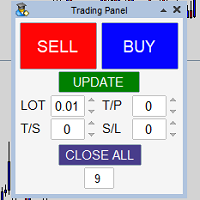
Panel that allows easy opening of orders with the option to establish Lots, Take Profit, Stop Loss and Trailing Stop at the time of opening the order, has the UPDATE button which updates parameters such as Take Profit, Stop Loss and Trailing Stop in the open orders with the panel, it only manages the orders in the chart in which it is used, to use in several charts it must be installed in each one of them.

Universal Indicator EA, your ultimate solution to automate your trading strategy without any coding requirements. This powerful expert advisor is designed to work with any indicator that gives Buy and Sell Signals, making it a versatile tool for traders of all levels. With Universal Indicator EA, you can easily read signals from both Indicator Buffers and Objects on the Chart. You can also test your indicator on the demo account before purchasing to ensure that the EA is compatible with your ind
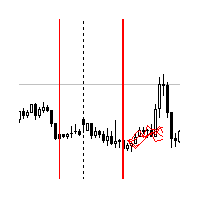
Indicator shows the price history. The history is read for vertical lines and output for the main line. Those lines are the time cursors. You can use the indicator to analyze the price cycle over time, thereby predicting its movement. The duration of the forecast and the number of time cursors can be set in the indicator parameters. Additionally, you can link the main line to a new bar. Lines can be moved manually.
Analyze the cyclical nature of the market using this indicator.
Indicator para
This expert Advisor uses the saved trading history to repeat trades in the strategy tester. Meanwhile you can set other values for take profit, stop loss, and closing time. Thus, you can check how the results of trading with other parameters would look like. The best set of parameters can be obtained using the strategy optimizer in the MT4 terminal. In addition, you can find out how the results of trading would be affected by the later opening of trades when the price went to the loss side. You
UPDATE 2020: download full source code - follow the link in the video
" RSI Multiplier Pro " is a fully automated short-term (M1/M5) and medium-term (H1/H4) trading robot.
No low spread needed! The EA does use a strategy of the Relative Strength Index (RSI) combined with martingale . RSI Expert Advisor automatically analyzes RSI-values. Each time the RSI comes from the overbought zone crossing the given upper level the robot will open sell-orders automatically. The lot-size will be increa

One of the most beloved areas in price chart analysis is the use of graphical analysis. The state of the market, the phase of its movement, largely determines the success of the trader and his chosen strategy. The intelligent algorithm of the Trend RB indicator accurately determines the trend, filters out market noise and generates input signals. The indicator uses a color alarm: blue - when changing from descending to ascending, and red - on the contrary, to descending. You can use the indicat

Sun Storm - it is a Secure Automated Software for trade Forex market and indices.
Can used this EA whit 100$ in your account
The architecture is a Fully Automatic Autonomous Robot Expert capable of independently analyzing the market and making trading decisions
Sun Storm It is an advanced trading system. This is a fully automatic Expert Advisor. It is a 100% automatic system, the system controls both the inputs and the batches, the operator just has

The Long expert system works with the EURUSD currency pair and only with it.
The trading system is designed to work separately with a series of buy orders and separately with a series of sell orders. which makes the trading system versatile enough. The expert passes all types of testing throughout the history for the specified currency pair. Also, the expert system is tested with various delay values, it works in fully automatic mode! No settings are needed, use only the default settings.
Thi

The indicator is simple and clear, making the work of the trader as easy as possible and giving clear signals to enter the market.
This indicator has two settings for the period. Which makes it more flexible. And at the same time, many false signals do not appear. The larger the period, the smoother the indicator itself will be.
It can be used both independently and together with other indicators of technical analysis (including with oscillators), as well as with another same indicator (with

The Point61 indicator is the result of many years of monitoring of price behavior of currency pairs and metals.
It is not a secret, that in times of uncertainty, traders are looking for possible levels of support and resistance - the point, where price should stop its movement.
There are 2 possible scenarios at these points:
1. Reverse (correction) to the opposite direction;
2. Breakthrough to continue movement. Very often these points are used to set stop orders - TakeProfit or StopLoss
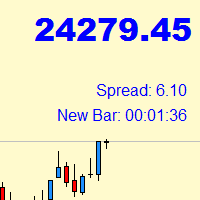
Indicator with price, spread and candle time display
+ changeable font size + any color choice + can be placed in all four corners + Price and spread display runs on all timeframes + Candle Time runs on M1, M5, M15, M30, H1, H4, D1 + Price Up / Down with changing color + Spread display + Candle time display (time until the next candle) + All ads can also be hidden + Display Markt Open / Close as a comment

Heiken Ashi Pro is a more advanced version than the default Heiken Ashi version of Metatrader 4. Features: Automatic change width when zooming ON / OFF button to display candles or not Options for changing colors The Heikin-Ashi technique is used by technical traders to identify a given trend more easily. Because the Heikin-Ashi technique smooths price information over two periods, it makes trends, price patterns, and reversal points easier to spot. Candles on a traditional candlestick chart fre

CommunityPower EA — is the Expert Advisor for MetaTrader 4/5, created by community and for community. It is free, versatile and very powerful, and allows to trade a wide range of strategies. The idea is simple Your suggestions + my code = a win-win for everyone!
Is it a ready-to-use money-making machine? No, it is definitely not. It is a tool, which allows you to create and run your own trading strategy, and it is up to you to find profitable settings and take the responsibility for your tradi
FREE

An expert of a new type Anniversary - works using sharp tick movements, the algorithm that was created earlier is significantly improved. The uniqueness of the expert is that it can be launched on any hour period, any currency pair, and on the server of any broker. What makes the expert attractive enough to use for trading. It is recommended to work on liquid forex pairs with a low spread. The lower the commission and spread, the greater the profit. You can start using it with $ 100 and a lot o
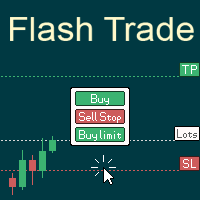
# 如果您有任何其他需求或對合作感興趣,請聯繫 zion.quantech.london@gmail.com。 Flash Trade (FT) 最友善的手動交易工具。 使用最直觀的操作來確保您的資金。
FT的特點 點擊任意位置快速交易 FT支持市場訂單和掛單 兩次點擊完成訂單並設置SL和TP 三次點擊完成掛單並設置SL和TP 自動將每個訂單的止損金額設置為您設置的餘額百分比或固定金額 下訂單時實時預估利潤 超簡單的界面和操作 支持拆分訂單
使用方式
市場訂單: 點擊圖表決定止損價位 點擊Buy或是Sell鈕
掛單: 點擊圖表決定入場價位 選擇掛單類型 點擊圖表決定止損價位
暫停FT: 點擊右上方的"On/Off"按鈕來切換開關 當按鈕從綠(On)變為紅(Off),代表FT已被停止 點擊"Off"按鈕再次開啟FT
如果有任何疑問、改善建議或是bug回報都可以聯繫e50310@gmail.com或留下評論 功能將持續於未來的版本推出 將會製作MT5版本
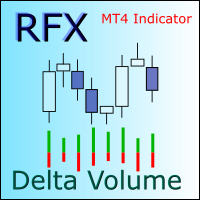
Note: This indicator cannot be tested in the strategy tester. Please download the free demo version from https://www.mql5.com/en/market/product/48627 RFX Delta Volume is an indicator to show bullish and bearish volumes separately for each trading candle. The indicator uses history data of one minute (M1) to estimate the true bullish and bearish volumes in a sub-window. There are two modes of operations for this indicator. In mode "Delta Volume", the indicator shows the difference in bullish a

趋势猫是一款综合了趋势识别、网格、突破、移动止损等多种策略的EA。使用它之后,相信你一定能开启属于你的财富之旅。这是免费的版本,存在潜在风险,并且相关功能有所局限,建议使用模拟账号运行。
特点 点差要求不是特别苛刻,一般平台都能运行 移动止损,最大化盈利 多种策略组合
运行要求 货币对 :EURUSD 时间周期:H1 存款要求:$1000/0.01(比较安全) 实战信号: https://www.mql5.com/zh/signals/684154
参数设置(免费版) Migic:EA标记,用于区别于其他EA。 gird:以最早的单子为基准,每亏损多少点就下一张单,这里采用了相对安全的倍增距离,例如设置成50(手数为0.01),分别在亏损50、100、200、400、1600、3200点等地方下单,手数为0.01、0.02、0.04、0.08、0.16、0.32。可以看到越到后面加仓要求更为苛刻,亏损6400点几乎是不可能发生的事情。 maxtrade:同时存在多少单后,就不再利用其他策略开单,此时只允许以网格的形式开单。maxtrade
FREE

SPECIAL PRICE Great offers on all products. Great opportunities.
Trend Candle Sell EA is an EA that opens the position on each candle but using the signal of three bands WPR and bollinger. The signal is taken when it occurs above or below a certain average that you can choose in the Period MA item. Use it with the Intuitive Tren Candle indicator. Activate it from the button on the graph and deactivate it whenever you want. This way you will profitably manage money management. Put the paramete

The Stochastic Basket Currency Strenght brings the Stochastic indicator to a new level. Expanding the boundaries of TimeFrames and mono-currency analysis, the SBCS take the movements of each currency that composes the cross and confront them in the whole basket of 7 crosses. The indicator works with any combination of AUD, CAD, CHF, EUR, GBP, JPY, NZD, USD pairs and with full automation takes in account every stochastic value (main line) for the selected Time Frame. After that, the indicator

Perhaps, trend indicators can be called the main ones, since classical trading involves the search for trends.
Too many classics of trading in financial markets have developed their systems specifically to search for market trends.
This indicator embodies the implementation of a trend indicator. Which captures a certain direction of change in quotes. The trend can be upward and downward. With an uptrend, the price rises, and with a downtrend, respectively, falls.
Benefits. Allows you to dete

Индикатор отображает регнессионный канал с сопровождением каналов фактически создавая уровни поддержки и сопротивления.
Уровни поддержки и сопротивления являются одним из важнейших элементов технического анализа. С этим утверждением согласится любой трейдер. Уровни в трейдинге используются непосредственно, открывая и закрывая ордера у границ диапазона, очерченного ими. Также уровни применяют баланс спроса и предложения в своих торговых стратегиях на различных временных интервалах.
Визуальное

https://pdfhost.io/v/VAUF8Z98w_The_Boogie_Pips_Manualpdf.pdf NOTE: The EA open and close trades automatically. It only open one position at a time and close it at high profit or less loss. A next position will be opened whenever the EA Strategy requirements are met. Watch our video to see how it works. INPUTS: Use Pips, Trade Size, Maximum Spread, Adjusted OnInit, Maximum Stop Loss, Maximum Take Profit, Audible Alerts, Push Notifications, Maximum Open Trades, Hedging
BROKERS: ECN or STP (
the indicator for trading binary options is excellent for traders using scalping or trading from support levels of resistance or for their breakdown, the indicator is recommended to be used in conjunction with additional filters to avoid entering a losing trade, signal can also be used with Bollinger Bands Signals are formed on the current candle to enter the next

The adviser works on the basis of terminal indicators. It can work in martingale mode if you set the number of unidirectional orders to be greater than 1 and adjust the lot coefficients and the step of opening the knees, which can be opened taking into account the indicator signal. If the adviser is launched on several instruments and the comments of the orders are the same, then you can limit the number of simultaneously trading advisers - the advisers themselves will track how much they are c

Risk Management is one of the most critical elements of profitable trading. The 5TT Risk Management Tool is very effective at helping Forex traders calculate the lotsize to any trade; straight on the MT4 charts. The Tool will also display the actual Dollar value of the risk pre-selected. No indicator parameters required. All data input is done on the Tool displayed on the each chart on which the indicator is placed. FOllow the accompanying video here...

Индикатор ищет подобную ценовую структуру, сравнивая с последней ценовой структурой. Размер паттерна (грубо говоря количество переломов зигзага) настраивается (всегда меньше на 1, чем введено - нулевой перелом не считается). Все найденные совпадения отмечаются прямоугольником. Так же к паттернам существует быстрая навигация с помощью кнопочек "Next patt" и "Prev patt". В индикатор вшиты два индикатора типа ЗигЗа г : стандартный зигзаг и пользовательский , моей разработки. Параметры настройки ста

The RSI Basket Currency Strenght brings the RSI indicator to a new level. Expanding the boundaries of TimeFrames and mono-currency analysis, the RSI Multi Time Frame Currency Strenght take the movements of each currency that composes the cross and confront them in the whole basket of 7 crosses. The indicator works with any combination of AUD, CAD, CHF, EUR, GBP, JPY, NZD, USD pairs and with full automation takes in account every RSI value for the selected Time Frame. After that, the ind
Active Scalper is a bot that implements a scalping strategy. This is a forex trading strategy, carried out at short intervals and with very small goals for profit or loss. The bot makes a deal from a few seconds to several minutes and at the same time tries to take a small profit (or agrees to a small loss) from a few points to tens of points. Often, such a strategy occurs at the levels of noise trading. In other words, the bot is trying to make money or lose on the smallest market fluctuations

趋势狗是一款综合了趋势识别、网格、突破、移动止损等多种策略的EA。使用它之后,相信你一定能开启属于你的财富之旅。我也发布了免费版本,各位可以去尝试。 https://www.mql5.com/zh/market/product/48607 名额已满,优惠已结束!没有赶上的朋友,可以期待下次优惠,谢谢大家支持。
特点
◾ 点差要求不是特别苛刻,一般平台都能运行 ◾ 移动止损,最大化盈利 ◾ 多种策略组合
运行要求
◾ 货币对 :EURUSD ◾ 时间周期:H1 ◾ 存款要求:$1500/0.01(比较安全) ◾ 实战信号: https://www.mql5.com/zh/signals/684154
参数设置(专业版)
◾ Migic:EA标记,用于区别于其他EA。 ◾ gird:以最早的单子为基准,每亏损多少点就下一张单,这里采用了相对安全的倍增距离,例如设置成50(手数为0.01),分别在亏损50、100、200、400、1600、3200点等地方下单,手数为0.01、0.02、0.04、0.08、0.16、0.32。可以看到越到
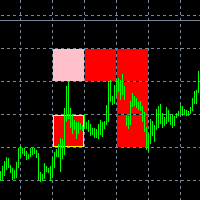
The new version of the game "Snake".
Added setting for the distance of the target (vertical + horizontal), which greatly enlivens the game.
The snake moves in the background, along the grid layout.
Control:
Ctrl - pause, W - up, A - left, S - down, D - right.
In the input parameters, you can set the time in milliseconds between movements.
The snake increases by one division upon reaching the goal, and so on, until it occupies the entire field.
The comment displays the size of the field a
FREE
SPECIAL PRICE Great offers on all products. Great opportunities.
BB System EA is the Expert created to work following the signals of the BB System Indicator.When there is a signal, the position opens and this can be repeated if the price goes against the trend. Its high profit percentage means that the repetitions are not many and the position is closed shortly. Sometimes it is good to use it or only Sell or Buy only depending on the trend. In case of an emergency I put a CLOSE ALL button to

COVID DISCOUNT 50%!!!! System based on quantistic indicator with antimartingale managment The 6.2 version grows the lots in relation to grow the capital just GBPJPY TF 15 min You can backtest with right setting of indicator with initial 3000 euros you can get many money you can see the screenshot and see the equity line Sorry for my bad english write to me armando.stocchi@hotmail.it i can explain in all about it professional fully automated trading advisor that implements a medium-term trading

Forex Trend 850 is a fully automated and customizable Expert Advisor. Automatic identify the trend and adjust buy/sell trades ratio to increase capital. Recommendations EA Settings: Use default settings or customized as needed.
Symbol: EURUSD
Time Frame: M30 (best) M5-H1
Brokers: ECN brokers, low spread/commission, 1:200-500+ leverage
Minimum Deposit required: $1, Risk computed on account free margin balance-equity
It is recommended to do your backtest with your Broker and adj
学习如何在MetaTrader AppStore上购买EA交易,MetaTrader平台的应用程序商店。
MQL5.community支付系统支持通过PayPay、银行卡和热门付款系统进行交易。为更好的客户体验我们强烈建议您在购买前测试EA交易。
