 MetaTrader 5
 专家
专家
 指标
指标
 程序库
程序库
 实用工具
实用工具
 窗口小部件
窗口小部件
 规则
规则
适用于MetaTrader 4的新EA交易和指标 - 261
 EA交易自动执行市场交易,而指标可使您更准确地分析报价并预测价格行为。
通过这些应用程序,您将能够更明智地在MetaTrader 4执行交易,抓住更多的交易机会。
EA交易自动执行市场交易,而指标可使您更准确地分析报价并预测价格行为。
通过这些应用程序,您将能够更明智地在MetaTrader 4执行交易,抓住更多的交易机会。 
MA cross AKT (Traders Club)
機能: MAゴールデンクロスで買いサイン、デットクロスで売りサインを表示します。 MAの期間は入力できます。 MAの種類を選択できます。(SMA、EMA、SMMA、LWMA) 適用する価格を選べます。(CLOSE,OPEN,LOW,HIGH,MEDIAN,TYPICAL,WEIGHTED) サインをアラートで通知します。 サイン発生をE-mailやSNSで通知します。 MAクロスの勝率を表示します。 ローソク足の本数を変更することにより過去何か月かの MAクロスの勝率をすぐに確認することができます。 これは各時間足、各通貨で確認することが出来ます。 判定するローソク足を3か所選ぶことが出来ます。 ディフォルトでは5本目、9本目、14本目となっています。 サインの表示をボタンで表示したり消したりできます。 表示するサインを変更することが出来ます。

SpiderWeb MT4 is a fully automated Expert Advisor. It is based on the scalping strategies. This system is suitable for sideways market and medium trend. The mechanism of this system is based on the principle of mean reversion and momentum of market price. Added the function of automatic risk management control parameters, which users can choose to adjust risk settings by adjusting loss and profit coefficient. The EA does not use martingale, grids, hedging, averaging and other risky strategies.

PROFIT XX FULLY AUTOMATED EA (ROBOT ) This is a trend EA, Works on all symbols (EURUSD, GBPUSD, EURJPY, USDJPY, EURCAD, EURGBP ) and many more. The EA works on all time frames (1m, 5m, 15m, 30m, IHR, 4HR, Weekly, Daily). but for best results 5 minutes time frame is recommended, The default settings are set best for 5 min chart. The EA is a combination of 200 SMA, 60SMA, 10SMA and 8RSI. the 200 SMA & 60 SMA gives a signal to open trades and the 10 SMA is closing single winning trades. The lo
FREE
ARR indicator is similar to ATR but it returns percent range in relation to open price of given bar. It is mostly useful for cryptocurrency symbols where ATR ranges from years ago can't be directly compare with current values. First buffer (red dotted line) represents percent range of single bar and second buffer (white solid line) represents simple average of defined number of last bars. Only one input, PERIOD relates to number of bars used for average calculation (in default equals to 14).
FREE

VolumeTRX2-это робот созданный по моим параметрам исходя из десятилетнего опыта торговли на рынке Forex. Робот берет сигнал для торговли исходя их свечного анализа и индикатора Volumes. Робот может совершать торговлю по всем валютным парам, таймфрейм торговли для себя определите сами, более стабильные результаты показывает на М5 и M30, есть параметр установки стоплоса и профита, также время торговли.

The Stealth Bomber EA operates by way of scalping and taking swing trades on selected currency pairs. It looks for overbought and oversold zones to place sell and buy orders respectively. The minimum lot size is 0.01 and can be increased through optimization. Recommended Timeframe: 15 Minutes Recommended Pairs: AUDUSD, AUDCAD, GBPUSD, EURJPY, EURUSD, NZDCAD, NZDUSD

Hello Traders!
Behold the LightYear EA! The LightYear EA is about consistent profits and risk management. LightYear EA will protect your hard earned money and keep it consistently growing.
Symbols: Any Timeframe : M5(very important) Inputs: TakeProfitPips = Set TP pips(default is 15 pips) *spread/commission/swaps exclusive Startlot = Lot size TrailingStopLossPips = Trailing SL for unprecedented reversal TrailingStopLoss = Switch between on or off StopLossLevel = EA will automatically set SL, m
每位价差交易者一直期待的终极工具。 这个强大的MetaTrader指标允许您输入您选择的 任何一对工具 ,为您的交易策略提供前所未有的灵活性。两个工具都不必是指标所在的符号,这让您对分析拥有完全的控制权。 是什么让零基价差振荡器独一无二? 真实的零点振荡 :与网上许多其他指标不同,我们的振荡器确实围绕零点波动。这使您能够以最经典的方式用于价差交易,更有效地识别背离或跟随新兴趋势。 EA可访问的指标 :指标缓冲区完全可访问,使您能够轻松地将其与您的智能交易系统(EA)集成,自动化您的交易策略。 可选择的计算算法 :直接从选项中自定义计算算法,以适应您的交易偏好。 高级自定义 :根据您的特定需求和市场条件调整周期和带宽偏差。 图表上的视觉信号 :利用图表上的信号箭头来优化您的策略并确认交易信号。 为什么选择零基价差振荡器? 无论您是经验丰富的交易者还是新手,这个指标都为您提供了更有效地分析市场和做出明智交易决策所需的工具。其多功能性和可定制性使其成为您交易武器库中不可或缺的补充。 不要错过提升您交易绩效的机会。今天就试试零基价差振荡器,发现它能为您的操作带来怎样的不同。
此多品种指标旨在自动识别价格何时达到主要心理水平。也称为整数、整数或关键级别。作为奖励,它还可以在一个选定的时间范围内扫描枢轴点水平。结合您自己的规则和技术,该指标将允许您创建(或增强)您自己的强大系统。 特征 可以将信号写入文件,智能交易系统可以使用该文件进行自动交易。
可以同时监控您的市场报价窗口中可见的所有交易品种。将该指标仅应用于一张图表,并立即监控整个市场。 当价格达到整数水平时向您发送实时警报。支持所有 Metatrader 原生警报类型。 该指标包括一个用于存储信号的图表面板。 输入参数
请在此处 找到输入参数的说明和解释。 重要的
请注意,由于具有多功能性,既不会在安装指标的图表上绘制买入/卖出建议,也不会绘制线条和箭头。圆形水平线将绘制在图表上,当单击面板中的信号时将打开该水平线。强烈建议将指标放在干净的图表上,不要在其上放置任何其他可能干扰扫描仪的指标或智能交易系统。
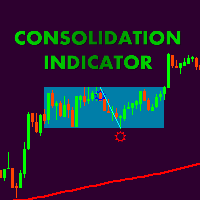
Сonsolidation box indicator with possibility of flexible settings according to the traiders requipments. Also, it is possible to embed indicatior in EA. Thank Alexey Mavrin for realization of technical task. According to the classic technical analysis the price is in motion without a clear direction for almost 70% of the market time and methods of getting profit from flat should be in the arsenal of any trader. Price consolidation- are periods of market equilibrium when supply and demand are app

SureBot is a very simple yet powerful trading robot with initial balance as low as $100. All you need to do is install it on your MT4 platform and it will do trading automatically without you monitoring it. You will also be notified if an order has begun executing. Simply install the MT4 app on your mobile device (ex. Android/iPhone). It will execute orders based on potential trend and price strength. Order lot sizes are based on you preferred risk for each trade where the default is 1% of your
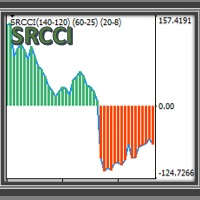
SRCCI An indicator based on RCCI , is a combination of the RSI and CCI indicators, adapted into three levels categorized into A, B and C. Taking advantage of their combination to maintain a controlled filter and applicable to different strategies. The RSI (Relative Strength Index) is one of the most popular and used oscillators to operate in the markets. It is a valuable tool to measure both the speed of price changes and the possible levels of overbought or overbought. The CCI (Commodity Channe
Compatible with the rules of the NFA, CFTC and FCA regulators. Principle of operation The EA's algorithms are based on the method of amplitude-phase modulation of signals of different timeframes. The EA has a block structure and the ability to add an unlimited number of algorithms for open and close.
Main advantages Attention! Before starting, be sure to download the preset files - given at the end of the description.
Advisor Launch it works in the mode of opening minute candles, which allo
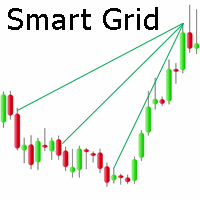
Multicurrency Expert Advisor with 100% adaptation for any currency pair and timeframe.
Based on the Smart Gread indicator.
Very flexible setup allows you to get maximum profit.
Profit from transactions is set manually in TakeProfit (standart 200 ).
Lot size is set manually by Lot (standart = 1 lot).
Each subsequent lot is increased by Kolen (standart 2 ).
Maximum lot size MaxLot (standart 10 ).
To disable the adviser, there are special functions:
StopRightNow - all orders will close rig

CAD Extreme Hunter is designed and optimized for working with USDACAD 1 minute frame. EA tested so that for a spread greater than 24 it does not open any buy or sell orders. It makes it safer in the presence of too high volatility. It is not recommendable to change the default values, especially for MA-6! Of course, you can use dynamic change of lots, but it has to be according to your personal initial capital. Recommended
leverage is 1:100 and 1:500 is even better. trading with other currency

The Trend ADW indicator can be used both for piping for small periods and for long-term trading. When using, it is recommended to look at an additional indicator for a filter of possible false signals.
The indicator shows the direction of the trend, signaling this using pivot points. It can be used with an optimal risk ratio. The arrows indicate favorable moments and directions for entering the market. Uses one parameter to adjust (adjust from 1 to 3). It works on all currency pairs and on all

Introduction
News is basic requirement for trading now a days. Due to its biased impact on the market a trader should be proactive to deal such scenarios before they arises. In this news alert indicator you have multi currency option to scan news for different pairs and notify you on Telegram, email, mobile push notification and chart alert. You can turn on/off any of the alert you need. It has two different option one is alerting you X min (user input) before the news and second is alerting you

Ready to save big? All items are $30 for limited period.
This is GBPUSD EA Signal will be launched soon
50-100% Annual Return with 10-20% Max DD
No Martingale
No Grid Only One Pair - GBPUSD 1 Hr time Frame Chart 0.01 Lot size for $200 Acc Balance Any account is Fine ECN, Standard, Raw, or Cent 80 Pips per trade target 20 Pips per trade target No fear of brokers manipulated spreads
Please use default settings for $200 account balance and change the lot size 0.01 lot for each $200 increment i.e.

Ultimate pattern builder Expert Advisor (case B)
Allows you to build any pattern with up to 3 candlesticks (+ special fourth). This EA is upgrade from indicator because you can now create your own trading scenarios and test it as much as you want. Everything that you test in strategy tester can be also done live at auto trading. If you dont know yet what is so special about this ultimate pattern builder software collection: it allows you to create any pattern you want, by modifying body and b

Ultimate pattern builder Expert Advisor (case A)
Allows you to build any pattern with up to 3 candlesticks (+ special fourth). This EA is upgrade from indicator because you can now create your own trading scenarios and test it as much as you want. Everything that you test in strategy tester can be also done live at auto trading. If you dont know yet what is so special about this ultimate pattern builder software collection: it allows you to create any pattern you want, by modifying body and b

Hello This Indicator will draw Green (Up) and Red (Down) small arrows from Multi TimeFrames based in ( Moving Average) to help you to take decision to buy or sell or waiting If there 4 green arrows in same vertical line that's mean (Up) and If there 4 Red arrows in same vertical line that's mean (Down) and the options contain (Alert and Mobile , Mail Notifications). Please watch our video for more details https://youtu.be/MVzDbFYPw1M and these is EA for it https://www.mql5.com/en/market/produc

Olivos Pro is a fully automated Expert Advisor that use Support and Resistance Strategy. Support and resistance is one of the most widely followed technical analysis techniques in the financial markets. It is a simple method to analyze a chart quickly to determine T he direction of the market and T iming an entry in the market .
Olivos Pro also use three moving average indicator to determine the market is sideways.
Currency Pair : EURUSD, GBPUSD, AUDUSD, USDCAD, NZDUSD, USDCHF, USDJPY

Risk Order Panel
Торговая панель для выставления отложенных ордеров при ручной торговле. Панель позволяет не задумываться о расчетах параметров ордера, типа сделки, размера лота. При необходимости выставления ордера достаточно мышью определить точки входа, Stop Loss, Take Profit, указать сумму риска и нажать на кнопку выставления ордера. Всё остальное панель сделает сама.
Основные возможности: Установка точек входа, Stop Loss, Take Profit путем перетаскивания линий прямо на графике. Автоматиче
BBMA Dashboard Fx This is a Multi pair and Multi time frame dashboard. The founder of the system is Mr. Oma Ally, which is a system based from Bollinger Band and Moving Average( BBMA ).
BBMA consists of the use of 2 indicators: Moving Averages Bollinger Bands BBMA consists of 3 types of entries: Extreme MHV Re-Entry This Dashboard Help you to scan current Extreme and Reentry setup ( MHV not included).
The features of BBMA Dashboard : 1.Current TRENDS in Market Based on BBMA method. De

Teknolojide ki yüksek gelişim, üretim, e ticaret, lojistik vb tüm sektörlerde kullanıma başlandığı gibi artık finansal piyasalarda da “ yapay zeka ve algoritma” kullanılmaya başlandı. Smart Algoritma indikatörü; kaynak kodu içinde yer alan algoritma ve yapay zekası ile hiçbir analize ihtiyaç duyulmadan gün içi bütün forex enstrümanları için size buy ve sell sinyalleri yanında hedef kanal (gün içi en yüksek ve en düşük seviyeler) verir. İndikatör texti aşağıda ki bölümlerden oluşur ve herkesin a

Как-то давно, когда я ещё только постигал рынок FOREX, попалась мне стратегия названная автором как "План Б" и представлялась как уникальная, беспроигрышная и с 100% результатом, тогда моих знаний не хватало для того, чтобы реализовать этот алгоритм в советнике, но сейчас, случайным образом наткнувшись на этот материал я решил всё-таки воспроизвести эту стратегию в советнике.
На скрине прогон в тестере с 06.01.2019 по 12.07.2020, депозит 10000, лот 0.01, всё остальное по дефолту
В прикреплё

when using EA you do not need to set SL and TP. EA will look for orders that are already running and then execute them. EA will move the SL to the entry point when price move is 30pip. after the price goes 40pip EA will move SL to 20pip. then EA will move SL every 20pip. How it works: https://msg1.mql5.com/attach/0x01D65EA5DDD93801 You can see how to install EA : HERE . You can get 70% rebate when trade with Hotforex: HERE Channel Rebate: Click Stay tuned for my next EA.
Smart Gread Ultimate Edition (SGUL) indicator - based on smart order grid strategy.
Maximum customization and flexibility of strategies are the main features of this indicator.
In the right corner there is a table with the number and volume of orders.
List of adjustable parameters:
K: 2.0 - Factor of the next order increase (if the price moves in the other direction).
TP: 50 - The number of points at which the order is closed with a profit (minimum profit per 1 lot).
Step: 80 - The numb

This indicator is SO SIMPLE… when the green Rise Coming arrow appears, a price drop may be on the way! Plain and easy profits! As you receive more than one 'Rise Coming' text signal in a downtrend, it means momentum is building larger for a bull run. HOW TO USE 1. When the green "Rise Coming" text appears, a price jump may be on the way! This indicator Never Repaints! To get the best setting it's a matter of tweaking the indicator until it gives you the best results. Our recommendation, and what
News release gives a good opportunity to make money because the price usually has big move at News time. This is typical strategy that places two opposite pending stop orders with a specific distance from price at specific time and date before news release to catch the breakout. Regardless of direction of the price move, we expect a large jump and it will trigger one of the pending orders. With this Expert, trading news becomes easier and more accurate than Manual method. No waiting, no miss

パラボリックのデータをもとにトレンドの方向性を1分足から月足まで表示します。 1分足から 月足 まで表示されているので今どの方向に価格が動いているのかがすぐに分かります。 更新はティク毎ではなくディフォルトでは1秒毎、もちろん変更も可能なのでチャートの表示が遅くなるようなことはありません。 機能: どの通貨でも表示可能になります。 パラボリックの数値を変更することは可能になります。 上昇時と下降時のアイコンの色を指定することが可能になります。 表示位置(Y軸)が変更可能 になります。 表示位置 (左上 、 右上 、 左下 、 右下) が 指定 が可能 になります。 フォント を指定することが可能になります。 フォントサイズ が 変更可能 になります。 アイコンのサイズ が 変更可能 になります。 週足、 月足 の非表示 が 可能 になります。
FREE

特徴: このツールはDOWやNIKKEIなど500や1000ポイントがラウンドナンバーの 指数を取引する際に表示するように開発しました。 もちろんメジャー通貨でも表示はされます。
更新頻度を制限しているのでチャート表示が遅くなるということは ありません。
XMでDOWを取引される場合、Main Levelsを10000 Sub Levelsを5000にしてください。
各パラメータの説明: Number to display lines:表示するライン数を設定します。 Main Levels:メインレベルをポイントで指定します。 Main Line Color:メインラインの色を設定します。 Main Line Style:メインラインで使用されるラインを設定します。 Show Sub Lines:サブラインを表示するか設定します。 Sub Levels:サブレベルをポイントで指定します。 Sub Line Color:サブラインの色を設定します。 Sub Line Style:サブラインで使用されるラインを設定します。 Update Frequency(600
FREE

Profits are on the way! This indicator is SO SIMPLE… when the red Drop Coming arrow appears, a price drop may be on the way! When more than one "Drop Coming" signal appears on a bull run, that means the drop is getting closer. HOW TO USE 1. When the red "Drop Coming" arrow appears, a price drop may be on the way! To get the best setting it's a matter of tweaking the indicator until it gives you the best results. Our recommendation, and what our traders do is open their chart and move the input n
Wouldn’t you love a heads up alert when the market is switching from bullish to bearish momentum? When the background turns green, there is your signal to place a long trade to increase your profitability. Also, when the background turns red, guess what? It’s time to go short for profits. HOW TO USE 1. When the background turns green, this is the best place to take long trades. This also represents a bull market. 2. When the background turns red, this is the best place to take short trades. This

You’re going to love this! We have coded in the ability for you to be alerted by email or SMS when the Green Buy Line crosses below the Red Stop-loss line signaling a sell. And to take it one step further to increase your profits, we coded in the ability for you to be notified with the Price crosses down below the Green Buy Line or below the Red Stop-loss Line to give you earlier exit opportunities. HOW TO USE 1. Buy when the green buy line crosses above the blue trend line. You can also buy whe

You’ll love how you can receive alerts to your email and SMS when the candles turn green or red signifying the best buy and sell times in correlation to confirmed uptrends and downtrends. TO USE 1. Buy when green candles appear - this represents an uptrend. 2. Sell when red candles appear - this represents a downtrend. EXTRA FEATURE This indicator NEVER repaints so when a candle closes, that color is final. Also, the blue trend lines in the photos are not included, this is to demonstrate the pri

This algorithm is created for you to receive alerts as to when the green stochastic line has crossed above the red stochastic line to launch a long trade and vice-a-versa for short trades. This indicator is a work horse for your profit picture! HOW TO USE 1. When the green stochastic line has crossed above the red stochastic line with a green background, this is an ideal place for a long entry. 2. When the green stochastic line has crossed below the red stochastic line with a red background, thi

MA Jumps Expert (MT5 version https://www.mql5.com/en/market/product/52400 ) This system uses the overall trend to trade exponential moving averages jumps that at the same time form some pattern (wick formation, engulfing). The system uses 2 exponential moving average to calculate the jumps to trade, based on the market direction. The market direction is determined by the 200 exponential moving average. This system was design to work best for EURUSD and AUDUSD on 1H timeframe and its already tune
Time Line (Traders Club)
機能: 昨日高値、安値、本日始値、高値、安値の時間から線を引きます。 時間足により表示する時間が変わります。 1分、5分足では1時間ごとの表示 15分、30分足では4時間ごとの表示 1時間、4時間は12時間ごとの表示 日足以降は時間は表示されません。 高値安値は週足より下位足で表示されます。 各ラベルを変更可能になります。 更新頻度を変更できるのでチャート表示が 重くなることはありません。
各パラメータの説明: Difference hours form Server Time: サーバとの時間差を入力します。 Yesterday High Label:昨日高値のラベルを設定します。 Yesterday Low Label:昨日安値のラベルを設定します。 Show open line:true 始値の線を表示するかどうか Today Open Label:本日始値のラベルを設定します。 Today High Label:本日高値のラベルを設定します。 Today Low Label:本日安値のラベルを設定します。 Lim
特徴: MTF Moving Averageを8本一気に表示してくれるインジケータになります。 8本も必要ない場合にももちろん非表示にできます。
どの通貨でも使用可能になります。 それぞれのMTF Moving Averageの色や太さを変更できます。 各パラメータの説明: Method:MAの種類設定をします。 Applied price:MAで使用する価格を設定をします。 TimeFrame M5:使用するMAの時間足を設定します。 Period M5:使用するMAの期間を設定します。 ※ラベルに関係なく8本のMTF MAはどの時間足でも期間設定可能になります。
Update Frequency(seconds):MTF Moving Averageの再作成更新頻度を入力します。

SW Scalper EA SW Scalper is a fully automated Expert Advisor based on scalping when indicated the market makes a fast movement. It uses smart algorithms to open any trade.Also this system come with very smart Money Management code and not like other Expert Advisor with this ea you will cant use fixed lot to trade. You must use the very smart Money Management system inside this ea to open any trade, you will need only to put your risk and the system will do all other job for you. And if you put

Hi, welcome here!
OK, the logo is not professional, but I have only few things to say... ... TRY IT! The demo is free to use and you can try this EA on historical data to see that it never loses if you have enough starting equity. It's designed for EURUSD currencypair working in MINUTE 15 as it's always between 0.8 and 1.50. It uses a modified Martingale with the use of some indicators for the first order. Please leave a review or comment if you like this expert or have bugs to submit or chan
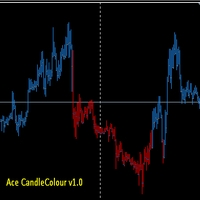
if you prefer to trade manually on forex, maybe this can help you to analyze and when to open orders. u can use anytimeframe and pair forex , how to use it ? simple Blue Colour = Trend is Up White Colour = Trend Sideway Red Colour = Trend is Down Timeframe recommend m15 - day 1 When is the order start time? for example, if the color now comes out blue, wait for shift candle 3 after the last color comes out. if the color is still the same and does not change immediately open a buy position.

With this Utility you will have the option to see trading information’s on your chart.
It will show you your Profit (Total Profit) BuyProfit/SellProfit and Count the different types of trades you made.
You can specify if its only going to count the symbol or if you use lots of EA’s you can set UseMagicnumber to true and then specify which magic number you want the information to show.
When using UseMagicnumber it filters by Symbol and Magic Number. This means if you have an EA without a Infor
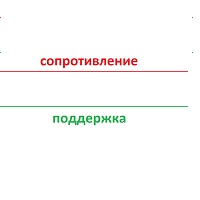
Торгуя на рынке форекс, многие используют уровни поддержки сопротивления убеждая себя что, если цена закрепится выше-ниже уровня, рынок пойдет далее по направлению-данное убеждение работает только в том случае, если учитывается направление движения рынка с более старшего временного интервала! Исходя из выше сказанного был написан индикатор уровней который рассчитывается по математической формуле Индикатор уникален тем, что он помимо основных уровней, учитывает и уровень с более старшего временно
This product makes your trend lines perfectly horizontal and brings them to present automatically. SPEND YOUR TIME TRADING AND NOT FORMATTING TREND LINES! Makes for the cleanest of charts! This product is ideal for S/D, S/R, and other technical analysis styles! The most important part is that you won't know how you ever traded with out it! First month is free!

介绍ProEngulfing - 您的专业MT4 Engulf模式指标 解锁精准力量,使用ProEngulfing,一款先进的指标,旨在识别和突出外汇市场上的合格的吞没模式。为MetaTrader 4开发,ProEngulfing提供了一种细致入微的吞没模式识别方法,确保您只收到最可靠的交易决策信号。 ProEngulfing的工作原理: ProEngulfing采用先进的算法分析吞没模式,不仅仅是简单地识别模式,还确保这些模式确实是合格的。以下是它的工作原理: 资格标准:该指标评估实体百分比与整个蜡烛大小的关系,并考虑影子百分比与蜡烛大小的比较。这种细致入微的评估确保只有高概率的吞没模式引起您的注意。 连续确认:ProEngulfing在吞没模式之前寻找足够数量的连续反向条,提供对模式可靠性的额外确认。 双向信号:ProEngulfing提供两种不同的信号模式 - 在方向和反向方向。用户可以通过图表上的按钮轻松切换这些模式。 在方向模式中:在触及或回溯移动平均线时显示吞没模式。 反向方向模式:显示在移动平均线上方一定距离处发生的熊市合格吞没模式,表明市场可能发生逆转。 回测功能:P

货币强度突破指标 (Currency Strength Breakout Indicator)
使用 货币强度突破指标 ,在交易中获得优势。这是一款强大的工具,可在单一、易读的窗口中分析八种货币的多个时间框架 (M1、M5、M15、M30 和 H1)。识别最强和最弱的货币,精确地交易回调,借助提醒功能,在最佳时机进入趋势。 主要特点 实时货币强度监控 :即时查看哪些货币正在趋势中以及趋势方向。 回调提醒 :获取回调提醒,为您提供最佳的趋势入场点。 可自定义颜色 :调整指标颜色以符合您的偏好和图表设置。 如何使用指标进行交易 货币强度概览 : 左侧 :显示高时间框架的货币强度,用于宏观分析。 右侧 :显示低时间框架的货币强度,显示最强货币和三种最弱货币。 识别回调 : 在低时间框架中,观察最强货币的强度是否低于较弱货币的强度。这表明出现了回调,并会生成提醒(如果已启用)。 打开相关图表 : 参考指标右上角,识别货币对和您交易的突破方向。 选择入场点 : 使用您偏好的入场方法: 寻找支撑/阻力位以获得有利的入场价格。 设置买入/卖出止损单,捕捉趋势恢复时的突破。
风险管理 : 始终将止损
FREE
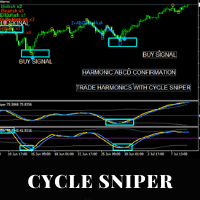
Please contact us after your purchase and we will send you the complimentary indicators to complete the system Cycle Sniper is not a holy grail but when you use it in a system which is explained in the videos, you will feel the difference. If you are not willing to focus on the charts designed with Cycle Sniper and other free tools we provide, we recommend not buying this indicator. We recommend watching the videos about the indiactor and system before purchasing.
Videos, settings and descri
The main advantage of the EA is the percentage of profitable trades that is 99% in testing over the past 2 years. He does not make many transactions, please note this. Designed primarily for the EUR/USD M30 pair . The EA Uses several indicators the main one of which is "Stochastics" Default testing parameters Initial balance = $10,000 Net profit = $27,300 Profitable trades = 99% Drawdown = 38% Other product: https://www.mql5.com/ru/users/yura1994ru/seller#products Before using it on a
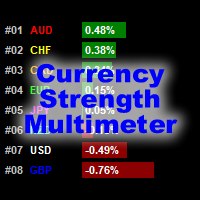
貨幣強度萬用表指示器顯示以下每種貨幣的強度,方向和等級: AUD CAD CHF EUR GBP JPY NZD USD 此外,它還顯示以下每種貨幣對的強度,方向和等級: AUDCAD AUDCHF AUDJPY AUDNZD AUDUSD CADCHF CADJPY CHFJPY EURAUD EURCAD EURCHF EURGBP EURJPY EURNZD EURUSD GBPAUD GBPCAD GBPCHF GBPJPY GBPNZD GBPUSD NZDCAD NZDCHF NZDJPY NZDUSD USDCAD USDCHF USDJPY
該指標適用於任何圖表和任何時間範圍。每個貨幣和貨幣對的強度,方向和排名數據都可以通過指標緩衝區訪問。您可以將指標拖放到圖表上以顯示所有信息,也可以將指標配置為僅顯示其所在特定圖表的貨幣和貨幣對。
數據顯示為貨幣和貨幣對的水平條形圖。它還顯示僅針對貨幣的連續折線圖
指標輸入和默認值如下: BarsLimit = 60-計算中使用的條數。 Hours = 1-計算中使用的小時數。 ShowAllCurrencyPairs = t
FREE

Great dashboard for market analytics. Help you to analyze the values of the Moving Average indicator and prices.
Using this dashboard you can: find signals from the Moving Average from all timeframes; find signals from the Moving Average from all symbols; check - how far the Moving Average is from the price; check - the Moving Average value has changed; 2 types of signal.
Modes of operation (switched by a button on the graph): current value of Moving Average; the difference between the
FREE

Buy and sell signals using the MACD histogram. The interface is simple and easy to understand. You can perzonalize the indicator in several ways according to its visual style or even more importantly, its setting of parameters to detect market signals. Using the Multiplier option in the menu you can increase the indicator period although it is recommended to use the default settings.
FREE

Based on a combination of indicators, PS Acid Fulx is an excellent indicator for knowing when to buy or sell on any asset and temporaryity. The indicator myself I have used it as a tool for my analysis when trading Forex. It is a useful and easy-to-understand trend indicator. If you combine it with your own analyses you will surely get a good result in your operation.
FREE
With this customizable indicator you will be able to observe other timeframes besides the usual one. This way you will get to know better the general environment in which the price moves and probably will be better your effectiveness. *It is important that the timeframe in the indicator is greater than that set in Metatrader. I'll share more indicators for free soon. If you have any specific ideas of an indicator that you want to have you can write me a private message directly. Opinions, review
FREE

Based on a combination of indicators, E13 Acid Fulx is an excellent indicator for knowing when to buy or sell on any asset and temporaryity. The indicator myself I have used it as a tool for my analysis when trading Forex. It is a useful and easy-to-understand trend indicator. If you combine it with your own analyses you will surely get a good result in your operation.
FREE

Great dashboard for market analytics. The panel helps to analyze the values of the Bollinger Bands indicator and prices.
Using this panel you can: watch the current signal from Bollinger Bands for all time frames; watch the current signal from Bollinger Bands by different symbols; look at how far Bollinger Bands is from the price; look at how much the value of Bollinger Bands has changed; several types of signals for analytics.
Values in the table cell (switched by the button on the graph

Manual Zig-zag allows you to build a zig-zag with the mouse, to build it is necessary to turn on the zig-zag and left-click. The file must be placed in the \ MQL4 \ Indicators folder then in the terminal from the list of indicators put it on the chart.
A zigzag can be built so that this zigzag can only be seen on the current time frame or in all halves at once.
You can change the color and thickness of the line while on the chart without getting into the settings.
You can quickly remove each
FREE

The principle of this indicator is very simple: detecting the trend with Moving Average, then monitoring the return point of graph by using the crossing of Stochastic Oscillator and finally predicting BUY and SELL signal with arrows, alerts and notifications. The parameters are fixed and automatically calculated on each time frame. Example: If you install indicator on EURUSD, timeframe M5: the indicator will detect the main trend with the Moving Average on this timeframe (for example the Moving
SETI is a Break indicator multipair searching SETI is a powerful indicator of for any par and any timeframe. It doesn't requires any additional indicators for the trading setup.The indicator gives clear signals about opening and closing trades. This Indicator is a unique, high quality and affordable trading tool. Can be used in combination with other indicators Perfect For New Traders And Expert Traders Low risk entries. Never repaints signal. Never backpaints signal. Never recalculates
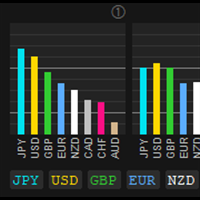
CS Info [Currency Strength Information] CS Info is the real-time MTF calculation of 28/34 symbols for the strength of 8 currencies/XAU - AUD, CAD, CHF, EUR, GBP, JPY, NZD, USD and XAU. It analyses the trend or momentum/strength of all 8 currencies and XAU to determine high probability currency combinations and trading opportunities.
Key Features Floating position - with click on Control to select and move
Mode A/Mode B for presentation of CS Calculation FX or FX/XAU to change FX or FX/XAU Ac

A VERY PROFESSIONAL TOOL WITH EASY SETTINGS We bring you an Expert Advisor to trade Harmonic And Chart Patterns, Murrey Math Lines, Fibonacci Levels with RSI and Spearman Correlations
Harmonic Patterns Draw horizontal lines by using Between Lines / Support / Resistance options
Murrey Math Lines By using Between Lines option If you do not have the Murrey Math Indicator, PM us after purchasing of the product and we will send you the indicator. - See the video on the comments section-
Chart Pa

Fully automatic multicurrency expert advisor working on any type of accounts and with any type of spreads. The timeframe on the chart does not matter, you can set any. Directly working timeframe is set in the settings. The EA always sets TakeProfit and is thus less sensitive to the speed of the broker. The "Deposit protection" function allows the EA to set StopLoss after the last order and thereby limit possible losses. The additional " Magnetic TP " function search the levels near the T

An automatic trading system created from the author's strategy, which is based on the analysis of configurations of three indicators: ADX, Bands and MA. The Expert Advisor has a highly customizable mode, it can trade using a fixed Stop Loss and / or Take Profit, dynamic Stop Loss and / or Take Profit, closing when an opposite signal appears, as well as various combinations of these modes. The system is designed for medium and long-term trading. The system is fully automatic. Please, pay attentio

The key difference between the Trend Canal indicator and other channel indicators (for example, from the Bollinger indicator) is that Trend Canal takes into account not simple moving averages, but twice smoothed ones, which allows one to more clearly determine the market movement, and on the other hand makes the indicator less sensitive. Trend Canal is a non-redraw channel indicator based on moving averages.

Hello
This EA for send Orders Signals when you open or close order and send statics to your channel in Telegram with sum of profit or Loss Pips you can share your orders with your clients in your telegram please watch our video to see how it is fast. https://www.youtube.com/watch?v=u_7twtYZhyI
you must have Telegram channel then make bot and give it Permission and get token (watch this video to know how do it) https://www.youtube.com/watch?v=x1bKWFOjSBE
and you must download this files https

Hello this Indicator can Change TimeFrame easily and faster for current chart only or for all charts in same time (very fast) you can change it by press any number from 1 to 9 please watch our video https://www.youtube.com/watch?v=f6jWz_Y7dMs good luck -------------------------------------------------------------- السلام عليكم هذا مؤشر لتغيير الفريم للشارت الحالي او لجميع الشارتات بشكل اسرع وأسهل يمكنك تغيير الفريم بالضغط على اي رقم من 1 الى 9 بحيث يتمت غيير فريم الشارت الحالي فقط او جميع الشار

Equity Terminator Expert Advisor
Parameter Volot ==> Volume Lot // lot based on the volume of balance. Examples1 : Balance 1000 USD, Volot = 1000, then lot is 0.1 Examples2 : Balance 1000 USD, Volot = 400, then lot is 0.04 Examples2 : Balance 400 USD, Volot = 400, then lot is 0.01 Etc. Target Equity ==> The final equity target that you want to achieve
How does the expert advisor work? The purpose of ea is to achieve the target

Hello this Indicator will draw Channels to help you to take decision to buy or sell or waiting you can show one channels or two or tens of channels if you want please watch our video for more details https://www.youtube.com/watch?v=5Cq_l9I3Yr0 good luck -------------------------------------------------------------- السلام عليكم هذا المؤشر يرسم قنوات سعرية لمساعدتك على اتخاذ قرار الشراء أو البيع أو الانتظار يمكنك عرض قناة واحدة أو قناتين أو عشرات القنوات إذا أردت يرجى مشاهدة الفيديو لمزيد من التف

The Deviator trend indicator in calculations uses reliable algorithms. It shows favorable moments for entering the market with arrows, that is, using the indicator is quite simple.
Shows successful signals - can be used with an optimal risk ratio. The indicator can be used both for pipsing on small periods, and for long-term trading.
It uses only one parameter for setting, which sets the number of bars for calculation.
It works on all currency pairs and on all timeframes. Of course, the appr
MetaTrader市场是独有的自动交易和技术指标商店。
阅读MQL5.community用户备忘更多地了解我们提供给交易者的独特的服务:复制交易信号,自由职业者开发的自定义应用程序,通过支付系统完成的自动付款和MQL5云网络。
