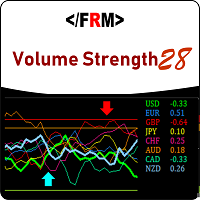
Volume Strength 28
79 USD
Demo indirildi:
486
Yayınlandı:
2 Ağustos 2018
Mevcut sürüm:
2.3
Uygun bir robot bulamadınız mı?
Freelance üzerinden kendi
robotunuzu sipariş edin
Freelance'e git
Freelance üzerinden kendi
robotunuzu sipariş edin
Bir alım-satım robotu veya gösterge nasıl satın alınır?
Uzman Danışmanınızı
sanal sunucuda çalıştırın
sanal sunucuda çalıştırın
Satın almadan önce göstergeyi/alım-satım robotunu test edin
Mağazada kazanç sağlamak ister misiniz?
Satış için bir ürün nasıl sunulur?

Alım-satım fırsatlarını kaçırıyorsunuz:
- Ücretsiz alım-satım uygulamaları
- İşlem kopyalama için 8.000'den fazla sinyal
- Finansal piyasaları keşfetmek için ekonomik haberler
Kayıt
Giriş yap
Web sitesi politikasını ve kullanım şartlarını kabul edersiniz
Hesabınız yoksa, lütfen kaydolun
What is updated on ver 1.10??
IS there problem with trend arrow? I thought it was good idea to display up or down on the chart. Would you tell me why it was removed?
IS there problem with trend arrow? I thought it was good idea to display up or down on the chart. Would you tell me why it was removed?
We have re-enabled it in the new version. We had removed due to disinterest of some customers . Also fixed a bug with the notification system. Yellow Zone Alert and Trend Exit Alert gives recurring notification sometimes, we have fixed this.
Thanks
IS it possible to highlight only the active currency pair? It looks like it is not working even when you change to display the other currency pair. Still highlights non active currencies.
Please throw more light on this issue, if possible send screen shots.
Thanks
It should be in the market folder under indicators. I have highlighted where you will find it in red . Thanks for your patronage.
Regards,
It should be in the market folder under indicators. I have highlighted where you will find it in red . Thanks for your patronage.
Regards,
Yes it is not in there but when I checked in the Open Data Folder in Market it is in there ? So its not showing up in the Market list in the Navigator but is in the data Folder ?
ok go to the navigator panel and right click, and on the pop up menu,click refresh
ok go to the navigator panel and right click, and on the pop up menu,click refresh
Ok did that and it did not help ?
Ok did that and it did not help ?
If you comfortable with it, i can help you with this via team viewer, but between the service desk are best equipped to help with such issues since its an installation problem, they understand their platform better than we do.
If you comfortable with it, i can help you with this via team viewer, but between the service desk are best equipped to help with such issues since its an installation problem, they understand their platform better than we do.
Well if you dont mind can you try it first if it's not to much trouble ? Not tonight just got back home, maybe tomorrow ?
Well if you dont mind can you try it first if it's not to much trouble ? Not tonight just got back home, maybe tomorrow ?
hi Nesimeye i purchased this indicator but it has refused to download on my mt4 ,what can i do sir
thank you.